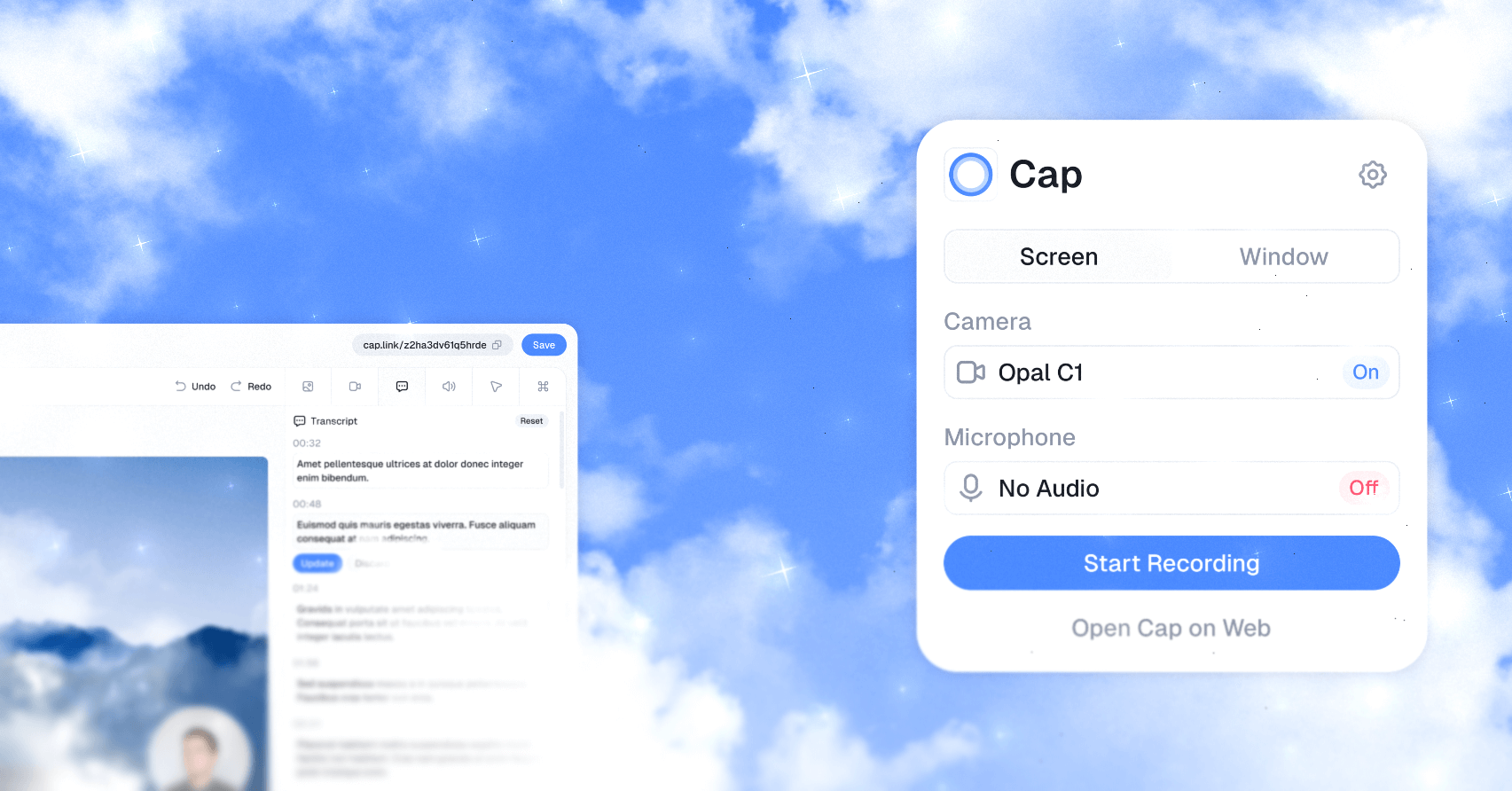
20.5k sao GitHub và vẫn tăng — CapSoftware/Cap là dự án TypeScript mà TopGit đang theo dõi trên nền tảng. Open source Loom alternative. Beautiful, shareable screen recordings.
Tóm tắt dựng từ metadata GitHub của chính dự án — chưa có bài review TopGit. Trang sẽ tự động cập nhật khi bài review đầy đủ được xuất bản.
VÌ SAO CHƯA CÓ REVIEW
TopGit viết bài đầy đủ cho repo có nhiều sao nhất và được yêu cầu nhiều nhất. Trang này là snapshot trong thời gian chờ — xem README gốc ở tab READ ME.
Beautiful, shareable screen recordings. Open source, fast, and built for teams that want to own their data.
Website
|
Download
|
Docs
|
Pricing
|
Discord
Cap is the open source alternative to Loom. It gives you fast screen recording, polished local editing, instant share links, comments, transcripts, analytics, team workspaces, custom domains, custom S3 storage, and full self-hosting when you need complete control.
Use Cap for product demos, bug reports, onboarding, tutorials, design reviews, engineering walkthroughs, async standups, client updates, and any moment where showing the work is faster than scheduling another call.
Why Cap
Record, edit, share. Capture your screen, camera, and microphone, then share a link or export a finished video.
Instant Mode for speed. Upload while recording and get a shareable link the moment you stop.
Studio Mode for polish. Record locally, edit with backgrounds, zooms, trimming, captions, and export controls.
Desktop apps for your team. Cap runs on macOS and Windows, with a web dashboard for viewing, sharing, and managing recordings.
Own your storage. Use Cap Cloud, connect your own S3-compatible bucket, keep recordings local, or self-host the full platform.
Privacy by default. Share publicly or privately, add passwords, use your own domain, or keep sensitive recordings off hosted infrastructure.
Async collaboration. Comments, reactions, transcripts, viewer analytics, and team workspaces keep feedback attached to the video.
Cap AI. Generate titles, summaries, clickable chapters, captions, and transcripts automatically.
Move from Loom. Import existing Loom videos into Cap and keep your library in one place.
Recording Modes
Mode
Best for
How it works
Instant Mode
Fast feedback, bug reports, async updates
Cap uploads while you record, then gives you a share link as soon as recording stops.
Studio Mode
Product demos, tutorials, launches, client work
Cap records locally, opens the editor, and lets you export or share a polished video.
Data Ownership
Cap is designed for people and teams who do not want their recording workflow locked inside a black box.
Use Cap Cloud for the fastest hosted experience.
Connect AWS S3, Cloudflare R2, Backblaze B2, MinIO, Wasabi, or another S3-compatible provider.
Serve share pages from your own domain.
Self-host Cap Web, the API, database, media server, and object storage with Docker Compose.
Point Cap Desktop at your self-hosted instance from Settings > Cap Server URL.
Get Started
For most users, the fastest path is:
Download Cap for macOS or Windows from cap.so/download.
Sign in or create an account.
Choose Instant Mode or Studio Mode.
Record your first Cap.
Share the link, export the file, or keep it local.
The full product docs live at cap.so/docs.
Self-Hosting
The fastest way to self-host Cap Web is Docker Compose:
git clone https://github.com/CapSoftware/Cap.git
cd Cap
docker compose up -d
Cap will be available at http://localhost:3000.
Login links appear in the service logs when email is not configured:
docker compose logs cap-web
Deployment Options
Method
Best for
Docker Compose
VPS, home servers, and any Docker-capable host
Railway
One-click managed hosting
Coolify
Self-hosted PaaS deployments with docker-compose.coolify.yml
For production, configure public URLs and replace the default secrets before exposing the deployment to the internet:
See the self-hosting guide for email setup, AI providers, SSL, storage, production hardening, and troubleshooting.
Local Development
Cap is a Turborepo monorepo with Rust, TypeScript, Tauri, SolidStart, Next.js, Drizzle, MySQL, Tailwind CSS, and shared media crates.
Requirements:
Node.js 20 or newer
pnpm 10.5.2
Rust 1.88 or newer
Docker for MySQL, MinIO, and local services
Install and set up the repo:
pnpm install
pnpm env-setup
pnpm cap-setup
Common commands:
Command
Purpose
pnpm dev
Start the full local development stack
pnpm dev:web
Start the web app without the desktop app
pnpm dev:desktop
Start the desktop app
pnpm build
Build the workspace
pnpm tauri:build
Build the desktop release
pnpm lint
Run Biome linting
pnpm format
Format with Biome
pnpm typecheck
Run TypeScript project references
cargo test -p <crate>
Run Rust tests for a crate
Database commands:
Command
Purpose
pnpm db:generate
Generate database artifacts
pnpm db:push
Push schema changes
pnpm db:studio
Open Drizzle Studio
Repository Map
Path
What lives there
apps/desktop
Tauri v2 desktop app with SolidStart UI and Rust backend
apps/web
Next.js web app for marketing, docs, dashboard, sharing, API routes, and auth
apps/cli
Rust CLI
apps/media-server
Media processing service used by the web app
apps/discord-bot
Discord integration
packages/database
Drizzle schema and database access
packages/ui
Shared React UI
packages/ui-solid
Shared Solid UI
packages/web-backend
Backend service layer
packages/web-domain
Web domain models and types
packages/env
Environment validation
packages/sdk-embed
Embed SDK
packages/sdk-recorder
Recorder SDK
crates/*
Recording, capture, camera, audio, encoding, rendering, muxing, export, and test crates
scripts/*
Setup, analytics, build, and maintenance tooling
infra/*
Infrastructure configuration
The web API uses Effect and @effect/platform HTTP APIs. Desktop capture and export paths are backed by Rust crates for fast recording, rendering, and platform-specific media access.
Analytics
Cap uses Tinybird for viewer telemetry dashboards. Set TINYBIRD_ADMIN_TOKEN or TINYBIRD_TOKEN before running analytics commands.
Command
Purpose
pnpm analytics:setup
Deploy Tinybird datasources and pipes from scripts/analytics/tinybird
pnpm analytics:check
Validate that the Tinybird workspace matches the app expectations
analytics:setup can remove Tinybird resources outside the checked-in analytics configuration. Use it only against the workspace you intend to manage from this repo.
Contributing
Cap is built in public. Issues, pull requests, design feedback, bug reports, docs fixes, and bounties are welcome.
Read CONTRIBUTING.md before opening a pull request.
Join the community on Discord.
Check open bounties on Algora.
License
Portions of this software are licensed as follows:
Code in the cap-camera* and scap-* crate families is licensed under the MIT License. See licenses/LICENSE-MIT.
Third-party components are licensed under the original license provided by their owner.
All other content not mentioned above is available under the AGPLv3 license as defined in LICENSE.
CapSoftware/Cap có 20.5k sao GitHub — tải lại trang để xem số mới nhất, hoặc xem trực tiếp github.com/CapSoftware/Cap. TopGit phản chiếu số sao của GitHub nhưng không cam kết đến từng phút.
CapSoftware/Cap có phải mã nguồn mở không?
TopGit chưa ghi nhận license cho CapSoftware/Cap. Phần lớn repo public trên GitHub là mã nguồn mở, nhưng điều khoản khác nhau từng repo — mở file LICENSE để xác nhận.
CapSoftware/Cap có trang demo không?
Dự án có trang chủ ở https://cap.so. Tab "Readme" ở trang này thường có ảnh chụp và hướng dẫn bắt đầu nhanh.
CapSoftware/Cap là gì?
CapSoftware/Cap (CapSoftware/Cap) là dự án TypeScript trên GitHub. Theo mô tả gốc: Open source Loom alternative. Beautiful, shareable screen recordings.
CapSoftware/Cap so với các dự án Developer Tools khác thế nào?
CapSoftware/Cap được TopGit xếp vào nhóm Developer Tools, với 20.5k sao GitHub và viết bằng TypeScript. Xem trang chủ đề Developer Tools trên TopGit để so sánh với các dự án tương tự theo số sao và mức độ hoạt động.
Cùng nhóm Developer Tools còn repo nào?
CapSoftware/Cap thuộc nhóm Developer Tools trên TopGit, cùng 20 topic GitHub. Trang Trending và Topics liệt kê các repo cùng số sao và cùng ngôn ngữ để so sánh.
Đọc thêm về CapSoftware/Cap ở đâu?
Trang TopGit này là một snapshot — tab "Readme" hiển thị nguyên văn README của repo (đã bỏ link, giữ ảnh). Repo GitHub ở github.com/CapSoftware/Cap là nguồn chính thức.
Đọc đầy đủ README ở tab phía trên.
Cap có đáng để bạn bỏ thời gian?
ChatGPT, Claude và Perplexity đều đọc được trang này. Hỏi thử xem họ nghĩ gì về Cap.
 CapSoftware/Cap