conwnet/github1s được TopGit xếp vào nhóm công cụ cho lập trình viên, với 23.3k sao trên GitHub, viết chủ yếu bằng TypeScript. One second to read GitHub code with VS Code.
Tóm tắt dựng từ metadata GitHub của chính dự án — chưa có bài review TopGit. Trang sẽ tự động cập nhật khi bài review đầy đủ được xuất bản.
VÌ SAO CHƯA CÓ REVIEW
TopGit viết bài đầy đủ cho repo có nhiều sao nhất và được yêu cầu nhiều nhất. Trang này là snapshot trong thời gian chờ — xem README gốc ở tab READ ME.
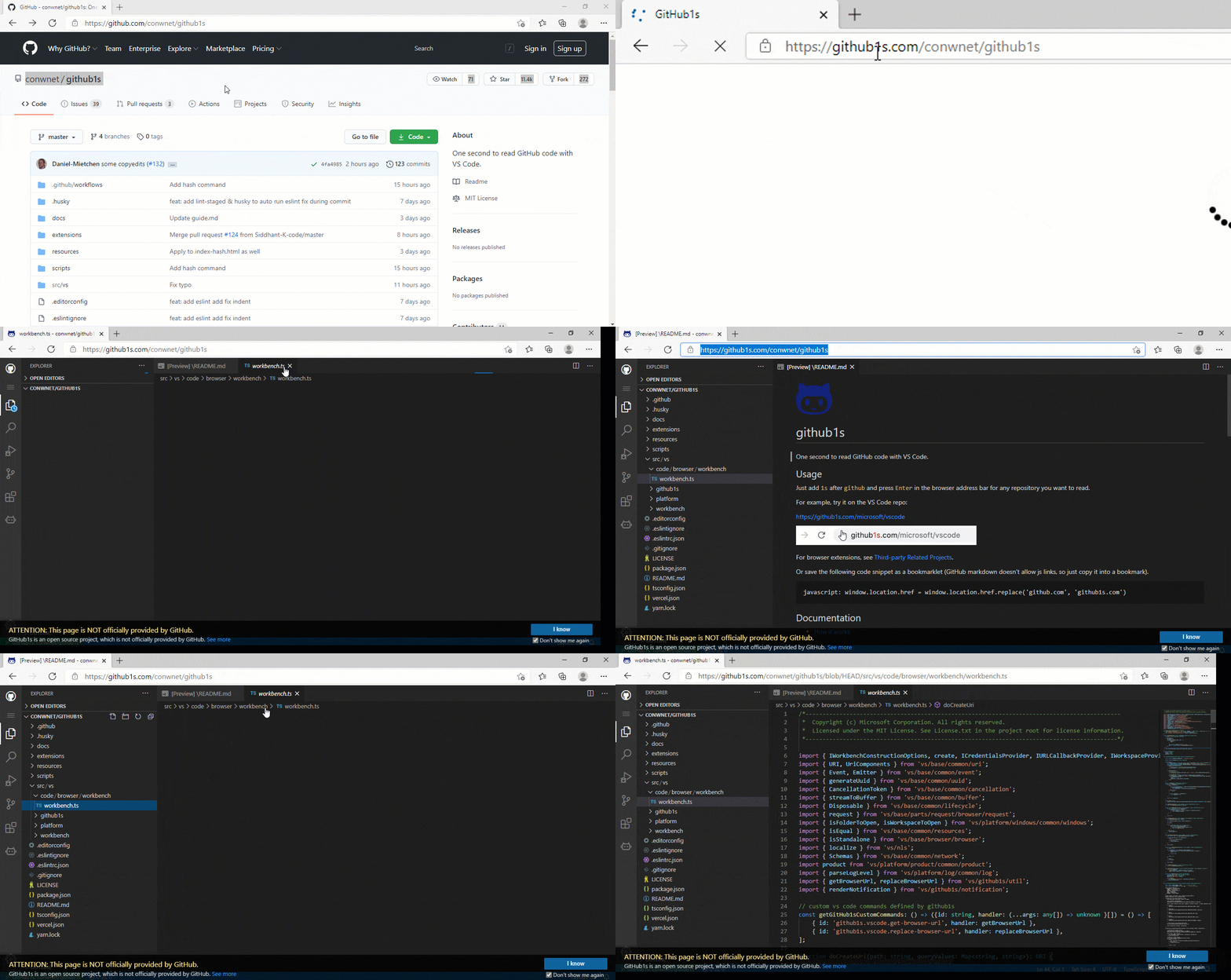
Just add 1s after github and press Enter in the browser address bar for any repository you want to read.
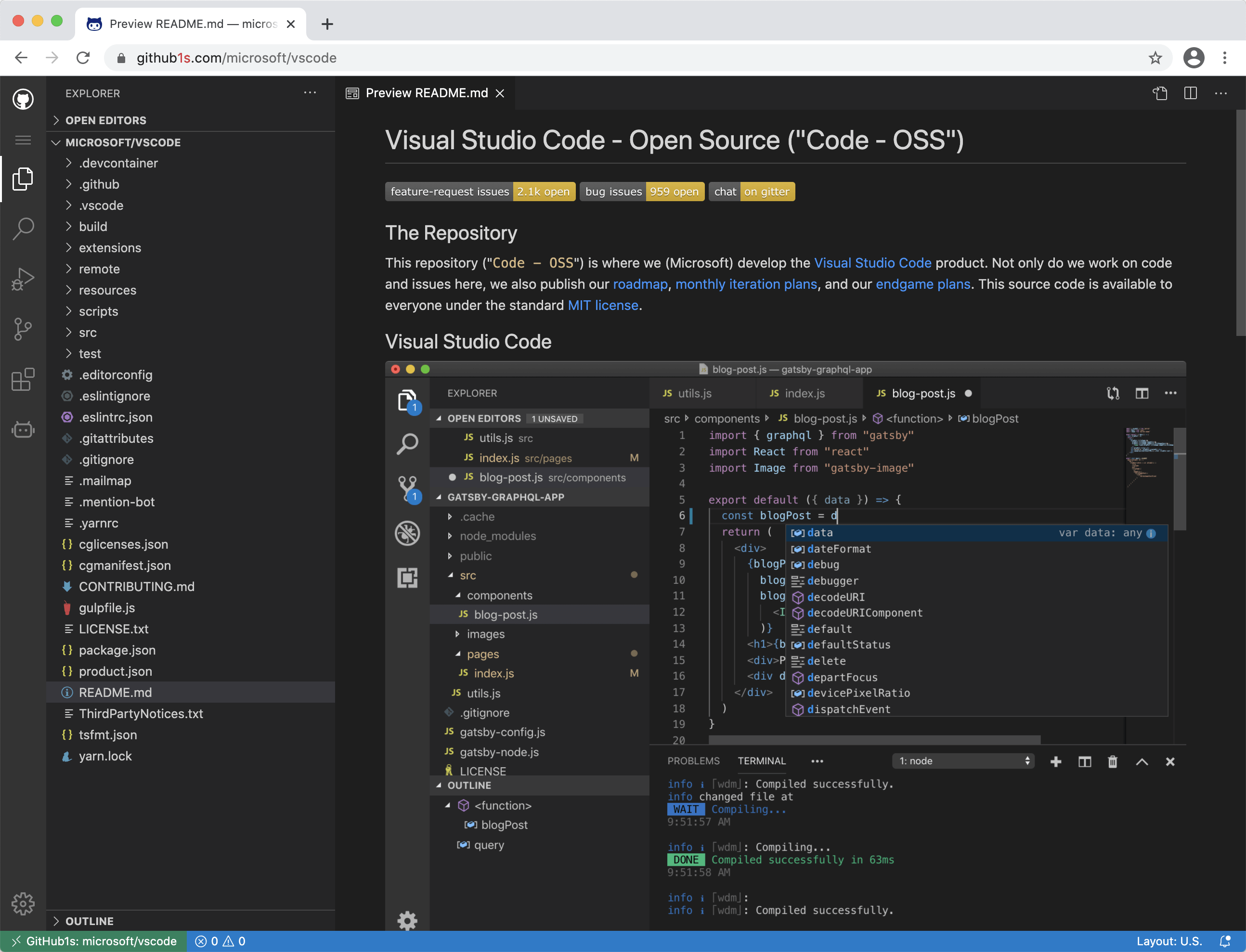
For example, try it on the VS Code repo:
https://github1s.com/microsoft/vscode
You can also use https://gitlab1s.com or https://npmjs1s.com in the same way.
For browser extensions, see Third-party Related Projects.
Or save the following code snippet as a bookmarklet, you can use it to quickly switch between github.com and github1s.com (GitHub markdown doesn't allow js links, so just copy it into a bookmark).
To edit files, run Docker containers, create pull requests and more, click the "Develop your project on Gitpod" button in the status bar. You can also open the Command Palette (default shortcut Ctrl+Shift+P) and choose GitHub1s: Edit files in Gitpod.
Documentation
How it works
Roadmap
Enabling Private Repositories
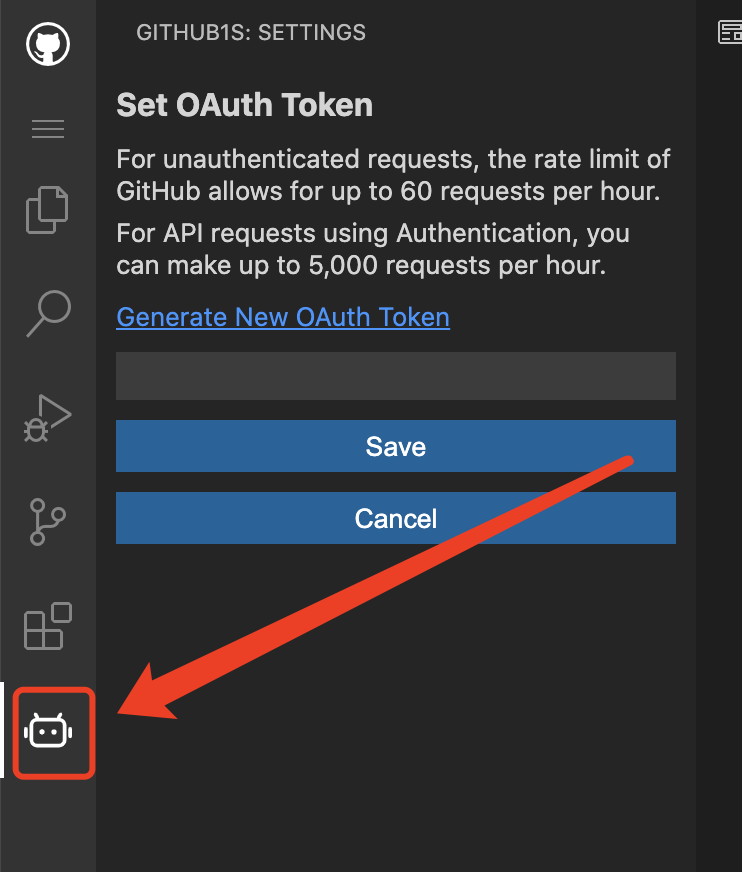
If you want to view non-public repositories, you need to add an OAuth token. The token is stored only in your browser, and only send to GitHub when fetching your repository's files. Click on the icon near the bottom of the left-hand row of icons, and the dialog box will prompt you for it, and even take you to your GitHub settings page to generate one, if needed.
Screenshots
Development
Cloud-based development
You can start an online development environment with Gitpod by clicking the following button:
Local development
git clone [email protected]:conwnet/github1s.git
cd github1s
npm install
npm run watch
# The cli will automatically open http://localhost:8080 once the build is completed.
# You can visit http://localhost:8080/conwnet/github1s if it doesn't.
Local development with full VS Code build
You need these prerequisites (the same ones as for VS Code) for development with full VS Code build.
Please make sure you could build VS Code locally before the watch mode.
To verify the build:
cd github1s
npm run build:vscode
After the initial successful build, you could use the watch mode:
cd github1s
npm install
npm run watch-with-vscode
# The cli will automatically open http://localhost:8080 once the build is completed.
# You can visit http://localhost:8080/conwnet/github1s if it doesn't.
... or ... VS Code + Docker Development
You can use the VS Code plugin Remote-Containers Dev Container to use a Docker container as a development environment.
Install the Remote-Containers plugin in VS Code & Docker
Open the Command Palette (default shortcut Ctrl+Shift+P) and choose Remote-Containers: Clone Repository in Container Volume...
Enter the repo, in this case https://github.com/conwnet/github1s.git or your forked repo
Pick either, Create a unique volume or Create a new volume
Now VS Code will create the docker container and connect to the new container so you can use this as a fully setup environment!
Open a new VS Code Terminal, then you can run the npm install commands listed above.
npm install
npm run watch
# The cli will automatically open http://localhost:8080 once the build is completed.
# You can visit http://localhost:8080/conwnet/github1s if it doesn't.
Format all codes
npm run format
It uses prettier to format all possible codes.
Build
npm install
npm run build
Feedback
If something is not working, create an issue
Sponsors
The continued development and maintenance of GitHub1s is made possible by these generous sponsors:
Partners
We are partnered with OSS Insight to get the Trending Repositories & some more Interesting Analytics. OSS Insight provides deep insights into GitHub repos, developers, and curated repo lists from billions of GitHub events. It’s built with TiDB Cloud.
conwnet/github1s có 23.3k sao GitHub — tải lại trang để xem số mới nhất, hoặc xem trực tiếp github.com/conwnet/github1s. TopGit phản chiếu số sao của GitHub nhưng không cam kết đến từng phút.
conwnet/github1s có phải mã nguồn mở không?
Có — conwnet/github1s phát hành theo license MIT, nghĩa là mã nguồn mở để đọc, fork và (tùy license) tái sử dụng. Mã: github.com/conwnet/github1s.
conwnet/github1s còn đang phát triển không?
Commit gần nhất trên conwnet/github1s là 8 ngày trước (theo timestamp GitHub). Repo có 907 fork — một chỉ báo về mức độ quan tâm của cộng đồng.
conwnet/github1s là gì?
conwnet/github1s (conwnet/github1s) là dự án TypeScript trên GitHub. Theo mô tả gốc: One second to read GitHub code with VS Code.
conwnet/github1s so với các dự án Developer Tools khác thế nào?
conwnet/github1s được TopGit xếp vào nhóm Developer Tools, với 23.3k sao GitHub và viết bằng TypeScript. Xem trang chủ đề Developer Tools trên TopGit để so sánh với các dự án tương tự theo số sao và mức độ hoạt động.
Đọc thêm về conwnet/github1s ở đâu?
Trang TopGit này là một snapshot — tab "Readme" hiển thị nguyên văn README của repo (đã bỏ link, giữ ảnh). Repo GitHub ở github.com/conwnet/github1s là nguồn chính thức.
Đọc đầy đủ README ở tab phía trên.
Vẫn đang phân vân về github1s?
Một cú bấm sẽ gửi câu hỏi kèm trang này cho AI — xem AI nói gì về github1s.