databricks/lilac hiện có 1.1k sao trên GitHub, viết chủ yếu bằng Python. Curate better data for LLMs
Tóm tắt dựng từ metadata GitHub của chính dự án — chưa có bài review TopGit. Trang sẽ tự động cập nhật khi bài review đầy đủ được xuất bản.
VÌ SAO CHƯA CÓ REVIEW
TopGit viết bài đầy đủ cho repo có nhiều sao nhất và được yêu cầu nhiều nhất. Trang này là snapshot trong thời gian chờ — xem README gốc ở tab READ ME.
Lilac is a tool for exploration, curation and quality control of datasets for training, fine-tuning
and monitoring LLMs.
Lilac is used by companies like Cohere and
Databricks to visualize, quantify and improve the quality of
pre-training and fine-tuning data.
Lilac runs on-device using open-source LLMs with a UI and Python API.
🆒 New
Lilac Garden is our hosted platform for blazing fast
dataset-level computations. Sign up to join the pilot.
Cluster & title millions of documents with the power of LLMs.
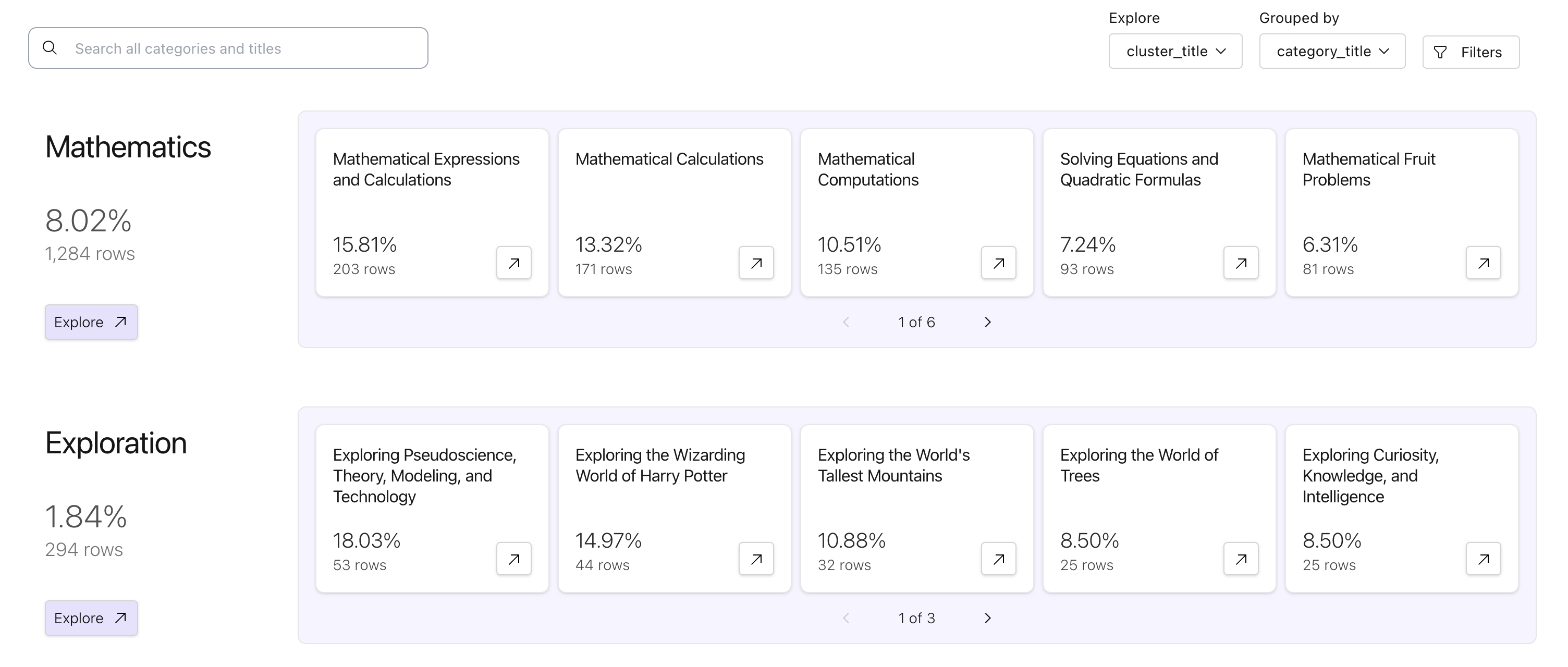
Explore and search
over 36,000 clusters of 4.3M documents in OpenOrca
Why use Lilac?
Explore your data interactively with LLM-powered search, filter, clustering and annotation.
Curate AI data, applying best practices like removing duplicates, PII and obscure content to
reduce dataset size and lower training cost and time.
Inspect and collaborate with your team on a single, centralized dataset to improve data quality.
Understand how data changes over time.
Lilac can offload expensive computations to Lilac Garden, our
hosted platform for blazing fast dataset-level computations.
See our 3min walkthrough video
🔥 Getting started
💻 Install
pip install lilac[all]
If you prefer no local installation, you can duplicate our
Spaces demo by following documentation
here.
For more detailed instructions, see our
installation guide.
🌐 Start a webserver
Start a Lilac webserver with our lilac CLI:
lilac start ~/my_project
Or start the Lilac webserver from Python:
import lilac as ll

ll.start_server(project_dir='~/my_project')
This will open start a webserver at http://localhost:5432/ where you can now load datasets and
explore them.
Lilac Garden
Lilac Garden is our hosted platform for running dataset-level computations. We utilize powerful GPUs
to accelerate expensive signals like Clustering, Embedding, and PII.
Sign up to join the pilot.
Cluster and title a million data points in 20 mins
Embed your dataset at half a billion tokens per min
Run your own signal
📊 Load data
Datasets can be loaded directly from HuggingFace, Parquet, CSV, JSON,
LangSmith from LangChain, SQLite,
LLamaHub, Pandas, Parquet, and more. More documentation
here.
import lilac as ll

ll.set_project_dir('~/my_project')
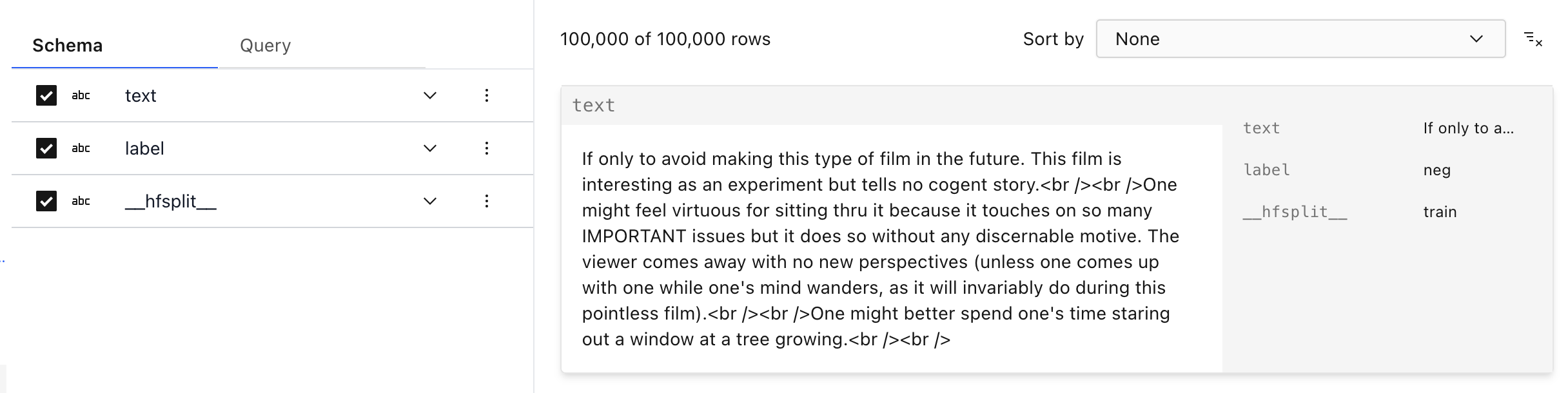
dataset = ll.from_huggingface('imdb')
If you prefer, you can load datasets directly from the UI without writing any Python:
🔎 Explore
[!NOTE]
🔗 Explore OpenOrca and
its clusters
before installing!
Once we've loaded a dataset, we can explore it from the UI and get a sense for what's in the data.
More documentation here.
✨ Clustering
Cluster any text column to get automated dataset insights:
dataset = ll.get_dataset('local', 'imdb')
dataset.cluster('text') # add `use_garden=True` to offload to Lilac Garden
[!TIP]
Clustering on device can be slow or impractical, especially on machines without a powerful GPU or
large memory. Offloading the compute to Lilac Garden, our
hosted data processing platform, can speedup clustering by more than 100x.
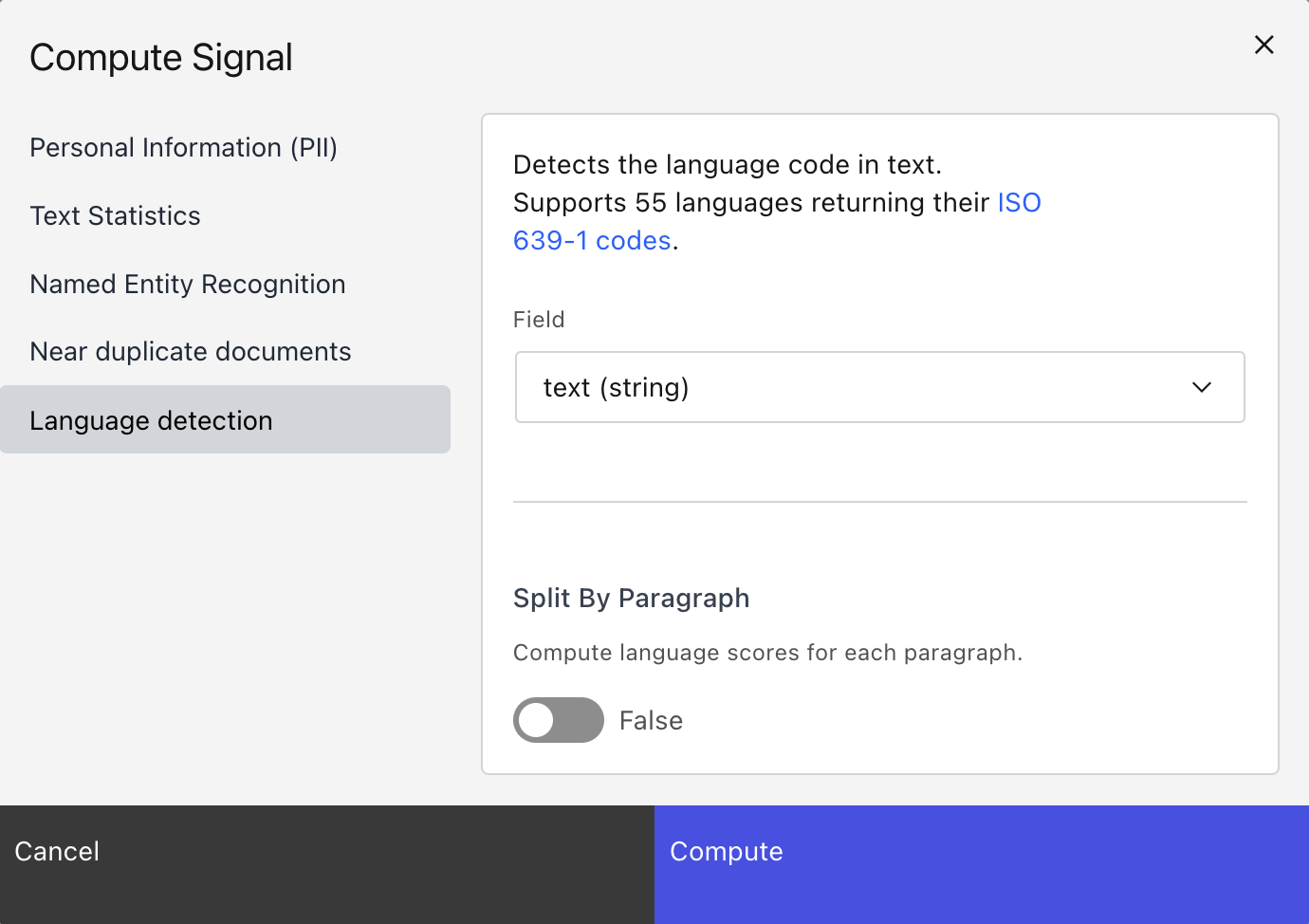
⚡ Annotate with Signals (PII, Text Statistics, Language Detection, Neardup, etc)
Annotating data with signals will produce another column in your data.
dataset = ll.get_dataset('local', 'imdb')
dataset.compute_signal(ll.LangDetectionSignal(), 'text') # Detect language of each doc.

# [PII] Find emails, phone numbers, ip addresses, and secrets.
dataset.compute_signal(ll.PIISignal(), 'text')

# [Text Statistics] Compute readability scores, number of chars, TTR, non-ascii chars, etc.
dataset.compute_signal(ll.PIISignal(), 'text')

# [Near Duplicates] Computes clusters based on minhash LSH.
dataset.compute_signal(ll.NearDuplicateSignal(), 'text')

# Print the resulting manifest, with the new field added.
print(dataset.manifest())
We can also compute signals from the UI:
🔎 Search
Semantic and conceptual search requires computing an embedding first:
Conceptual search is a much more controllable and powerful version of semantic search, where
"concepts" can be taught to Lilac by providing positive and negative examples of that concept.
Lilac provides a set of built-in concepts, but you can create your own for very specif
We can create a concept in Python with a few examples, and search by it:
concept_db = ll.DiskConceptDB()
db.create(namespace='local', name='spam')
# Add examples of spam and not-spam.
db.edit('local', 'spam', ll.concepts.ConceptUpdate(
  insert=[
    ll.concepts.ExampleIn(label=False, text='This is normal text.'),
    ll.concepts.ExampleIn(label=True, text='asdgasdgkasd;lkgajsdl'),
    ll.concepts.ExampleIn(label=True, text='11757578jfdjja')
  ]
))

# Search by the spam concept.
rows = dataset.select_rows(
  columns=['text', 'label'],
  searches=[
    ll.ConceptSearch(
      path='text',
      concept_namespace='lilac',
      concept_name='spam',
      embedding='gte-small')
  ],
  limit=1)

print(list(rows))
🏷️ Labeling
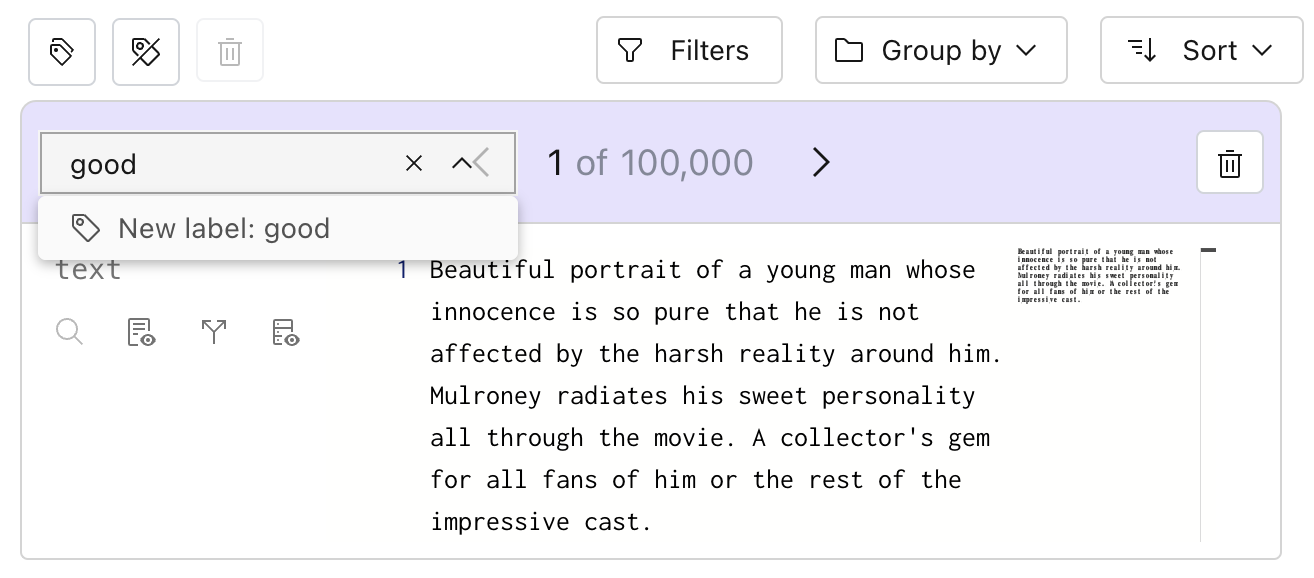
Lilac allows you to label individual points, or slices of data:
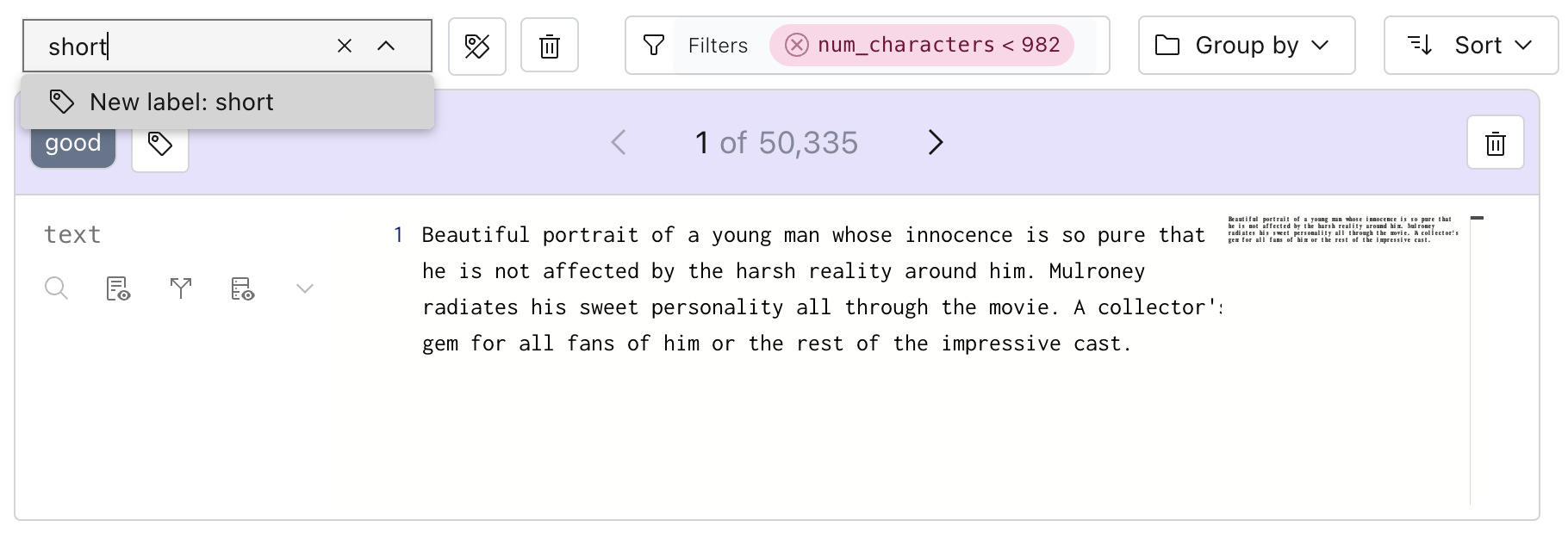
We can also label all data given a filter. In this case, adding the label "short" to all text with a
small amount of characters. This field was produced by the automatic text_statistics signal.
databricks/lilac thuộc nhóm AI Tools trên TopGit, cùng 4 topic GitHub. Trang Trending và Topics liệt kê các repo cùng số sao và cùng ngôn ngữ để so sánh.
databricks/lilac có phải mã nguồn mở không?
Có — databricks/lilac phát hành theo license Apache-2.0, nghĩa là mã nguồn mở để đọc, fork và (tùy license) tái sử dụng. Mã: github.com/databricks/lilac.
databricks/lilac là gì?
databricks/lilac (databricks/lilac) là dự án Python trên GitHub. Theo mô tả gốc: Curate better data for LLMs
databricks/lilac so với các dự án AI Tools khác thế nào?
databricks/lilac được TopGit xếp vào nhóm AI Tools, với 1.1k sao GitHub và viết bằng Python. Xem trang chủ đề AI Tools trên TopGit để so sánh với các dự án tương tự theo số sao và mức độ hoạt động.
Đọc thêm về databricks/lilac ở đâu?
Trang TopGit này là một snapshot — tab "Readme" hiển thị nguyên văn README của repo (đã bỏ link, giữ ảnh). Repo GitHub ở github.com/databricks/lilac là nguồn chính thức.
Vì sao databricks/lilac được xếp vào nhóm AI Tools?
TopGit xếp databricks/lilac vào nhóm AI Tools dựa trên GitHub topics và mô tả của repo (gắn thẻ: "artificial-intelligence", "data-analysis", "dataset-analysis"). Việc phân loại dựa trên metadata thật của repo, không phải đoán theo cảm tính biên tập.
Đọc đầy đủ README ở tab phía trên.
Chưa chắc lilac có hợp với bạn?
Để ChatGPT, Claude hoặc Perplexity tìm hiểu giúp — bấm bên dưới và xem AI nói gì về lilac.

 /lilac