datawhalechina/easy-vibe

19.7k sao GitHub và vẫn tăng — datawhalechina/easy-vibe là dự án JavaScript mà TopGit đang theo dõi trên nền tảng. 💻 vibe coding 101|The first course for AI-native product builders.
Tóm tắt dựng từ metadata GitHub của chính dự án — chưa có bài review TopGit. Trang sẽ tự động cập nhật khi bài review đầy đủ được xuất bản.
TopGit viết bài đầy đủ cho repo có nhiều sao nhất và được yêu cầu nhiều nhất. Trang này là snapshot trong thời gian chờ — xem README gốc ở tab READ ME.
Snapshot
Cộng tác viên hàng đầu
Xem cộng tác viên hàng đầu
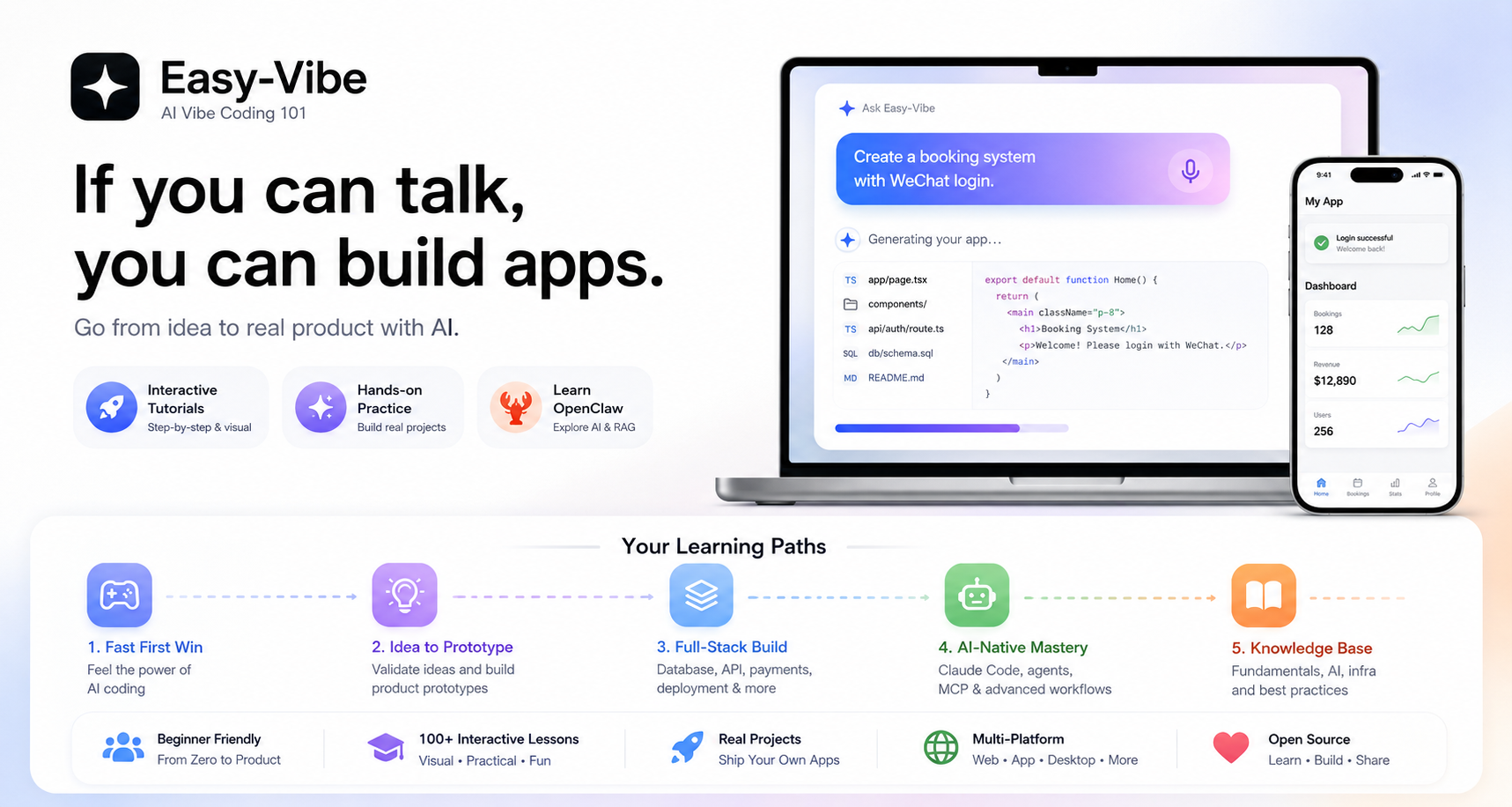
Learn AI coding from zero by shipping real products.
从零开始学 AI 编程,把想法真正做成产品。
你好 · Hello · 哈囉 · こんにちは · 안녕하세요 · Hola · Bonjour · Hallo · مرحبا · Xin chào
Our tutorial supports 10 languages. Let's code together!
我们的教程支持 10 种语言,欢迎世界各地的朋友一起 coding!
🚀 Start Exploring · ✨ Interactive Tutorial · 🦞 Learn OpenClaw · 📖 Table of Contents
🚀 开始体验 · ✨ 交互式教程 · 🦞 学习 OpenClaw · 📖 查看目录
Read Online ·
Learning Map
开始阅读 ·
学习地图





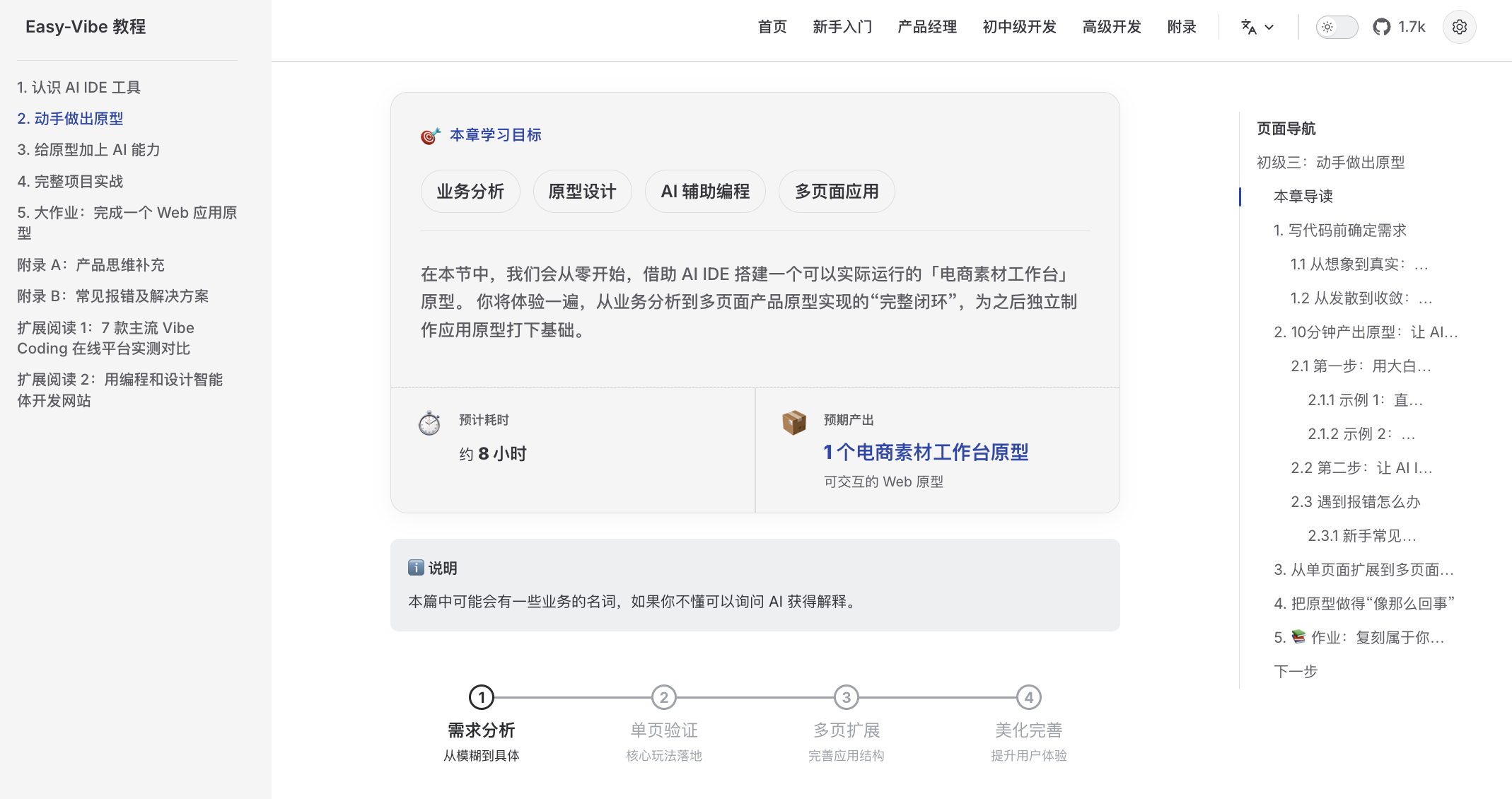
A beginner-friendly learning map Clear guidance from zero, so you can stop "learning and forgetting" |
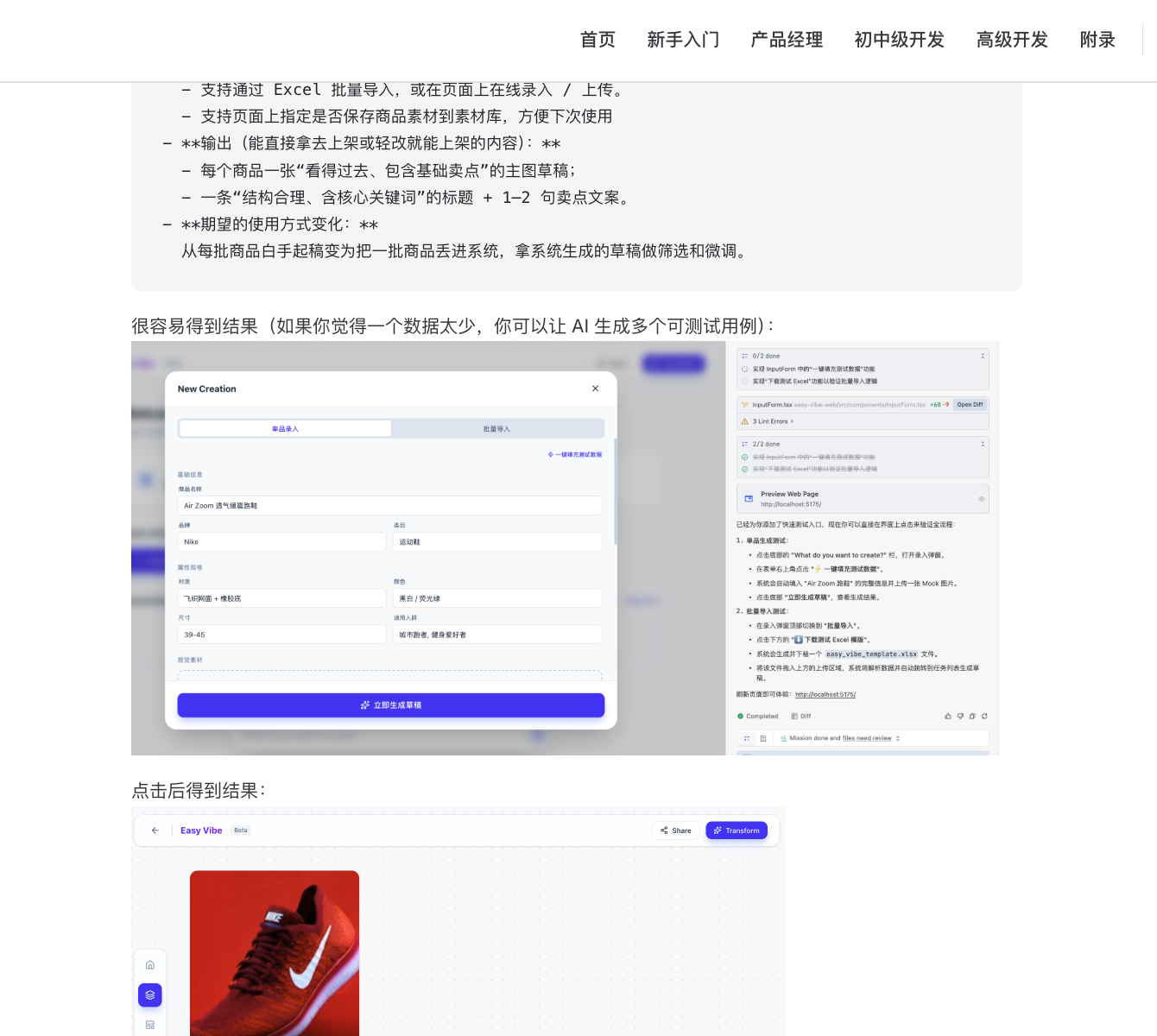
Step-by-step visual tutorials Detailed walkthroughs that feel like learning with a private tutor |
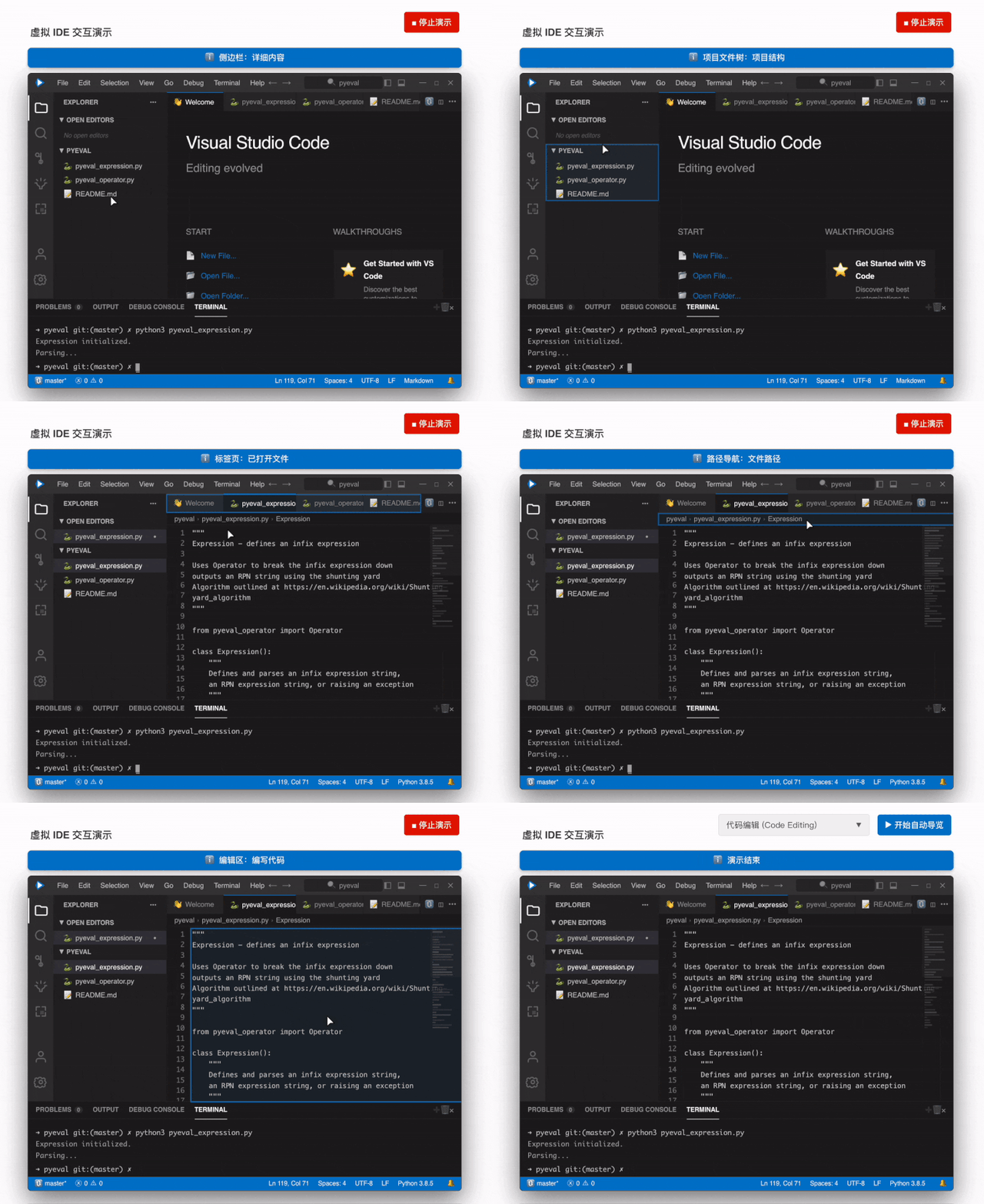
Immersive simulated coding Virtual mouse guidance helps you quickly learn the core IDE workflow |
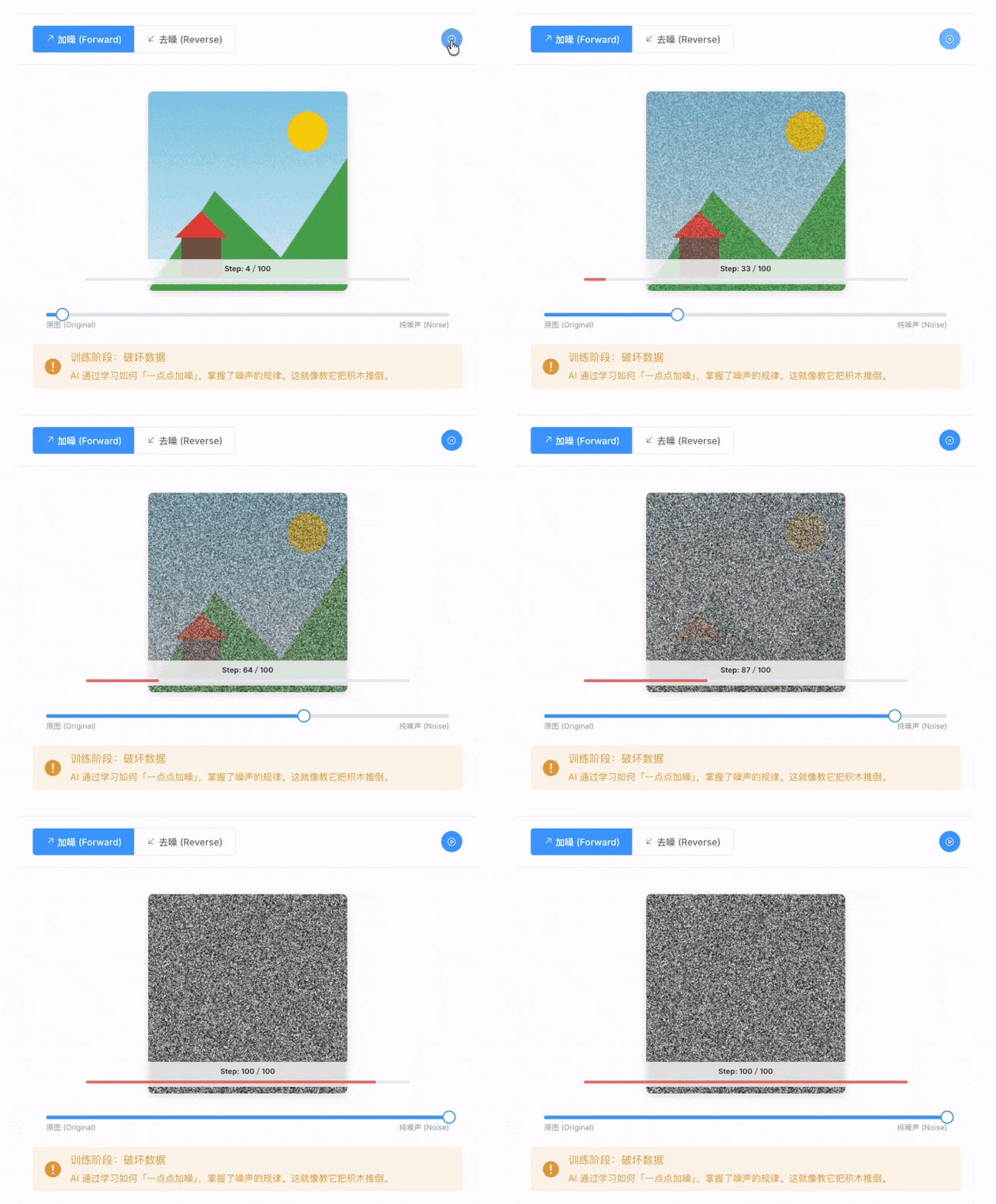
Visible AI principles Animated explanations make it easy to see how AI generates images |
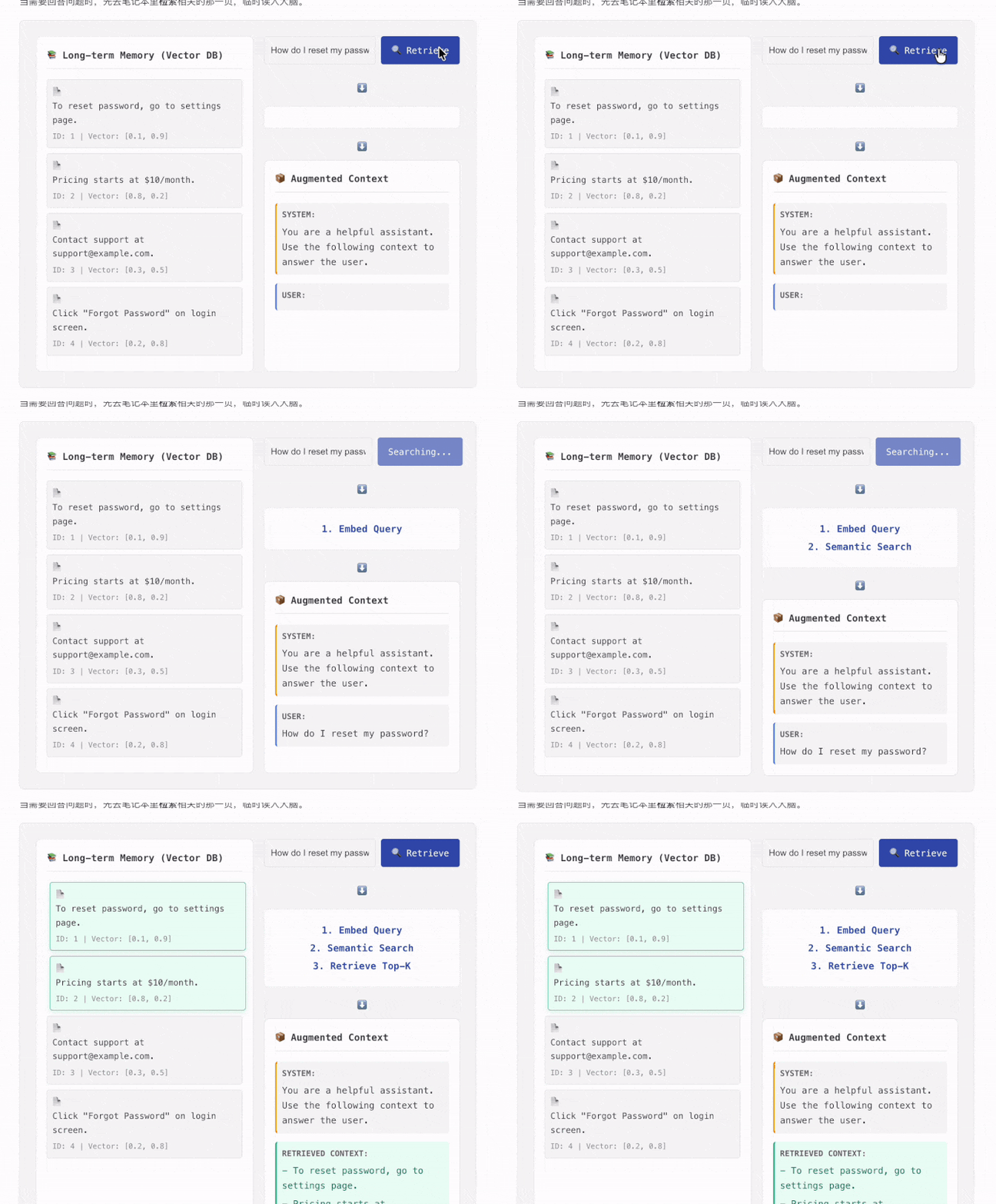
Learn RAG like a game Interactive components let you click through the full RAG data flow |
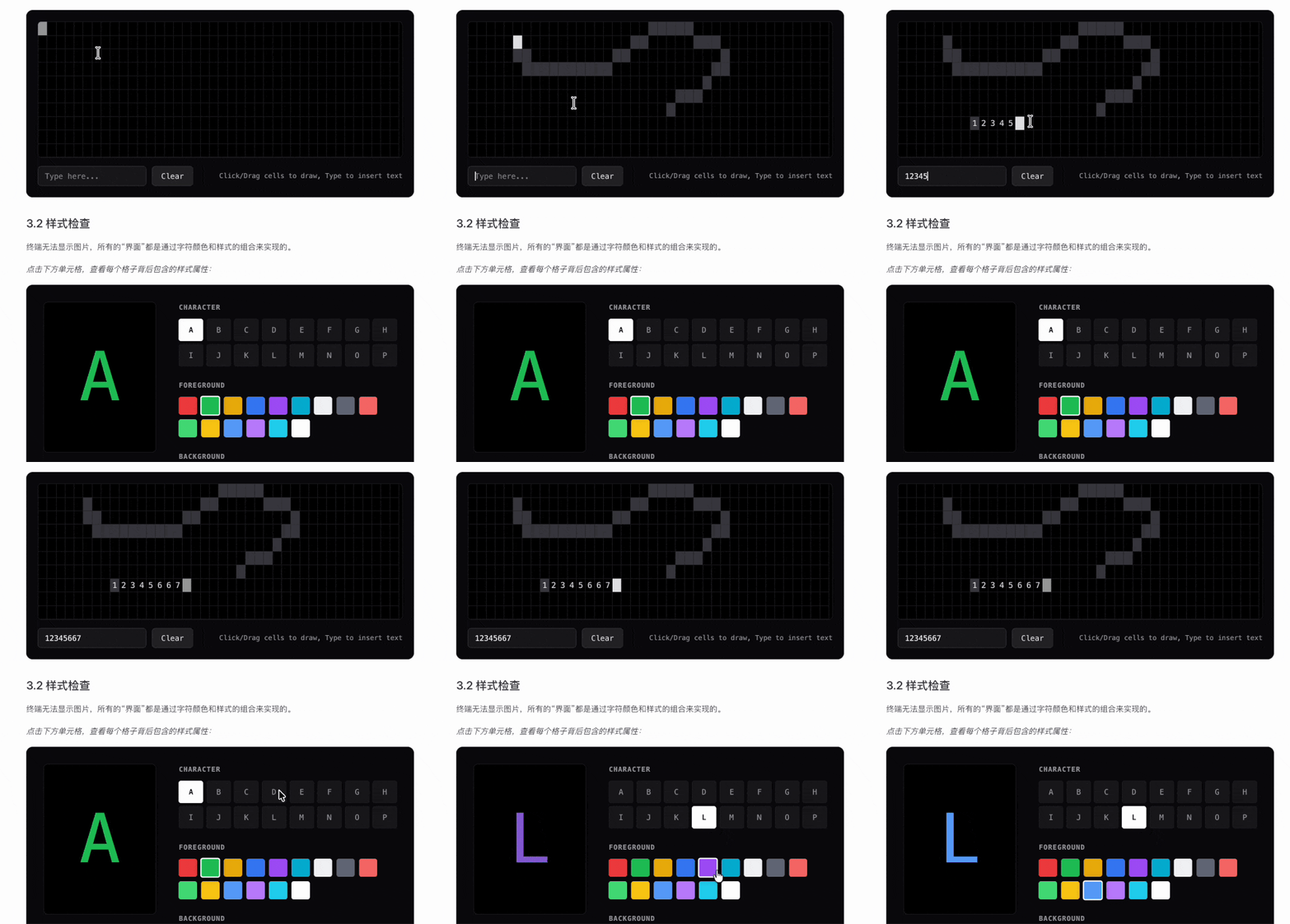
Visual terminal concepts Command-line behavior becomes intuitive when the underlying logic is visualized |
⭐ Star the repo here to help accelerate updates ❤️
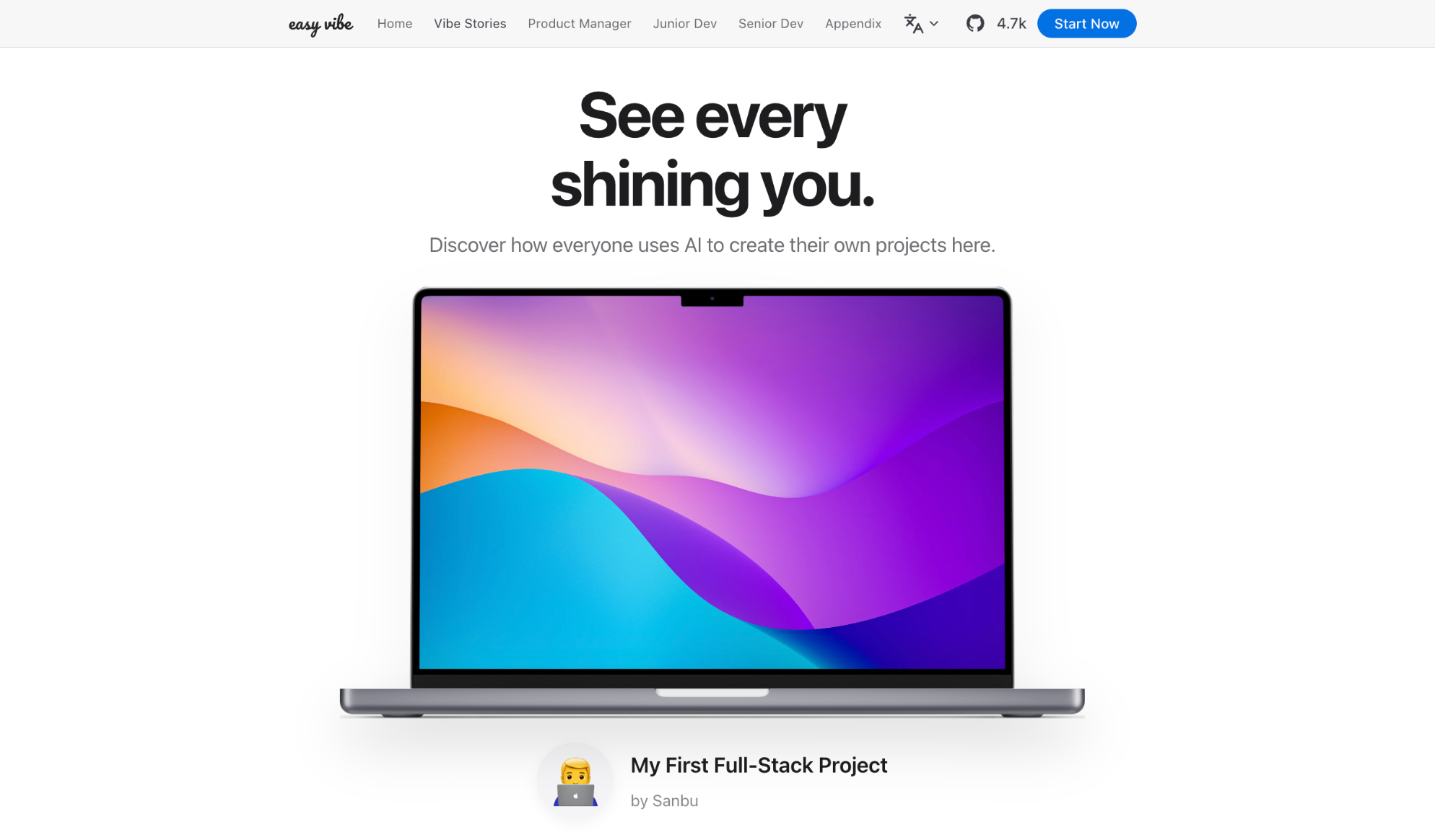
📝 Have your own vibe coding story? Submit it here and inspire others!
Table of Contents
- Why Easy-Vibe
- News
- Who This Is For
- Your Learning Paths
- Study Suggestions
- I. Beginner Entry
- II. Junior and Mid-Level Developers
- III. Advanced Developers
- Appendix Knowledge Base
- How To Learn
- Run Locally
- Other Courses
- Contributing & Contributors
- LICENSE
Why Easy-Vibe
Want an expense tracker? Say it.
Need a booking system with WeChat login? Say it.
Want a blog with comments? Say it.
In the AI era, programming starts by describing what you want.
Easy-Vibe teaches you how to turn that into a real product.
🔥 News
- [2026-08-12] 📘 Stage 1 has been restructured and polished: The beginner path now starts with real problems and proceeds through finding opportunities, choosing a direction, understanding user needs, conducting interviews, narrowing the solution, building a prototype, integrating AI, and completing a presentable project. The explanations, real-world examples, images, and hands-on exercises have also been revised. Stage 1 is now better suited to complete beginners, first-time product builders, and indie developers who want to move from a real need to a prototype that can be shown to users. 👉 Start with Stage 1
- [2026-06-17] 🌍 Full multilingual coverage complete: All tutorial content (Stages 1-3) is now available in 10 languages (zh-cn, en, zh-tw, ja-jp, ko-kr, es-es, fr-fr, de-de, ar-sa, vi-vn), covering product prototyping, full-stack development, and cross-platform development.
- [2026-03-29] ✨ Vibe Stories launched and upgraded with real user journeys: Added a new homepage Vibe Stories section with an interactive carousel and dedicated story pages, then replaced placeholder content with four real user stories featuring a rural primary school teacher, a college student, a high school IT teacher, and a truck driver who built real products with AI. 👉 View the stories
- [2026-03-26] 🚀 Major Stage 2 practice update: Completed the SaaS capstone project "Your First SaaS Full-Stack App: Copywriting Generator Website" and substantially expanded the "How to integrate Stripe and payment systems" section, plus key content around multi-product UI and WeChat Mini Program backend workflows.
- [2026-03-25] 📚 New appendix: User Research and Requirement Validation: Added four new articles covering idea sourcing, the Double Diamond model, Jobs to Be Done, and The Mom Test to help beginners discover and validate product ideas. 👉 Read the appendix
- [2026-03-25] 📚 English documentation fully updated: Stage 2 (Full-stack Development) and Stage 3 (Advanced Development) are now fully available in English. 👉 Start learning
Past News
- [2026-03-02] 🦞 OpenClaw and AI Agent friendly support: Added
llms.txtso OpenClaw, Claude, Cursor, Trae, and other AI agents can quickly understand the repository structure and find the right tutorial content. - [2026-03-01] The Advanced Development section has been comprehensively upgraded with deep guides for Claude Code, including MCP, Skills, Agent Teams, and more, along with eight cross-platform project tutorials.
- [2026-02-25] Updated the Appendix Knowledge Base, now covering 9 knowledge areas and 80+ interactive topics.
- [2026-01-27] Added Android and iOS app development tutorials.
- [2026-01-19] Released interactive demos for Prompt Engineering, AI history, authentication design, Git principles, and more.
- [2026-01-16] Reorganized the project structure and formally established a beginner entry path.
- [2026-01-14] Completed a large update to the Stage 1 product prototyping docs.
- [2026-01-13] Refactored the documentation architecture and fully enabled multi-language support.
- [2026-01-01] Released the core learning map for the project.
Who This Is For
- Complete beginners: Build your first project first, then understand how it works
- Product managers / founders: Validate ideas fast and build MVPs at low cost
- Students: Develop practical skills for the AI era
- Junior developers: Learn the full path from idea to launch
- Mid-level and senior developers: Upgrade your AI collaboration workflow for complex projects
Your Learning Paths
🎮 I want a fast first win
Best for: Everyone What you will learn: What AI coding actually feels like through a simple, concrete hands-on example What you will get: A clear first impression of vibe coding and how to work with AI by conversation
Start here
💡 I want to turn an idea into a product prototype
Best for: Beginners / product managers / founders What you will learn: Learning roadmap, AI IDE tools, idea validation, prototyping, AI capability integration, and full demo iteration What you will get: A demoable AI product prototype you can actually show to users or teammates
Start learning
🚀 I want to build full-stack products end to end
Best for: Junior developers / indie hackers / advanced learners What you will learn: Frontend workflows, design-to-code, databases, backend APIs, deployment, billing, and major projects What you will get: The ability to independently ship modern AI-enabled web applications
Start learning
AI-Native: I want advanced Claude Code and agent workflows
Best for: Developers interested in AI-native engineering What you will learn: Claude Code, MCP, Skills, Agent Teams, long-running tasks, Spec Coding, and cross-platform app delivery What you will get: A stronger workflow for complex AI-assisted development and automation
Go to advanced development
📚 I want reference material and fundamentals
Best for: Everyone What you will learn: Computer fundamentals, frontend/backend basics, infrastructure, AI principles, and engineering practices What you will get: A long-term reference knowledge base covering 9 major knowledge areas
Browse the knowledge base
Study Suggestions
- If you are a beginner, product manager, or founder, start with Stage 1
- If you want to move from prototypes to full-stack delivery, start with Stage 2
- If you want advanced Claude Code workflows or cross-platform projects, go to Stage 3
- If you get blocked by concepts or missing background knowledge, use the Appendix Knowledge Base
📖 Content Navigation
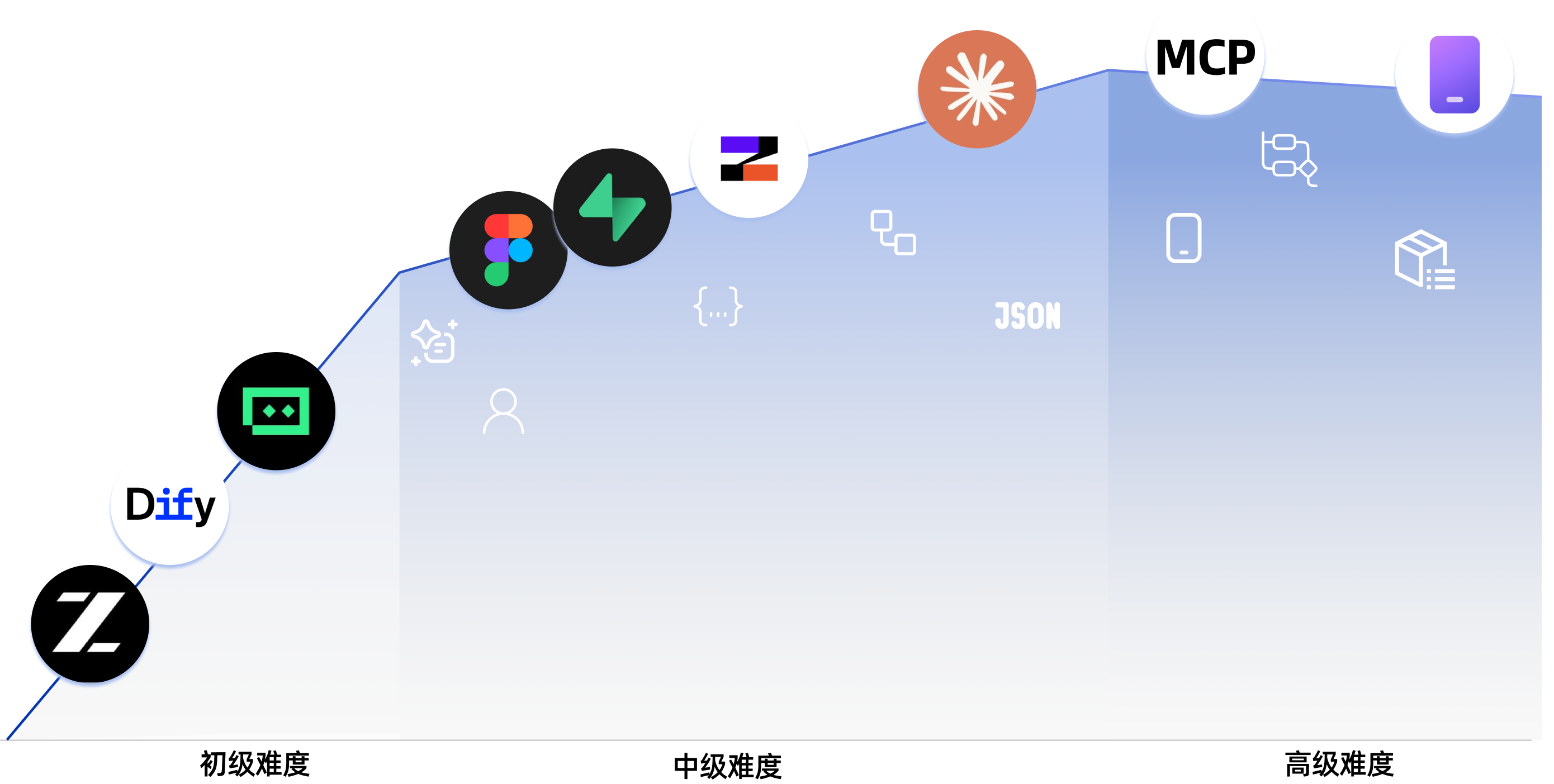
I. Beginner Entry
| Section | Key Content |
|---|---|
| Learning Map | A guided overview of the full learning journey |
| AI Era: If You Can Speak, You Can Code | Get your first feel for AI coding through examples like Snake |
| Master AI Programming Tools | Learn how AI IDE tools work and build simple local projects with them |
| Find Great Ideas | Learn how to discover and validate product ideas worth building |
| Build Product Prototypes | Move from requirements to single-page and multi-page product prototypes |
| Integrate AI Capabilities | Integrate text, image, and video AI features |
| Complete project practice | Simulate real scenarios, collect user feedback, and iterate on a full project |
Appendix: Product and Business Thinking
| Section | Key Content |
|---|---|
| Product Thinking and Solution Design | Core frameworks for going from zero to one with a product |
| AI Application Scenario Reference (B2B & B2C) | B2B industry and B2C consumer AI application scenarios |
Appendix: User Research and Requirement Validation
| Section | Key Content |
|---|---|
| Where to find ideas: 3 reference sources that work best for beginners | Build a reliable pipeline for finding concrete product opportunities |
| Double Diamond: first do the right thing, then do it right | Use a structured process to move from scattered inspiration to a workable direction |
| Use Jobs to Be Done to find what users really want done | Analyze user goals through real tasks instead of surface-level feature requests |
| The Mom Test: a user interview method for validating demand | Learn how to ask better questions and avoid false-positive feedback |
Appendix: Technical Solutions
| Section | Key Content |
|---|---|
| What to do if you encounter errors | Common vibe coding issues and how to troubleshoot them |
| Comparison of Seven AI Programming Tools | Compare major AI coding platforms through hands-on testing |
| Design Websites with Agents | Learn multi-agent collaboration in practice |
II. Junior and Mid-Level Developers
Frontend
| Section | Key Content |
|---|---|
| Frontend 0: Build Your Own Asset-Production Agent with Lovart | Use Nanobanana and Lovart to batch-generate visual assets and build a drawing agent with intent recognition |
| Frontend 1: Figma & MasterGo Basics | Learn the workflow from design drafts to implementation-ready UI thinking |
| Frontend 2: Build Your First Modern App - UI Design | Learn the UI design foundations behind modern application interfaces |
| Frontend 3: UI Guidelines and Multi-Product Design | Improve consistency and aesthetics across multiple products with shared UI rules |
| Frontend 4: Make Interfaces Beautiful with LLMs and Skills | Use prompts and plugins to make AI generate more polished, distinctive interfaces |
| Frontend 4: Let's Build Hogwarts Portraits | Build an interactive AI-image frontend project from scratch |
| Frontend 6: From Design Prototype to Project Code | Turn design prototypes into frontend code that can really run in the browser |
| Frontend 7: Upgrade Your UI with Modern Component Libraries | Use component libraries to build professional interfaces faster |
Backend
| Section | Key Content |
|---|---|
| Backend 1: Learn Git and GitHub | Master core version control operations and collaboration workflows with Git |
| Backend 2: From Database to Supabase | Learn relational database basics and use Supabase as a modern BaaS platform |
| Backend 3: Backend API Design and Development | Use AI to assist API design, backend code generation, and API documentation |
| Backend 4: Ship Your Product Prototype | Quickly deploy full-stack applications to the cloud with Zeabur |
| Backend 5: From IDEs to CLI AI Coding Tools | Explore terminal-first AI coding workflows for modern development |
| Backend 6: Integrate Stripe and Other Billing Systems | Add monetization with payment and billing capabilities |
Major Projects
| Section | Key Content |
|---|---|
| Major Project 1: Your First SaaS Full-Stack App - AI Copywriting Website | Build an AI marketing copy workspace with login, generation, billing, and admin management |
| Major Project 2: Online Exam and Management System | Build an online exam system with question generation, test-taking flows, and admin tools |
AI Capabilities Appendix
| Section | Key Content |
|---|---|
| AI 1: Dify Basics & Knowledge Base Integration | Learn to build AI applications with Dify and integrate private knowledge bases |
III. Advanced Developers
Claude Code Core Skills
| Section | Key Content |
|---|---|
| Getting started with Claude Code | Installation, setup, fundamentals, and useful commands |
| Claude Code MCP guide | Connect Claude Code to GitHub, databases, APIs, and other services through MCP |
| Claude Code Skills guide | Package expertise into reusable skills you can use again and again |
| How to keep Claude Code working for long-running tasks | Design long-running tasks so coding tools can keep working until the job is done |
| Claude Agent Teams guide | Coordinate multiple AI instances like a real development team |
| Claude Code Superpowers for engineering-grade development | Help AI produce engineering-grade code with TDD and best practices |
| Claude Code workflow best practices | Best practices for refactoring, code review, and daily development |
| Claude Code remote development on mobile | Use Claude Code beyond the desktop and build a productive remote workflow on mobile devices |
| Claude Agent SDK complete guide | Build custom agent workflows and integrate Claude into your own tools with the SDK |
| From vibe coding to spec coding | Move from ad-hoc prompting to a more structured, specification-driven AI development workflow |
Cross-Platform Development
| Section | Key Content |
|---|---|
| How to choose the right platform for your app | Compare app forms and choose the right platform based on users, scenarios, and delivery goals |
| Build a WeChat Mini Program | Understand the ecosystem and ship a frontend mini program from template to launch |
| Build a WeChat Mini Program with backend | Add backend logic and databases to complete the full business loop |
| Build an Android app | Learn Android app development with a modern native workflow |
| Build an iOS app | Learn iOS app development and the conventions of the Apple ecosystem |
| Build a local PWA app | Turn a website into a real app with offline support, push, and installation |
| Build a browser AI assistant extension | Create a Chrome extension that summarizes any page with either cloud APIs or built-in AI |
| Build an Electron desktop app | Build a voice-to-text desktop app with Electron for three platforms |
| Rapidly build and mint an NFT | Write a smart contract from scratch, deploy it, and mint your own NFT |
| Build a VS Code extension | Build an AI project assistant with templates, code chat, and multi-file Q&A |
| Build an industrial-grade Qt desktop app | Create a real-time Qt HMI system with trends, alerts, and monitoring |
AI Capabilities Appendix
| Section | Key Content |
|---|---|
| What is RAG and how does it work | Build a systematic understanding of RAG principles and common architectures |
| Intermediate and advanced RAG workflows with LangGraph | Design multi-step workflows and more advanced RAG systems |
📚 Appendix Knowledge Base
Covering 9 major knowledge areas and 80+ interactive topics, this appendix uses animation and visual components to help you intuitively understand core concepts from computer fundamentals to the AI frontier.
👉 View the full appendix
🎓 Other Courses
- Hands-on Modern RL
- Learn Harness Engineering
🛠️ How To Learn
- Read and practice the sections that match your current level. If you get stuck, feel free to open an issue.
💻 Run Locally
Modern approach
In an AI IDE chat window such as VS Code, Cursor, or Trae, you can simply say:
Please help me run this project locally.
Traditional approach
npm installnpm run dev- Open
http://localhost:3000in your browser.
Other Courses
Our team has also created other courses! Check them out:

Hands-on Modern RL: An open-source, hands-on curriculum bridging the gap from basic RL concepts to LLM alignment, RLVR, and advanced Agentic systems.

Learn Harness Engineering: A comprehensive guide to harness engineering.
🤝 Contributing & Contributors
- If you find an issue or see something that can be improved, feel free to open an issue. If nobody replies, you can also contact the Datawhale support team.
- If you want to contribute, open a pull request. If nobody replies, you can also contact the Datawhale support team.
- If you want to start a new Datawhale open-source project, please follow the Datawhale Open Source Project Guide.
🙏 Contributors
- Sanbu - Project Lead (Datawhale member)
- Fang Ke - Mentor (Datawhale member, Tsinghua University)
- Yerim Kang (Practice projects, Tsinghua University)
- Zhilin Zhao (Practice projects, Tsinghua University)
- Yixuan Li (Visual design, Tsinghua University)
- Siyi Liu (Practice projects, Tsinghua University)
- Lixin Liu (Practice projects, Tsinghua University)
- Everyone in the AI Vibe Coding 101 internal testing group who shared suggestions and feedback
Special Thanks
- Thanks to OpenAI for providing compute support for the development of this project
- Thanks to @Sm1les for the help and support on this project
- Thanks to every contributor and everyone who supported the project with feedback and stars ❤️
📄 LICENSE

This work is licensed under the Creative Commons Attribution-NonCommercial-ShareAlike 4.0 International License .
Star History
Repo liên quan
Dify is an open-source LLM app platform that packages a visual workflow/agent builder, RAG pipeline, model provider management, and app-level APIs into one self-hostable (or cloud) stack, aimed at teams who want to skip stitching those pieces together themselves.
prompts.chat is an open-source library of prompts written for AI chat assistants, first released in December 2022 under the name Awesome ChatGPT Prompts. The GitHub project has since grown and now distributes prompts through a website, a CSV file, a Markdown file, and a Hugging Face dataset, alongside a self-hosting option, a CLI, an MCP server, and a Claude Code plugin.
prompts.chat is the largest open-source prompt library for AI, formerly called Awesome ChatGPT Prompts. It hosts curated prompts in CSV and Markdown, available as a public website, Hugging Face dataset, or self-hosted instance. The project supports multiple LLM providers including ChatGPT, Claude, Gemini, Llama, and Mistral. Self-hosting uses a Next.js setup wizard that configures authentication via GitHub, Google, or Azure AD, with PostgreSQL as the recommended database. CLI access, an MCP server, and a Claude Code plugin extend its reach into developer workflows. The codebase is MIT-licensed while prompt data falls under CC0. Its 166k GitHub stars make it an AI resource on the platform with 166k GitHub stars, and it has been cited by Harvard, Columbia, and Forbes.
AutoGPT is an open-source platform designed for building, deploying, and running AI agents that can carry out complete workflows. Users can define tasks in plain English or use a visual builder to shape each step. The project offers two primary paths: a managed, hosted AutoGPT Platform that handles infrastructure and model access for a fee, and a self-hosting option that is free but requires users to provide their own infrastructure and model API keys. Agents can run on demand, on schedules, or from triggers, connecting to over 45 platforms and hundreds of AI models. It's presented as a tool to automate various functions, from executive operations and sales research to marketing campaign drafts and incident triage in engineering.
Trả lời nhanh
Cùng nhóm AI Tools còn repo nào?
datawhalechina/easy-vibe thuộc nhóm AI Tools trên TopGit, cùng 20 topic GitHub. Trang Trending và Topics liệt kê các repo cùng số sao và cùng ngôn ngữ để so sánh.
datawhalechina/easy-vibe có phải mã nguồn mở không?
TopGit chưa ghi nhận license cho datawhalechina/easy-vibe. Phần lớn repo public trên GitHub là mã nguồn mở, nhưng điều khoản khác nhau từng repo — mở file LICENSE để xác nhận.
datawhalechina/easy-vibe có trang demo không?
Dự án có trang chủ ở https://datawhalechina.github.io/easy-vibe/. Tab "Readme" ở trang này thường có ảnh chụp và hướng dẫn bắt đầu nhanh.
datawhalechina/easy-vibe là gì?
datawhalechina/easy-vibe (datawhalechina/easy-vibe) là dự án JavaScript trên GitHub. Theo mô tả gốc: 💻 vibe coding 101|The first course for AI-native product builders.
Đọc thêm về datawhalechina/easy-vibe ở đâu?
Trang TopGit này là một snapshot — tab "Readme" hiển thị nguyên văn README của repo (đã bỏ link, giữ ảnh). Repo GitHub ở github.com/datawhalechina/easy-vibe là nguồn chính thức.
Vì sao datawhalechina/easy-vibe được xếp vào nhóm AI Tools?
TopGit xếp datawhalechina/easy-vibe vào nhóm AI Tools dựa trên GitHub topics và mô tả của repo (gắn thẻ: "agent", "ai", "coding"). Việc phân loại dựa trên metadata thật của repo, không phải đoán theo cảm tính biên tập.
Đọc đầy đủ README ở tab phía trên.
Muốn nghe thêm một ý kiến về easy-vibe?
Hỏi một AI đọc được trang này — một cú bấm là có ngay nhận định về easy-vibe.