Là một công cụ cho lập trình viên, docker/build-push-action đã đạt 5.4k sao trên GitHub, ngôn ngữ TypeScript. GitHub Action to build and push Docker images with Buildx
Tóm tắt dựng từ metadata GitHub của chính dự án — chưa có bài review TopGit. Trang sẽ tự động cập nhật khi bài review đầy đủ được xuất bản.
VÌ SAO CHƯA CÓ REVIEW
TopGit viết bài đầy đủ cho repo có nhiều sao nhất và được yêu cầu nhiều nhất. Trang này là snapshot trong thời gian chờ — xem README gốc ở tab READ ME.
GitHub Action to build and push Docker images with Buildx
with full support of the features provided by Moby BuildKit
builder toolkit. This includes multi-platform build, secrets, remote cache, etc.
and different builder deployment/namespacing options.
Usage
Git context
Path context
Examples
Summaries
Customizing
inputs
outputs
environment variables
Troubleshooting
Contributing
Usage
In the examples below we are also using 3 other actions:
setup-buildx action will
create and boot a builder using by default the docker-container driver.
This is not required but recommended using it to be able to build
multi-platform images, export cache, etc.
setup-qemu action can be
useful if you want to add emulation support with QEMU to be able to build
against more platforms.
login action will take care to
log in against a Docker registry.
Git context
By default, this action uses the Git context,
so you don't need to use the actions/checkout
action to check out the repository as this will be done directly by BuildKit.
The git reference will be based on the event that triggered your workflow
and will result in the following context: https://github.com/<owner>/<repo>.git#<ref>.
name: ci

on:
  push:

jobs:
  docker:
    runs-on: ubuntu-latest
    steps:
      -
        name: Login to Docker Hub
        uses: docker/login-action@v4
        with:
          username: ${{ vars.DOCKERHUB_USERNAME }}
          password: ${{ secrets.DOCKERHUB_TOKEN }}
      -
        name: Set up QEMU
        uses: docker/setup-qemu-action@v4
      -
        name: Set up Docker Buildx
        uses: docker/setup-buildx-action@v4
      -
        name: Build and push
        uses: docker/build-push-action@v7
        with:
          push: true
          tags: user/app:latest
Be careful because any file mutation in the steps that precede the build step
will be ignored, including processing of the .dockerignore file since
the context is based on the Git reference. However, you can use the
Path context using the context input alongside
the actions/checkout action to remove
this restriction.
Default Git context can also be provided using the Handlebars template
expression {{defaultContext}}. Here we can use it to provide a subdirectory
to the default Git context:
Building from the current repository automatically uses the GitHub Token,
so it does not need to be passed. If you want to authenticate against another
private repository, you have to use a secret
named GIT_AUTH_TOKEN to be able to authenticate against it with Buildx:
name: ci

on:
  push:

jobs:
  docker:
    runs-on: ubuntu-latest
    steps:
      -
        name: Checkout
        uses: actions/checkout@v6
      -
        name: Login to Docker Hub
        uses: docker/login-action@v4
        with:
          username: ${{ vars.DOCKERHUB_USERNAME }}
          password: ${{ secrets.DOCKERHUB_TOKEN }}
      -
        name: Set up QEMU
        uses: docker/setup-qemu-action@v4
      -
        name: Set up Docker Buildx
        uses: docker/setup-buildx-action@v4
      -
        name: Build and push
        uses: docker/build-push-action@v7
        with:
          context: .
          push: true
          tags: user/app:latest
Examples
Multi-platform image
Secrets
Push to multi-registries
Manage tags and labels
Cache management
Export to Docker
Test before push
Validating build configuration
Local registry
Share built image between jobs
Named contexts
Copy image between registries
Update Docker Hub repo description
SBOM and provenance attestations
Annotations
Reproducible builds
Summaries
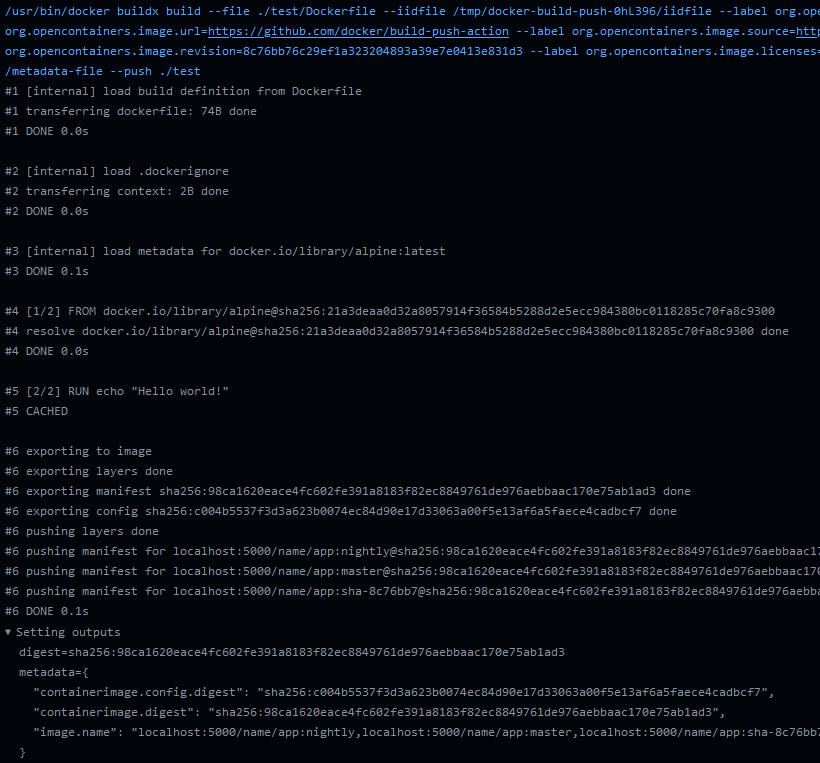
This action generates a job summary
that provides a detailed overview of the build execution. The summary shows an
overview of all the steps executed during the build, including the build inputs
and eventual errors.
The summary also includes a link for downloading the build record with
additional details about the build, including build stats, logs, outputs, and
more. The build record can be imported to Docker Desktop for inspecting the
build in greater detail.
[!WARNING]
If you're using the actions/download-artifact
action in your workflow, you need to ignore the build record artifacts
if name and pattern inputs are not specified (defaults to download all artifacts of the workflow),
otherwise the action will fail:
docker/build-push-action thuộc nhóm Developer Tools trên TopGit, cùng 5 topic GitHub. Trang Trending và Topics liệt kê các repo cùng số sao và cùng ngôn ngữ để so sánh.
Đọc thêm về docker/build-push-action ở đâu?
Trang TopGit này là một snapshot — tab "Readme" hiển thị nguyên văn README của repo (đã bỏ link, giữ ảnh). Repo GitHub ở github.com/docker/build-push-action là nguồn chính thức.
docker/build-push-action có bao nhiêu sao?
docker/build-push-action có 5.4k sao GitHub — tải lại trang để xem số mới nhất, hoặc xem trực tiếp github.com/docker/build-push-action. TopGit phản chiếu số sao của GitHub nhưng không cam kết đến từng phút.
docker/build-push-action có phải mã nguồn mở không?
Có — docker/build-push-action phát hành theo license Apache-2.0, nghĩa là mã nguồn mở để đọc, fork và (tùy license) tái sử dụng. Mã: github.com/docker/build-push-action.
docker/build-push-action còn đang phát triển không?
Commit gần nhất trên docker/build-push-action là 3 tháng trước (theo timestamp GitHub). Repo có 735 fork — một chỉ báo về mức độ quan tâm của cộng đồng.
docker/build-push-action dùng license gì?
docker/build-push-action phát hành theo license Apache-2.0. Nên mở file LICENSE trên GitHub để xác nhận — license metadata đôi khi lệch với thực tế dự án.
docker/build-push-action là gì?
docker/build-push-action (docker/build-push-action) là dự án TypeScript trên GitHub. Theo mô tả gốc: GitHub Action to build and push Docker images with Buildx
docker/build-push-action viết bằng ngôn ngữ gì?
docker/build-push-action chủ yếu viết bằng TypeScript. Trường "language" của GitHub dựa trên phần lớn byte ở nhánh mặc định.
Đọc đầy đủ README ở tab phía trên.
Chưa chắc build-push-action có hợp với bạn?
Để ChatGPT, Claude hoặc Perplexity tìm hiểu giúp — bấm bên dưới và xem AI nói gì về build-push-action.

 /build-push-action