docker/genai-stack là dự án Python với 5.4k sao. Langchain + Docker + Neo4j + Ollama
Tóm tắt dựng từ metadata GitHub của chính dự án — chưa có bài review TopGit. Trang sẽ tự động cập nhật khi bài review đầy đủ được xuất bản.
VÌ SAO CHƯA CÓ REVIEW
TopGit viết bài đầy đủ cho repo có nhiều sao nhất và được yêu cầu nhiều nhất. Trang này là snapshot trong thời gian chờ — xem README gốc ở tab READ ME.
The GenAI Stack will get you started building your own GenAI application in no time.
The demo applications can serve as inspiration or as a starting point.
Learn more about the details in the introduction blog post.
Configure
Create a .env file from the environment template file env.example
Available variables:
Variable Name
Default value
Description
OLLAMA_BASE_URL
http://host.docker.internal:11434
REQUIRED - URL to Ollama LLM API
NEO4J_URI
neo4j://database:7687
REQUIRED - URL to Neo4j database
NEO4J_USERNAME
neo4j
REQUIRED - Username for Neo4j database
NEO4J_PASSWORD
password
REQUIRED - Password for Neo4j database
LLM
llama2
REQUIRED - Can be any Ollama model tag, or gpt-4 or gpt-3.5 or claudev2
EMBEDDING_MODEL
sentence_transformer
REQUIRED - Can be sentence_transformer, openai, aws, ollama or google-genai-embedding-001
AWS_ACCESS_KEY_ID
REQUIRED - Only if LLM=claudev2 or embedding_model=aws
AWS_SECRET_ACCESS_KEY
REQUIRED - Only if LLM=claudev2 or embedding_model=aws
AWS_DEFAULT_REGION
REQUIRED - Only if LLM=claudev2 or embedding_model=aws
OPENAI_API_KEY
REQUIRED - Only if LLM=gpt-4 or LLM=gpt-3.5 or embedding_model=openai
GOOGLE_API_KEY
REQUIRED - Only required when using GoogleGenai LLM or embedding model google-genai-embedding-001
LANGCHAIN_ENDPOINT
"https://api.smith.langchain.com"
OPTIONAL - URL to Langchain Smith API
LANGCHAIN_TRACING_V2
false
OPTIONAL - Enable Langchain tracing v2
LANGCHAIN_PROJECT
OPTIONAL - Langchain project name
LANGCHAIN_API_KEY
OPTIONAL - Langchain API key
LLM Configuration
MacOS and Linux users can use any LLM that's available via Ollama. Check the "tags" section under the model page you want to use on https://ollama.ai/library and write the tag for the value of the environment variable LLM= in the .env file.
All platforms can use GPT-3.5-turbo and GPT-4 (bring your own API keys for OpenAI models).
MacOS
Install Ollama on MacOS and start it before running docker compose up using ollama serve in a separate terminal.
Linux
No need to install Ollama manually, it will run in a container as
part of the stack when running with the Linux profile: run docker compose --profile linux up.
Make sure to set the OLLAMA_BASE_URL=http://llm:11434 in the .env file when using Ollama docker container.
To use the Linux-GPU profile: run docker compose --profile linux-gpu up. Also change OLLAMA_BASE_URL=http://llm-gpu:11434 in the .env file.
Windows
Ollama now supports Windows. Install Ollama on Windows and start it before running docker compose up using ollama serve in a separate terminal. Alternatively, Windows users can generate an OpenAI API key and configure the stack to use gpt-3.5 or gpt-4 in the .env file.
Develop
[!WARNING]
There is a performance issue that impacts python applications in the 4.24.x releases of Docker Desktop. Please upgrade to the latest release before using this stack.
To start everything
docker compose up
If changes to build scripts have been made, rebuild.
docker compose up --build
To enter watch mode (auto rebuild on file changes).
First start everything, then in new terminal:
docker compose watch
Shutdown
If health check fails or containers don't start up as expected, shutdown
completely to start up again.
docker compose down
Applications
Here's what's in this repo:
Name
Main files
Compose name
URLs
Description
Support Bot
bot.py
bot
http://localhost:8501
Main usecase. Fullstack Python application.
Stack Overflow Loader
loader.py
loader
http://localhost:8502
Load SO data into the database (create vector embeddings etc). Fullstack Python application.
PDF Reader
pdf_bot.py
pdf_bot
http://localhost:8503
Read local PDF and ask it questions. Fullstack Python application.
Standalone Bot API
api.py
api
http://localhost:8504
Standalone HTTP API streaming (SSE) + non-streaming endpoints Python.
Standalone Bot UI
front-end/
front-end
http://localhost:8505
Standalone client that uses the Standalone Bot API to interact with the model. JavaScript (Svelte) front-end.
The database can be explored at http://localhost:7474.
App 1 - Support Agent Bot
UI: http://localhost:8501
DB client: http://localhost:7474
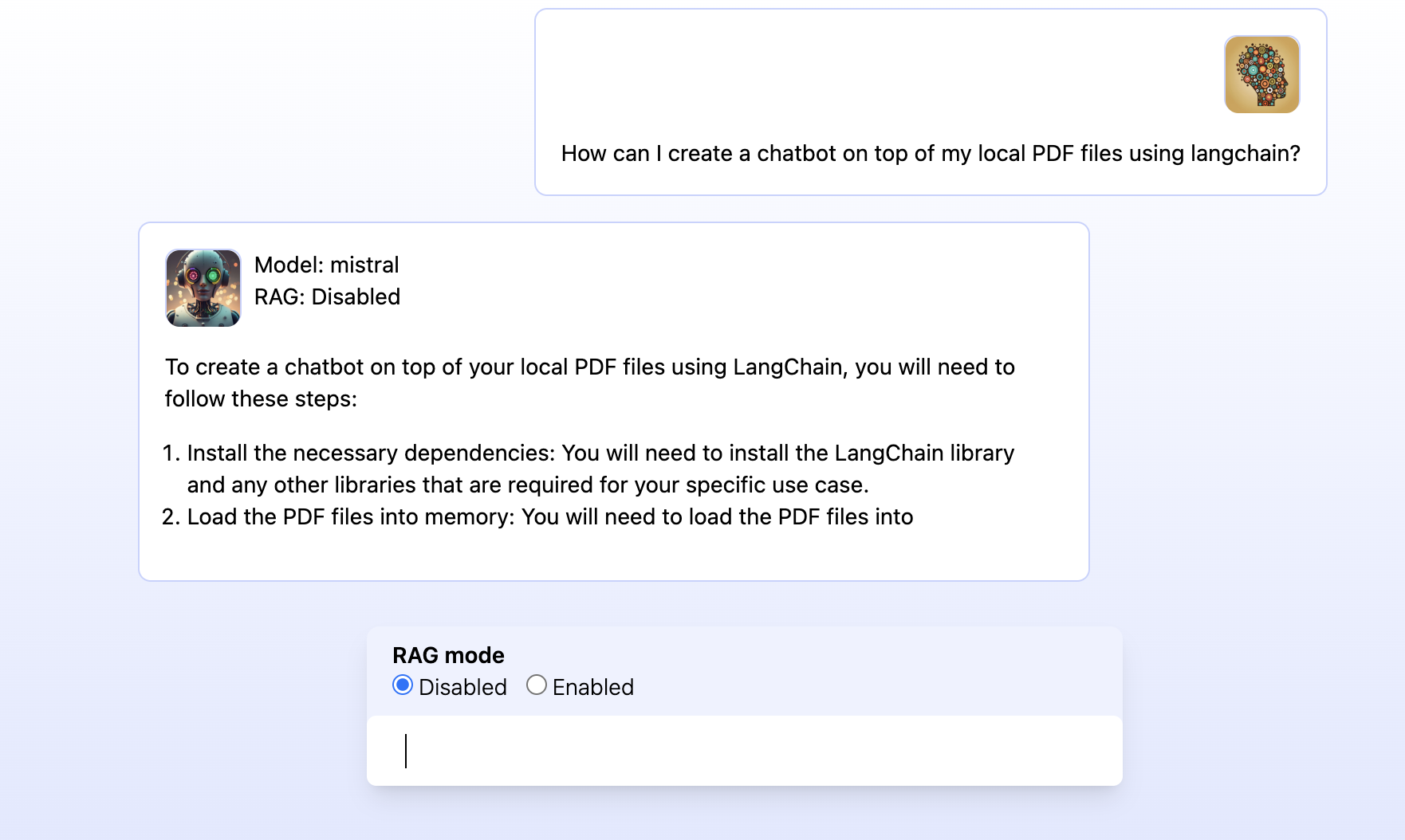
answer support question based on recent entries
provide summarized answers with sources
demonstrate difference between
RAG Disabled (pure LLM response)
RAG Enabled (vector + knowledge graph context)
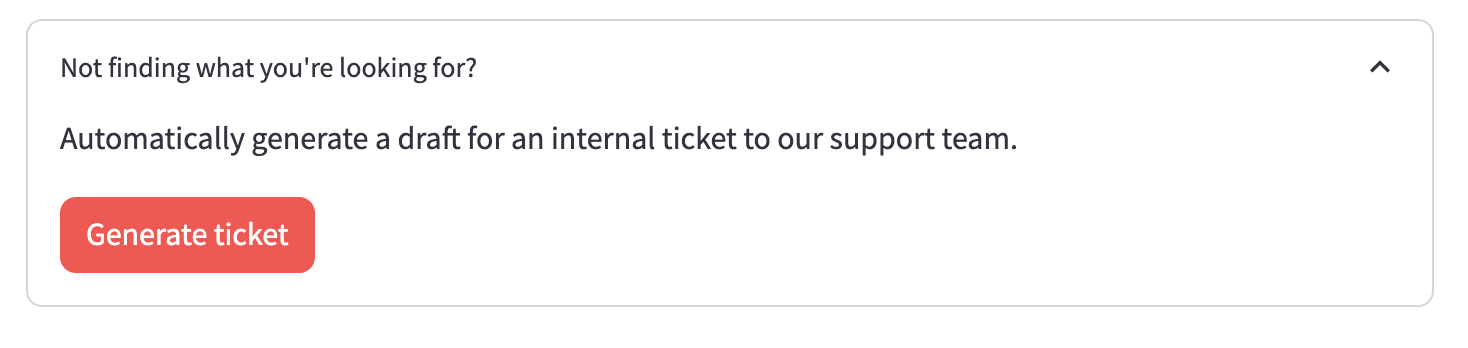
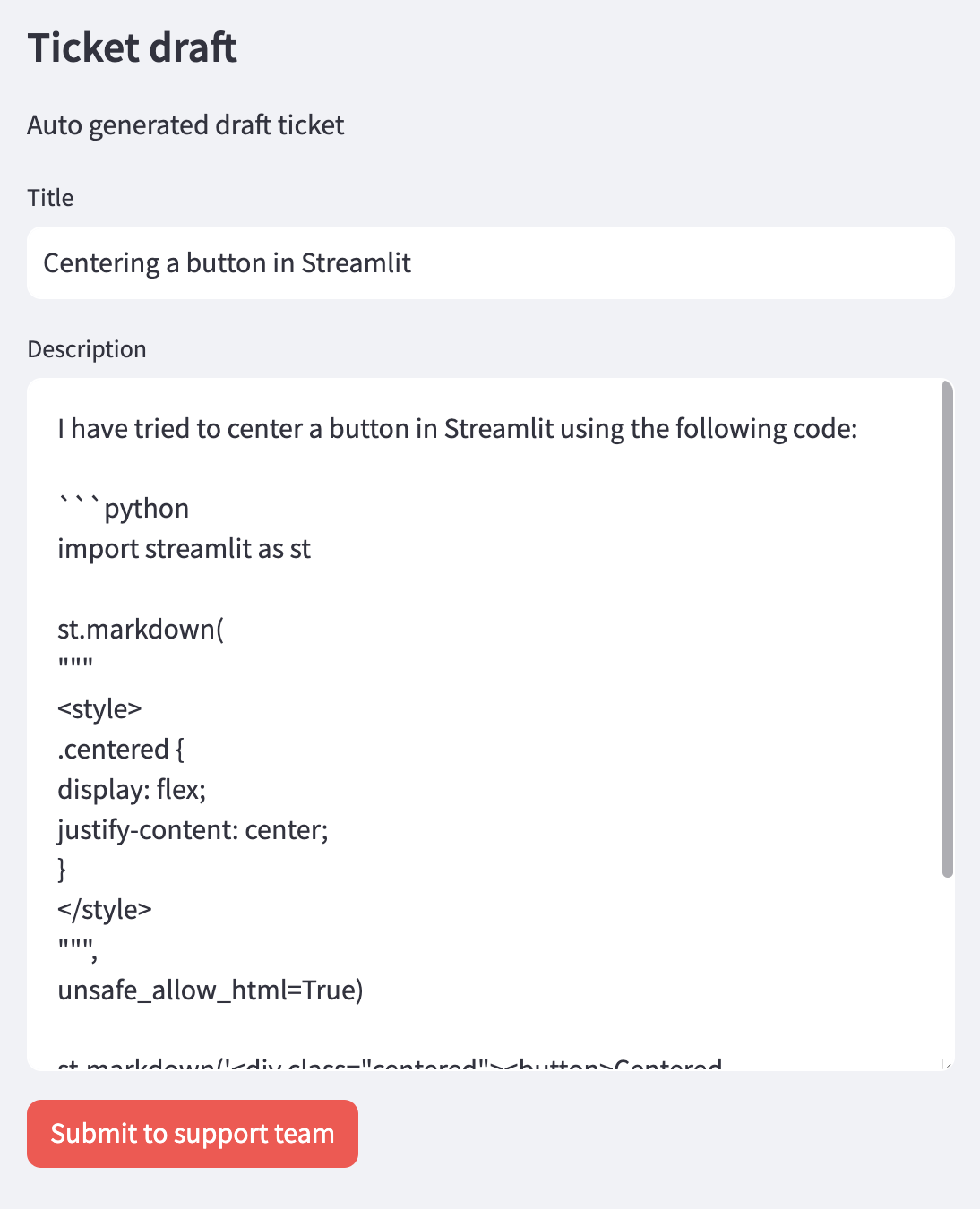
allow to generate a high quality support ticket for the current conversation based on the style of highly rated questions in the database.
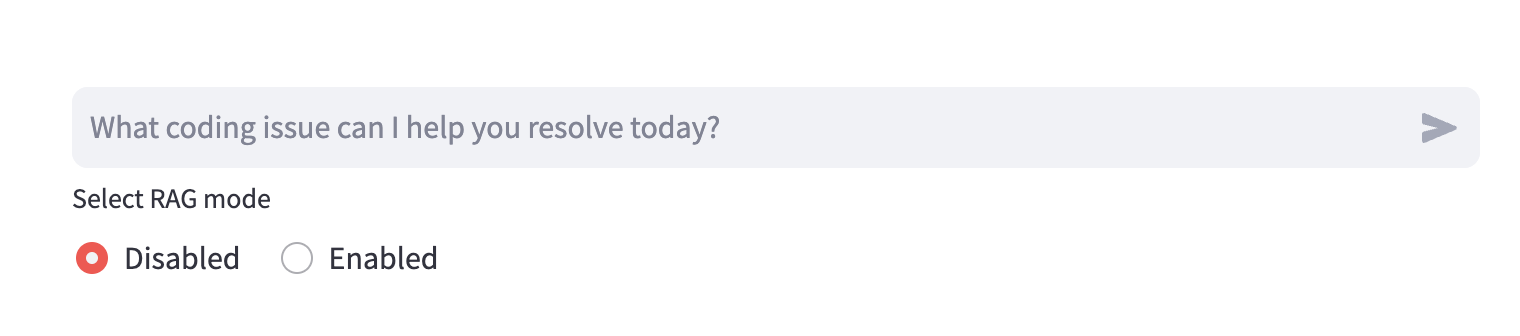
(Chat input + RAG mode selector)
(CTA to auto generate support ticket draft)
(UI of the auto generated support ticket draft)
App 2 - Loader
UI: http://localhost:8502
DB client: http://localhost:7474
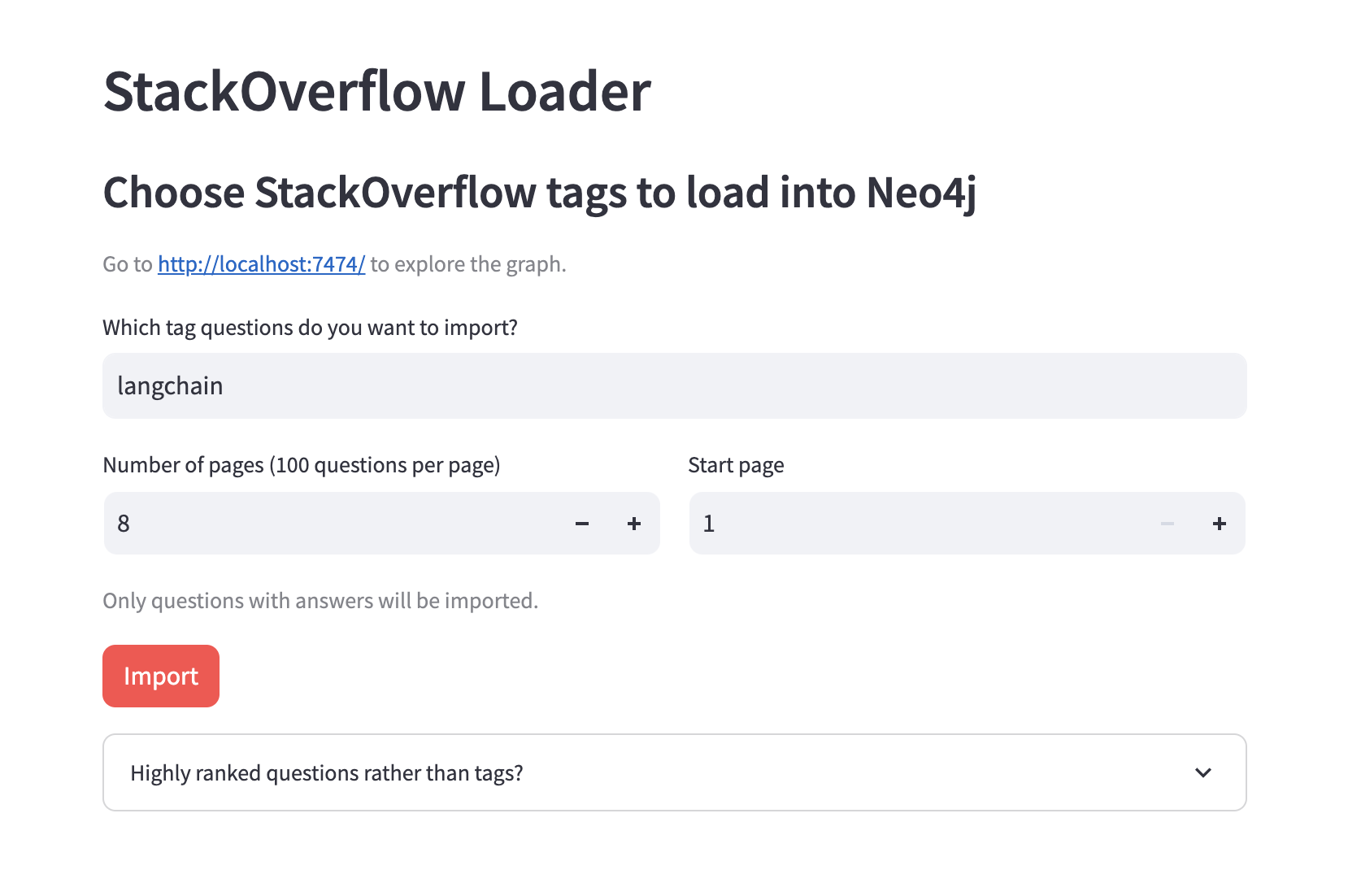
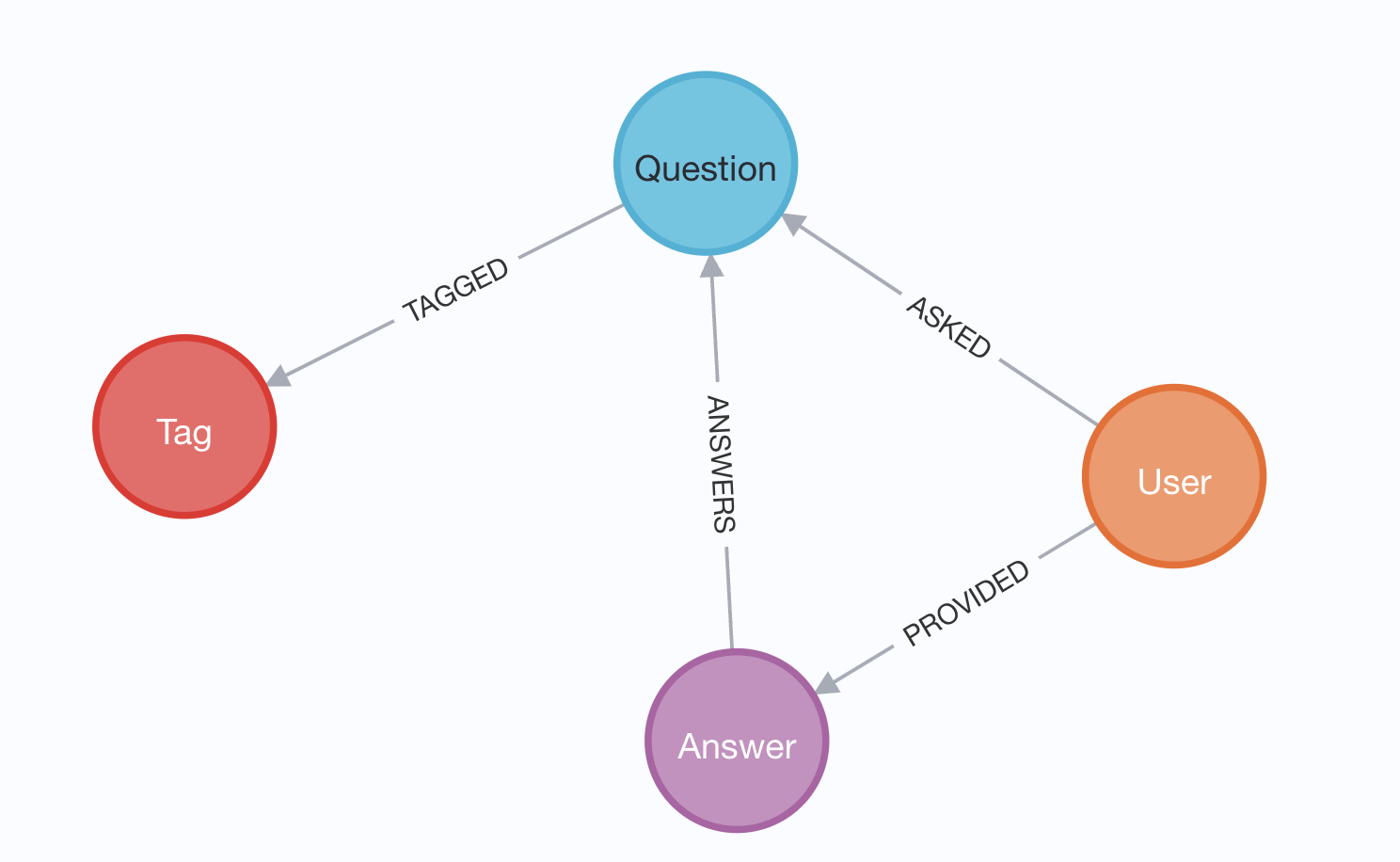
import recent Stack Overflow data for certain tags into a KG
embed questions and answers and store them in vector index
UI: choose tags, run import, see progress, some stats of data in the database
Load high ranked questions (regardless of tags) to support the ticket generation feature of App 1.
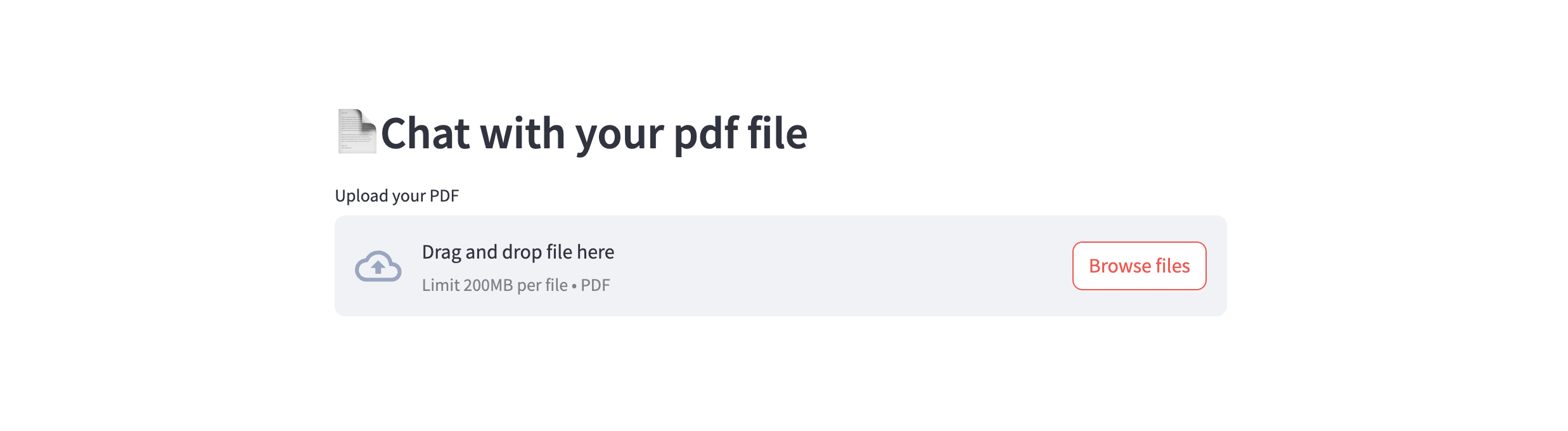
App 3 Question / Answer with a local PDF
UI: http://localhost:8503
DB client: http://localhost:7474
This application lets you load a local PDF into text
chunks and embed it into Neo4j so you can ask questions about
its contents and have the LLM answer them using vector similarity
search.
Exposes the functionality to answer questions in the same way as App 1 above. Uses
same code and prompts.
App 5 Static front-end
UI: http://localhost:8505
This application has the same features as App 1, but is built separate from
the back-end code using modern best practices (Vite, Svelte, Tailwind).
The auto-reload on changes are instant using the Docker watch sync config.
Trang TopGit này là một snapshot — tab "Readme" hiển thị nguyên văn README của repo (đã bỏ link, giữ ảnh). Repo GitHub ở github.com/docker/genai-stack là nguồn chính thức.
docker/genai-stack có bao nhiêu sao?
docker/genai-stack có 5.4k sao GitHub — tải lại trang để xem số mới nhất, hoặc xem trực tiếp github.com/docker/genai-stack. TopGit phản chiếu số sao của GitHub nhưng không cam kết đến từng phút.
docker/genai-stack có phải mã nguồn mở không?
Có — docker/genai-stack phát hành theo license CC0-1.0, nghĩa là mã nguồn mở để đọc, fork và (tùy license) tái sử dụng. Mã: github.com/docker/genai-stack.
docker/genai-stack còn đang phát triển không?
Commit gần nhất trên docker/genai-stack là 12 ngày trước (theo timestamp GitHub). Repo có 1.2k fork — một chỉ báo về mức độ quan tâm của cộng đồng.
docker/genai-stack là gì?
docker/genai-stack (docker/genai-stack) là dự án Python trên GitHub. Theo mô tả gốc: Langchain + Docker + Neo4j + Ollama
Đọc đầy đủ README ở tab phía trên.
Chưa chắc genai-stack có hợp với bạn?
Để ChatGPT, Claude hoặc Perplexity tìm hiểu giúp — bấm bên dưới và xem AI nói gì về genai-stack.
 /genai-stack
 (Chat input + RAG mode selector)