dolthub/dolt-workbench hiện có 248 sao trên GitHub, viết chủ yếu bằng TypeScript. A modern, browser-based, open source SQL workbench for your MySQL and PostgreSQL compatible database with version control features when connected to Dolt.
Tóm tắt dựng từ metadata GitHub của chính dự án — chưa có bài review TopGit. Trang sẽ tự động cập nhật khi bài review đầy đủ được xuất bản.
VÌ SAO CHƯA CÓ REVIEW
TopGit viết bài đầy đủ cho repo có nhiều sao nhất và được yêu cầu nhiều nhất. Trang này là snapshot trong thời gian chờ — xem README gốc ở tab READ ME.
A modern, browser-based, open source SQL workbench for your MySQL and PostgreSQL
compatible databases. Use Dolt or
Doltgres to unlock powerful version control
features.
Installation
There are a few ways to install the Dolt Workbench:
Download the desktop application for macOS or Windows
Download the desktop application for macOS or Windows from Releases
Pull the Docker Hub image
Build from source
Linux Experimental Build
We now provide experimental Linux builds (.AppImage). Please note:
Currently tested on Ubuntu 25.04 and NixOS 24.11
Behavior may vary between distributions due to different system policies
For Ubuntu Systems
If you encounter sandbox errors when running ./Dolt-Workbench-linux-arm64.AppImage and see:
The SUID sandbox helper binary was found, but is not configured correctly.
This sandbox restriction is due to Ubuntu's AppImage policies. Try one of these solutions:
Lift restrictions temporarily (lasts until reboot):
Whether you decide to connect this workbench to a MySQL, Dolt, or PostgreSQL database, the
Dolt Workbench has many features that make it the most modern and user-friendly web-based
workbench on the market.
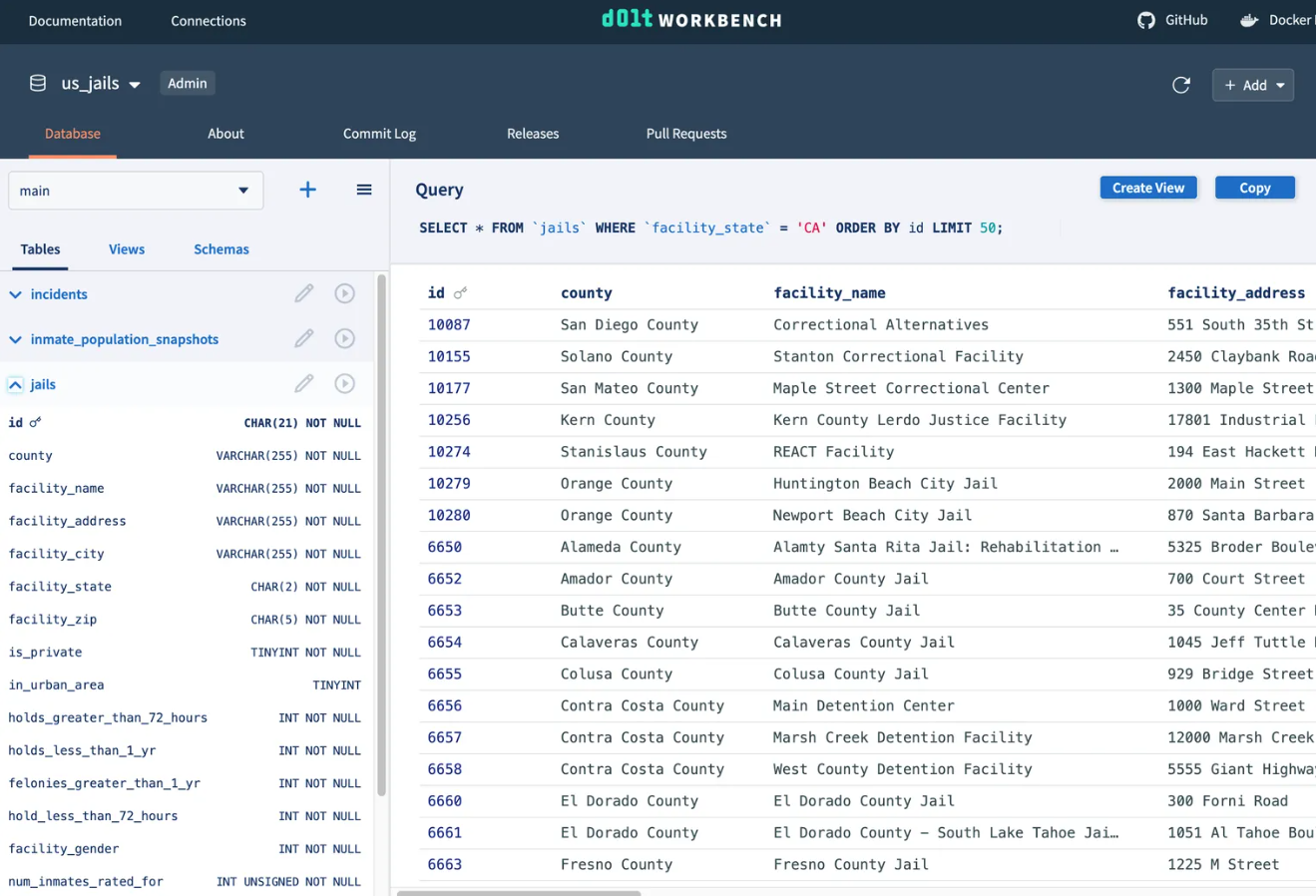
Modern, web-based table browser
Why is your SQL workbench stuck in 2003? The Dolt Workbench brings a modern browser-based UI to the
workbench features you know and love. It makes browsing table data and schemas more
intuitive and looks good doing it.
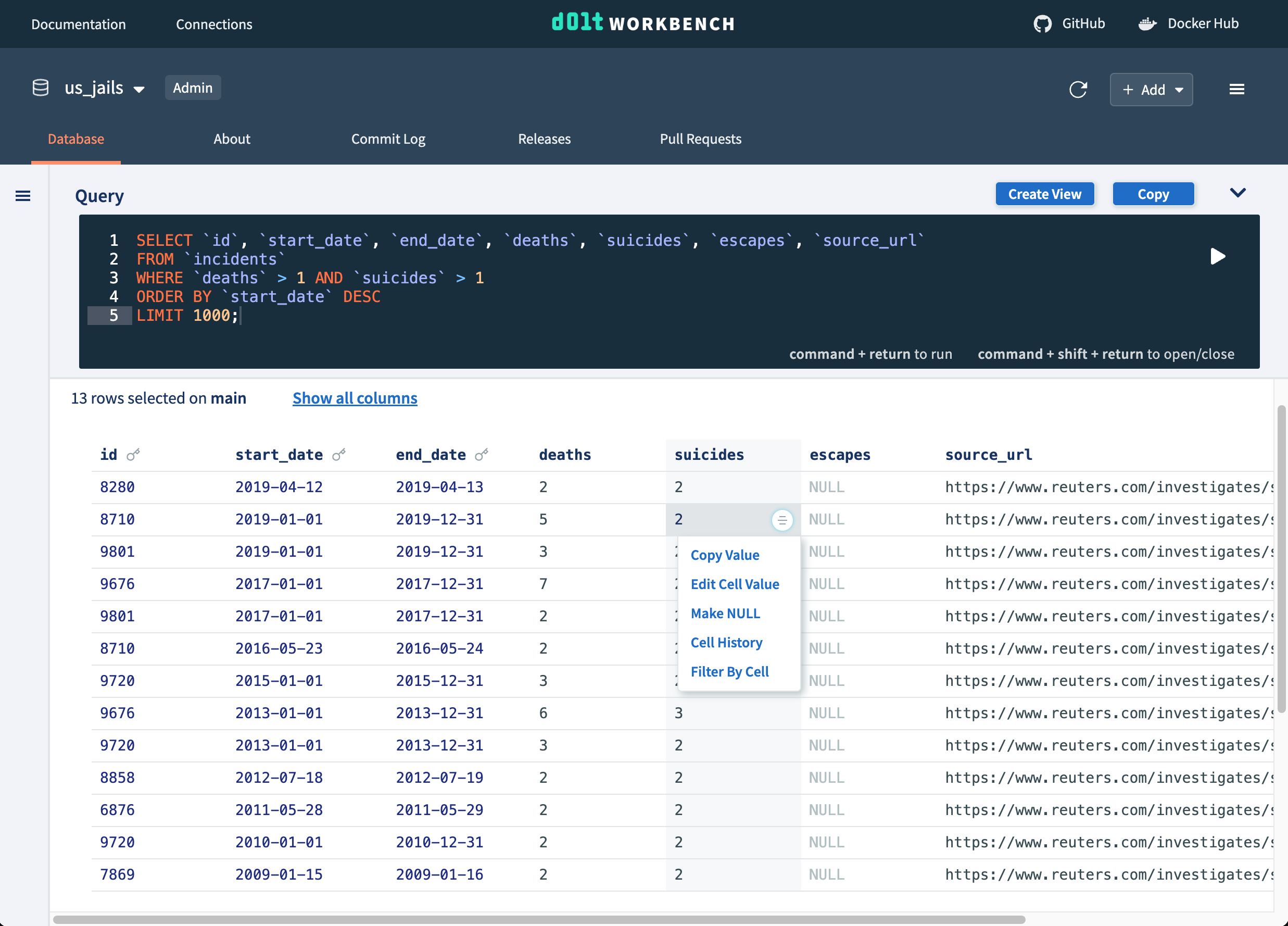
Auto-generate SQL queries
Don't know SQL? Utilize table cell buttons and query helpers to generate and execute SQL
queries for you, while learning SQL along the way. Or execute your own SQL queries from
the console with the help of syntax highlighting.
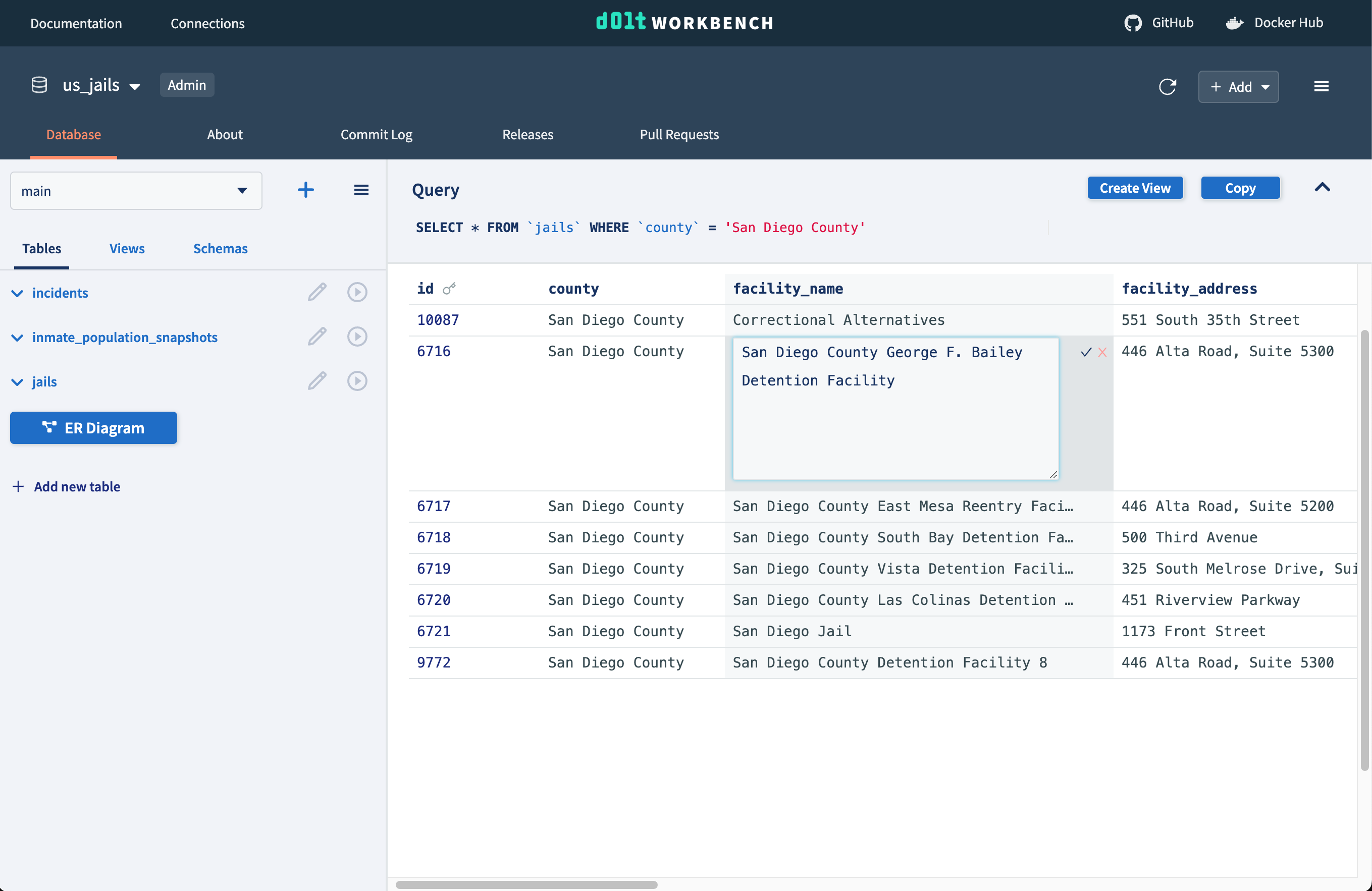
Edit data using point and click interface
Cell buttons can also be used to edit data. Double click into any cell to edit its value
and easily remove or add rows, columns, and tables using helper buttons.
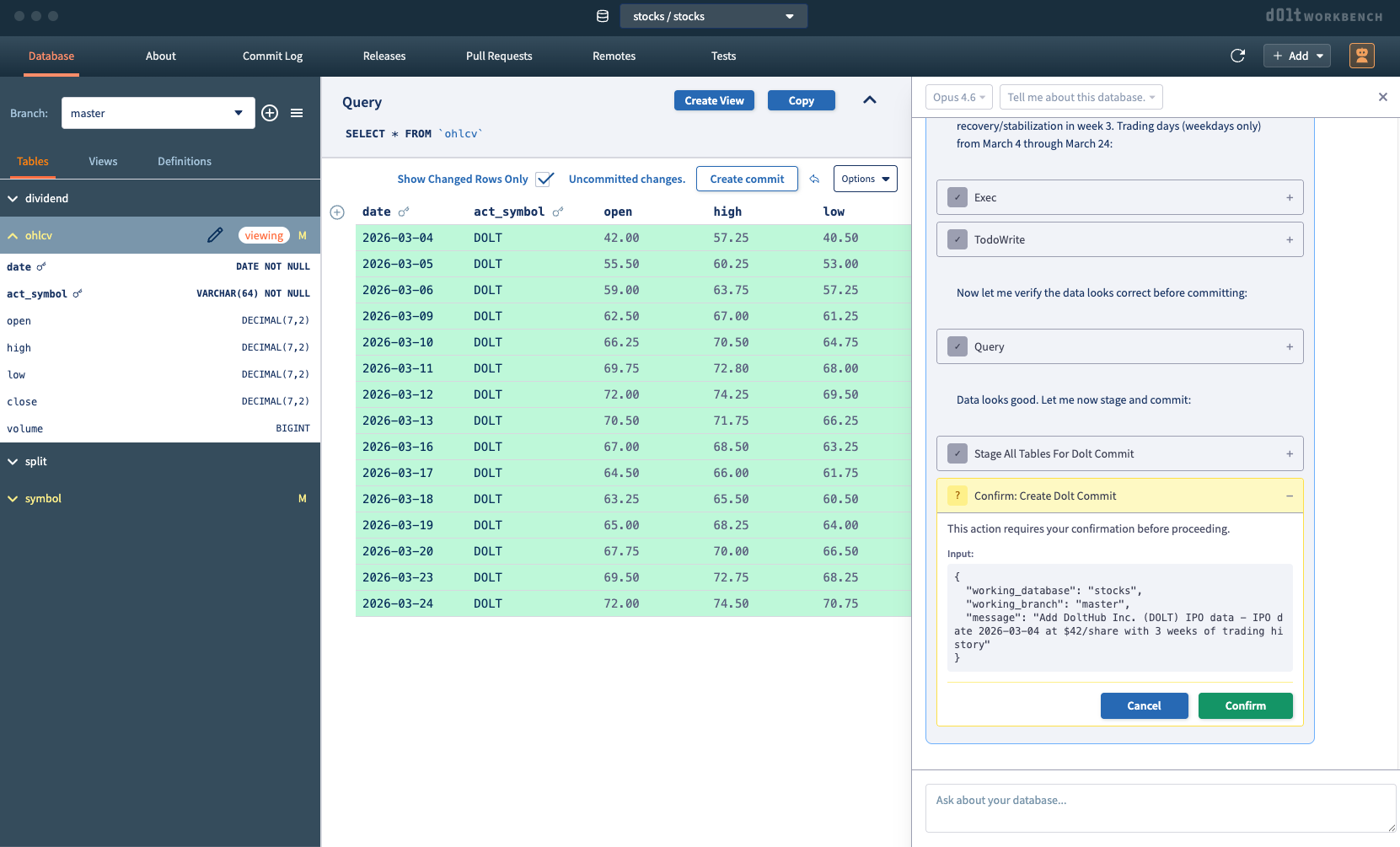
Agent Mode
Use the agent chat interface to interact with your database through natural
language. Agent mode lets you execute queries and make modifications
across Dolt, MySQL, and PostgreSQL databases. With Dolt, you can preview changes and
approve commits before they're finalized.
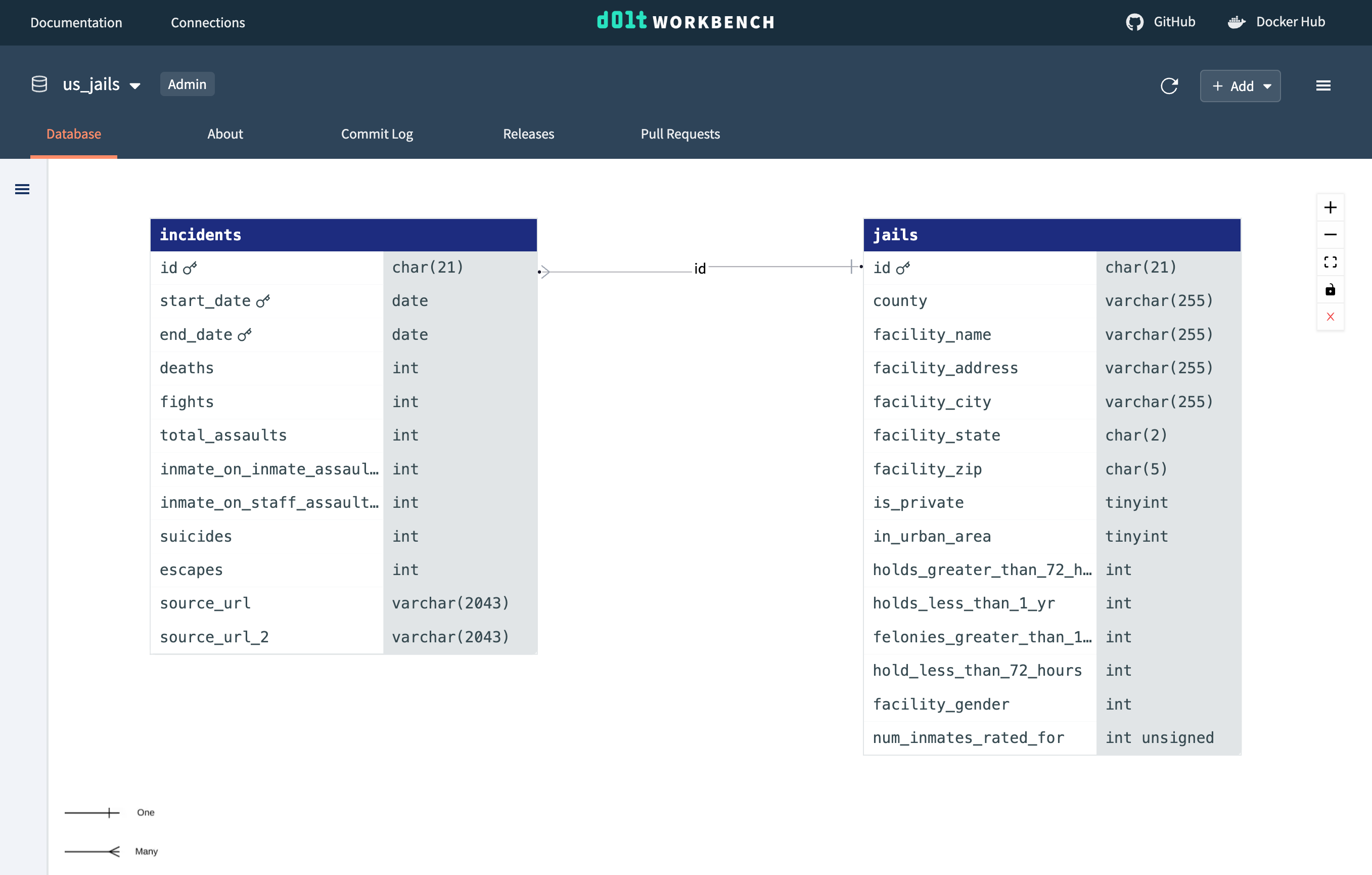
ER diagrams
ER diagrams are a great tool to visualize the entities in your database and the
relationship between tables. They help to analyze the structure of the database.
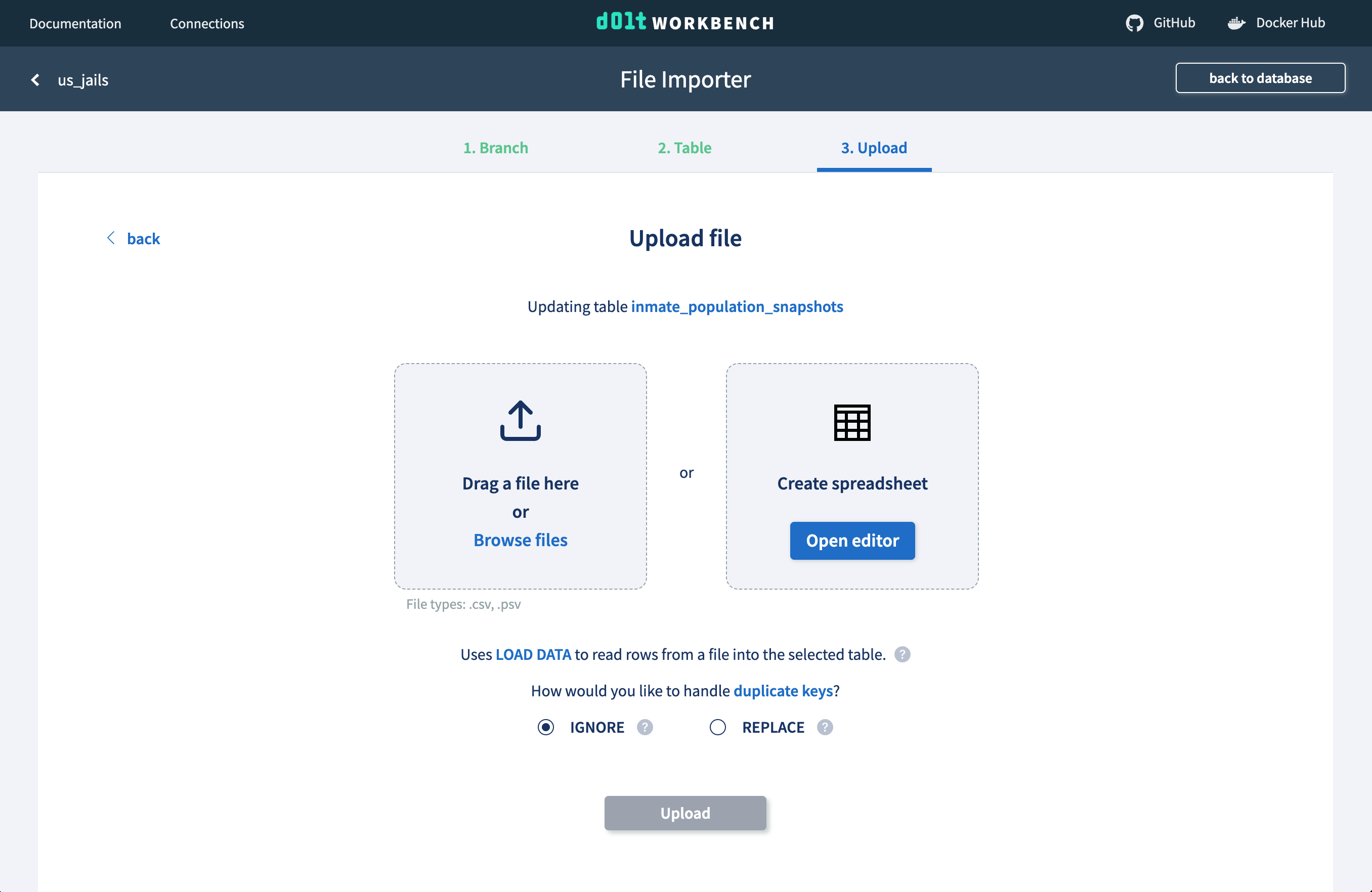
File upload
Upload files from your computer or use the spreadsheet editor to add or modify rows in
your table directly from the web interface.
Version control features with Dolt and Doltgres
Dolt is a SQL database you can fork, clone, branch, merge, push and
pull just like a Git repository. When connecting the workbench to a Dolt or Doltgres database, you
gain access to these powerful version control features.
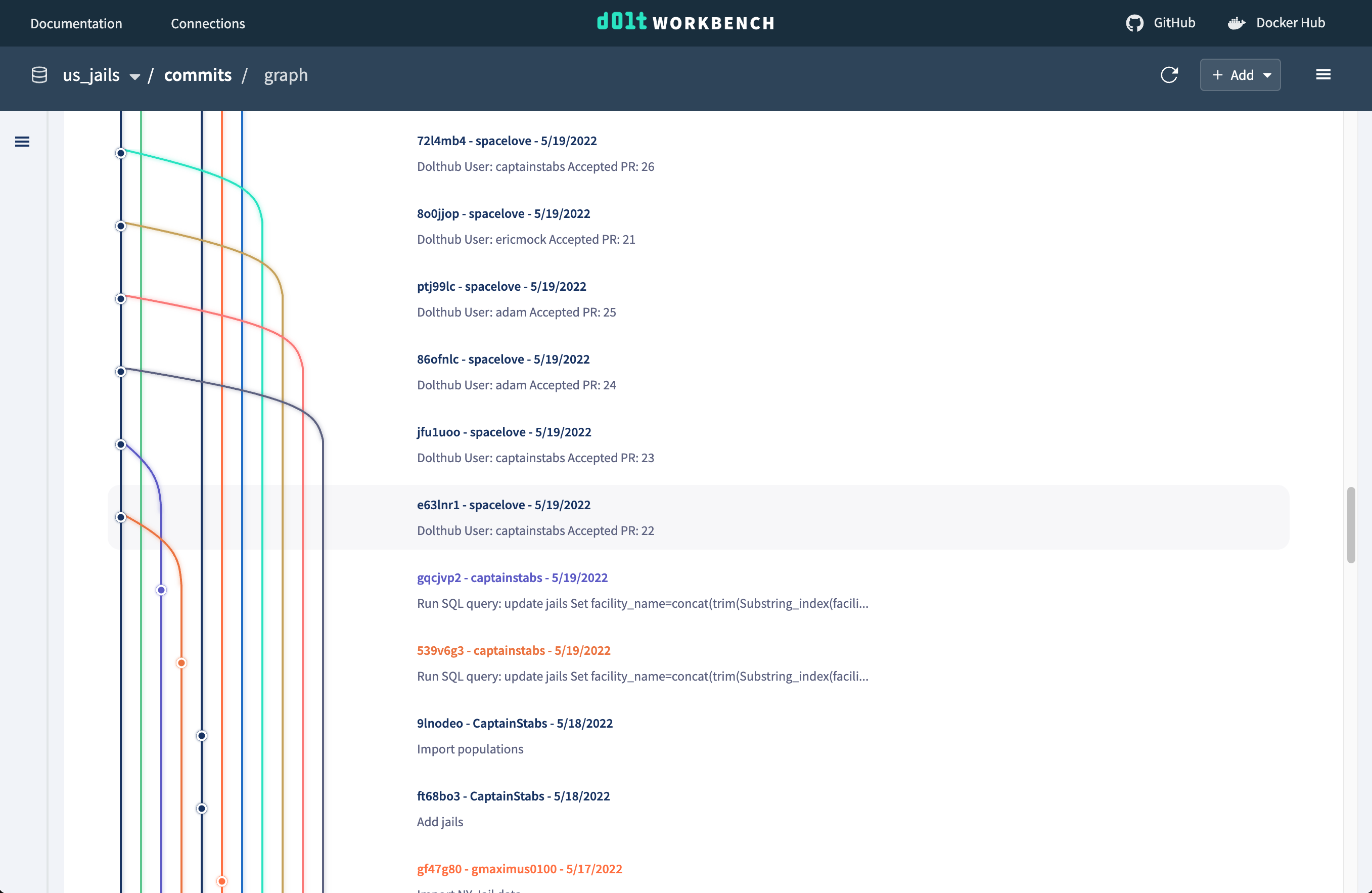
Commit log visualizations
Easily visualize your commits and understand your commit history from the commit graph. It
displays information about branches, commits, and collaborators in a single view. You'll
be able to easily identify contributions, track down specific commits, and gain valuable
insights into your development process.
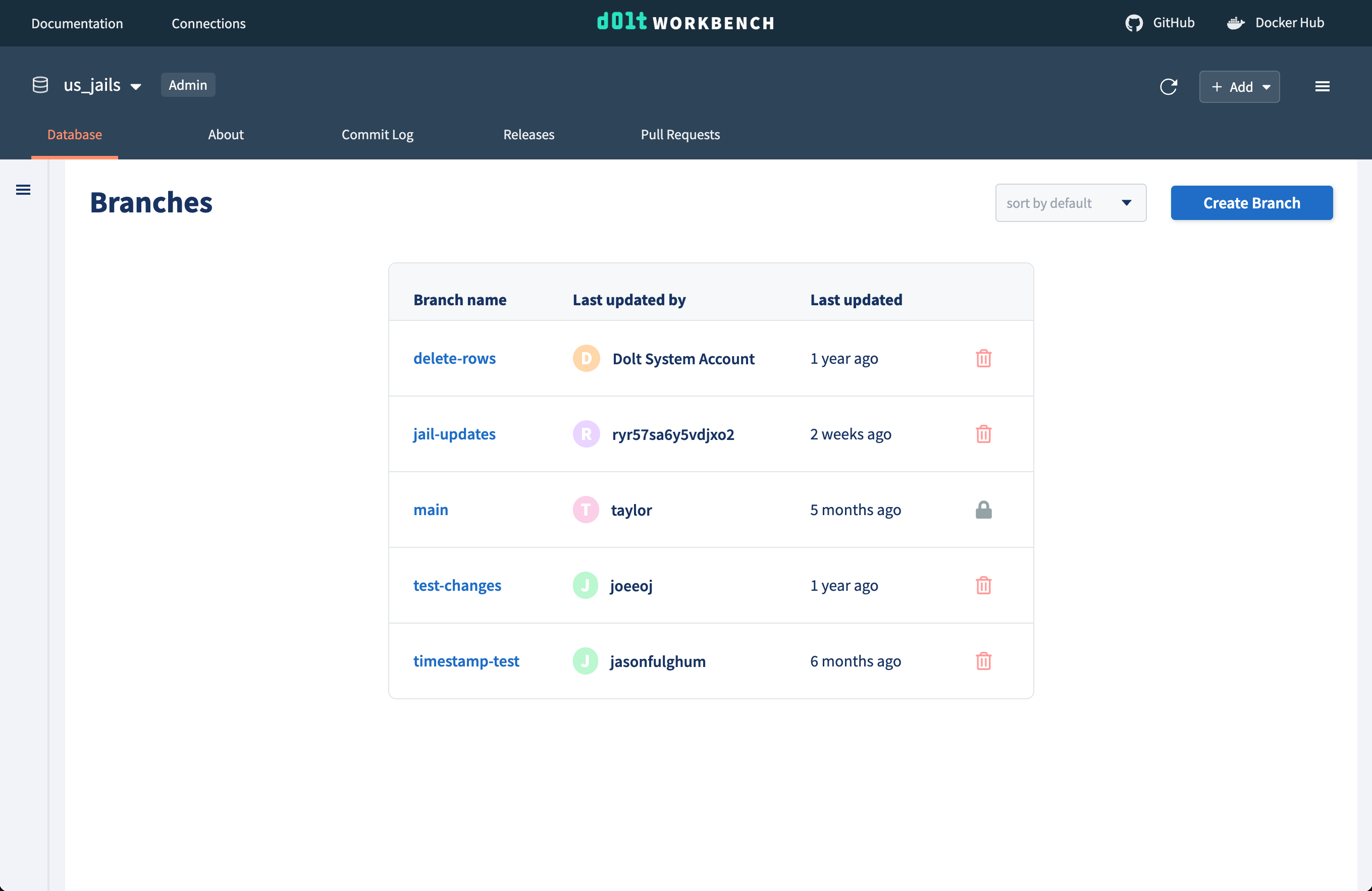
Branch navigation
A branch adds non-distributed, write isolation to your database. If you have a set of
database changes that logically should be grouped or reviewed together, you make
those changes on a branch.
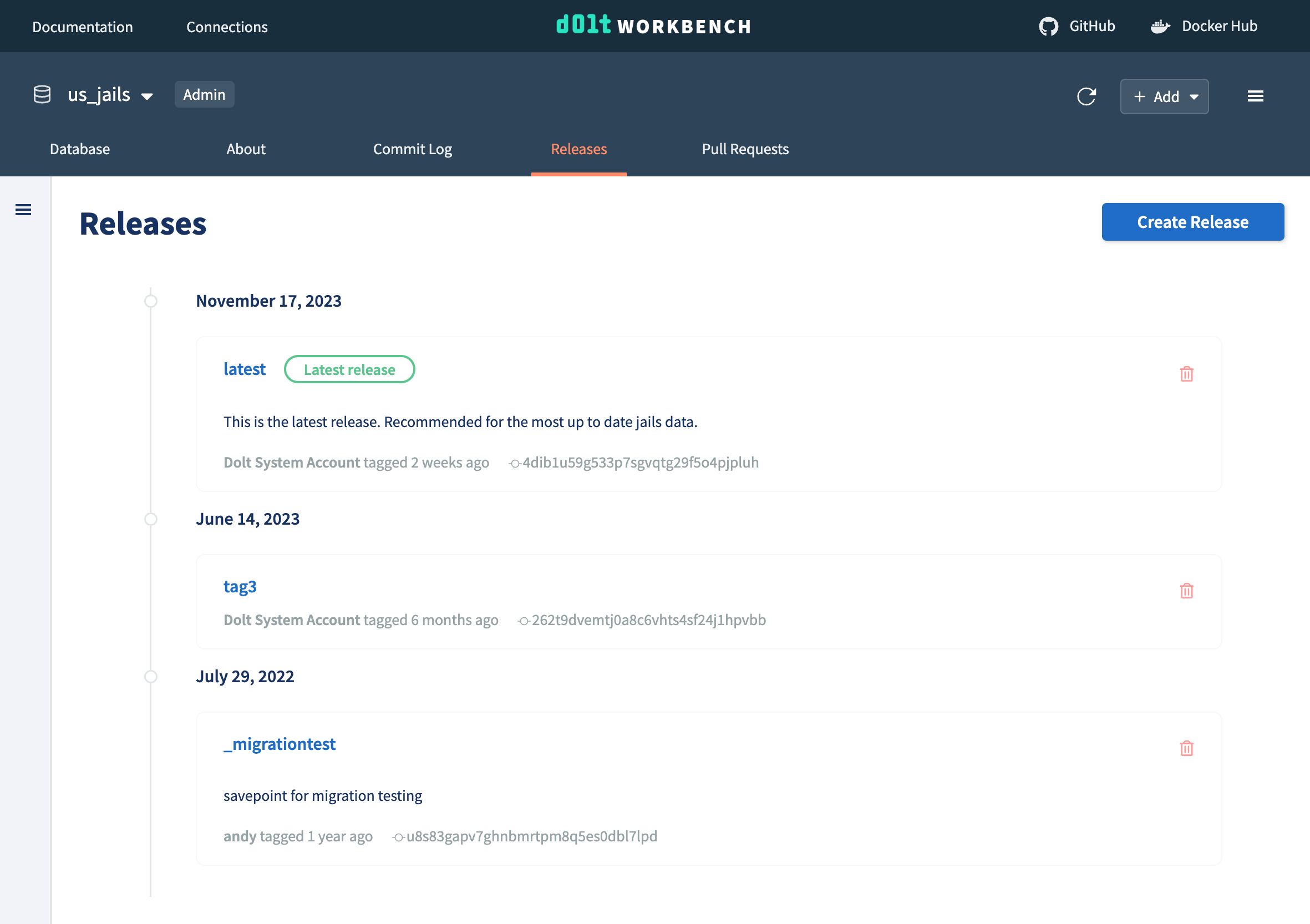
Tags
Tag your data at a commit to represent a data release. Data releases are a collection of
data with a specific schema and known set of data points. They are often used to represent
data you may want to recreate at a later date, like to reproduce a machine learning model.
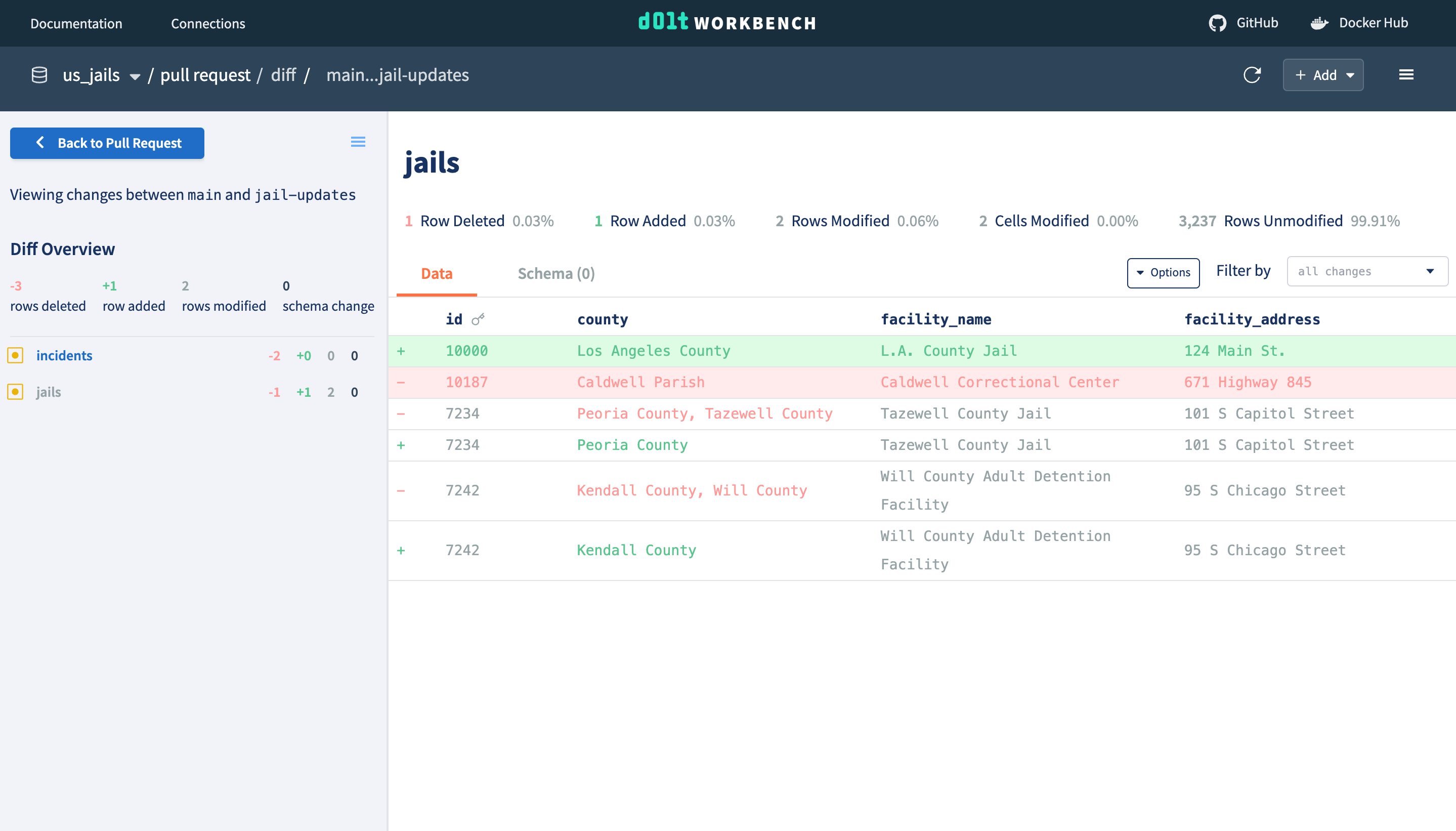
Pull requests
Pull requests are a way to propose changes to a database. A pull request is created from a
branch with new changes that a user would like to make to another branch (commonly the
main branch). Easily review the diff of proposed changes and think through potential
improvements or implications of the change. The pull request can then be merged, which
will update the base branch with the changes from the feature branch.
Getting started
The easiest way to get started is with Docker. Assuming you have Docker
installed and running, you can simply pull and run
the Docker image.
Navigate to http://localhost:3000 to enter your database information. See instructions on
Docker Hub for connecting to local and
Docker installed databases.
Saving connection information between runs
Using the file store
If you want to save connection metadata between Docker runs, you can mount a local
directory to the store directory in /app/graphql-server in the container.
% docker run -p 9002:9002 -p 3000:3000 -v ~/path/to/store:/app/graphql-server/store dolthub/dolt-workbench:latest
Using a MySQL database
You can also persist connection metadata in a MySQL-compatible database by providing
database connection information through environment variables.
Using a .env file:
# Specify individual fields:
DW_DB_DBNAME=dolt_workbench
DW_DB_PORT=3306
DW_DB_USER=<username>
DW_DB_PASS=<password>
DW_DB_HOST=host.docker.internal

# Or use a connection URI:
DW_DB_CONNECTION_URI=mysql://<username>:<password>@host.docker.internal:3306/dolt_workbench

# For databases that require secure connections
DW_DB_USE_SSL=true
% docker run -p 9002:9002 -p 3000:3000 --env-file <env_file_name> dolthub/dolt-workbench:latest
Or use the -e flag:
% docker run -p 9002:9002 -p 3000:3000 -e DW_DB_CONNECTION_URI="mysql://<username>:<password>@host.docker.internal:3306/dolt_workbench" dolthub/dolt-workbench:latest
Note that we do not create the database dolt_workbench for you. You must create it
yourself:
dolthub/dolt-workbench thuộc nhóm Data trên TopGit, cùng 8 topic GitHub. Trang Trending và Topics liệt kê các repo cùng số sao và cùng ngôn ngữ để so sánh.
Đọc thêm về dolthub/dolt-workbench ở đâu?
Trang TopGit này là một snapshot — tab "Readme" hiển thị nguyên văn README của repo (đã bỏ link, giữ ảnh). Repo GitHub ở github.com/dolthub/dolt-workbench là nguồn chính thức.
dolthub/dolt-workbench có phải mã nguồn mở không?
Có — dolthub/dolt-workbench phát hành theo license Apache-2.0, nghĩa là mã nguồn mở để đọc, fork và (tùy license) tái sử dụng. Mã: github.com/dolthub/dolt-workbench.
dolthub/dolt-workbench là gì?
dolthub/dolt-workbench (dolthub/dolt-workbench) là dự án TypeScript trên GitHub. Theo mô tả gốc: A modern, browser-based, open source SQL workbench for your MySQL and PostgreSQL compatible database with version control features when connected to Dolt.
dolthub/dolt-workbench so với các dự án Data khác thế nào?
dolthub/dolt-workbench được TopGit xếp vào nhóm Data, với 248 sao GitHub và viết bằng TypeScript. Xem trang chủ đề Data trên TopGit để so sánh với các dự án tương tự theo số sao và mức độ hoạt động.
Vì sao dolthub/dolt-workbench được xếp vào nhóm Data?
TopGit xếp dolthub/dolt-workbench vào nhóm Data dựa trên GitHub topics và mô tả của repo (gắn thẻ: "database-version-control", "dolt", "git"). Việc phân loại dựa trên metadata thật của repo, không phải đoán theo cảm tính biên tập.
Đọc đầy đủ README ở tab phía trên.
dolt-workbench có đáng để bạn bỏ thời gian?
ChatGPT, Claude và Perplexity đều đọc được trang này. Hỏi thử xem họ nghĩ gì về dolt-workbench.
 /dolt-workbench