dotnetcore/Magicodes.IE được TopGit xếp vào nhóm dự án backend, với 2.2k sao trên GitHub, viết chủ yếu bằng C#. Import and export general library, support Dto import and export, template export, fancy export and dynamic export, support Excel, Csv, Word, Pdf and Html.
Tóm tắt dựng từ metadata GitHub của chính dự án — chưa có bài review TopGit. Trang sẽ tự động cập nhật khi bài review đầy đủ được xuất bản.
VÌ SAO CHƯA CÓ REVIEW
TopGit viết bài đầy đủ cho repo có nhiều sao nhất và được yêu cầu nhiều nhất. Trang này là snapshot trong thời gian chờ — xem README gốc ở tab READ ME.
Import and export general library, support Dto import and export, template export, fancy export and dynamic export, support Excel, Csv, Word, Pdf and Html.
Magicodes.IE.IO NEW
A zero-dependency, streaming, low-allocation Excel I/O engine — built from scratch without EPPlus, ClosedXML, or any third-party Excel library. Supports netstandard2.0 / net6.0 / net8.0 / net10.0. Native IAsyncEnumerable, AOT-friendly.
dotnet add package Magicodes.IE.IO
// Zero-config export
Xlsx.Write("/tmp/orders.xlsx", orders);
Xlsx.Write(Response.Body, orders);
var bytes = Xlsx.ToBytes(orders);

// Async streaming write — DB query straight to file
await Xlsx.WriteAsync(stream, dbContext.Orders.AsAsyncEnumerable());
Learn more
Azure DevOps
Build Status:
Azure DevOps coverage (master):
Azure DevOps tests (master):
For details, see: https://dev.azure.com/xinlaiopencode/Magicodes.IE/_build?definitionId=4&_a=summary
NuGet
Stable version (recommended)
Name
NuGet
Magicodes.IE.IO
Magicodes.IE.Core
Magicodes.IE.Excel
Magicodes.IE.Excel.NPOI
Magicodes.IE.Excel.AspNetCore
Magicodes.IE.Pdf
Magicodes.IE.Word
Magicodes.IE.Html
Magicodes.IE.Csv
Magicodes.IE.AspNetCore
Magicodes.IE.EPPlus
Magicodes.IE.Excel.Abp
Magicodes.IE.Csv.Abp
Magicodes.IE.Html.Abp
Magicodes.IE.Pdf.Abp
Magicodes.IE.Word.Abp
Magicodes.IE.Stash
Note
Excel import does not support ".xls" files, that is, Excel97-2003 is not supported.
For use in Docker, please refer to the section "Use in Docker" in the documentation.
Relevant functions have been compiled with unit tests. You can refer to unit tests during the use process.
Tutorial
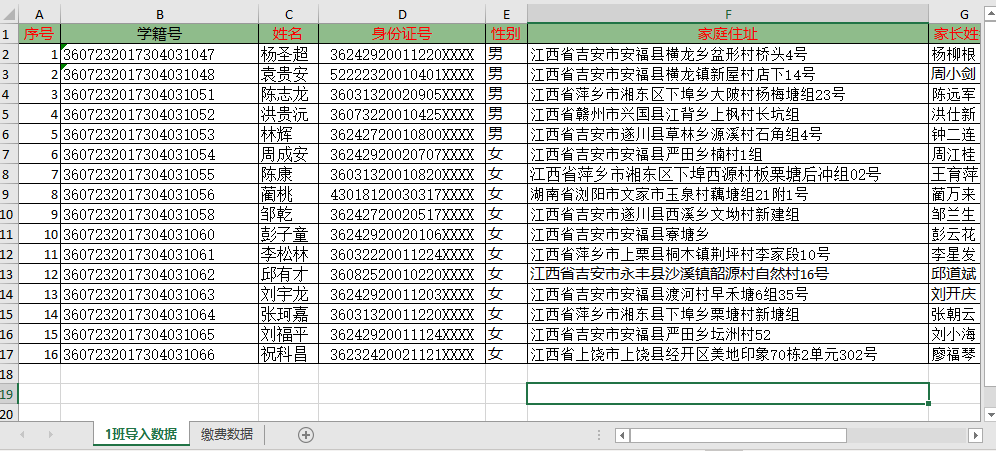
Basic tutorial of importing student data
Basic tutorial of export Excel
Basic tutorial of export Pdf receipts
Use in Docker
Dynamic Export
Import Multi-Sheet Tutorial
Csv Import and Export
Import and export Excel as pictures
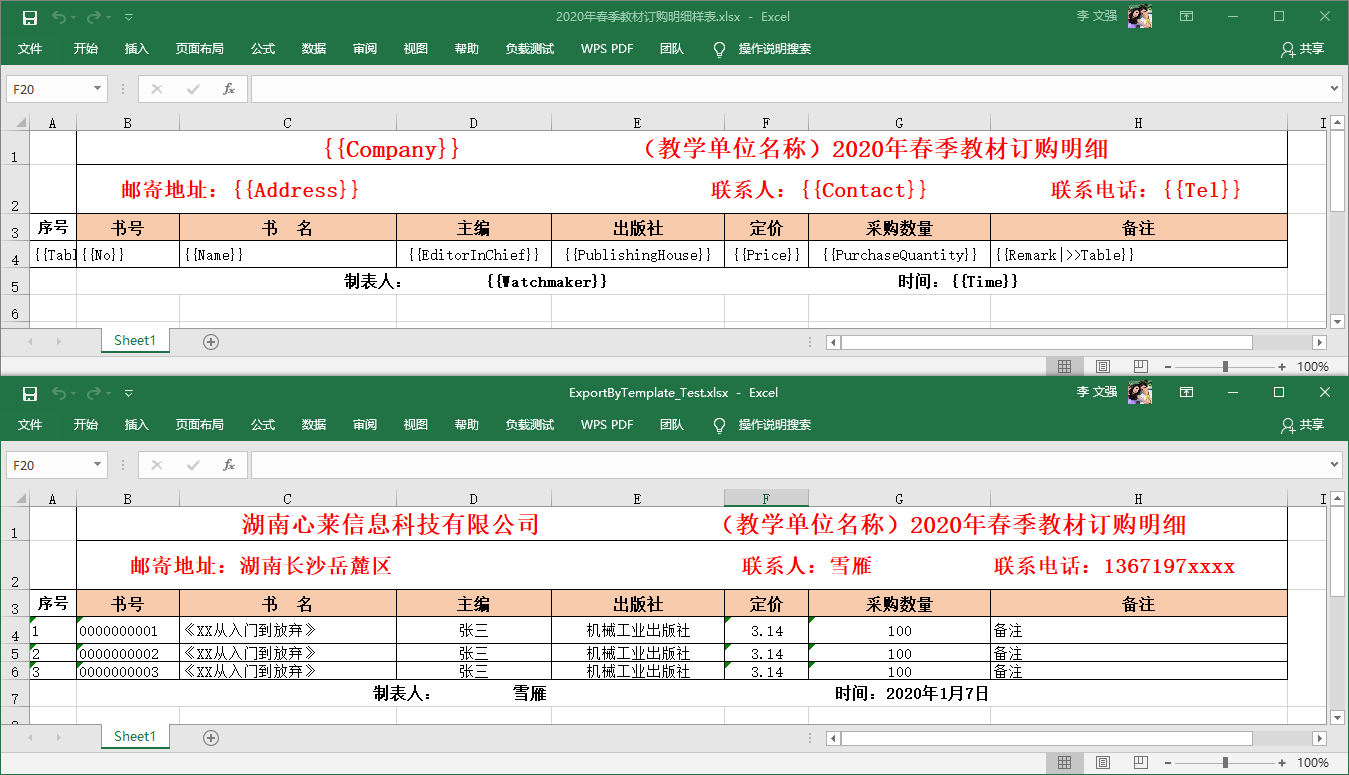
Excel template export-Export textbook order form
Import and Export Filters
Magicodes.IE Fancy Export
Exporting multiple formats in NETCore via request headers
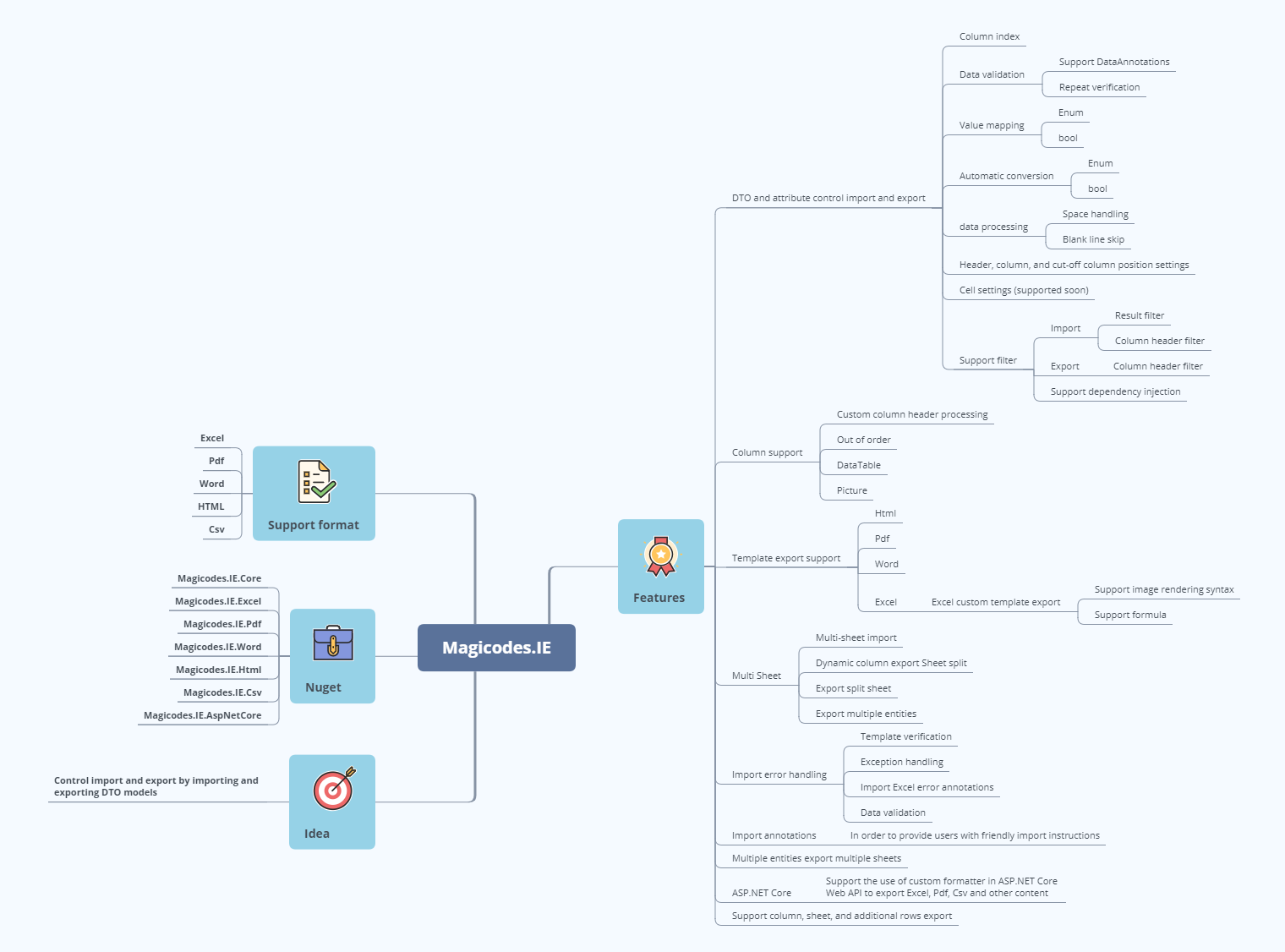
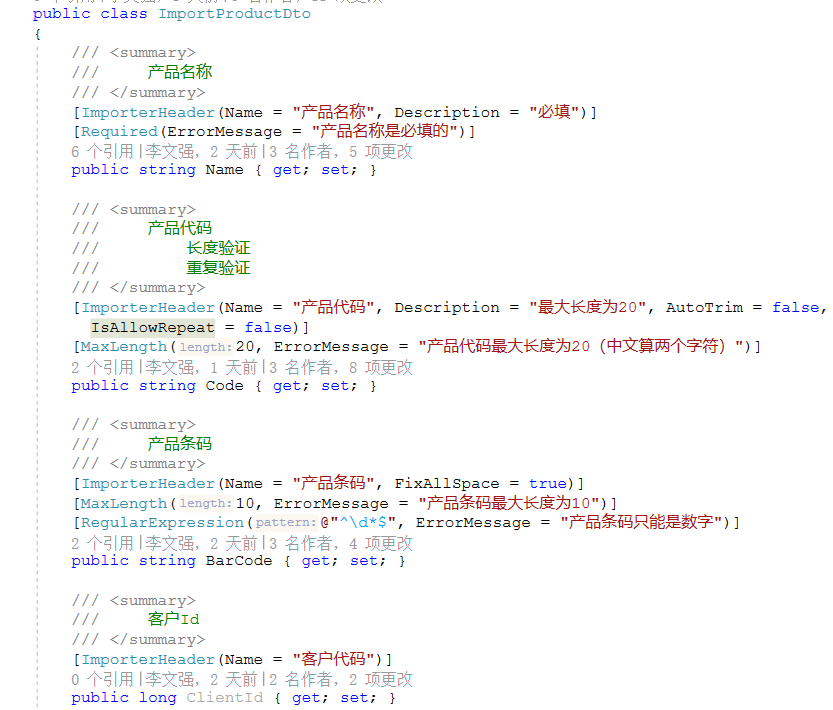
Need to be used in conjunction with related import and export DTO models, support import and export through DTO and related characteristics. Configure features to control related logic and display results without modifying the logic code;
Support various filters to support scenarios such as multi-language, dynamic control column display, etc. For specific usage, see unit test:
Import column header filter (you can dynamically specify the imported column and imported value mapping relationship)
Export column header filter (can dynamically control the export column, support dynamic export (DataTable))
Export column headers filter (can dynamically control the export column, support dynamic export (DataTable))
Import result filter (can modify annotation file)
Export supports text custom filtering or processing;
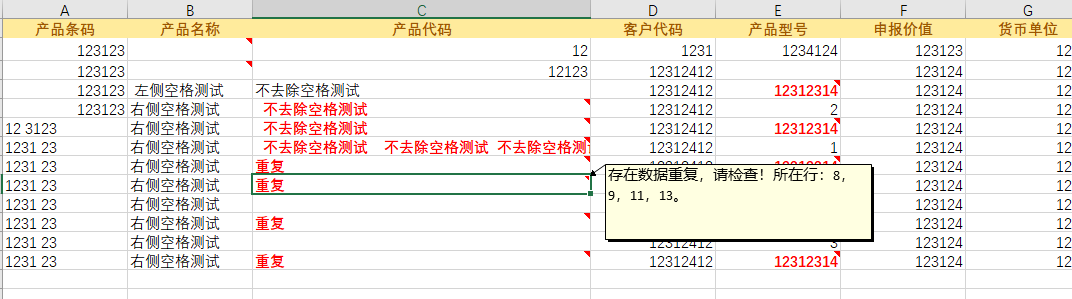
Import supports automatic skipping of blank lines in the middle;
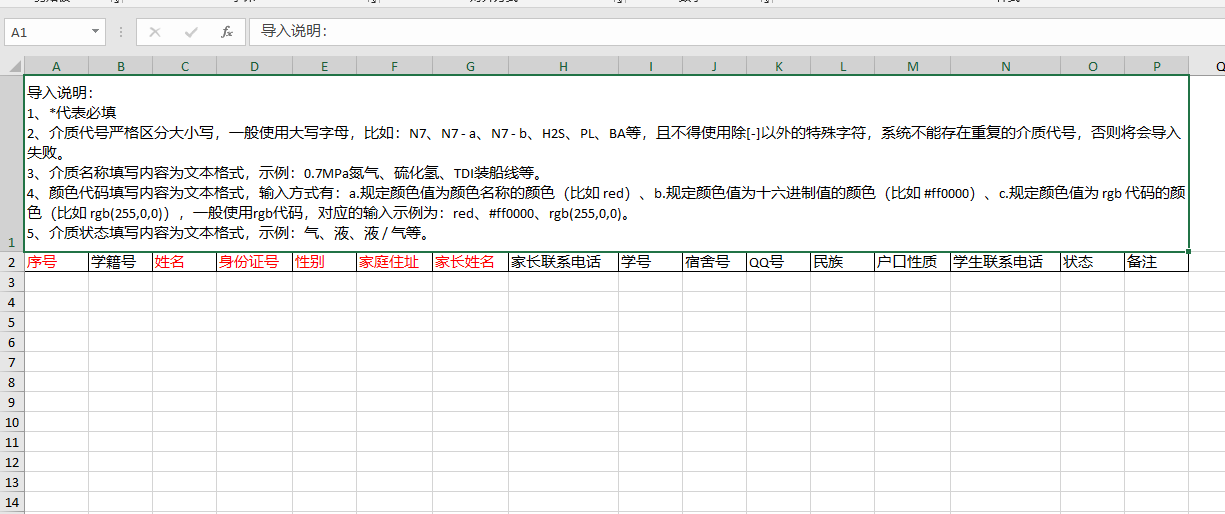
Import supports automatically generate import templates based on DTO, and automatically mark required items;
Import supports data drop-down selection, currently only supports enumerated types;
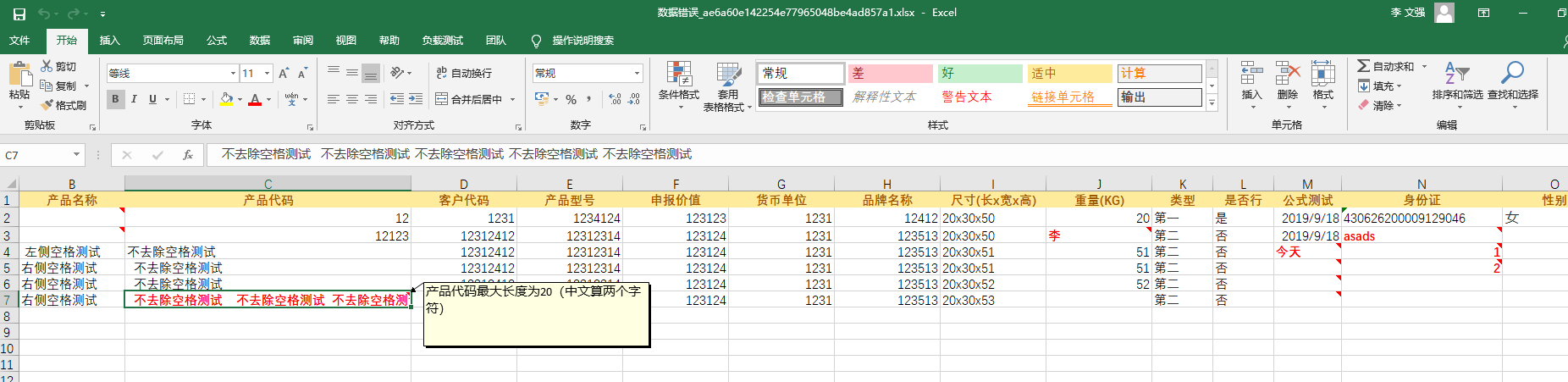
Imported data supports the processing of leading and trailing spaces and intermediate spaces, allowing specific columns to be set;
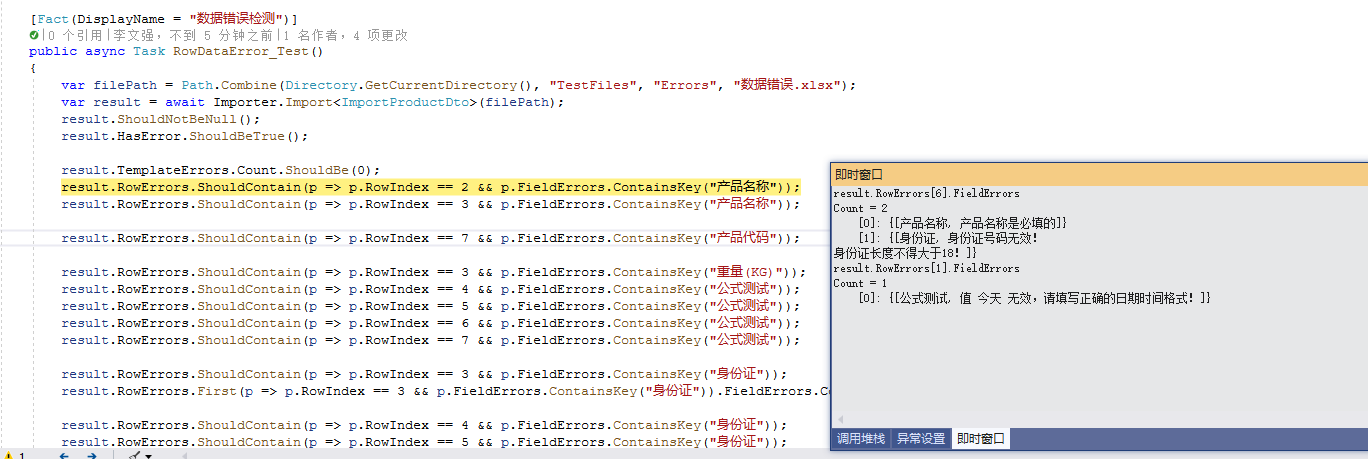
Import supports automatic template checking, automatic data verification, unified exception handling, and unified error encapsulation, including exceptions, template errors and row data errors;
Support import header position setting, the default is 1;
Support import columns out of order, no need to correspond one to one in order;
Support to import the specified column index, automatic recognition by default;
Exporting Excel supports splitting of Sheets, only need to set the value of [MaxRowNumberOnASheet] of the characteristic [ExporterAttribute]. If it is 0, no splitting is required. See unit test for details;
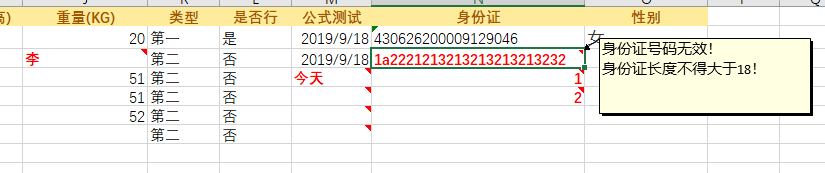
Support importing into Excel for error marking;
Import supports cutoff column setting, if not set, blank cutoff will be encountered by default;
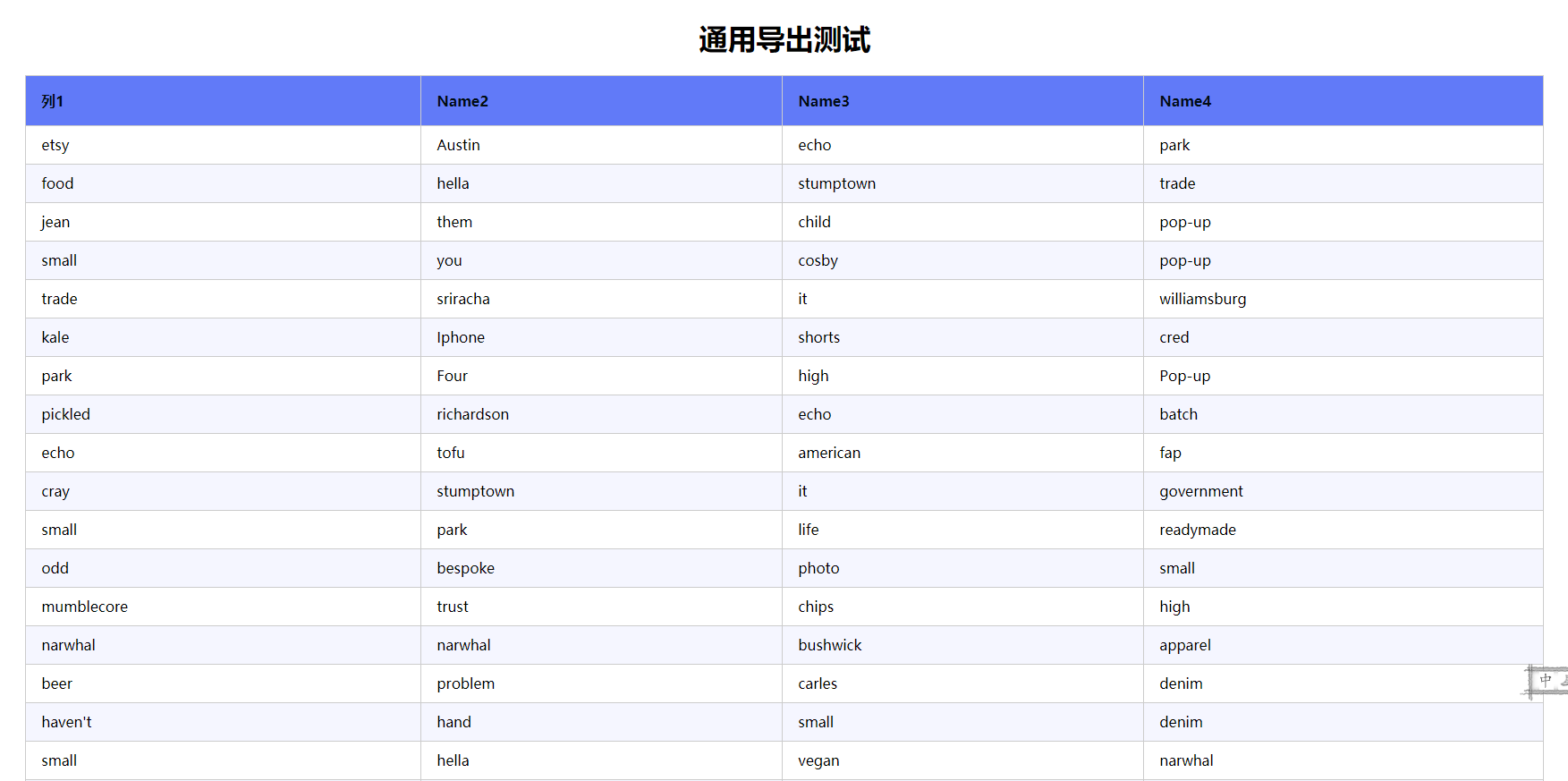
Support exporting HTML, Word, Pdf, support custom export template;
-Export HTML
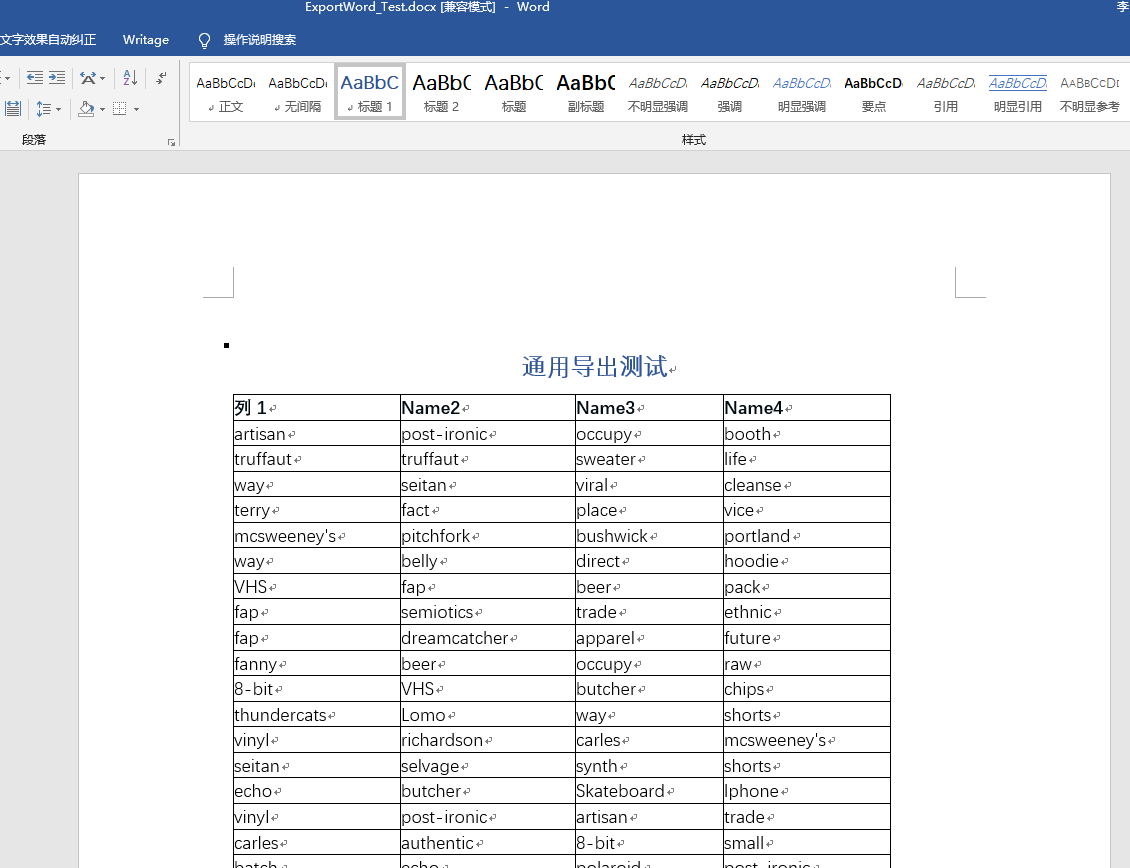
-Export Word
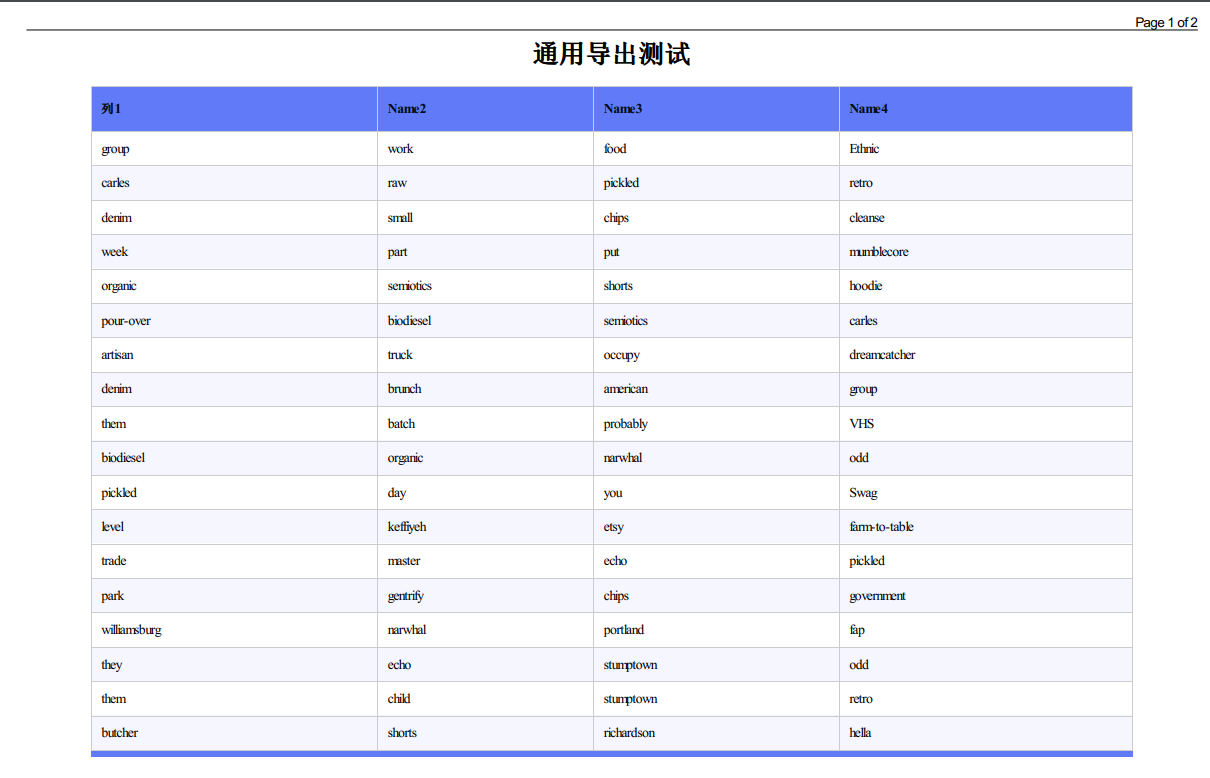
-Export Pdf, support settings, see the update log for details
-Export receipt
Import supports repeated verification;
Support single data template export, often used to export receipts, credentials and other businesses
Support dynamic column export (based on DataTable), and the Sheet will be split automatically if it exceeds 100W. (Thanks to teacher Zhang Shanyou (https://github.com/xin-lai/Magicodes.IE/pull/8))
Support dynamic/ExpandoObject dynamic column export
        [Fact(DisplayName = "DTO export supports dynamic types")]
        public async Task ExportAsByteArraySupportDynamicType_Test()
        {
            IExporter exporter = new ExcelExporter();

            var filePath = GetTestFilePath($"{nameof(ExportAsByteArraySupportDynamicType_Test)}.xlsx");

            DeleteFile(filePath);

            var source = GenFu.GenFu.ListOf<ExportTestDataWithAttrs>();
            string fields = "text,number,name";
            var shapedData = source.ShapeData(fields) as ICollection<ExpandoObject>;

            var result = await exporter.ExportAsByteArray<ExpandoObject>(shapedData);
            result.ShouldNotBeNull();
            result.Length.ShouldBeGreaterThan(0);
            File.WriteAllBytes(filePath, result);
            File.Exists(filePath).ShouldBeTrue();
        }
Support value mapping, support setting value mapping relationship through "ValueMappingAttribute" feature. It is used to generate data validation constraints for import templates and perform data conversion.
You can also inherit the "ValueMappingsBaseAttribute" attribute base class to implement value mapping relationships, currently only available for enumeration and Bool types, supports import and export.
        [AttributeUsage(AttributeTargets.Property, AllowMultiple = true)]
        public class GenderLocalAttribute : ValueMappingsBaseAttribute
        {
            public override Dictionary<string, object> GetMappings(PropertyInfo propertyInfo)
            {
                var res= new Dictionary<string, object>();
                res.Add("Male",0);
                res.Add("Female",1);
                return res;
            }
        }


        /// <summary>
        /// Gender
        /// </summary>
        [ImporterHeader(Name = "Gender")]
        [Required(ErrorMessage = "Gender cannot be empty.")]
        [GenderLocal]
        public Genders Gender { get; set; }
Support the generation of imported data verification items of enumeration and Bool type, and related data conversion
Enumeration will automatically obtain the description, display name, name and value of the enumeration by default to generate data items
For details, see the above tutorial "Magicodes.IE Fancy Export"
Support cell export width setting
[ExporterHeader(Width = 100)]
public DateTime Time3 { get; set; }
**Excel export supports HeaderRowIndex. Add the HeaderRowIndex attribute to the ExcelExporterAttribute export attribute class, so that it is convenient to specify the export from the first row when exporting. **
Excel generated import template supports built-in data verification
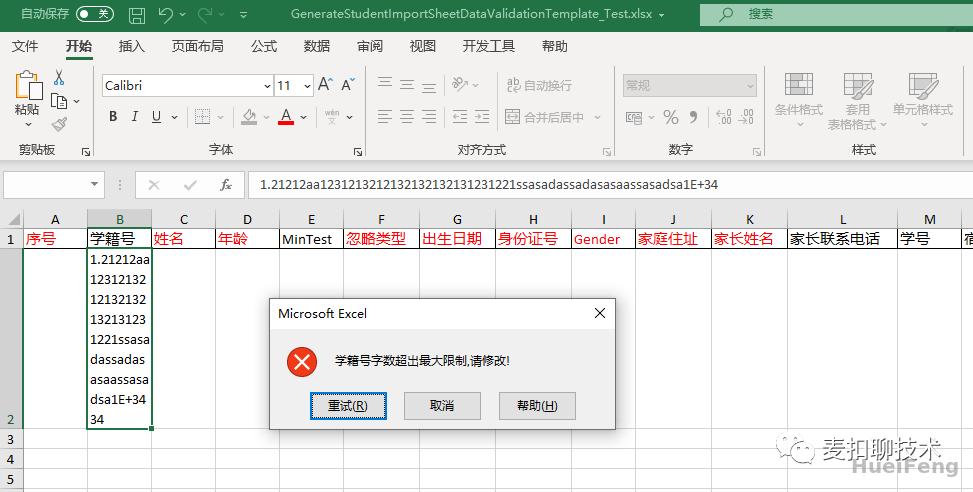
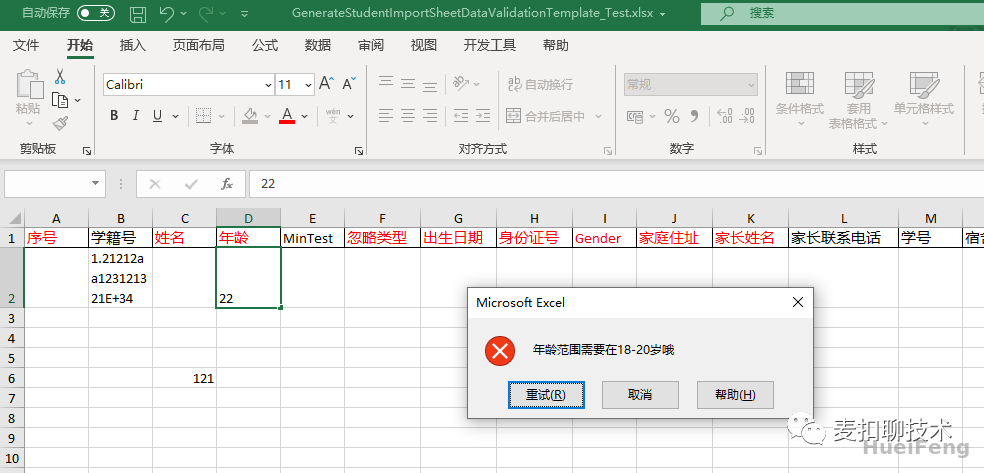
The support for the built-in data validation can be turned on through the IsInterValidation attribute, and it should be noted that only MaxLengthAttribute, MinLengthAttribute, StringLengthAttribute, and RangeAttribute support the opening operation of the built-in data validation.
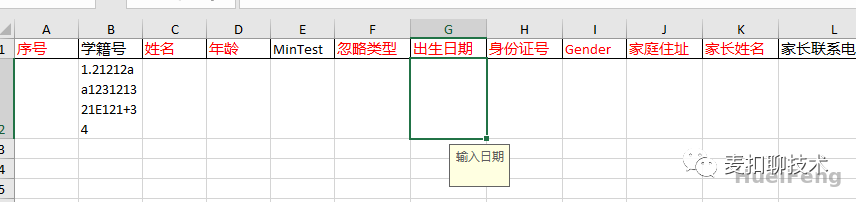
Support display operations for input prompts:
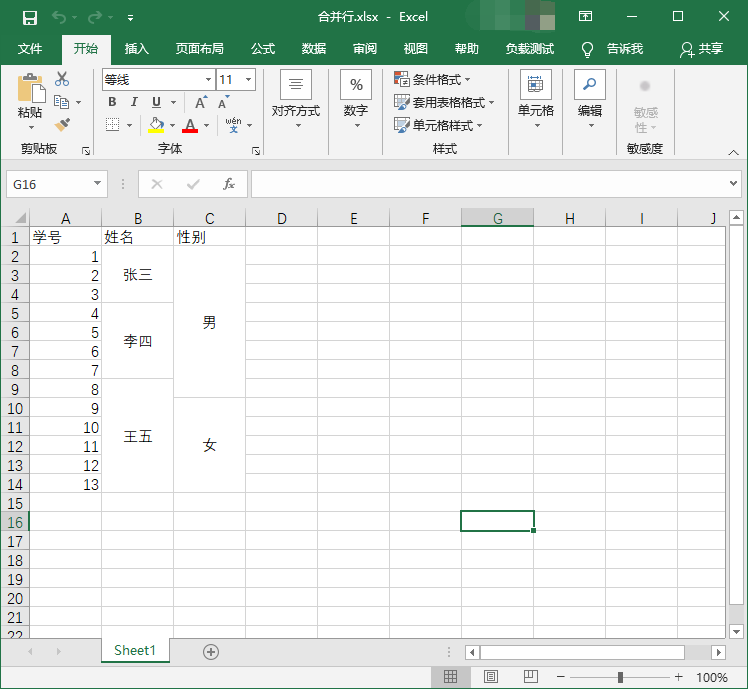
Excel import supports merging row data #239
Add packaging for Abp module, see #318 for details.
FAQ
Question List
Update history
Update history
Contributors
Code Contributors
This project exists thanks to all the people who contribute. [Contribute].
Financial Contributors
Become a financial contributor and help us sustain our community. [Contribute]
Individuals
Organizations
Support this project with your organization. Your logo will show up here with a link to your website. [Contribute]
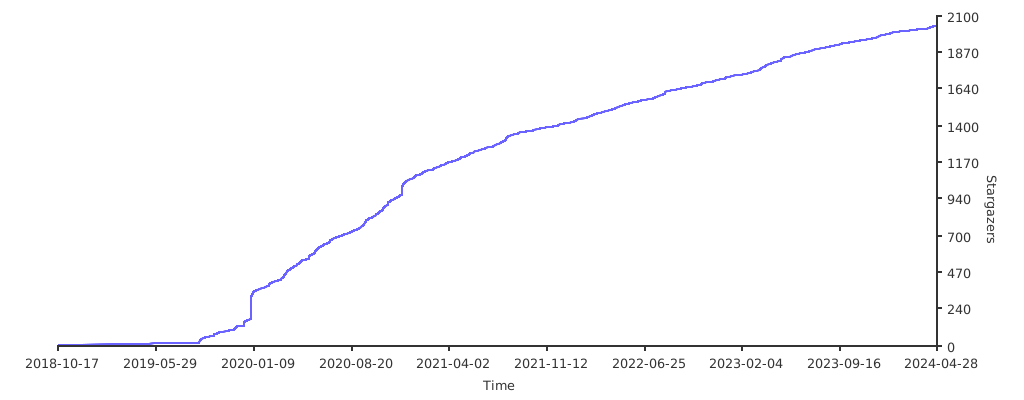
dotnetcore/Magicodes.IE có 2.2k sao GitHub — tải lại trang để xem số mới nhất, hoặc xem trực tiếp github.com/dotnetcore/Magicodes.IE. TopGit phản chiếu số sao của GitHub nhưng không cam kết đến từng phút.
dotnetcore/Magicodes.IE còn đang phát triển không?
Commit gần nhất trên dotnetcore/Magicodes.IE là 1 tháng trước (theo timestamp GitHub). Repo có 496 fork — một chỉ báo về mức độ quan tâm của cộng đồng.
dotnetcore/Magicodes.IE là gì?
dotnetcore/Magicodes.IE (dotnetcore/Magicodes.IE) là dự án C# trên GitHub. Theo mô tả gốc: Import and export general library, support Dto import and export, template export, fancy export and dynamic export, support Excel, Csv, Word, Pdf and Html.
dotnetcore/Magicodes.IE so với các dự án Backend khác thế nào?
dotnetcore/Magicodes.IE được TopGit xếp vào nhóm Backend, với 2.2k sao GitHub và viết bằng C#. Xem trang chủ đề Backend trên TopGit để so sánh với các dự án tương tự theo số sao và mức độ hoạt động.
dotnetcore/Magicodes.IE viết bằng ngôn ngữ gì?
dotnetcore/Magicodes.IE chủ yếu viết bằng C#. Trường "language" của GitHub dựa trên phần lớn byte ở nhánh mặc định.
Vì sao dotnetcore/Magicodes.IE được xếp vào nhóm Backend?
TopGit xếp dotnetcore/Magicodes.IE vào nhóm Backend dựa trên GitHub topics và mô tả của repo (gắn thẻ: "csharp", "csv", "dotnet"). Việc phân loại dựa trên metadata thật của repo, không phải đoán theo cảm tính biên tập.
Đọc đầy đủ README ở tab phía trên.
Vẫn đang phân vân về Magicodes.IE?
Một cú bấm sẽ gửi câu hỏi kèm trang này cho AI — xem AI nói gì về Magicodes.IE.
 /Magicodes.IE









 -Export Word
 -Export Pdf, support settings, see the update log for details
 -Export receipt