1.7k sao GitHub và vẫn tăng — dwmkerr/sharpshell là dự án C# mà TopGit đang theo dõi trên nền tảng. SharpShell makes it easy to create Windows Shell Extensions using the .NET Framework.
Tóm tắt dựng từ metadata GitHub của chính dự án — chưa có bài review TopGit. Trang sẽ tự động cập nhật khi bài review đầy đủ được xuất bản.
VÌ SAO CHƯA CÓ REVIEW
TopGit viết bài đầy đủ cho repo có nhiều sao nhất và được yêu cầu nhiều nhất. Trang này là snapshot trong thời gian chờ — xem README gốc ở tab READ ME.
SharpShell makes it easy to create Windows Shell Extensions using the .NET Framework.
Installation
User Guide
Supported Shell Extensions
Shell Context Menus
Icon Handlers
Info Tip Handlers
Drop Handlers
Preview Handlers
Icon Overlay Handlers
Thumbnail Handlers
Property Sheet Extensions
Desk Band Extensions
Developer Guide
Building & Testing
Enabling Logging
CI/CD
Creating a Release
Compatibility
Documentation
Contributor Guide
Testimonials
Projects that use SharpShell
Thanks
License
Installation
Install SharpShell by searching for 'SharpShell' in the NuGet package manager, or using the Package Manager Console:
PM > Install-Package SharpShell
The latest official packages are listed below:
Component
Package
SharpShell
SharpShellTools
ServerRegistrationManager
User Guide
All documentation is being moved to docs.
Some of the most useful guides are:
Deploying SharpShell Servers
Troubleshooting
Supported Shell Extensions
The following extensions are supported by SharpShell.
Shell Context Menus
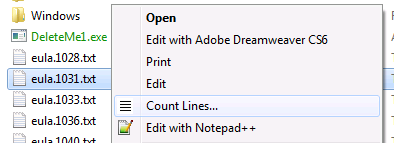
Shell Context Menus allow the context menus used in Windows Explorer to be customised.
Step by Step Tutorial on the CodeProject.
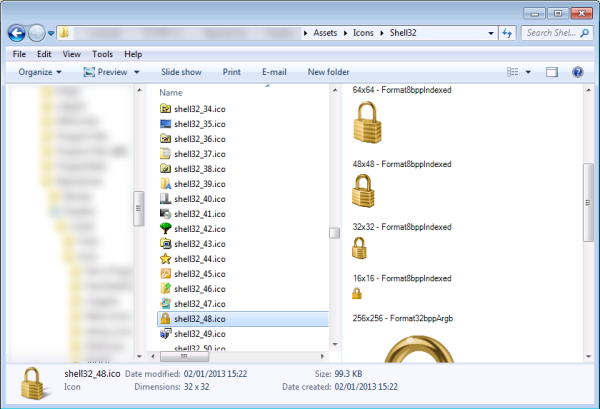
Icon Handlers
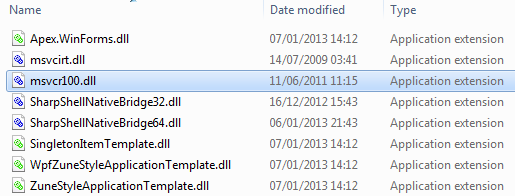
Shell Icon Handlers are DLLs that are registered in the system to customise the appearance of icons.
Step by Step Tutorial on the CodeProject.
Info Tip Handlers
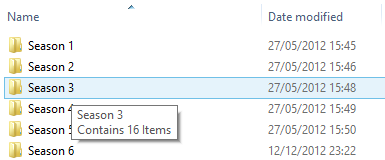
Shell Info Tip Handlers are DLLs that are registered in the system to customise tooltips for items in the shell.
Step by Step Tutorial on the CodeProject.
Drop Handlers
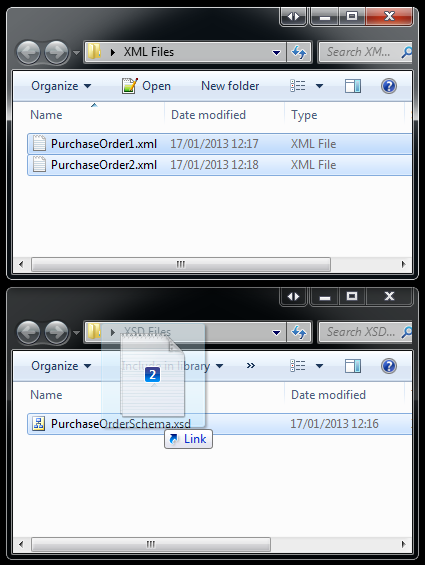
Shell Drop Handlers are DLLs that are registered in the system to extend the drag and drop functionality in the Shell.
Step by Step Tutorial on the CodeProject.
Preview Handlers
Shell PreviewHandlers are dlls that can be registered in the system to allow you to create visually rich previews for items that are displayed directly in Windows Explorer.
Step by Step Tutorial on the CodeProject.
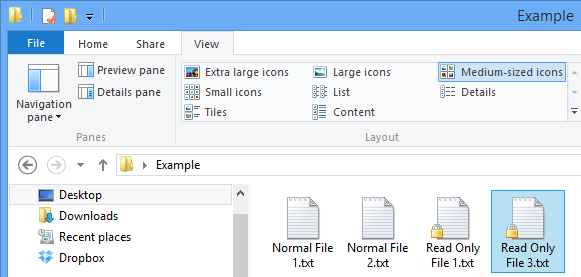
Icon Overlay Handlers
Shell Icon Overlay Handlers can be really useful. They let you display an icon overlay over shell objects to provide extra information. Programs like Dropbox use these overlays to show whether files are synchronised or not.
Step by Step Tutorial on the CodeProject.
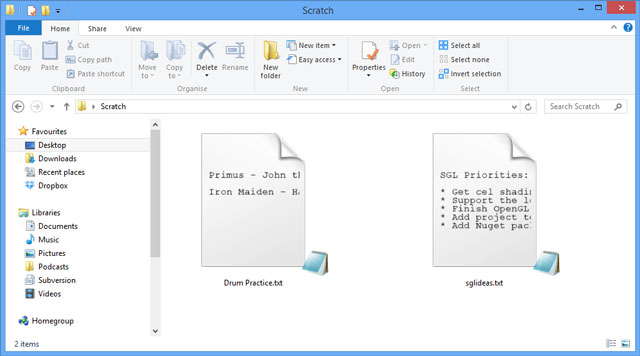
Thumbnail Handlers
Shell Thumbnail Handlers (or as they're sometimes known, Shell Thumbnail Providers) are COM servers that you can write to customise the appearance of the thumbnail icons in the Windows Shell.
Step by Step Tutorial on the CodeProject.
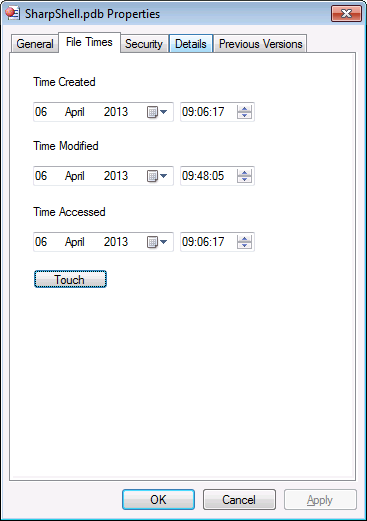
Property Sheet Extensions
These are extensions that add extra pages to the property sheets shown for shell items such as files, network shares, folders and so on.
Documentation.
Desk Band Extensions
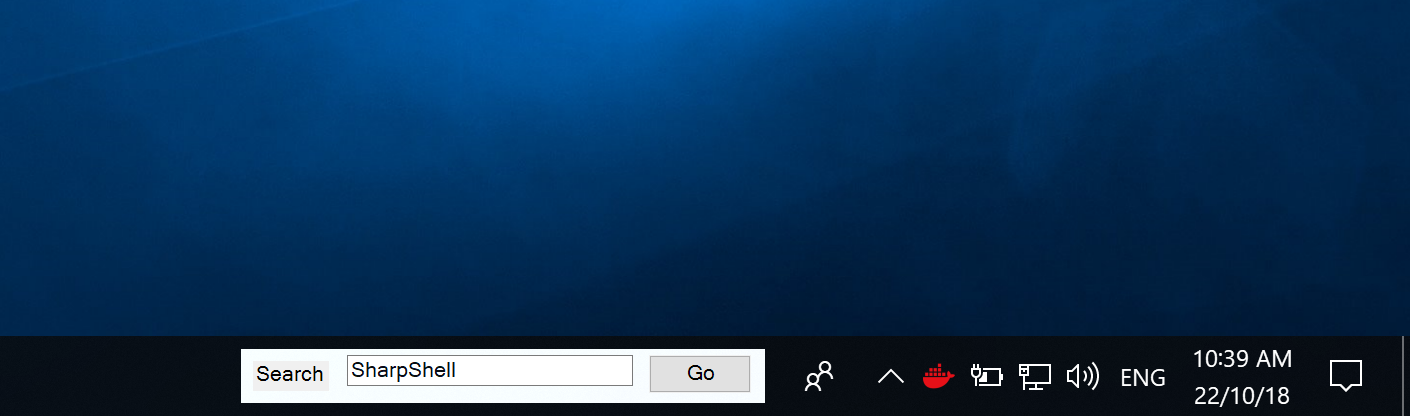
These are extensions which add custom functionality to the Windows Desktop or Task Bar.
Documentation
Developer Guide
The repository made up the following components:
Component
Description
docs/
Project Documentation
SharpShell/
The core SharpShell assemblies.
SharpShellInstallerSample/
An example of an installer for a SharpShell extension.
SharpShellNativeBridge/
Interface to Win32 code needed for property sheets.
Tests/
Regression test scripts and data.
Most developers will only need to work with the code in the SharpShell folder.
SharpShell is currently developed in Visual Studio 2017, and can be built using the Community Edition.
In order to maximize compatibility, we do not use the latest version of each SDK. The following components are needed:
.NET Core runtime
Microsoft Visual Studio 2017 Installer Projects
Chocolatey (choco)
Building & Testing
As long as the correct components have be installed for Visual Studio, you should be able to just open the main ./SharpShell/SharpShell.sln solution to build, test and run any of the code or samples.
To build using Powershell (which is what is done in the CI/CD process), first allow Powershell to execute scripts and then install Chololatey:
Ensure your machine can run builds by installing necessary components such as nunit. Should only need to be run once.
build.ps1
Build all solutions. Ensures that we build both 32/64 bit versions of native components.
test.ps1
Run all tests, including those in samples.
coverage.ps1
Create a coverage report for the main SharpShell project (samples are not included). Reports are written to ./artifacts/coverage
These scripts will generate various artifacts which may be useful to review:
artifacts\
  \build
    \SharpShell           # The SharpShell assembly.
  \tests                  # NUnit Test Reportsd
  \coverage               # Coverage Reports
Only assemblies and binaries which need to be copied into other projects are added to the artifacts/build folder. This makes chaining more complex dependencies manageable. The solution is fairly standard, but be aware that:
SharpShell contains the SharpShellNativeBridge binaries. To update them, build the SharpShellNativeBridge solution from source and embed the new binaries.
The SharpShell assembly is copied to artifacts/build/SharpShell folder after a successful build.
The SharpShell assembly is embedded in the ServerRegistrationManager binary. The assembly is copied from artifacts/build/SharpShell prior to the server registration manager build.
All of the above steps are automated, and will run whether a build is trigger from Visual Studio, the build.ps1 script or msbuild.
Enabling Logging
A detailed guide explaining how to configure and use logging for SharpShell is at:
./docs/logging/logging.md
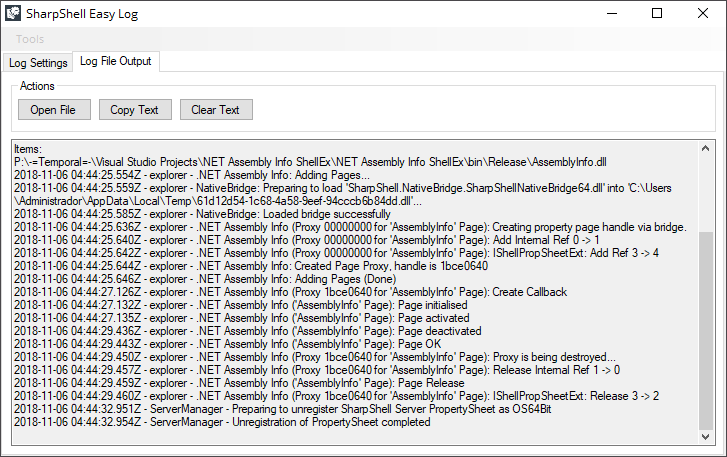
You can also use the SharpShell-Easy-Log tool to quickly enable/disable logging options and view the logs realtime:
The tool is available at: github.com/ElektroStudios/SharpShell-Easy-Log
CI/CD
CI/CD is currently handled by AppVeyor. AppVeyor will:
Build the project
Run the tests
Create the core SharpShell NuGet Package
Publish the package to nuget.org if a version tag is pushed
Create a GitHub release with the package if a version tag is pushed
Creating a Release
To create a release:
Update the version number in SharedAssemblyInfo.cs
Update the CHANGELOG.md
Create a new version tag, then push
AppVeyor will build and publish a new NuGet package and as long as a new semver tag is pushed.
Compatibility
The goal is to maximize compatibility for platforms which are supported. For platforms which are no longer in support SharpShell may work, but is not tested.
Note: At the moment compatibility across platforms is being verified, this section of the documentation will be updated soon.
🟢 - Fully Supported; tested and verified as part of the build process
🟠 - Partly Supported; potentially will work, but no longer formally supported or tested
🔴 - Not Supported; confirmed that this will not work, unless the code is modified
Component
Compatibility
Windows
Windows 11
🟢 Fully Supported
Windows 10
🟢 Fully Supported
Windows 8.1
🟠 Partly Supported
Windows 8
🟠 Partly Supported
Windows 7
🟠 Partly Supported
Visual Studio
Visual Studio 2022
🟢 Fully Supported
Visual Studio 2019
🟢 Fully Supported
Visual Studio 2017
🟠 Partly Supported
Visual Studio 2015
🟠 Partly Supported
msbuild
msbuild 17.3
🟢 Fully Supported
msbuild 16.11
🟢 Fully Supported
msbuild 15.9
🟠 Partly Supported
Documentation
Documentation is still work in progress, and any contributions would be most welcome!
COM Server Associations
Context Menus
Managed Shell Extensions
Logging
Troubleshooting
Contributor Guide
The project is maintained by the following group:
User
Role
dwmkerr
Project creator, maintainer.
Countryen
Project maintainer.
We have a Code of Conduct aimed at keeping the community welcoming and inclusive.
Testimonials
If you've used SharpShell and would like to add a testimonial, just send me a message!
CmisSync, our Dropbox-like client for Enterprise Content Management servers, just switched to SharpShell,
and we are extremely pleased with this library. Our previous custom-built Windows Explorer integration
was buggy, unreliable and hard to maintain, and SharpShell is really rock-solid in comparison. The best
part: It only took 2 days to integrate SharpShell into our software, testing and installer included.
Thanks SharpShell!
Nicolas Raoul - CmisSync.com
Projects that use SharpShell
Send me a message to add a project to this list:
Trello Context Menu
REAL Shuffle Player 2.0
The CmisSync context menu
TenClips
Checksum Inspector
VSIX PowerToys
FileSystemScanner
Windows Explorer Thumbnails for MagicaVoxel .vox files
Markdown Preview
SharePoint Shell Extensions by Archon Gnosis
.NET Assembly Info Shell Extension by ElektroStudios
Modern UI BreadCrumbs WPF Control by Dirkster99
Thanks
Many thanks to JetBrains for providing an Open Source License for their products!
License
SharpShell is licensed under the MIT License - the details are at LICENSE.md
Trang TopGit này là một snapshot — tab "Readme" hiển thị nguyên văn README của repo (đã bỏ link, giữ ảnh). Repo GitHub ở github.com/dwmkerr/sharpshell là nguồn chính thức.
dwmkerr/sharpshell có bao nhiêu sao?
dwmkerr/sharpshell có 1.7k sao GitHub — tải lại trang để xem số mới nhất, hoặc xem trực tiếp github.com/dwmkerr/sharpshell. TopGit phản chiếu số sao của GitHub nhưng không cam kết đến từng phút.
dwmkerr/sharpshell có phải mã nguồn mở không?
Có — dwmkerr/sharpshell phát hành theo license MIT, nghĩa là mã nguồn mở để đọc, fork và (tùy license) tái sử dụng. Mã: github.com/dwmkerr/sharpshell.
dwmkerr/sharpshell còn đang phát triển không?
Commit gần nhất trên dwmkerr/sharpshell là 2 tháng trước (theo timestamp GitHub). Repo có 267 fork — một chỉ báo về mức độ quan tâm của cộng đồng.
dwmkerr/sharpshell dùng license gì?
dwmkerr/sharpshell phát hành theo license MIT. Nên mở file LICENSE trên GitHub để xác nhận — license metadata đôi khi lệch với thực tế dự án.
dwmkerr/sharpshell là gì?
dwmkerr/sharpshell (dwmkerr/sharpshell) là dự án C# trên GitHub. Theo mô tả gốc: SharpShell makes it easy to create Windows Shell Extensions using the .NET Framework.
dwmkerr/sharpshell viết bằng ngôn ngữ gì?
dwmkerr/sharpshell chủ yếu viết bằng C#. Trường "language" của GitHub dựa trên phần lớn byte ở nhánh mặc định.
Đọc đầy đủ README ở tab phía trên.
Muốn nghe thêm một ý kiến về sharpshell?
Hỏi một AI đọc được trang này — một cú bấm là có ngay nhận định về sharpshell.

 /sharpshell