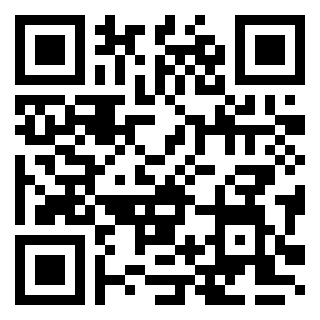
Điểm qua endroid/qr-code: 4.8k sao trên GitHub, viết chủ yếu bằng PHP, thuộc nhóm Backend. PHP QR Code library that helps you create QR codes in a jiffy
Tóm tắt dựng từ metadata GitHub của chính dự án — chưa có bài review TopGit. Trang sẽ tự động cập nhật khi bài review đầy đủ được xuất bản.
VÌ SAO CHƯA CÓ REVIEW
TopGit viết bài đầy đủ cho repo có nhiều sao nhất và được yêu cầu nhiều nhất. Trang này là snapshot trong thời gian chờ — xem README gốc ở tab READ ME.
All my work is coffeerighted :coffee: :wink:
If you like my work please support me by visiting the sponsor page or you can buy me a coffee :coffee:
This library helps you generate QR codes in a jiffy. Makes use of bacon/bacon-qr-code
to generate the matrix and khanamiryan/qrcode-detector-decoder
for validating generated QR codes. Further extended with Twig extensions, generation routes, a factory and a
Symfony bundle for easy installation and configuration. Different writers are provided to generate the QR code
as PNG, WebP, SVG, EPS or in binary format.
Sponsored by
Installation
Use Composer to install the library. Also make sure you have enabled and configured the
GD extension if you want to generate images.
composer require endroid/qr-code
Usage: using the builder
use Endroid\QrCode\Builder\Builder;
use Endroid\QrCode\Encoding\Encoding;
use Endroid\QrCode\ErrorCorrectionLevel;
use Endroid\QrCode\Label\LabelAlignment;
use Endroid\QrCode\Label\Font\OpenSans;
use Endroid\QrCode\RoundBlockSizeMode;
use Endroid\QrCode\Writer\PngWriter;

$builder = new Builder(
    writer: new PngWriter(),
    writerOptions: [],
    validateResult: false,
    data: 'Custom QR code contents',
    encoding: new Encoding('UTF-8'),
    errorCorrectionLevel: ErrorCorrectionLevel::High,
    size: 300,
    margin: 10,
    roundBlockSizeMode: RoundBlockSizeMode::Margin,
    logoPath: __DIR__.'/assets/bender.png',
    logoResizeToWidth: 50,
    logoPunchoutBackground: true,
    labelText: 'This is the label',
    labelFont: new OpenSans(20),
    labelAlignment: LabelAlignment::Center
);

$result = $builder->build();
Usage: without using the builder
use Endroid\QrCode\Color\Color;
use Endroid\QrCode\Encoding\Encoding;
use Endroid\QrCode\ErrorCorrectionLevel;
use Endroid\QrCode\QrCode;
use Endroid\QrCode\Label\Label;
use Endroid\QrCode\Logo\Logo;
use Endroid\QrCode\RoundBlockSizeMode;
use Endroid\QrCode\Writer\PngWriter;
use Endroid\QrCode\Writer\ValidationException;

$writer = new PngWriter();

// Create QR code
$qrCode = new QrCode(
    data: 'Life is too short to be generating QR codes',
    encoding: new Encoding('UTF-8'),
    errorCorrectionLevel: ErrorCorrectionLevel::Low,
    size: 300,
    margin: 10,
    roundBlockSizeMode: RoundBlockSizeMode::Margin,
    foregroundColor: new Color(0, 0, 0),
    backgroundColor: new Color(255, 255, 255)
);

// Create generic logo
$logo = new Logo(
    path: __DIR__.'/assets/bender.png',
    resizeToWidth: 50,
    punchoutBackground: true
);

// Create generic label
$label = new Label(
    text: 'Label',
    textColor: new Color(255, 0, 0)
);

$result = $writer->write($qrCode, $logo, $label);

// Validate the result
$writer->validateResult($result, 'Life is too short to be generating QR codes');
Usage: working with results
// Directly output the QR code
header('Content-Type: '.$result->getMimeType());
echo $result->getString();

// Save it to a file
$result->saveToFile(__DIR__.'/qrcode.png');

// Generate a data URI to include image data inline (i.e. inside an <img> tag)
$dataUri = $result->getDataUri();
Writer options
Some writers provide writer options. Each available writer option is can be
found as a constant prefixed with WRITER_OPTION_ in the writer class.
PdfWriter
unit: unit of measurement (default: mm)
fpdf: PDF to place the image in (default: new PDF)
x: image offset (default: 0)
y: image offset (default: 0)
link: a URL or an identifier returned by AddLink().
number_of_colors: number of colors (1-256, null for true color and transparency)
SvgWriter
block_id: id of the block element for external reference (default: block)
exclude_xml_declaration: exclude XML declaration (default: false)
exclude_svg_width_and_height: exclude width and height (default: false)
force_xlink_href: forces xlink namespace in case of compatibility issues (default: false)
compact: create using path element, otherwise use defs and use (default: true)
WebPWriter
quality: image quality (0-100, default: 80)
You can provide any writer options like this.
use Endroid\QrCode\Writer\SvgWriter;

$builder = new Builder(
    writer: new SvgWriter(),
    writerOptions: [
        SvgWriter::WRITER_OPTION_EXCLUDE_XML_DECLARATION => true
    ]
);
Encoding
If you use a barcode scanner you can have some troubles while reading the
generated QR codes. Depending on the encoding you chose you will have an extra
amount of data corresponding to the ECI block. Some barcode scanner are not
programmed to interpret this block of information. To ensure a maximum
compatibility you can use the ISO-8859-1 encoding that is the default
encoding used by barcode scanners (if your character set supports it,
i.e. no Chinese characters are present).
Round block size mode
By default block sizes are rounded to guarantee sharp images and improve
readability. However some other rounding variants are available.
margin (default): the size of the QR code is shrunk if necessary but the size
of the final image remains unchanged due to additional margin being added.
enlarge: the size of the QR code and the final image are enlarged when
rounding differences occur.
shrink: the size of the QR code and the final image are
shrunk when rounding differences occur.
none: No rounding. This mode can be used when blocks don't need to be rounded
to pixels (for instance SVG).
Readability
The readability of a QR code is primarily determined by the size, the input
length, the error correction level and any possible logo over the image so you
can tweak these parameters if you are looking for optimal results. You can also
check $qrCode->getRoundBlockSize() value to see if block dimensions are rounded
so that the image is more sharp and readable. Please note that rounding block
size can result in additional padding to compensate for the rounding difference.
And finally the encoding (default UTF-8 to support large character sets) can be
set to ISO-8859-1 if possible to improve readability.
Validating the generated QR code
If you need to be extra sure the QR code you generated is readable and contains
the exact data you requested you can enable the validation reader, which is
disabled by default. You can do this either via the builder or directly on any
writer that supports validation. See the examples above.
Please note that validation affects performance so only use it in case of problems.
Symfony integration
The endroid/qr-code-bundle
integrates the QR code library in Symfony for an even better experience.
Configure your defaults (like image size, default writer etc.)
Support for multiple configurations and injection via aliases
Generate QR codes for defined configurations via URL like /qr-code//Hello
Generate QR codes or URLs directly from Twig using dedicated functions
Read the bundle documentation
for more information.
Versioning
Version numbers follow the MAJOR.MINOR.PATCH scheme. Backwards compatibility
breaking changes will be kept to a minimum but be aware that these can occur.
Lock your dependencies for production and test your code when upgrading.
License
This bundle is under the MIT license. For the full copyright and license
information please view the LICENSE file that was distributed with this source code.
endroid/qr-code thuộc nhóm Backend trên TopGit, cùng 6 topic GitHub. Trang Trending và Topics liệt kê các repo cùng số sao và cùng ngôn ngữ để so sánh.
Đọc thêm về endroid/qr-code ở đâu?
Trang TopGit này là một snapshot — tab "Readme" hiển thị nguyên văn README của repo (đã bỏ link, giữ ảnh). Repo GitHub ở github.com/endroid/qr-code là nguồn chính thức.
endroid/qr-code có bao nhiêu sao?
endroid/qr-code có 4.8k sao GitHub — tải lại trang để xem số mới nhất, hoặc xem trực tiếp github.com/endroid/qr-code. TopGit phản chiếu số sao của GitHub nhưng không cam kết đến từng phút.
endroid/qr-code có những chủ đề gì?
GitHub topics của endroid/qr-code: "data-uri", "factory", "php", "qrcode", "reader", "twig-extension". TopGit xếp repo vào nhóm Backend.
endroid/qr-code có phải mã nguồn mở không?
Có — endroid/qr-code phát hành theo license MIT, nghĩa là mã nguồn mở để đọc, fork và (tùy license) tái sử dụng. Mã: github.com/endroid/qr-code.
endroid/qr-code có trang demo không?
Dự án có trang chủ ở https://endroid.nl. Tab "Readme" ở trang này thường có ảnh chụp và hướng dẫn bắt đầu nhanh.
endroid/qr-code còn đang phát triển không?
Commit gần nhất trên endroid/qr-code là 6 tháng trước (theo timestamp GitHub). Repo có 769 fork — một chỉ báo về mức độ quan tâm của cộng đồng.
Đọc đầy đủ README ở tab phía trên.
Chưa chắc qr-code có hợp với bạn?
Để ChatGPT, Claude hoặc Perplexity tìm hiểu giúp — bấm bên dưới và xem AI nói gì về qr-code.
 /qr-code