expo/react-native-action-sheet là một trong những repo tập trung di động mà TopGit theo dõi, hiện có 1.6k sao, viết chủ yếu bằng TypeScript. A cross-platform ActionSheet for React Native
Tóm tắt dựng từ metadata GitHub của chính dự án — chưa có bài review TopGit. Trang sẽ tự động cập nhật khi bài review đầy đủ được xuất bản.
VÌ SAO CHƯA CÓ REVIEW
TopGit viết bài đầy đủ cho repo có nhiều sao nhất và được yêu cầu nhiều nhất. Trang này là snapshot trong thời gian chờ — xem README gốc ở tab READ ME.
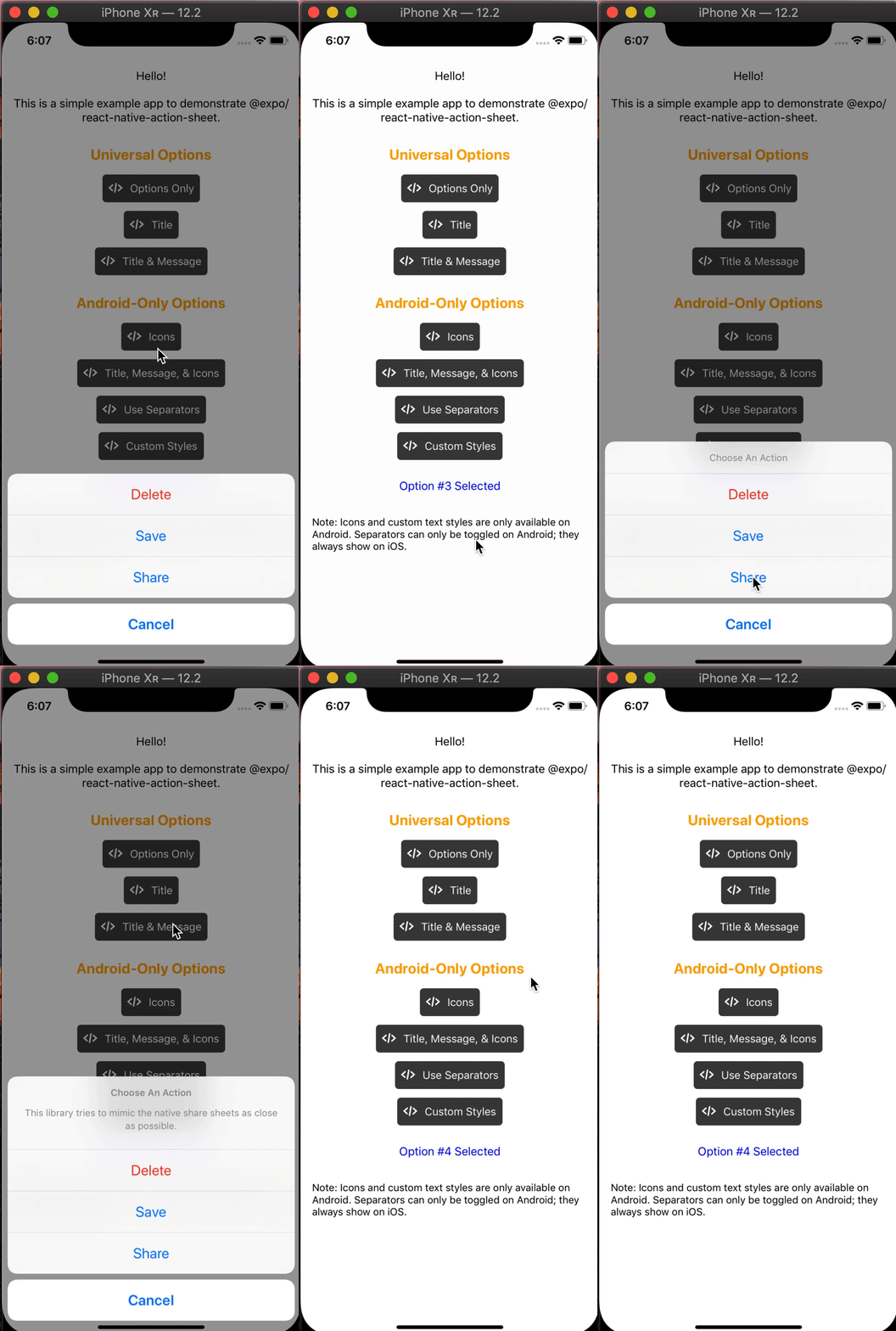
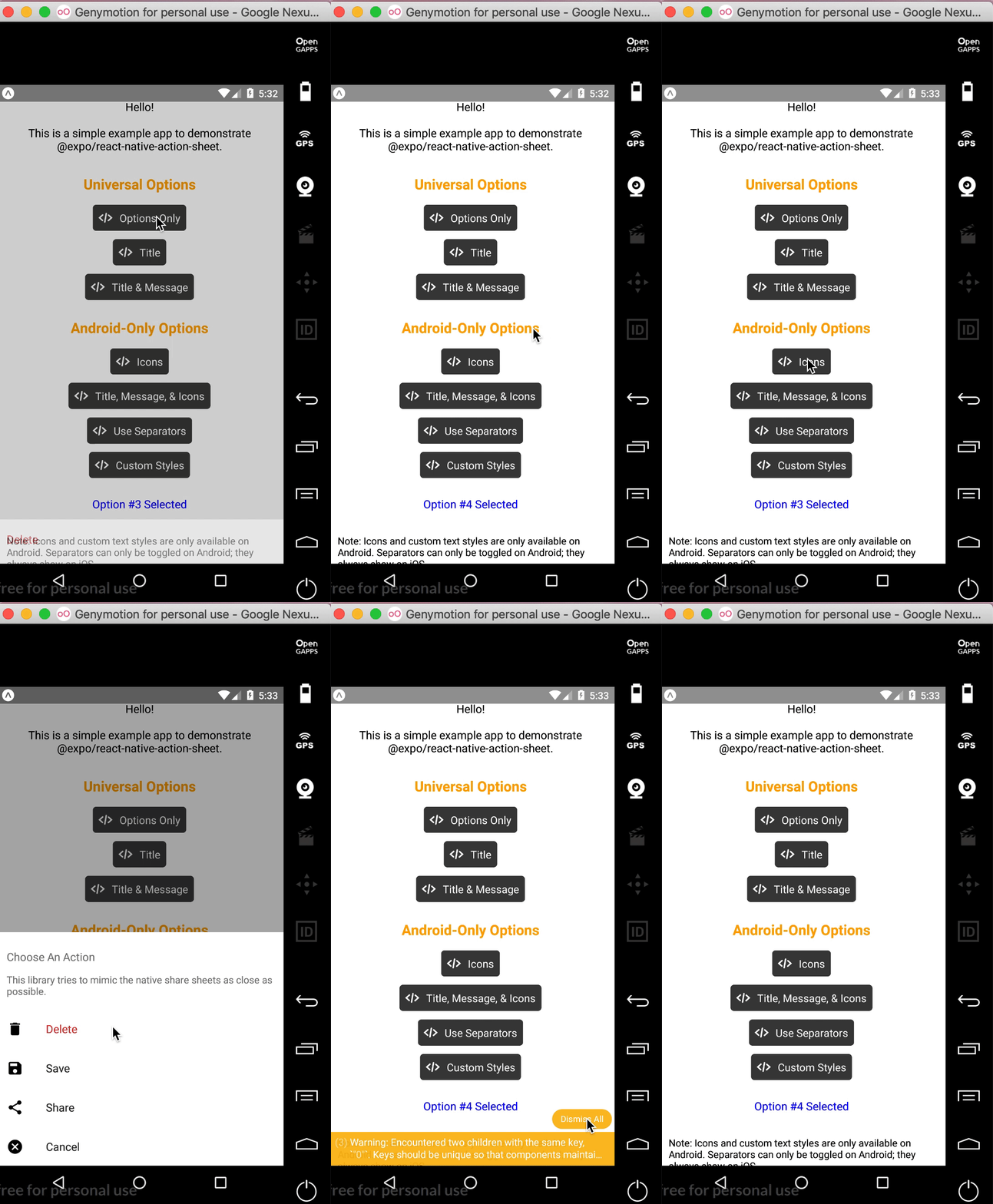
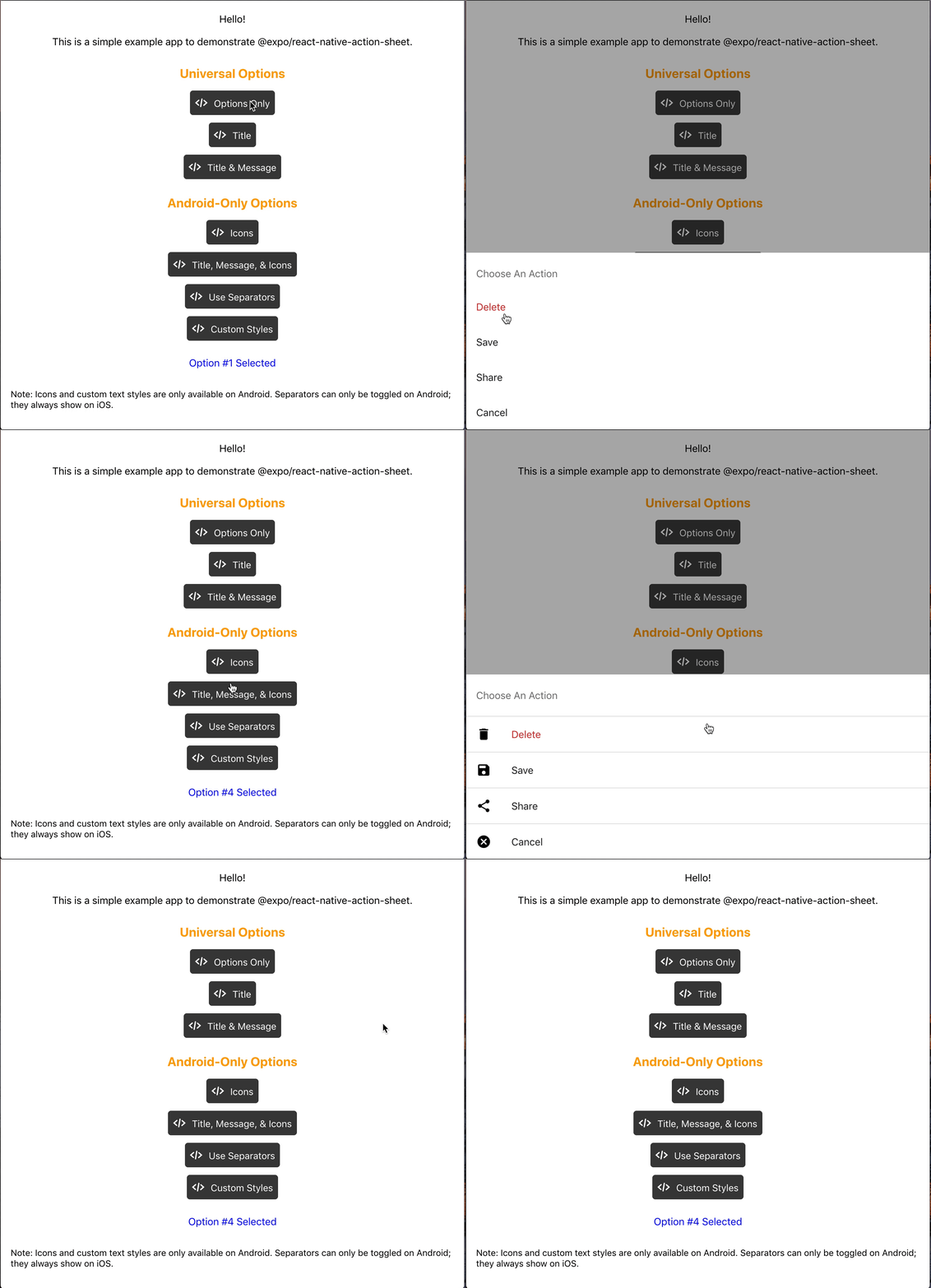
React Native Action Sheet is a cross-platform React Native component that uses the native UIActionSheet on iOS and a pure JS implementation on Android.
iOS
Android
Web
Check out the example snack here!
Installation
npm install @expo/react-native-action-sheet
or
yarn add @expo/react-native-action-sheet
A basic ActionSheet Setup
1. Wrap your top-level component with <ActionSheetProvider />
ReactNativeActionSheet uses React context to allow your components to invoke the menu. This means your app needs to be wrapped with the ActionSheetProvider component first.
import { ActionSheetProvider } from '@expo/react-native-action-sheet';

export default function AppContainer() {
  return (
    <ActionSheetProvider>
      <App />
    </ActionSheetProvider>
  );
}
2. Call the showActionSheetWithOptions method with a hook or a higher order component.
Alternatively, any component can use the higher order component to access the context and pass the showActionSheetWithOptions as a prop.
// Using a Higher Order Component to wrap your component
import { connectActionSheet } from '@expo/react-native-action-sheet';

function Menu({ showActionSheetWithOptions }) {
  /* ... */
}

export default connectActionSheet(Menu);
Menu component can now access the actionSheet prop as showActionSheetWithOptions.
Options
The goal of this library is to mimic the native iOS and Android ActionSheets as closely as possible.
This library can also be used in the browser with Expo for web.
Universal Props
Name
Type
Description
options
array of strings
A list of button titles (required)
cancelButtonIndex
number
Index of cancel button in options
cancelButtonTintColor
string
Color used for the change the text color of the cancel button
destructiveButtonIndex
number or array of numbers
Indices of destructive buttons in options
title
string
Title to show above the action sheet
message
string
Message to show below the title
tintColor
string
Color used for non-destructive button titles
disabledButtonIndices
array of numbers
Indices of disabled buttons in options
iOS Only Props
Name
Type
Description
anchor
number
iPad only option that allows for docking the action sheet to a node. See ShowActionSheetButton.tsx for an example on how to implement this.
userInterfaceStyle
string
The interface style used for the action sheet, can be set to light or dark, otherwise the default system style will be used.
Custom Action Sheet Only (Android/Web) Props
The below props allow modification of the Android ActionSheet. They have no effect on the look on iOS as the native iOS Action Sheet does not have options for modifying these options.
Name
Type
Description
icons
array of required images or icons
Show icons to go along with each option. If image source paths are provided via require, images will be rendered for you. Alternatively, you can provide an array of elements such as vector icons, pre-rendered Images, etc.
tintIcons
boolean
Icons by default will be tinted to match the text color. When set to false, the icons will be the color of the source image. This is useful if you want to use multicolor icons. If you provide your own nodes/pre-rendered icons rather than required images in the icons array, you will need to tint them appropriately before providing them in the array of icons; tintColor will not be applied to icons unless they are images from a required source.
textStyle
TextStyle
Apply any text style props to the options. If the tintColor option is provided, it takes precedence over a color text style prop.
titleTextStyle
TextStyle
Apply any text style props to the title if present.
messageTextStyle
TextStyle
Apply any text style props to the message if present.
autoFocus
boolean
If true, this will give the first option screen reader focus automatically when the action sheet becomes visible. On iOS, this is the default behavior of the native action sheet.
showSeparators
boolean
Show separators between items. On iOS, separators always show so this prop has no effect.
containerStyle
ViewStyle
Apply any view style props to the container rather than use the default look (e.g. dark mode).
separatorStyle
ViewStyle
Modify the look of the separators rather than use the default look.
useModal
boolean
Defaults to false (true if autoFocus is also true) Wraps the ActionSheet with a Modal, in order to show in front of other Modals that were already opened (issue reference).
destructiveColor
string
Modify color for text of destructive option. Defaults to #d32f2f.
ActionSheetProvider Props
The following props can be set directly on the ActionSheetProvider
Name
Type
Description
useCustomActionSheet
boolean
iOS only prop that uses the custom pure JS action sheet (Android/Web version) instead of the native ActionSheetIOS component. Defaults to false.
useNativeDriver
boolean
Windows only option that provides the option to disable the native animation driver for React Native Windows projects targeting Windows 10 Version-1809 ; Build-10.0.17763.0 and earlier. useNativeDriver is supported in Version-1903 and later so if your project is targeting that, you don't need to set this prop.
// example of using useCustomActionSheet on iOS
export default function AppContainer() {
  return (
    <ActionSheetProvider useCustomActionSheet={true}>
      <App />
    </ActionSheetProvider>
  );
}
Callback
The second parameter of the showActionSheetWithOptions function is a callback for when a button is selected. The callback takes a single argument which will be the zero-based index of the pressed option. You can check the value against your cancelButtonIndex to determine if the action was cancelled or not.
function onButtonPress(selectedIndex: number) {
  // handle it!
}
Try it out
Try it in Expo Snack: https://snack.expo.dev/@expo-action-sheet/example.
Example
See the example app.
Usage
$ cd example
$ yarn

// build simulator
$ yarn ios
$ yarn android

// web
$ yarn web
Development
Setup
$ git clone [email protected]:expo/react-native-action-sheet.git
$ cd react-native-action-sheet
$ yarn
expo/react-native-action-sheet thuộc nhóm Mobile trên TopGit, cùng 6 topic GitHub. Trang Trending và Topics liệt kê các repo cùng số sao và cùng ngôn ngữ để so sánh.
Đọc thêm về expo/react-native-action-sheet ở đâu?
Trang TopGit này là một snapshot — tab "Readme" hiển thị nguyên văn README của repo (đã bỏ link, giữ ảnh). Repo GitHub ở github.com/expo/react-native-action-sheet là nguồn chính thức.
expo/react-native-action-sheet có bao nhiêu sao?
expo/react-native-action-sheet có 1.6k sao GitHub — tải lại trang để xem số mới nhất, hoặc xem trực tiếp github.com/expo/react-native-action-sheet. TopGit phản chiếu số sao của GitHub nhưng không cam kết đến từng phút.
expo/react-native-action-sheet có phải mã nguồn mở không?
Có — expo/react-native-action-sheet phát hành theo license MIT, nghĩa là mã nguồn mở để đọc, fork và (tùy license) tái sử dụng. Mã: github.com/expo/react-native-action-sheet.
expo/react-native-action-sheet còn đang phát triển không?
Commit gần nhất trên expo/react-native-action-sheet là 1.7 năm trước (theo timestamp GitHub). Repo có 222 fork — một chỉ báo về mức độ quan tâm của cộng đồng.
expo/react-native-action-sheet dùng license gì?
expo/react-native-action-sheet phát hành theo license MIT. Nên mở file LICENSE trên GitHub để xác nhận — license metadata đôi khi lệch với thực tế dự án.
expo/react-native-action-sheet là gì?
expo/react-native-action-sheet (expo/react-native-action-sheet) là dự án TypeScript trên GitHub. Theo mô tả gốc: A cross-platform ActionSheet for React Native
expo/react-native-action-sheet viết bằng ngôn ngữ gì?
expo/react-native-action-sheet chủ yếu viết bằng TypeScript. Trường "language" của GitHub dựa trên phần lớn byte ở nhánh mặc định.
Đọc đầy đủ README ở tab phía trên.
Chưa chắc react-native-action-sheet có hợp với bạn?
Để ChatGPT, Claude hoặc Perplexity tìm hiểu giúp — bấm bên dưới và xem AI nói gì về react-native-action-sheet.

 /react-native-action-sheet