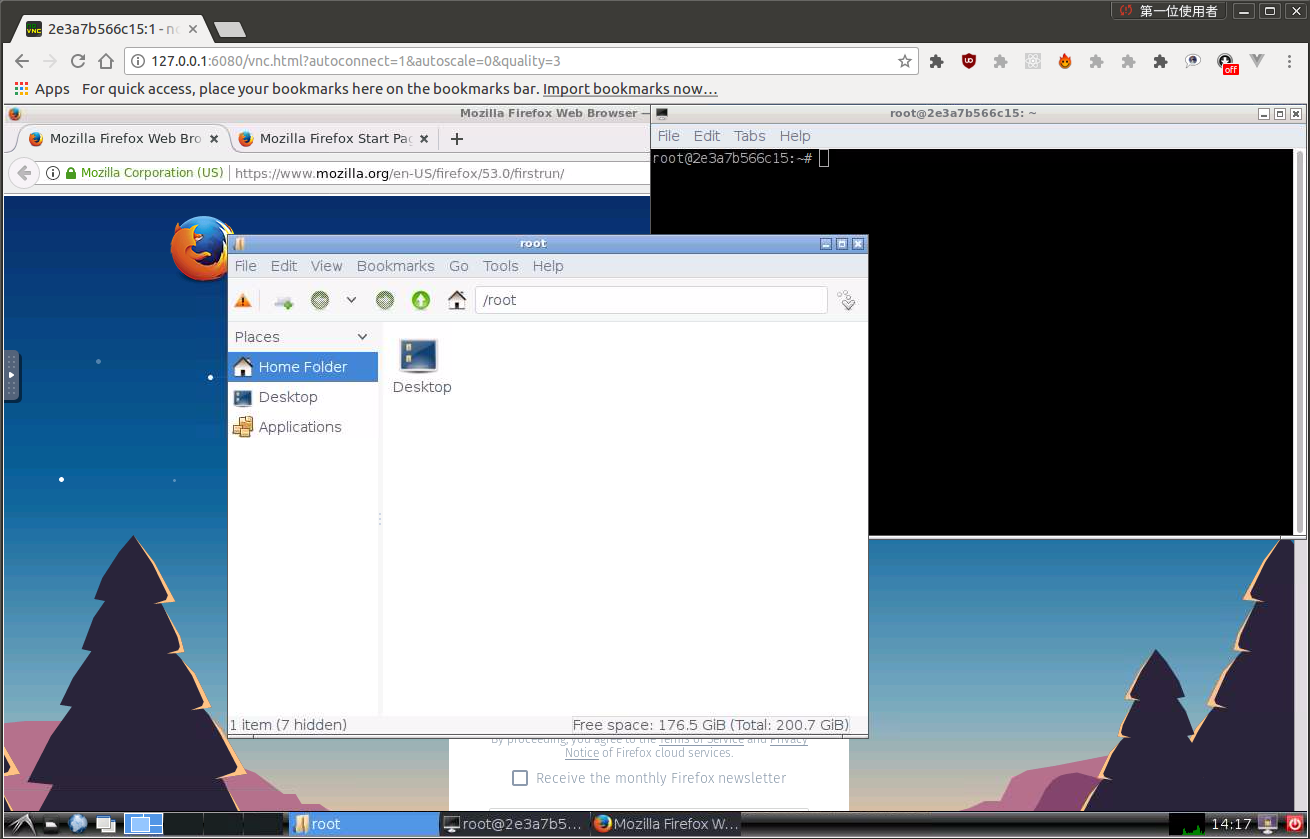
Là một dự án mã nguồn mở, fcwu/docker-ubuntu-vnc-desktop đã đạt 4.2k sao trên GitHub, ngôn ngữ HTML. A Docker image to provide web VNC interface to access Ubuntu LXDE/LxQT desktop environment.
Tóm tắt dựng từ metadata GitHub của chính dự án — chưa có bài review TopGit. Trang sẽ tự động cập nhật khi bài review đầy đủ được xuất bản.
VÌ SAO CHƯA CÓ REVIEW
TopGit viết bài đầy đủ cho repo có nhiều sao nhất và được yêu cầu nhiều nhất. Trang này là snapshot trong thời gian chờ — xem README gốc ở tab READ ME.
docker-ubuntu-vnc-desktop is a Docker image to provide web VNC interface to access Ubuntu LXDE/LxQT desktop environment.
Quick Start
VNC Viewer
HTTP Base Authentication
SSL
Screen Resolution
Default Desktop User
Deploy to a subdirectory (relative url root)
Sound (Preview version and Linux only)
Generate Dockerfile from jinja template
Troubleshooting and FAQ
License
Quick Start
Run the docker container and access with port 6080
docker run -p 6080:80 -v /dev/shm:/dev/shm dorowu/ubuntu-desktop-lxde-vnc
Browse http://127.0.0.1:6080/
Ubuntu Flavors
Choose your favorite Ubuntu version with tags
focal: Ubuntu 20.04 (latest)
focal-lxqt: Ubuntu 20.04 LXQt
bionic: Ubuntu 18.04
bionic-lxqt: Ubuntu 18.04 LXQt
xenial: Ubuntu 16.04 (deprecated)
trusty: Ubuntu 14.04 (deprecated)
VNC Viewer
Forward VNC service port 5900 to host by
docker run -p 6080:80 -p 5900:5900 -v /dev/shm:/dev/shm dorowu/ubuntu-desktop-lxde-vnc
Now, open the vnc viewer and connect to port 5900. If you would like to protect vnc service by password, set environment variable VNC_PASSWORD, for example
The Resolution of virtual desktop adapts browser window size when first connecting the server. You may choose a fixed resolution by passing RESOLUTION environment variable, for example
docker run -p 6080:80 -e RESOLUTION=1920x1080 -v /dev/shm:/dev/shm dorowu/ubuntu-desktop-lxde-vnc
Default Desktop User
The default user is root. You may change the user and password respectively by USER and PASSWORD environment variable, for example,
You may deploy this application to a subdirectory, for example /some-prefix/. You then can access application by http://127.0.0.1:6080/some-prefix/. This can be specified using the RELATIVE_URL_ROOT configuration option like this
docker run -p 6080:80 -e RELATIVE_URL_ROOT=some-prefix dorowu/ubuntu-desktop-lxde-vnc
NOTE: this variable should not have any leading and trailing splash (/)
Sound (Preview version and Linux only)
It only works in Linux.
First of all, insert kernel module snd-aloop and specify 2 as the index of sound loop device
where --device /dev/snd -e ALSADEV=hw:2,0 means to grant sound device to container and set basic ASLA config to use card 2.
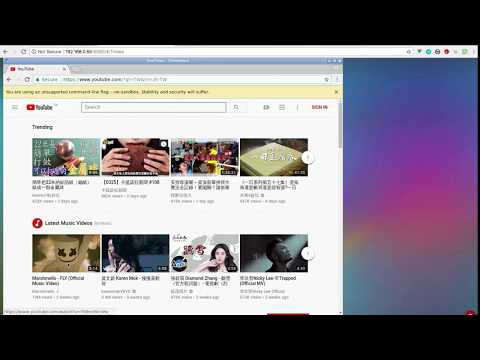
Launch a browser with URL http://127.0.0.1:6080/#/?video, where video means to start with video mode. Now you can start Chromium in start menu (Internet -> Chromium Web Browser Sound) and try to play some video.
Following is the screen capture of these operations. Turn on your sound at the end of video!
Generate Dockerfile from jinja template
WARNING: Deprecated
Dockerfile and configuration can be generated by template.
arch: one of amd64 or armhf
flavor: refer to file in flavor/flavor.yml
image: base image
desktop: desktop environment which is set in flavor
addon_package: Debian package to be installed which is set in flavor
Dockerfile and configuration are re-generate if they do not exist. Or you may force to re-generate by removing them with the command make clean.
Trang TopGit này là một snapshot — tab "Readme" hiển thị nguyên văn README của repo (đã bỏ link, giữ ảnh). Repo GitHub ở github.com/fcwu/docker-ubuntu-vnc-desktop là nguồn chính thức.
fcwu/docker-ubuntu-vnc-desktop có bao nhiêu sao?
fcwu/docker-ubuntu-vnc-desktop có 4.2k sao GitHub — tải lại trang để xem số mới nhất, hoặc xem trực tiếp github.com/fcwu/docker-ubuntu-vnc-desktop. TopGit phản chiếu số sao của GitHub nhưng không cam kết đến từng phút.
fcwu/docker-ubuntu-vnc-desktop có những chủ đề gì?
GitHub topics của fcwu/docker-ubuntu-vnc-desktop: "docker-image", "ubuntu-desktop", "vnc". TopGit xếp repo vào nhóm mã nguồn mở.
fcwu/docker-ubuntu-vnc-desktop có website riêng không?
TopGit chưa ghi nhận URL trang chủ cho fcwu/docker-ubuntu-vnc-desktop. Phần README ở tab phía trên thường có link demo, hoặc xem mô tả GitHub của repo.
fcwu/docker-ubuntu-vnc-desktop còn đang phát triển không?
Commit gần nhất trên fcwu/docker-ubuntu-vnc-desktop là 3.2 năm trước (theo timestamp GitHub). Repo có 1.5k fork — một chỉ báo về mức độ quan tâm của cộng đồng.
fcwu/docker-ubuntu-vnc-desktop dùng license gì?
fcwu/docker-ubuntu-vnc-desktop phát hành theo license Apache-2.0. Nên mở file LICENSE trên GitHub để xác nhận — license metadata đôi khi lệch với thực tế dự án.
fcwu/docker-ubuntu-vnc-desktop viết bằng ngôn ngữ gì?
fcwu/docker-ubuntu-vnc-desktop chủ yếu viết bằng HTML. Trường "language" của GitHub dựa trên phần lớn byte ở nhánh mặc định.
Đọc đầy đủ README ở tab phía trên.
Muốn nghe thêm một ý kiến về docker-ubuntu-vnc-desktop?
Hỏi một AI đọc được trang này — một cú bấm là có ngay nhận định về docker-ubuntu-vnc-desktop.

 /docker-ubuntu-vnc-desktop