Snapshot của formulahendry/vscode-code-runner: 2.4k★ · TypeScript · Developer Tools. Code Runner for Visual Studio Code
Tóm tắt dựng từ metadata GitHub của chính dự án — chưa có bài review TopGit. Trang sẽ tự động cập nhật khi bài review đầy đủ được xuất bản.
VÌ SAO CHƯA CÓ REVIEW
TopGit viết bài đầy đủ cho repo có nhiều sao nhất và được yêu cầu nhiều nhất. Trang này là snapshot trong thời gian chờ — xem README gốc ở tab READ ME.
VS Code 的热门文章、使用技巧、插件推荐、插件开发攻略等,请关注“玩转VS Code”公众号!
Donation
If you like this extension, you could become a backer or sponsor via Patreon, donate via PayPal, or scan below QR code to donate via Alipay. Any amount is welcome. It will encourage me to make this extension better and better!
Features
Run code file of current active Text Editor
Run code file through context menu of file explorer
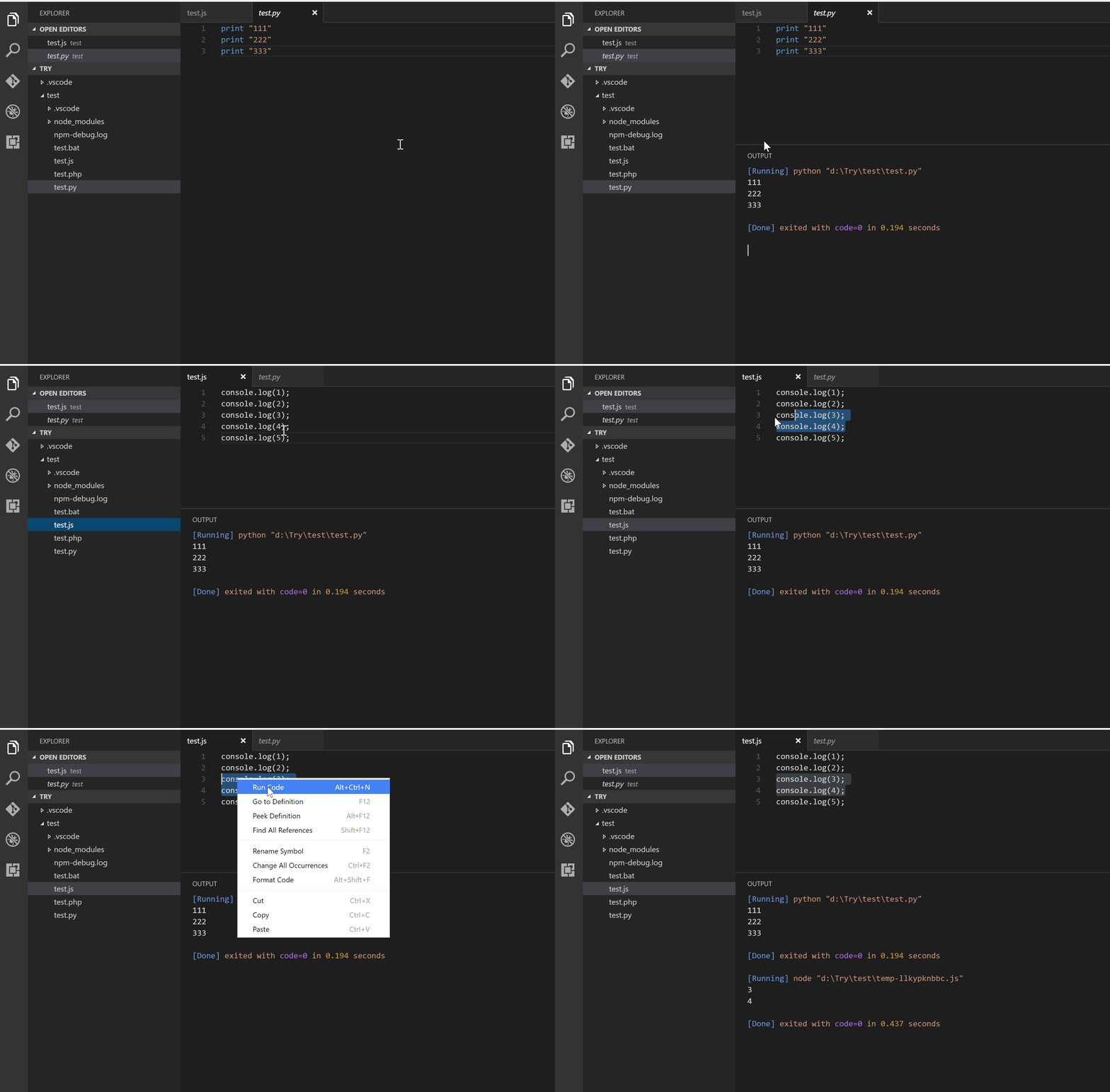
Run selected code snippet in Text Editor
Run code per Shebang
Run code per filename glob
Run custom command
Stop code running
View output in Output Window
Set default language to run
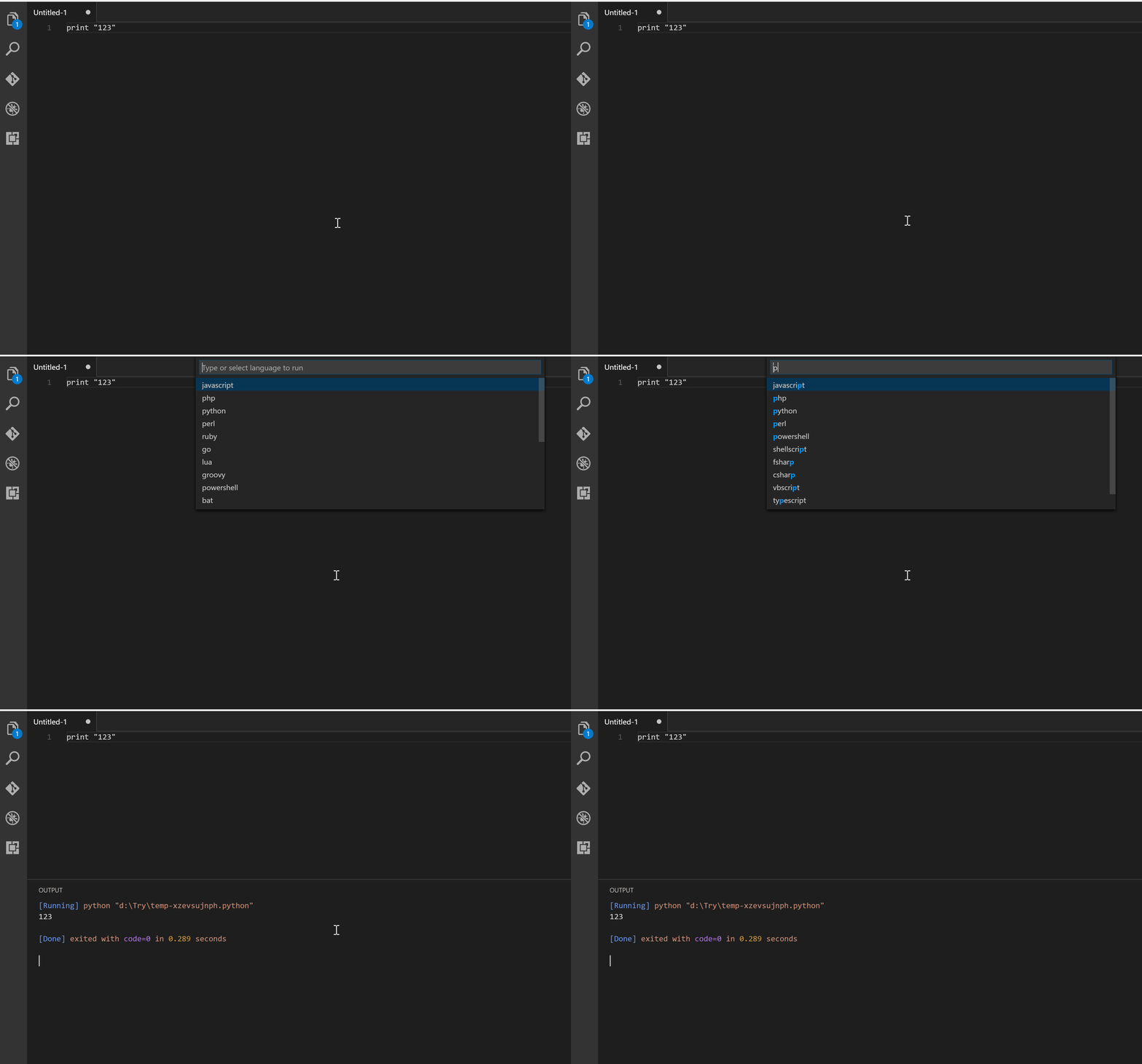
Select language to run
Support REPL by running code in Integrated Terminal
Usages
To run code:
use shortcut Ctrl+Alt+N
or press F1 and then select/type Run Code,
or right click the Text Editor and then click Run Code in editor context menu
or click Run Code button in editor title menu
or click Run Code button in context menu of file explorer
To stop the running code:
use shortcut Ctrl+Alt+M
or press F1 and then select/type Stop Code Run
or click Stop Code Run button in editor title menu
or right click the Output Channel and then click Stop Code Run in context menu
To select language to run, use shortcut Ctrl+Alt+J, or press F1 and then select/type Run By Language, then type or select the language to run: e.g php, javascript, bat, shellscript...
To run custom command, then use shortcut Ctrl+Alt+K, or press F1 and then select/type Run Custom Command
Configuration
Make sure the executor PATH of each language is set in the environment variable.
You could also add entry into code-runner.executorMap to set the executor PATH.
e.g. To set the executor PATH for ruby, php and html:
Besides, you could set the default language to run:
{
    "code-runner.defaultLanguage": "javascript"
}
For the default language: It should be set with language id defined in VS Code. The languages you could set are java, c, cpp, javascript, php, python, perl, ruby, go, lua, groovy, powershell, bat, shellscript, fsharp, csharp, vbscript, typescript, coffeescript, swift, r, clojure, haxe, objective-c, rust, racket, ahk, autoit, kotlin, dart, pascal, haskell, nim, d, lisp
Also, you could set the executor per file extension:
To set whether to clear previous output before each run (default is false):
{
    "code-runner.clearPreviousOutput": false
}
To set whether to save all files before running (default is false):
{
    "code-runner.saveAllFilesBeforeRun": false
}
To set whether to save the current file before running (default is false):
{
    "code-runner.saveFileBeforeRun": false
}
To set whether to show extra execution message like [Running] ... and [Done] ... (default is true):
{
    "code-runner.showExecutionMessage": true
}
[REPL support] To set whether to run code in Integrated Terminal (only support to run whole file in Integrated Terminal, neither untitled file nor code snippet) (default is false):
{
    "code-runner.runInTerminal": false
}
To set whether to preserve focus on code editor after code run is triggered (default is true, the code editor will keep focus; when it is false, Terminal or Output Channel will take focus):
{
    "code-runner.preserveFocus": true
}
code-runner.ignoreSelection: Whether to ignore selection to always run entire file. (Default is false)
code-runner.showRunIconInEditorTitleMenu: Whether to show 'Run Code' icon in editor title menu. (Default is true)
code-runner.showRunCommandInEditorContextMenu: Whether to show 'Run Code' command in editor context menu. (Default is true)
code-runner.showRunCommandInExplorerContextMenu: Whether to show 'Run Code' command in explorer context menu. (Default is true)
code-runner.showStopIconInEditorTitleMenu: Whether to show 'Stop Code Run' icon in editor title menu when code is running. (Default is true)
code-runner.terminalRoot: For Windows system, replaces the Windows style drive letter in the command with a Unix style root when using a custom shell as the terminal, like Bash or Cgywin. Example: Setting this to /mnt/ will replace C:\path with /mnt/c/path (Default is "")
code-runner.temporaryFileName: Temporary file name used in running selected code snippet. When it is set as empty, the file name will be random. (Default is "tempCodeRunnerFile")
code-runner.respectShebang: Whether to respect Shebang to run code. (Default is true)
About CWD Setting (current working directory)
By default, use the code-runner.cwd setting
If code-runner.cwd is not set and code-runner.fileDirectoryAsCwd is true, use the directory of the file to be executed
If code-runner.cwd is not set and code-runner.fileDirectoryAsCwd is false, use the path of root folder that is open in VS Code
If no folder is open, use the os temp folder
Note
For Objective-C, it is only supported on macOS
To run C# script, you need to install scriptcs
To run TypeScript, you need to install ts-node
To run Clojure, you need to install Leiningen and lein-exec
Telemetry data
By default, telemetry data collection is turned on to understand user behavior to improve this extension. To disable it, update the settings.json as below:
{
    "code-runner.enableAppInsights": false
}
Change Log
See Change Log here
Issues
Submit the issues if you find any bug or have any suggestion.
formulahendry/vscode-code-runner thuộc nhóm Developer Tools trên TopGit, cùng 6 topic GitHub. Trang Trending và Topics liệt kê các repo cùng số sao và cùng ngôn ngữ để so sánh.
Đọc thêm về formulahendry/vscode-code-runner ở đâu?
Trang TopGit này là một snapshot — tab "Readme" hiển thị nguyên văn README của repo (đã bỏ link, giữ ảnh). Repo GitHub ở github.com/formulahendry/vscode-code-runner là nguồn chính thức.
formulahendry/vscode-code-runner có phải mã nguồn mở không?
Có — formulahendry/vscode-code-runner phát hành theo license MIT, nghĩa là mã nguồn mở để đọc, fork và (tùy license) tái sử dụng. Mã: github.com/formulahendry/vscode-code-runner.
formulahendry/vscode-code-runner có trang demo không?
Dự án có trang chủ ở https://marketplace.visualstudio.com/items?itemName=formulahendry.code-runner. Tab "Readme" ở trang này thường có ảnh chụp và hướng dẫn bắt đầu nhanh.
formulahendry/vscode-code-runner dùng license gì?
formulahendry/vscode-code-runner phát hành theo license MIT. Nên mở file LICENSE trên GitHub để xác nhận — license metadata đôi khi lệch với thực tế dự án.
formulahendry/vscode-code-runner là gì?
formulahendry/vscode-code-runner (formulahendry/vscode-code-runner) là dự án TypeScript trên GitHub. Theo mô tả gốc: Code Runner for Visual Studio Code
Vì sao formulahendry/vscode-code-runner được xếp vào nhóm Developer Tools?
TopGit xếp formulahendry/vscode-code-runner vào nhóm Developer Tools dựa trên GitHub topics và mô tả của repo (gắn thẻ: "executor", "runner", "typescript"). Việc phân loại dựa trên metadata thật của repo, không phải đoán theo cảm tính biên tập.
Đọc đầy đủ README ở tab phía trên.
Vẫn đang phân vân về vscode-code-runner?
Một cú bấm sẽ gửi câu hỏi kèm trang này cho AI — xem AI nói gì về vscode-code-runner.
 /vscode-code-runner