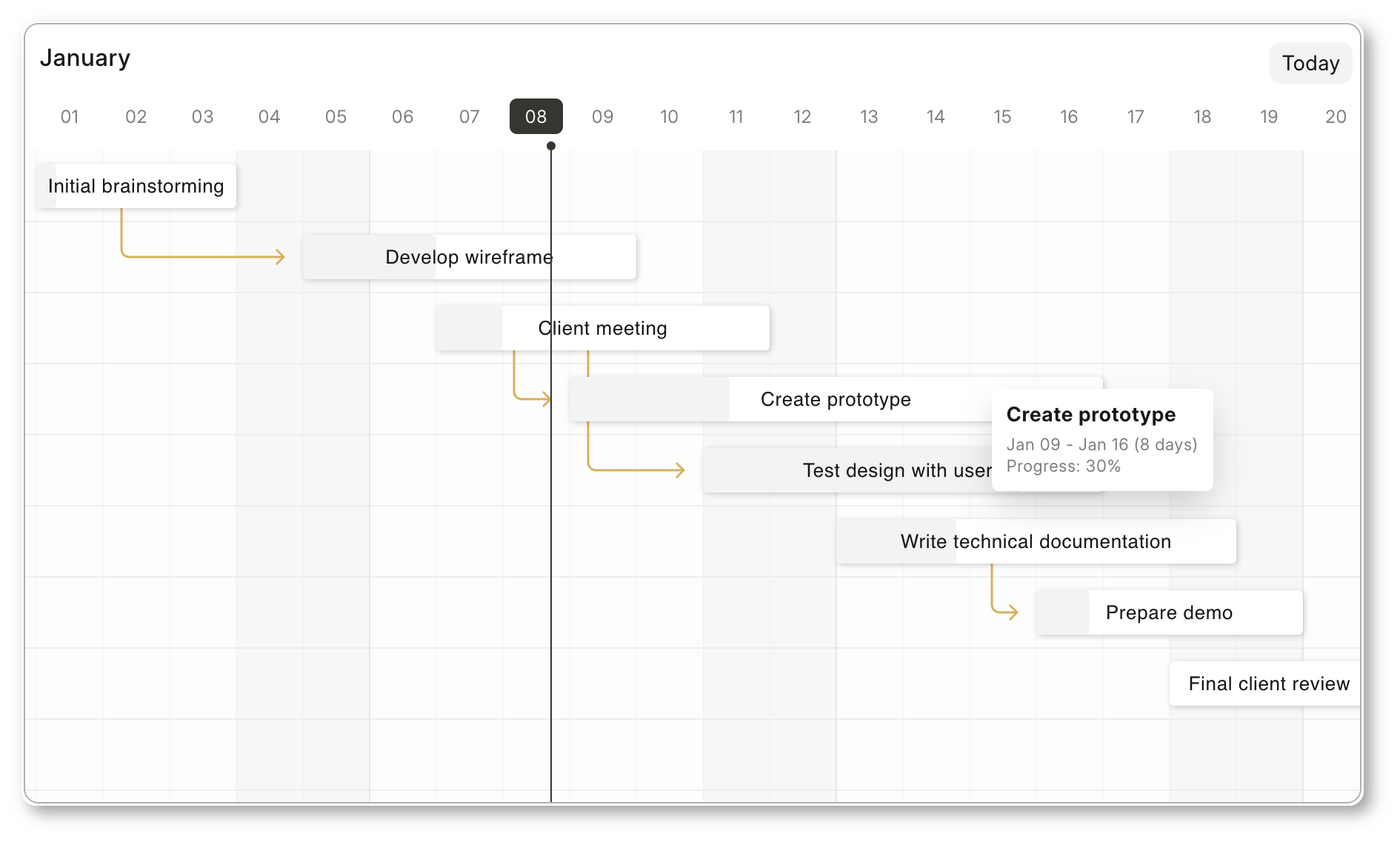
frappe/gantt hiện có 6.1k sao trên GitHub, viết chủ yếu bằng JavaScript. Open Source Javascript Gantt
Tóm tắt dựng từ metadata GitHub của chính dự án — chưa có bài review TopGit. Trang sẽ tự động cập nhật khi bài review đầy đủ được xuất bản.
VÌ SAO CHƯA CÓ REVIEW
TopGit viết bài đầy đủ cho repo có nhiều sao nhất và được yêu cầu nhiều nhất. Trang này là snapshot trong thời gian chờ — xem README gốc ở tab READ ME.
A modern, configurable, Gantt library for the web.
Frappe Gantt
Gantt charts are bar charts that visually illustrate a project's tasks, schedule, and dependencies. With Frappe Gantt, you can build beautiful, customizable, Gantt charts with ease.
You can use it anywhere from hobby projects to tracking the goals of your team at the worksplace.
ERPNext uses Frappe Gantt.
Motivation
We needed a Gantt View for ERPNext. Surprisingly, we couldn't find a visually appealing Gantt library that was open source - so we decided to build it. Initially, the design was heavily inspired by Google Gantt and DHTMLX.
Key Features
Customizable Views: customize the timeline based on various time periods - day, hour, or year, you have it. You can also create your own views.
Ignore Periods: exclude weekends and other holidays from your tasks' progress calculation.
Configure Anything: spacing, edit access, labels, you can control it all. Change both the style and functionality to meet your needs.
Multi-lingual Support: suitable for companies with an international base.
let tasks = [
  {
    id: '1',
    name: 'Redesign website',
    start: '2016-12-28',
    end: '2016-12-31',
    progress: 20
  },
  ...
]
let gantt = new Gantt("#gantt", tasks);

// Use .refresh to update the chart
gantt.tasks.append(...)
gantt.tasks.refresh()
Configuration
Frappe Gantt offers a wide range of options to customize your chart.
Option
Description
Possible Values
Default
arrow_curve
Curve radius of arrows connecting dependencies.
Any positive integer.
5
auto_move_label
Move task labels when user scrolls horizontally.
true, false
false
bar_corner_radius
Radius of the task bar corners (in pixels).
Any positive integer.
3
bar_height
Height of task bars (in pixels).
Any positive integer.
30
container_height
Height of the container.
auto - dynamic container height to fit all tasks - or any positive integer (for pixels).
auto
column_width
Width of each column in the timeline.
Any positive integer.
45
date_format
Format for displaying dates.
Any valid JS date format string.
YYYY-MM-DD
upper_header_height
Height of the upper header in the timeline (in pixels).
Any positive integer.
45
lower_header_height
Height of the lower header in the timeline (in pixels).
Any positive integer.
30
snap_at
Snap tasks at particular intervel while resizing or dragging.
Any interval (see below)
1d
infinite_padding
Whether to extend timeline infinitely when user scrolls.
true, false
true
holidays
Highlighted holidays on the timeline.
Object mapping CSS colors to holiday types. Types can either be a) 'weekend', or b) array of strings or date objects or objects in the format {date: ..., label: ...}
{ 'var(--g-weekend-highlight-color)': 'weekend' }
is_weekend
Determines whether a day is a weekend
Function
(d) => d.getDay() === 0 || d.getDay() === 6
ignore
Ignored areas in the rendering
weekendor Array of strings or date objects (weekend can be present to the array also).
[]
language
Language for localization.
ISO 639-1 codes like en, fr, es.
en
lines
Determines which grid lines to display.
none for no lines, vertical for only vertical lines, horizontal for only horizontal lines, both for complete grid.
both
move_dependencies
Whether moving a task automatically moves its dependencies.
true, false
true
padding
Padding around task bars (in pixels).
Any positive integer.
18
popup_on
Event to trigger the popup display.
clickorhover
click
readonly_progress
Disables editing task progress.
true, false
false
readonly_dates
Disables editing task dates.
true, false
false
readonly
Disables all editing features.
true, false
false
scroll_to
Determines the starting point when chart is rendered.
today, start, end, or a date string.
today
show_expected_progress
Shows expected progress for tasks.
true, false
false
today_button
Adds a button to navigate to today’s date.
true, false
true
view_mode
The initial view mode of the Gantt chart.
Day, Week, Month, Year.
Day
view_mode_select
Allows selecting the view mode from a dropdown.
true, false
false
Apart from these ones, two options - popup and view_modes (plural, not singular) - are available. They have "sub"-APIs, and thus are listed separately.
View Mode Configuration
The view_modes option determines all the available view modes for the chart. It should be an array of objects.
Each object can have the following properties:
name (string) - the name of view mode.
padding (interval) - the time above.
step - the interval of each column
lower_text (date format string or function) - the format for text in lower header. Blank string for none. The function takes in currentDate, previousDate, and lang, and should return a string.
upper_text (date format string or function) - the format for text in upper header. Blank string for none. The function takes in currentDate, previousDate, and lang, and should return a string.
upper_text_frequency (number) - how often the upper text has a value. Utilized in internal calculation to improve performance.
thick_line (function) - takes in currentDate, returns Boolean determining whether the line for that date should be thicker than the others.
Three other options allow you to override general configuration for this view mode alone:
date_format
column_width
snap_at
For details, see the above table.
Popup Configuration
popup is a function. If it returns
false, there will be no popup.
undefined, the popup will be rendered based on manipulation within the function
a HTML string, the popup will be that string.
The function receives one object as an argument, containing:
task - the task as an object
chart - the entire Gantt chart
get_title, get_subtitle, get_details (functions) - get the relevant section as a HTML node.
set_title, set_subtitle, set_details (functions) - take in the HTML of the relevant section
add_action (function) - accepts two parameters, html and func - respectively determining the HTML of the action and the callback when the action is pressed.
API
Frappe Gantt exposes a few helpful methods for you to interact with the chart:
Name
Description
Parameters
.update_options
Re-renders the chart after updating specific options.
new_options - object containing new options.
.change_view_mode
Updates the view mode.
view_mode - Name of view mode or view mode object (see above) and maintain_pos - whether to go back to current scroll position after rerendering, defaults to false.
.scroll_current
Scrolls to the current date
No parameters.
.update_task
Re-renders a specific task bar alone
task_id - id of task and new_details - object containing the task properties to be updated.
Development Setup
If you want to contribute enhancements or fixes:
Clone this repo.
cd into project directory.
Run pnpm i to install dependencies.
pnpm run build to build files - or pnpm run build-dev to build and watch for changes.
Trang TopGit này là một snapshot — tab "Readme" hiển thị nguyên văn README của repo (đã bỏ link, giữ ảnh). Repo GitHub ở github.com/frappe/gantt là nguồn chính thức.
frappe/gantt có bao nhiêu sao?
frappe/gantt có 6.1k sao GitHub — tải lại trang để xem số mới nhất, hoặc xem trực tiếp github.com/frappe/gantt. TopGit phản chiếu số sao của GitHub nhưng không cam kết đến từng phút.
frappe/gantt có phải mã nguồn mở không?
Có — frappe/gantt phát hành theo license MIT, nghĩa là mã nguồn mở để đọc, fork và (tùy license) tái sử dụng. Mã: github.com/frappe/gantt.
frappe/gantt còn đang phát triển không?
Commit gần nhất trên frappe/gantt là 4 tháng trước (theo timestamp GitHub). Repo có 1.3k fork — một chỉ báo về mức độ quan tâm của cộng đồng.
frappe/gantt dùng license gì?
frappe/gantt phát hành theo license MIT. Nên mở file LICENSE trên GitHub để xác nhận — license metadata đôi khi lệch với thực tế dự án.
frappe/gantt là gì?
frappe/gantt (frappe/gantt) là dự án JavaScript trên GitHub. Theo mô tả gốc: Open Source Javascript Gantt
frappe/gantt viết bằng ngôn ngữ gì?
frappe/gantt chủ yếu viết bằng JavaScript. Trường "language" của GitHub dựa trên phần lớn byte ở nhánh mặc định.
Đọc đầy đủ README ở tab phía trên.
gantt có đáng để bạn bỏ thời gian?
ChatGPT, Claude và Perplexity đều đọc được trang này. Hỏi thử xem họ nghĩ gì về gantt.
 /gantt