Được TopGit lập chỉ mục từ metadata GitHub: FredrikNoren/ungit có 10.6k sao, viết chủ yếu bằng JavaScript. The easiest way to use git. On any platform. Anywhere.
Tóm tắt dựng từ metadata GitHub của chính dự án — chưa có bài review TopGit. Trang sẽ tự động cập nhật khi bài review đầy đủ được xuất bản.
VÌ SAO CHƯA CÓ REVIEW
TopGit viết bài đầy đủ cho repo có nhiều sao nhất và được yêu cầu nhiều nhất. Trang này là snapshot trong thời gian chờ — xem README gốc ở tab READ ME.
The easiest way to use git. On any platform. Anywhere.
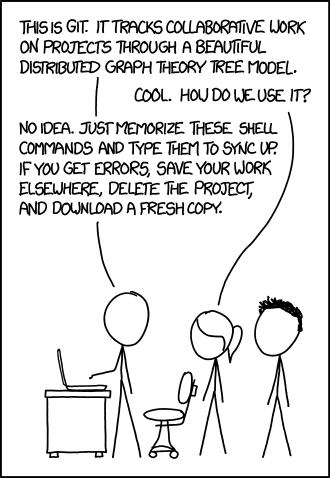
Git is known for being a versatile distributed source control system that is a staple of many individuals, communities, and even for the City of Chattanooga to crowd source bicycle parking locations. However, it is not known for userfriendliness or easy learning curve.
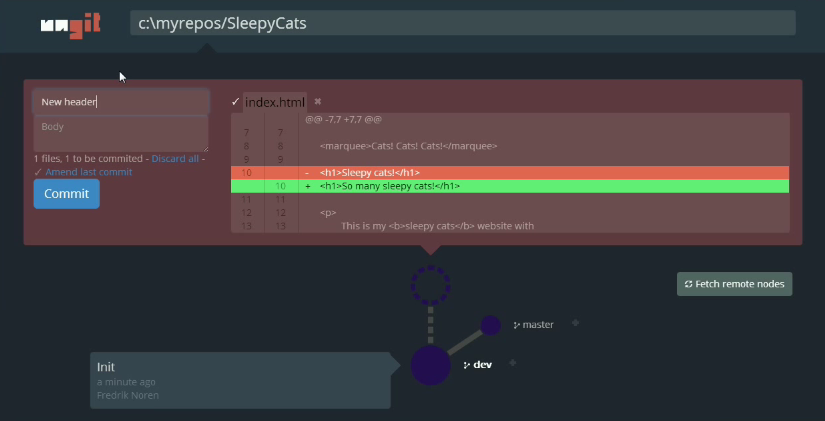
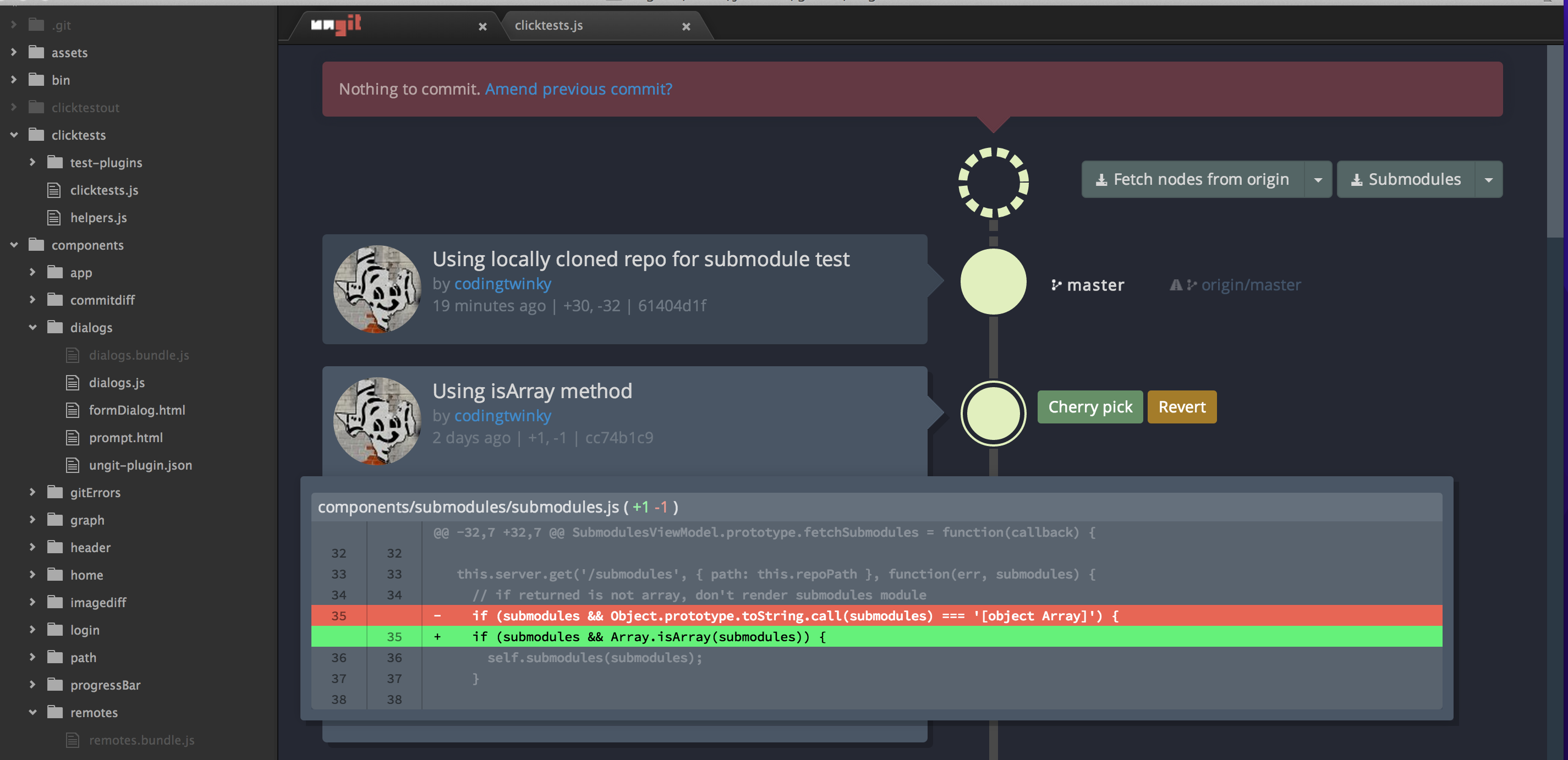
Ungit brings user friendliness to git without sacrificing the versatility of git.
Clean and intuitive UI that makes it easy to understand git.
Runs on any platform that node.js & git supports.
Web-based, meaning you can run it on your cloud/pure shell machine and use the ui from your browser (just browse to http://your-cloud-machine.com:8448).
Works well with GitHub.
Gerrit integration through plugin: https://github.com/FredrikNoren/ungit-gerrit
Follow @ungitui on twitter
Quick intro to ungit: https://youtu.be/hkBVAi3oKvo
Installing
Requires node.js (≥ 20.19.0), npm (≥ 10.8.2, comes with node.js) and git (≥ 2.34.x). To install ungit just type:
npm install -g ungit
NOTE: If your system requires root access to install global npm packages, make sure you use the -H flag:
sudo -H npm install -g ungit
Prebuilt electron packages are available here (git is still required).
Using
Anywhere you want to start, just type:
ungit
This will launch the server and open up a browser with the ui.
Configuring
Put a configuration file called .ungitrc in your home directory (/home/USERNAME on *nix, C:/Users/USERNAME/ on windows). Configuration file must be in json format. See source/config.js for available options.
You can also override configuration variables at launch by specifying them as command line arguments; ungit --port=8080. To disable boolean features use --no: ungit --no-autoFetch.
Example of ~/.ungitrc configuration file to change default port and enable bugtracking:
{
	"port": 8080,
	"bugtracking": true
}
PGP
Git and github both supports PGP signing. Within Ungit these features can be enabled via doing either one of the below two actions.
git config --global commit.gpgsign true (or without --global at the repo)
Add isForceGPGSign: true to ungit.rc file
Currently, Ungit DOES NOT support GPG authentication! While git allows robust programmatic authentication via credential-helper, I could not find an easy way to do something equivalent with GPG.
Therefore, password-less gpg authentication or 3rd party gpg password must be configured when using Ungit to commit with gpg.
Below are several way to enable password-less gpg authentication for various OSs.
Cache GnuPG passphrase
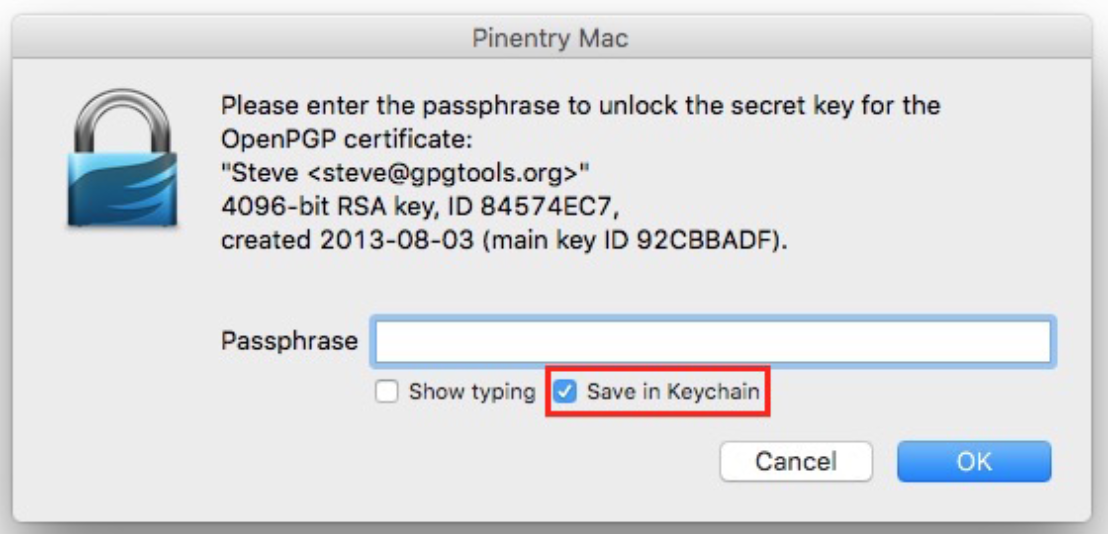
gpg-agent with pinentry-mac
brew install gnupg gpg-agent pinentry-mac
echo "test" | gpg --clearsign # See gpg authentication prompt when gpg is accessed.
Optionally you can save it to keychain.
I understand this is not convenient, but security is hard. And I'd much rather have bit of inconvenience than Ungit having security exposure.
External Merge Tools
If you have your own merge tool that you would like to use, such as Kaleidoscope or p4merge, you can configure ungit to use it. See MERGETOOL.md.
Auto Refresh
Ungit will watch git directory recursively upon page view and automatically refresh contents on git operations or changes on files that are not configured to be ignored in .gitignore.
Text Editor Integrations
atom-ungit for Atom.io by @codingtwinky
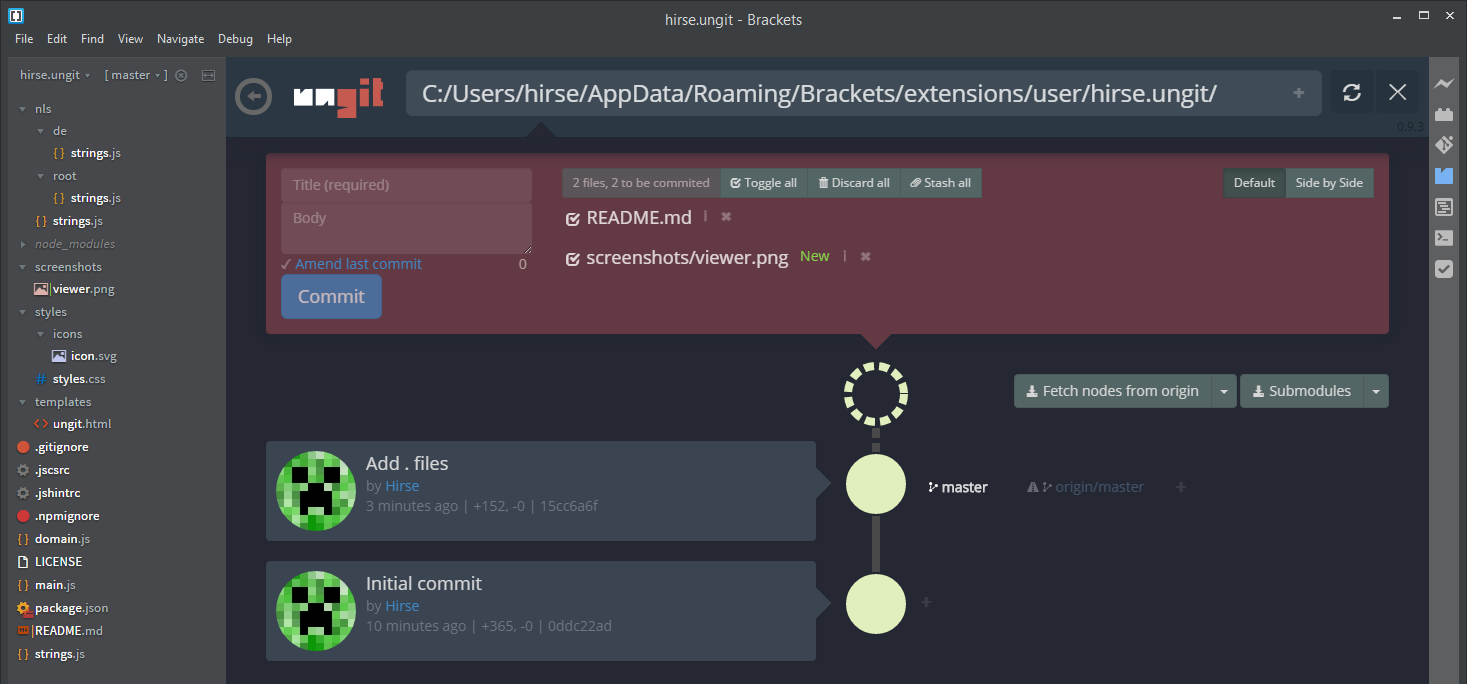
brackets-ungit for Brackets.io by @Hirse
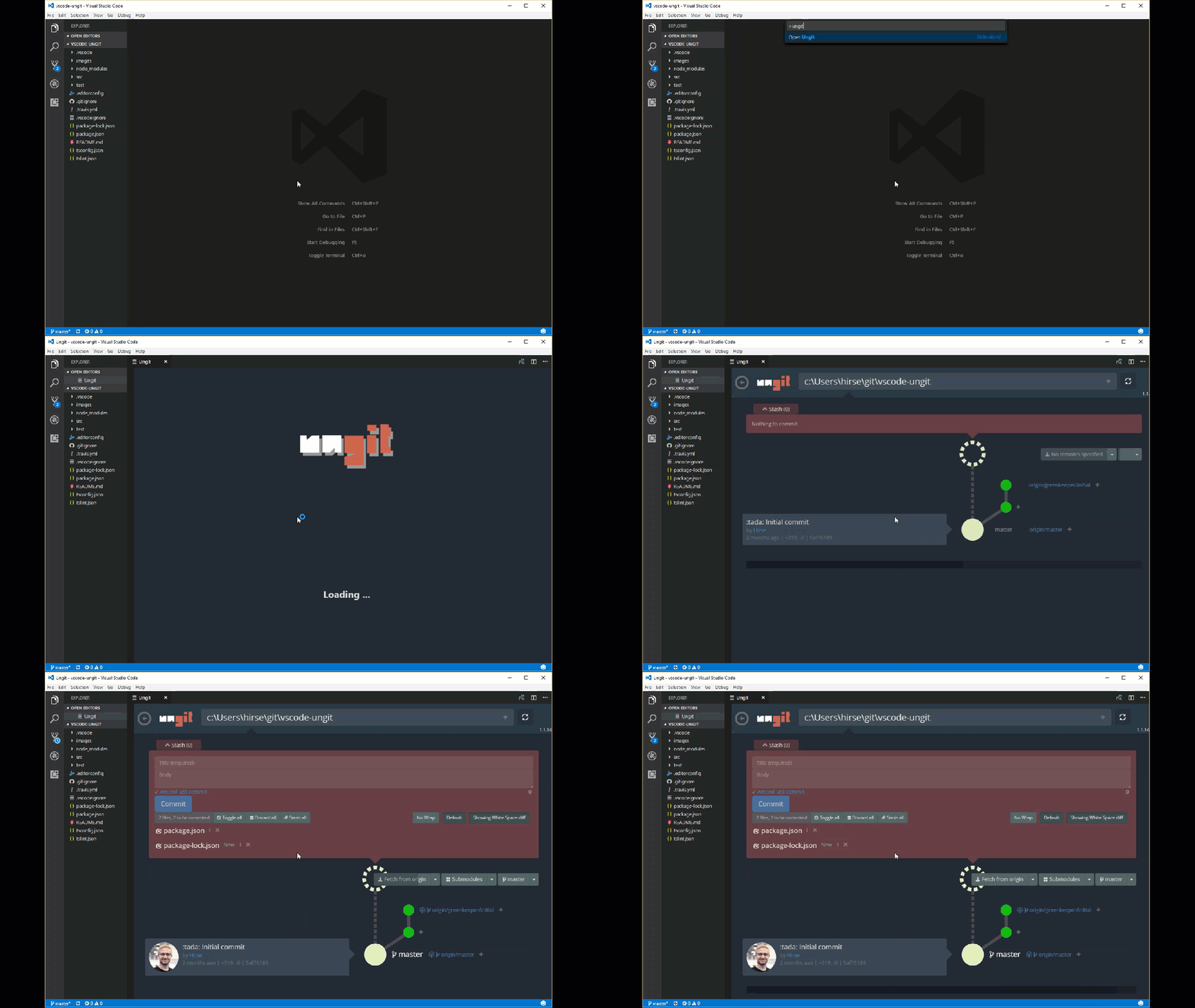
vscode-ungit for Visual Studio Code by @Hirse
Developing
See CONTRIBUTING.md.
Maintainers
FredrikNoren Fredrik's Patreon page for donations
Jung-Kim JK's (codingtwinky) Patreon page for donations
campersau
Known issues
If you're running MacOSX Mavericks and Ungit crashes after a few seconds; try updating npm and node. See #259 and #249 for details.
Ubuntu users may have trouble installing because the node executable is named differently on Ubuntu, see #401 for details.
Debian Wheezy's supported git and nodejs packages are too old, therefore download newest git and nodejs tarballs and build from source.
Adblocker may block Ungit! Some ad blockers, such as Adblock plus and uBlock, don't like localhost api calls and assume that it is a cross domain attack. Please whitelist {localhost|127.0.0.1|$UngitURL}:{ungit port number}. #887 #892
Running git in non English language will result in unexpected behavior! Ungit parses git command results in English to detect repos' states and this causes confusion when git results are not in English. #959
Changelog
See CHANGELOG.md.
License (MIT)
See LICENSE.md. To read about the Faircode experiment go to #974. Ungit is now once again MIT.
Trang TopGit này là một snapshot — tab "Readme" hiển thị nguyên văn README của repo (đã bỏ link, giữ ảnh). Repo GitHub ở github.com/FredrikNoren/ungit là nguồn chính thức.
FredrikNoren/ungit có bao nhiêu sao?
FredrikNoren/ungit có 10.6k sao GitHub — tải lại trang để xem số mới nhất, hoặc xem trực tiếp github.com/FredrikNoren/ungit. TopGit phản chiếu số sao của GitHub nhưng không cam kết đến từng phút.
FredrikNoren/ungit có những chủ đề gì?
GitHub topics của FredrikNoren/ungit: "git", "javascript", "nodejs", "ui", "ungit". TopGit xếp repo vào nhóm Developer Tools.
FredrikNoren/ungit có website riêng không?
TopGit chưa ghi nhận URL trang chủ cho FredrikNoren/ungit. Phần README ở tab phía trên thường có link demo, hoặc xem mô tả GitHub của repo.
FredrikNoren/ungit còn đang phát triển không?
Commit gần nhất trên FredrikNoren/ungit là 2 tháng trước (theo timestamp GitHub). Repo có 648 fork — một chỉ báo về mức độ quan tâm của cộng đồng.
FredrikNoren/ungit dùng license gì?
FredrikNoren/ungit phát hành theo license MIT. Nên mở file LICENSE trên GitHub để xác nhận — license metadata đôi khi lệch với thực tế dự án.
FredrikNoren/ungit viết bằng ngôn ngữ gì?
FredrikNoren/ungit chủ yếu viết bằng JavaScript. Trường "language" của GitHub dựa trên phần lớn byte ở nhánh mặc định.
Đọc đầy đủ README ở tab phía trên.
Muốn nghe thêm một ý kiến về ungit?
Hỏi một AI đọc được trang này — một cú bấm là có ngay nhận định về ungit.

 /ungit