
froala/angular-froala-wysiwyg

froala/angular-froala-wysiwyg được TopGit xếp vào nhóm dự án mã nguồn mở, với 3 sao trên GitHub, viết chủ yếu bằng TypeScript. Angular 4, 5, 6, 7, 8 and 9 plugin for Froala WYSIWYG HTML Rich Text Editor.
Tóm tắt dựng từ metadata GitHub của chính dự án — chưa có bài review TopGit. Trang sẽ tự động cập nhật khi bài review đầy đủ được xuất bản.
TopGit viết bài đầy đủ cho repo có nhiều sao nhất và được yêu cầu nhiều nhất. Trang này là snapshot trong thời gian chờ — xem README gốc ở tab READ ME.
Snapshot
Cộng tác viên hàng đầu
Xem cộng tác viên hàng đầu
Angular Froala WYSIWYG Editor - Demo


Angular 19+ bindings for Froala WYSIWYG Editor.
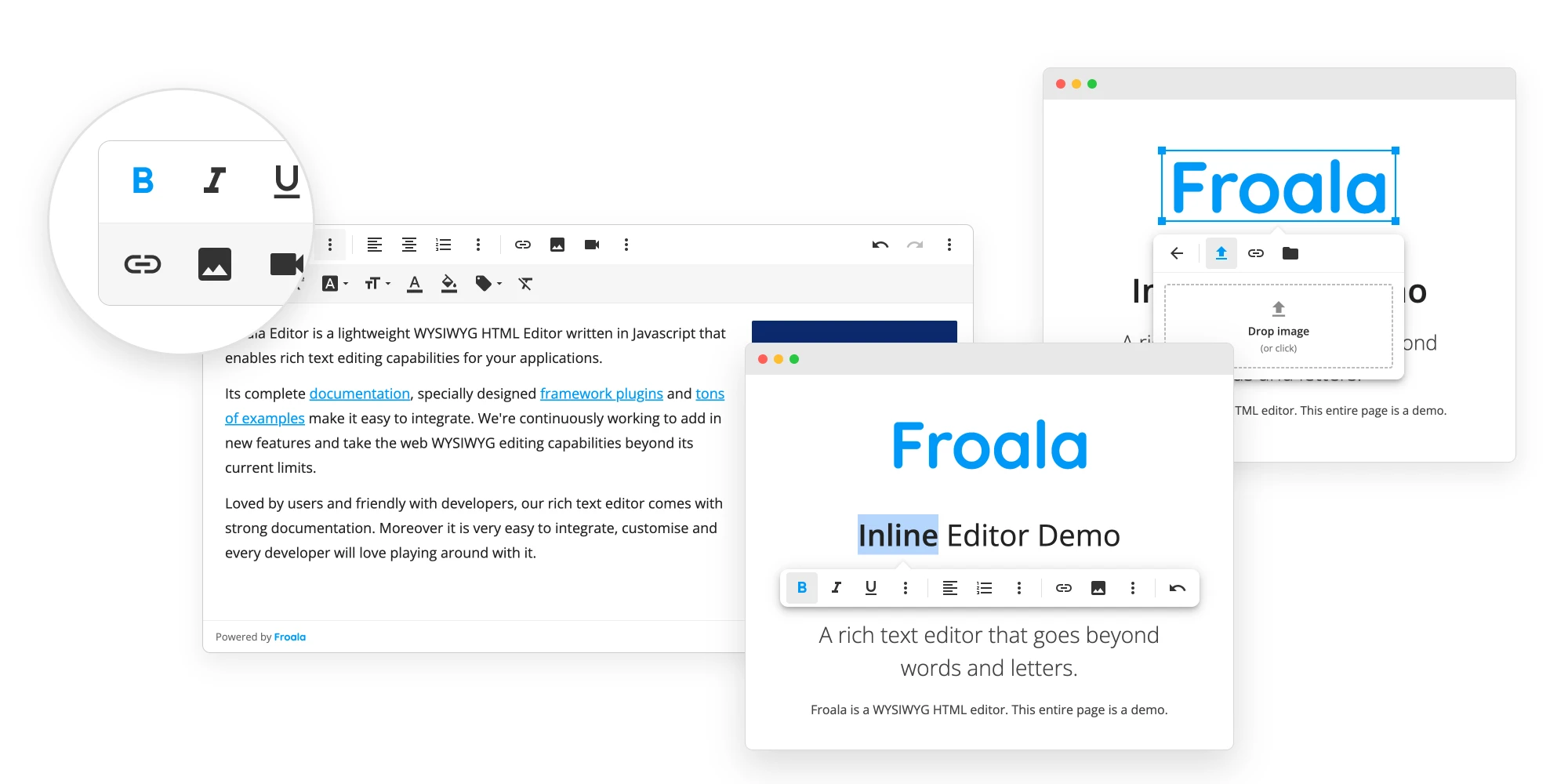
Table of contents
- Installation instructions
- Update editor instructions
- Integration
- Angular CLI
- Third-party plugins
- Standalone components
- NgModule applications
- Server-side rendering
- Usage
- Manual Initialization
- Displaying HTML
- License
- Development environment setup
Installation instructions
Install angular-froala-wysiwyg from npm
npm install angular-froala-wysiwyg
This also installs the matching version of froala-editor, which angular-froala-wysiwyg depends on.
You will need the editor CSS. Add it to the styles array in angular.json, as shown in Use with Angular CLI.
Note: if you want to use Font Awesome icons (for example with the
font_awesomethird-party plugin), install it as well:
- Run
npm install font-awesomeand addnode_modules/font-awesome/css/font-awesome.min.cssto thestylesarray inangular.json - Or add the CDN link to
src/index.html:<link rel="stylesheet" href="https://cdnjs.cloudflare.com/ajax/libs/font-awesome/4.7.0/css/font-awesome.min.css">
The font_awesome plugin also needs its own stylesheet, like every third-party plugin — see Third-party plugins.
Update editor instructions
angular-froala-wysiwyg pins the exact froala-editor version it was built and tested against, so update the wrapper to get a newer editor:
npm install angular-froala-wysiwyg@latest
Integration
Use with Angular CLI
Installing @angular/cli
Note: you can skip this part if you already have an application generated.
Check that your Node.js version is one the Angular CLI supports first (node --version); the Angular version compatibility table lists the ranges. For example, Angular CLI 22 needs Node.js ^22.22.3, ^24.15.0 or 26 and later. On an older Node.js, npm install -g @angular/cli quietly installs an earlier CLI, and a project generated for a newer Angular then won't build.
npm install -g @angular/cli
ng new my-app
cd my-app
Add angular-froala-wysiwyg
- install
angular-froala-wysiwyg
npm install angular-froala-wysiwyg
- open
angular.jsonand add the editor styles to thestylesarray of your project'sbuildoptions
"styles": [
  "src/styles.css",
  "node_modules/froala-editor/css/froala_editor.pkgd.min.css",
  "node_modules/froala-editor/css/froala_style.min.css"
]
-
import the editor modules — see Standalone components (the default for new Angular apps) or NgModule applications
-
add the editor to a template, for example
src/app/app.html(src/app/app.component.htmlin projects generated before Angular 20)
<div [froalaEditor]>Hello, Froala!</div>
Run angular-cli
ng serve
Third-party plugins
Third-party plugins aren't styled by froala_editor.pkgd.min.css. Each one ships its own stylesheet in froala-editor/css/third_party/, so add the ones you import to styles as well:
"styles": [
  "src/styles.css",
  "node_modules/froala-editor/css/froala_editor.pkgd.min.css",
  "node_modules/froala-editor/css/froala_style.min.css",
  "node_modules/froala-editor/css/third_party/font_awesome.min.css",
  "node_modules/froala-editor/css/third_party/image_tui.min.css",
  "node_modules/froala-editor/css/third_party/spell_checker.min.css",
  "node_modules/froala-editor/css/third_party/embedly.min.css"
]
With font_awesome, also add Font Awesome's own CSS (node_modules/font-awesome/css/font-awesome.min.css), otherwise the icon popup is empty.
image_tui uses the TOAST UI Image Editor, which isn't bundled with the editor. Load it in src/index.html before the app starts, because the plugin reads window.tui when it's imported:
<link rel="stylesheet" href="https://cdn.jsdelivr.net/npm/[email protected]/dist/tui-image-editor.css">
<script src="https://cdnjs.cloudflare.com/ajax/libs/fabric.js/1.6.7/fabric.min.js"></script>
<script src="https://cdn.jsdelivr.net/npm/[email protected]/dist/tui-code-snippet.min.js"></script>
<script src="https://cdn.jsdelivr.net/npm/[email protected]/dist/tui-image-editor.min.js"></script>
Standalone components
New Angular CLI applications use standalone components and have no app.module.ts. The Froala directives are provided through FroalaEditorModule and FroalaViewModule, which you import directly into the component that uses them.
Don't replace the generated component with this sample. Add the Froala imports at the top of the file and the two modules to the component's existing imports array, and leave everything else as it is. A new app's App already imports RouterOutlet and has a title signal, and app.html uses both:
import { Component, signal } from '@angular/core';
import { RouterOutlet } from '@angular/router';

// Import all Froala Editor plugins.
// import 'froala-editor/js/plugins.pkgd.min.js';

// Import a single Froala Editor plugin.
// import 'froala-editor/js/plugins/align.min.js';

// Import a Froala Editor language file.
// import 'froala-editor/js/languages/de.js';

// Import a third-party plugin.
// import 'froala-editor/js/third_party/font_awesome.min';
// import 'froala-editor/js/third_party/image_tui.min';
// import 'froala-editor/js/third_party/spell_checker.min';
// import 'froala-editor/js/third_party/embedly.min';

// Import Angular plugin.
import { FroalaEditorModule, FroalaViewModule } from 'angular-froala-wysiwyg';

@Component({
  selector: 'app-root',
  // Keep the imports that are already there and add the Froala modules.
  imports: [RouterOutlet, FroalaEditorModule, FroalaViewModule],
  templateUrl: './app.html',
  styleUrl: './app.css'
})
export class App {
  protected readonly title = signal('my-app');
}
In projects generated before Angular 20 the component is AppComponent in app.component.ts, with its template in app.component.html.
Production builds
Importing plugins at the top of a file puts the whole editor in the initial bundle. With plugins.pkgd.min.js that's about 2.5 MB, and even a single plugin is over the 1 MB error budget a new project starts with, so ng build fails. Even with no plugins, the editor and its CSS put the initial bundle just over the 500 kB warning. Raise the initial budget in the production configuration in angular.json (the anyComponentStyle entry is the one a new project already has):
"budgets": [
  {
    "type": "initial",
    "maximumWarning": "3MB",
    "maximumError": "4MB"
  },
  {
    "type": "anyComponentStyle",
    "maximumWarning": "4kB",
    "maximumError": "8kB"
  }
]
froala-editor is a CommonJS package, so the build also warns about it. To silence that, add it to the build options in angular.json:
"allowedCommonJsDependencies": ["froala-editor"]
NgModule applications
If your application is bootstrapped with an NgModule, open the module (for example src/app/app-module.ts, or src/app/app.module.ts in projects generated before Angular 20) and add:
// Import all Froala Editor plugins.
// import 'froala-editor/js/plugins.pkgd.min.js';

// Import a single Froala Editor plugin.
// import 'froala-editor/js/plugins/align.min.js';

// Import a Froala Editor language file.
// import 'froala-editor/js/languages/de.js';

// Import a third-party plugin.
// import 'froala-editor/js/third_party/font_awesome.min';
// import 'froala-editor/js/third_party/image_tui.min';
// import 'froala-editor/js/third_party/spell_checker.min';
// import 'froala-editor/js/third_party/embedly.min';

// Import Angular plugin.
import { FroalaEditorModule, FroalaViewModule } from 'angular-froala-wysiwyg';
...

@NgModule({
   ...
   imports: [FroalaEditorModule.forRoot(), FroalaViewModule.forRoot() ... ],
   ...
})
FERootModule is also exported as a shortcut: importing it is the same as importing both modules with forRoot().
Server-side rendering
The editor needs a browser, so it is only created in the browser: the directive checks the platform and loads froala-editor dynamically. Plugin, language and third-party files must be loaded the same way, otherwise they run on the server. Import them from the component instead of at the top of the file.
An editor only picks up the plugins that are loaded when it's created, so wait for the imports to finish before rendering it. As with Standalone components, merge this into your existing component rather than replacing it, keeping its RouterOutlet, styleUrl and title:
import { Component, Inject, OnInit, PLATFORM_ID, signal } from '@angular/core';
import { isPlatformBrowser } from '@angular/common';
import { FroalaEditorModule, FroalaViewModule } from 'angular-froala-wysiwyg';

@Component({
  selector: 'app-root',
  imports: [FroalaEditorModule, FroalaViewModule],
  templateUrl: './app.html'
})
export class App implements OnInit {
  // Render the editor only once its plugins have loaded.
  pluginsLoaded = signal(false);

  constructor(@Inject(PLATFORM_ID) private platformId: Object) {}

  async ngOnInit() {
    // Import Froala plugins dynamically only in the browser context
    if (isPlatformBrowser(this.platformId)) {
      await Promise.all([
        // Import all Froala Editor plugins.
        // @ts-ignore
        import('froala-editor/js/plugins.pkgd.min.js'),

        // Import a single Froala Editor plugin.
        // @ts-ignore
        // import('froala-editor/js/plugins/align.min.js'),

        // Import a Froala Editor language file.
        // @ts-ignore
        // import('froala-editor/js/languages/de.js'),

        // Import a third-party plugin.
        // @ts-ignore
        // import('froala-editor/js/third_party/font_awesome.min'),
        // @ts-ignore
        // import('froala-editor/js/third_party/image_tui.min'),
        // @ts-ignore
        // import('froala-editor/js/third_party/spell_checker.min'),
        // @ts-ignore
        // import('froala-editor/js/third_party/embedly.min'),
      ]);
      this.pluginsLoaded.set(true);
    }
  }
}
@if (pluginsLoaded()) {
  <div [froalaEditor]>Hello, Froala!</div>
}
froalaView doesn't need the editor, so it renders on the server as usual.
Usage
Options
You can pass editor options as Input (optional).
[froalaEditor]='options'
You can pass any existing Froala option. Consult the Froala documentation to view the list of all the available options:
public options: Object = {
  placeholderText: 'Edit Your Content Here!',
  charCounterCount: false
}
Additional option is used:
- immediateAngularModelUpdate: (default: false) This option synchronizes the angular model as soon as a key is released in the editor. Note that it may affect performance.
Events and Methods
Events can be passed in with the options, with a key events and object where the key is the event name and the value is the callback function. Inside the callback, this is the editor instance, so use a regular function rather than an arrow function:
public options: Object = {
  placeholderText: 'Edit Me',
  events : {
    'focus' : function(this: any) {
      console.log(this.selection.get());
    }
  }
}
Using the editor instance you can call editor methods as described in the method docs.
Froala events are described in the events docs.
Model
The WYSIWYG HTML editor content model.
[(froalaModel)]="editorContent"
Pass initial content:
public editorContent: string = 'My Document\'s Title'
Use the content in other places (ngModel needs FormsModule from @angular/forms in the component's imports):
<input [ngModel]="editorContent"/>
<input [(ngModel)]="editorContent"/> <!-- For two way binding -->
Other two way binding example:
<div [froalaEditor] [(froalaModel)]="editorContent"></div>
<div [froalaEditor] [(froalaModel)]="editorContent"></div>
Use it with reactive forms (add ReactiveFormsModule from @angular/forms to the component's imports):
<form [formGroup]="form" (ngSubmit)="onSubmit()">
  <textarea [froalaEditor] formControlName="formModel"></textarea>
  <button type="submit">Submit</button>
</form>
The component defines the form and the submit handler:
import { Component } from '@angular/core';
import { FormControl, FormGroup, ReactiveFormsModule } from '@angular/forms';
import { FroalaEditorModule, FroalaViewModule } from 'angular-froala-wysiwyg';

@Component({
  selector: 'app-reactive-form',
  imports: [ReactiveFormsModule, FroalaEditorModule, FroalaViewModule],
  templateUrl: './reactive-form.html'
})
export class ReactiveFormComponent {
  form = new FormGroup({
    formModel: new FormControl('Hello, Froala!')
  });

  onSubmit() {
    console.log(this.form.value.formModel);
  }
}
To display the form value in other places, read it from the form. With typed forms the value can be null or undefined, so give froalaView a fallback:
<form [formGroup]="form" (ngSubmit)="onSubmit()">
  <textarea [froalaEditor] formControlName="formModel"></textarea>
  <div [froalaView]="form.value.formModel ?? ''"></div>
  <button type="submit">Submit</button>
</form>
If you want to wrap froalaEditor directive into a component that supports reactive forms please see froala.component.ts from demo.
Extend functionality
You can extend the functionality by adding a custom button like below. This is a separate component, not a replacement for your App: put it in its own file, for example src/app/custom-button.ts, then add CustomButtonComponent to App's imports and <app-custom-button></app-custom-button> to app.html.
// Import Froala Editor.
import FroalaEditor from 'froala-editor';

// We will make usage of the Init hook and make the implementation there.
import { Component, OnInit } from '@angular/core';
import { FroalaEditorModule } from 'angular-froala-wysiwyg';

@Component({
  selector: 'app-custom-button',
  imports: [FroalaEditorModule],
  template: `<div class="sample">
               <h2>Sample 11: Add Custom Button</h2>
               <div [froalaEditor]="options" [(froalaModel)]="content"></div>
             </div>`
})
export class CustomButtonComponent implements OnInit {

  public content: string = '';

  ngOnInit () {
    FroalaEditor.DefineIcon('alert', {NAME: 'info', SVG_KEY: 'help'});
    FroalaEditor.RegisterCommand('alert', {
      title: 'Hello',
      focus: false,
      undo: false,
      refreshAfterCallback: false,

      callback: () => {
        alert('Hello!');
      }
    });
  }

  public options: Object = {
    charCounterCount: true,
    toolbarButtons: ['bold', 'italic', 'underline', 'paragraphFormat','alert'],
    toolbarButtonsXS: ['bold', 'italic', 'underline', 'paragraphFormat','alert'],
    toolbarButtonsSM: ['bold', 'italic', 'underline', 'paragraphFormat','alert'],
    toolbarButtonsMD: ['bold', 'italic', 'underline', 'paragraphFormat','alert'],
  };
}
On the server, froala-editor cannot be imported at the top of a file — see Server-side rendering.
Special tags
Note: In order to use special tags, import the editor plugins where you import the Froala modules:
// Import all Froala Editor plugins.
import 'froala-editor/js/plugins.pkgd.min.js';
You may also use the editor on img, button, input and a tags:
<img [froalaEditor] [(froalaModel)]="imgObj"/>
The model must be an object containing the attributes for your special tags. Example:
public imgObj: Object = {
  src: 'path/to/image.jpg'
};
The froalaModel will change as the attributes change during usage.
- froalaModel can contain a special attribute named innerHTML which inserts innerHTML in the element: If you are using 'button' tag, you can specify the button text like this:
public buttonModel: Object = {
  innerHTML: 'Click Me'
};
As the button text is modified by the editor, the innerHTML attribute from buttonModel will be modified too.
Specific option for special tags
- angularIgnoreAttrs: (default: null) This option is an array of attributes that you want to ignore when the editor updates the froalaModel:
public inputOptions: Object = {
  angularIgnoreAttrs: ['class', 'id']
};
Manual Initialization
Gets the functionality to operate on the editor: create, destroy and get editor instance. Use it if you want to manually initialize the editor.
(froalaInit)="initialize($event)"
When froalaInit is bound, the directive doesn't create the editor on its own. It waits until you call initialize:
<div [froalaEditor] (froalaInit)="initialize($event)" [(froalaModel)]="content"></div>
<button (click)="initControls.initialize()">Initialize Editor</button>
<button (click)="initControls.destroy()">Close Editor</button>
<button (click)="deleteAll()">Delete All</button>
Where initialize is the name of a function in your component which will receive an object with different methods to control the editor initialization process.
public content: string = 'Hello, Froala!';
public initControls: any;

public initialize(initControls: any) {
  this.initControls = initControls;
}

public deleteAll() {
  // getEditor() returns undefined until the editor has been created.
  this.initControls.getEditor()?.html.set('');
}
The object received by the function will contain the following methods:
- initialize: Call this method to create the Froala Editor. Nothing is created until you do
- destroy: Call this method to destroy the Froala Editor
- getEditor: Call this method to retrieve the editor that was created
The editor is created asynchronously, because the directive loads froala-editor with a dynamic import. getEditor() still returns undefined straight after initialize(), so wait for the editor's initialized event before using it:
public options: Object = {
  events: {
    initialized: function (this: any) {
      // `this` is the editor, and getEditor() returns it from here on.
      console.log('Editor ready:', this.html.get());
    }
  }
};
<div [froalaEditor]="options" (froalaInit)="initialize($event)" [(froalaModel)]="content"></div>
Displaying HTML
To display content created with the froala editor use the froalaView directive.
[froalaView]="editorContent"
<div [froalaEditor] [(froalaModel)]="editorContent"></div>
<div [froalaView]="editorContent"></div>
License
The angular-froala-wysiwyg project is under MIT license. However, in order to use Froala WYSIWYG HTML Editor plugin you should purchase a license for it.
Froala Editor has 3 different licenses for commercial use. For details please see License Agreement.
Development environment setup
If you want to contribute to angular-froala-wysiwyg, you will first need to install the required tools to get the project going.
Prerequisites
- Node.js
^18.19.1,^20.11.1, or 22 and later. Those are the versions Angular CLI 19, which this project builds with, supports - Node Package Manager (NPM)
- Git
Install dependencies
$ npm install
Build the library
$ npm run build
Build the demo
$ npm run demo.build
Run Demo
$ npm run start
Repo liên quan
Master programming by recreating your favorite technologies from scratch.
A curated meta-list of curated lists organized by technology domain. The repository acts as a directory pointing to hundreds of specialized awesome lists covering programming languages, platforms, frameworks, and tooling. All content is community-contributed under the CC0 public domain dedication.
Public APIs is a community-curated GitHub repository listing free, publicly accessible APIs across a wide range of categories, with auth type, HTTPS, and CORS noted for each entry. It's a browsable reference, not a library to install.
REA is an MCP server and CLI that gives AI coding agents the ability to reverse engineer binaries, JavaScript apps, .NET assemblies, and websites. It hooks into Hopper, Ghidra, or IDA Pro for native binary work, or runs static JavaScript analysis with just Node.js. Every investigation returns an Evidence bundle that includes what was found, what was not, and the reasoning path. Setup registers REA with supported agents and walks you through connecting an analysis engine. The CLI also works standalone for terminal-first workflows.
Trả lời nhanh
Đọc thêm về froala/angular-froala-wysiwyg ở đâu?
Trang TopGit này là một snapshot — tab "Readme" hiển thị nguyên văn README của repo (đã bỏ link, giữ ảnh). Repo GitHub ở github.com/froala/angular-froala-wysiwyg là nguồn chính thức.
froala/angular-froala-wysiwyg có bao nhiêu sao?
froala/angular-froala-wysiwyg có 3 sao GitHub — tải lại trang để xem số mới nhất, hoặc xem trực tiếp github.com/froala/angular-froala-wysiwyg. TopGit phản chiếu số sao của GitHub nhưng không cam kết đến từng phút.
froala/angular-froala-wysiwyg có phải mã nguồn mở không?
TopGit chưa ghi nhận license cho froala/angular-froala-wysiwyg. Phần lớn repo public trên GitHub là mã nguồn mở, nhưng điều khoản khác nhau từng repo — mở file LICENSE để xác nhận.
froala/angular-froala-wysiwyg có trang demo không?
Dự án có trang chủ ở https://froala.com/wysiwyg-editor. Tab "Readme" ở trang này thường có ảnh chụp và hướng dẫn bắt đầu nhanh.
froala/angular-froala-wysiwyg là gì?
froala/angular-froala-wysiwyg (froala/angular-froala-wysiwyg) là dự án TypeScript trên GitHub. Theo mô tả gốc: Angular 4, 5, 6, 7, 8 and 9 plugin for Froala WYSIWYG HTML Rich Text Editor.
Đọc đầy đủ README ở tab phía trên.
Vẫn đang phân vân về angular-froala-wysiwyg?
Một cú bấm sẽ gửi câu hỏi kèm trang này cho AI — xem AI nói gì về angular-froala-wysiwyg.