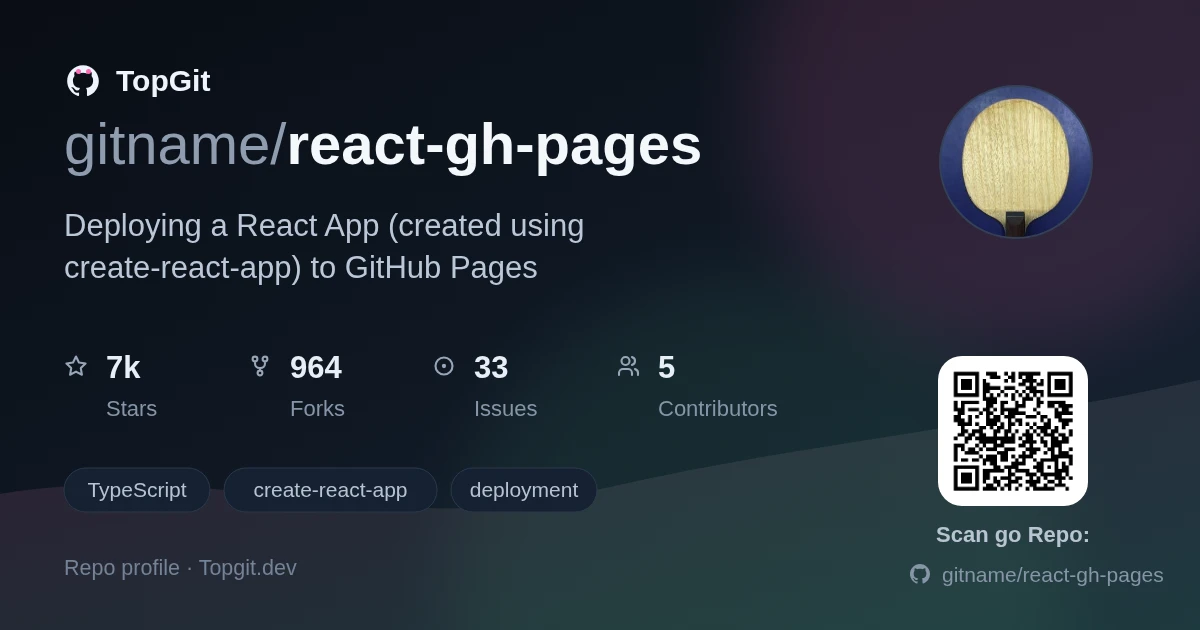
gitname/react-gh-pages — dự án frontend — đang có 7.0k sao GitHub trong nhóm Frontend. Deploying a React App (created using create-react-app) to GitHub Pages
Tóm tắt dựng từ metadata GitHub của chính dự án — chưa có bài review TopGit. Trang sẽ tự động cập nhật khi bài review đầy đủ được xuất bản.
VÌ SAO CHƯA CÓ REVIEW
TopGit viết bài đầy đủ cho repo có nhiều sao nhất và được yêu cầu nhiều nhất. Trang này là snapshot trong thời gian chờ — xem README gốc ở tab READ ME.
In this tutorial, I'll show you how you can create a React app and deploy it to GitHub Pages.
To create the React app, I'll be using create-react-app, which is a tool people can use to create a React app from scratch. To deploy the React app, I'll be using gh-pages, which is an npm package people can use to deploy things to GitHub Pages, a free web hosting service provided by GitHub.
If you follow along with this tutorial, you'll end up with a new React app—hosted on GitHub Pages—which you can then customize.
Translations
This tutorial has been translated from its original English into the following languages:
Traditional Chinese (credit: @creaper9487)
Tutorial
Prerequisites
Node and npm are installed. Here are the versions I'll be using while making this tutorial:
$ node --version
v16.13.2

$ npm --version
8.1.2
Installing npm adds two commands to the system—npm and npx—both of which I'll be using while making this tutorial.
Git is installed. Here's the version I'll be using while making this tutorial:
$ git --version
git version 2.29.1.windows.1
A GitHub account. :octocat:
Procedure
1. Create an empty repository on GitHub
Sign into your GitHub account.
Visit the Create a new repository form.
Fill in the form as follows:
Repository name: You can enter any name you want*.
* For a project site, you can enter any name you want. For a user site, GitHub requires that the repository's name have the following format: {username}.github.io (e.g. gitname.github.io)
The name you enter will show up in a few places: (a) in references to the repository throughout GitHub, (b) in the URL of the repository, and (c) in the URL of the deployed React app.
In this tutorial, I'll be deploying the React app as a project site.
I'll enter: react-gh-pages
Repository privacy: Select Public (or Private*).
* For GitHub Free users, the only type of repository that can be used with GitHub Pages is Public. For GitHub Pro users (and other paying users), both Public and Private repositories can be used with GitHub Pages.
I'll choose: Public
Initialize repository: Leave all checkboxes empty.
That will make it so GitHub creates an empty repository, instead of pre-populating the repository with a README.md, .gitignore, and/or LICENSE file.
Submit the form.
At this point, your GitHub account contains an empty repository, having the name and privacy type that you specified.
2. Create a React app
Create a React app named my-app:
In case you want to use a different name from my-app (e.g. web-ui), you can accomplish that by replacing all occurrences of my-app in this tutorial, with that other name (i.e. my-app --> web-ui).
$ npx create-react-app my-app
That command will create a React app written in JavaScript. To create one written in TypeScript, you can issue this command instead:
That command will create a new folder named my-app, which will contain the source code of a React app.
In addition to containing the source code of the React app, that folder is also a Git repository. That characteristic of the folder will come into play in Step 6.
Branch names: master vs. main
The Git repository will have one branch, which will be named either (a) master, the default for a fresh Git installation; or (b) the value of the Git configuration variable, init.defaultBranch, if your computer is running Git version 2.28 or later and you have set that variable in your Git configuration (e.g. via $ git config --global init.defaultBranch main).
Since I have not set that variable in my Git installation, the branch in my repository will be named master. In case the branch in your repository has a different name (which you can check by running $ git branch), such as main; you can replace all occurrences of master throughout the remainder of this tutorial, with that other name (e.g. master → main).
Enter the newly-created folder:
$ cd my-app
At this point, there is a React app on your computer and you are in the folder that contains its source code. All of the remaining commands shown in this tutorial can be run from that folder.
3. Install the gh-pages npm package
Install the gh-pages npm package and designate it as a development dependency:
$ npm install gh-pages --save-dev
At this point, the gh-pages npm package is installed on your computer and the React app's dependence upon it is documented in the React app's package.json file.
4. Add a homepage property to the package.json file
Open the package.json file in a text editor.
$ vi package.json
In this tutorial, the text editor I'll be using is vi. You can use any text editor you want; for example, Visual Studio Code.
Add a homepage property in this format*: https://{username}.github.io/{repo-name}
* For a project site, that's the format. For a user site, the format is: https://{username}.github.io. You can read more about the homepage property in the "GitHub Pages" section of the create-react-app documentation.
To customize that command for your situation, replace {username} with your GitHub username and replace {repo-name} with the name of the GitHub repository you created in Step 1.
That command tells Git where I want it to push things whenever I—or the gh-pages npm package acting on my behalf—issue the $ git push command from within this local Git repository.
At this point, the local repository has a "remote" whose URL points to the GitHub repository you created in Step 1.
7. Push the React app to the GitHub repository
Push the React app to the GitHub repository
$ npm run deploy
That will cause the predeploy and deploy scripts defined in package.json to run.
Under the hood, the predeploy script will build a distributable version of the React app and store it in a folder named build. Then, the deploy script will push the contents of that folder to a new commit on the gh-pages branch of the GitHub repository, creating that branch if it doesn't already exist.
By default, the new commit on the gh-pages branch will have a commit message of "Updates". You can specify a custom commit message via the -m option, like this:
$ npm run deploy -- -m "Deploy React app to GitHub Pages"
At this point, the GitHub repository contains a branch named gh-pages, which contains the files that make up the distributable version of the React app. However, we haven't configured GitHub Pages to serve those files yet.
8. Configure GitHub Pages
Navigate to the GitHub Pages settings page
In your web browser, navigate to the GitHub repository
Above the code browser, click on the tab labeled "Settings"
In the sidebar, in the "Code and automation" section, click on "Pages"
Configure the "Build and deployment" settings like this:
Source: Deploy from a branch
Branch:
Branch: gh-pages
Folder: / (root)
Click on the "Save" button
That's it! The React app has been deployed to GitHub Pages! :rocket:
At this point, the React app is accessible to anyone who visits the homepage URL you specified in Step 4. For example, the React app I deployed is accessible at https://gitname.github.io/react-gh-pages.
9. (Optional) Store the React app's source code on GitHub
In a previous step, the gh-pages npm package pushed the distributable version of the React app to a branch named gh-pages in the GitHub repository. However, the source code of the React app is not yet stored on GitHub.
In this step, I'll show you how you can store the source code of the React app on GitHub.
Commit the changes you made while you were following this tutorial, to the master branch of the local Git repository; then, push that branch up to the master branch of the GitHub repository.
I recommend exploring the GitHub repository at this point. It will have two branches: master and gh-pages. The master branch will contain the React app's source code, while the gh-pages branch will contain the distributable version of the React app.
References
The official create-react-app deployment guide
GitHub blog: Build and deploy GitHub Pages from any branch
Preserving the CNAME file when using a custom domain
Notes
Special thanks to GitHub (the company) for providing us with the GitHub Pages hosting service for free.
And now, time to turn the default React app generated by create-react-app into something unique!
This repository consists of two branches:
master - the source code of the React app
gh-pages - the React app built from that source code
Contributors
Thanks to these people for contributing to the maintenance of this tutorial.
This list is maintained manually—for now—and includes (a) each person who submitted a pull request that was eventually merged into master, and (b) each person who contributed in a different way (e.g. providing constructive feedback) and who approved of me including them in this list.
Trang TopGit này là một snapshot — tab "Readme" hiển thị nguyên văn README của repo (đã bỏ link, giữ ảnh). Repo GitHub ở github.com/gitname/react-gh-pages là nguồn chính thức.
gitname/react-gh-pages có bao nhiêu sao?
gitname/react-gh-pages có 7.0k sao GitHub — tải lại trang để xem số mới nhất, hoặc xem trực tiếp github.com/gitname/react-gh-pages. TopGit phản chiếu số sao của GitHub nhưng không cam kết đến từng phút.
gitname/react-gh-pages có phải mã nguồn mở không?
TopGit chưa ghi nhận license cho gitname/react-gh-pages. Phần lớn repo public trên GitHub là mã nguồn mở, nhưng điều khoản khác nhau từng repo — mở file LICENSE để xác nhận.
gitname/react-gh-pages còn đang phát triển không?
Commit gần nhất trên gitname/react-gh-pages là 1.9 năm trước (theo timestamp GitHub). Repo có 964 fork — một chỉ báo về mức độ quan tâm của cộng đồng.
gitname/react-gh-pages là gì?
gitname/react-gh-pages (gitname/react-gh-pages) là dự án TypeScript trên GitHub. Theo mô tả gốc: Deploying a React App (created using create-react-app) to GitHub Pages
gitname/react-gh-pages so với các dự án Frontend khác thế nào?
gitname/react-gh-pages được TopGit xếp vào nhóm Frontend, với 7.0k sao GitHub và viết bằng TypeScript. Xem trang chủ đề Frontend trên TopGit để so sánh với các dự án tương tự theo số sao và mức độ hoạt động.
Đọc đầy đủ README ở tab phía trên.
Muốn nghe thêm một ý kiến về react-gh-pages?
Hỏi một AI đọc được trang này — một cú bấm là có ngay nhận định về react-gh-pages.

 /react-gh-pages