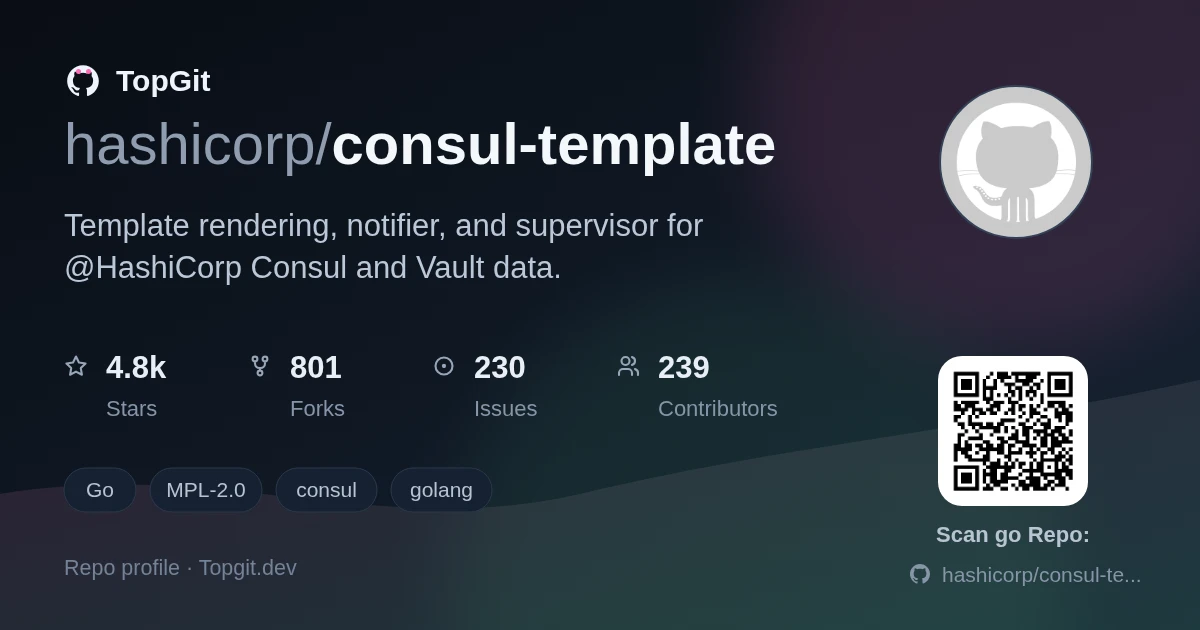
hashicorp/consul-template là dự án Go với 4.8k sao trong nhóm Backend. Template rendering, notifier, and supervisor for @HashiCorp Consul and Vault data.
Tóm tắt dựng từ metadata GitHub của chính dự án — chưa có bài review TopGit. Trang sẽ tự động cập nhật khi bài review đầy đủ được xuất bản.
VÌ SAO CHƯA CÓ REVIEW
TopGit viết bài đầy đủ cho repo có nhiều sao nhất và được yêu cầu nhiều nhất. Trang này là snapshot trong thời gian chờ — xem README gốc ở tab READ ME.
This project provides a convenient way to populate values from Consul
into the file system using the consul-template daemon.
The daemon consul-template queries a Consul, Vault, or Nomad
cluster and updates any number of specified templates on the file system. As an
added bonus, it can optionally run arbitrary commands when the update process
completes. Please see the examples folder for some scenarios where
this functionality might prove useful.
The documentation in this README corresponds to the main branch of Consul Template. It may contain unreleased features or different APIs than the most recently released version.
Please see the Git tag that corresponds to your version of Consul Template for the proper documentation.
Table of Contents
Community Support
Installation
Quick Example
Learn Guides
Configuration
Command Line Flags
Configuration File
Reload Configuration and Templates
Templating Language
API Functions
Scratch
Helper Functions
Math Functions
Observability
Logging
Logging to file
Modes
Once Mode
De-Duplication Mode
Exec Mode
Plugins
Caveats
Docker Image Use
Dots in Service Names
Termination on Error
Commands
Environment
Multiple Commands
Multi-phase Execution
Debugging
FAQ
Contributing
Community Support
If you have questions about how consul-template works, its capabilities or
anything other than a bug or feature request (use github's issue tracker for
those), please see our community support resources.
Community portal: https://discuss.hashicorp.com/tags/c/consul/29/consul-template
Other resources: https://www.consul.io/community.html
Additionally, for issues and pull requests, we'll be using the :+1: reactions
as a rough voting system to help gauge community priorities. So please add :+1:
to any issue or pull request you'd like to see worked on. Thanks.
Installation
Download a pre-compiled, released version from the Consul Template releases page.
Extract the binary using unzip or tar.
Move the binary into $PATH.
To compile from source, please see the instructions in the
contributing section.
Quick Example
This short example assumes Consul is installed locally.
Observe Consul Template has written the file out.txt:
$ cat out.txt
bar
For more examples and use cases, please see the examples folder in
this repository.
Learn Guides
In addition to these examples, HashiCorp has published guides and
official documentation to help walk through a few common use cases for Consul
Template.
Consul KV
Consul Catalog
Vault Agent Templates
Vault Secrets
Nomad Native Service Discovery
Configuration
Configuration documentation has been moved to docs/configuration.md.
Reload Configuration and Templates
While there are multiple ways to run Consul Template, the most common pattern is
to run Consul Template as a system service. When Consul Template first starts,
it reads any configuration files and templates from disk and loads them into
memory. From that point forward, changes to the files on disk do not propagate
to running process without a reload.
The reason for this behavior is simple and aligns with other tools like haproxy.
A user may want to perform pre-flight validation checks on the configuration or
templates before loading them into the process. Additionally, a user may want to
update configuration and templates simultaneously. Having Consul Template
automatically watch and reload those files on changes is both operationally
dangerous and against some of the paradigms of modern infrastructure. Instead,
Consul Template listens for the SIGHUP syscall to trigger a configuration
reload. If you update configuration or templates, simply send HUP to the
running Consul Template process and Consul Template will reload all the
configurations and templates from disk.
Templating Language
Templating Language documentation has been moved to
docs/templating-language.md.
Caveats
Docker Image Use
The Alpine Docker image is configured to support an external volume to render
shared templates to. If mounted you will need to make sure that the
consul-template user in the docker image has write permissions to the
directory. Also if you build your own image using these you need to be sure you
have the permissions correct.
The consul-template user in docker has a UID of 100 and a GID of 1000.
This effects the in image directories /consul-template/config, used to add
configuration when using this as a parent image, and /consul-template/data,
exported as a VOLUME as a location to render shared results.
Previously the image initially ran as root in order to ensure the permissions
allowed it. But this ran against docker best practices and security policies.
If you build your own image based on ours you can override these values with
--build-arg parameters.
Dots in Service Names
Using dots . in service names will conflict with the use of dots for TAG
delineation in the
template. Dots already interfere with using
DNS
for service names, so we recommend avoiding dots wherever possible.
Termination on Error
By default Consul Template is highly fault-tolerant. If Consul is unreachable or
a template changes, Consul Template will happily continue running. The only
exception to this rule is if the optional command exits non-zero. In this
case, Consul Template will also exit non-zero. The reason for this decision is
so the user can easily configure something like Upstart or God to manage Consul
Template as a service.
If you want Consul Template to continue watching for changes, even if the
optional command argument fails, you can append || true to your command. Note
that || is a "shell-ism", not a built-in function. You will also need to run
your command under a shell:
In this example, even if the Nginx restart command returns non-zero, the overall
function will still return an OK exit code; Consul Template will continue to run
as a service. Additionally, if you have complex logic for restarting your
service, you can intelligently choose when you want Consul Template to exit and
when you want it to continue to watch for changes. For these types of complex
scripts, we recommend using a custom sh or bash script instead of putting the
logic directly in the consul-template command or configuration file.
Commands
Environment
The current processes environment is used when executing commands with the following additional environment variables:
CONSUL_HTTP_ADDR
CONSUL_HTTP_TOKEN
CONSUL_HTTP_TOKEN_FILE
CONSUL_HTTP_AUTH
CONSUL_HTTP_SSL
CONSUL_HTTP_SSL_VERIFY
NOMAD_ADDR
NOMAD_NAMESPACE
NOMAD_TOKEN
These environment variables are exported with their current values when the
command executes. Other Consul tooling reads these environment variables,
providing smooth integration with other Consul tools (like consul maint or
consul lock). Additionally, exposing these environment variables gives power
users the ability to further customize their command script.
Multiple Commands
The command configured for running on template rendering must take one of two
forms.
The first is as a list of the command and arguments split at spaces. The
command can use an absolute path or be found on the execution environment's
PATH and must be the first item in the list. This form allows for single or
multi-word commands that can be executed directly with a system call. For
example...
Note that if you give a single command without the list denoting square
brackets ([]) it is converted into a list with a single argument.
This:
command = "foo"
is equivalent to:
command = ["foo"]
The second form is as a single quoted command using system shell features. This
form requires a shell named sh be on the executable search path (eg. PATH
on *nix). This is the standard on all *nix systems and should work out of the
box on those systems. This won't work on, for example, Docker images with only
the executable and without a minimal system like Alpine. Using this form you
can join multiple commands with logical operators, && and ||, use pipelines
with |, conditionals, etc. Note that the shell sh is normally /bin/sh on
*nix systems and is either a POSIX shell or a shell run in POSIX compatible
mode, so it is best to stick to POSIX shell syntax in this command. For
example..
command = "/opt/foo && /opt/bar"
command = "if /opt/foo ; then /opt/bar ; fi"
Using this method you can run as many shell commands as you need with whatever
logic you need. Though it is suggested that if it gets too long you might want
to wrap it in a shell script, deploy and run that.
Shell Commands and Exec Mode
Using the system shell based command has one additional caveat when used for
the Exec mode process (the managed, executed process to which it will propagate
signals). That is to get signals to work correctly means not only does anything
the shell runs need to handle signals, but the shell itself needs to handle
them. This needs to be managed by you as shells will exit upon receiving most
signals.
A common example of this would be wanting the SIGHUP signal to trigger a reload
of the underlying process and to be ignored by the shell process. To get this
you have 2 options, you can use trap to ignore the signal or you can use
exec to replace the shell with another process.
To use trap to ignore the signal, you call trap to catch the signal in the
shell with no action. For example if you had an underlying nginx process you
wanted to run with a shell command and have the shell ignore it you'd do..
The trap '' HUP; bit is enough to get the shell to ignore the HUP signal. If
you left off the trap command nginx would reload but the shell command would
exit but leave the nginx still running, not unmanaged.
Alternatively using exec will replace the shell's process with a sub-process,
keeping the same PID and process grouping (allowing the sub-process to be
managed). This is simpler, but a bit less flexible than trap, and looks
like..
Where the nginx process would replace the enclosing shell process to be managed
by consul-template, receiving the Signals directly. Basically exec eliminates
the shell from the equation.
See your shell's documentation on trap and/or exec for more details on this.
Multi-phase Execution
Consul Template does an n-pass evaluation of templates, accumulating
dependencies on each pass. This is required due to nested dependencies, such as:
{{ range services }}
{{ range service .Name }}
  {{ .Address }}
{{ end }}{{ end }}
During the first pass, Consul Template does not know any of the services in
Consul, so it has to perform a query. When those results are returned, the
inner-loop is then evaluated with that result, potentially creating more queries
and watches.
Because of this implementation, template functions need a default value that is
an acceptable parameter to a range function (or similar), but does not
actually execute the inner loop (which would cause a panic). This is important
to mention because complex templates must account for the "empty" case. For
example, the following will not work:
{{ with index (service "foo") 0 }}
# ...
{{ end }}
This will raise an error like:
<index $services 0>: error calling index: index out of range: 0
That is because, during the first evaluation of the template, the service
key is returning an empty slice. You can account for this in your template like
so:
{{ with service "foo" }}
{{ with index . 0 }}
{{ .Node }}{{ end }}{{ end }}
This will still add the dependency to the list of watches, but will not
evaluate the inner-if, avoiding the out-of-index error.
Debugging
Consul Template can print verbose debugging output. To set the log level for
Consul Template, use the -log-level flag:
$ consul-template -log-level info ...
<timestamp> [INFO] (cli) received redis from Watcher
<timestamp> [INFO] (cli) invoking Runner
# ...
You can also specify the level as debug:
$ consul-template -log-level debug ...
<timestamp> [DEBUG] (cli) creating Runner
<timestamp> [DEBUG] (cli) creating Consul API client
<timestamp> [DEBUG] (cli) creating Watcher
<timestamp> [DEBUG] (cli) looping for data
<timestamp> [DEBUG] (watcher) starting watch
<timestamp> [DEBUG] (watcher) all pollers have started, waiting for finish
<timestamp> [DEBUG] (redis) starting poll
<timestamp> [DEBUG] (service redis) querying Consul with &{...}
<timestamp> [DEBUG] (service redis) Consul returned 2 services
<timestamp> [DEBUG] (redis) writing data to channel
<timestamp> [DEBUG] (redis) starting poll
<timestamp> [INFO] (cli) received redis from Watcher
<timestamp> [INFO] (cli) invoking Runner
<timestamp> [DEBUG] (service redis) querying Consul with &{...}
# ...
FAQ
Q: How is this different than confd?
A: The answer is simple: Service Discovery as a first class citizen. You are also encouraged to read this Pull Request on the project for more background information. We think confd is a great project, but Consul Template fills a missing gap. Additionally, Consul Template has first class integration with Vault, making it easy to incorporate secret material like database credentials or API tokens into configuration files.
Q: How is this different than Puppet/Chef/Ansible/Salt?
A: Configuration management tools are designed to be used in unison with Consul Template. Instead of rendering a stale configuration file, use your configuration management software to render a dynamic template that will be populated by Consul.
Q: How does compatibility with Consul look like?
A: The following table shows the compatibility of Consul Template with Consul versions:
Consul v1.16
Consul v1.17
Consul v1.18
Consul v1.16+ent
Consul v1.17+ent
CT v0.37
✅
✅
✅
✅
✅
CT v0.36
✅
✅
✅
N/A
N/A
CT v0.35
✅
✅
✅
N/A
N/A
CT v0.34
✅
✅
✅
N/A
N/A
N/A = ENT tests were not supported before this version
Contributing
To build and install Consul-Template locally, you will need to install Go.
hashicorp/consul-template thuộc nhóm Backend trên TopGit, cùng 3 topic GitHub. Trang Trending và Topics liệt kê các repo cùng số sao và cùng ngôn ngữ để so sánh.
Đọc thêm về hashicorp/consul-template ở đâu?
Trang TopGit này là một snapshot — tab "Readme" hiển thị nguyên văn README của repo (đã bỏ link, giữ ảnh). Repo GitHub ở github.com/hashicorp/consul-template là nguồn chính thức.
hashicorp/consul-template có bao nhiêu sao?
hashicorp/consul-template có 4.8k sao GitHub — tải lại trang để xem số mới nhất, hoặc xem trực tiếp github.com/hashicorp/consul-template. TopGit phản chiếu số sao của GitHub nhưng không cam kết đến từng phút.
hashicorp/consul-template có phải mã nguồn mở không?
Có — hashicorp/consul-template phát hành theo license MPL-2.0, nghĩa là mã nguồn mở để đọc, fork và (tùy license) tái sử dụng. Mã: github.com/hashicorp/consul-template.
hashicorp/consul-template còn đang phát triển không?
Commit gần nhất trên hashicorp/consul-template là 4 tháng trước (theo timestamp GitHub). Repo có 806 fork — một chỉ báo về mức độ quan tâm của cộng đồng.
hashicorp/consul-template dùng license gì?
hashicorp/consul-template phát hành theo license MPL-2.0. Nên mở file LICENSE trên GitHub để xác nhận — license metadata đôi khi lệch với thực tế dự án.
hashicorp/consul-template là gì?
hashicorp/consul-template (hashicorp/consul-template) là dự án Go trên GitHub. Theo mô tả gốc: Template rendering, notifier, and supervisor for @HashiCorp Consul and Vault data.
hashicorp/consul-template viết bằng ngôn ngữ gì?
hashicorp/consul-template chủ yếu viết bằng Go. Trường "language" của GitHub dựa trên phần lớn byte ở nhánh mặc định.
Đọc đầy đủ README ở tab phía trên.
Muốn nghe thêm một ý kiến về consul-template?
Hỏi một AI đọc được trang này — một cú bấm là có ngay nhận định về consul-template.

 /consul-template