HQarroum/docker-android là dự án tích hợp AI trên GitHub với 7.2k sao, viết chủ yếu bằng Shell. 🤖 A minimal and customizable Docker image running the Android emulator as a service.
Tóm tắt dựng từ metadata GitHub của chính dự án — chưa có bài review TopGit. Trang sẽ tự động cập nhật khi bài review đầy đủ được xuất bản.
VÌ SAO CHƯA CÓ REVIEW
TopGit viết bài đầy đủ cho repo có nhiều sao nhất và được yêu cầu nhiều nhất. Trang này là snapshot trong thời gian chờ — xem README gốc ở tab READ ME.
A minimal and customizable Docker image running the Android emulator as a service.
Current version: 1.1.0
📋 Table of contents
Features
Description
Usage
See also
🔖 Features
Minimal Alpine based image bundled with the Android emulator and KVM support.
Bundles the Java Runtime Environment 11 in the image.
Customizable Android version, device type and image types.
Port-forwarding of emulator and ADB on the container network interface built-in.
Emulator images are wiped each time the emulator re-starts.
Runs headless, suitable for CI farms. Compatible with scrcpy to remotely control the Android screen.
🔰 Description
The focus of this project is to provide a size-optimized Docker image bundled with the minimal amount of software required to expose a fully functionning Android emulator that's remotely controllable over the network. This image only contains the Android emulator itself, an ADB server used to remotely connect into the emulator from outside the container, and QEMU with libvirt support.
You can build this image without the Android SDK and without the Android emulator to make the image smaller. Below is a size comparison between some of the possible build variants.
Variant
Uncompressed
Compressed
API 33 + Emulator
5.84 GB
1.97 GB
API 32 + Emulator
5.89 GB
1.93 GB
API 28 + Emulator
4.29 GB
1.46 GB
Without SDK and emulator
414 MB
138 MB
📘 Usage
By default, a build will bundle the Android SDK, platform tools and emulator with the image.
with docker-compose:
docker compose up android-emulator
or with GPU acceleration
docker compose up android-emulator-cuda
or for example with GPU acceleration and google playstore
docker compose up android-emulator-cuda-store
with only docker
docker build -t android-emulator .
Keys
To run google_apis_playstore image, you need to have same adbkey between emulator and client.
You can generate one by running adb keygen adbkey, that generates 2 files - adbkey and adbkey.pub.
override them inside ./keys directory.
Running the container
Once the image is built, you can mount your KVM driver on the container and expose its ADB port.
Ensure 4GB of memory and at least 8GB of disk space for API 33.
docker run -it --rm --device /dev/kvm -p 5555:5555 android-emulator
Save data/storage after restart (wipe)
All avd save in docker dir /data, name for avd is android
The ADB server in the container will be spawned automatically and listen on all interfaces in the container. After a few seconds, once the kernel has booted, you will be able to connect ADB to the container.
adb connect 127.0.0.1:5555
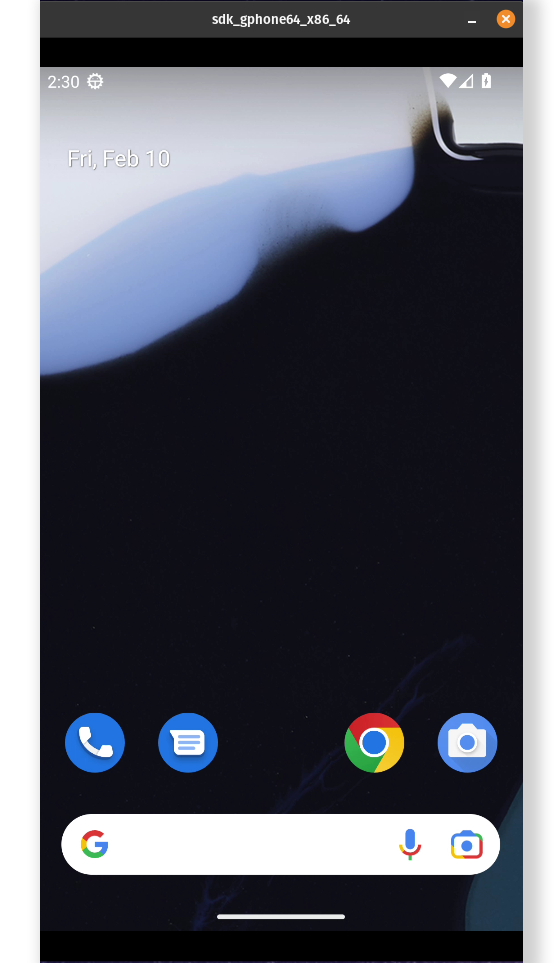
Additionally, you can use scrcpy to control the screen of the emulator remotely. To do so, you simply have to connect ADB and run it locally.
By default, the emulator runs with a Pixel preset (1080x1920).
scrcpy
Customize the image
It is possible to customize the API level (Android version) and the image type (Google APIs vs PlayStore) when building the image.
By default, the image will build with API 33 with support for Google APIs for an x86_64 architecture.
This can come in handy when integrating multiple images as part of a CI pipeline where an application or a set of applications need to be tested against different Android versions. There are 2 variables that can be specified at build time to change the Android image.
API_LEVEL - Specifies the API level associated with the image. Use this parameter to change the Android version.
IMG_TYPE - Specifies the type of image to install.
ARCHITECTURE Specifies the CPU architecture of the Android image. Note that only x86_64 and x86 are actively supported by this image.
The below example will install Android Pie with support for the Google Play Store.
It might be sometimes useful to have the entire Android SDK folder outside of the container (stored on a shared distributed filesystem such as NFS for example), to significantly reduce the size and the build time of the image.
To do so, you can specify a specific argument at build time to disable the download and installation of the SDK in the image.
Different pre-built images of docker-android exist on Docker Hub. Each image variant is tagged using its the api level and image type. For example, to pull an API 33 image, you can run the following.
docker pull halimqarroum/docker-android:api-33
👀 See also
The alpine-android project which is based on a different Alpine image.
The docker-android project which offers a WebRTC interface to an Android emulator.
HQarroum/docker-android thuộc nhóm AI Tools trên TopGit, cùng 5 topic GitHub. Trang Trending và Topics liệt kê các repo cùng số sao và cùng ngôn ngữ để so sánh.
Đọc thêm về HQarroum/docker-android ở đâu?
Trang TopGit này là một snapshot — tab "Readme" hiển thị nguyên văn README của repo (đã bỏ link, giữ ảnh). Repo GitHub ở github.com/HQarroum/docker-android là nguồn chính thức.
HQarroum/docker-android có phải mã nguồn mở không?
Có — HQarroum/docker-android phát hành theo license MIT, nghĩa là mã nguồn mở để đọc, fork và (tùy license) tái sử dụng. Mã: github.com/HQarroum/docker-android.
HQarroum/docker-android là gì?
HQarroum/docker-android (HQarroum/docker-android) là dự án Shell trên GitHub. Theo mô tả gốc: 🤖 A minimal and customizable Docker image running the Android emulator as a service.
HQarroum/docker-android so với các dự án AI Tools khác thế nào?
HQarroum/docker-android được TopGit xếp vào nhóm AI Tools, với 7.2k sao GitHub và viết bằng Shell. Xem trang chủ đề AI Tools trên TopGit để so sánh với các dự án tương tự theo số sao và mức độ hoạt động.
Vì sao HQarroum/docker-android được xếp vào nhóm AI Tools?
TopGit xếp HQarroum/docker-android vào nhóm AI Tools dựa trên GitHub topics và mô tả của repo (gắn thẻ: "android", "android-emulator", "ci-pipeline"). Việc phân loại dựa trên metadata thật của repo, không phải đoán theo cảm tính biên tập.
Đọc đầy đủ README ở tab phía trên.
docker-android có đáng để bạn bỏ thời gian?
ChatGPT, Claude và Perplexity đều đọc được trang này. Hỏi thử xem họ nghĩ gì về docker-android.
 /docker-android