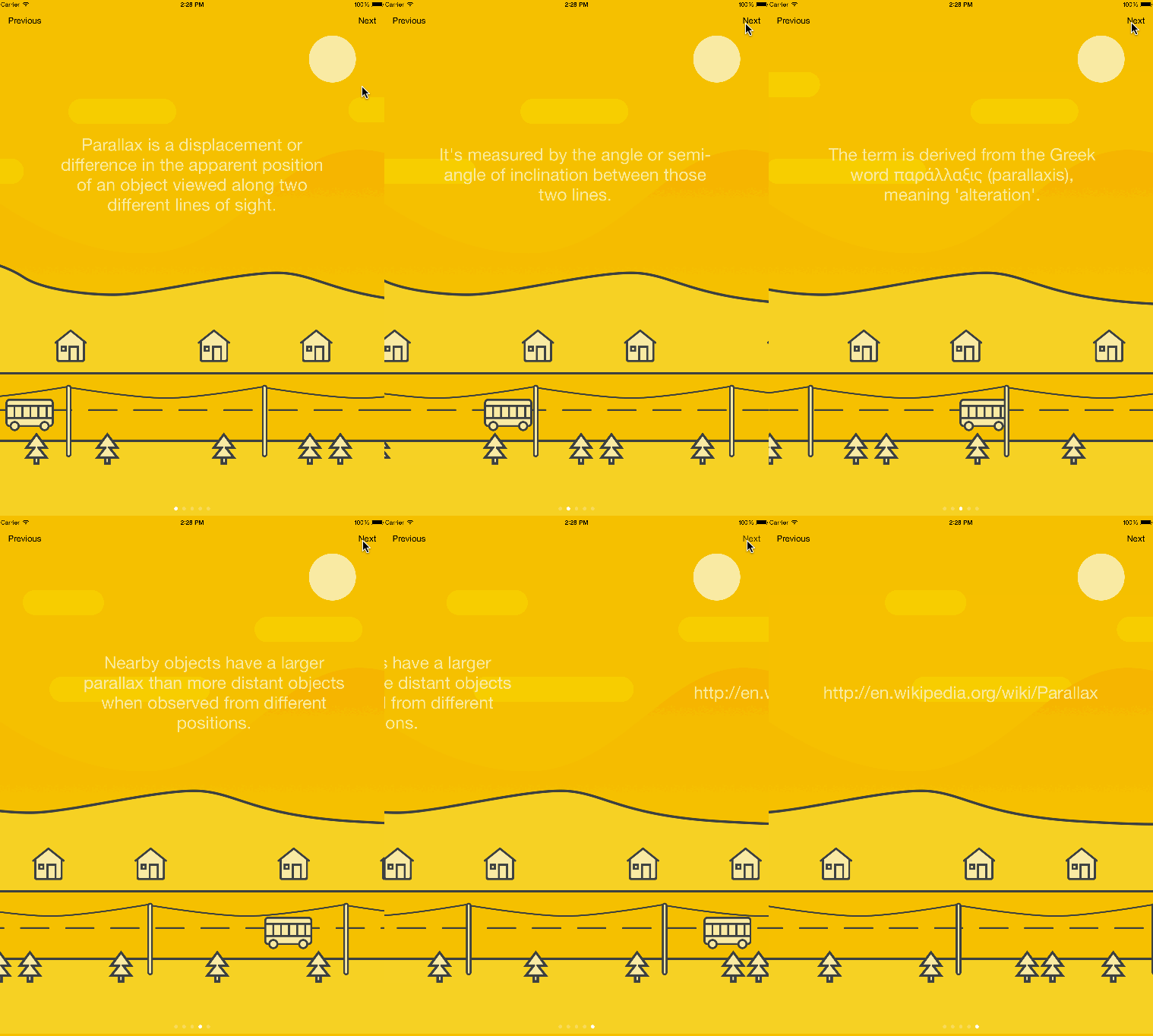
TopGit theo dõi hyperoslo/Presentation trên GitHub trong nhóm Mobile, đã đạt 3.1k sao. :bookmark_tabs: Presentation helps you to make tutorials, release notes and animated pages.
Tóm tắt dựng từ metadata GitHub của chính dự án — chưa có bài review TopGit. Trang sẽ tự động cập nhật khi bài review đầy đủ được xuất bản.
VÌ SAO CHƯA CÓ REVIEW
TopGit viết bài đầy đủ cho repo có nhiều sao nhất và được yêu cầu nhiều nhất. Trang này là snapshot trong thời gian chờ — xem README gốc ở tab READ ME.
Looking for the easiest way of presenting something in your iOS app? Then you are in the right place. Presentation will help you make your tutorials, release notes and any kind of animated pages with the minimum amount of effort.
Presentation includes the following features:
Custom positioning: You can use Position for percentage-based position declaration.
Content: View model used for custom positioning and animations. It translates your percents to AutoLayout constraints behind the scenes.
Slides: You can use any kind of UIViewController as a slide. SlideController is your good friend if you want to use custom positioning and animation features on your pages.
Background: You can add views that are visible across all the pages. Also it's possible to animate those views during the transition to the specific page.
Animations: You can easily animate the appearance of a view on the specific page.
Presentation works both on the iPhone and the iPad. You can use it with both Swift and Objective-C.
Try one of our demos to see how it works:
pod try Presentation
Table of Contents
Usage
Presentation controller
Position
Content view model
Slides
Page animations
Background views
Installation
Components
Contributing
Credits
License
Usage
Presentation controller
import Presentation

let viewController1 = UIViewController()
viewController1.title = "Controller A"

let viewController2 = UIViewController()
viewController2.title = "Controller B"

let presentationController = PresentationController(pages: [viewController1, viewController2])
If that's the only thing you need, look into Pages.
Position
Position is percentage-based; you can use left, right, top, bottom to set a position.
let position = Position(left: 0.3, top: 0.4)
Content view model
Content view model is a layer between UIView and Position. The current position is the center of a view by default, but can also be changed to the origin of a view.
let view = UIView(frame: CGRect(x: 0, y: 0, width: 200, height: 100))
let position = Position(left: 0.3, top: 0.4)

let centeredContent = Content(view: label, position: position)
let originContent = Content(view: label, position: position, centered: false)
Slides
let label = UILabel(frame: CGRect(x: 0, y: 0, width: 200, height: 100))
label.text = "Slide 1"

let position = Position(left: 0.3, top: 0.4)
let content = Content(view: label, position: position)

let controller = SlideController(contents: [content])

presentationController.add([controller])
Page animations
let contents = ["Slide 1", "Slide 2", "Slide 3"].map { title -> Content in
  let label = UILabel(frame: CGRect(x: 0, y: 0, width: 200, height: 100))
  label.text = title

  let position = Position(left: 0.3, top: 0.4)

  return Content(view: label, position: position)
}

var slides = [SlideController]()

for index in 0...2 {
  let content = contents[index]
  let controller = SlideController(contents: [content])
  let animation = TransitionAnimation(
    content: content,
    destination: Position(left: 0.5, top: content.initialPosition.top),
    duration: 2.0,
    dumping: 0.8,
    reflective: true)
  controller.add(animations: [animation])

  slides.append(controller)
}

presentationController.add(slides)
Presentation is available through CocoaPods. To install
it, simply add the following line to your Podfile:
pod 'Presentation'
Presentation is also available through Carthage.
To install just write into your Cartfile:
github "hyperoslo/Presentation"
Components
Presentation wouldn’t be possible without the help of these components:
Pages: The easiest way of setting up a UIPageViewController
Cartography: Helps you set up your Auto Layout constraints declaratively and without any stringly typing!
Contributing
Please see our playbook for guidelines on contributing.
Credits
Hyper made this. We’re a digital communications agency with a passion for good code and delightful user experiences. If you’re using this library we probably want to hire you (we consider remote employees, too; the only requirement is that you’re awesome).
License
Presentation is available under the MIT license. See the LICENSE.
Trang TopGit này là một snapshot — tab "Readme" hiển thị nguyên văn README của repo (đã bỏ link, giữ ảnh). Repo GitHub ở github.com/hyperoslo/Presentation là nguồn chính thức.
hyperoslo/Presentation có bao nhiêu sao?
hyperoslo/Presentation có 3.1k sao GitHub — tải lại trang để xem số mới nhất, hoặc xem trực tiếp github.com/hyperoslo/Presentation. TopGit phản chiếu số sao của GitHub nhưng không cam kết đến từng phút.
hyperoslo/Presentation có phải mã nguồn mở không?
TopGit chưa ghi nhận license cho hyperoslo/Presentation. Phần lớn repo public trên GitHub là mã nguồn mở, nhưng điều khoản khác nhau từng repo — mở file LICENSE để xác nhận.
hyperoslo/Presentation còn đang phát triển không?
Commit gần nhất trên hyperoslo/Presentation là 6.2 năm trước (theo timestamp GitHub). Repo có 185 fork — một chỉ báo về mức độ quan tâm của cộng đồng.
hyperoslo/Presentation là gì?
hyperoslo/Presentation (hyperoslo/Presentation) là dự án Swift trên GitHub. Theo mô tả gốc: :bookmark_tabs: Presentation helps you to make tutorials, release notes and animated pages.
hyperoslo/Presentation so với các dự án Mobile khác thế nào?
hyperoslo/Presentation được TopGit xếp vào nhóm Mobile, với 3.1k sao GitHub và viết bằng Swift. Xem trang chủ đề Mobile trên TopGit để so sánh với các dự án tương tự theo số sao và mức độ hoạt động.
Đọc đầy đủ README ở tab phía trên.
Vẫn đang phân vân về Presentation?
Một cú bấm sẽ gửi câu hỏi kèm trang này cho AI — xem AI nói gì về Presentation.
 /Presentation