ianyh/Amethyst là dự án mã nguồn mở trên GitHub, viết chủ yếu bằng Swift, với 16.2k sao. Automatic tiling window manager for macOS à la xmonad.
Tóm tắt dựng từ metadata GitHub của chính dự án — chưa có bài review TopGit. Trang sẽ tự động cập nhật khi bài review đầy đủ được xuất bản.
VÌ SAO CHƯA CÓ REVIEW
TopGit viết bài đầy đủ cho repo có nhiều sao nhất và được yêu cầu nhiều nhất. Trang này là snapshot trong thời gian chờ — xem README gốc ở tab READ ME.
Tiling window manager for macOS along the lines of xmonad.
If you want to learn more about tiling window managers and the features of Amethyst there are some great community resources on YouTube.
Boost your MacOS PRODUCTIVITY with Amethyst | Tiling Window Manager
Getting Amethyst
Amethyst is available for direct download on the releases page or using homebrew cask.
brew install --cask amethyst
Note: that Amethyst now is only supported on macOS 10.15+.
Using Amethyst
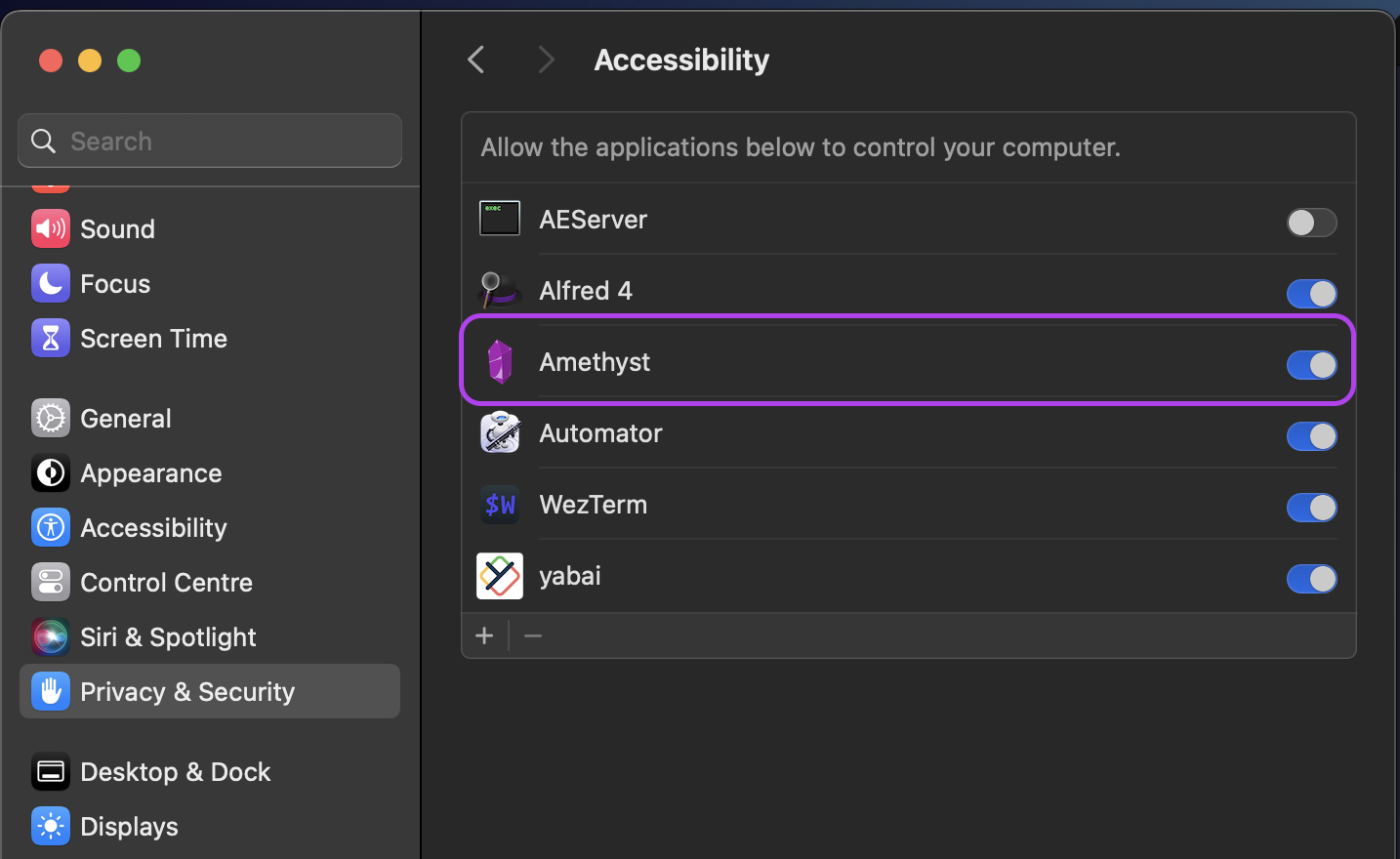
Amethyst must be given permissions to use the accessibility APIs in the Privacy & Security tab, Privacy -> Accessibilty.
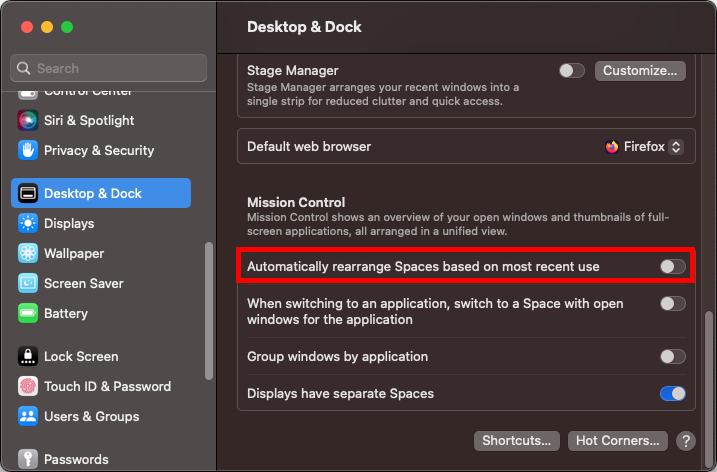
Important note: You will probably want to disable Automatically rearrange Spaces based on most recent use (found under Mission Control in System Preferences). This setting is enabled by default, and will cause your Spaces to swap places based on use. This makes keyboard navigation between Spaces unpredictable.
or run in a terminal:
defaults write com.apple.dock workspaces-auto-swoosh -bool NO
killall Dock
Troubleshooting
See Troubleshooting for some common issues.
Configuration
Keyboard Shortcuts
Amethyst uses two modifier combinations (mod1 and mod2) and can optionally use another two (mod3 and mod4).
Default Shortcut
Description
mod1
option + shift
mod2
ctrl + option + shift
mod3
not defined by default
mod4
not defined by default
And defines the following commands, mostly a mapping to xmonad key combinations.
Default Shortcut
Description
mod1 + space
Cycle layout forward
mod2 + space
Cycle layout backwards
mod1 + h
Shrink the main pane
mod1 + l
Expand the main pane
mod1 + ,
Increase main pane count
mod1 + .
Decrease main pane count
mod1 + j
Move focus counter clockwise
mod1 + k
Move focus clockwise
mod1 + p
Move focus to counter clockwise screen
mod1 + n
Move focus to clockwise screen
mod2 + h
Swap focused window to counter clockwise screen
mod2 + l
Swap focused window to clockwise screen
mod2 + j
Swap focused window counter clockwise
mod2 + k
Swap focused window clockwise
mod1 + enter
Swap focused window with main window
mod1 + z
Force windows to be reevaluated
mod2 + z
Relaunch Amethyst
mod2 + left
Throw focused window to space left
mod2 + right
Throw focused window to space right
mod2 + 1
Throw focused window to space 1
mod2 + 2
Throw focused window to space 2
mod2 + 3
Throw focused window to space 3
mod2 + 4
Throw focused window to space 4
mod2 + 5
Throw focused window to space 5
mod2 + 6
Throw focused window to space 6
mod2 + 7
Throw focused window to space 7
mod2 + 8
Throw focused window to space 8
mod2 + 9
Throw focused window to space 9
mod2 + 0
Throw focused window to space 10
none
Throw focused window to space 11
none
Throw focused window to space 12
none
Throw focused window to space 13
none
Throw focused window to space 14
none
Throw focused window to space 15
none
Throw focused window to space 16
mod1 + w
Focus Screen 1
mod2 + w
Throw focused window to screen 1
mod1 + e
Focus Screen 2
mod2 + e
Throw focused window to screen 2
mod1 + r
Focus Screen 3
mod2 + r
Throw focused window to screen 3
mod1 + q
Focus Screen 4
mod2 + q
Throw focused window to screen 4
mod1 + g
Focus Screen 5
mod2 + g
Throw focused window to screen 5
mod1 + t
Toggle float for focused window
mod1 + i
Display current layout
mod2 + t
Toggle global tiling
mod1 + a
Select tall layout
none
Select tall-right layout
mod1 + s
Select wide layout
none
Select middle-wide layout
mod1 + d
Select fullscreen layout
mod1 + f
Select column layout
none
Select row layout
none
Select floating layout
none
Select widescreen-tall layout
none
Select bsp layout
Available Layouts
Amethyst allows you to cycle among several different window layouts.
Layouts can also be enabled/disabled to control whether they appear in the cycle sequence at all.
Tall
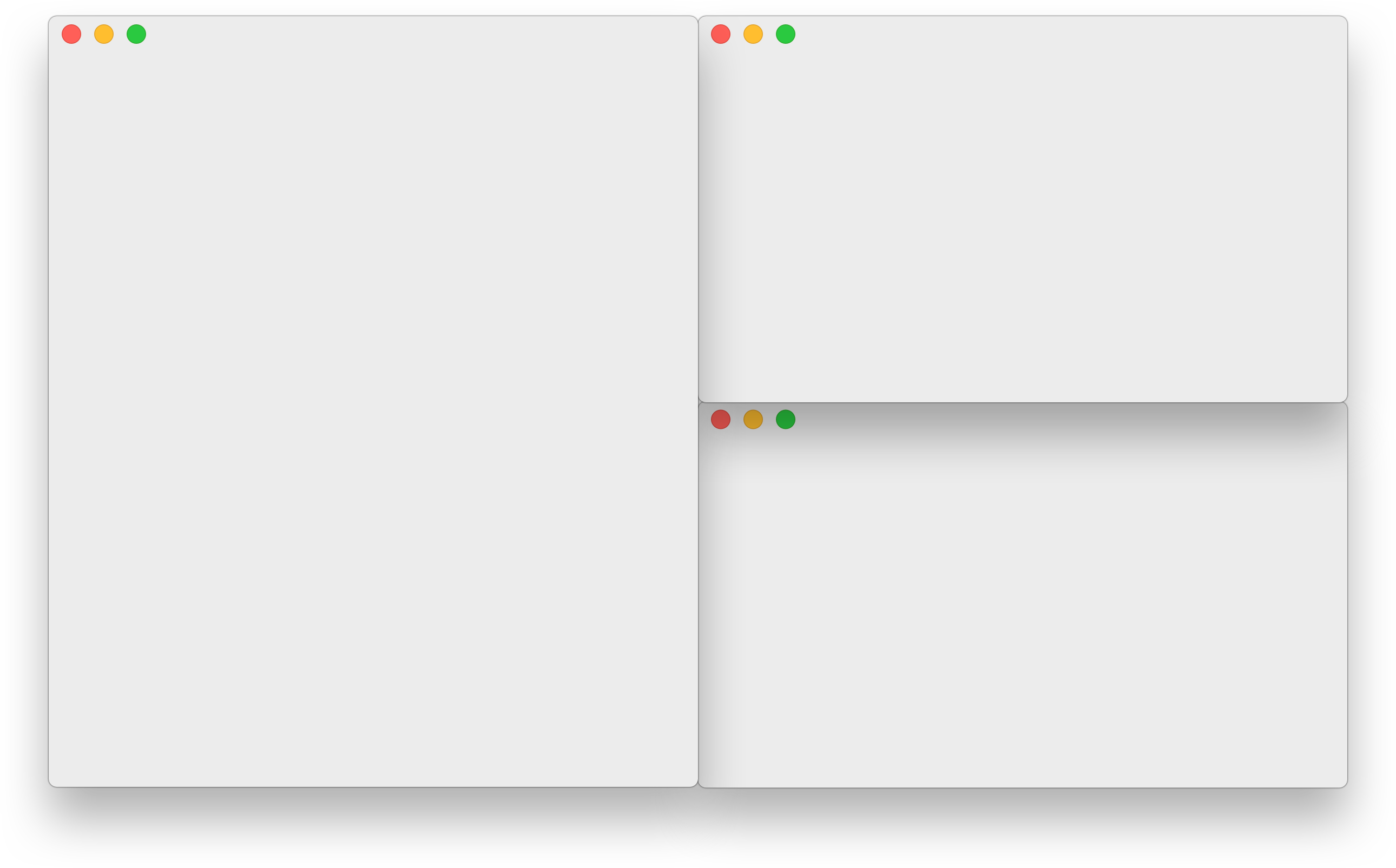
The default layout. This gives you one "main pane" on the left, and one other pane on the right. By default, one window is placed in the main pane (extending the full height of the screen), and all remaining windows are placed in the other pane. If either pane has more than one window, that pane will be evenly split into rows, to show them all. You can use the keyboard shortcuts above to control which window(s), and how many, are in the main pane, as well as the horizontal size of the main pane vs. the other pane.
Tall-Right
Exactly the same as Tall, but the main pane is on the right, with the other pane on the left.
Wide
The rotated version of Tall, where the main pane is on the top (extending the full width of the screen), and the other pane is on the bottom. If either pane has more than one window, that pane will split into columns instead of rows.
Two Pane
This layout has two visible panes - the main and the secondary pane. The window
in the main pane is pinned, just like in other layouts, and all the remaining
windows are placed in the other pane with only one window being visible at a
time, which can be swapped (using the keyboard shortcuts). This layout
automatically adapts to horizontal/vertical tiling depending on your screen
orientation. The main pane is on the left in the horizontal orientation and it's
on the top in the vertical orientation.
Two Pane Right
Exactly the same as Two Pane, but the main pane is on the right, with the other pane on the left.
3Column-Left
A three-column version of Tall, with one main pane on the left (extending the full height of the screen) and two other panes, one in the middle and one on the right. Like Tall, if any pane has more than one window, that pane will be split into rows. You can control how many windows are in the main pane as usual; other windows will be assigned as evenly as possible between the other two panes.
3Column-Middle
Exactly like 3Column-Left, but the main pane is in the middle, with the other panes on either side. (In previous versions of Amethyst, this layout was known as Middle-Wide.)
3Column-Right
Exactly like 3Column-Left, but the main pane is on the right, with the other panes in the middle and on the left.
Widescreen-Tall
This mode is like Tall, but if there are multiple windows in the main pane,
the main pane splits into columns rather than rows.
The other pane still splits windows into rows, like Tall.
This layout gets its name because it probably makes the most sense on very
wide screens, with a large main pane consisting of several columns, and all
remaining windows stacked into the final column.
Other layouts that work well on very wide screens include any that allow for
more than two columns (to take advantage of the screen width), such as
any of the 3Column-* layouts, or Column.
Fullscreen
In this layout, the currently focused window takes up the entire screen, and the other windows are not visible at all. You can rotate between each of the windows using the "focus the next window" shortcut, as usual.
Column
This layout has one column per window, with each window extending the full height of the screen. The farthest-left window is considered the "main" window in the sense that you can change its size with the "shrink/expand the main pane" shortcuts; the other windows split the remaining space evenly.
Row
The rotated version of Column, where each window takes up an entire row, extending the full width of the screen.
Floating
This mode makes all windows "floating", allowing you to move and resize them as if Amethyst were temporarily deactivated. Unlike the other modes, this will mean that windows can be placed "on top of" each other, obscuring your view of some windows.
Binary Space Partitioning (BSP)
This layout does not have a main pane in the way that other layouts do. When adding windows, any given pane can be split evenly into two panes along whatever axis is longer. This is recursive such that pane A can be split in the middle into pane A on the left and pane B on the right; pane B can then be split into pane B on top and pane C on bottom; pane C can then be split into pane C on the left and pane D on the right; and so on.
Custom (beta)
Custom layouts can be implemented via JavaScript. See Custom Layouts.
Configuration File
Amethyst supports configuration via YAML in the home directory. See Configuration Files. Note that if configuration file is present, it will override the settings defined via the GUI.
Building Amethyst Locally
If you would like to test your changes locally, Amethyst can be built using fastlane. Just run the command fastlane in the root folder, and the app will be available at ./build/Amethyst.app. (You may need to provision the app under "Signing & Capabilities" in XCode first.)
Contributing
If you'd like to contribute please branch off of the development branch and open pull requests against it rather than master. Otherwise just try to stick to the general style of the code.
Donating
Amethyst is free and always will be. That said, a couple of people have expressed their desire to donate money in appreciation. Given the current political climate I would recommend donating to one of these organizations instead:
American Civil Liberties Union
Planned Parenthood
Southern Poverty Law Center
National Resources Defense Council
International Refugee Assistance Project
NAACP Legal Defense Fund
The Trevor Project
Mexican American Legal Defense Fund
ProPublica
And a bunch of technology-oriented ones:
National Center for Women & Information Technology
Trang TopGit này là một snapshot — tab "Readme" hiển thị nguyên văn README của repo (đã bỏ link, giữ ảnh). Repo GitHub ở github.com/ianyh/Amethyst là nguồn chính thức.
ianyh/Amethyst có bao nhiêu sao?
ianyh/Amethyst có 16.2k sao GitHub — tải lại trang để xem số mới nhất, hoặc xem trực tiếp github.com/ianyh/Amethyst. TopGit phản chiếu số sao của GitHub nhưng không cam kết đến từng phút.
ianyh/Amethyst có những chủ đề gì?
GitHub topics của ianyh/Amethyst: "mac", "macos", "window-manager", "xmonad". TopGit xếp repo vào nhóm mã nguồn mở.
ianyh/Amethyst còn đang phát triển không?
Commit gần nhất trên ianyh/Amethyst là 4 tháng trước (theo timestamp GitHub). Repo có 526 fork — một chỉ báo về mức độ quan tâm của cộng đồng.
ianyh/Amethyst viết bằng ngôn ngữ gì?
ianyh/Amethyst chủ yếu viết bằng Swift. Trường "language" của GitHub dựa trên phần lớn byte ở nhánh mặc định.
Đọc đầy đủ README ở tab phía trên.
Chưa chắc Amethyst có hợp với bạn?
Để ChatGPT, Claude hoặc Perplexity tìm hiểu giúp — bấm bên dưới và xem AI nói gì về Amethyst.
 /Amethyst