iperov/SSHG — 21★ trên GitHub. Simple Synthetic Head Generator
Tóm tắt dựng từ metadata GitHub của chính dự án — chưa có bài review TopGit. Trang sẽ tự động cập nhật khi bài review đầy đủ được xuất bản.
VÌ SAO CHƯA CÓ REVIEW
TopGit viết bài đầy đủ cho repo có nhiều sao nhất và được yêu cầu nhiều nhất. Trang này là snapshot trong thời gian chờ — xem README gốc ở tab READ ME.
Generate your own synthetic human head dataset for free using Blender software. The dataset can be used in face analysis, model pretraining, and other machine learning tasks.
Limitations
The facial model has extensive deformations to ensure high variability. This makes it difficult to adapt eyes and teeth for such deformations.
Therefore, eyes and teeth are not present in the 3D model. You cannot use the dataset for tasks that require eyes or teeth, for example relighting. A random background is drawn instead.
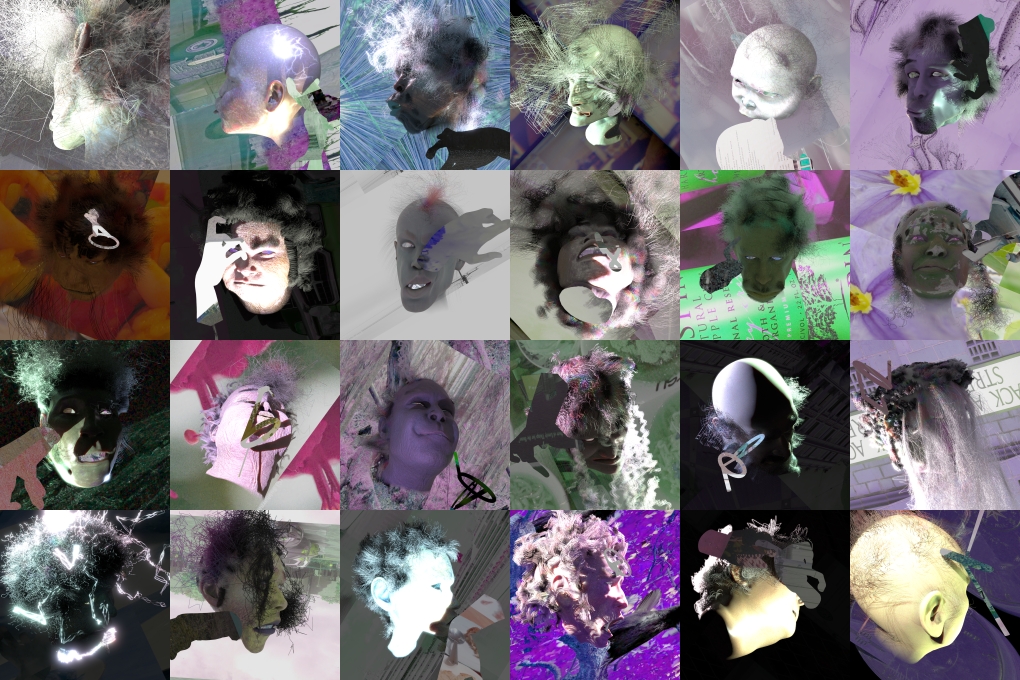
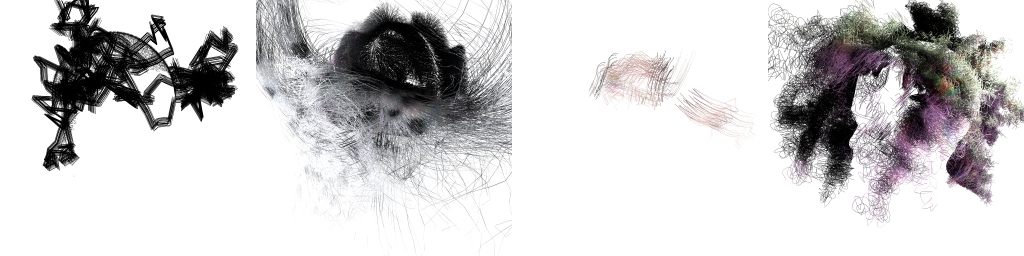
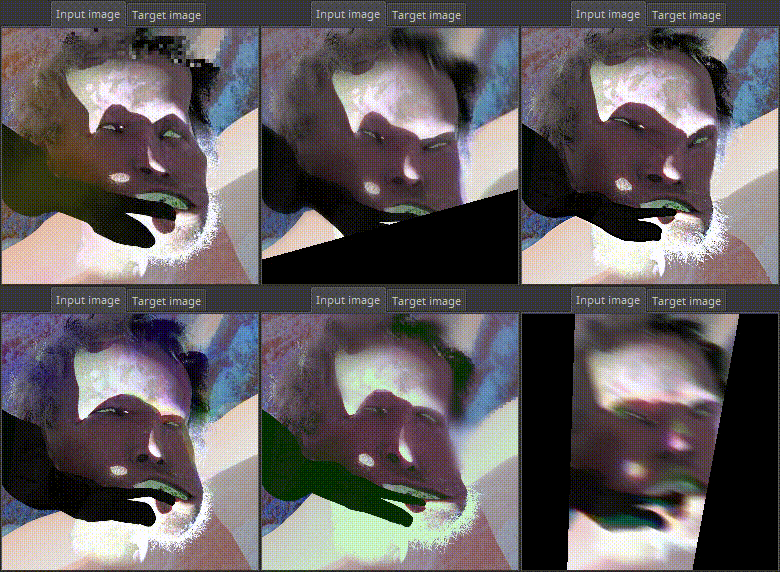
Random background
The simplicity is that I don't need to draw real world environments, real hats, real glasses, real clothes, and other things.
Random pictures from the real world that don't contain faces (not noise) are enough for the neural network to ignore everything but the head or face itself.
Example results
Currently, the effectiveness of dataset for real-world tasks is unproven. Feel free to train the models and post your results in Issues section.
Requirements
Blender 4.2 or higher. No additional dependencies or plugins required.
Installation
For ease of use, a ready-made one-click to run archive for Windows is available here, containing:
Blender 4.2 Portable
Project folder
.bat files
User manual
Start rendering without Blender UI
run SSHG_render.bat - infinite render using current settings. The output will be placed in SSHG\render\
run SSHG_render_CUDA.bat - same + override render device to CUDA
Change the settings
run SSHG_blender.bat
change SSHG settings in the SSHG tab
change device settings in Edit -> Preferences -> System
save the project
close Blender
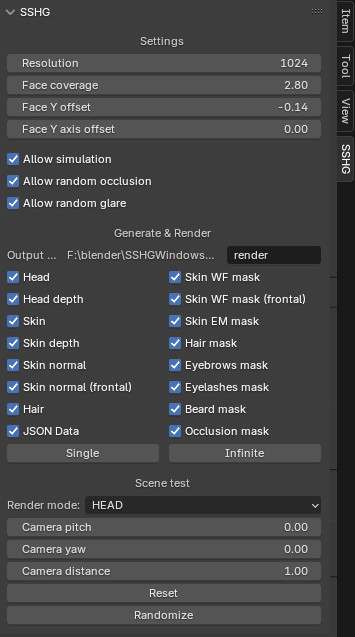
SSHG tab settings
Resolution
Output square resolution of all images. Default: 1024
Face coverage
Increases facial coverage of the output image in all directions from the center. Default: 2.80
Face Y offset
Shifts the face along the Y axis of the output image plane. Default: -0.14
Face Y axis offset
Shifts the yaw-axis around which the head spins. With this parameter, the face can be aligned similar to classic umeyama-align by 2D Landmarks, or rotated around the center of the head. Default: 0.0
Allow simulation
Allows hair simulation.
Allow random occlusion
Allows facial occlusions with random backgrounds shaped like hands, microphones, glasses, cigarettes, and the like.
Allow random glare
Add glare to HEAD and SKIN modes with random probability.
Output dir
Name of output dir relative to .blend root dir.
Output types
Check the checkboxes for the desired output types.
[Single] button
Render single.
[Infinite] button
Render infinite. UI will not unlock.
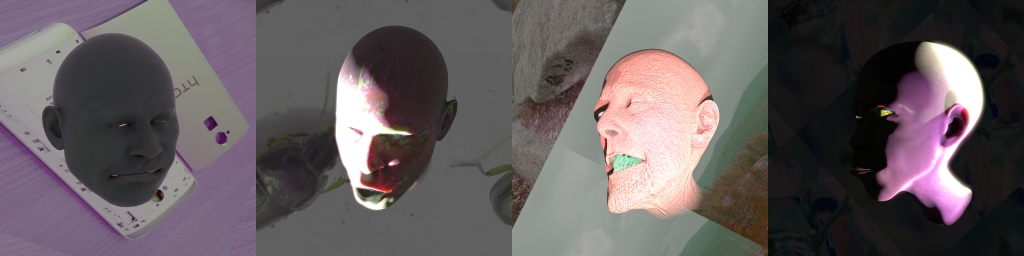
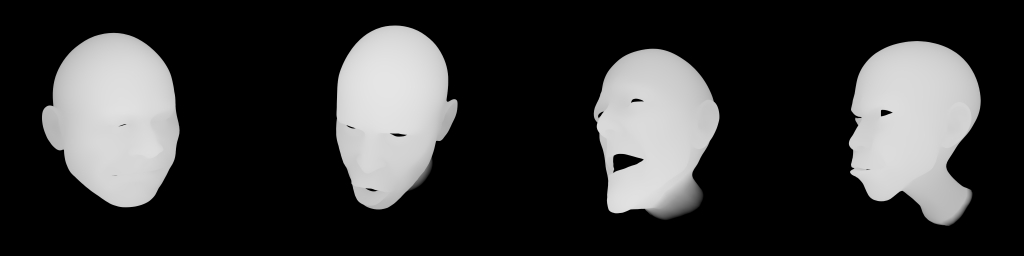
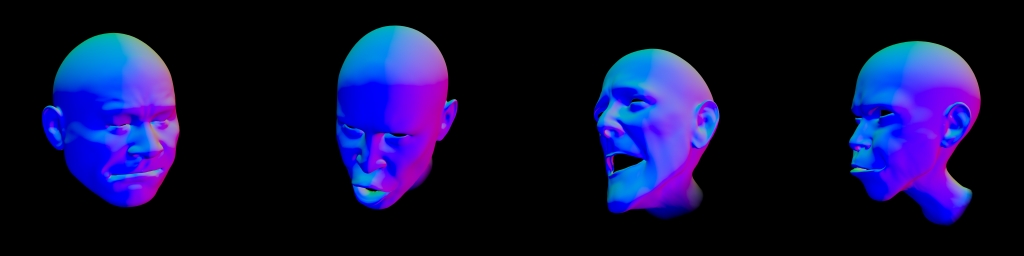
Output type examples
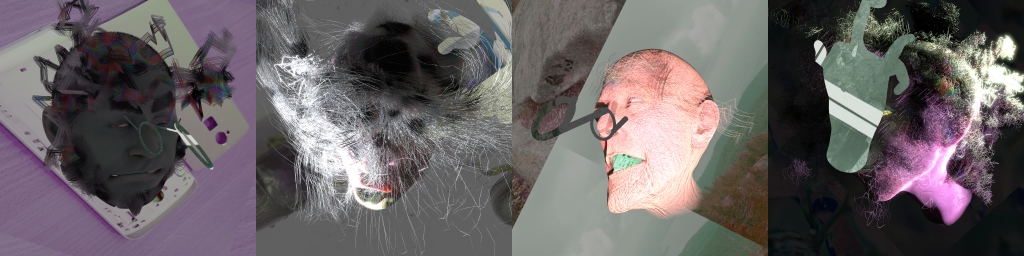
HEAD
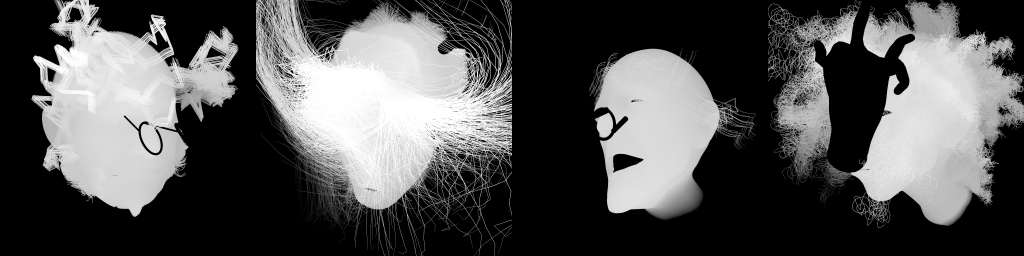
HEAD_DEPTH
Center head towards cam +15cm = 1.0
Center head towards cam -15cm = 0.0
HAIR
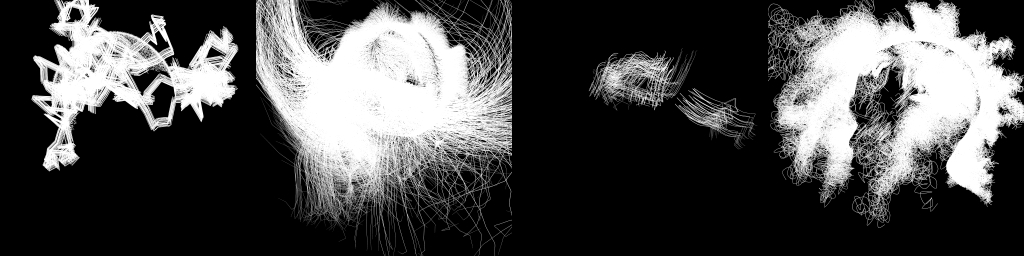
Hair-only on transparent background.
SKIN
SKIN_DEPTH
SKIN_EM_MASK
SKIN_NORMAL
SKIN_WF_MASK
FRONTAL_SKIN_NORMAL
FRONTAL_SKIN_WF_MASK
HAIR_MASK
BEARD_MASK
EYEBROWS_MASK
EYELASHES_MASK
OCCLUSION_MASK
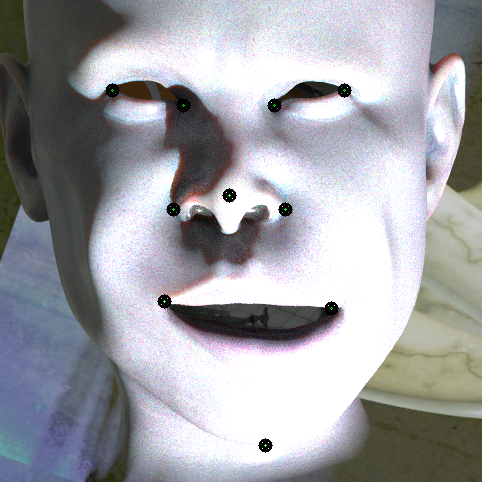
JSON_DATA
{
    "resolution" : 1024,

    "face_coverage": 2.8,

    "face_y_offset": -0.14,

    "face_y_axis_offset": 0.0,

    "pitch": -7.898,   # Head pitch relative to view in degrees.
                       # Looking up is +90, straight is 0, down is -90.

    "yaw": -96.860     # Head yaw relative to view in degrees.
                       # Looking left (from view) is -90, straight is 0, right is +90.

                       # no roll, because it is always zero

    "landmarks": {  # name : pos dict.
        "l_eye_l_corner": [676.218, 469.937], # x,y from top-left corner
        "l_eye_r_corner": [595.341, 486.307],
        "r_eye_l_corner": [495.657, 489.591],
        "r_eye_r_corner": [407.453, 478.049],
        "nose_tip": [584.718, 593.121],
        "nose_l_corner": [607.680, 599.532],
        "nose_r_corner": [510.877, 604.725],
        "mouth_l_corner": [626.172, 707.490],
        "mouth_r_corner": [484.847, 708.083],
        "chin_center": [559.415, 868.429]
    }
}
Landmarks example
More labels
You can combine existing labels using a simple python script. For example you can produce SKIN_WF_MASK*(1-HAIR_MASK) and get a WF mask without hair. You can also modify the .blend project for any of your fantasies.
Augmentations
It is recommended to apply different augmentations to increase the variability of the dataset.
Changelog
2025.01.01 Initial release
Citation
@software{SSHG,
  title = {Simple Synthetic Head Generator},
  author = {iperov},
  url = {https://github.com/iperov/SSHG},
  year = {2025}
}
iperov/SSHG thuộc nhóm Image Tools trên TopGit, cùng 9 topic GitHub. Trang Trending và Topics liệt kê các repo cùng số sao và cùng ngôn ngữ để so sánh.
Đọc thêm về iperov/SSHG ở đâu?
Trang TopGit này là một snapshot — tab "Readme" hiển thị nguyên văn README của repo (đã bỏ link, giữ ảnh). Repo GitHub ở github.com/iperov/SSHG là nguồn chính thức.
iperov/SSHG có bao nhiêu sao?
iperov/SSHG có 21 sao GitHub — tải lại trang để xem số mới nhất, hoặc xem trực tiếp github.com/iperov/SSHG. TopGit phản chiếu số sao của GitHub nhưng không cam kết đến từng phút.
iperov/SSHG có những chủ đề gì?
GitHub topics của iperov/SSHG: "3d", "blender", "dataset", "face-analysis", "face-dataset", "image-generation", "machine-learning", "synthetic-data", "synthetic-faces". TopGit xếp repo vào nhóm Image Tools.
iperov/SSHG có phải mã nguồn mở không?
Có — iperov/SSHG phát hành theo license MIT, nghĩa là mã nguồn mở để đọc, fork và (tùy license) tái sử dụng. Mã: github.com/iperov/SSHG.
iperov/SSHG có website riêng không?
TopGit chưa ghi nhận URL trang chủ cho iperov/SSHG. Phần README ở tab phía trên thường có link demo, hoặc xem mô tả GitHub của repo.
iperov/SSHG còn đang phát triển không?
Commit gần nhất trên iperov/SSHG là 1.8 năm trước (theo timestamp GitHub). Repo có 6 fork — một chỉ báo về mức độ quan tâm của cộng đồng.
Đọc đầy đủ README ở tab phía trên.
SSHG có đáng để bạn bỏ thời gian?
ChatGPT, Claude và Perplexity đều đọc được trang này. Hỏi thử xem họ nghĩ gì về SSHG.
 /SSHG
/SSHG