
jcjohnson/neural-style

jcjohnson/neural-style — dự án mã nguồn mở — đang có 18.3k sao GitHub. Torch implementation of neural style algorithm
Tóm tắt dựng từ metadata GitHub của chính dự án — chưa có bài review TopGit. Trang sẽ tự động cập nhật khi bài review đầy đủ được xuất bản.
TopGit viết bài đầy đủ cho repo có nhiều sao nhất và được yêu cầu nhiều nhất. Trang này là snapshot trong thời gian chờ — xem README gốc ở tab READ ME.
Snapshot
Cộng tác viên hàng đầu
Xem cộng tác viên hàng đầu
neural-style
This is a torch implementation of the paper A Neural Algorithm of Artistic Style by Leon A. Gatys, Alexander S. Ecker, and Matthias Bethge.
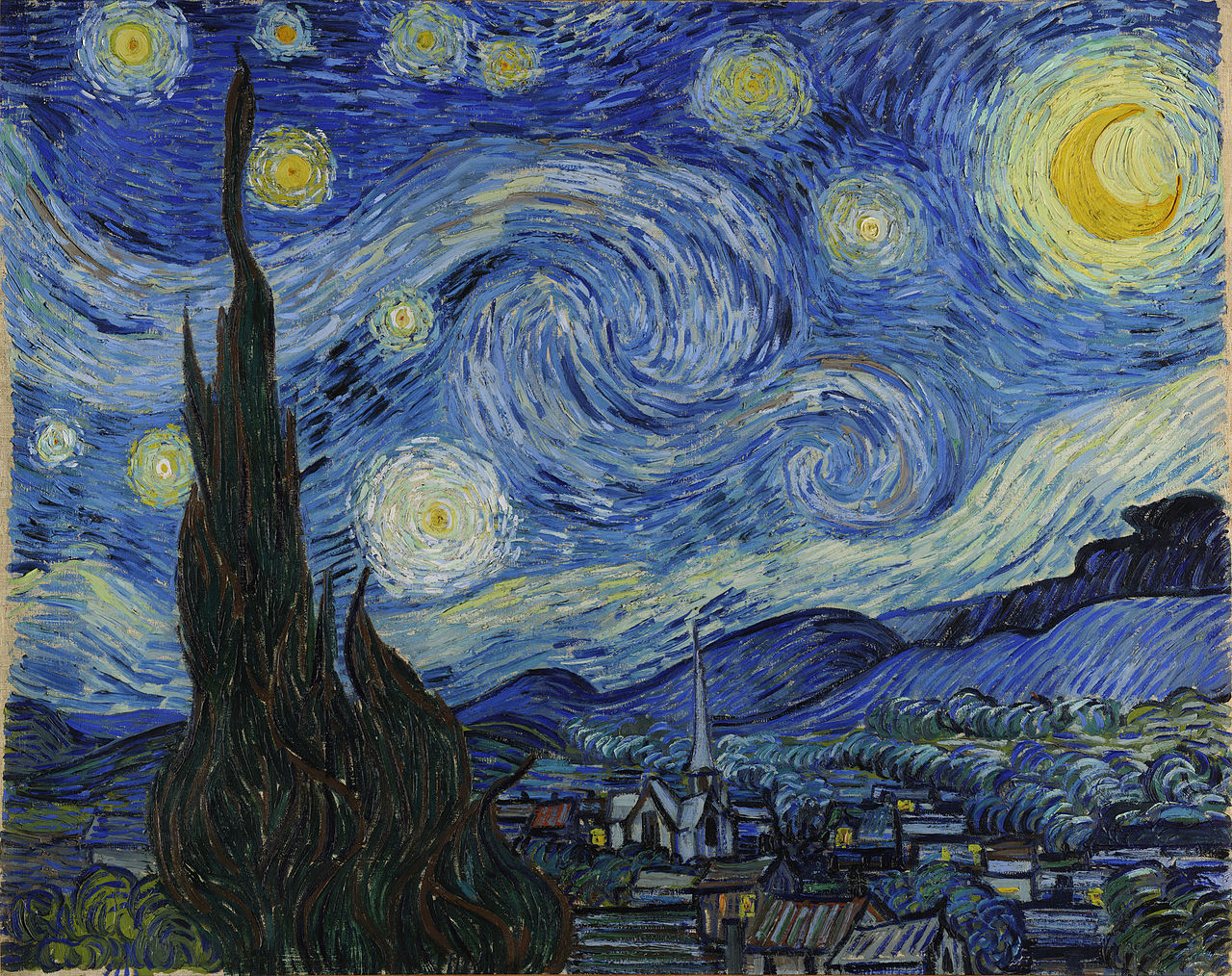
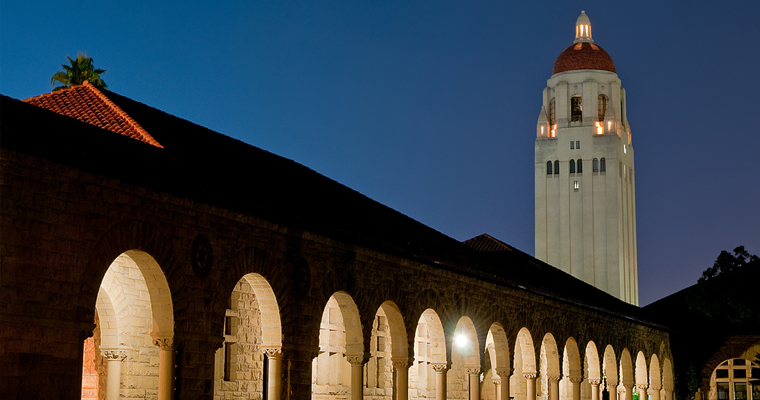
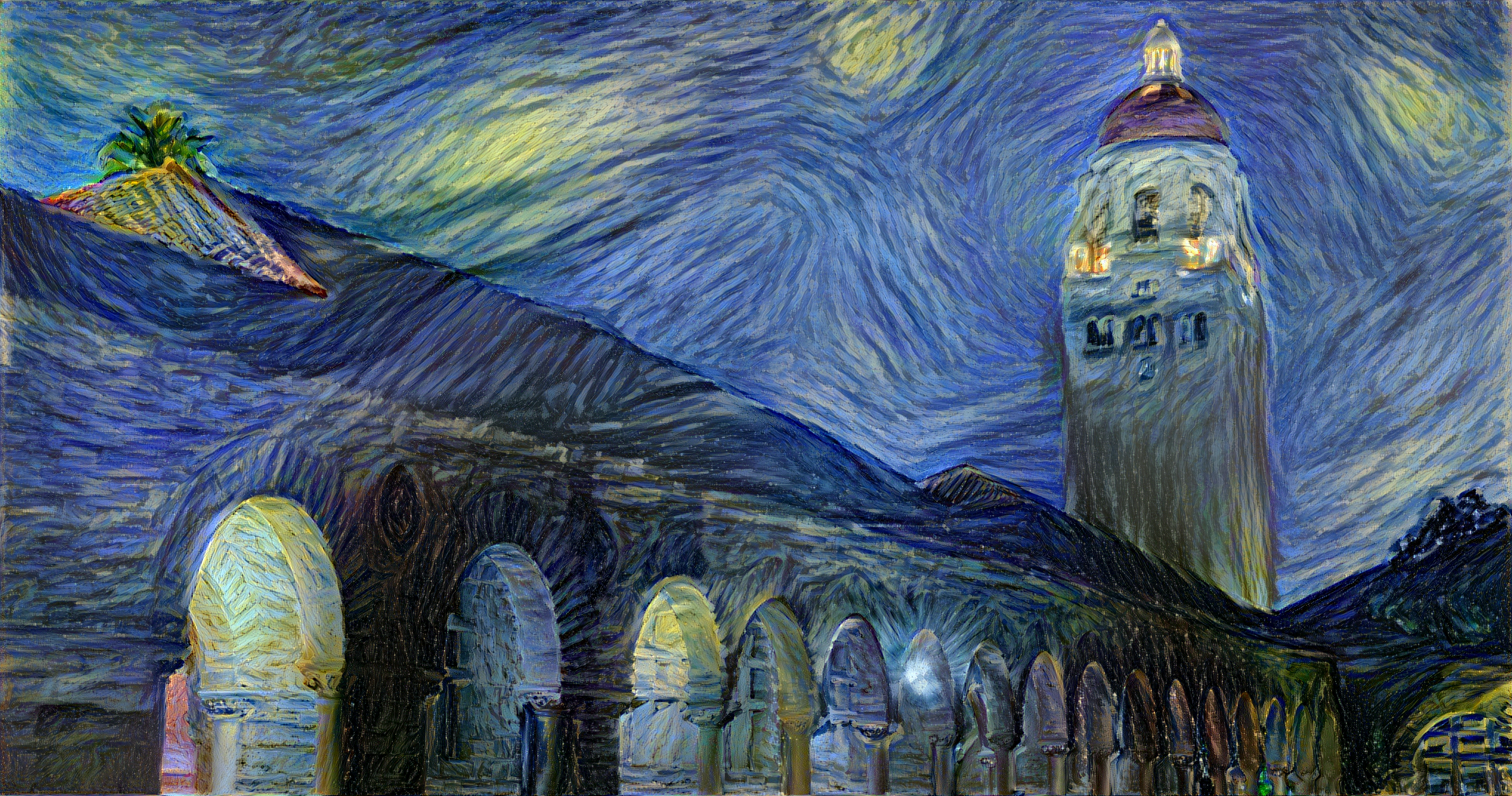
The paper presents an algorithm for combining the content of one image with the style of another image using convolutional neural networks. Here's an example that maps the artistic style of The Starry Night onto a night-time photograph of the Stanford campus:
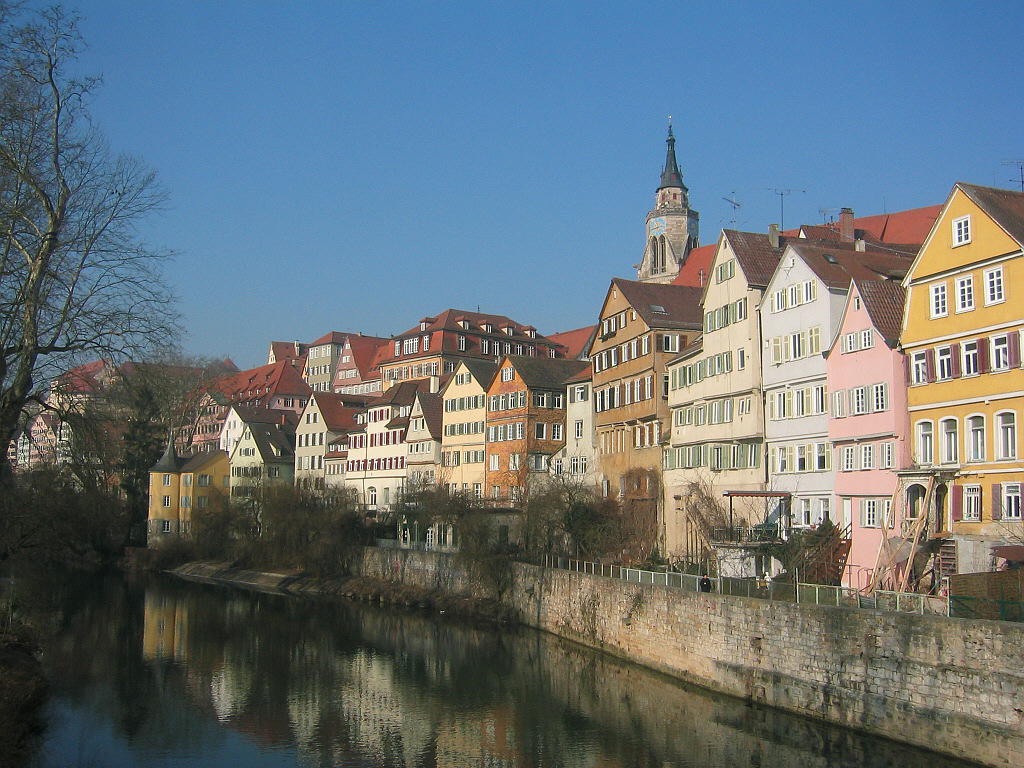
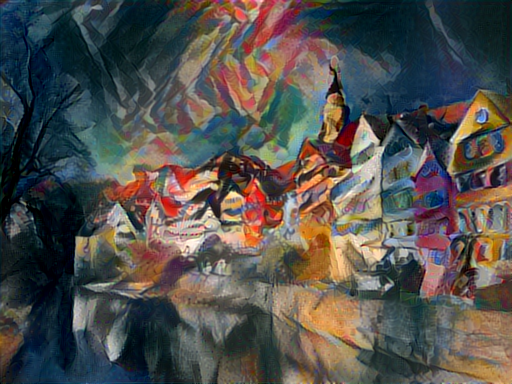
Applying the style of different images to the same content image gives interesting results. Here we reproduce Figure 2 from the paper, which renders a photograph of the Tubingen in Germany in a variety of styles:
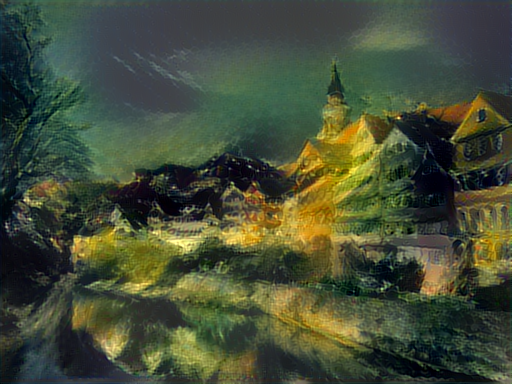
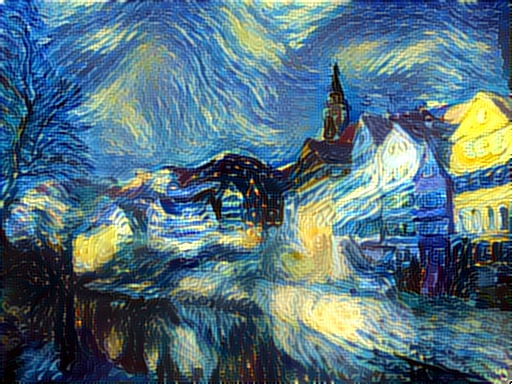
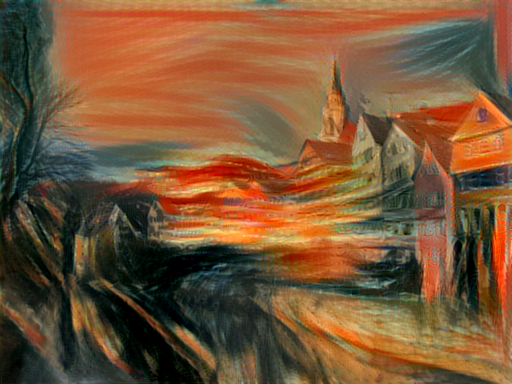
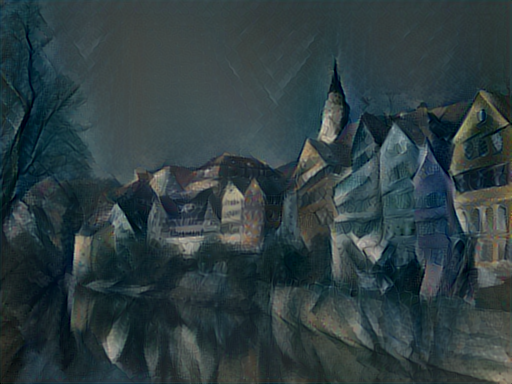
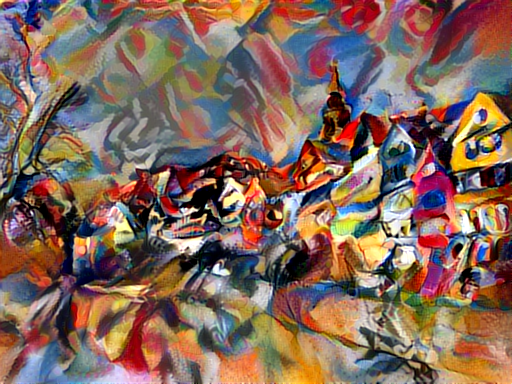
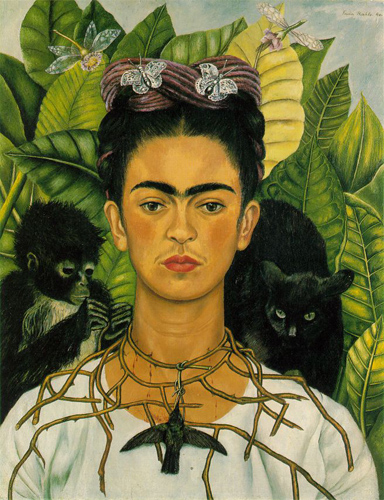
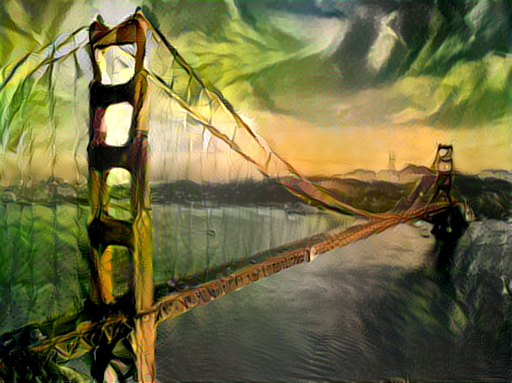
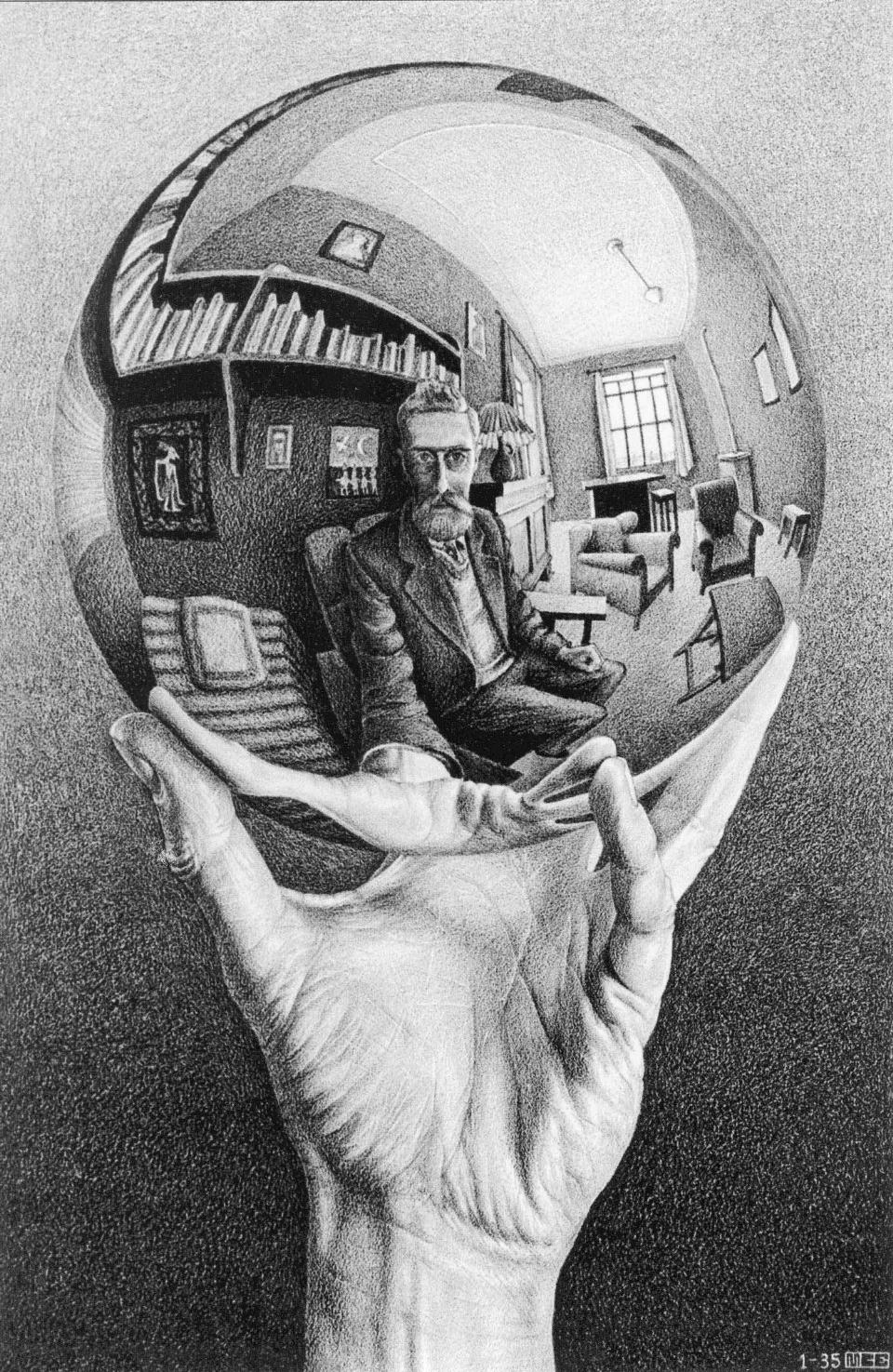
Here are the results of applying the style of various pieces of artwork to this photograph of the golden gate bridge:
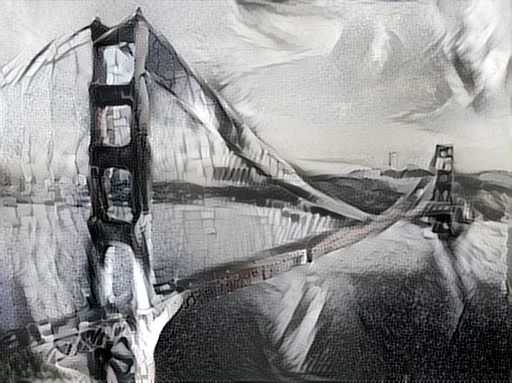
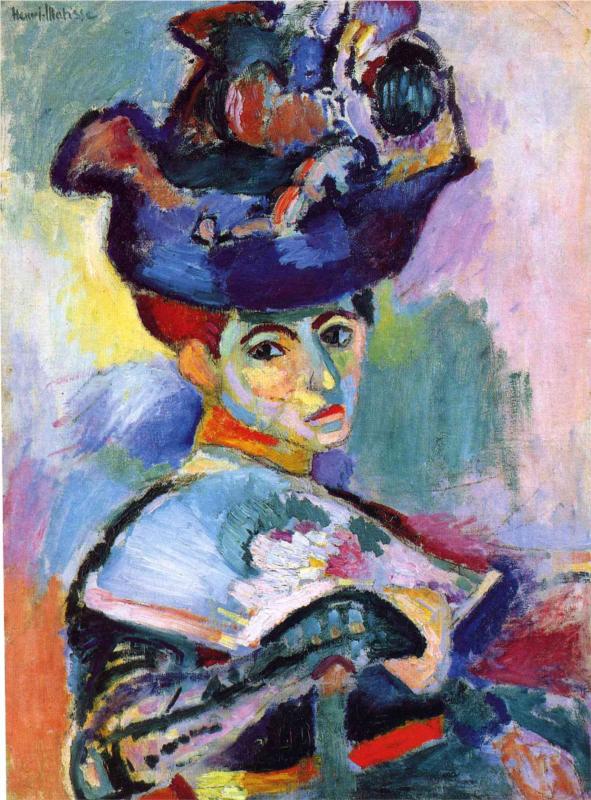
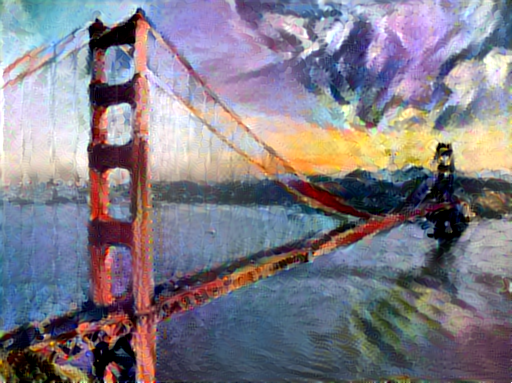
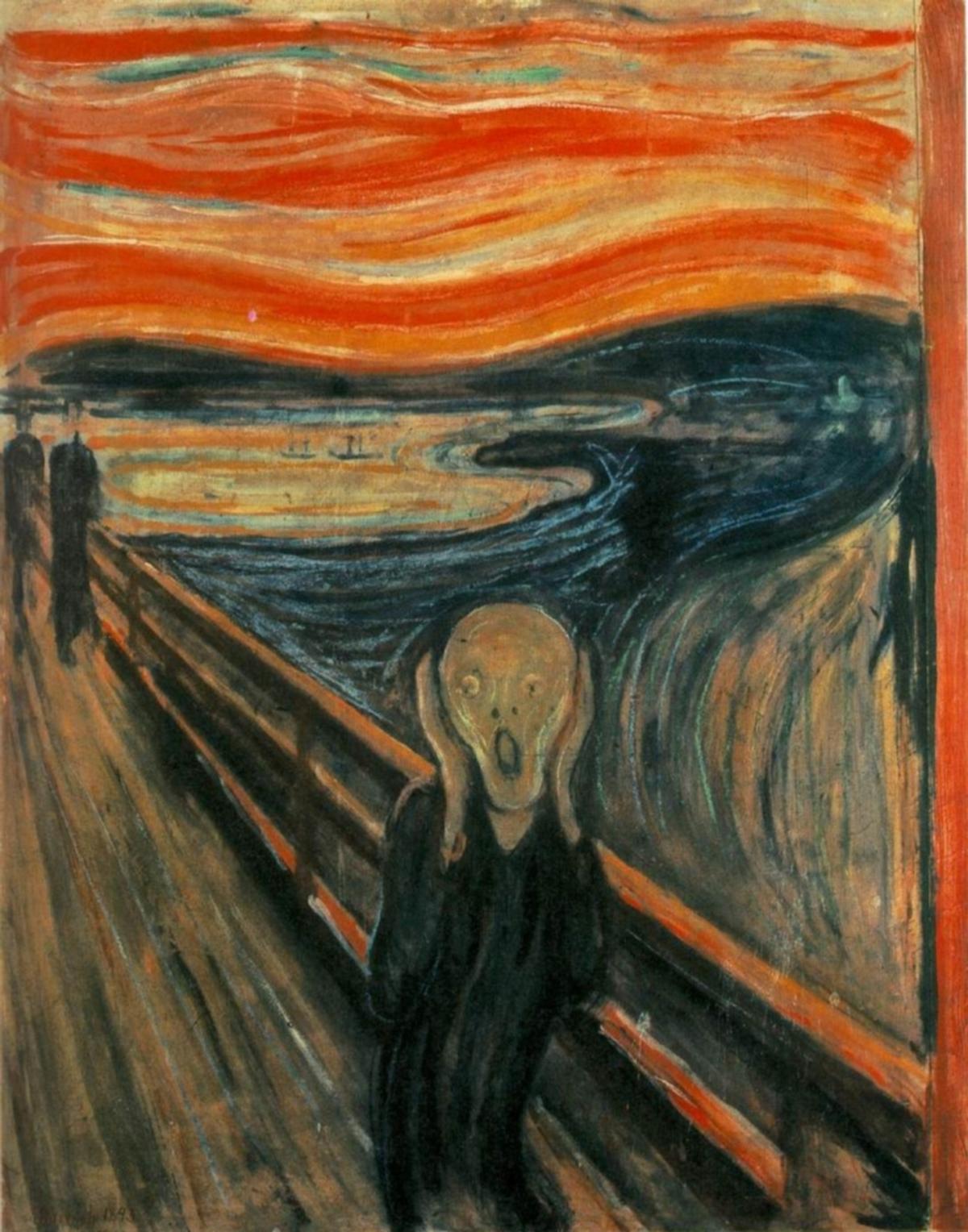
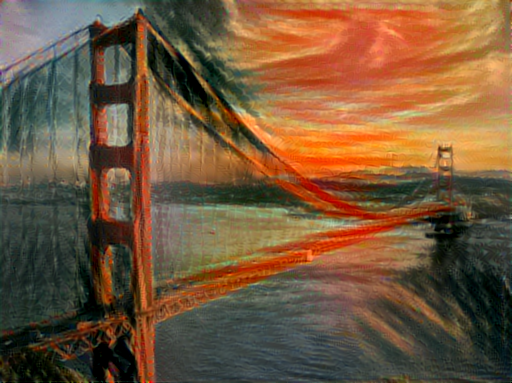
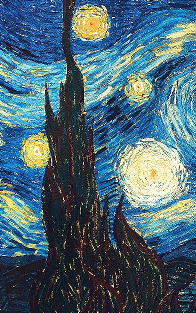
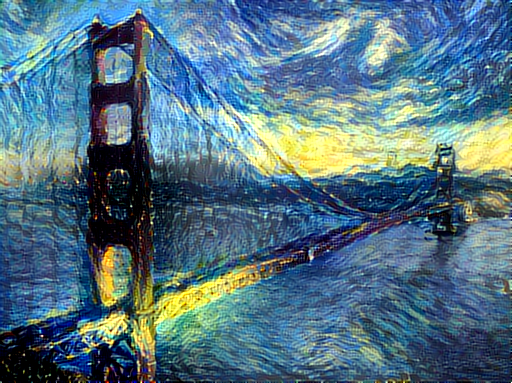
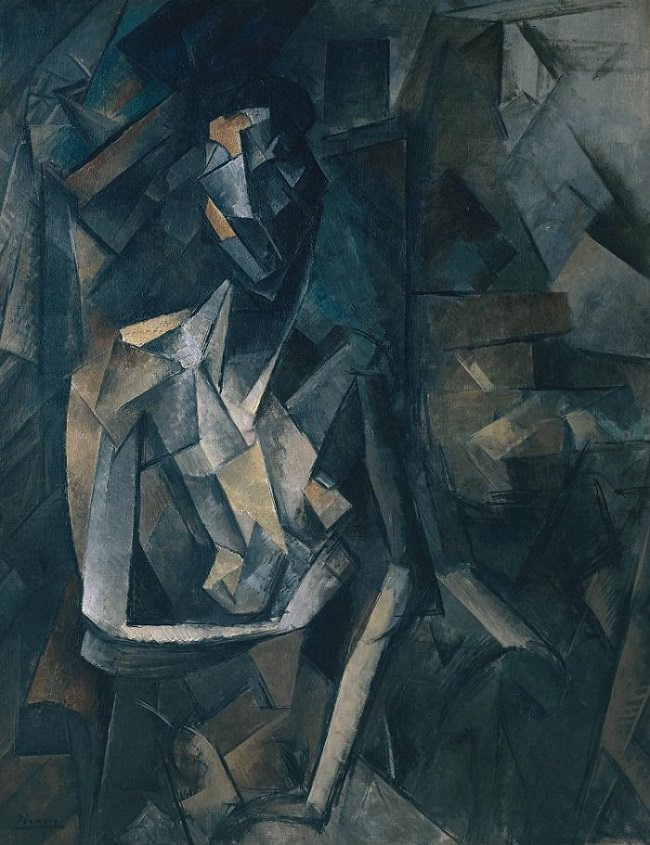
Content / Style Tradeoff
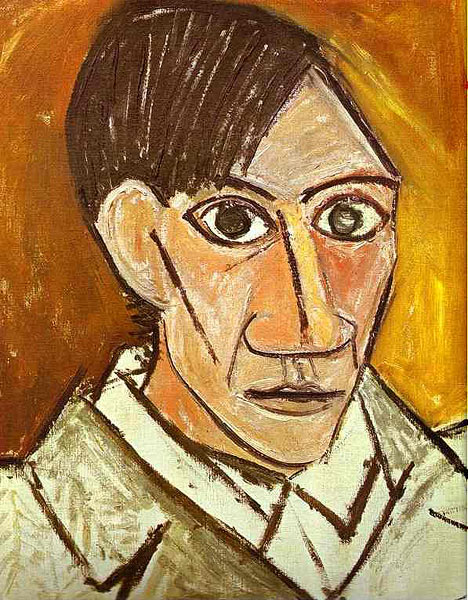
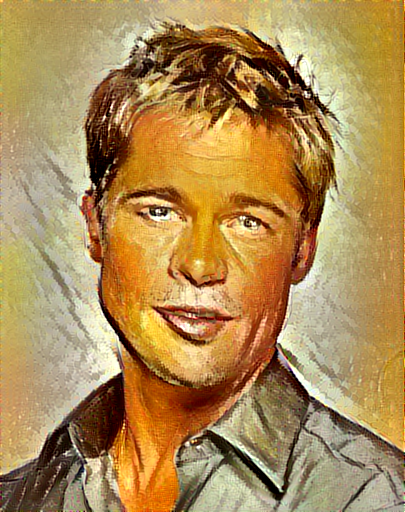
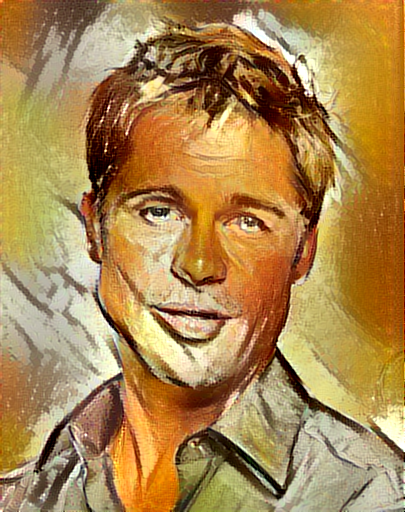
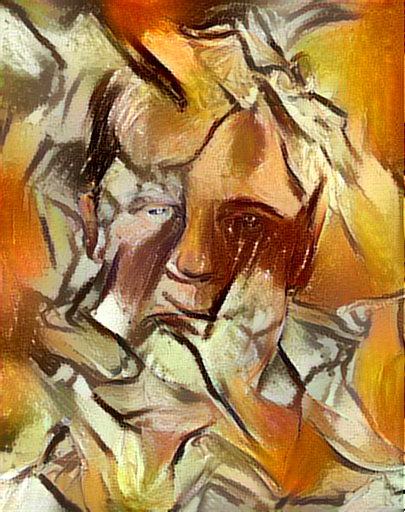
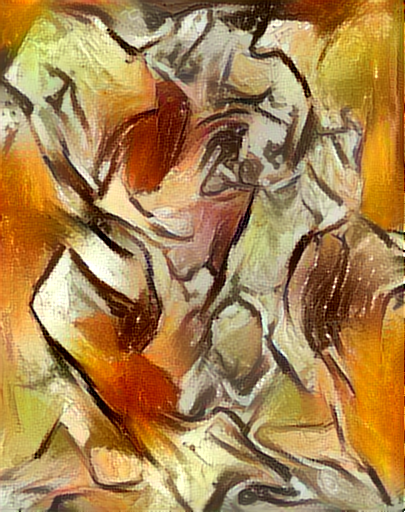
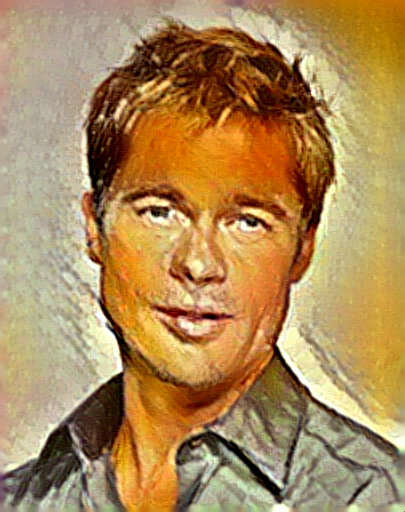
The algorithm allows the user to trade-off the relative weight of the style and content reconstruction terms, as shown in this example where we port the style of Picasso's 1907 self-portrait onto Brad Pitt:

Style Scale
By resizing the style image before extracting style features, we can control the types of artistic
features that are transfered from the style image; you can control this behavior with the -style_scale flag.
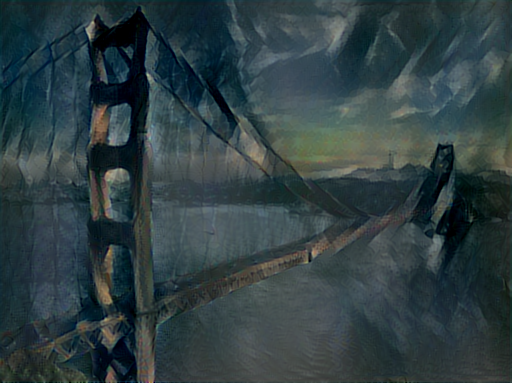
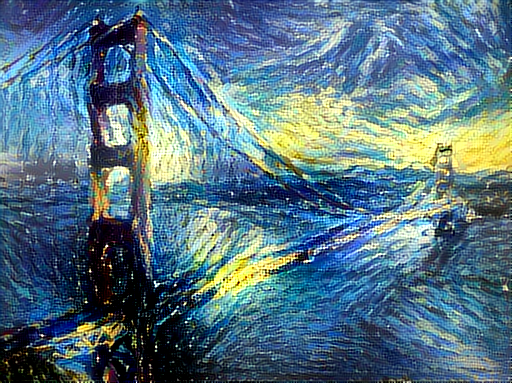
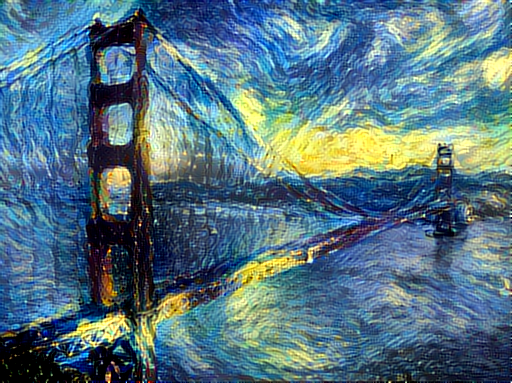
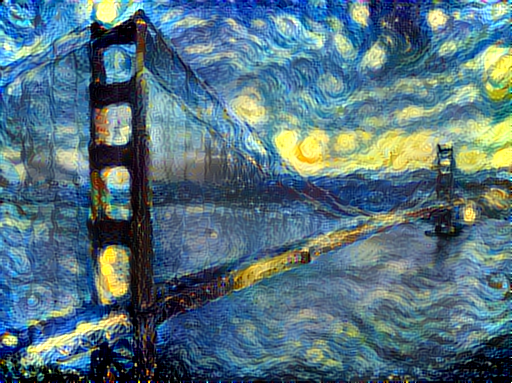
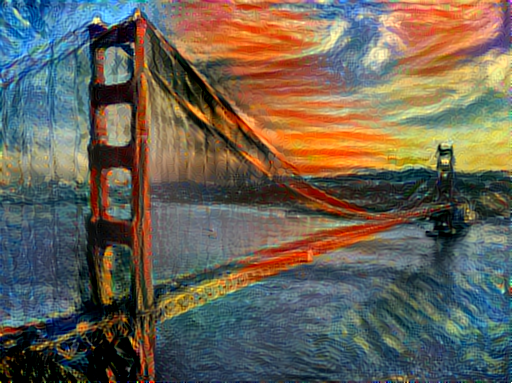
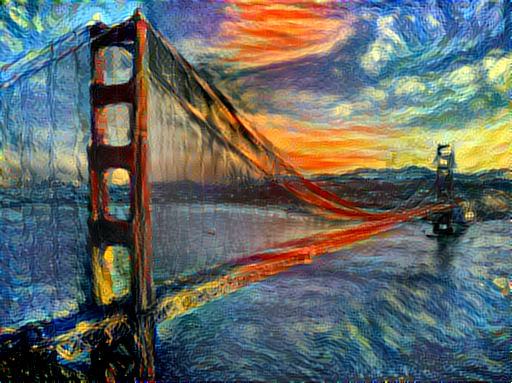
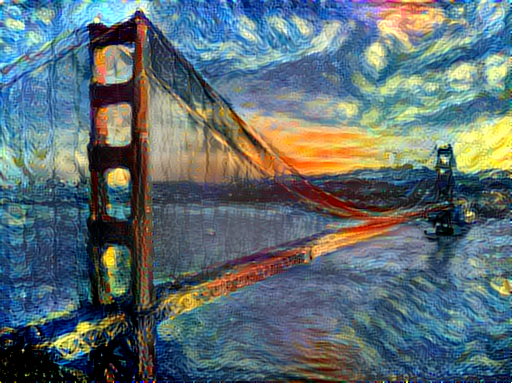
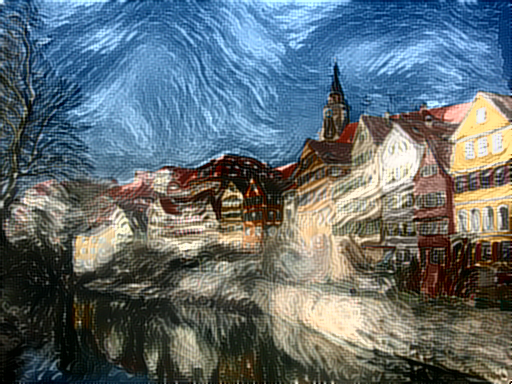
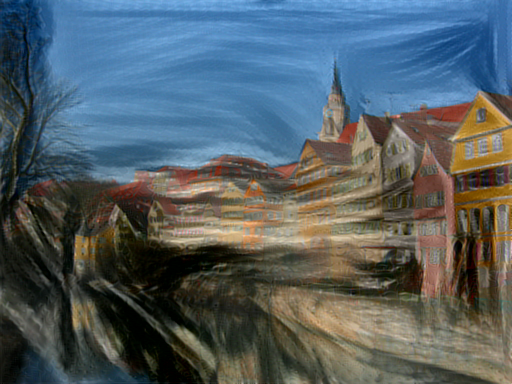
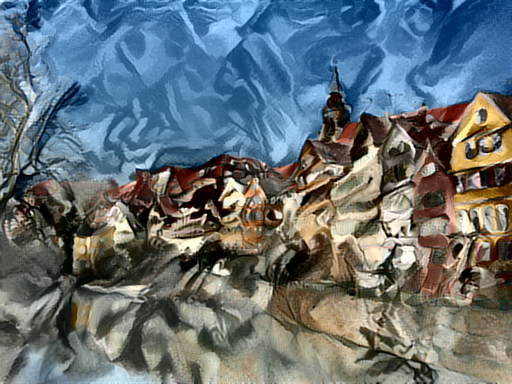
Below we see three examples of rendering the Golden Gate Bridge in the style of The Starry Night.
From left to right, -style_scale is 2.0, 1.0, and 0.5.
Multiple Style Images
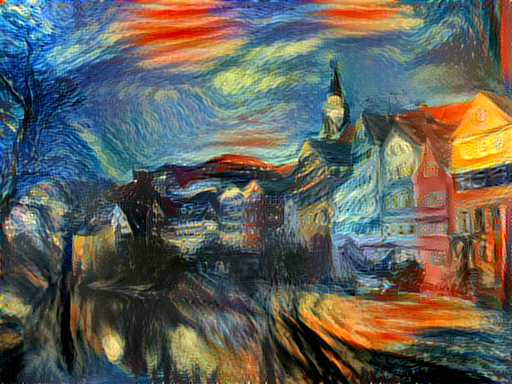
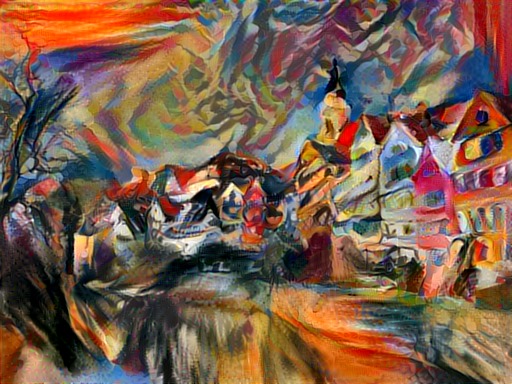
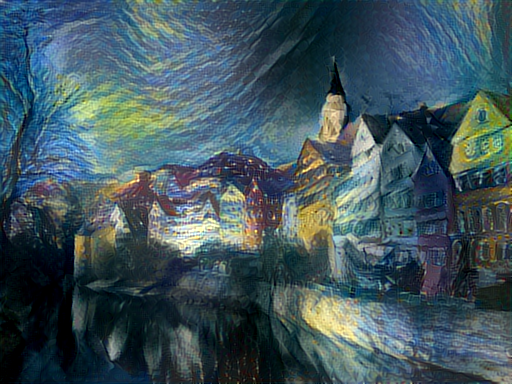
You can use more than one style image to blend multiple artistic styles.
Clockwise from upper left: "The Starry Night" + "The Scream", "The Scream" + "Composition VII", "Seated Nude" + "Composition VII", and "Seated Nude" + "The Starry Night"
Style Interpolation
When using multiple style images, you can control the degree to which they are blended:
Transfer style but not color
If you add the flag -original_colors 1 then the output image will retain the colors of the original image;
this is similar to the recent blog post by deepart.io.
Setup:
Dependencies:
- torch7
- loadcaffe
Optional dependencies:
- For CUDA backend:
- CUDA 6.5+
- cunn
- For cuDNN backend:
- cudnn.torch
- For OpenCL backend:
- cltorch
- clnn
After installing dependencies, you'll need to run the following script to download the VGG model:
sh models/download_models.sh
This will download the original VGG-19 model. Leon Gatys has graciously provided the modified version of the VGG-19 model that was used in their paper; this will also be downloaded. By default the original VGG-19 model is used.
If you have a smaller memory GPU then using NIN Imagenet model will be better and gives slightly worse yet comparable results. You can get the details on the model from BVLC Caffe ModelZoo and can download the files from NIN-Imagenet Download Link
You can find detailed installation instructions for Ubuntu in the installation guide.
Usage
Basic usage:
th neural_style.lua -style_image <image.jpg> -content_image <image.jpg>
OpenCL usage with NIN Model (This requires you download the NIN Imagenet model files as described above):
th neural_style.lua -style_image examples/inputs/picasso_selfport1907.jpg -content_image examples/inputs/brad_pitt.jpg -output_image profile.png -model_file models/nin_imagenet_conv.caffemodel -proto_file models/train_val.prototxt -gpu 0 -backend clnn -num_iterations 1000 -seed 123 -content_layers relu0,relu3,relu7,relu12 -style_layers relu0,relu3,relu7,relu12 -content_weight 10 -style_weight 1000 -image_size 512 -optimizer adam
To use multiple style images, pass a comma-separated list like this:
-style_image starry_night.jpg,the_scream.jpg.
Note that paths to images should not contain the ~ character to represent your home directory; you should instead use a relative
path or a full absolute path.
Options:
-image_size: Maximum side length (in pixels) of of the generated image. Default is 512.-style_blend_weights: The weight for blending the style of multiple style images, as a comma-separated list, such as-style_blend_weights 3,7. By default all style images are equally weighted.-gpu: Zero-indexed ID of the GPU to use; for CPU mode set-gputo -1.
Optimization options:
-content_weight: How much to weight the content reconstruction term. Default is 5e0.-style_weight: How much to weight the style reconstruction term. Default is 1e2.-tv_weight: Weight of total-variation (TV) regularization; this helps to smooth the image. Default is 1e-3. Set to 0 to disable TV regularization.-num_iterations: Default is 1000.-init: Method for generating the generated image; one ofrandomorimage. Default israndomwhich uses a noise initialization as in the paper;imageinitializes with the content image.-optimizer: The optimization algorithm to use; eitherlbfgsoradam; default islbfgs. L-BFGS tends to give better results, but uses more memory. Switching to ADAM will reduce memory usage; when using ADAM you will probably need to play with other parameters to get good results, especially the style weight, content weight, and learning rate; you may also want to normalize gradients when using ADAM.-learning_rate: Learning rate to use with the ADAM optimizer. Default is 1e1.-normalize_gradients: If this flag is present, style and content gradients from each layer will be L1 normalized. Idea from andersbll/neural_artistic_style.
Output options:
-output_image: Name of the output image. Default isout.png.-print_iter: Print progress everyprint_iteriterations. Set to 0 to disable printing.-save_iter: Save the image everysave_iteriterations. Set to 0 to disable saving intermediate results.
Layer options:
-content_layers: Comma-separated list of layer names to use for content reconstruction. Default isrelu4_2.-style_layers: Comma-separated list of layer names to use for style reconstruction. Default isrelu1_1,relu2_1,relu3_1,relu4_1,relu5_1.
Other options:
-style_scale: Scale at which to extract features from the style image. Default is 1.0.-original_colors: If you set this to 1, then the output image will keep the colors of the content image.-proto_file: Path to thedeploy.txtfile for the VGG Caffe model.-model_file: Path to the.caffemodelfile for the VGG Caffe model. Default is the original VGG-19 model; you can also try the normalized VGG-19 model used in the paper.-pooling: The type of pooling layers to use; one ofmaxoravg. Default ismax. The VGG-19 models uses max pooling layers, but the paper mentions that replacing these layers with average pooling layers can improve the results. I haven't been able to get good results using average pooling, but the option is here.-backend:nn,cudnn, orclnn. Default isnn.cudnnrequires cudnn.torch and may reduce memory usage.clnnrequires cltorch and clnn-cudnn_autotune: When using the cuDNN backend, pass this flag to use the built-in cuDNN autotuner to select the best convolution algorithms for your architecture. This will make the first iteration a bit slower and can take a bit more memory, but may significantly speed up the cuDNN backend.
Frequently Asked Questions
Problem: Generated image has saturation artifacts:

Solution: Update the image packge to the latest version: luarocks install image
Problem: Running without a GPU gives an error message complaining about cutorch not found
Solution:
Pass the flag -gpu -1 when running in CPU-only mode
Problem: The program runs out of memory and dies
Solution: Try reducing the image size: -image_size 256 (or lower). Note that different image sizes will likely
require non-default values for -style_weight and -content_weight for optimal results.
If you are running on a GPU, you can also try running with -backend cudnn to reduce memory usage.
Problem: Get the following error message:
models/VGG_ILSVRC_19_layers_deploy.prototxt.cpu.lua:7: attempt to call method 'ceil' (a nil value)
Solution: Update nn package to the latest version: luarocks install nn
Problem: Get an error message complaining about paths.extname
Solution: Update torch.paths package to the latest version: luarocks install paths
Problem: NIN Imagenet model is not giving good results.
Solution: Make sure the correct -proto_file is selected. Also make sure the correct parameters for -content_layers and -style_layers are set. (See OpenCL usage example above.)
Problem: -backend cudnn is slower than default NN backend
Solution: Add the flag -cudnn_autotune; this will use the built-in cuDNN autotuner to select the best convolution algorithms.
Memory Usage
By default, neural-style uses the nn backend for convolutions and L-BFGS for optimization.
These give good results, but can both use a lot of memory. You can reduce memory usage with the following:
- Use cuDNN: Add the flag
-backend cudnnto use the cuDNN backend. This will only work in GPU mode. - Use ADAM: Add the flag
-optimizer adamto use ADAM instead of L-BFGS. This should significantly reduce memory usage, but may require tuning of other parameters for good results; in particular you should play with the learning rate, content weight, style weight, and also consider using gradient normalization. This should work in both CPU and GPU modes. - Reduce image size: If the above tricks are not enough, you can reduce the size of the generated image;
pass the flag
-image_size 256to generate an image at half the default size.
With the default settings, neural-style uses about 3.5GB of GPU memory on my system;
switching to ADAM and cuDNN reduces the GPU memory footprint to about 1GB.
Speed
Speed can vary a lot depending on the backend and the optimizer.
Here are some times for running 500 iterations with -image_size=512 on a Maxwell Titan X with different settings:
-backend nn -optimizer lbfgs: 62 seconds-backend nn -optimizer adam: 49 seconds-backend cudnn -optimizer lbfgs: 79 seconds-backend cudnn -cudnn_autotune -optimizer lbfgs: 58 seconds-backend cudnn -cudnn_autotune -optimizer adam: 44 seconds-backend clnn -optimizer lbfgs: 169 seconds-backend clnn -optimizer adam: 106 seconds
Here are the same benchmarks on a Pascal Titan X with cuDNN 5.0 on CUDA 8.0 RC:
-backend nn -optimizer lbfgs: 43 seconds-backend nn -optimizer adam: 36 seconds-backend cudnn -optimizer lbfgs: 45 seconds-backend cudnn -cudnn_autotune -optimizer lbfgs: 30 seconds-backend cudnn -cudnn_autotune -optimizer adam: 22 seconds
Multi-GPU scaling
You can use multiple GPUs to process images at higher resolutions; different layers of the network will be
computed on different GPUs. You can control which GPUs are used with the -gpu flag, and you can control
how to split layers across GPUs using the -multigpu_strategy flag.
For example in a server with four GPUs, you can give the flag -gpu 0,1,2,3 to process on GPUs 0, 1, 2, and
3 in that order; by also giving the flag -multigpu_strategy 3,6,12 you indicate that the first two layers
should be computed on GPU 0, layers 3 to 5 should be computed on GPU 1, layers 6 to 11 should be computed on
GPU 2, and the remaining layers should be computed on GPU 3. You will need to tune the -multigpu_strategy
for your setup in order to achieve maximal resolution.
We can achieve very high quality results at high resolution by combining multi-GPU processing with multiscale generation as described in the paper Controlling Perceptual Factors in Neural Style Transfer by Leon A. Gatys, Alexander S. Ecker, Matthias Bethge, Aaron Hertzmann and Eli Shechtman.
Here is a 3620 x 1905 image generated on a server with four Pascal Titan X GPUs:
The script used to generate this image can be found here.
Implementation details
Images are initialized with white noise and optimized using L-BFGS.
We perform style reconstructions using the conv1_1, conv2_1, conv3_1, conv4_1, and conv5_1 layers
and content reconstructions using the conv4_2 layer. As in the paper, the five style reconstruction losses have
equal weights.
Citation
If you find this code useful for your research, please cite:
@misc{Johnson2015,
  author = {Johnson, Justin},
  title = {neural-style},
  year = {2015},
  publisher = {GitHub},
  journal = {GitHub repository},
  howpublished = {\url{https://github.com/jcjohnson/neural-style}},
}
Repo liên quan
Master programming by recreating your favorite technologies from scratch.
A curated meta-list of curated lists organized by technology domain. The repository acts as a directory pointing to hundreds of specialized awesome lists covering programming languages, platforms, frameworks, and tooling. All content is community-contributed under the CC0 public domain dedication.
Public APIs is a community-curated GitHub repository listing free, publicly accessible APIs across a wide range of categories, with auth type, HTTPS, and CORS noted for each entry. It's a browsable reference, not a library to install.
REA is an MCP server and CLI that gives AI coding agents the ability to reverse engineer binaries, JavaScript apps, .NET assemblies, and websites. It hooks into Hopper, Ghidra, or IDA Pro for native binary work, or runs static JavaScript analysis with just Node.js. Every investigation returns an Evidence bundle that includes what was found, what was not, and the reasoning path. Setup registers REA with supported agents and walks you through connecting an analysis engine. The CLI also works standalone for terminal-first workflows.
Trả lời nhanh
jcjohnson/neural-style có bao nhiêu sao?
jcjohnson/neural-style có 18.3k sao GitHub — tải lại trang để xem số mới nhất, hoặc xem trực tiếp github.com/jcjohnson/neural-style. TopGit phản chiếu số sao của GitHub nhưng không cam kết đến từng phút.
jcjohnson/neural-style có tag gì không?
Bản đồng bộ chưa ghi nhận topic GitHub nào cho jcjohnson/neural-style. GitHub topics hiển thị ở thanh bên phải trang repo — đó là nơi đáng kiểm tra nhất.
jcjohnson/neural-style còn đang phát triển không?
Commit gần nhất trên jcjohnson/neural-style là 8.7 năm trước (theo timestamp GitHub). Repo có 2.6k fork — một chỉ báo về mức độ quan tâm của cộng đồng.
jcjohnson/neural-style là gì?
jcjohnson/neural-style (jcjohnson/neural-style) là dự án Lua trên GitHub. Theo mô tả gốc: Torch implementation of neural style algorithm
jcjohnson/neural-style viết bằng ngôn ngữ gì?
jcjohnson/neural-style chủ yếu viết bằng Lua. Trường "language" của GitHub dựa trên phần lớn byte ở nhánh mặc định.
Đọc đầy đủ README ở tab phía trên.
Chưa chắc neural-style có hợp với bạn?
Để ChatGPT, Claude hoặc Perplexity tìm hiểu giúp — bấm bên dưới và xem AI nói gì về neural-style.