jenkinsci/configuration-as-code-plugin — dự án mã nguồn mở — đang có 2.8k sao GitHub. Jenkins Configuration as Code Plugin
Tóm tắt dựng từ metadata GitHub của chính dự án — chưa có bài review TopGit. Trang sẽ tự động cập nhật khi bài review đầy đủ được xuất bản.
VÌ SAO CHƯA CÓ REVIEW
TopGit viết bài đầy đủ cho repo có nhiều sao nhất và được yêu cầu nhiều nhất. Trang này là snapshot trong thời gian chờ — xem README gốc ở tab READ ME.
Jenkins Configuration as Code (a.k.a. JCasC) Plugin
Introduction
Getting Started
Examples and demos
Handling Secrets
Security considerations
Exporting configurations
Validating configurations
Configuration Validation (check)
Merge Strategy
Triggering Configuration Reload
Installing plugins
Supported Plugins
Adding JCasC support to a plugin
Configuration-as-Code extension plugins
Jenkins Enhancement Proposal
Introduction
Setting up Jenkins is a complex process, as both Jenkins and its plugins require some tuning and configuration,
with dozens of parameters to set within the web UI manage section.
Experienced Jenkins users rely on groovy init scripts to customize Jenkins and enforce the desired state. Those
scripts directly invoke Jenkins API and, as such, can do everything (at your own risk). But they also require
you to know Jenkins internals and are confident in writing groovy scripts on top of Jenkins API.
The Configuration as Code plugin is an opinionated way to configure Jenkins based on
human-readable declarative configuration files. Writing such a file should be feasible without being a Jenkins
expert, just translating into code a configuration process one is used to executing in the web UI.
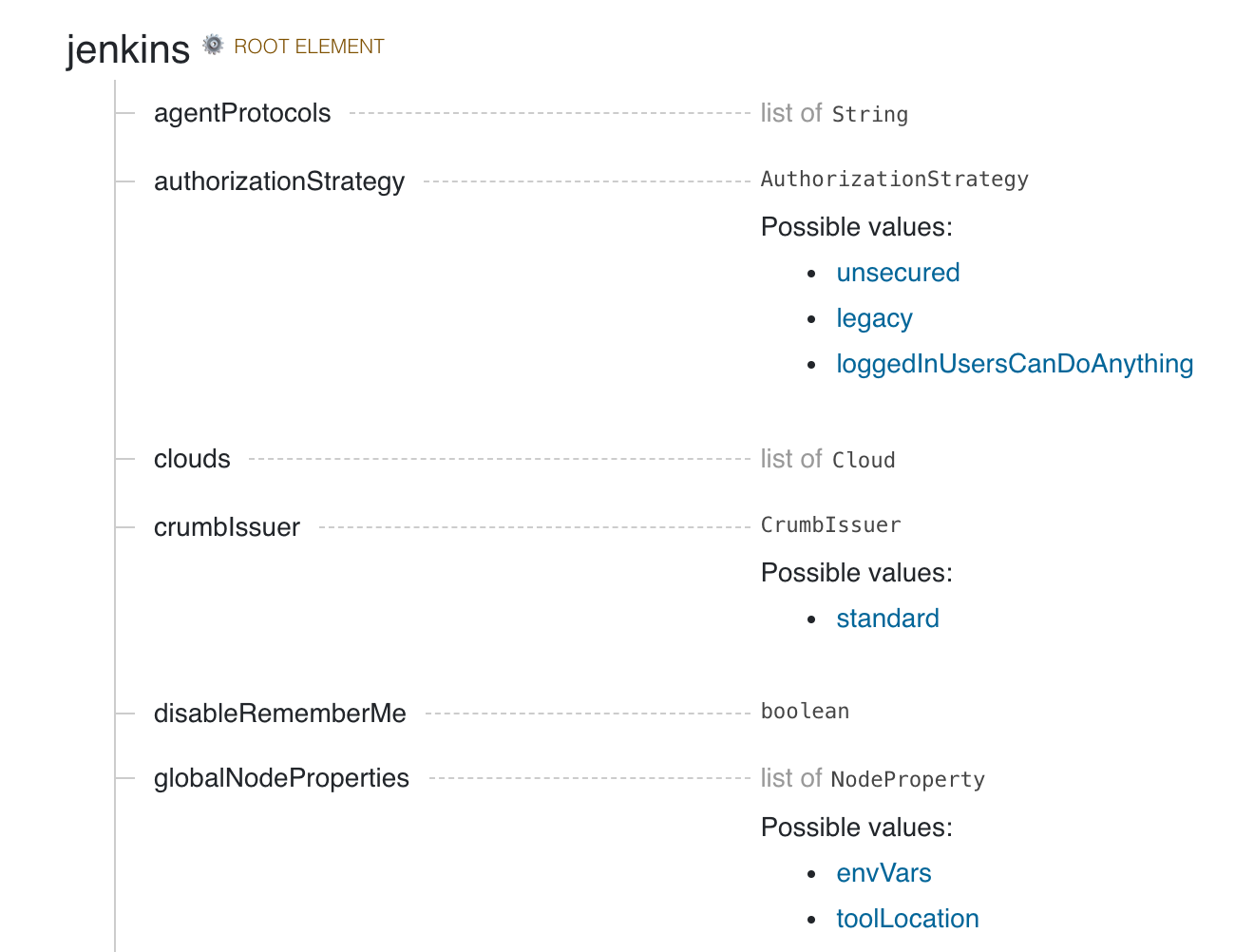
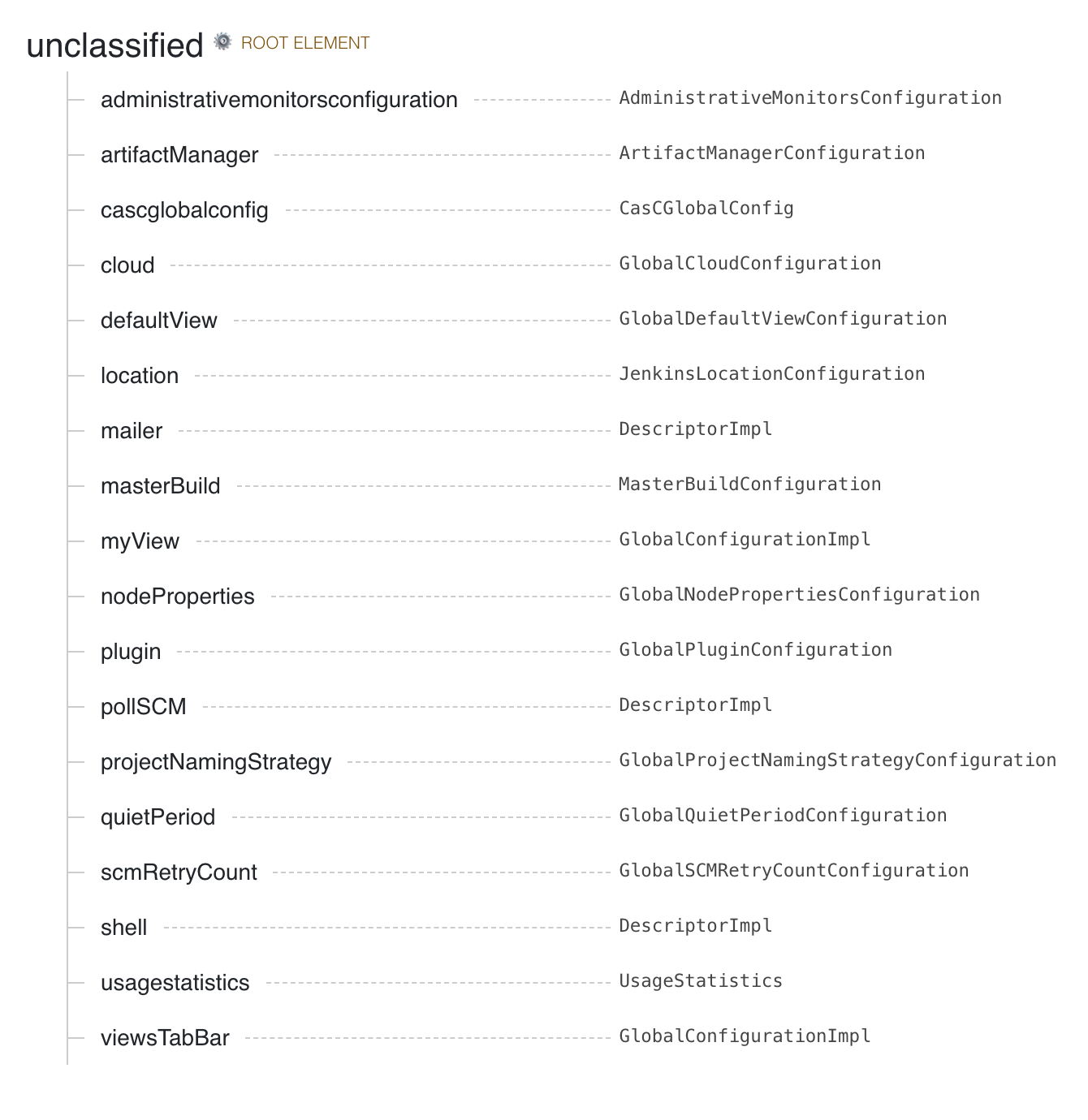
The below configuration file includes root entries for various components of your primary Jenkins installation. The jenkins one is for the root Jenkins object, and the other ones are for different global configuration elements.
Note: JCasC treats ${VAR} as a variable interpolation expression across all configuration blocks. If you need a literal ${...} string, you must escape it as ^${VAR} to prevent JCasC from replacing it. For more details, see Handling Secrets.
Additionally, we want to have a well-documented syntax file and tooling to assist in writing and testing,
so end users have full guidance in using this toolset and do not have to search for examples on the Internet.
See the presentation slides from DevOps World - Jenkins World 2018 for an overview.
Getting Started
First, start a Jenkins instance with the Configuration as Code plugin installed.
Those running Jenkins as a Docker container (and maybe also pre-installing plugins), do include Configuration as Code plugin.
Second, the plugin looks for the CASC_JENKINS_CONFIG environment variable. The variable points to a comma-separated list of any of the following:
Path to a local folder containing a set of config files. For example, /var/jenkins_home/casc_configs.
A full path or URI to a local file. For example, /var/jenkins_home/casc_configs/jenkins.yaml or file:///var/jenkins_home/casc_configs/jenkins.yaml.
An HTTP or HTTPS URL pointing to a remote file. For example, https://acme.org/jenkins.yaml.
If an element of CASC_JENKINS_CONFIG points to a folder, the plugin will recursively traverse the folder to find file(s) with .yml, .yaml, .YAML, .YML suffix.
All configuration files that are discovered MUST be supplementary. They cannot overwrite each other's configuration values. This creates a conflict and raises a ConfiguratorException. Thus, the order of traversal does not matter to the final outcome.
Instead of setting the CASC_JENKINS_CONFIG environment variable, you can also define using
the casc.jenkins.config Java property. This is useful when installing Jenkins via a package
management tool and can't set an environment variable outside of a package-managed file, which could
be overwritten by an update. For RHEL/CentOS systems, you can append the following to the
JENKINS_JAVA_OPTIONS entry in /etc/sysconfig/jenkins
-Dcasc.jenkins.config=/jenkins/casc_configs
If you do not set the CASC_JENKINS_CONFIG environment variable or the casc.jenkins.config Java
property, the plugin will default to looking for a single config file in
$JENKINS_HOME/jenkins.yaml.
If set up correctly, you should be able to browse the Configuration as Code page Manage Jenkins -> Configuration as Code.
Initial Configuration
When configuring the first Jenkins instance, browse the examples shown in the demos
directory of this repository. If you have a plugin that does not have an example, consult the reference
help document. Click the Documentation link at the bottom of the Configuration as Code page in your Jenkins instance.
If you want to configure a specific plugin, search the page for the name of the plugin. The page will
show you which root element belongs to the configuration. Most installed plugins belong under the unclassified root
element.
Examples
See demos folder with various samples.
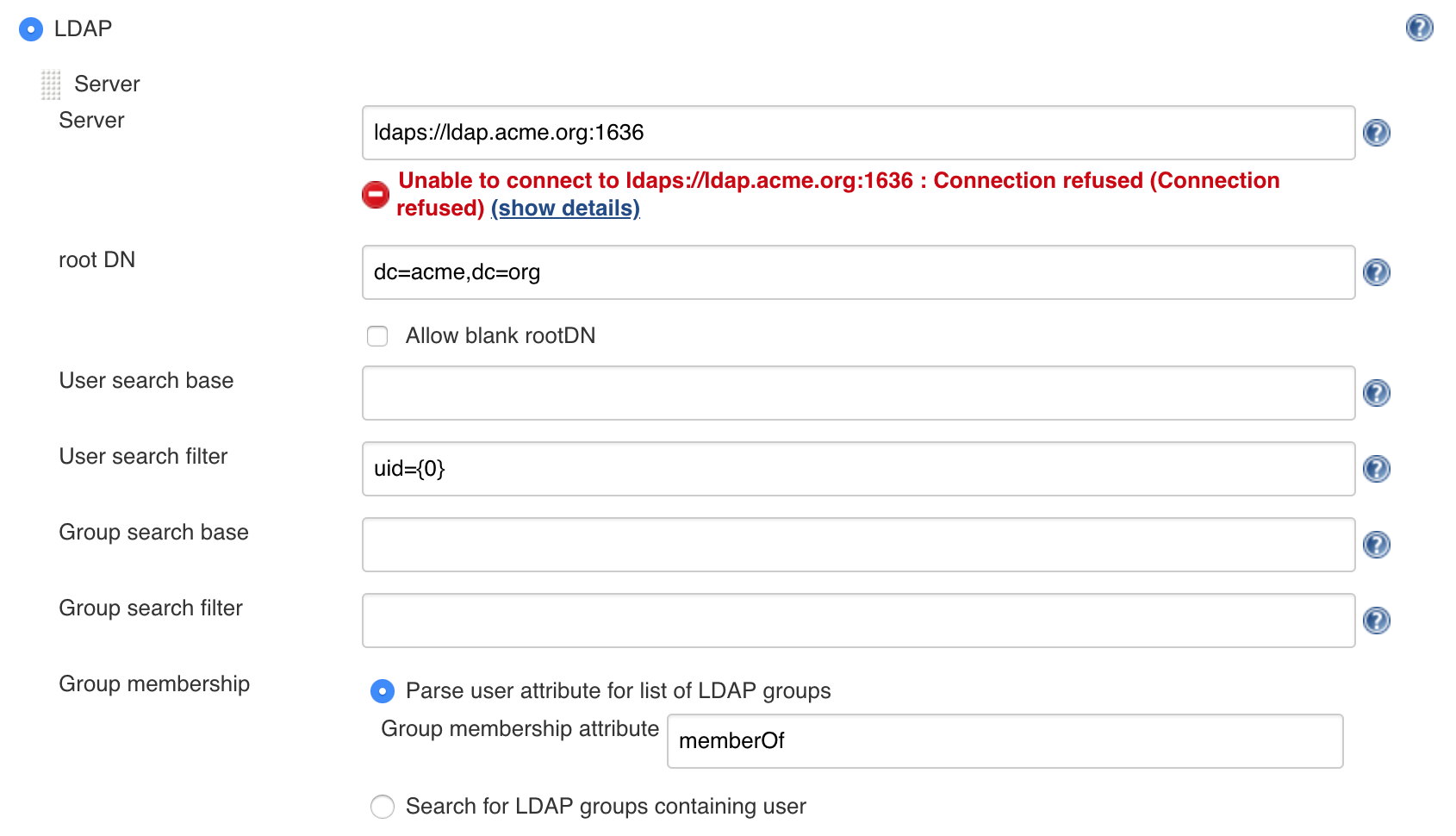
LDAP
Replace user interface based configuration for LDAP with the text-based configuration.
Only Jenkins administrators are able to create or update a Jenkins instance using configuration as code configuration files.
However, in some environments, administrators may choose to allow less privileged users to modify portions of the configuration files, for example by storing them in an SCM repository that those users have access to.
Allowing non-administrators to edit these configuration files can pose various security risks, so any changes made by non-administrators must be reviewed for safety before they are applied.
Here are some examples of changes that could be problematic:
Modification of the security realm or authorization strategy settings could give users higher permissions than intended.
Interpolation of secrets in unprotected contexts may expose sensitive data. For example, a snippet like systemMessage: "${SENSITIVE_VARIABLE}" could expose the value of a sensitive environment variable to all users who are able to access Jenkins.
Installing plugins
We don't support installing plugins with JCasC, so you need to use something else for this,
Dockers users can use:
https://github.com/jenkinsci/docker/#preinstalling-plugins
Most plugins should be supported out-of-the-box or maybe require some minimal changes. See this dashboard for known compatibility issues.
Adding JCasC support to a plugin
Plugin developers wanting to support JCasC in their plugin should check out our how-to guide.
Configuration-as-Code extension plugins
configuration-as-code-groovy-plugin
Allows specifying groovy code that should run on during configuration.
Developer Documentation
See the Developer Guide.
Jenkins Enhancement Proposal
As configuration as code is demonstrated to be a highly requested topic in the Jenkins community, we have published
JEP 201 as a proposal to make this a standard component
of the Jenkins project. The proposal was accepted. :tada:
jenkinsci/configuration-as-code-plugin có bao nhiêu sao?
jenkinsci/configuration-as-code-plugin có 2.8k sao GitHub — tải lại trang để xem số mới nhất, hoặc xem trực tiếp github.com/jenkinsci/configuration-as-code-plugin. TopGit phản chiếu số sao của GitHub nhưng không cam kết đến từng phút.
jenkinsci/configuration-as-code-plugin có những chủ đề gì?
GitHub topics của jenkinsci/configuration-as-code-plugin: "configuration-as-code", "hacktoberfest", "jcasc", "jenkins", "jenkins-configuration". TopGit xếp repo vào nhóm mã nguồn mở.
jenkinsci/configuration-as-code-plugin còn đang phát triển không?
Commit gần nhất trên jenkinsci/configuration-as-code-plugin là 11 ngày trước (theo timestamp GitHub). Repo có 759 fork — một chỉ báo về mức độ quan tâm của cộng đồng.
jenkinsci/configuration-as-code-plugin là gì?
jenkinsci/configuration-as-code-plugin (jenkinsci/configuration-as-code-plugin) là dự án Java trên GitHub. Theo mô tả gốc: Jenkins Configuration as Code Plugin
jenkinsci/configuration-as-code-plugin viết bằng ngôn ngữ gì?
jenkinsci/configuration-as-code-plugin chủ yếu viết bằng Java. Trường "language" của GitHub dựa trên phần lớn byte ở nhánh mặc định.
Đọc đầy đủ README ở tab phía trên.
Muốn nghe thêm một ý kiến về configuration-as-code-plugin?
Hỏi một AI đọc được trang này — một cú bấm là có ngay nhận định về configuration-as-code-plugin.
 /configuration-as-code-plugin