kdeldycke/meta-package-manager là dự án Python với 632 sao trong nhóm Developer Tools. 🎁 snapshot every package on your machine to one file, restore it on a new one
Tóm tắt dựng từ metadata GitHub của chính dự án — chưa có bài review TopGit. Trang sẽ tự động cập nhật khi bài review đầy đủ được xuất bản.
VÌ SAO CHƯA CÓ REVIEW
TopGit viết bài đầy đủ cho repo có nhiều sao nhất và được yêu cầu nhiều nhất. Trang này là snapshot trong thời gian chờ — xem README gốc ở tab READ ME.
snapshots every package on your machine to one file, and restores it on a new one
provides the mpm CLI, a wrapper around all package managers
mpm is like yt-dlp, but for package managers instead of videos
mpm solves XKCD #1654 - Universal Install Script
Features
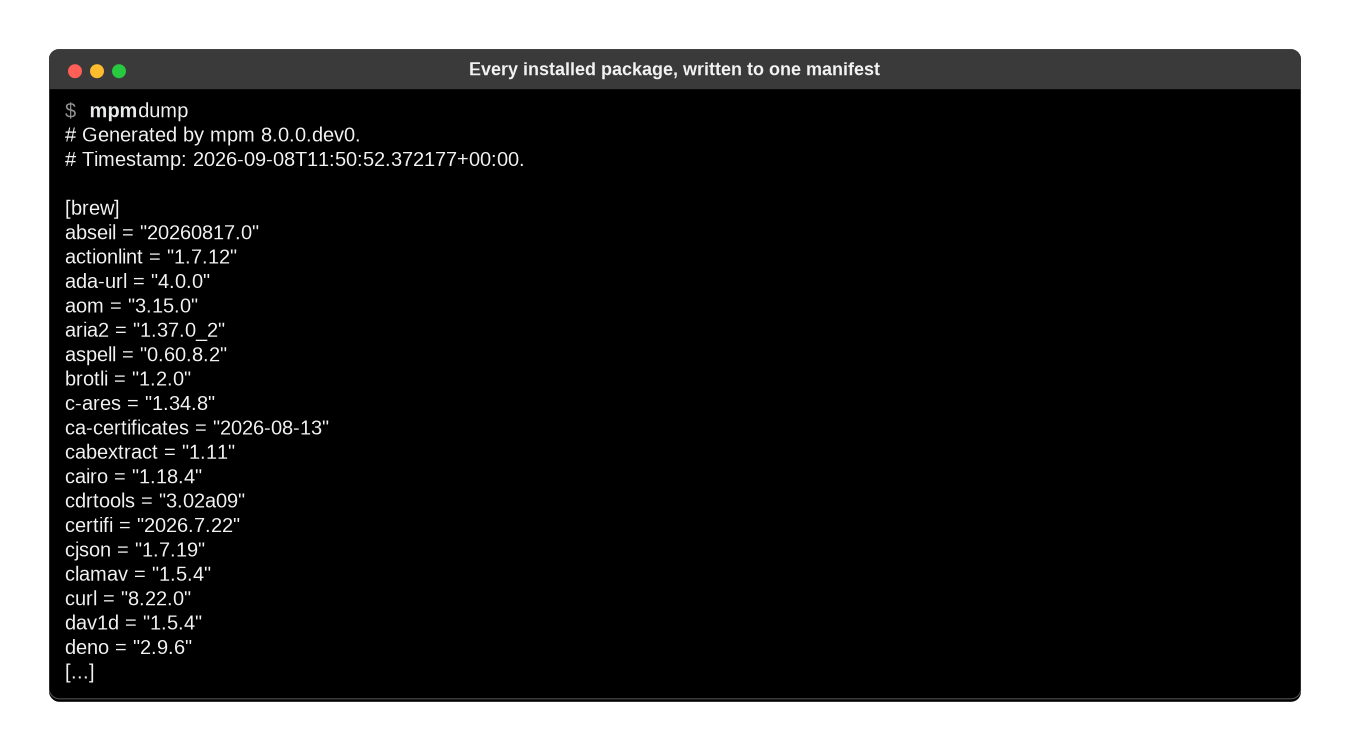
Snapshot installed packages to a TOML manifest or a Brewfile, across every manager at once, with mpm dump packages.toml:
Restore that manifest on the next machine with mpm restore packages.toml, and get the same set of packages back.
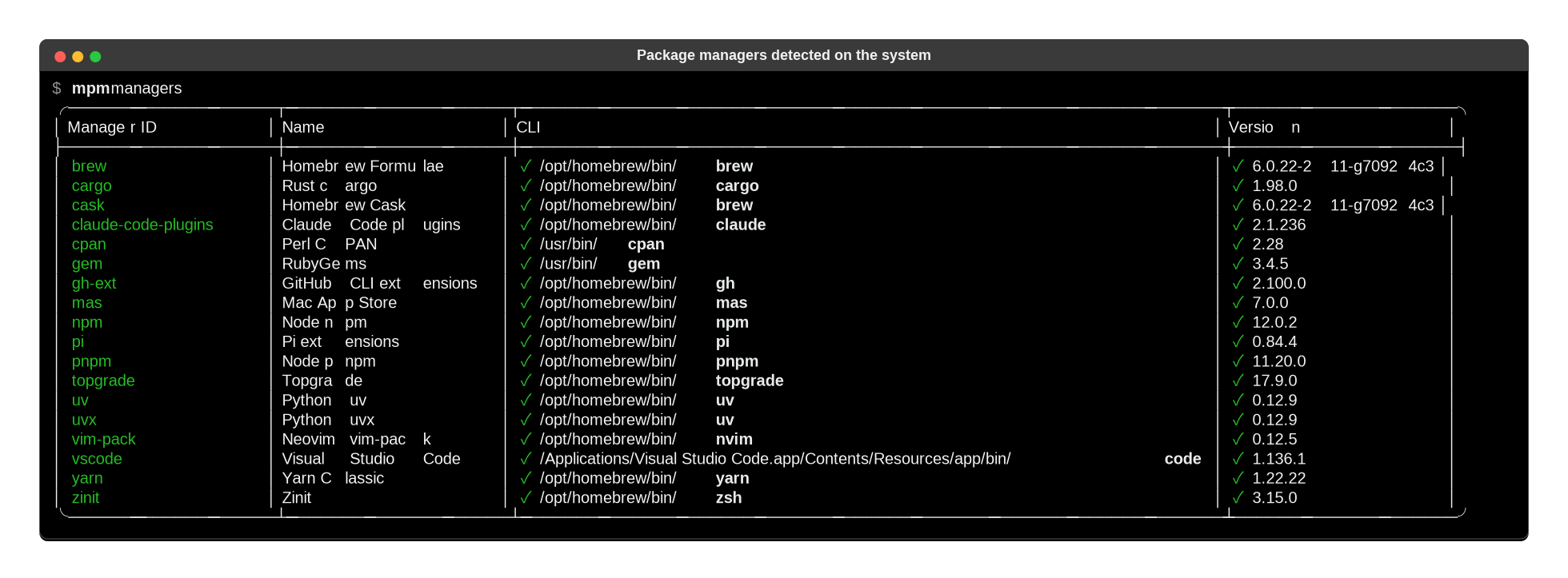
Inventory and list all package managers available on the system:
Runs on macOS, Linux, Windows, FreeBSD, NetBSD, OpenBSD, illumos and Solaris, with standalone executables for the first three.
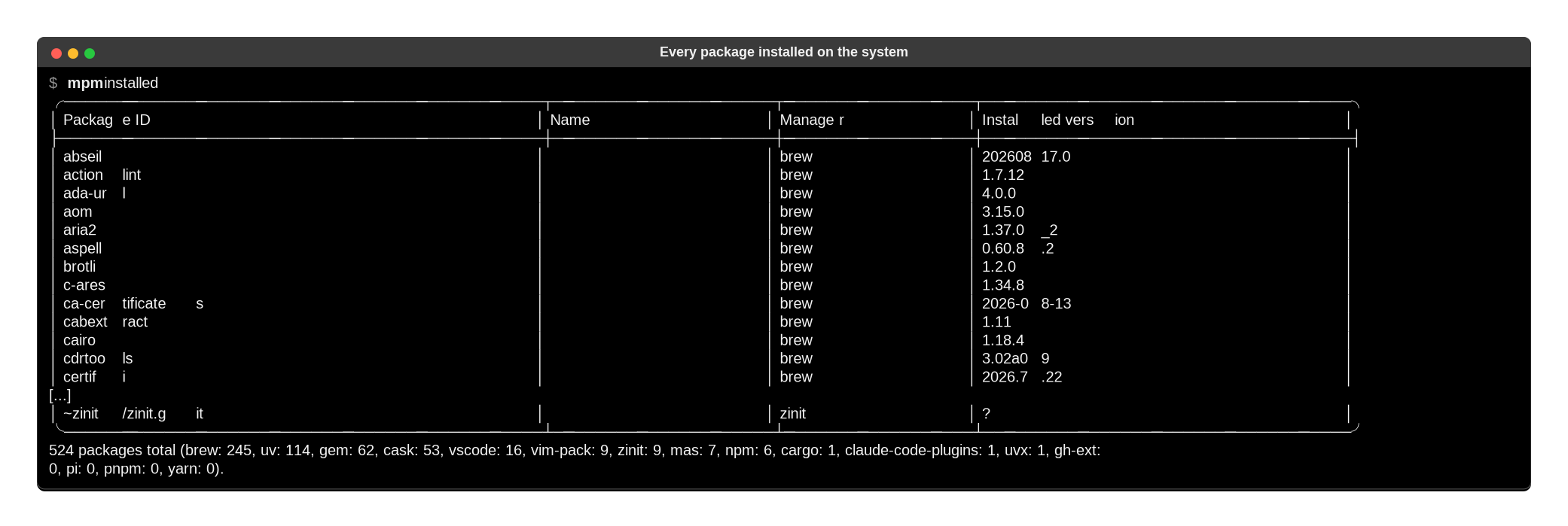
List installed packages:
List duplicate installed packages.
Search for packages.
Install a package.
Remove a package.
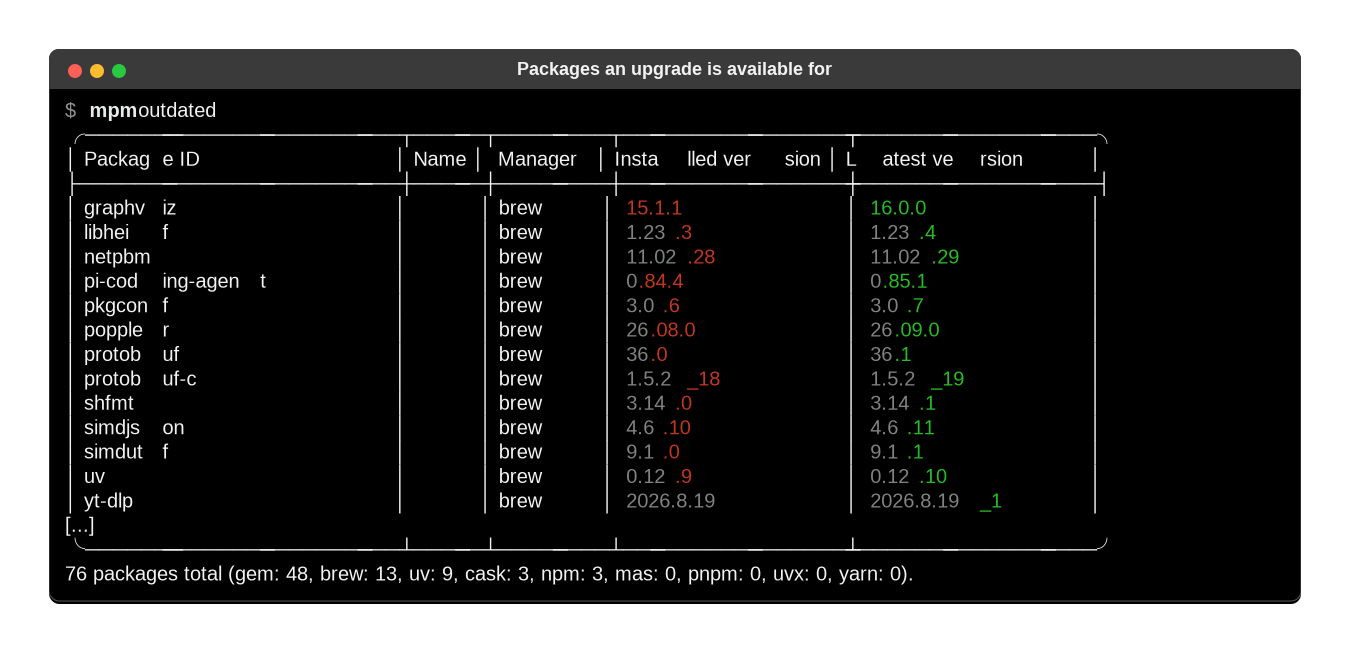
List outdated packages, with the differing part of each version picked out in color, so a patch bump reads apart from a major one at a glance:
List orphaned packages.
Sync local package infos.
Diagnose the health of package managers.
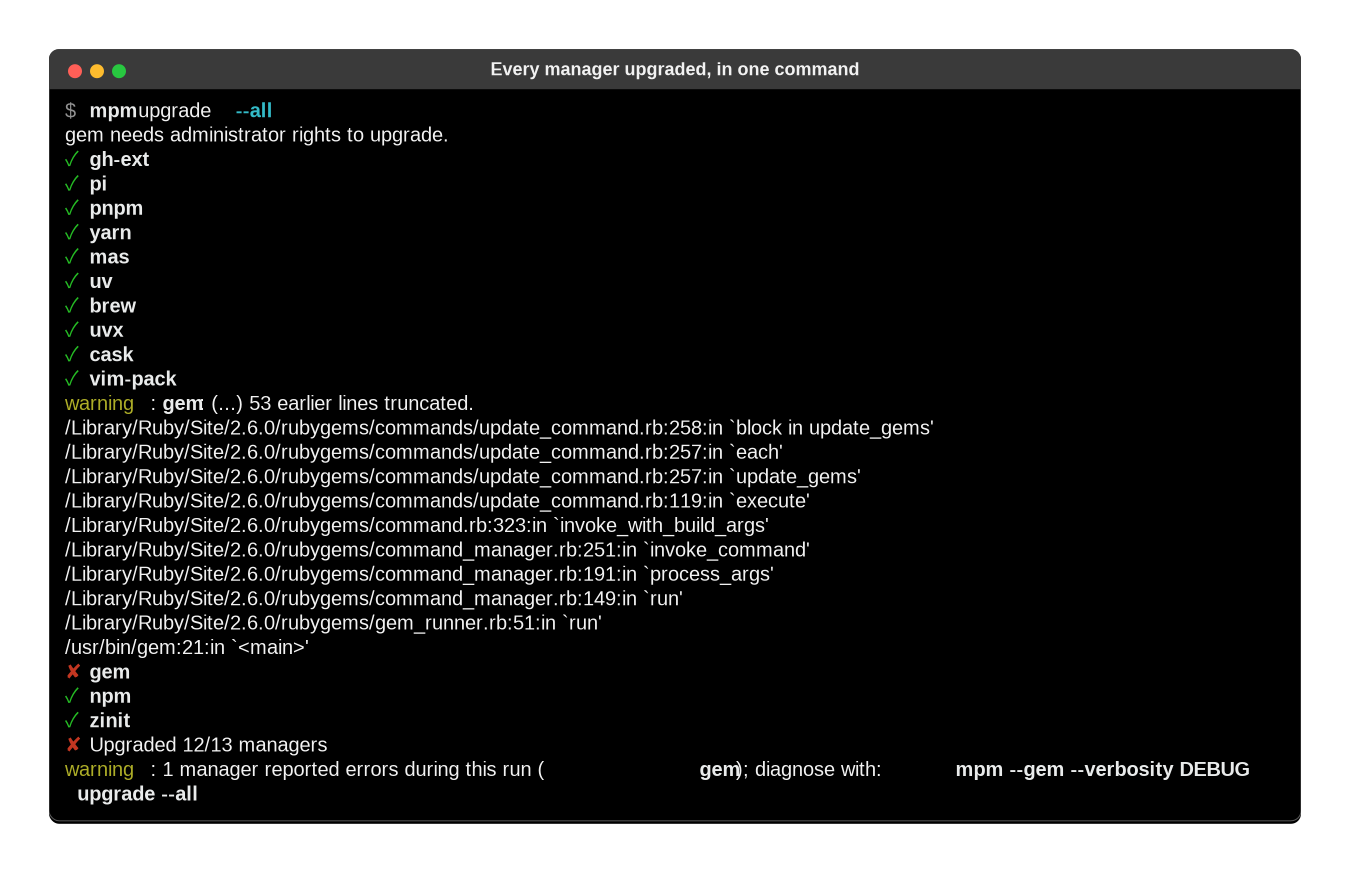
Upgrade all outdated packages from every manager at once, the primary use case of mpm and the main reason I built it, since 70% of vulnerabilities lie in outdated libraries. A manager that fails is marked ✘ and named in a closing summary, while the others carry on:
Get a report of what each command changed at the end of install, remove, upgrade, restore and cleanup --orphans: every package upgraded, downgraded, installed, removed, held back by the cooldown or an unanswered password prompt, or still outdated, with its versions.
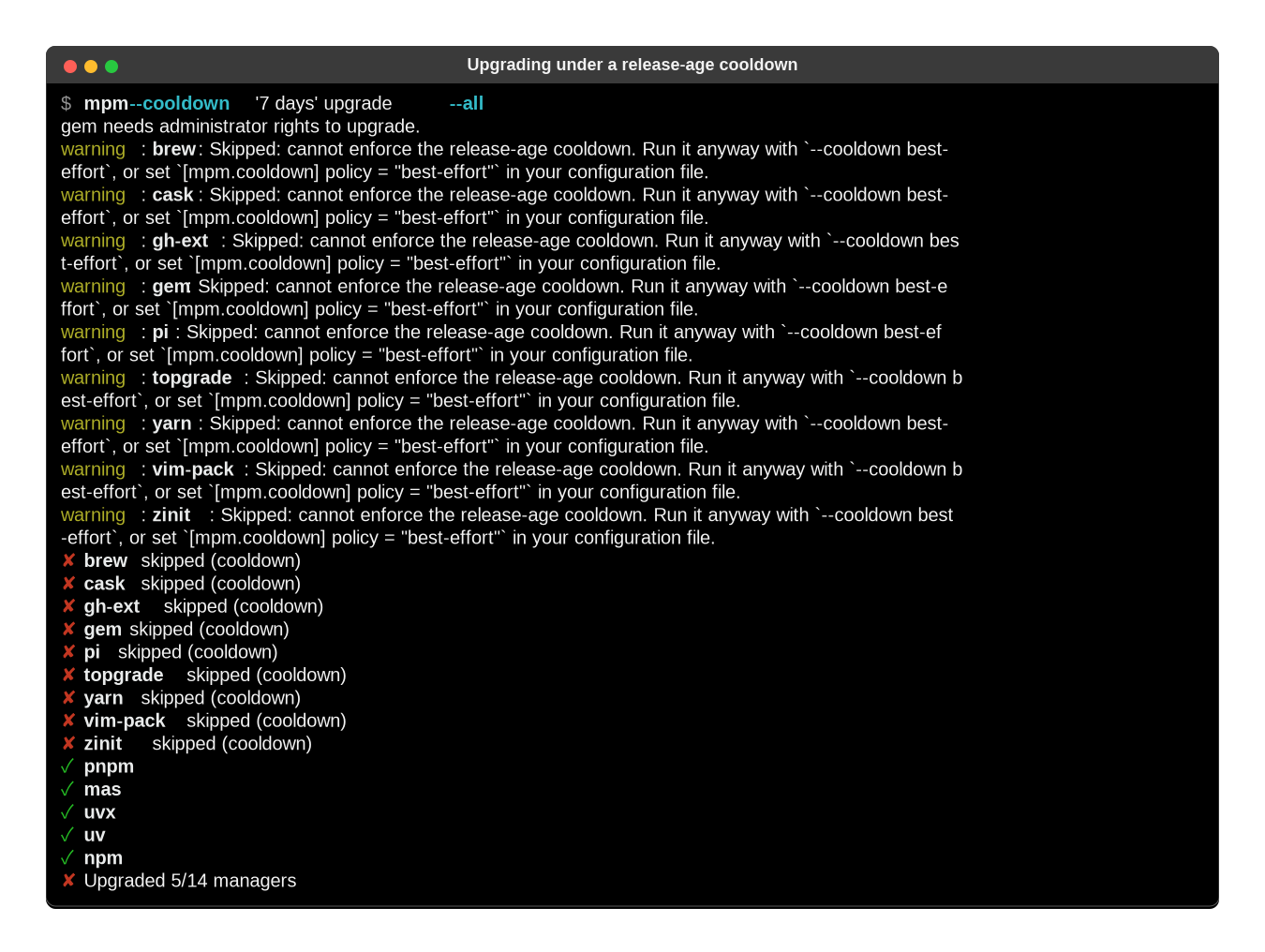
Mitigate supply-chain attacks with a release-age cooldown that refuses any version published more recently than a threshold. A manager that cannot enforce the window is skipped, rather than run unguarded:
Software Bill of Materials: export installed packages to SPDX and CycloneDX SBOM files.
Pin-point commands to a subset of package managers (include/exclude selectors).
Support plain, versioned and purl package specifiers.
Export output to JSON or user-friendly tables.
Shell auto-completion for Bash, Zsh and Fish.
A SwiftBar/Xbar plugin in the macOS menu bar, and a GNOME Shell extension on Linux: both list the outdated packages of every manager on the system, and upgrade them from the menu.
Because mpm tries to wrap all other package managers, it became another pathological case of XKCD #927: Standards
Supported package managers
One CLI to rule them all.
mpm runs them concurrently unless they share the same backend.
mpm also reuses topgrade when present on the system to extend its mpm upgrade --all operation to extra runtimes, shell plugins and OS updaters. Other unsupported managers are catalogued in the docs.
Installation
All installation methods are available in the documentation.
uv
mpm is distributed on PyPI, so uv installs it on Linux, macOS and Windows alike:
$ uv tool install meta-package-manager
To try mpm without installing anything, run uvx meta-package-manager instead.
Homebrew
mpm is part of the official Homebrew default tap, bottled for macOS and Linux, so you can install it with:
$ brew install meta-package-manager
MacPorts
mpm is also available on MacPorts:
$ sudo port install meta-package-manager
Scoop
mpm is available in the main repository of Scoop, so on Windows you just need to:
> scoop install main/meta-package-manager
Executables
Standalone binaries of mpm latest version are available as direct downloads for several platforms and architectures:
Platform
arm64
x86_64
Linux
Download meta-package-manager-linux-arm64.bin
Download meta-package-manager-linux-x64.bin
macOS
Download meta-package-manager-macos-arm64.bin
Download meta-package-manager-macos-x64.bin
Windows
Download meta-package-manager-windows-arm64.exe
Download meta-package-manager-windows-x64.exe
Useful for CI/CD pipelines running on minimal images, or old platforms where dependency management is painful.
Used in
Check these projects to get real-life examples of mpm usage:
Dotfiles - macOS dotfiles for Python developers, using mpm to manage system packages.
Feel free to send a PR to add your project in this list if you are relying on mpm in any way.
Usage
Other subcommands and options are documented in:
the detailed help screens
the manager augmentations where you’ll find inspiration on how to leverage mpm power
kdeldycke/meta-package-manager thuộc nhóm Developer Tools trên TopGit, cùng 20 topic GitHub. Trang Trending và Topics liệt kê các repo cùng số sao và cùng ngôn ngữ để so sánh.
Đọc thêm về kdeldycke/meta-package-manager ở đâu?
Trang TopGit này là một snapshot — tab "Readme" hiển thị nguyên văn README của repo (đã bỏ link, giữ ảnh). Repo GitHub ở github.com/kdeldycke/meta-package-manager là nguồn chính thức.
kdeldycke/meta-package-manager có bao nhiêu sao?
kdeldycke/meta-package-manager có 632 sao GitHub — tải lại trang để xem số mới nhất, hoặc xem trực tiếp github.com/kdeldycke/meta-package-manager. TopGit phản chiếu số sao của GitHub nhưng không cam kết đến từng phút.
kdeldycke/meta-package-manager có những chủ đề gì?
kdeldycke/meta-package-manager có phải mã nguồn mở không?
Có — kdeldycke/meta-package-manager phát hành theo license GPL-2.0, nghĩa là mã nguồn mở để đọc, fork và (tùy license) tái sử dụng. Mã: github.com/kdeldycke/meta-package-manager.
kdeldycke/meta-package-manager có trang demo không?
Dự án có trang chủ ở https://mpm.run. Tab "Readme" ở trang này thường có ảnh chụp và hướng dẫn bắt đầu nhanh.
kdeldycke/meta-package-manager còn đang phát triển không?
Commit gần nhất trên kdeldycke/meta-package-manager là 5 ngày trước (theo timestamp GitHub). Repo có 52 fork — một chỉ báo về mức độ quan tâm của cộng đồng.
Đọc đầy đủ README ở tab phía trên.
meta-package-manager có đáng để bạn bỏ thời gian?
ChatGPT, Claude và Perplexity đều đọc được trang này. Hỏi thử xem họ nghĩ gì về meta-package-manager.

 /meta-package-manager






 Dotfiles - macOS dotfiles for Python developers, using