Một mục mã nguồn mở trong kho dữ liệu GitHub của TopGit: krasimir/kuker, 656 sao, JavaScript. Kick-ass browser extension to debug your apps
Tóm tắt dựng từ metadata GitHub của chính dự án — chưa có bài review TopGit. Trang sẽ tự động cập nhật khi bài review đầy đủ được xuất bản.
VÌ SAO CHƯA CÓ REVIEW
TopGit viết bài đầy đủ cho repo có nhiều sao nhất và được yêu cầu nhiều nhất. Trang này là snapshot trong thời gian chờ — xem README gốc ở tab READ ME.
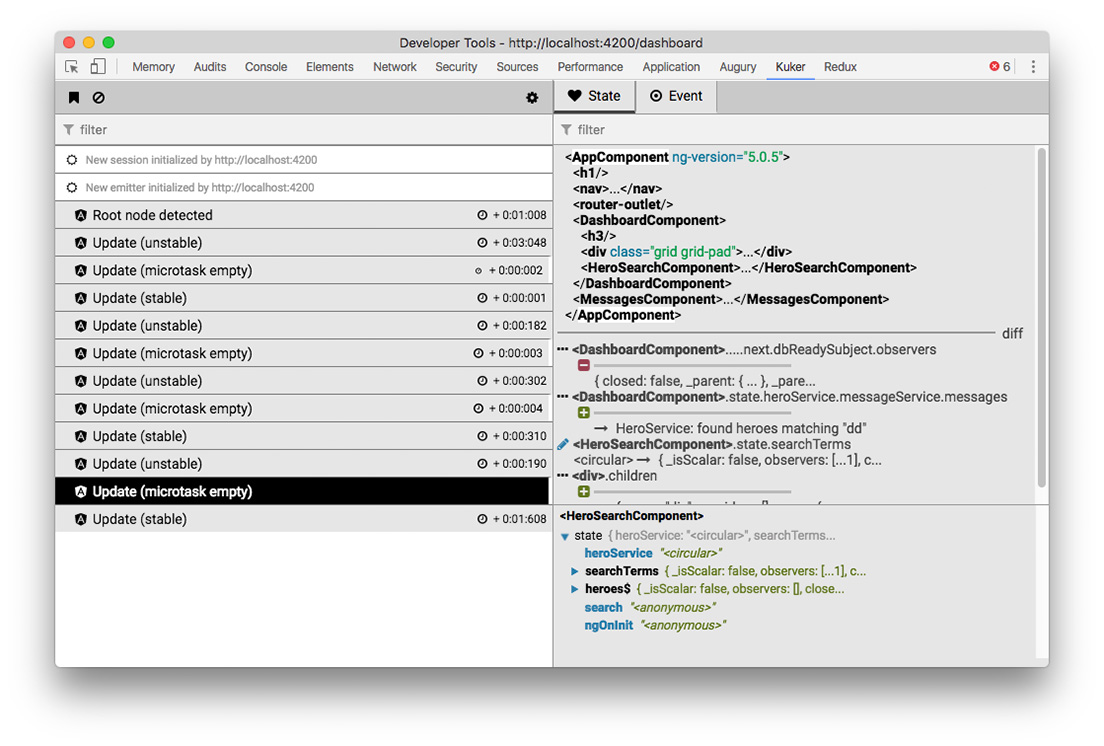
You want your framework listed here? Check out the Emitters section and learn how to integrate it with Kuker.
How to use it
Install the extension from Chrome Web Store.
Instrument your app so it sends messages
Features
Tracking of events/actions in your app
Tracking of application state and its mutations
Monitoring of server-side rendering (via Socket.io)
Filtering of events/actions and focusing on specific portion of the application state
Monitoring for changes in a specific portion of the state
Filtering of event sources
Clearing all the events or adding a red flag so you know which are the new ones
Philosophy
If you build software you probably know that debugging what you just wrote is really important. Without seeing how your code works on a lower level you can't say that something is done. Finding and fixing bugs is also important. And without a proper tool it becomes difficult and time consuming. Kuker is here to help by improving your workflow.
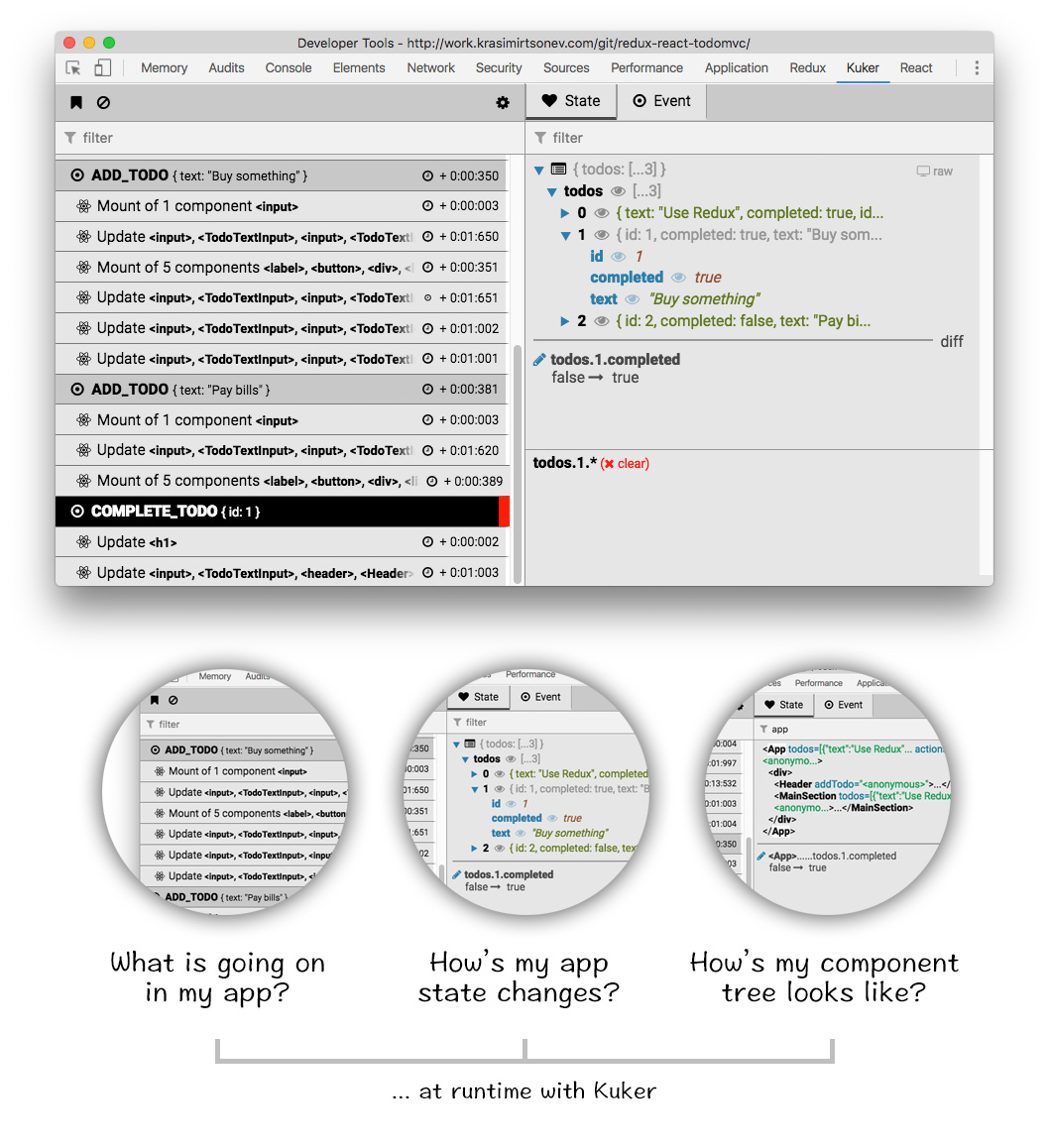
I'm working with React, Redux and redux-saga last years and they seem to have pretty active community. Community that built awesome tools which improve the developer experience. One of these tools is Redux-DevTools. I got lots of ideas from there and my goal in the beginning was to write (for fun) a clone with a little bit more features. Stuff which I wanted to see. However, later I realized that this may be used out of Redux context and basically support every library or framework. It answers of two important questions.
What is going on in my application? In Redux this is pretty much the actions which fly around. But in your app this may be events or streams. It is just an action that happened at specific point of time. Think about a timeline with bunch keyframes.
How my application state changes based on these actions/events? Seeing how your app state mutates based on actions is priceless. You are able to spot bugs and see what is causing them. What state means depends on the context. For Redux this is the store, for React this is the React tree.
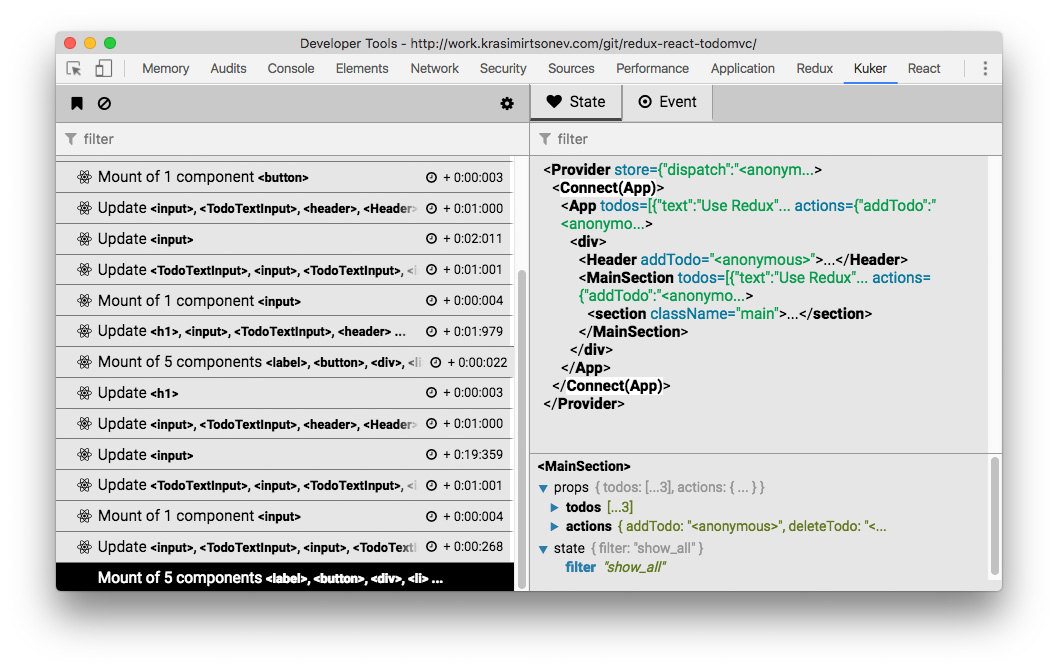
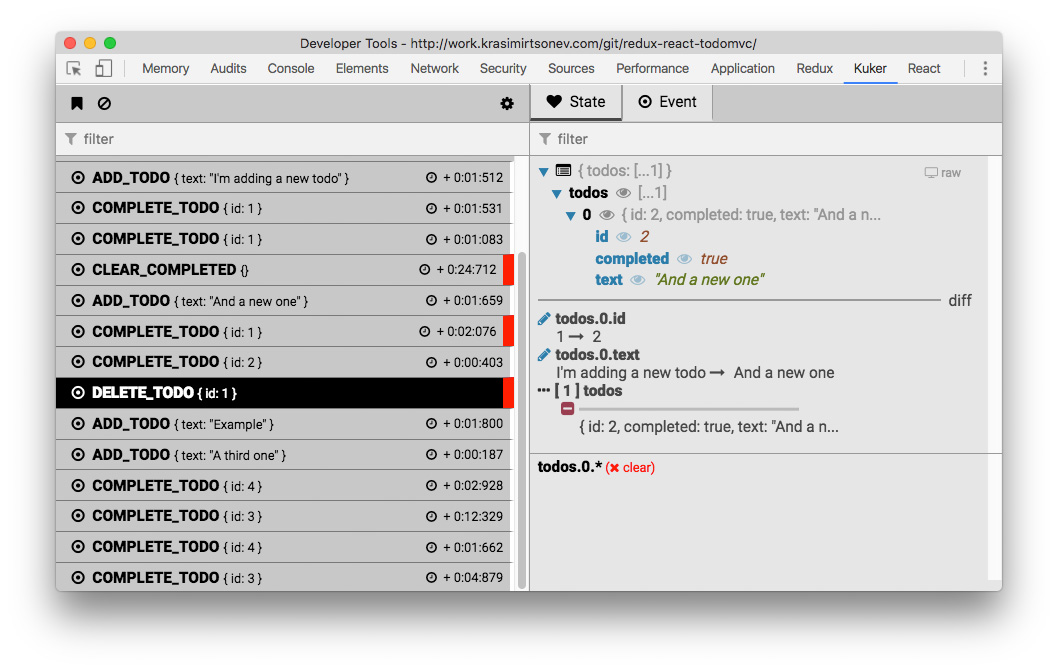
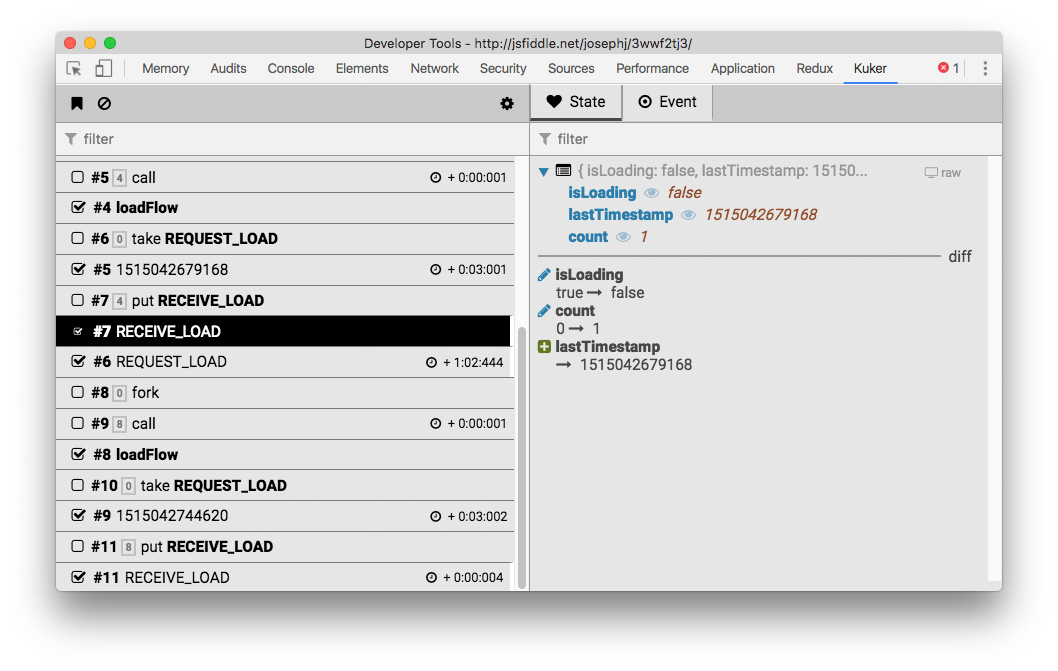
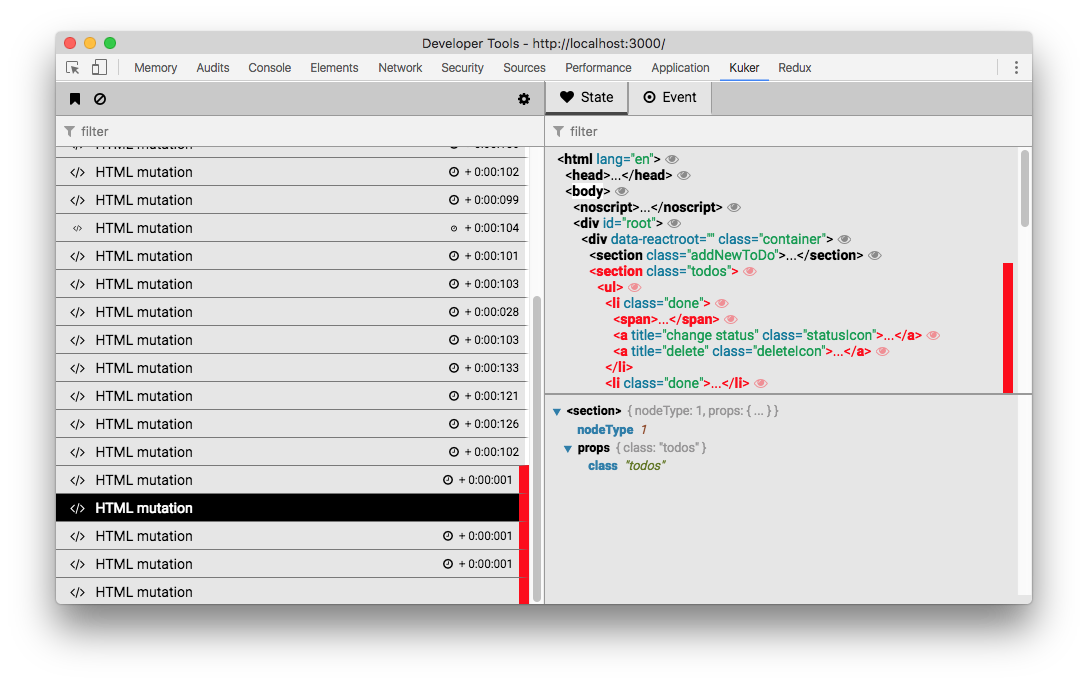
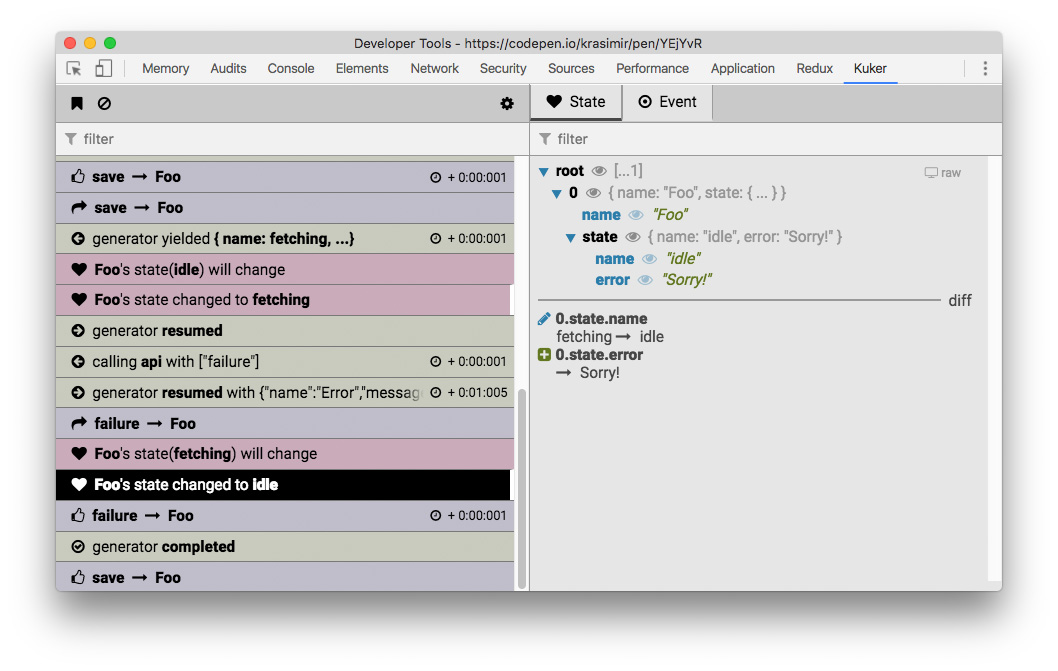
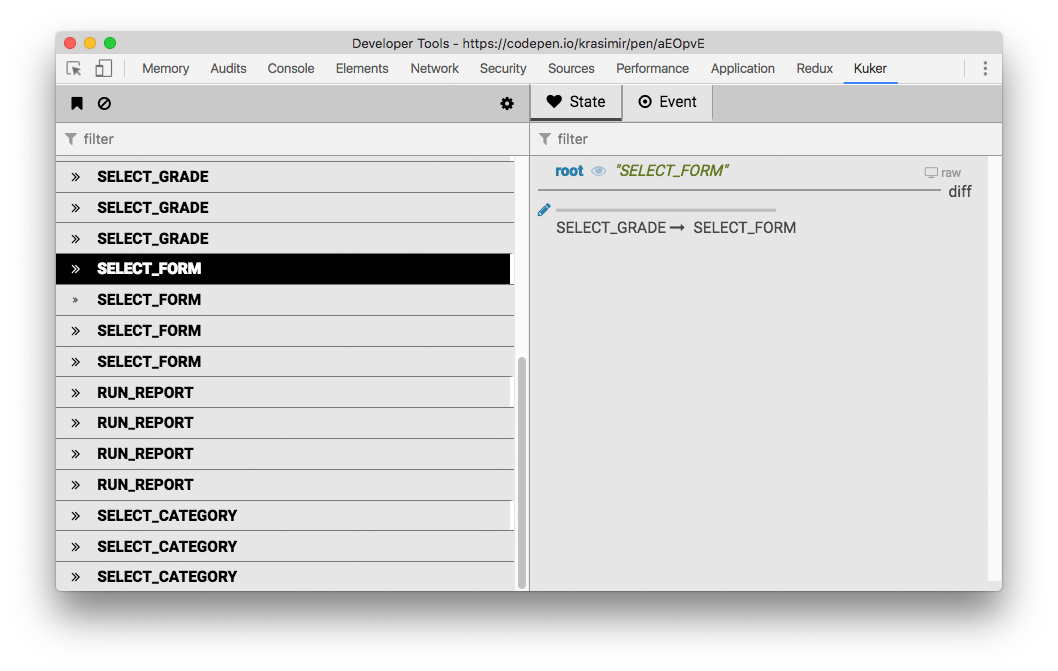
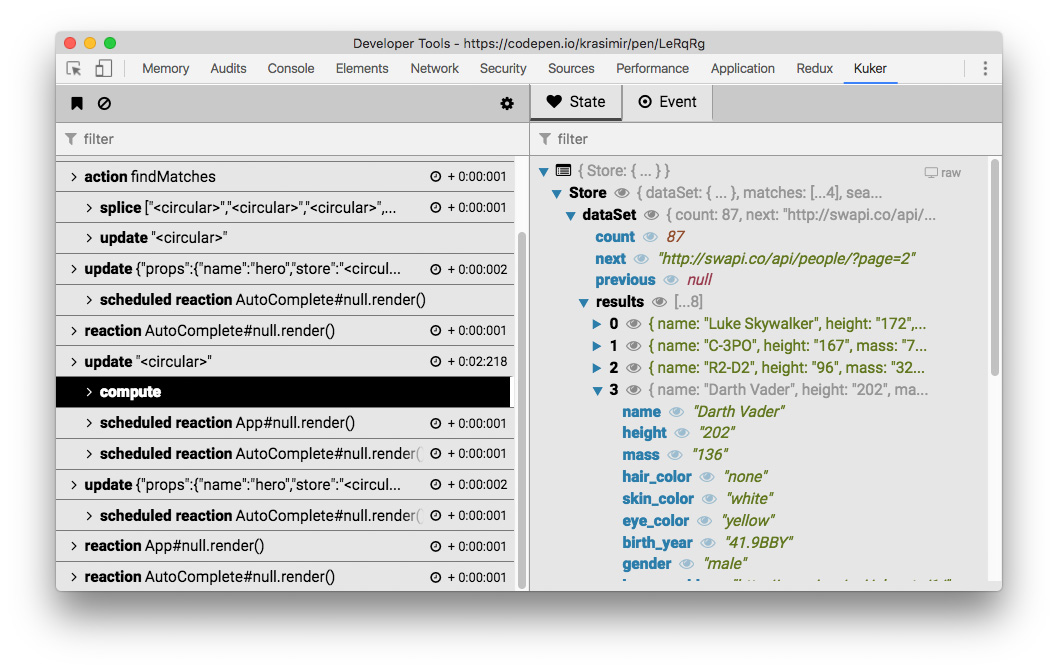
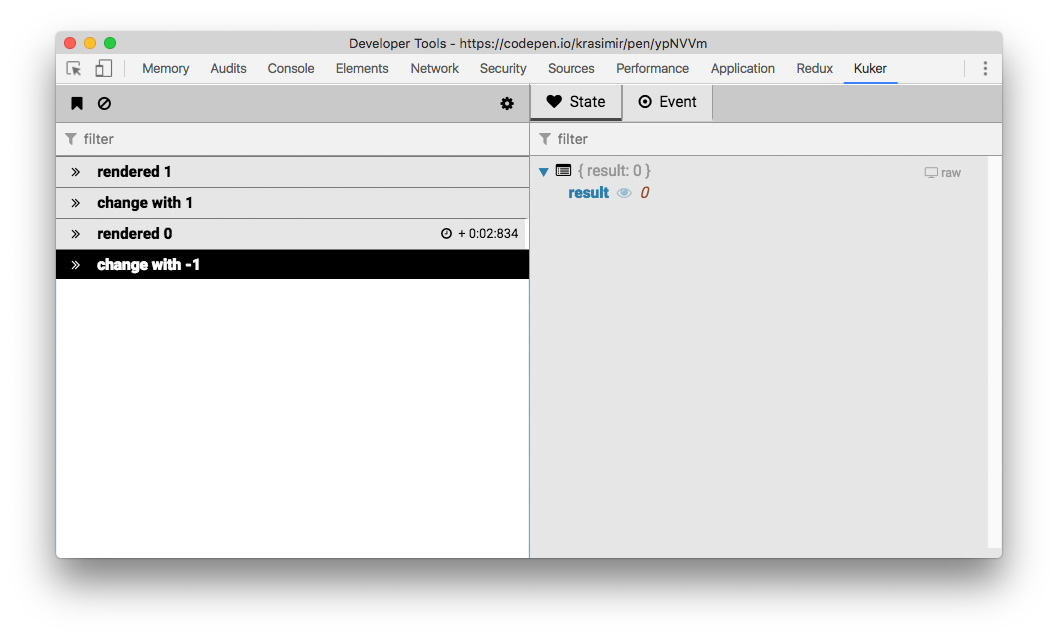
The extension answers on these two questions. We have two panels. The one on the left shows a list of all the actions/events in your application while the one on the right displays the state after each one of them.
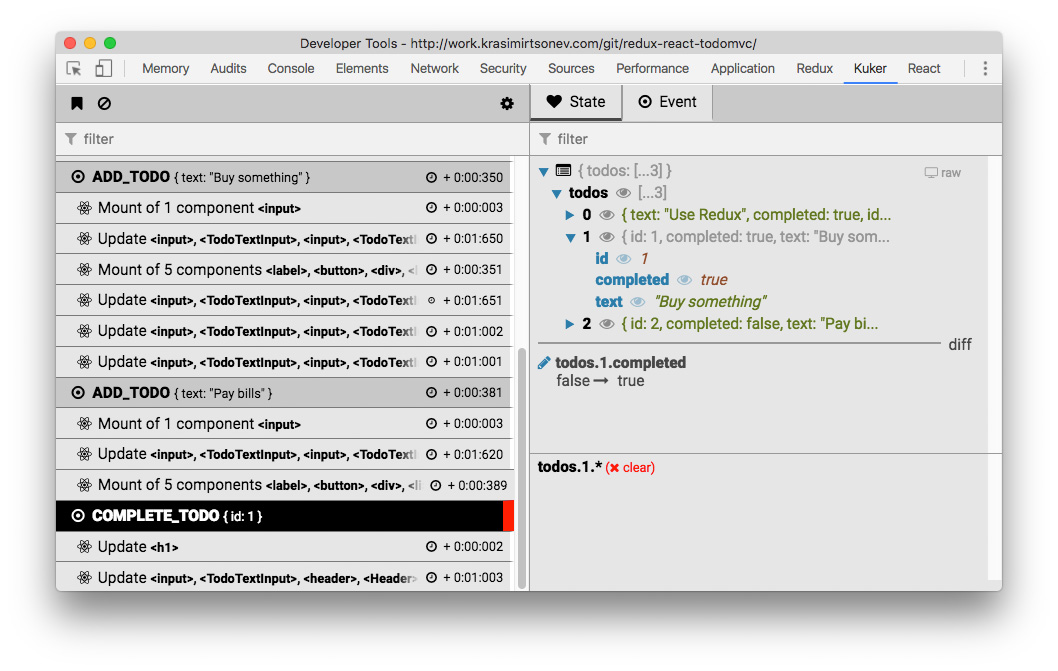
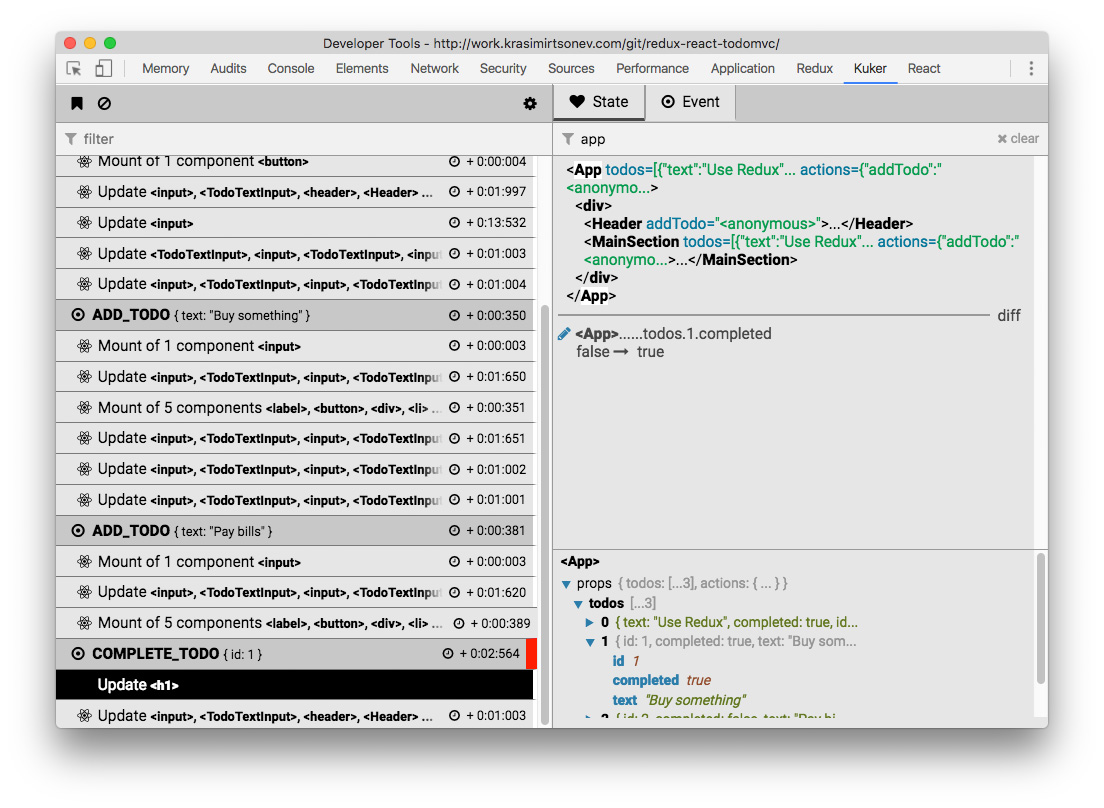
The following screenshot demonstrate how the extension works with React emitter and Redux emitter plugged in:
Instrumentation
To make the extension work you have to instrument your application. You have to add an emitter which listens for actions/events on your side and sends them to Kuker.
Emitters
How to use it
Features
Philosophy
Instrumentation
Emitters
Installing emitters
Integration with React
Integration with Angular
Integration with Vue
Integration with Redux
Integration with redux-saga
HTML emitter
Integration with Stent
Integration with Machina.js
Integration with MobX
BaseEmitter
Writing your own Emitter
In production
How it works
Misc
Installing emitters
yarn add kuker-emitters or npm install kuker-emitters. There're also standalone versions in here. You may grab the file, include it in your page and you'll a global like ReduxEmitter, ReduxSagaEmitter or ReactEmitter.
Integration with React
import { ReactEmitter } from 'kuker-emitters';

ReactEmitter();
Example
Integration with Angular
import { AngularEmitter } from 'kuker-emitters';

AngularEmitter();
AngularEmitter accepts a single parameter options which by default is equal to { rootSelector: 'app-root' }. The root element in a Angular app is usually app-root (at least in the latest versions). If it happens to be a different one set the proper selector. Also you should compile your app in a development mode. Otherwise ng.probe is not available and the emitter can not send events.
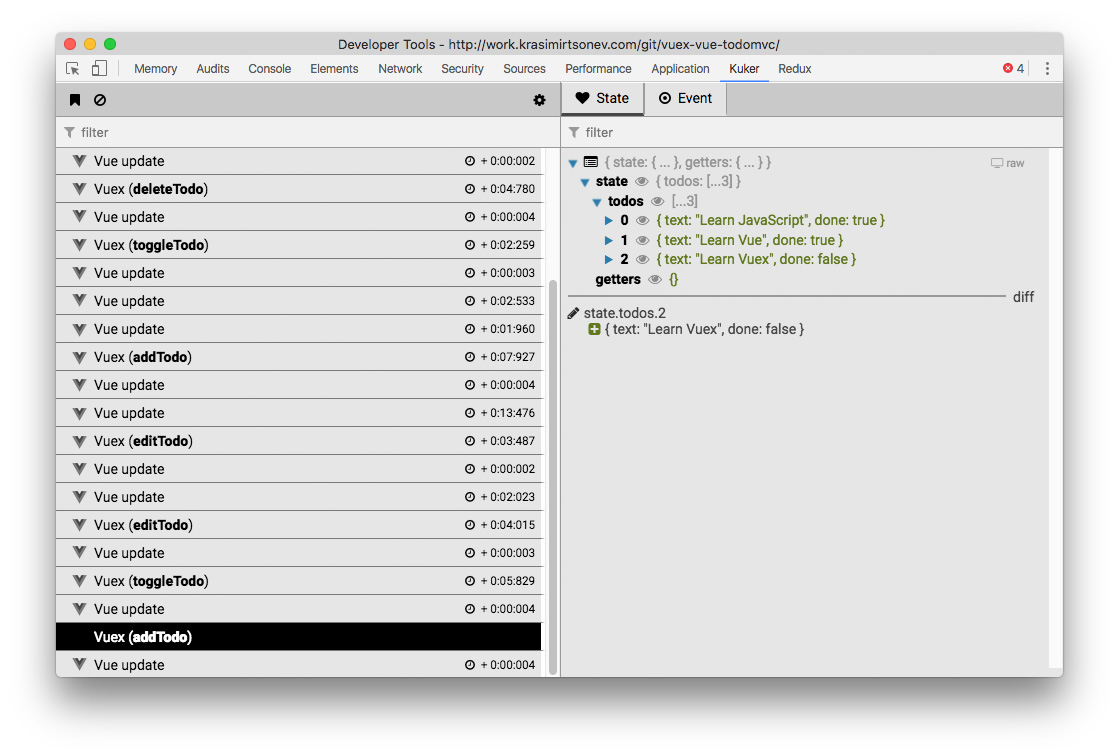
Integration with Vue
import { VueEmitter } from 'kuker-emitters';

VueEmitter();
The same VueEmitter works for Vuex too.
Codepen example
Integration with Redux
import { createStore, applyMiddleware } from 'redux';
import { ReduxEmitter } from 'kuker-emitters';

const middleware = ReduxEmitter();

const store = createStore(<reducer>, applyMiddleware(middleware));
Codepen example
Example
Integration with redux-saga
import { createStore, applyMiddleware } from 'redux';
import { ReduxSagaEmitter } from 'kuker-emitters';
import createSagaMiddleware from 'redux-saga';

const emitter = ReduxSagaEmitter();
const sagaMiddleware = createSagaMiddleware({ sagaMonitor: emitter.sagaMonitor });

const store = createStore(<reducer>, applyMiddleware(sagaMiddleware));

// This bit is really important.
// Without it you won't get the current state of the app with every event.
emitter.setStore(store);

sagaMiddleware.run(rootSaga)
Codepen example
jsFiddle example
Example
HTML emitter
import { HTMLEmitter } from 'kuker-emitters';

HTMLEmitter();
Codepen example
Integration with Stent
import { Machine } from 'stent';
import { StentEmitter } from 'kuker-emitters';

Machine.addMiddleware(StentEmitter());
Codepen example
Integration with Machina.js
import machina from 'machina';
import { MachinaEmitter } from 'kuker-emitters';

const machine = new machina.Fsm({...});

MachinaEmitter(machine);
Codepen example
Integration with MobX
import { MobXEmitter } from 'kuker-emitters';
import { spy, observable, action } from 'mobx';

class Person {
  @observable age = 33;
  @action newYear() {
    this.age += 1;
  }
}

const person = new Person();

MobXEmitter(spy, [ person ]);
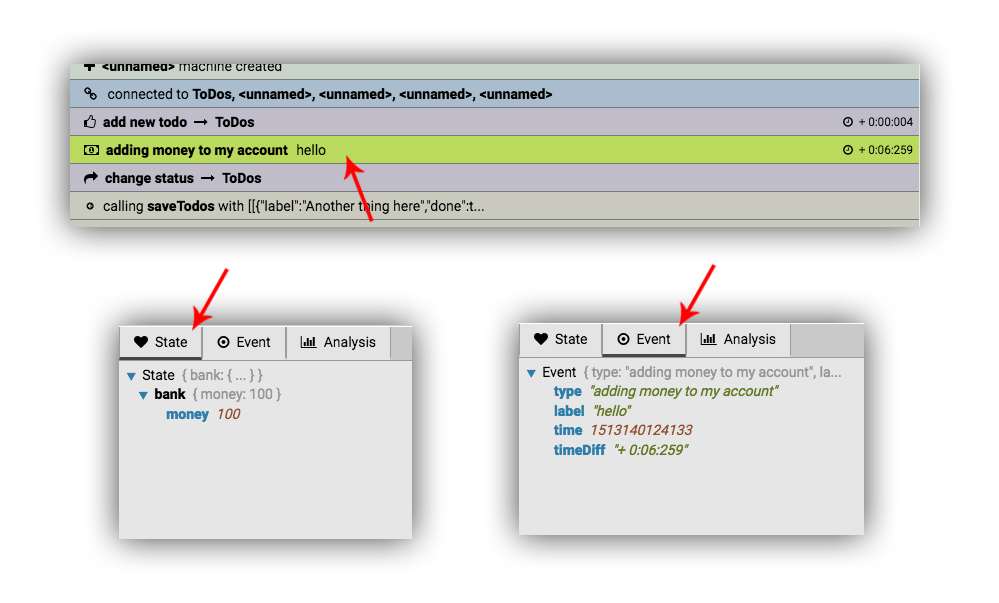
Of course you don't have to use any of these emitters to enjoy Kuker. You may send a message on your own using the postMessage API:
window.postMessage({
  kuker: true,
  type: 'adding money to my account',
  origin: 'something',
  label: 'hello',
  time: (new Date()).getTime(),
  state: { bank: { money: 100 } },
  icon: 'fa-money',
  color: '#bada55'
}, '*');
The result of this postMessage call is as follows:
The only required properties are type and kuker: true. You may skip the others if you want. icon is one of the FontAwesome icons.
The problem of doing it alone is that you have to take care for a two things:
Your state may contain stuff which are not easily serializable.
You have to check if window.postMessage is available (does not exist in node environment).
All these three issues are solved by using the BaseEmitter.
I'll be more then happy to see you contributing to kuker-emitters. There're also utility functions for calling postMessage.
In production
In the beginning there was a guard in the emitters that makes sure that events are sent only if the extension is installed. However, this technique involves the content script of the extension to inject some stuff on the page which was fragile and buggy. I decided to kill that feature until I find a better way to handle it. So, for the time being you have to guard the emitters.
How it works
Once you load the app the integrated emitters start calling window.postMessage. The content script is listening for this messages and via the chrome.runtime API sends them to the DevTools panel. The rest is just a small React app that displays them.
Trang TopGit này là một snapshot — tab "Readme" hiển thị nguyên văn README của repo (đã bỏ link, giữ ảnh). Repo GitHub ở github.com/krasimir/kuker là nguồn chính thức.
krasimir/kuker có phải mã nguồn mở không?
Có — krasimir/kuker phát hành theo license MIT, nghĩa là mã nguồn mở để đọc, fork và (tùy license) tái sử dụng. Mã: github.com/krasimir/kuker.
krasimir/kuker có tag gì không?
Bản đồng bộ chưa ghi nhận topic GitHub nào cho krasimir/kuker. GitHub topics hiển thị ở thanh bên phải trang repo — đó là nơi đáng kiểm tra nhất.
krasimir/kuker có trang demo không?
Dự án có trang chủ ở https://chrome.google.com/webstore/detail/glgnienmpgmfpkigngkmieconbnkmlcn. Tab "Readme" ở trang này thường có ảnh chụp và hướng dẫn bắt đầu nhanh.
krasimir/kuker còn đang phát triển không?
Commit gần nhất trên krasimir/kuker là 3.6 năm trước (theo timestamp GitHub). Repo có 17 fork — một chỉ báo về mức độ quan tâm của cộng đồng.
krasimir/kuker dùng license gì?
krasimir/kuker phát hành theo license MIT. Nên mở file LICENSE trên GitHub để xác nhận — license metadata đôi khi lệch với thực tế dự án.
Đọc đầy đủ README ở tab phía trên.
kuker có đáng để bạn bỏ thời gian?
ChatGPT, Claude và Perplexity đều đọc được trang này. Hỏi thử xem họ nghĩ gì về kuker.
 /kuker