Được TopGit lập chỉ mục từ metadata GitHub: magenta/ddsp-vst có 827 sao, viết chủ yếu bằng C++. Realtime DDSP Neural Synthesizer and Effect
Tóm tắt dựng từ metadata GitHub của chính dự án — chưa có bài review TopGit. Trang sẽ tự động cập nhật khi bài review đầy đủ được xuất bản.
VÌ SAO CHƯA CÓ REVIEW
TopGit viết bài đầy đủ cho repo có nhiều sao nhất và được yêu cầu nhiều nhất. Trang này là snapshot trong thời gian chờ — xem README gốc ở tab READ ME.
VST3/AU plugins and desktop applications built using the JUCE framework and DDSP.
Helpful Links
Home page
Blog post
Download the latest plugins
macOS
Windows
Train a new model
Join our DDSP community!
Installation
macOS
Download the plugin binaries from here.
Unzip and copy the two plugins (DDSP Effect and DDSP Synth) to their respective system folders:
Audio Unit: /Library/Audio/Plug-Ins/Components
VST3: /Library/Audio/Plug-Ins/VST3
Rescan for new plugins in your respective DAW (verified on Ableton/Logic Pro/FL Studio/Reaper).
Windows
Download the plugin binaries from here.
Unzip and copy the two VST3 plugins (DDSP Effect and DDSP Synth) to C:\Program Files\Common Files\VST3
Rescan for new plugins in your respective DAW (verified on Ableton//Reaper).
Usage
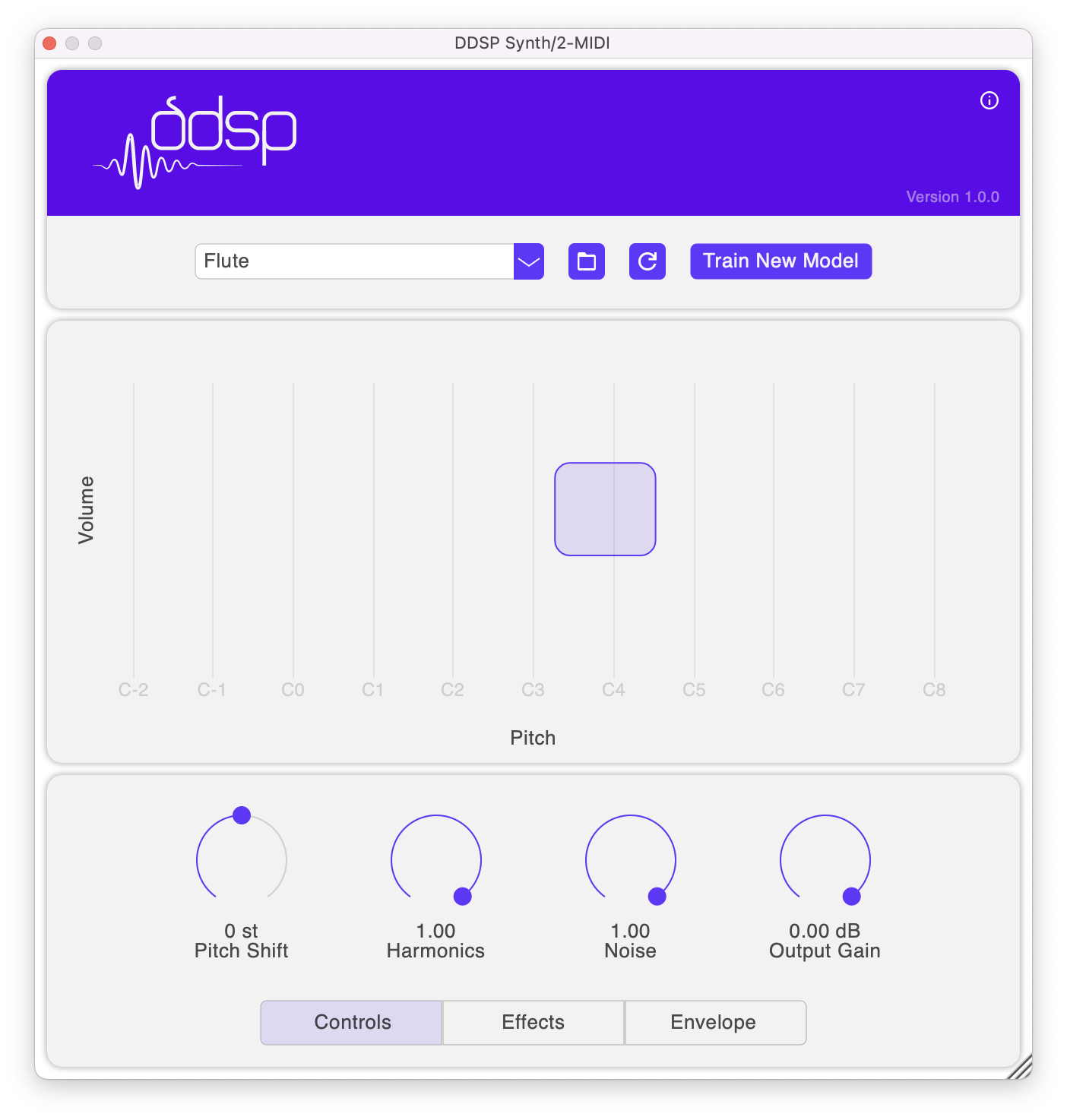
Take a look at this guide on how to use the plugins!
Build
Supported Platforms
macOS
Windows
Setup
Prerequisites
CMake 3.15 or above
macOS
Xcode
Ninja (optional)
Windows
Visual Studio 2022
Git Bash
Initialize
Clone this repo and run the following script to initialize the submodules and download DDSP models.
./repo-init.sh
macOS
Generate Xcode project files (recommended for development and debugging):
cmake -B build -S . -G Xcode
Open DDSP.xcodeproj, select a target and build.
For release, we recommend building with Ninja or CMake since building XNNPACK is unsupported on Xcode. Additionally, Ninja builds are faster compared to CMake.
cmake -B build-ninja -S . -G Ninja
Build all targets: cmake --build build-ninja
Plugins will be copied to ~/Library/Audio/Plug-Ins directory automatically post-build.
Windows
Generate Visual Studio 2022 solution:
cmake -B build -G "Visual Studio 17 2022"
CMake adds m.lib as a dependency which causes a build error, this can be removed by running the following script after generating build files.
./scripts/remove-m-lib-win.sh
You may encounter errors when building TFLite, they can be fixed by applying this patch.
Build the VST3 targets and copy plugin binaries to C:\Program Files\Common Files\VST3
If the plugin UI looks blurred on Ableton, right click on the plug-in title bar and deselect "Auto-Scale Plugin Window". More information can be found here
CMake
Edit cmake/FileList.cmake to add new source files to the project.
Compiler/linker options and project version can be found in cmake/Config.cmake.
Contributing
We're eager to collaborate with you! Take a look at the contribution guidelines on how to contribute.
Trang TopGit này là một snapshot — tab "Readme" hiển thị nguyên văn README của repo (đã bỏ link, giữ ảnh). Repo GitHub ở github.com/magenta/ddsp-vst là nguồn chính thức.
magenta/ddsp-vst có bao nhiêu sao?
magenta/ddsp-vst có 827 sao GitHub — tải lại trang để xem số mới nhất, hoặc xem trực tiếp github.com/magenta/ddsp-vst. TopGit phản chiếu số sao của GitHub nhưng không cam kết đến từng phút.
magenta/ddsp-vst có tag gì không?
Bản đồng bộ chưa ghi nhận topic GitHub nào cho magenta/ddsp-vst. GitHub topics hiển thị ở thanh bên phải trang repo — đó là nơi đáng kiểm tra nhất.
magenta/ddsp-vst có website riêng không?
TopGit chưa ghi nhận URL trang chủ cho magenta/ddsp-vst. Phần README ở tab phía trên thường có link demo, hoặc xem mô tả GitHub của repo.
magenta/ddsp-vst còn đang phát triển không?
Commit gần nhất trên magenta/ddsp-vst là 3.3 năm trước (theo timestamp GitHub). Repo có 92 fork — một chỉ báo về mức độ quan tâm của cộng đồng.
magenta/ddsp-vst dùng license gì?
magenta/ddsp-vst phát hành theo license Apache-2.0. Nên mở file LICENSE trên GitHub để xác nhận — license metadata đôi khi lệch với thực tế dự án.
magenta/ddsp-vst viết bằng ngôn ngữ gì?
magenta/ddsp-vst chủ yếu viết bằng C++. Trường "language" của GitHub dựa trên phần lớn byte ở nhánh mặc định.
Đọc đầy đủ README ở tab phía trên.
Vẫn đang phân vân về ddsp-vst?
Một cú bấm sẽ gửi câu hỏi kèm trang này cho AI — xem AI nói gì về ddsp-vst.

 /ddsp-vst