Điểm qua matterport/lsm: 9 sao trên GitHub, viết chủ yếu bằng Python. Code for Learnt Stereo Machines based on the NIPS 2017 paper
Tóm tắt dựng từ metadata GitHub của chính dự án — chưa có bài review TopGit. Trang sẽ tự động cập nhật khi bài review đầy đủ được xuất bản.
VÌ SAO CHƯA CÓ REVIEW
TopGit viết bài đầy đủ cho repo có nhiều sao nhất và được yêu cầu nhiều nhất. Trang này là snapshot trong thời gian chờ — xem README gốc ở tab READ ME.
This is a Tensorflow implementation of Learnt Stereo Machines as presented in the NIPS 2017 paper below. It supports training, validation and testing of Voxel LSMs and Depth LSMs on the ShapeNet dataset.
Learning a Multi-view Stereo Machine
Abhishek Kar, Christian Häne, Jitendra Malik
NIPS 2017 [blog][paper][arxiv]
Setup
Prerequisites
Linux or OSX (Tested on Ubuntu 16.04)
NVIDIA GPU + CUDA + CuDNN (CPU mode and CUDA without CuDNN may work with minimal modification, but untested)
Prepare data
The system requires rendered images, depth maps (for D-LSMs), intrinsic/extrinsic camera matrices and voxelizations of the 3D models for training. A version of these renders and cameras can be downloaded using the provided script prepare_data.sh.
WARNING: The full release is large (21G tar file) and will take some time to unpack. Use the following script to download all the data required to train LSMs from scratch.
If you are interested in only the voxelizations of the models, we also make them available at the links below.
[ShapeNet voxels (32^3 and 64^3) (58M)][ShapeNet renderings + voxels (21G)]
We also provide a small sample set for running the demos which can be downloaded from below or by using the download_sample.sh script.
[ShapeNet Sample (8M)]
Setup virtualenv
We recommend using virtualenv to run experiments without modifying your global python distribution.
You might want to specify the GPU to use for experiments (in a multi GPU machine) and suppress TF messages before running scripts. The project root also needs to be added to PYTHONPATH.
export CUDA_VISIBLE_DEVICES=<GPU to run on> #Specify GPU to run on
export PYTHONPATH=`pwd`:$PYTHONPATH #Add project root to PYTHONPATH
export TF_CPP_MIN_LOG_LEVEL=2 #Suppress extra messages from TF
Quick Start
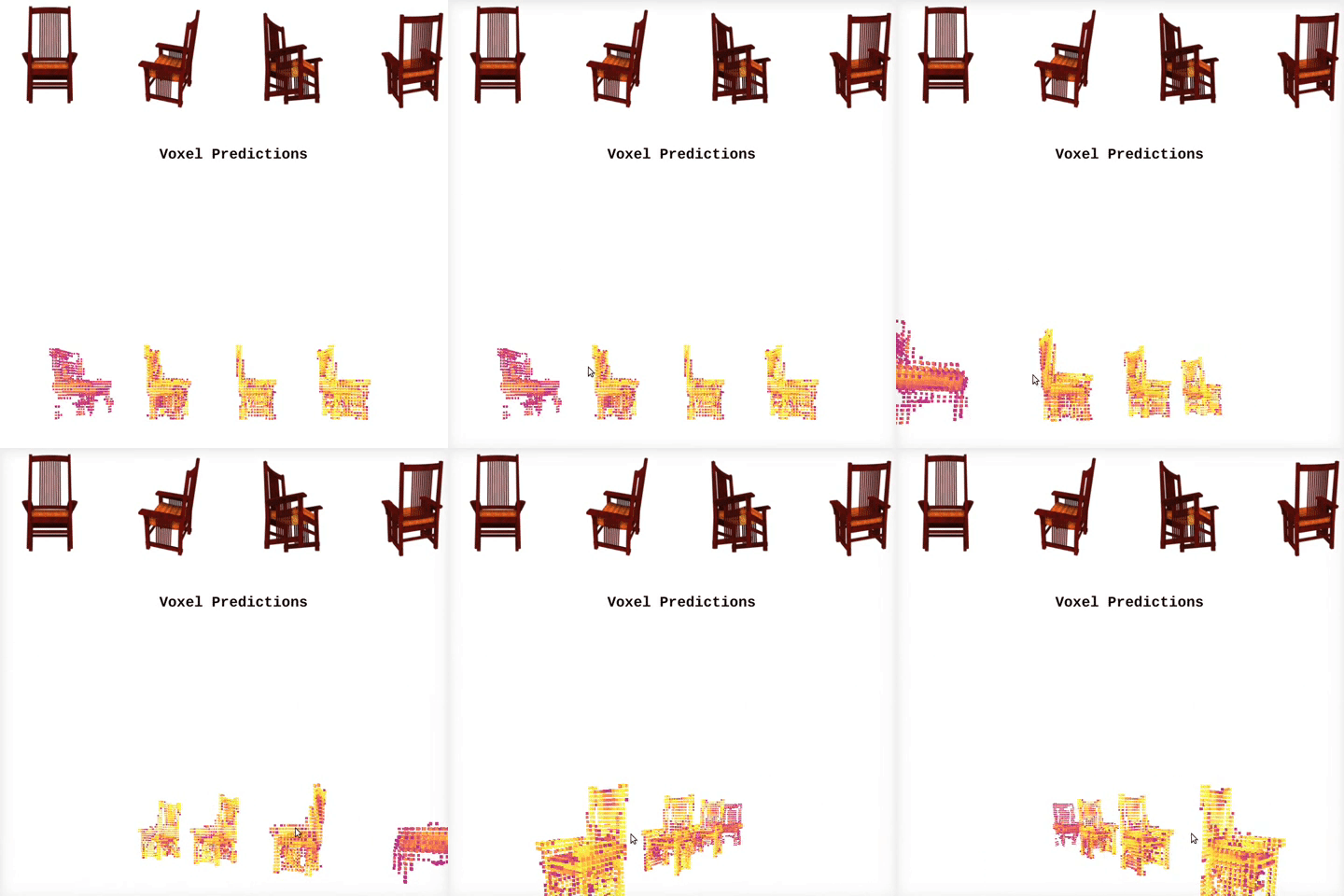
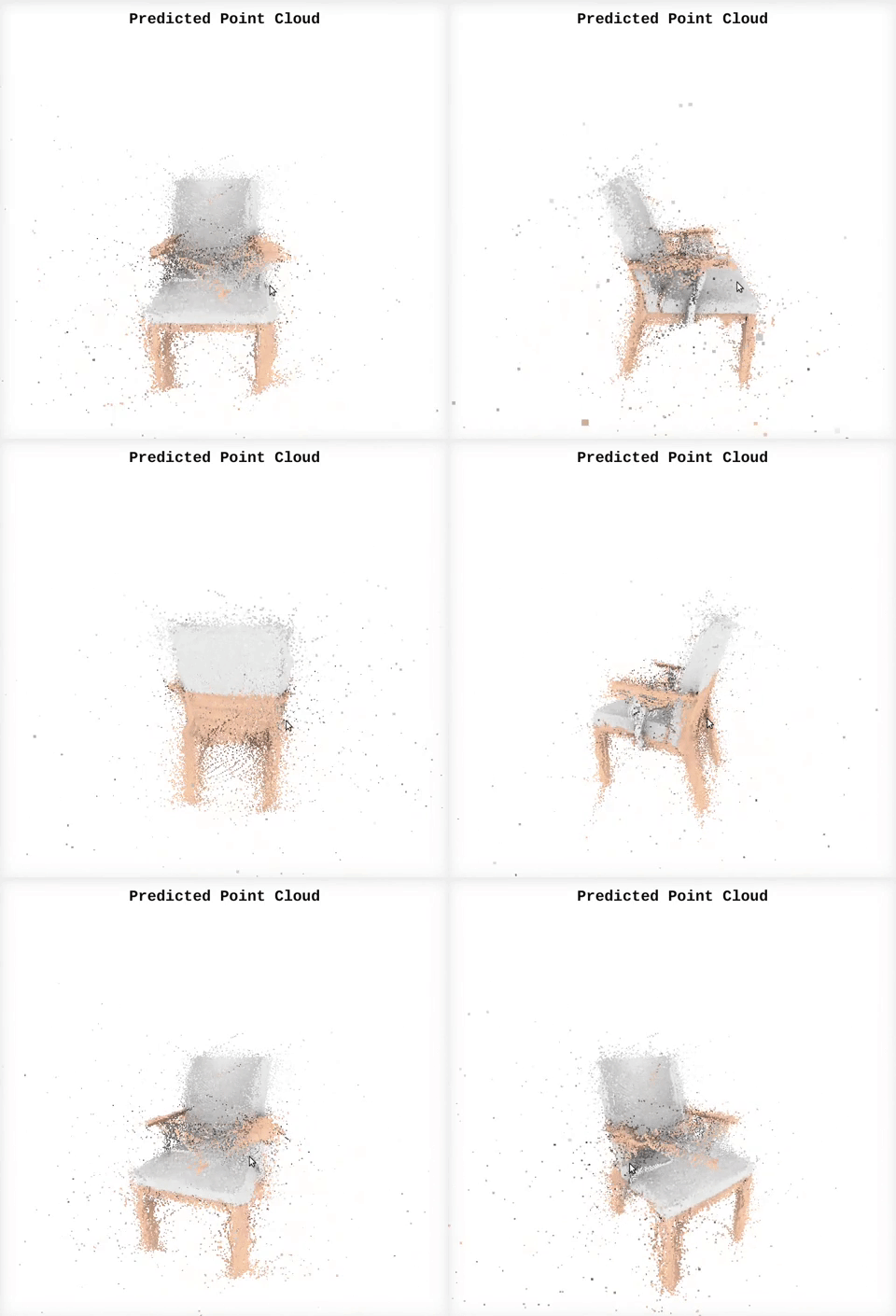
You can use the demo jupyter notebooks demo_vlsm.ipynb and demo_dlsm.ipynb to get started with running pretrained LSMs on the sample data (download within the notebook). The notebooks allow interactive 3D visualizatin of the predicted voxel grids and point clouds!
Pretrained Models
We are releasing pretrained models for V-LSMs and D-LSMs trained on the ShapeNet dataset which can be used to reproduce numbers from the paper. Note that the numbers might differ a little (higher for the code release) due to minor changes in the code after submission. The models can be downloaded with the tensorboard run logs (1.7G) or without (70M) and can be downloaded from the links below. You can also use the get_models.sh script to download the models.
[LSM v1 (with logs)][LSM v1 (models only)]
Voxel LSM (V-LSM)
Training
Training a V-LSM on ShapeNet with default arguments. Model checkpoints and tensorboard logs are written out to a unique directory created by default within ./log displayed at the top after starting training.
LOG=<log directory used while training. e.g. ./log/2017-10-30_132841/train>
CHECKPOINT=<checkpoint to evaluate. e.g. mvnet-100000>

python voxels/test_vlsm.py --log $LOG --ckpt $CHECKPOINT --test_split_file data/splits.json
Validation
You can also choose to run continuous validation while the model is training using the following command. This should add new fields to tensorboard showing validation accuracy/error.
LOG=<log directory used while training. e.g. ./log/2017-10-30_132841/train>

python voxels/val_vlsm.py --log $LOG --val_split_file data/splits.json
Depth LSM (D-LSM)
The instructions for D-LSMs are very similar to V-LSMs. You can perform training, validation and testing using the following scripts as well as visualize progress on Tensorboard.
LOG=<log directory used while training. e.g. ./log/2017-10-30_132841/train>

python depth/val_dlsm.py --log $LOG --val_split_file data/splits.json
Testing
LOG=<log directory used while training. e.g. ./log/2017-10-30_132841/train>
CHECKPOINT=<checkpoint to evaluate. e.g. mvnet-100000>

python depth/test_dlsm.py --log $LOG --ckpt $CHECKPOINT --test_split_file data/splits.json
Viewing progress on Tensorboard
You can view the training progress on tensorboard by using the logs written out while training.
LOG=<log directory used while training. e.g. ./log/2017-10-30_132841/train>
tensorboard --logdir $LOG
Citation
If you use our code, we request you to cite the following work.
@incollection{lsmKarHM2017,
  author = {Abhishek Kar and
  Christian H\"ane and
  Jitendra Malik},
  title = {Learning a Multi-View Stereo Machine},
  booktitle = NIPS,
  year = {2017},
  }
Trang TopGit này là một snapshot — tab "Readme" hiển thị nguyên văn README của repo (đã bỏ link, giữ ảnh). Repo GitHub ở github.com/matterport/lsm là nguồn chính thức.
matterport/lsm có bao nhiêu sao?
matterport/lsm có 9 sao GitHub — tải lại trang để xem số mới nhất, hoặc xem trực tiếp github.com/matterport/lsm. TopGit phản chiếu số sao của GitHub nhưng không cam kết đến từng phút.
matterport/lsm có tag gì không?
Bản đồng bộ chưa ghi nhận topic GitHub nào cho matterport/lsm. GitHub topics hiển thị ở thanh bên phải trang repo — đó là nơi đáng kiểm tra nhất.
matterport/lsm còn đang phát triển không?
Commit gần nhất trên matterport/lsm là 9.1 năm trước (theo timestamp GitHub). Repo có 10 fork — một chỉ báo về mức độ quan tâm của cộng đồng.
matterport/lsm viết bằng ngôn ngữ gì?
matterport/lsm chủ yếu viết bằng Python. Trường "language" của GitHub dựa trên phần lớn byte ở nhánh mặc định.
Đọc đầy đủ README ở tab phía trên.
Vẫn đang phân vân về lsm?
Một cú bấm sẽ gửi câu hỏi kèm trang này cho AI — xem AI nói gì về lsm.

 /lsm