missive/emoji-mart là dự án tập trung thiết kế trên GitHub với 9.4k sao, viết chủ yếu bằng TypeScript. 🏪 One component to pick them all
Tóm tắt dựng từ metadata GitHub của chính dự án — chưa có bài review TopGit. Trang sẽ tự động cập nhật khi bài review đầy đủ được xuất bản.
VÌ SAO CHƯA CÓ REVIEW
TopGit viết bài đầy đủ cho repo có nhiều sao nhất và được yêu cầu nhiều nhất. Trang này là snapshot trong thời gian chờ — xem README gốc ở tab READ ME.
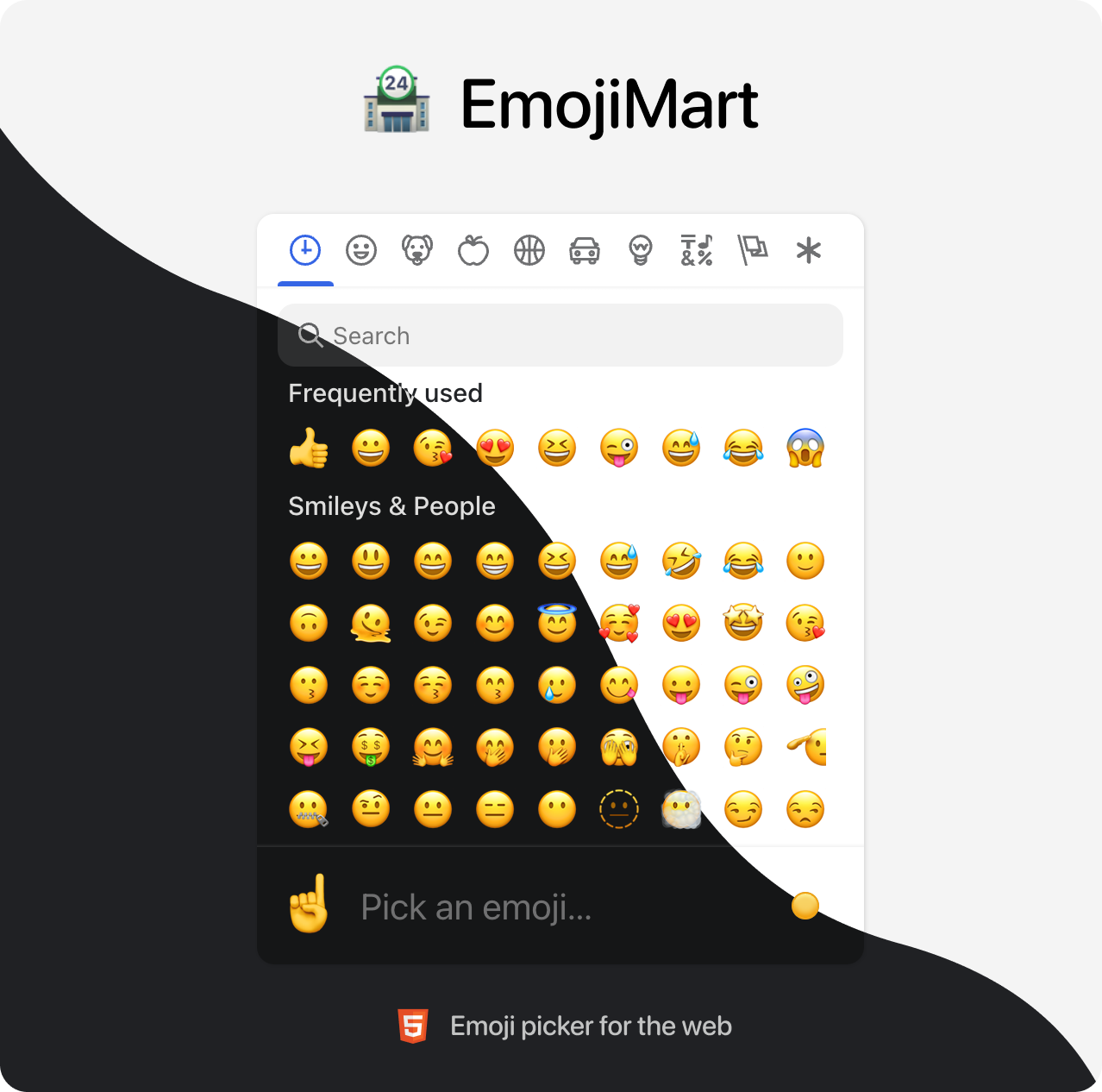
Emoji Mart is a customizable emoji picker HTML component for the web
Demo
Brought to you by the Missive team
📖 Table of Contents
💾 Data
🏪 Picker
🙃 Emoji component
🕵️♀️ Headless search
🔬 Get emoji data from native
🗺 Internationalization
📚 Examples
🤓 Built for modern browsers
🛠 Development
💾 Data
Data required for the picker to work has been completely decoupled from the library. That gives developers the flexibility to better control their app bundle size and let them choose how and when this data is loaded. Data can be:
Bundled directly into your codebase
Pros: Picker renders instantly, data is available offline
Cons: Slower initial page load (bigger file to load)
yarn add @emoji-mart/data
import data from '@emoji-mart/data'
import { Picker } from 'emoji-mart'

new Picker({ data })
Fetched remotely
Pros: Data fetched only when needed, does not affect your app bundle size
Cons: Network latency, doesn’t work offline (unless you configure a ServiceWorker)
import data from '@emoji-mart/data'
import Picker from '@emoji-mart/react'

function App() {
  return (
    <Picker data={data} onEmojiSelect={console.log} />
  )
}
Categories to show in the picker. Order is respected.
custom
[]
Custom emojis
onEmojiSelect
null
Callback when an emoji is selected
onClickOutside
null
Callback when a click outside of the picker happens
onAddCustomEmoji
null
Callback when the Add custom emoji button is clicked. The button will only be displayed if this callback is provided. It is displayed when search returns no results.
autoFocus
false
Whether the picker should automatically focus on the search input
categoryIcons
{}
Custom category icons
dynamicWidth
false
Whether the picker should calculate perLine dynamically based on the width of <em-emoji-picker>. When enabled, perLine is ignored
emojiButtonColors
[]
i.e. #f00, pink, rgba(155,223,88,.7)
An array of color that affects the hover background color
emojiButtonRadius
100%
i.e. 6px, 1em, 100%
The radius of the emoji buttons
emojiButtonSize
36
The size of the emoji buttons
emojiSize
24
The size of the emojis (inside the buttons)
emojiVersion
14
1, 2, 3, 4, 5, 11, 12, 12.1, 13, 13.1, 14
The version of the emoji data to use. Latest version supported in @emoji-mart/data is currently 14
exceptEmojis
[]
List of emoji IDs that will be excluded from the picker
icons
auto
auto, outline, solid
The type of icons to use for the picker. outline with light theme and solid with dark theme.
locale
en
en, ar, be, cs, de, es, fa, fi, fr, hi, it, ja, ko, nl, pl, pt, ru, sa, tr, uk, vi, zh
The locale to use for the picker
maxFrequentRows
4
The maximum number of frequent rows to show. 0 will disable frequent category
navPosition
top
top, bottom, none
The position of the navigation bar
noCountryFlags
false
Whether to show country flags or not. If not provided, tbhis is handled automatically (Windows doesn’t support country flags)
noResultsEmoji
cry
The id of the emoji to use for the no results emoji
perLine
9
The number of emojis to show per line
previewEmoji
point_up
The id of the emoji to use for the preview when not hovering any emoji. point_up when preview position is bottom and point_down when preview position is top.
previewPosition
bottom
top, bottom, none
The position of the preview
searchPosition
sticky
sticky, static, none
The position of the search input
set
native
native, apple, facebook, google, twitter
The set of emojis to use for the picker. native being the most performant, others rely on spritesheets.
skin
1
1, 2, 3, 4, 5, 6
The emojis skin tone
skinTonePosition
preview
preview, search, none
The position of the skin tone selector
theme
auto
auto, light, dark
The color theme of the picker
getSpritesheetURL
null
A function that returns the URL of the spritesheet to use for the picker. It should be compatible with the data provided.
Custom emojis
You can use custom emojis by providing an array of categories and their emojis. Emojis also support multiple skin tones and can be GIFs or SVGs.
You can use custom category icons by providing an object with the category name as key and the icon as value. Currently supported formats are svg string and src. See example.
The emoji web component usage is the same no matter what library you use.
First, you need to make sure data has been initialized. You need to call this only once per page load. Note that if you call init like this, you don’t necessarily need to include data in your Picker props. It doesn’t hurt either, it will noop.
import data from '@emoji-mart/data'
import { init } from 'emoji-mart'

init({ data })
Then you can use the emoji component in your HTML / JSX.
A string to be rendered in case the emoji can’t be found
set
native
The emoji set: native, apple, facebook, google, twitter
skin
1
The emoji skin tone: 1, 2, 3, 4, 5, 6
🕵️♀️ Headless search
You can search without the Picker. Just like the emoji component, data needs to be initialized first in order to use the search index.
import data from '@emoji-mart/data'
import { init, SearchIndex } from 'emoji-mart'
init({ data })
async function search(value) {
const emojis = await SearchIndex.search(value)
const results = emojis.map((emoji) => {
return emoji.skins[0].native
})
console.log(results)
}
search('christmas') // => ['🎄', '🇨🇽', '🧑🎄', '🔔', '🤶', '🎁', '☃️', '❄️', '🎅', '⛄']
🔬 Get emoji data from native
You can get emoji data from a native emoji. This is useful if you want to get the emoji ID from a native emoji. Just like the emoji component, data needs to be initialized first in order to retrieve the emoji data.
Trang TopGit này là một snapshot — tab "Readme" hiển thị nguyên văn README của repo (đã bỏ link, giữ ảnh). Repo GitHub ở github.com/missive/emoji-mart là nguồn chính thức.
missive/emoji-mart có bao nhiêu sao?
missive/emoji-mart có 9.4k sao GitHub — tải lại trang để xem số mới nhất, hoặc xem trực tiếp github.com/missive/emoji-mart. TopGit phản chiếu số sao của GitHub nhưng không cam kết đến từng phút.
missive/emoji-mart có phải mã nguồn mở không?
Có — missive/emoji-mart phát hành theo license MIT, nghĩa là mã nguồn mở để đọc, fork và (tùy license) tái sử dụng. Mã: github.com/missive/emoji-mart.
missive/emoji-mart còn đang phát triển không?
Commit gần nhất trên missive/emoji-mart là 2.0 năm trước (theo timestamp GitHub). Repo có 903 fork — một chỉ báo về mức độ quan tâm của cộng đồng.
missive/emoji-mart là gì?
missive/emoji-mart (missive/emoji-mart) là dự án TypeScript trên GitHub. Theo mô tả gốc: 🏪 One component to pick them all
missive/emoji-mart so với các dự án UI / UX khác thế nào?
missive/emoji-mart được TopGit xếp vào nhóm UI / UX, với 9.4k sao GitHub và viết bằng TypeScript. Xem trang chủ đề UI / UX trên TopGit để so sánh với các dự án tương tự theo số sao và mức độ hoạt động.
Đọc đầy đủ README ở tab phía trên.
Muốn nghe thêm một ý kiến về emoji-mart?
Hỏi một AI đọc được trang này — một cú bấm là có ngay nhận định về emoji-mart.
 /emoji-mart