27.4k sao GitHub và vẫn tăng — Molunerfinn/PicGo là dự án TypeScript mà TopGit đang theo dõi trên nền tảng. :rocket: The Ultimate Image Uploader for Efficient Creators. Supports Obsidian, Typora, VS Code etc. and 60+ image hosting services (S3, GitHub, Cloudflare R2, Imgur, Aliyun OSS...). Paste, upload, done.
Tóm tắt dựng từ metadata GitHub của chính dự án — chưa có bài review TopGit. Trang sẽ tự động cập nhật khi bài review đầy đủ được xuất bản.
VÌ SAO CHƯA CÓ REVIEW
TopGit viết bài đầy đủ cho repo có nhiều sao nhất và được yêu cầu nhiều nhất. Trang này là snapshot trong thời gian chờ — xem README gốc ở tab READ ME.
Modelflare: Full strength, stable, nothing watered down. Global SOTA models at a lower cost.
Castaly
Castaly: Full strength, no upscaling. 40+ image and video models, including NSFW.
NocoBase
AI + No-Code Build reliable business systems
Neon
Fast Postgres Databases for Teams and Agents
中文 | English
PicGo
The Ultimate Image Uploader for Efficient Creators
📖 Overview
PicGo aims to make image uploading a seamless part of your creative workflow.
Whether you’re writing a blog post, taking notes, or authoring developer docs, PicGo helps you upload images in one step and automatically copies the resulting link—so you can stay focused on creating, not uploading.
Supported Image hosts
PicGo supports mainstream Image hosts out of the box, and can be extended indefinitely through its plugin system:
International / open platforms: GitHub, SM.MS(S.EE), Imgur
More options via plugins: AWS S3, Cloudflare R2, MinIO, and more
Note: PicGo itself will no longer add new third-party Image hosts by default. You can build Image host plugins yourself—see PicGo-Core.
✨ Key Features
PicGo is built around a fast, low-friction image upload experience:
⚡ Smooth writing flow
Auto-copy links: once an upload finishes, the link is copied to your clipboard automatically.
Flexible formats: Markdown, HTML, URL, custom templates—paste directly into any editor.
Zero-Context Switching: Don't switch windows. Just paste images directly into your favorite editor, and let PicGo handle the upload in the background.
Enable this workflow via native support or community plugins: Obsidian \ VS Code \ Typora \ Neovim \ MarkText \ SiYuan \ And more...
🚀 Fast uploads
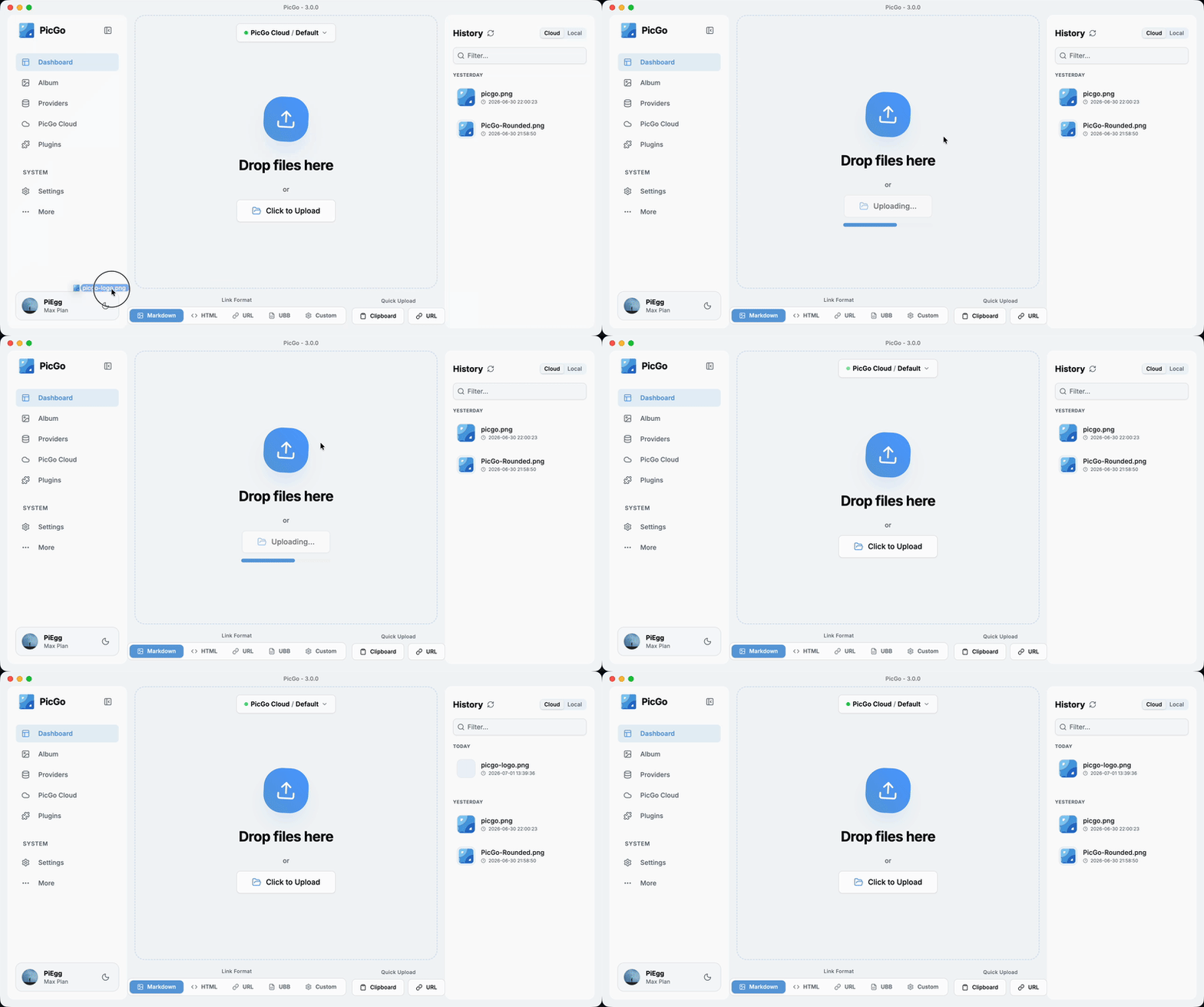
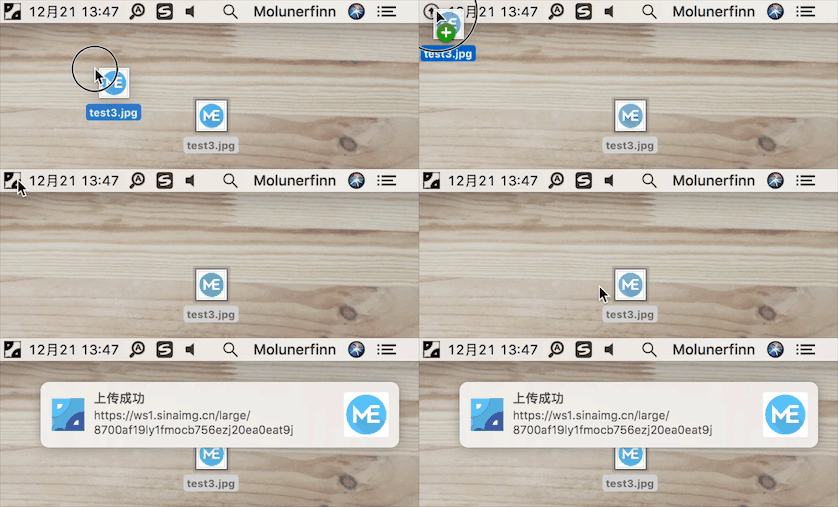
Multiple ways to upload: drag & drop, paste from clipboard, hotkeys, and even right-click context menu upload on macOS/Windows.
Global hotkey: press Command+Shift+U (macOS) / Ctrl+Shift+U (Windows/Linux) to open the upload window without leaving your current app. The global key can be customized.
🧩 Powerful plugin ecosystem
Highly extensible: plugins already exist for AWS S3, Cloudflare R2, MinIO, and many other Image hosts.
Even more possibilities: image compression, watermarking, renaming, Markdown image migration, and more.
Explore plugins: Awesome-PicGo
🤖 AI-friendly
More and more writing is handed off to AI. But the screenshots and charts it produces sit on your disk as , and they need to become real links before you publish. PicGo lets AI upload them too:
PicGo Skills: official Agent Skills that teach AI when and how to upload. Works with any AI tool that supports the skills format.
npx skills@latest add PicGo/skills
DeepSeek Harness plugin: install it in dsh and your agent can upload to your image host on its own.
dsh plugin --profile web add @picgo/dsh-plugin
Both reuse the image hosts and plugins you already configured in PicGo—nothing to set up twice. Read more in this post.
🛠 Developer-friendly
HTTP API: upload via HTTP requests (v2.2.0+), making it easy to integrate with other tools.
Open source: fully open-source and transparent.
Great documentation: detailed docs help you get started quickly. For plugin development, see the PicGo-Core docs.
There’s more to discover—development progress is tracked in Projects.
If you’re new to PicGo, start with the User Guide. If you run into issues, check the FAQ and closed issues.
Currently tested on macOS and Windows only. Linux has not been fully tested.
If you want to learn, contribute, modify, or build PicGo yourself:
For an Electron-vue learning series, see: Electron-vue development
Install Node.js and Git, and make sure you’re familiar with npm basics.
Clone the repo: git clone https://github.com/Molunerfinn/PicGo.git and enter the directory.
Install dependencies with pnpm. If you don’t have it yet, install it from the pnpm website first.
On macOS you’ll need Xcode; on Windows you’ll need Visual Studio.
For contributing, see CONTRIBUTING.md.
Development mode
Run pnpm run dev to start the dev workflow with hot reload. Note: dev mode can be unstable and the process may crash—if that happens:
ctrl+c # stop dev mode
pnpm run dev # restart
On Windows, after dev mode starts, PicGo’s tray icon will appear in the bottom-right system tray area.
Production build
To build release artifacts locally, run pnpm run build. After a successful build, the installer files will be generated under dist.
Note: If your network is unstable, electron-builder may fail to download Electron binaries. You can set an alternative mirror before building:
export ELECTRON_MIRROR="https://npmmirror.com/mirrors/electron/"
# On Windows: set ELECTRON_MIRROR=https://npmmirror.com/mirrors/electron/ (no quotes)
pnpm run build
Electron binaries are stored under ~/.electron/. If you need to refresh them, delete that directory and rebuild.
Related Projects
vs-picgo: PicGo for VS Code.
flutter-picgo: mobile app (Android & iOS).
PicHoro: another mobile app compatible with PicGo config (Android only for now).
skills: official Agent Skills that teach AI to upload with PicGo.
dsh-plugin: PicGo plugin for DeepSeek Harness.
Sponsorship
If you like PicGo and it helps your workflow, feel free to buy me a coffee.
Molunerfinn/PicGo thuộc nhóm Image Tools trên TopGit, cùng 18 topic GitHub. Trang Trending và Topics liệt kê các repo cùng số sao và cùng ngôn ngữ để so sánh.
Đọc thêm về Molunerfinn/PicGo ở đâu?
Trang TopGit này là một snapshot — tab "Readme" hiển thị nguyên văn README của repo (đã bỏ link, giữ ảnh). Repo GitHub ở github.com/Molunerfinn/PicGo là nguồn chính thức.
Molunerfinn/PicGo có phải mã nguồn mở không?
Có — Molunerfinn/PicGo phát hành theo license MIT, nghĩa là mã nguồn mở để đọc, fork và (tùy license) tái sử dụng. Mã: github.com/Molunerfinn/PicGo.
Molunerfinn/PicGo là gì?
Molunerfinn/PicGo (Molunerfinn/PicGo) là dự án TypeScript trên GitHub. Theo mô tả gốc: :rocket: The Ultimate Image Uploader for Efficient Creators. Supports Obsidian, Typora, VS Code etc. and 60+ image hosting services (S3, GitHub, Cloudflare R2, Imgur, Aliyun OSS...). Paste, upload, done.
Molunerfinn/PicGo so với các dự án Image Tools khác thế nào?
Molunerfinn/PicGo được TopGit xếp vào nhóm Image Tools, với 27.4k sao GitHub và viết bằng TypeScript. Xem trang chủ đề Image Tools trên TopGit để so sánh với các dự án tương tự theo số sao và mức độ hoạt động.
Vì sao Molunerfinn/PicGo được xếp vào nhóm Image Tools?
TopGit xếp Molunerfinn/PicGo vào nhóm Image Tools dựa trên GitHub topics và mô tả của repo (gắn thẻ: "aliyun-oss", "cloudflare-r2", "dsh-plugin"). Việc phân loại dựa trên metadata thật của repo, không phải đoán theo cảm tính biên tập.
Đọc đầy đủ README ở tab phía trên.
Vẫn đang phân vân về PicGo?
Một cú bấm sẽ gửi câu hỏi kèm trang này cho AI — xem AI nói gì về PicGo.
 /PicGo