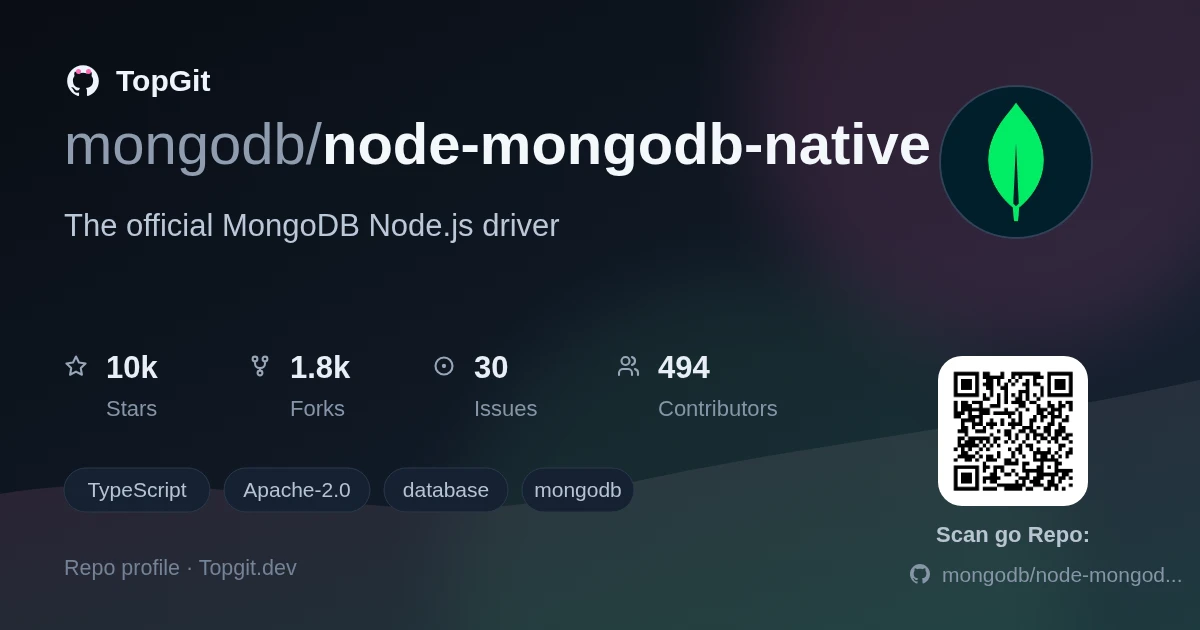
Được TopGit lập chỉ mục từ metadata GitHub: mongodb/node-mongodb-native có 10.2k sao, viết chủ yếu bằng TypeScript. The official MongoDB Node.js driver
Tóm tắt dựng từ metadata GitHub của chính dự án — chưa có bài review TopGit. Trang sẽ tự động cập nhật khi bài review đầy đủ được xuất bản.
VÌ SAO CHƯA CÓ REVIEW
TopGit viết bài đầy đủ cho repo có nhiều sao nhất và được yêu cầu nhiều nhất. Trang này là snapshot trong thời gian chờ — xem README gốc ở tab READ ME.
Upgrading to version 7? Take a look at our upgrade guide here!
Quick Links
Site
Link
Documentation
www.mongodb.com/docs/drivers/node
API Docs
mongodb.github.io/node-mongodb-native
npm package
www.npmjs.com/package/mongodb
MongoDB
www.mongodb.com
MongoDB University
learn.mongodb.com
MongoDB Developer Center
www.mongodb.com/developer
Stack Overflow
stackoverflow.com
Source Code
github.com/mongodb/node-mongodb-native
Upgrade to v7
etc/notes/CHANGES_7.0.0.md
Contributing
CONTRIBUTING.md
Changelog
HISTORY.md
Release Integrity
Releases are created automatically and signed using the Node team's GPG key. All release packages provided as part of a GitHub release are signed. To verify the provided packages, download the key and import it using gpg:
gpg --import node-driver.asc
The GitHub release contains a detached signature file for the NPM package (named
mongodb-X.Y.Z.tgz.sig).
The following command returns the link npm package.
[!Note]
No GPG verification is done when using npm to install the package. The contents of the GitHub tarball and npm's tarball are identical.
Releases published to the npm registry also include a provenance attestation, which cryptographically links the package to its source repository and build workflow. To verify provenance:
npm audit signatures
The MongoDB Node.js driver follows semantic versioning for its releases.
Bugs / Feature Requests
Think you’ve found a bug? Want to see a new feature in node-mongodb-native? Please open a
case in our issue management tool, JIRA:
Create an account and login jira.mongodb.org.
Navigate to the NODE project jira.mongodb.org/browse/NODE.
Click Create Issue - Please provide as much information as possible about the issue type and how to reproduce it.
Bug reports in JIRA for all driver projects (i.e. NODE, PYTHON, CSHARP, JAVA) and the
Core Server (i.e. SERVER) project are public.
Support / Feedback
For issues with, questions about, or feedback for the Node.js driver, please look into our support channels. Please do not email any of the driver developers directly with issues or questions - you're more likely to get an answer on the MongoDB Community Forums.
Change Log
Change history can be found in HISTORY.md.
Compatibility
The driver currently supports 4.4+ servers.
For exhaustive server and runtime version compatibility matrices, please refer to the following links:
MongoDB
NodeJS
Component Support Matrix
The following table describes add-on component version compatibility for the Node.js driver. Only packages with versions in these supported ranges are stable when used in combination.
We recommend using the latest version of typescript, however we currently ensure the driver's public types compile against [email protected].
This is the lowest typescript version guaranteed to work with our driver: older versions may or may not work - use at your own risk.
Since typescript does not restrict breaking changes to major versions, we consider this support best effort.
If you run into any unexpected compiler failures against our supported TypeScript versions, please let us know by filing an issue on our JIRA.
Additionally, our Typescript types are compatible with the ECMAScript standard for our minimum supported Node version. Currently, our Typescript targets es2023.
Running in Custom Runtimes
We are working on removing Node.js as a dependency of the driver, so that in the future it will be possible to use the driver in non-Node environments.
This work is currently in progress, and if you're curious, this is our first runtime adapter commit.
Some things to keep in mind if you are using a non-Node runtime:
Users of Webpack/Vite may need to prevent crypto polyfill injection.
Auth mechanism SCRAM-SHA-1 has a hard dependency on Node.js.
Auth mechanism SCRAM-SHA-1 is not supported in FIPS mode.
Installation
The recommended way to get started using the Node.js driver is by using the npm (Node Package Manager) to install the dependency in your project.
After you've created your own project using npm init, you can run:
npm install mongodb
This will download the MongoDB driver and add a dependency entry in your package.json file.
If you are a Typescript user, you will need the Node.js type definitions to use the driver's definitions:
npm install -D @types/node
Driver Extensions
The MongoDB driver can optionally be enhanced by the following feature packages:
Maintained by MongoDB:
Zstd network compression - @mongodb-js/zstd (only needed on Node.js versions earlier than 22.15.0, later versions have zstd built in)
MongoDB field level and queryable encryption - mongodb-client-encryption
This guide will show you how to set up a simple application using Node.js and MongoDB. Its scope is only how to set up the driver and perform the simple CRUD operations. For more in-depth coverage, see the official documentation.
Create the package.json file
First, create a directory where your application will live.
mkdir myProject
cd myProject
Enter the following command and answer the questions to create the initial structure for your new project:
npm init -y
Next, install the driver as a dependency.
npm install mongodb
Start a MongoDB Server
For complete MongoDB installation instructions, see the manual.
Download the right MongoDB version from MongoDB
Create a database directory (in this case under /data).
Install and start a mongod process.
mongod --dbpath=/data
You should see the mongod process start up and print some status information.
Connect to MongoDB
Create a new app.js file and add the following code to try out some basic CRUD
operations using the MongoDB driver.
Add code to connect to the server and the database myProject:
NOTE: Resolving DNS Connection issues
Node.js 18 changed the default DNS resolution ordering from always prioritizing IPv4 to the ordering
returned by the DNS provider. In some environments, this can result in localhost resolving to
an IPv6 address instead of IPv4 and a consequent failure to connect to the server.
This can be resolved by:
specifying the IP address family using the MongoClient family option (MongoClient(<uri>, { family: 4 } ))
launching mongod or mongos with the ipv6 flag enabled (--ipv6 mongod option documentation)
using a host of 127.0.0.1 in place of localhost
specifying the DNS resolution ordering with the --dns-resolution-order Node.js command line argument (e.g. node --dns-resolution-order=ipv4first)
const { MongoClient } = require('mongodb');
// or as an es module:
// import { MongoClient } from 'mongodb'

// Connection URL
const url = 'mongodb://localhost:27017';
const client = new MongoClient(url);

// Database Name
const dbName = 'myProject';

async function main() {
  // Use connect method to connect to the server
  await client.connect();
  console.log('Connected successfully to server');
  const db = client.db(dbName);
  const collection = db.collection('documents');

  // the following code examples can be pasted here...

  return 'done.';
}

main()
  .then(console.log)
  .catch(console.error)
  .finally(() => client.close());
Run your app from the command line with:
node app.js
The application should print Connected successfully to server to the console.
Insert a Document
Add to app.js the following function which uses the insertMany
method to add three documents to the documents collection.
This query returns all the documents in the documents collection.
If you add this below the insertMany example, you'll see the documents you've inserted.
Find Documents with a Query Filter
Add a query filter to find only documents which meet the query criteria.
The method updates the first document where the field a is equal to 3 by adding a new field b to the document set to 1. updateResult contains information about whether there was a matching document to update or not.
Remove a document
Remove the document where the field a is equal to 3.
For more detailed information, see the indexing strategies page.
Error Handling
If you need to filter certain errors from our driver, we have a helpful tree of errors described in etc/notes/errors.md.
It is our recommendation to use instanceof checks on errors and to avoid relying on parsing error.message and error.name strings in your code.
We guarantee instanceof checks will pass according to semver guidelines, but errors may be sub-classed or their messages may change at any time, even patch releases, as we see fit to increase the helpfulness of the errors.
Any new errors we add to the driver will directly extend an existing error class and no existing error will be moved to a different parent class outside of a major release.
This means instanceof will always be able to accurately capture the errors that our driver throws.
const client = new MongoClient(url);
await client.connect();
const collection = client.db().collection('collection');

try {
  await collection.insertOne({ _id: 1 });
  await collection.insertOne({ _id: 1 }); // duplicate key error
} catch (error) {
  if (error instanceof MongoServerError) {
    console.log(`Error worth logging: ${error}`); // special case for some reason
  }
  throw error; // still want to crash
}
Nightly releases
If you need to test with a change from the latest main branch, our mongodb npm package has nightly versions released under the nightly tag.
npm install mongodb@nightly
Nightly versions are published regardless of testing outcome.
This means there could be semantic breakages or partially implemented features.
The nightly build is not suitable for production use.
Experimental Features
The MongoDB Node.js driver offers cutting-edge experimental features that give you early access to new capabilities and APIs. These features are marked with @experimental tags and are great for exploring new functionality and providing feedback.
Experimental features are not subject to semantic versioning rules, so breaking changes or removal may occur in any future release. The use of these features is not recommended for production environments.
Explore the full list of experimental features, complete with descriptions and usage examples, in EXPERIMENTAL_FEATURES.md.
mongodb/node-mongodb-native thuộc nhóm Data trên TopGit, cùng 5 topic GitHub. Trang Trending và Topics liệt kê các repo cùng số sao và cùng ngôn ngữ để so sánh.
Đọc thêm về mongodb/node-mongodb-native ở đâu?
Trang TopGit này là một snapshot — tab "Readme" hiển thị nguyên văn README của repo (đã bỏ link, giữ ảnh). Repo GitHub ở github.com/mongodb/node-mongodb-native là nguồn chính thức.
mongodb/node-mongodb-native có phải mã nguồn mở không?
Có — mongodb/node-mongodb-native phát hành theo license Apache-2.0, nghĩa là mã nguồn mở để đọc, fork và (tùy license) tái sử dụng. Mã: github.com/mongodb/node-mongodb-native.
mongodb/node-mongodb-native là gì?
mongodb/node-mongodb-native (mongodb/node-mongodb-native) là dự án TypeScript trên GitHub. Theo mô tả gốc: The official MongoDB Node.js driver
mongodb/node-mongodb-native so với các dự án Data khác thế nào?
mongodb/node-mongodb-native được TopGit xếp vào nhóm Data, với 10.2k sao GitHub và viết bằng TypeScript. Xem trang chủ đề Data trên TopGit để so sánh với các dự án tương tự theo số sao và mức độ hoạt động.
Vì sao mongodb/node-mongodb-native được xếp vào nhóm Data?
TopGit xếp mongodb/node-mongodb-native vào nhóm Data dựa trên GitHub topics và mô tả của repo (gắn thẻ: "database", "mongodb", "node-js"). Việc phân loại dựa trên metadata thật của repo, không phải đoán theo cảm tính biên tập.
Đọc đầy đủ README ở tab phía trên.
Vẫn đang phân vân về node-mongodb-native?
Một cú bấm sẽ gửi câu hỏi kèm trang này cho AI — xem AI nói gì về node-mongodb-native.

 /node-mongodb-native