mybatis/mybatipse — 333★ trên GitHub (Java). Eclipse plugin adding support for MyBatis SQL Mapper Framework.
Tóm tắt dựng từ metadata GitHub của chính dự án — chưa có bài review TopGit. Trang sẽ tự động cập nhật khi bài review đầy đủ được xuất bản.
VÌ SAO CHƯA CÓ REVIEW
TopGit viết bài đầy đủ cho repo có nhiều sao nhất và được yêu cầu nhiều nhất. Trang này là snapshot trong thời gian chờ — xem README gốc ở tab READ ME.
MyBatis is a popular SQL Mapper framework.
And MyBatipse is an Eclipse plug-in which provids content assists and validations when editing MyBatis related files.
Features
XML Editor Enhancements
Auto-completion
Mapper namespace : Calculated from the path.
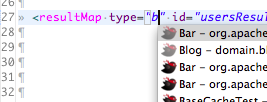
Java class/Type alias : Propose Java classes and Type Aliases (translucent icons). Camelcase match is supported. [1] [2]
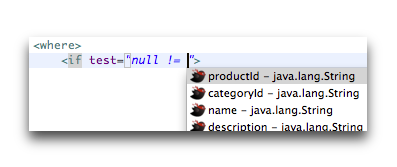
Java property : Propose properties of the parent java class. Nested properties are supported.
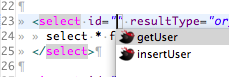
Statement ID : If corresponding mapper interface exists, propose the method name as a statement ID.
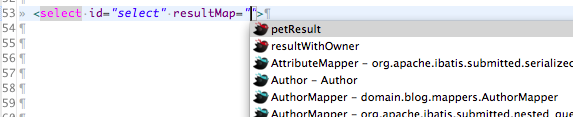
Reference to resultMap/select/sql : Propose ID of the referenced resultMap/select/sql. External reference is supported (blue icons).
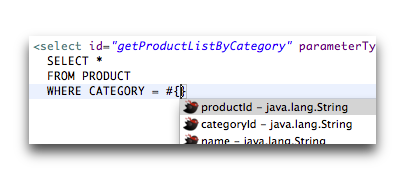
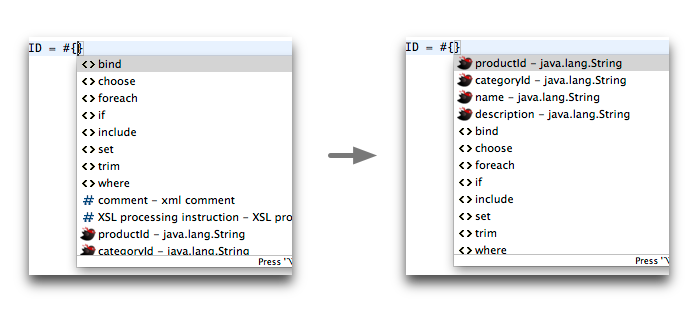
Parameter properties : #{} and ${} in select/insert/udpate/delte statements. Also works in some attributes.
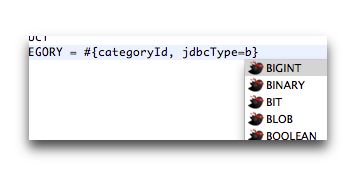
javaType, jdbcType, typeHandler in #{}
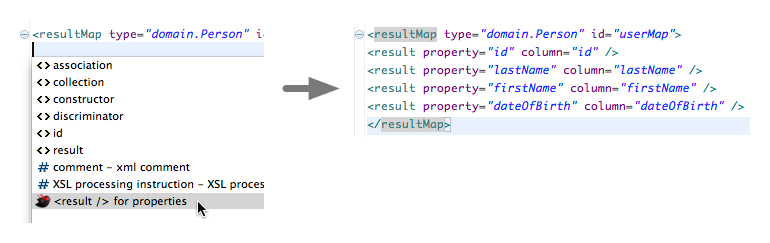
Result elements in resultMap/collection/association : Generates elements for the parent java class properties.
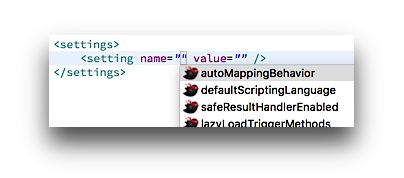
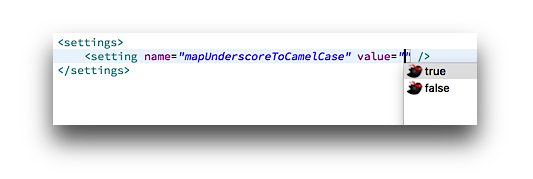
setting name and value in XML config.
[1] For better performance, classes in the application libraries (loaded as JARs) are listed only when at least one package segment is specified.
[2] There is a limitation for the type alias support. Basically, if type aliases are registered using Java API, they are not automatically detected. As a workaround, you can register type aliases in MyBatipse's preference. See the Configuration section.
Hyperlinks
To referenced resultMap/select/sql element. External reference is supported.
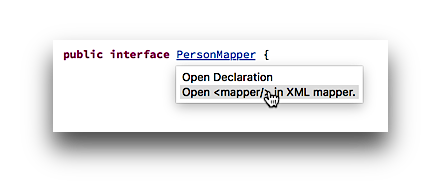
From Java mapper interface to XML mapper element.
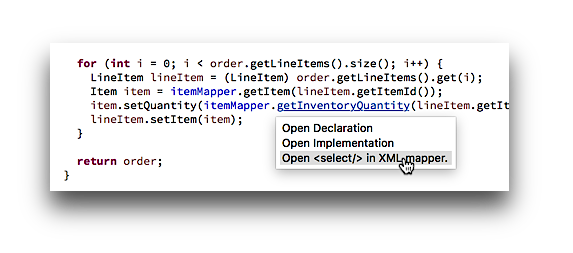
From Java mapper method to XML mapper element.
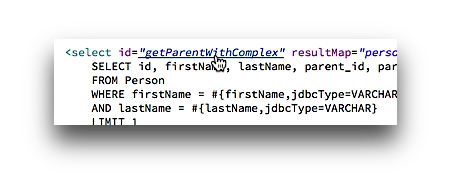
From XML statement id to Java mapper method.
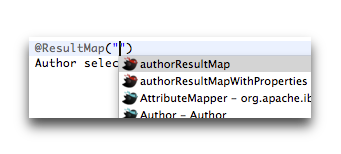
Result map id or select statement id specified in Java annotation.
Validation
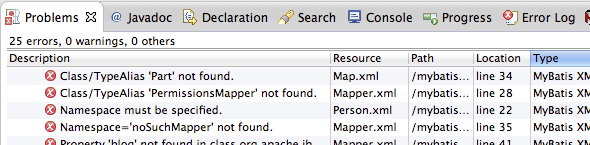
Missing TypeAlias, Java class/property.
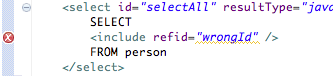
Missing resultMap/select/sql ID.
etc.
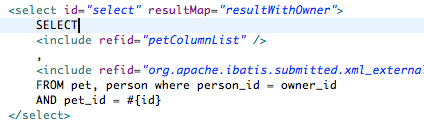
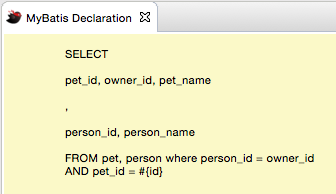
Mapper Declaration View
This feature is ported from MyBatis Editor plugin by @peterhendriks .
Java Editor Enhancements
Auto-completion
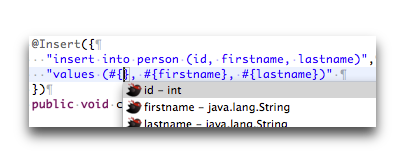
Parameter properties : #{} and ${} in select/insert/udpate/delte annotations.
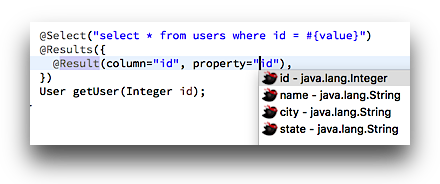
Return type properties in @Result
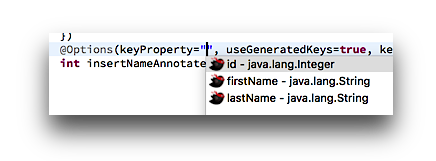
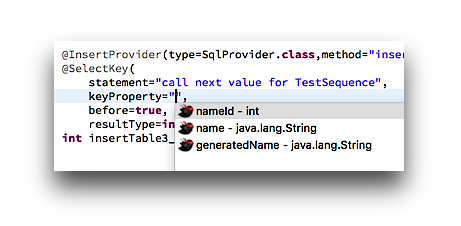
keyProperty in @Options and @SelectKey
javaType, jdbcType, typeHandler in #{} : See the XML example.
Reference to resultMap in @ResultMap and resultMap attribute of @Arg
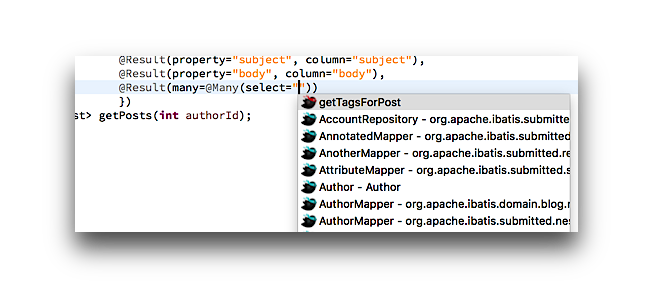
select attribute of @Arg, @Many and @One
Quick Assist
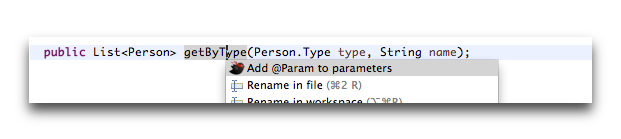
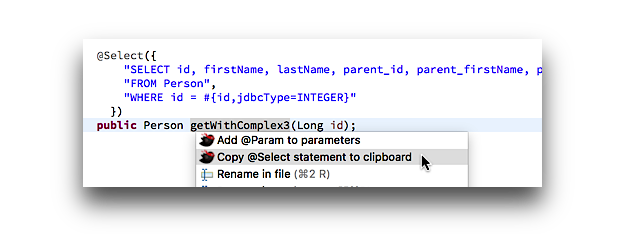
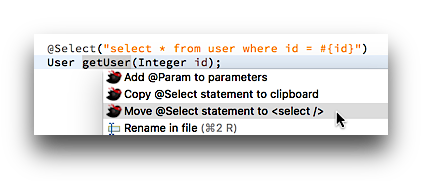
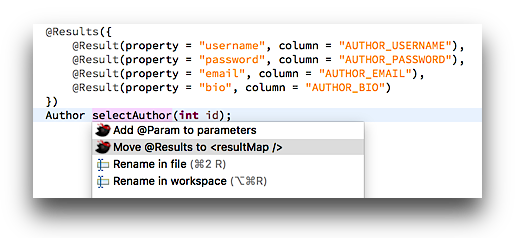
Put the cursor on the statement method name and press cmd + 1 (or ctrl + 1) to trigger Quick Assist.
You can add @Param to method parameters.
You can copy annotation statement into the clipboard.
You can move annotation statement to XML mapper.
You can move @Results annotation to <resultMap /> in XML mapper.
Validation
@ResultMap : invalid resultMap ID.
select attribute of @One or @Many : invalid statement ID.
Rename Refactoring
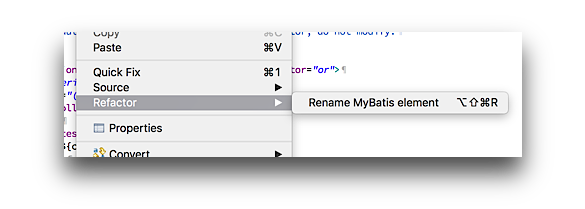
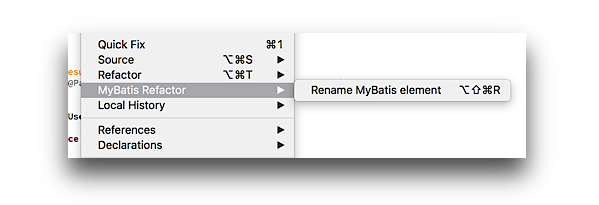
Renaming resultMap/statement/sql ID updates its references in Java and XML mappers.
In XML mapper, right click -> Refactor -> Rename MyBatis element.
In Java mapper, right click -> MyBatis Refactor -> Rename MyBatis element.
Renaming a Java mapper method also updates its references.
Miscellaneous
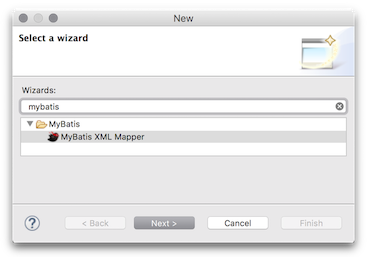
Wizard to create a new XML mapper file.
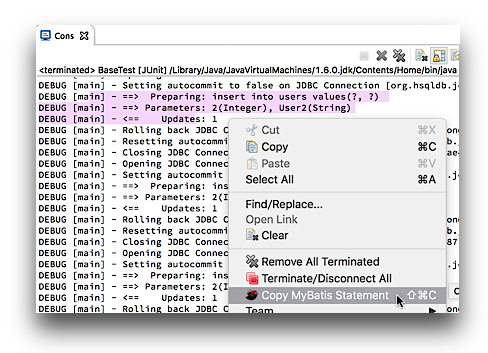
Smart-copy menu in Console View to copy SQL statement in an executable form. For example, if you select and copy the following debug output ...
... and the following statement is copied to the clipboard (be sure to include the first ==> and <== in the selection as the image above).
insert into users values(2, 'User2')
Configuration
XML mapper location
MyBatipse searches XML mapper files under your project's Source Folder. To make a directory Source Folder, right click the directory in the package explorer and choose Build Path -> Use as Source Folder from the menu.
MyBatis Nature
By default, each file is validated when it's saved, but you would want to validate the XML mapper when the related Java classes are updated as well. For that purpose, MyBatipse provides a custom nature MyBatis Nature.
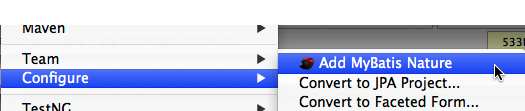
To add the nature, right click the project in the package explorer and choose Configure -> Add MyBatis Nature from the menu.
Annotation Processing
To validate annotation value, you need to enable annotation processing. Open Project -> Properties and select Java Compiler -> Annotation Processing in the left column. Check both Enable annotation processing and Enable processing in editor.
Type Alias
Type alias are automatically detected if they are registered using XML config file (both mybatis and mybatis-spring config is supported).
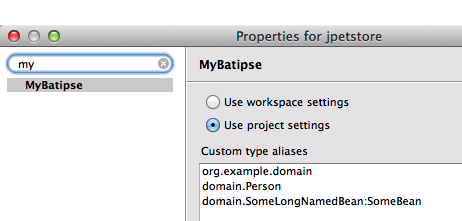
If you register type aliases in Java code, MyBatipse cannot detect them. As a workaround, you can register custom type aliases in the project setting (Open Project -> Properties menu and select MyBatipse from the left column).
For example, with the above settings:
The first entry registers all the classes in com.example.domain package as type aliases. You can use wildcard to specify multiple packages (e.g. com.example.*.domain).
The second entry registers the single class domain.Person.
The third entry registers the single class domain.SomeLongNamedBean under the alias SomeBean.
Note that, in any case, MyBatipse respects @Alias annotation if it exists.
Java 8 -parameters compiler option support
If 'Store information about method parameters' option is enabled in the Java Compiler -> Classfile Generation setting, MyBatipse proposes the declared method parameter names.
Tips
To move MyBatis proposals to the top of the XML proposal list, quit Eclipse and open the following file in the workspace: .metadata/.plugins/org.eclipse.core.runtime/.settings/org.eclipse.wst.xml.ui.prefs Find the line started with xml_content_assist_default_page_sort_order= and insert net.harawata.mybatis.proposalCategory.xml\u0000 right after the equal sign.
Installation
There are several ways to install MyBatipse.
Drag this button from browser to your Eclipse workbench (i.e. window).
Choose Eclipse Marketplace... in Help menu of your Eclipse and search MyBatipse.
Choose Install New Software... in Help menu and enter the following URL.
https://harawata.github.io/eclipse-site/
For offline installation, see here.
Bugs, questions, suggestions, etc.
Please use the issue tracker.
License
MyBatipse is licensed under Eclipse Public License 1.0.
mybatis/mybatipse thuộc nhóm Backend trên TopGit, cùng 5 topic GitHub. Trang Trending và Topics liệt kê các repo cùng số sao và cùng ngôn ngữ để so sánh.
Đọc thêm về mybatis/mybatipse ở đâu?
Trang TopGit này là một snapshot — tab "Readme" hiển thị nguyên văn README của repo (đã bỏ link, giữ ảnh). Repo GitHub ở github.com/mybatis/mybatipse là nguồn chính thức.
mybatis/mybatipse có phải mã nguồn mở không?
Có — mybatis/mybatipse phát hành theo license EPL-1.0, nghĩa là mã nguồn mở để đọc, fork và (tùy license) tái sử dụng. Mã: github.com/mybatis/mybatipse.
mybatis/mybatipse là gì?
mybatis/mybatipse (mybatis/mybatipse) là dự án Java trên GitHub. Theo mô tả gốc: Eclipse plugin adding support for MyBatis SQL Mapper Framework.
mybatis/mybatipse so với các dự án Backend khác thế nào?
mybatis/mybatipse được TopGit xếp vào nhóm Backend, với 333 sao GitHub và viết bằng Java. Xem trang chủ đề Backend trên TopGit để so sánh với các dự án tương tự theo số sao và mức độ hoạt động.
Vì sao mybatis/mybatipse được xếp vào nhóm Backend?
TopGit xếp mybatis/mybatipse vào nhóm Backend dựa trên GitHub topics và mô tả của repo (gắn thẻ: "eclipse", "eclipse-plugin", "java"). Việc phân loại dựa trên metadata thật của repo, không phải đoán theo cảm tính biên tập.
Đọc đầy đủ README ở tab phía trên.
Vẫn đang phân vân về mybatipse?
Một cú bấm sẽ gửi câu hỏi kèm trang này cho AI — xem AI nói gì về mybatipse.
 /mybatipse







 from browser to your Eclipse workbench (i.e. window).