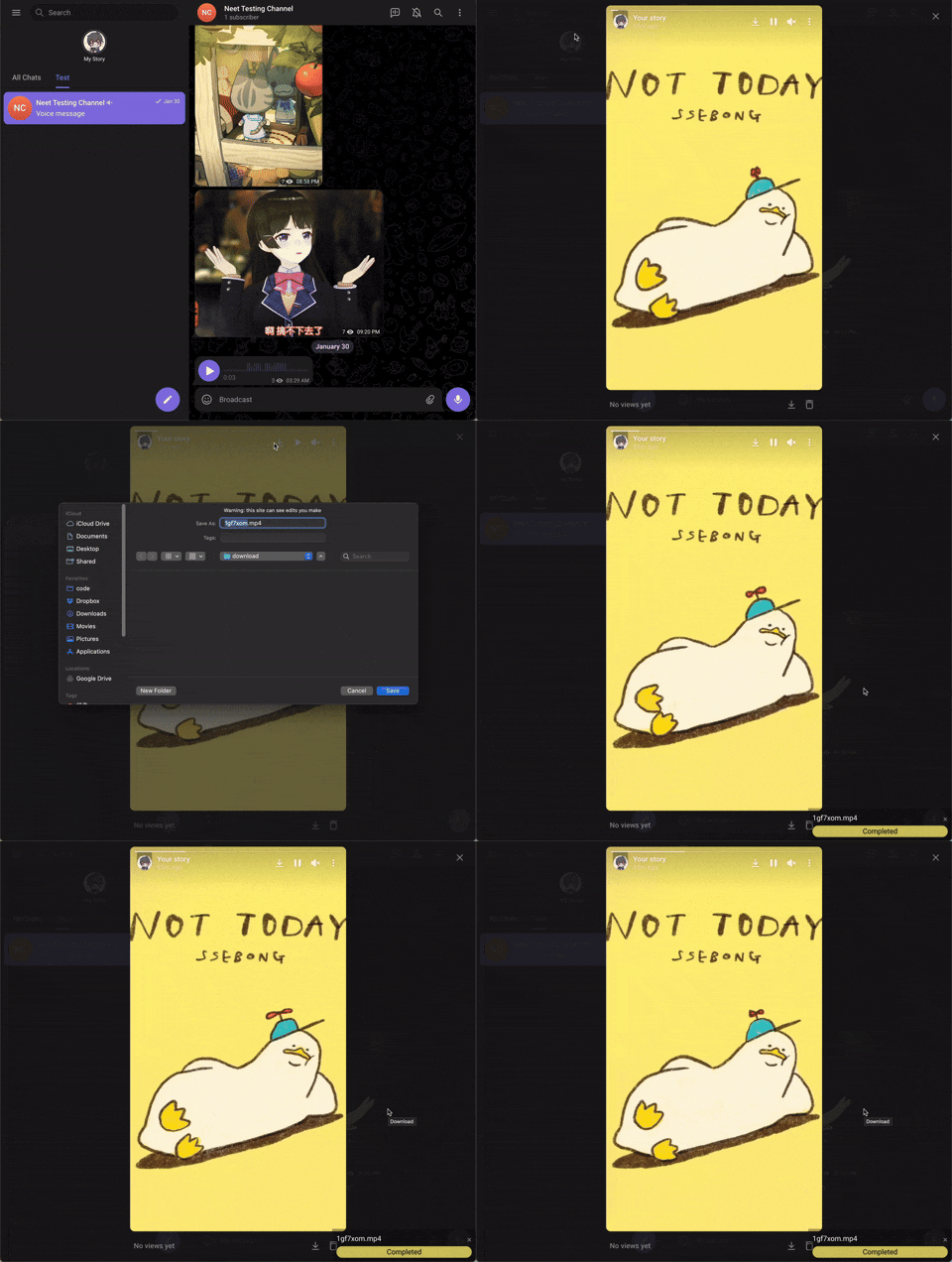
Điểm qua Neet-Nestor/Telegram-Media-Downloader: 5.1k sao trên GitHub, viết chủ yếu bằng JavaScript, thuộc nhóm Frontend. A script allowing you to download images and videos from Telegram web even if the group restricts downloading.
Tóm tắt dựng từ metadata GitHub của chính dự án — chưa có bài review TopGit. Trang sẽ tự động cập nhật khi bài review đầy đủ được xuất bản.
VÌ SAO CHƯA CÓ REVIEW
TopGit viết bài đầy đủ cho repo có nhiều sao nhất và được yêu cầu nhiều nhất. Trang này là snapshot trong thời gian chờ — xem README gốc ở tab READ ME.
Telegram Video Downloader / Telegram Media Downloader
Unlock Telegram: Download Anything You Like.
Overview
This user script unlocks and enables download of images, GIFs, audios, and videos in Telegram webapps from chats, stories, and even private channels where downloading is disabled or restricted.
(Note: some features are only available for specific Telegram webapp version. e.g. Audio message download is only available for the K webapp version.)
What are user scripts?
User scripts put you in control of your browsing experience. Once installed, they automatically make the sites you visit better by adding features, making them easier to use, or taking out the annoying bits. The user scripts on Greasy Fork were written by other users and posted to share with the world. They're free to install and easy to use.
Installation
Greasy Fork
install a user script manager
To use user scripts you need to first install a user script manager. Which user script manager you can use depends on which browser you use.
Chrome: Tampermonkey or Violentmonkey
Firefox: Greasemonkey, Tampermonkey, or Violentmonkey
Safari: Tampermonkey or Userscripts
Microsoft Edge: Tampermonkey or Violentmonkey
Opera: Tampermonkey or Violentmonkey
Maxthon: Violentmonkey
(Note, If you are using Tampermonkey extension in a Chrome-based browser, following instructions to enable Developer Mode.)
Install this script by visiting Greasy Fork:
https://greasyfork.org/scripts/446342-telegram-media-downloader
Manual Installation
install a user script manager
To use user scripts you need to first install a user script manager. Which user script manager you can use depends on which browser you use.
Chrome: Tampermonkey or Violentmonkey
Firefox: Greasemonkey, Tampermonkey, or Violentmonkey
Safari: Tampermonkey or Userscripts
Microsoft Edge: Tampermonkey or Violentmonkey
Opera: Tampermonkey or Violentmonkey
Maxthon: Violentmonkey
(Note, If you are using Tampermonkey extension in a Chrome-based browser, following instructions to enable Developer Mode.)
Open Tampermonkey Dashboard, drag & drop src/tel_download.js into it and clicks the "install" button
How to Use
This script only works on Telegram Webapp.
For channels and chats that allow saving content, this script will have no effect. Please just use the official download button provided by the telegram webapp instead.
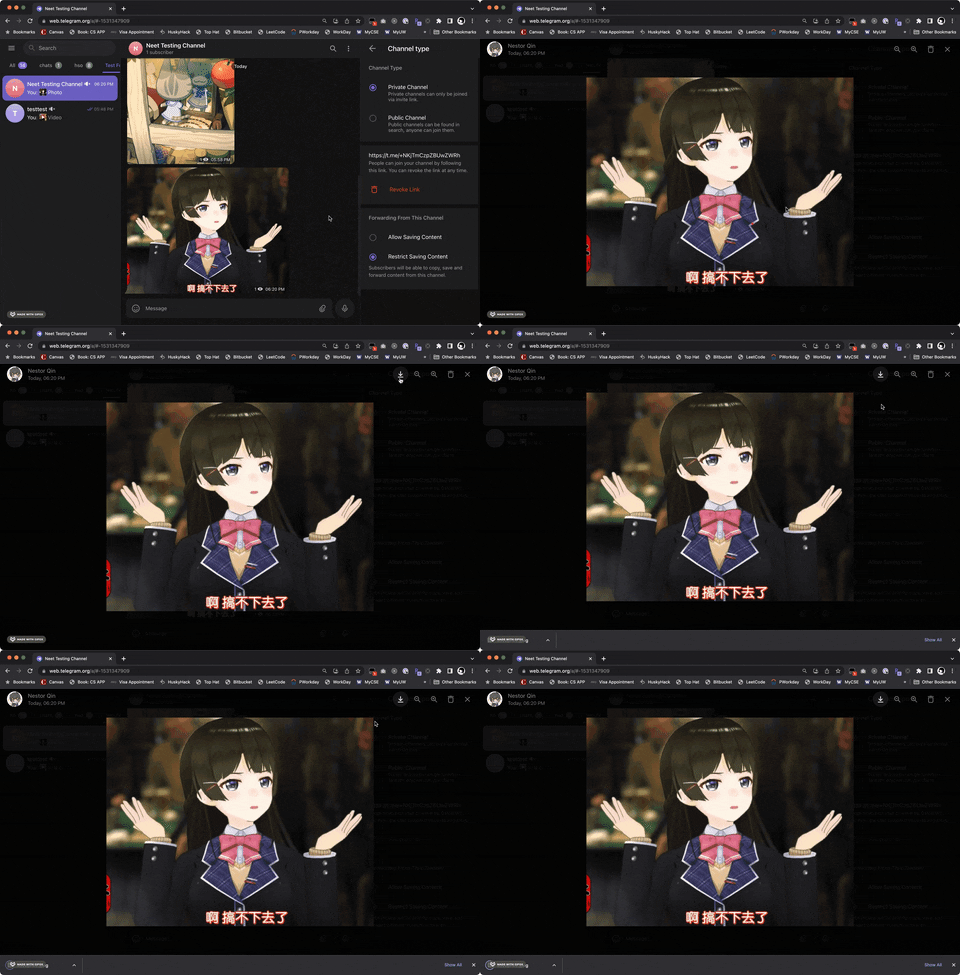
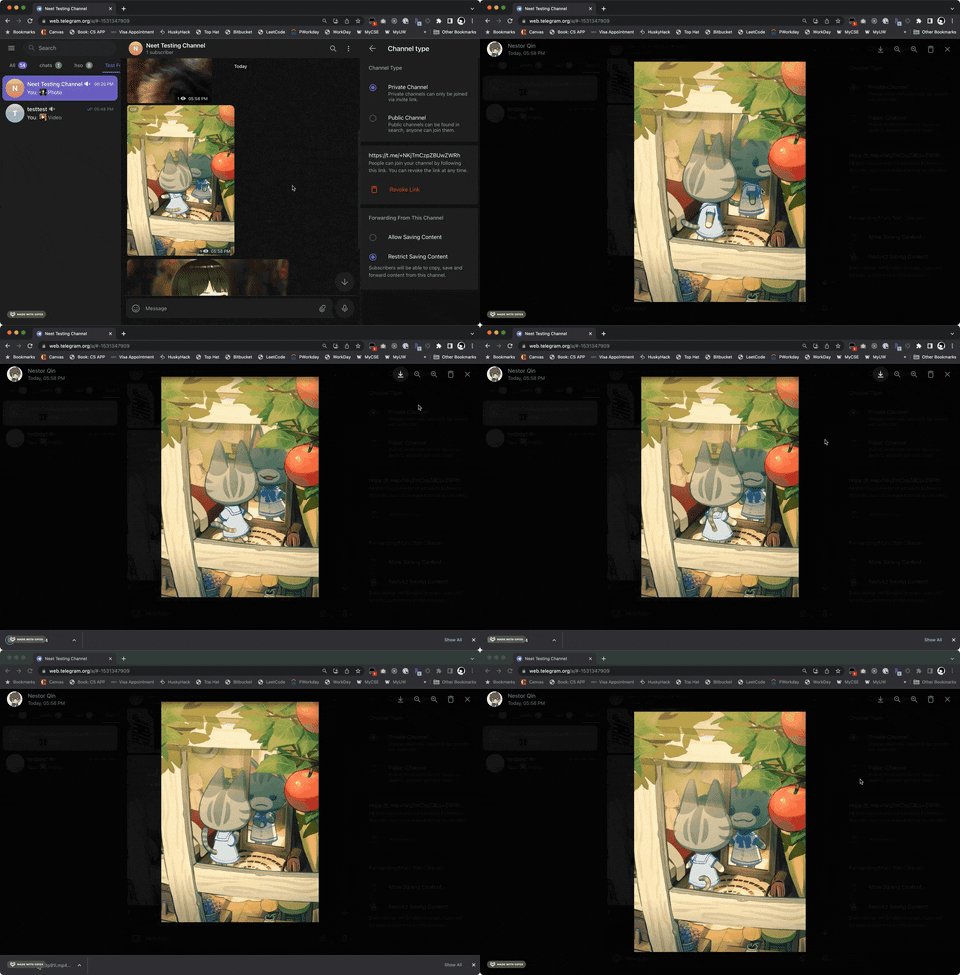
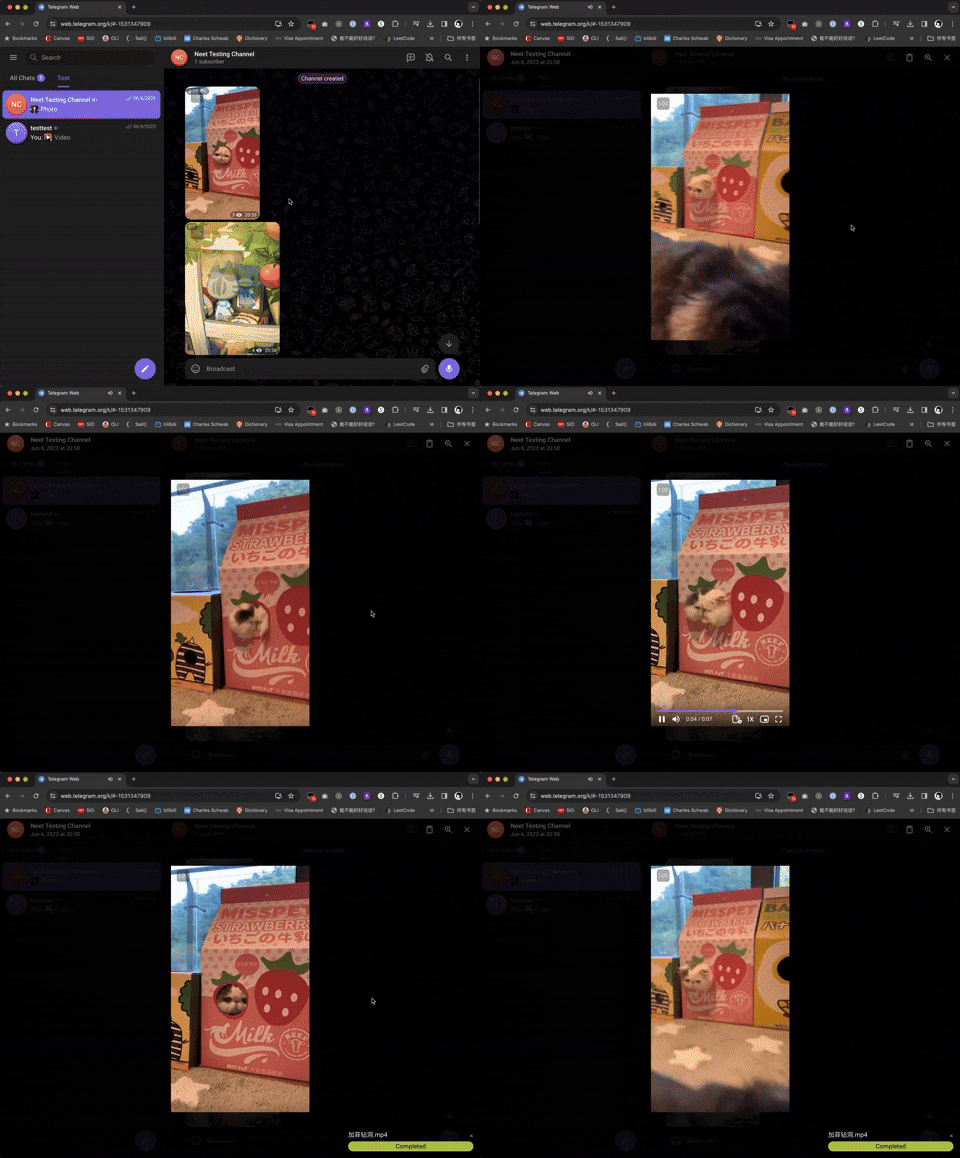
For channels and chats that disable downloading and restrict saving content, this script will add the download button back for images, GIFs and videos.
For videos, a progress bar will show on the bottom-right corder after you started downloading. For images and audios, there won't be a progress bar.
Supported Webapp Versions
There are 2 different versions of telegram webapps:
This script should work on both versions of webapp, but some features are only available in the /k/ version (such as voice message downloads). If certain features are not working, switching to the /k/ version is recommended.
Check Downloading Progress
A progress bar will show on the bottom-right of the screen for videos. You can also check DevTools console for logs.
Contributing
We welcome contributions from the community! If you’d like to contribute to Telegram Media Downloader, follow these steps:
Reporting Issues
If you find a bug, compatibility issue, or have a feature request, please:
Check if the issue has already been reported in the Issues tab.
If not, create a new issue with a clear title and description. Attach screenshots or logs if applicable.
Submitting Pull Requests
Fork the repository: Click on the "Fork" button in the top-right of the repo.
Clone your fork:
git clone https://github.com/YOUR-USERNAME/Telegram-Media-Downloader.git
cd Telegram-Media-Downloader
Create a new branch for your feature or bugfix:
git checkout -b feature-or-bugfix-name
Make your changes and ensure the script still works correctly on supported Telegram webapps.
Make your changes and ensure the script still works correctly on supported Telegram webapps.
Go to the original repository: Neet-Nestor/Telegram-Media-Downloader.
Click "New Pull Request" and select your branch.
Add a description of your changes and submit.
Development Guidelines
Keep your code clean and well-documented.
Follow the existing coding style.
Test your changes on both Telegram WebK and WebZ versions.
Ensure compatibility with major user script managers like Tampermonkey and Violentmonkey.
Help with Translations
We want Telegram Media Downloader to be accessible to users worldwide! If you’d like to help translate the script’s Greasy Fork page, follow these steps:
How to Contribute a Translation
Check for existing translations in the docs/greasyfork folder of the repository.
Add a new file in docs/.md, using the appropriate language code (e.g., docs/fr-FR.md for French, docs/de-DE.md for German).
Translate the content from docs/greasyfork/en-US.md into your language while keeping the formatting intact. Submit a Pull Request following the steps in the Submitting Pull Requests section above.
Language Codes
Use standard IETF Language Tag (e.g., es-ES for Spanish, ja-JP for Japanese). You can find a full list of codes here.
Support Author
If you like this script, you can support me via Venmo or buy me a coffee :)
Neet-Nestor/Telegram-Media-Downloader thuộc nhóm Frontend trên TopGit, cùng 6 topic GitHub. Trang Trending và Topics liệt kê các repo cùng số sao và cùng ngôn ngữ để so sánh.
Đọc thêm về Neet-Nestor/Telegram-Media-Downloader ở đâu?
Trang TopGit này là một snapshot — tab "Readme" hiển thị nguyên văn README của repo (đã bỏ link, giữ ảnh). Repo GitHub ở github.com/Neet-Nestor/Telegram-Media-Downloader là nguồn chính thức.
Neet-Nestor/Telegram-Media-Downloader có bao nhiêu sao?
Neet-Nestor/Telegram-Media-Downloader có 5.1k sao GitHub — tải lại trang để xem số mới nhất, hoặc xem trực tiếp github.com/Neet-Nestor/Telegram-Media-Downloader. TopGit phản chiếu số sao của GitHub nhưng không cam kết đến từng phút.
Neet-Nestor/Telegram-Media-Downloader có những chủ đề gì?
GitHub topics của Neet-Nestor/Telegram-Media-Downloader: "greasyfork", "greasymonkey", "greasymonkey-userscript", "javascript", "telegram", "userscript". TopGit xếp repo vào nhóm Frontend.
Neet-Nestor/Telegram-Media-Downloader còn đang phát triển không?
Commit gần nhất trên Neet-Nestor/Telegram-Media-Downloader là 5 tháng trước (theo timestamp GitHub). Repo có 507 fork — một chỉ báo về mức độ quan tâm của cộng đồng.
Neet-Nestor/Telegram-Media-Downloader viết bằng ngôn ngữ gì?
Neet-Nestor/Telegram-Media-Downloader chủ yếu viết bằng JavaScript. Trường "language" của GitHub dựa trên phần lớn byte ở nhánh mặc định.
Vì sao Neet-Nestor/Telegram-Media-Downloader được xếp vào nhóm Frontend?
TopGit xếp Neet-Nestor/Telegram-Media-Downloader vào nhóm Frontend dựa trên GitHub topics và mô tả của repo (gắn thẻ: "greasyfork", "greasymonkey", "greasymonkey-userscript"). Việc phân loại dựa trên metadata thật của repo, không phải đoán theo cảm tính biên tập.
Đọc đầy đủ README ở tab phía trên.
Muốn nghe thêm một ý kiến về Telegram-Media-Downloader?
Hỏi một AI đọc được trang này — một cú bấm là có ngay nhận định về Telegram-Media-Downloader.
 /Telegram-Media-Downloader