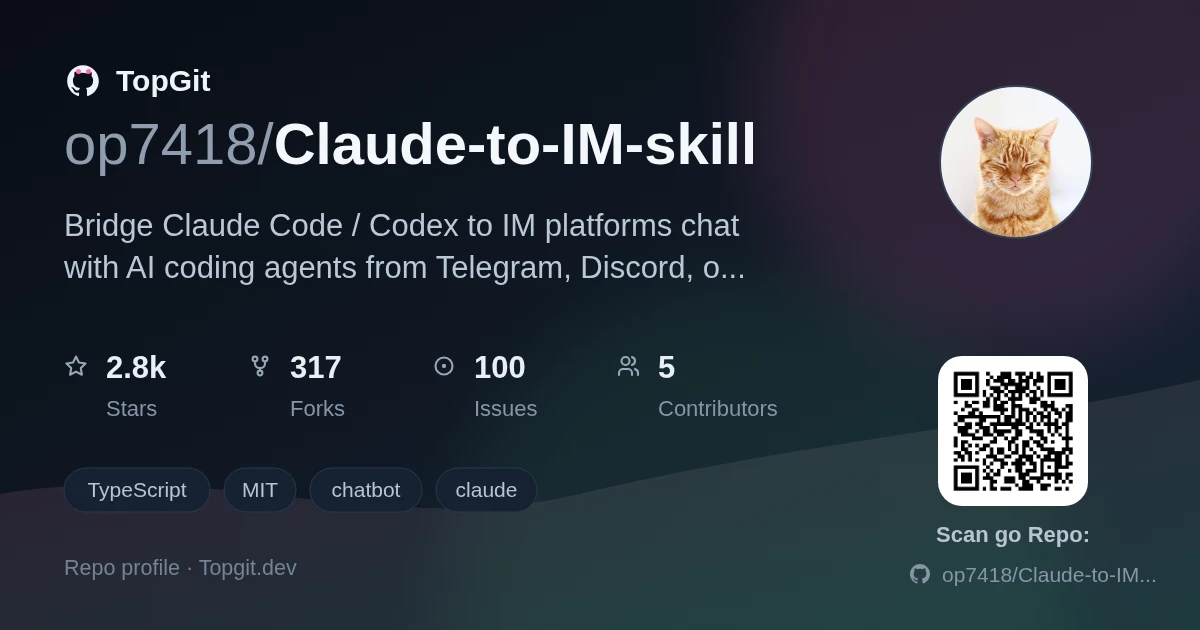
op7418/Claude-to-IM-skill là dự án tích hợp AI trên GitHub với 2.9k sao, viết chủ yếu bằng TypeScript. Bridge Claude Code / Codex to IM platforms — chat with AI coding agents from Telegram, Discord, or Feishu/Lark.
Tóm tắt dựng từ metadata GitHub của chính dự án — chưa có bài review TopGit. Trang sẽ tự động cập nhật khi bài review đầy đủ được xuất bản.
VÌ SAO CHƯA CÓ REVIEW
TopGit viết bài đầy đủ cho repo có nhiều sao nhất và được yêu cầu nhiều nhất. Trang này là snapshot trong thời gian chờ — xem README gốc ở tab READ ME.
Bridge Claude Code / Codex to IM platforms — chat with AI coding agents from Telegram, Discord, Feishu/Lark, QQ, or WeChat.
中文文档
Want a desktop GUI instead? Check out CodePilot — a full-featured desktop app with visual chat interface, session management, file tree preview, permission controls, and more. This skill was extracted from CodePilot's IM bridge module for users who prefer a lightweight, CLI-only setup.
How It Works
This skill runs a background daemon that connects your IM bots to Claude Code or Codex sessions. Messages from IM are forwarded to the AI coding agent, and responses (including tool use, permission requests, streaming previews) are sent back to your chat.
You (Telegram/Discord/Feishu/QQ/WeChat)
  ↕ Bot API
Background Daemon (Node.js)
  ↕ Claude Agent SDK or Codex SDK (configurable via CTI_RUNTIME)
Claude Code / Codex → reads/writes your codebase
Features
Five IM platforms — Telegram, Discord, Feishu/Lark, QQ, WeChat — enable any combination
Interactive setup — guided wizard collects tokens with step-by-step instructions
Permission control — tool calls require explicit approval via inline buttons (Telegram/Discord) or text /perm commands / quick 1/2/3 replies (Feishu/QQ/WeChat)
Streaming preview — see Claude's response as it types (Telegram & Discord)
If you installed with --link or cloned directly into the Codex skills directory:
cd ~/.codex/skills/claude-to-im
git pull
npm install
npm run build
Then tell Codex:
claude-to-im doctor
start bridge
Quick Start
1. Setup
Claude Code
/claude-to-im setup
Codex
claude-to-im setup
The wizard will guide you through:
Choose channels — pick Telegram, Discord, Feishu, QQ, WeChat, or any combination
Enter credentials — the wizard explains exactly where to get each token, which settings to enable, and what permissions to grant
Set defaults — working directory, model, and mode
Validate — tokens are verified against platform APIs immediately
2. Start
Claude Code
/claude-to-im start
Codex
start bridge
The daemon starts in the background. You can close the terminal — it keeps running.
3. Chat
Open your IM app and send a message to your bot. Claude Code / Codex will respond through the bridge.
When Claude needs to use a tool (edit a file, run a command), you'll see a permission prompt with Allow / Deny buttons right in the chat (Telegram/Discord), or a text /perm command prompt / quick 1/2/3 replies (Feishu/QQ/WeChat).
Commands
All commands are run inside Claude Code or Codex:
Claude Code
Codex (natural language)
Description
/claude-to-im setup
"claude-to-im setup" / "配置"
Interactive setup wizard
/claude-to-im start
"start bridge" / "启动桥接"
Start the bridge daemon
/claude-to-im stop
"stop bridge" / "停止桥接"
Stop the bridge daemon
/claude-to-im status
"bridge status" / "状态"
Show daemon status
/claude-to-im logs
"查看日志"
Show last 50 log lines
/claude-to-im logs 200
"logs 200"
Show last 200 log lines
/claude-to-im reconfigure
"reconfigure" / "修改配置"
Update config interactively
/claude-to-im doctor
"doctor" / "诊断"
Diagnose issues
Platform Setup Guides
The setup wizard provides inline guidance for every step. Here's a summary:
Telegram
Message @BotFather on Telegram → /newbot → follow prompts
Copy the bot token (format: 123456789:AABbCc...)
Recommended: /setprivacy → Disable (for group use)
Find your User ID: message @userinfobot
Discord
Go to Discord Developer Portal → New Application
Bot tab → Reset Token → copy it
Enable Message Content Intent under Privileged Gateway Intents
Publish: go to "Version Management & Release" → create version → submit for review → approve in Admin Console
Important: The bot will NOT work until the version is approved and published
QQ
QQ currently supports C2C private chat only. No group/channel support, no inline permission buttons, no streaming preview. Permissions use text /perm ... commands. Image inbound only (no image replies).
Go to QQ Bot OpenClaw
Create a QQ Bot or select an existing one → get App ID and App Secret (only two required fields)
Configure sandbox access and scan QR code with QQ to add the bot
CTI_QQ_ALLOWED_USERS takes user_openid values (not QQ numbers) — can be left empty initially
Set CTI_QQ_IMAGE_ENABLED=false if the underlying provider doesn't support image input
WeChat / Weixin
WeChat currently uses QR login, single-account mode, text-based permissions, and no streaming preview.
Run the local QR helper from your installed skill directory:
Claude Code default install: cd ~/.claude/skills/claude-to-im && npm run weixin:login
Codex default install: cd ~/.codex/skills/claude-to-im && npm run weixin:login
The helper writes ~/.claude-to-im/runtime/weixin-login.html and tries to open it in your browser automatically
Scan the QR code with WeChat and confirm on your phone
On success, the linked account is stored in ~/.claude-to-im/data/weixin-accounts.json
Running the helper again replaces the previously linked WeChat account
Additional notes:
CTI_WEIXIN_MEDIA_ENABLED controls inbound image/file/video downloads only
Voice messages only use WeChat's own built-in speech-to-text text
If WeChat does not provide voice_item.text, the bridge replies with an error instead of downloading/transcribing raw voice audio
Permission approvals use text /perm ... commands or quick 1/2/3 replies
1. Claude wants to use a tool (e.g., Edit file)
2. SDK calls canUseTool() → LLMProvider emits permission_request SSE
3. Bridge sends inline buttons to IM chat: [Allow] [Deny]
4. canUseTool() blocks, waiting for user response (5 min timeout)
5. User taps Allow → bridge resolves the pending permission
6. SDK continues tool execution → result streamed back to IM
Troubleshooting
Run diagnostics:
/claude-to-im doctor
This checks: Node.js version, config file existence and permissions, token validity (live API calls), log directory, PID file consistency, and recent errors.
Issue
Solution
Bridge won't start
Run doctor. Check if Node >= 20. Check logs.
Messages not received
Verify token with doctor. Check allowed users config.
Permission timeout
User didn't respond within 5 min. Tool call auto-denied.
Stale PID file
Run stop then start. daemon.sh auto-cleans stale PIDs.
See references/troubleshooting.md for more details.
Security
All credentials stored in ~/.claude-to-im/config.env with chmod 600
Tokens are automatically redacted in all log output (pattern-based masking)
Allowed user/channel/guild lists restrict who can interact with the bot
The daemon is a local process with no inbound network listeners
See SECURITY.md for threat model and incident response
Development
npm install        # Install dependencies
npm run dev        # Run in dev mode
npm run typecheck  # Type check
npm test           # Run tests
npm run build      # Build bundle
op7418/Claude-to-IM-skill thuộc nhóm AI Tools trên TopGit, cùng 8 topic GitHub. Trang Trending và Topics liệt kê các repo cùng số sao và cùng ngôn ngữ để so sánh.
Đọc thêm về op7418/Claude-to-IM-skill ở đâu?
Trang TopGit này là một snapshot — tab "Readme" hiển thị nguyên văn README của repo (đã bỏ link, giữ ảnh). Repo GitHub ở github.com/op7418/Claude-to-IM-skill là nguồn chính thức.
op7418/Claude-to-IM-skill có bao nhiêu sao?
op7418/Claude-to-IM-skill có 2.9k sao GitHub — tải lại trang để xem số mới nhất, hoặc xem trực tiếp github.com/op7418/Claude-to-IM-skill. TopGit phản chiếu số sao của GitHub nhưng không cam kết đến từng phút.
op7418/Claude-to-IM-skill có những chủ đề gì?
GitHub topics của op7418/Claude-to-IM-skill: "chatbot", "claude", "claude-code", "discord", "feishu", "lark", "skill", "telegram". TopGit xếp repo vào nhóm AI Tools.
op7418/Claude-to-IM-skill có phải mã nguồn mở không?
Có — op7418/Claude-to-IM-skill phát hành theo license MIT, nghĩa là mã nguồn mở để đọc, fork và (tùy license) tái sử dụng. Mã: github.com/op7418/Claude-to-IM-skill.
op7418/Claude-to-IM-skill có website riêng không?
TopGit chưa ghi nhận URL trang chủ cho op7418/Claude-to-IM-skill. Phần README ở tab phía trên thường có link demo, hoặc xem mô tả GitHub của repo.
op7418/Claude-to-IM-skill còn đang phát triển không?
Commit gần nhất trên op7418/Claude-to-IM-skill là 5 tháng trước (theo timestamp GitHub). Repo có 317 fork — một chỉ báo về mức độ quan tâm của cộng đồng.
Đọc đầy đủ README ở tab phía trên.
Claude-to-IM-skill có đáng để bạn bỏ thời gian?
ChatGPT, Claude và Perplexity đều đọc được trang này. Hỏi thử xem họ nghĩ gì về Claude-to-IM-skill.
 /Claude-to-IM-skill