ory/dockertest

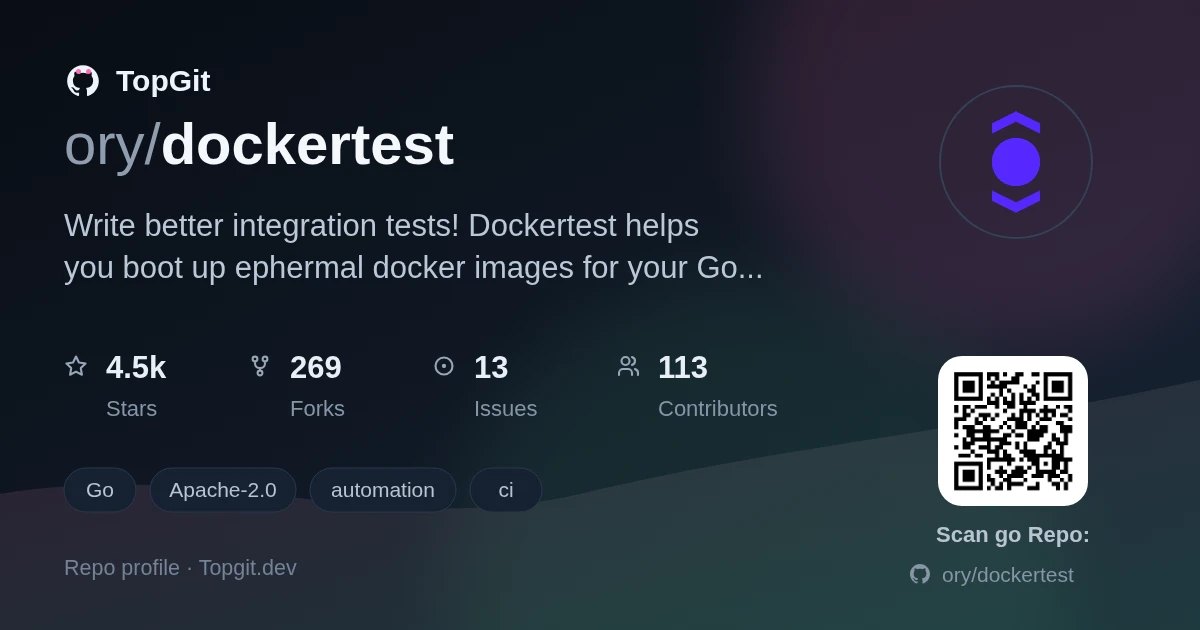
Trên GitHub, ory/dockertest đã đạt 4.5k sao, nhóm Automation, ngôn ngữ Go. Write better integration tests! Dockertest helps you boot up ephermal docker images for your Go tests with minimal work.
Tóm tắt dựng từ metadata GitHub của chính dự án — chưa có bài review TopGit. Trang sẽ tự động cập nhật khi bài review đầy đủ được xuất bản.
TopGit viết bài đầy đủ cho repo có nhiều sao nhất và được yêu cầu nhiều nhất. Trang này là snapshot trong thời gian chờ — xem README gốc ở tab READ ME.
Snapshot
Cộng tác viên hàng đầu
Xem cộng tác viên hàng đầu


Use Docker to run your Go integration tests against third party services on Windows, macOS, and Linux!
Dockertest supports running any Docker image from Docker Hub or from a Dockerfile.
- Why should I use Dockertest?
- Installation
- Quick Start
- Migration from v3
- API overview
- Pool creation
- Running containers
- Container configuration
- Container reuse
- Getting connection info
- Waiting for readiness
- Executing commands
- Container logs
- Building from Dockerfile
- Networks
- Cleanup
- Error handling
- Examples
- Troubleshoot & FAQ
- Out of disk space
- Running in CI
- GitHub Actions
- GitLab CI
- Shared runners
- Custom (group) runners
Why should I use Dockertest?
When developing applications, it is often necessary to use services that talk to a database system. Unit testing these services can be cumbersome because mocking database/DBAL is strenuous. Making slight changes to the schema implies rewriting at least some, if not all mocks. The same goes for API changes in the DBAL.
To avoid this, it is smarter to test these specific services against a real database that is destroyed after testing. Docker is the perfect system for running integration tests as you can spin up containers in a few seconds and kill them when the test completes.
The Dockertest library provides easy to use commands for spinning up Docker containers and using them for your tests.
Installation
go get github.com/ory/dockertest/v4
Quick Start
package myapp_test

import (
    "testing"
    "time"

    dockertest "github.com/ory/dockertest/v4"
)

func TestPostgres(t *testing.T) {
    pool := dockertest.NewPoolT(t, "")

    // Container is automatically reused across test runs based on "postgres:14".
    postgres := pool.RunT(t, "postgres",
        dockertest.WithTag("14"),
        dockertest.WithEnv([]string{
            "POSTGRES_PASSWORD=secret",
            "POSTGRES_DB=testdb",
        }),
    )

    hostPort := postgres.GetHostPort("5432/tcp")
    // Connect to postgres://postgres:secret@hostPort/testdb

    // Wait for PostgreSQL to be ready
    err := pool.Retry(t.Context(), 30*time.Second, func() error {
        // try connecting...
        return nil
    })
    if err != nil {
        t.Fatalf("Could not connect: %v", err)
    }
}
Migration from v3
Version 4 introduces automatic container reuse, making tests significantly faster by reusing containers across test runs. Additionally, a lightweight docker client is used which reduces third party dependencies significantly.
See UPGRADE.md for the complete migration guide.
API overview
View the Go API documentation.
Pool creation
// For tests - auto-cleanup with t.Cleanup()
pool := dockertest.NewPoolT(t, "")

// With options
pool := dockertest.NewPoolT(t, "",
    dockertest.WithMaxWait(2*time.Minute),
)

// With a custom Docker client
pool := dockertest.NewPoolT(t, "",
    dockertest.WithMobyClient(myClient),
)

// For non-test code - requires manual Close()
ctx := context.Background()
pool, err := dockertest.NewPool(ctx, "")
if err != nil {
    panic(err)
}
defer pool.Close(ctx)
Running containers
// Test helper - fails test on error
resource := pool.RunT(t, "postgres",
    dockertest.WithTag("14"),
    dockertest.WithEnv([]string{"POSTGRES_PASSWORD=secret"}),
    dockertest.WithCmd([]string{"postgres", "-c", "log_statement=all"}),
)

// With error handling
resource, err := pool.Run(ctx, "postgres",
    dockertest.WithTag("14"),
    dockertest.WithEnv([]string{"POSTGRES_PASSWORD=secret"}),
)
if err != nil {
    panic(err)
}
See Cleanup for container lifecycle management.
Container configuration
Customize container settings with configuration options:
resource := pool.RunT(t, "postgres",
    dockertest.WithTag("14"),
    dockertest.WithUser("postgres"),
    dockertest.WithWorkingDir("/var/lib/postgresql/data"),
    dockertest.WithLabels(map[string]string{
        "test":    "integration",
        "service": "database",
    }),
    dockertest.WithHostname("test-db"),
    dockertest.WithEnv([]string{"POSTGRES_PASSWORD=secret"}),
)
Available configuration options:
WithTag(tag string)- Set the image tag (default:"latest")WithEnv(env []string)- Set environment variablesWithCmd(cmd []string)- Override the default commandWithEntrypoint(entrypoint []string)- Override the default entrypointWithUser(user string)- Set the user to run commands as (supports "user" or "user:group")WithWorkingDir(dir string)- Set the working directoryWithLabels(labels map[string]string)- Add labels to the containerWithHostname(hostname string)- Set the container hostnameWithName(name string)- Set the container nameWithMounts(binds []string)- Set bind mounts ("host:container" or "host:container:mode")WithPortBindings(bindings network.PortMap)- Set explicit port bindingsWithReuseID(id string)- Set a custom reuse key (default:"repository:tag")WithoutReuse()- Disable container reuse for this runWithContainerConfig(modifier func(*container.Config))- Modify the container config directlyWithHostConfig(modifier func(*container.HostConfig))- Modify the host config (port bindings, volumes, restart policy, memory/CPU limits)
For advanced container configuration, use WithContainerConfig:
stopTimeout := 30
resource := pool.RunT(t, "app",
    dockertest.WithContainerConfig(func(cfg *container.Config) {
        cfg.StopTimeout = &stopTimeout
        cfg.StopSignal = "SIGTERM"
        cfg.Healthcheck = &container.HealthConfig{
            Test:     []string{"CMD", "curl", "-f", "http://localhost/health"},
            Interval: 10 * time.Second,
            Timeout:  5 * time.Second,
            Retries:  3,
        }
    }),
)
For host-level configuration, use WithHostConfig:
resource := pool.RunT(t, "postgres",
    dockertest.WithTag("14"),
    dockertest.WithHostConfig(func(hc *container.HostConfig) {
        hc.RestartPolicy = container.RestartPolicy{
            Name:              container.RestartPolicyOnFailure,
            MaximumRetryCount: 3,
        }
    }),
)
Container reuse
Containers are automatically reused based on repository:tag. Reuse is
reference-counted: each Run/RunT call increments the ref count, and each
Close/cleanup decrements it. The container is only removed from Docker when
the last reference is released.
// First test creates container
r1 := pool.RunT(t, "postgres", dockertest.WithTag("14"))

// Second test reuses the same container
r2 := pool.RunT(t, "postgres", dockertest.WithTag("14"))

// r1 and r2 point to the same container
Disable reuse if needed:
resource := pool.RunT(t, "postgres",
    dockertest.WithTag("14"),
    dockertest.WithoutReuse(), // Always create new container
)
Getting connection info
resource := pool.RunT(t, "postgres", dockertest.WithTag("14"))

// Get host:port (e.g., "127.0.0.1:54320")
hostPort := resource.GetHostPort("5432/tcp")

// Get just the port (e.g., "54320")
port := resource.GetPort("5432/tcp")

// Get just the IP (e.g., "127.0.0.1")
ip := resource.GetBoundIP("5432/tcp")

// Get container ID
id := resource.ID()
Waiting for readiness
Use pool.Retry to wait for a container to become ready:
err := pool.Retry(t.Context(), 30*time.Second, func() error {
    return db.Ping()
})
if err != nil {
    t.Fatalf("Container not ready: %v", err)
}
If timeout is 0, pool.MaxWait (default 60s) is used. The retry interval is
fixed at 1 second.
For more control, use the package-level functions:
// Fixed interval retry
err := dockertest.Retry(ctx, 30*time.Second, 500*time.Millisecond, func() error {
    return db.Ping()
})

// Exponential backoff retry
err := dockertest.RetryWithBackoff(ctx,
    30*time.Second,       // timeout
    100*time.Millisecond, // initial interval
    5*time.Second,        // max interval
    func() error {
        return db.Ping()
    },
)
Executing commands
Run commands inside a running container:
result, err := resource.Exec(ctx, []string{"pg_isready", "-U", "postgres"})
if err != nil {
    t.Fatal(err)
}
if result.ExitCode != 0 {
    t.Fatalf("command failed: %s", result.StdErr)
}
t.Log(result.StdOut)
Container logs
// Get all logs with stdout and stderr separated
stdout, stderr, err := resource.Logs(ctx)
if err != nil {
    t.Fatal(err)
}
t.Log(stdout)
t.Log(stderr)

// Stream logs until container exits or ctx is cancelled
var buf bytes.Buffer
err = resource.FollowLogs(ctx, &buf, io.Discard)
Building from Dockerfile
Build a Docker image from a Dockerfile and run it:
version := "1.0.0"
resource, err := pool.BuildAndRun(ctx, "myapp:test",
    &dockertest.BuildOptions{
        ContextDir: "./testdata",
        Dockerfile: "Dockerfile.test",
        BuildArgs:  map[string]*string{"VERSION": &version},
    },
    dockertest.WithEnv([]string{"APP_ENV=test"}),
)
if err != nil {
    t.Fatal(err)
}
BuildAndRunT is the test helper variant:
resource := pool.BuildAndRunT(t, "myapp:test",
    &dockertest.BuildOptions{
        ContextDir: "./testdata",
    },
)
The container is created from the immutable ID of the built image, so a changed build under the same tag never reuses an older container.
Built images remain available across runs. Images, builder cache, named volumes,
and pre-existing unlabeled resources remain outside automatic cleanup.
ForceRemove only removes intermediate build containers.
Networks
Create Docker networks for container-to-container communication:
net := pool.CreateNetworkT(t, "my-network", nil)

// Connect a container
err := resource.ConnectToNetwork(ctx, net)

// Get the container's IP in the network
ip := resource.GetIPInNetwork(net)

// Disconnect
err := resource.DisconnectFromNetwork(ctx, net)
With custom options:
net, err := pool.CreateNetwork(ctx, "my-network", &dockertest.NetworkCreateOptions{
    Driver:   "bridge",
    Internal: true,
})
Cleanup
NewPoolT + RunT (recommended): Cleanup is fully automatic. RunT
registers cleanup via t.Cleanup, and the pool is closed when the test
finishes. Nothing to do.
func TestDB(t *testing.T) {
    pool := dockertest.NewPoolT(t, "")
    resource := pool.RunT(t, "postgres", dockertest.WithTag("14"))
    // Use resource... cleanup happens automatically when t finishes.
}
NewPool + Run: Call resource.Close(ctx) to release individual
containers, or pool.Close(ctx) to release everything:
ctx := context.Background()
pool, err := dockertest.NewPool(ctx, "")
if err != nil {
    panic(err)
}
defer pool.Close(ctx) // releases all tracked containers and networks

resource, err := pool.Run(ctx, "postgres", dockertest.WithTag("14"))
if err != nil {
    panic(err)
}
defer resource.Close(ctx) // or let pool.Close handle it
Each cleanup runs under a context deadline of the pool's cleanup timeout (60
seconds by default, see WithCleanupTimeout), or the caller's deadline if that
is earlier. A failed removal is returned and retried by the next Close.
Containers are force-removed together with their anonymous volumes; named
volumes and images are left alone.
Process-wide cleanup with TestMain: a package's TestMain can hand
control to dockertest.TestMain, which cleans up the package's owned containers
and networks, even when a test hangs or the process is interrupted:
func TestMain(m *testing.M) {
    dockertest.TestMain(context.Background(), m)
}
TestMainowns process exit: it runsm.Runand exits with its status after cleanup. Cleanup failures and leftover resource IDs are printed to stderr but never change a passing or failing status.- On
SIGINTorSIGTERM(Ctrl+C or Ctrl+Break on Windows), cleanup starts even if a test is stuck and the process exits with 130 or 143. A second signal terminates immediately. WithShutdownTimeout(60 seconds by default) is the deadline of the whole shutdown, including the optionalWithTeardowncallback that runs before Docker resources are removed.TestMainexits shortly after the deadline even if a callback or a custom client ignores its context; whatever is left then is removed by a later run once it expires.WithTeardownis only for state dockertest does not own. Pools, containers, and networks created through dockertest, including package-wide ones started beforem.Run, are removed and their clients closed without it.- Containers and networks carry an
io.ory.dockertest.expireslabel: the start time plus-test.timeout, the shutdown timeout, and a minute of margin. Once it has passed,go testhas killed the process. At shutdown,TestMainalso removes expired resources on every Docker daemon its pools used, so leftovers of a kill, a-timeoutpanic, or a power loss disappear with a later run. A failure to remove another run's expired resource is printed but is not reported as this run's cleanup failure. With-test.timeout=0,-test.bench, or-test.fuzz(which run after the test timeout stops) resources get no expiry and are never removed by other runs. - Pools may be created before
TestMainas long as no container, network, or image was created yet.TestMainmust be installed once per process.
Composing with Wrap: when the package needs code around m.Run, a leak
check, or control over the exit status, dockertest.Wrap returns the same
cleanup around any func() int. Its Run method returns the exit status
instead of exiting, so it plugs into helpers such as goleak.VerifyTestMain:
func TestMain(m *testing.M) {
    goleak.VerifyTestMain(dockertest.Wrap(context.Background(), m.Run))
}
func TestMain(m *testing.M) {
    os.Exit(dockertest.Wrap(context.Background(), func() int {
        // Package setup, for example shared containers.
        return m.Run()
    }).Run())
}
Runinstalls the cleanup, calls the function, shuts down asTestMaindoes, and returns the function's status. Cleanup failures are printed, not returned.- Invalid options, a second
TestMainorWrap, or Docker resources created before it are printed and makeRunreturn 1 without running the tests. - When
Runreturns, signal handling has stopped and the clients pools created are closed, so a leak check after it sees no dockertest goroutine. - Signals and expiry labels behave as under
TestMain.
NewPoolT and RunT keep working without TestMain or Wrap, which add the
guarantees above for abnormal exits.
Error handling
resource, err := pool.Run(ctx, "postgres", dockertest.WithTag("14"))
if errors.Is(err, dockertest.ErrImagePullFailed) {
    // Image could not be pulled
}
if errors.Is(err, dockertest.ErrContainerCreateFailed) {
    // Container creation failed
}
if errors.Is(err, dockertest.ErrContainerStartFailed) {
    // Container start failed
}
if errors.Is(err, dockertest.ErrClientClosed) {
    // Pool or client has been closed
}
Examples
See the examples directory for complete examples.
Troubleshoot & FAQ
Out of disk space
Try cleaning up unused containers, images, and volumes:
docker system prune -f
Running in CI
GitHub Actions
Docker is available by default on GitHub Actions ubuntu-latest runners, so no
extra services are needed:
name: Test with Docker

on: [push]

jobs:
  test:
    runs-on: ubuntu-latest
    steps:
      - uses: actions/checkout@v4

      - uses: actions/setup-go@v5
        with:
          go-version: "1.24"

      - run: go test -v ./...
GitLab CI
Shared runners
Add the Docker dind service to your job which starts in a sibling container. The
database will be available on host docker. Your app should be able to change
the database host through an environment variable.
stages:
  - test
go-test:
  stage: test
  image: golang:1.24
  services:
    - docker:dind
  variables:
    DOCKER_HOST: tcp://docker:2375
    DOCKER_DRIVER: overlay2
    DOCKER_TLS_CERTDIR: ""
    YOUR_APP_DB_HOST: docker
  script:
    - go test ./...
In your pool.Retry callback, use $YOUR_APP_DB_HOST instead of localhost when
connecting to the database.
Custom (group) runners
GitLab runner can be run in docker executor mode to save compatibility with shared runners:
gitlab-runner register -n \
 --url https://gitlab.com/ \
 --registration-token $YOUR_TOKEN \
 --executor docker \
 --description "My Docker Runner" \
 --docker-image "docker:27" \
 --docker-privileged
The DOCKER_TLS_CERTDIR: "" variable in the example above tells the Docker
daemon to start on port 2375 over HTTP (TLS disabled).
Repo liên quan
Fair-code workflow automation platform with native AI capabilities. Combine visual building with custom code, self-host or cloud, 400+ integrations.
Puppeteer is a JavaScript library maintained at puppeteer/puppeteer that gives Node.js code a high-level API for controlling Chrome or Firefox, talking to the browser through the Chrome DevTools Protocol or the newer WebDriver BiDi standard. Installing the `puppeteer` package fetches a compatible Chrome build automatically, while `puppeteer-core` skips that download for setups managing their own binary. The README also points to chrome-devtools-mcp, a Puppeteer-based MCP server, and to an experimental WebMCP API.
Huginn is a self-hosted Ruby on Rails platform for building 'Agents' that read the web, watch for events, and act on your behalf, wired together as a directed graph on a server you control instead of a vendor's cloud.
Apache Airflow is a Python-based platform for programmatically authoring, scheduling, and monitoring workflows. It defines workflows as code (DAGs), which makes them maintainable, versionable, testable, and collaborative. The platform features a scheduler that executes tasks on an array of workers, following specified dependencies, complemented by command-line utilities and a user interface for visualizing pipelines, monitoring progress, and troubleshooting. Airflow is designed for workflows that are largely static and change slowly, finding use in traditional data pipelines, machine learning orchestration (training, retraining, evaluation, deployment), and coordinating steps in AI pipelines. It operates on principles of dynamic, extensible, and flexible pipeline definitions, utilizing Jinja templating, and recommends idempotent tasks that pass metadata via XCom rather than large data volumes directly.
Trả lời nhanh
Đọc thêm về ory/dockertest ở đâu?
Trang TopGit này là một snapshot — tab "Readme" hiển thị nguyên văn README của repo (đã bỏ link, giữ ảnh). Repo GitHub ở github.com/ory/dockertest là nguồn chính thức.
ory/dockertest có bao nhiêu sao?
ory/dockertest có 4.5k sao GitHub — tải lại trang để xem số mới nhất, hoặc xem trực tiếp github.com/ory/dockertest. TopGit phản chiếu số sao của GitHub nhưng không cam kết đến từng phút.
ory/dockertest có những chủ đề gì?
GitHub topics của ory/dockertest: "automation", "ci", "docker", "go", "integration-testing", "tests", "unit-testing". TopGit xếp repo vào nhóm Automation.
ory/dockertest có trang demo không?
Dự án có trang chủ ở https://www.ory.com/?utm_source=github&utm_medium=banner&utm_campaign=dockertest. Tab "Readme" ở trang này thường có ảnh chụp và hướng dẫn bắt đầu nhanh.
ory/dockertest còn đang phát triển không?
Commit gần nhất trên ory/dockertest là 3 tháng trước (theo timestamp GitHub). Repo có 270 fork — một chỉ báo về mức độ quan tâm của cộng đồng.
ory/dockertest dùng license gì?
ory/dockertest phát hành theo license Apache-2.0. Nên mở file LICENSE trên GitHub để xác nhận — license metadata đôi khi lệch với thực tế dự án.
ory/dockertest viết bằng ngôn ngữ gì?
ory/dockertest chủ yếu viết bằng Go. Trường "language" của GitHub dựa trên phần lớn byte ở nhánh mặc định.
Đọc đầy đủ README ở tab phía trên.
Vẫn đang phân vân về dockertest?
Một cú bấm sẽ gửi câu hỏi kèm trang này cho AI — xem AI nói gì về dockertest.