plasma-umass/ChatDBG là dự án Developer Tools trên GitHub, viết chủ yếu bằng Python, với 1.1k sao. ChatDBG - AI-assisted debugging. Uses AI to answer 'why'
Tóm tắt dựng từ metadata GitHub của chính dự án — chưa có bài review TopGit. Trang sẽ tự động cập nhật khi bài review đầy đủ được xuất bản.
VÌ SAO CHƯA CÓ REVIEW
TopGit viết bài đầy đủ cho repo có nhiều sao nhất và được yêu cầu nhiều nhất. Trang này là snapshot trong thời gian chờ — xem README gốc ở tab READ ME.
by Emery Berger, Stephen Freund, Kyla Levin, Nicolas van Kempen (ordered alphabetically)
Read the paper!
Watch the talk!
ChatDBG is an AI-based debugging assistant for C/C++/Python/Rust code that integrates large language models into a standard debugger (pdb, lldb, gdb) to help debug your code. With ChatDBG, you can engage in a dialog with your debugger, asking open-ended questions about your program, like why is x null?. ChatDBG will take the wheel and steer the debugger to answer your queries. ChatDBG can provide error diagnoses and suggest fixes.
As far as we are aware, ChatDBG is the first debugger to automatically perform root cause analysis and to provide suggested fixes.
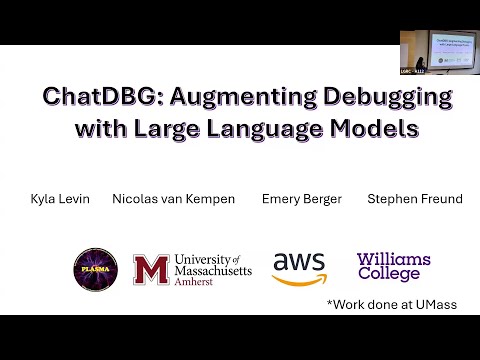
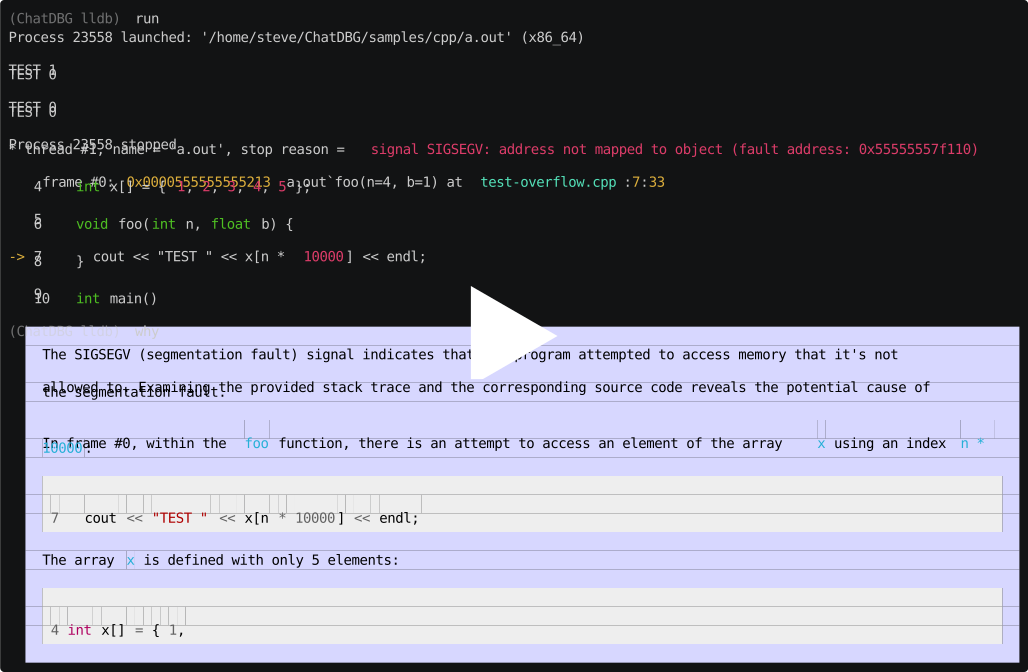
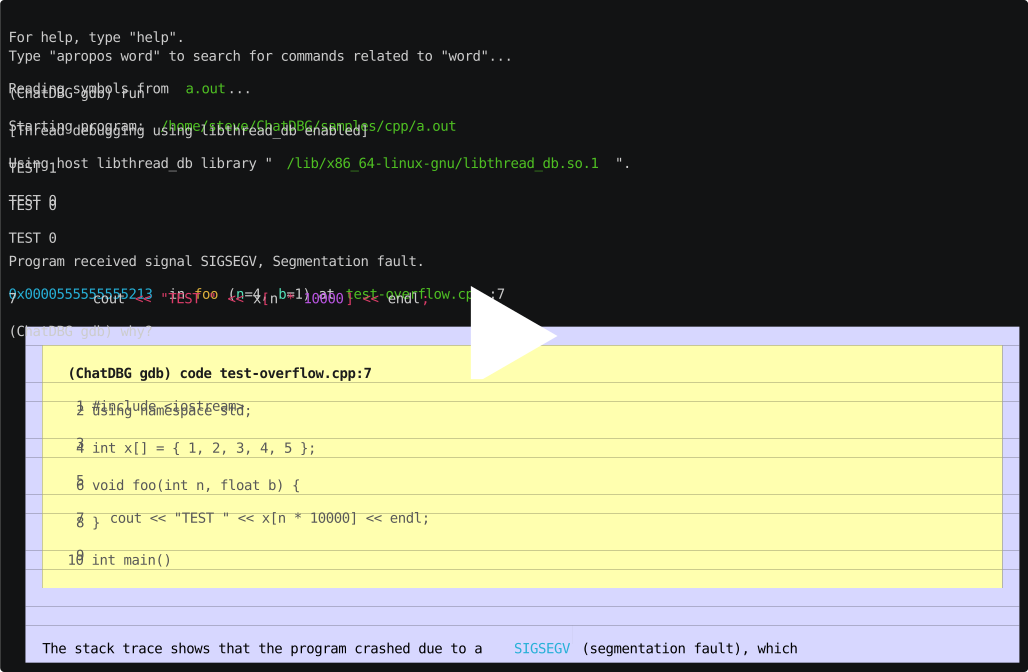
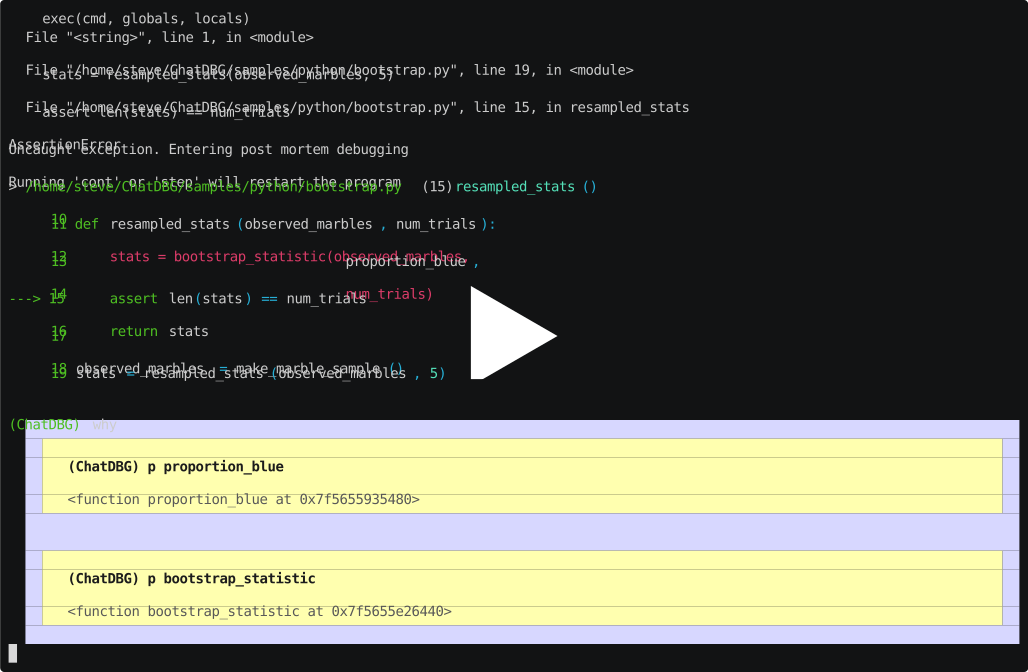
Watch ChatDBG in action!
LLDB on test-overflow.cpp
GDB on test-overflow.cpp
Pdb on bootstrap.py
For technical details and a complete evaluation, see our FSE'25 paper, ChatDBG: An AI-Powered Debugging Assistant (PDF).
[!NOTE]
ChatDBG for pdb, lldb, and gdb are feature-complete; we are currently backporting features for these debuggers into the other debuggers.
Installation
[!IMPORTANT]
ChatDBG currently needs to be connected to an OpenAI account. Your account will need to have a positive balance for this to work (check your balance). If you have never purchased credits, you will need to purchase at least $1 in credits (if your API account was created before August 13, 2023) or $0.50 (if you have a newer API account) in order to have access to GPT-4, which ChatDBG uses. Get a key here.
Once you have an API key, set it as an environment variable called OPENAI_API_KEY.
export OPENAI_API_KEY=<your-api-key>
Install ChatDBG using pip (you need to do this whether you are debugging Python, C, or C++ code):
python3 -m pip install chatdbg
If you are using ChatDBG to debug Python programs, you are done. If you want to use ChatDBG to debug native code with gdb or lldb, follow the installation instructions below.
Installing as an lldb extension
lldb installation instructions
Install ChatDBG into the lldb debugger by running the following command:
If this prints a Python version (3.9 or higher required), you're good to go. If you get an error like "Python scripting is not supported", you need to install a GDB build with Python support.
[!NOTE]
The second command runs a Python script that outputs a GDB source command, which is then appended to your ~/.gdbinit file. This tells GDB to load ChatDBG on startup. After running this, your ~/.gdbinit should contain a line like:
Then regenerate the gdbinit line using the same Python.
Usage
Debugging Python
To use ChatDBG to debug Python programs, simply run your Python script as follows:
chatdbg -c continue yourscript.py
ChatDBG is an extension of the standard Python debugger pdb. Like
pdb, when your script encounters an uncaught exception, ChatDBG will
enter post mortem debugging mode.
Unlike other debuggers, you can then use the why command to ask
ChatDBG why your program failed and get a suggested fix. After the LLM responds,
you may issue additional debugging commands or continue the conversation by entering
any other text.
IPython and Jupyter Support
To use ChatDBG as the default debugger for IPython or inside Jupyter Notebooks,
create a IPython profile and then add the necessary exensions on startup. (Modify
these lines as necessary if you already have a customized profile file.)
Inside Jupyter, run your notebook with the ipyflow kernel and include this line magic at the top of the file.
%pdb
Debugging native code (C, C++, or Rust with lldb / gdb)
To use ChatDBG with lldb or gdb, just run native code (compiled with -g for debugging symbols) with your choice of debugger; when it crashes, ask why. This also works for post mortem debugging (when you load a core with the -c option).
The native debuggers work slightly differently than Pdb. After the debugger responds to your question, you will enter into ChatDBG's command loop, as indicated by the (ChatDBG chatting) prompt. You may continue issuing debugging commands and you may send additional messages to the LLM by starting those messages with "chat". When you are done, type quit to return to the debugger's main command loop.
Debugging Rust programs
To use ChatDBG with Rust, you need to do two steps: modify your
Cargo.toml file and add one line to your source program.
In your program, apply the #[chatdbg::main] attribute to your main
function:
#[chatdbg::main]
fn main() {
Now you can debug your Rust code with gdb or lldb.
Examples
ChatDBG example in lldb
(ChatDBG lldb) run
Process 85494 launched: '/Users/emery/git/ChatDBG/test/a.out' (arm64)
TEST 1
TEST -422761288
TEST 0
TEST 0
TEST 0
TEST 0
TEST 0
TEST 0
Process 85494 stopped
* thread #1, queue = 'com.apple.main-thread', stop reason = EXC_BAD_ACCESS (code=1, address=0x100056200)
    frame #0: 0x0000000100002f64 a.out`foo(n=8, b=1) at test.cpp:7:22
   4     int x[] = { 1, 2, 3, 4, 5 };
   5
   6     void foo(int n, float b) {
-> 7       cout << "TEST " << x[n * 10000] << endl;
   8     }
   9
   10    int main()
Target 0: (a.out) stopped.
Ask why to have ChatDBG provide a helpful explanation why this program failed, and suggest a fix:
(ChatDBG lldb) why
The root cause of this error is accessing an index of the array `x`
that is out of bounds. In `foo()`, the index is calculated as `n *
10000`, which can be much larger than the size of the array `x` (which
is only 5 elements). In the given trace, the program is trying to
access the memory address `0x100056200`, which is outside of the range
of allocated memory for the array `x`.

To fix this error, we need to ensure that the index is within the
bounds of the array. One way to do this is to check the value of `n`
before calculating the index, and ensure that it is less than the size
of the array divided by the size of the element. For example, we can
modify `foo()` as follows:

    ```
    void foo(int n, float b) {
      if (n < 0 || n >= sizeof(x)/sizeof(x[0])) {
        cout << "ERROR: Invalid index" << endl;
        return;
      }
      cout << "TEST " << x[n] << endl;
    }
    ```

This code checks if `n` is within the valid range, and prints an error
message if it is not. If `n` is within the range, the function prints
the value of the element at index `n` of `x`. With this modification,
the program will avoid accessing memory outside the bounds of the
array, and will print the expected output for valid indices.
ChatDBG example in Python (pdb)
Traceback (most recent call last):
  File "yourscript.py", line 9, in <module>
    print(tryme(100))
  File "yourscript.py", line 4, in tryme
    if x / i > 2:
ZeroDivisionError: division by zero
Uncaught exception. Entering post mortem debugging
Running 'cont' or 'step' will restart the program
> yourscript.py(4)tryme()
-> if x / i > 2:
Ask why to have ChatDBG provide a helpful explanation why this program failed, and suggest a fix:
(ChatDBG Pdb) why
The root cause of the error is that the code is attempting to
divide by zero in the line "if x / i > 2". As i ranges from 0 to 99,
it will eventually reach the value of 0, causing a ZeroDivisionError.

A possible fix for this would be to add a check for i being equal to
zero before performing the division. This could be done by adding an
additional conditional statement, such as "if i == 0: continue", to
skip over the iteration when i is zero. The updated code would look
like this:

def tryme(x):
    count = 0
    for i in range(100):
        if i == 0:
            continue
        if x / i > 2:
            count += 1
    return count

if __name__ == '__main__':
    print(tryme(100))
plasma-umass/ChatDBG có 1.1k sao GitHub — tải lại trang để xem số mới nhất, hoặc xem trực tiếp github.com/plasma-umass/ChatDBG. TopGit phản chiếu số sao của GitHub nhưng không cam kết đến từng phút.
plasma-umass/ChatDBG có những chủ đề gì?
GitHub topics của plasma-umass/ChatDBG: "c-programming", "cpp-programming", "debugger", "debugging-tools", "gpt-3", "lldb", "pdb", "python". TopGit xếp repo vào nhóm Developer Tools.
plasma-umass/ChatDBG còn đang phát triển không?
Commit gần nhất trên plasma-umass/ChatDBG là 28 ngày trước (theo timestamp GitHub). Repo có 89 fork — một chỉ báo về mức độ quan tâm của cộng đồng.
plasma-umass/ChatDBG là gì?
plasma-umass/ChatDBG (plasma-umass/ChatDBG) là dự án Python trên GitHub. Theo mô tả gốc: ChatDBG - AI-assisted debugging. Uses AI to answer 'why'
plasma-umass/ChatDBG so với các dự án Developer Tools khác thế nào?
plasma-umass/ChatDBG được TopGit xếp vào nhóm Developer Tools, với 1.1k sao GitHub và viết bằng Python. Xem trang chủ đề Developer Tools trên TopGit để so sánh với các dự án tương tự theo số sao và mức độ hoạt động.
plasma-umass/ChatDBG viết bằng ngôn ngữ gì?
plasma-umass/ChatDBG chủ yếu viết bằng Python. Trường "language" của GitHub dựa trên phần lớn byte ở nhánh mặc định.
Vì sao plasma-umass/ChatDBG được xếp vào nhóm Developer Tools?
TopGit xếp plasma-umass/ChatDBG vào nhóm Developer Tools dựa trên GitHub topics và mô tả của repo (gắn thẻ: "c-programming", "cpp-programming", "debugger"). Việc phân loại dựa trên metadata thật của repo, không phải đoán theo cảm tính biên tập.
Đọc đầy đủ README ở tab phía trên.
ChatDBG có đáng để bạn bỏ thời gian?
ChatGPT, Claude và Perplexity đều đọc được trang này. Hỏi thử xem họ nghĩ gì về ChatDBG.
 /ChatDBG