TopGit theo dõi PrismarineJS/mineflayer trên GitHub trong nhóm Automation, đã đạt 7.8k sao. Create Minecraft bots with a powerful, stable, and high level JavaScript API.
Tóm tắt dựng từ metadata GitHub của chính dự án — chưa có bài review TopGit. Trang sẽ tự động cập nhật khi bài review đầy đủ được xuất bản.
VÌ SAO CHƯA CÓ REVIEW
TopGit viết bài đầy đủ cho repo có nhiều sao nhất và được yêu cầu nhiều nhất. Trang này là snapshot trong thời gian chờ — xem README gốc ở tab READ ME.
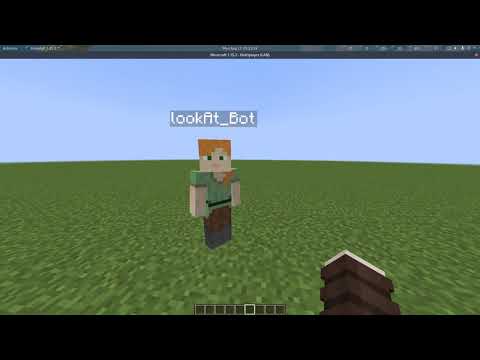
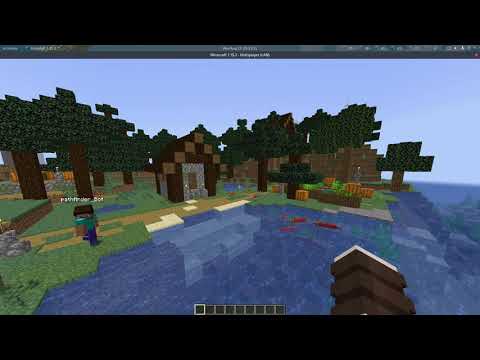
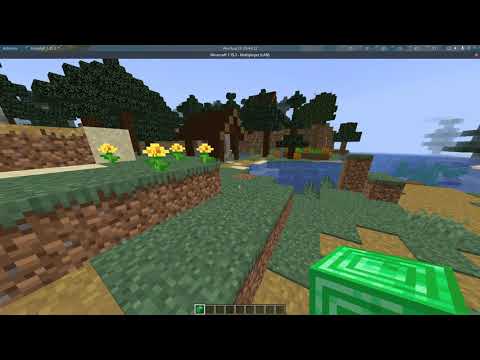
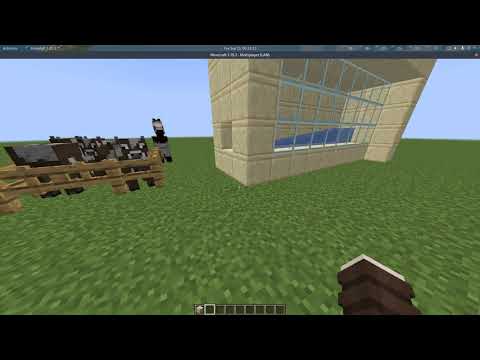
Block knowledge. You can query the world around you. Milliseconds to find any block.
Physics and movement - handle all bounding boxes
Attacking entities and using vehicles.
Inventory management.
Crafting, chests, dispensers, enchantment tables.
Digging and building.
Miscellaneous stuff such as knowing your health and whether it is raining.
Activating blocks and using items.
Chat.
Roadmap
Checkout this page to see what our current projects are.
Installation
First install Node.js >= 18 from nodejs.org then:
npm install mineflayer
To update mineflayer (or any Node.js) package and its dependencies, use
npm update
Documentation
link
description
tutorial
Begin with Node.js and mineflayer
FAQ.md
Got a question ? go there first
api.md unstable_api.md
The full API reference
history.md
The changelog for mineflayer
examples/
Checkout all the mineflayer examples
Contribute
Please read CONTRIBUTING.md and prismarine-contribute
Usage
Videos
A tutorial video explaining the basic set up process for a bot can be found here.
If you want to learn more, more video tutorials are there, and the corresponding source codes for those bots is there.
Getting Started
Without a version specified, the version of the server will be guessed automatically.
Without auth specified, the mojang auth style will be guessed.
Echo Example
const mineflayer = require('mineflayer')

const bot = mineflayer.createBot({
  host: 'localhost', // minecraft server ip
  username: 'Bot', // username to join as if auth is `offline`, else a unique identifier for this account. Switch if you want to change accounts
  auth: 'microsoft' // for offline mode servers, you can set this to 'offline'
  // port: 25565,              // set if you need a port that isn't 25565
  // version: false,           // only set if you need a specific version or snapshot (ie: "1.8.9" or "1.16.5"), otherwise it's set automatically
  // password: '12345678'      // set if you want to use password-based auth (may be unreliable). If specified, the `username` must be an email
})

bot.on('chat', (username, message) => {
  if (username === bot.username) return
  bot.chat(message)
})

// Log errors and kick reasons:
bot.on('kicked', console.log)
bot.on('error', console.log)
If auth is set to microsoft, you will be prompted to login to microsoft.com with a code in your browser. After signing in on your browser,
the bot will automatically obtain and cache authentication tokens (under your specified username) so you don't have to sign-in again.
To switch the account, update the supplied username. By default, cached tokens will be stored in your user's .minecraft folder, or if profilesFolder is specified, they'll instead be stored there.
For more information on bot options see node-minecraft-protocol's API doc.
Connecting to a Realm
To join a Realm that your Minecraft account has been invited to, you can pass a realms object with a selector function like below.
const client = mineflayer.createBot({
  username: '[email protected]', // minecraft username
  realms: {
    // This function is called with an array of Realms the account can join. It should return the one it wants to join.
    pickRealm: (realms) => realms[0]
  },
  auth: 'microsoft'
})
See what your bot is doing
Thanks to the prismarine-viewer project, it's possible to display in a browser window what your bot is doing.
Just run npm install prismarine-viewer and add this to your bot:
const { mineflayer: mineflayerViewer } = require('prismarine-viewer')
bot.once('spawn', () => {
  mineflayerViewer(bot, { port: 3007, firstPerson: true }) // port is the minecraft server port, if first person is false, you get a bird's-eye view
})
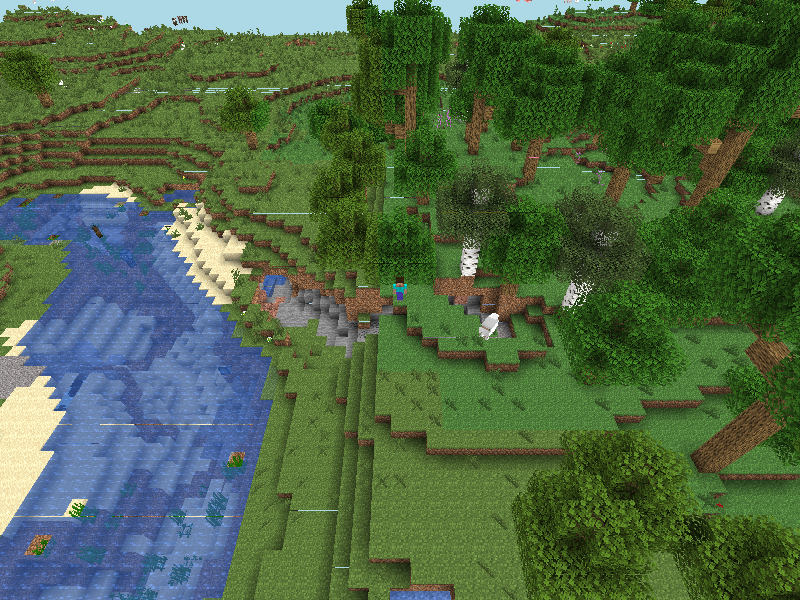
And you'll get a live view looking like this:
More Examples
example
description
viewer
Display your bot world view in the browser
pathfinder
Make your bot go to any location automatically
chest
Use chests, furnaces, dispensers, enchantment tables
digger
Learn how to create a simple bot that is capable of digging blocks
discord
Connect a discord bot with a mineflayer bot
jumper
Learn how to move, jump, ride vehicles, attack nearby entities
ansi
Display your bot's chat with all of the chat colors shown in your terminal
guard
Make a bot guard a defined area from nearby mobs
multiple-from-file
Add a text file with accounts and have them all login
And many more in the examples folder.
Modules
A lot of the active development is happening inside of small npm packages which are used by mineflayer.
The Node Way™
"When applications are done well, they are just the really application-specific, brackish residue that can't be so easily abstracted away. All the nice, reusable components sublimate away onto github and npm where everybody can collaborate to advance the commons." — substack from "how I write modules" (2013)
Modules
These are the main modules that make up mineflayer:
module
description
minecraft-protocol
Parse and serialize minecraft packets, plus authentication and encryption.
minecraft-data
Language independent module providing minecraft data for minecraft clients, servers and libraries.
prismarine-physics
Provide the physics engine for minecraft entities
prismarine-chunk
A class to hold chunk data for Minecraft
node-vec3
3d vector math with robust unit tests
prismarine-block
Represent a minecraft block with its associated data
prismarine-chat
A parser for a minecraft chat message (extracted from mineflayer)
node-yggdrasil
Node.js library to interact with Mojang's authentication system, known as Yggdrasil
prismarine-world
The core implementation of worlds for prismarine
prismarine-windows
Represent minecraft windows
prismarine-item
Represent a minecraft item with its associated data
prismarine-nbt
An NBT parser for node-minecraft-protocol
prismarine-recipe
Represent minecraft recipes
prismarine-biome
Represent a minecraft biome with its associated data
prismarine-entity
Represent a minecraft entity
Debug
You can enable some protocol debugging output using DEBUG environment variable:
DEBUG="minecraft-protocol" node [...]
On windows :
set DEBUG=minecraft-protocol
node your_script.js
Third Party Plugins
Mineflayer is pluggable; anyone can create a plugin that adds an even
higher level API on top of Mineflayer.
The most updated and useful are :
minecraft-mcp-server A MCP server for mineflayer, allowing using mineflayer from an LLM
pathfinder - advanced A* pathfinding with a lot of configurable features
prismarine-viewer - simple web chunk viewer
web-inventory - web based inventory viewer
statemachine - A state machine API for more complex bot behaviors
Armor Manager - automatic armor management
Dashboard - Frontend dashboard for mineflayer bot
PVP - Easy API for basic PVP and PVE.
Auto Eat - Automatic eating of food.
Auto Crystal - Automatic placing & breaking of end crystals.
Tool - A utility for automatic tool/weapon selection with a high level API.
Hawkeye - A utility for using auto-aim with bows.
GUI - Interact with nested GUI windows using async/await
Projectile - Get the required launch angle for projectiles
Movement - Smooth and realistic player movement, best suited for PvP
Collect Block - Quick and simple block collection API.
But also check out :
radar - web based radar
interface using canvas and socket.io. YouTube Demo
auto-auth - chat-based bot authentication
Bloodhound - determine who and what is responsible for damage to another entity
tps - get the current tps (processed tps)
panorama - take Panorama Images of your world
player-death-event - emit player death event in Mineflayer.
Projects Using Mineflayer
Voyager An Open-Ended Embodied Agent with Large Language Models
mindcraft Lib for using mineflayer with LLMs
rom1504/rbot
YouTube - building a spiral staircase
YouTube - replicating a building
Darthfett/Helperbot
vogonistic/voxel - visualize what
the bot is up to using voxel.js
JonnyD/Skynet - log player activity onto an online API
MinecraftChat (last open source version, built by AlexKvazos) - Minecraft web based chat client
Cheese Bot - Plugin based bot with a clean GUI. Made with Node-Webkit.
Chaoscraft - Minecraft bot using genetic algorithms, see its youtube videos
hexatester/minetelegram - Minecraft - Telegram bridge, build on top of mineflayer & telegraf.
PrismarineJS/mineflayer-builder - Prints minecraft schematics in survival, keeping orientation
SilkePilon/OpenDeliveryBot - Minecraft bot in python to deliver items from place to place.
and hundreds more - All the projects that github detected are using mineflayer
Testing
Testing everything
Simply run:
npm test
Testing specific version
Run
npm run mocha_test -- -g <version>
where <version> is a minecraft version like 1.12, 1.15.2...
Testing specific test
Run
npm run mocha_test -- -g <test_name>
where <test_name> is a name of the test like bed, useChests, rayTrace...
PrismarineJS/mineflayer có 7.8k sao GitHub — tải lại trang để xem số mới nhất, hoặc xem trực tiếp github.com/PrismarineJS/mineflayer. TopGit phản chiếu số sao của GitHub nhưng không cam kết đến từng phút.
PrismarineJS/mineflayer có những chủ đề gì?
GitHub topics của PrismarineJS/mineflayer: "bot", "minecraft", "minecraft-api", "minecraft-bot", "network", "nodejs". TopGit xếp repo vào nhóm Automation.
PrismarineJS/mineflayer còn đang phát triển không?
Commit gần nhất trên PrismarineJS/mineflayer là 3 tháng trước (theo timestamp GitHub). Repo có 1.6k fork — một chỉ báo về mức độ quan tâm của cộng đồng.
PrismarineJS/mineflayer là gì?
PrismarineJS/mineflayer (PrismarineJS/mineflayer) là dự án JavaScript trên GitHub. Theo mô tả gốc: Create Minecraft bots with a powerful, stable, and high level JavaScript API.
PrismarineJS/mineflayer so với các dự án Automation khác thế nào?
PrismarineJS/mineflayer được TopGit xếp vào nhóm Automation, với 7.8k sao GitHub và viết bằng JavaScript. Xem trang chủ đề Automation trên TopGit để so sánh với các dự án tương tự theo số sao và mức độ hoạt động.
PrismarineJS/mineflayer viết bằng ngôn ngữ gì?
PrismarineJS/mineflayer chủ yếu viết bằng JavaScript. Trường "language" của GitHub dựa trên phần lớn byte ở nhánh mặc định.
Vì sao PrismarineJS/mineflayer được xếp vào nhóm Automation?
TopGit xếp PrismarineJS/mineflayer vào nhóm Automation dựa trên GitHub topics và mô tả của repo (gắn thẻ: "bot", "minecraft", "minecraft-api"). Việc phân loại dựa trên metadata thật của repo, không phải đoán theo cảm tính biên tập.
Đọc đầy đủ README ở tab phía trên.
Chưa chắc mineflayer có hợp với bạn?
Để ChatGPT, Claude hoặc Perplexity tìm hiểu giúp — bấm bên dưới và xem AI nói gì về mineflayer.

 /mineflayer