TopGit theo dõi radareorg/iaito trên GitHub, đã đạt 1.8k sao. Official radare2 GUI
Tóm tắt dựng từ metadata GitHub của chính dự án — chưa có bài review TopGit. Trang sẽ tự động cập nhật khi bài review đầy đủ được xuất bản.
VÌ SAO CHƯA CÓ REVIEW
TopGit viết bài đầy đủ cho repo có nhiều sao nhất và được yêu cầu nhiều nhất. Trang này là snapshot trong thời gian chờ — xem README gốc ở tab READ ME.
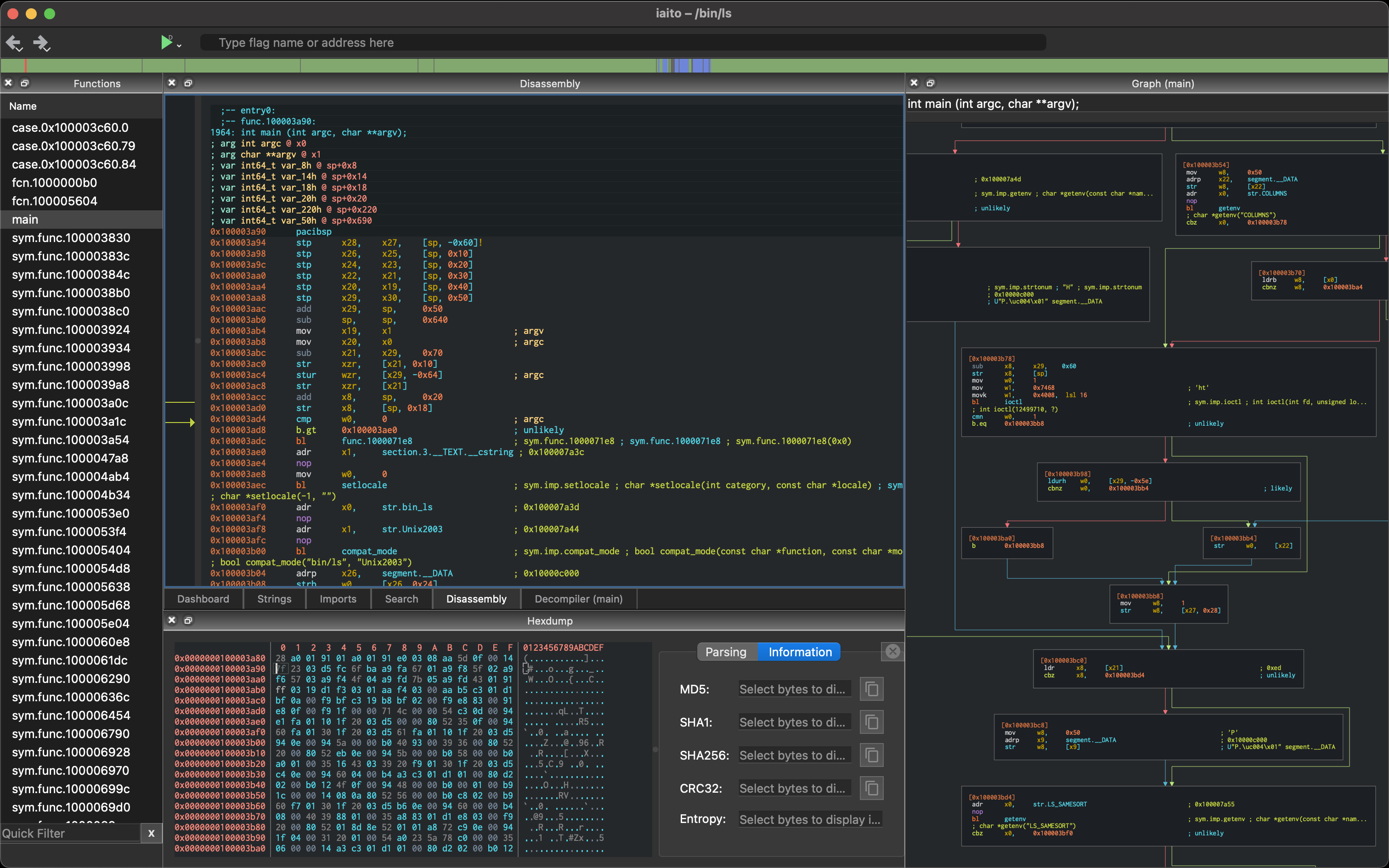
iaito is the official graphical interface for radare2, a libre reverse engineering framework.
Based on radare2 and Qt-5/6
Iaito was the original name before being forked as Cutter.
Use all your favourite r2 plugins and scripts (nothing is specific to iaito)
Focus on simplicity, parity with commands, features, keybindings
Forensics, bindiffing, binary patching, .. not just a static disassembler
Help
For touchscreens, select Tablet in Settings → Appearance → Interface Theme.
This Adwaita-inspired light theme provides large controls and list rows, swipe scrolling with
momentum and edge bounce, and long-press context menus. Disassembly, hex and graph views also
support swipe navigation. Switching to another interface theme restores desktop controls.
Get help, updates, meet the community or discuss about development in these channels:
Discord: https://radare.org/discord
Telegram: https://t.me/radare
Mastodon: @radareorg
Translations: crowdin!
Installation
There are automated CI builds and releases of iaito for Linux, macOS and Windows.
On WSL or Linux you can use these steps to install it with Flatpak:
On macOS, make run launches the app from build/iaito.app without installing it.
Registering the iaito:// URI handler is optional; see deep links.
To install the app in your home:
make install
iPad (experimental)
On macOS with full Xcode, Python 3, Meson and Ninja installed, run
./scripts/ipad.sh. It downloads Qt 6 for iOS and its matching Mac tools,
builds current radare2 as static device/simulator libraries, generates
dist/ipad/iaito.xcodeproj, and builds an unsigned iPad app. Pass a radare2 tag
or commit to pin its version. Open the generated project to select your signing
team and run on an attached iPad. --archive and --export support signed
distribution builds. See the iPad build guide for signing,
simulator support, dependency artifacts and options.
Android tablets (experimental)
scripts/android.sh builds a standalone iaito-VERSION.apk in the repository root.
It uses Meson to cross-compile radare2 and Qt's qmake/Gradle deployment to build
iaito and package Qt, the radare2 libraries, and the radare2 runtime databases.
The package ID is org.radare.iaito. The APK is debug signed for sideloading;
store release signing is not configured.
Install a Qt 6 Android kit with Qt SVG and its matching desktop host tools,
the Android SDK platform and build-tools required by that Qt release, its
recommended NDK and JDK, plus Meson >= 0.63, Ninja, make, Python 3, pkg-config
and a host C compiler. For example, with an existing Qt installation:
The default ABI is arm64-v8a, minimum API is 28, and compilation uses at most
eight jobs. ANDROID_ABI, ANDROID_MIN_SDK, ANDROID_TARGET_SDK, BUILD_DIR,
APK_OUTPUT and JOBS can override these defaults. Use a fresh build directory
when changing the NDK, ABI or radare2 revision. Build logs are kept under
build-android/ABI/.
The script fetches current radare2 from GitHub, including its Android content://
plugin. Set R2_REPOSITORY and R2_REF to select a different repository or revision
with RIOContent support. The snapshot is cached on first use; use a fresh
BUILD_DIR to update an older snapshot. Local uncommitted changes are not included.
Radare2's dependencies and Gradle packages
may require network access. Neither the desktop build nor the original radare2
checkout is reconfigured. A small adjustment in the build copy compiles the SDB
database generator for the build machine. --r2-only builds and stages radare2
without requiring Qt or the Java SDK.
Android and iOS use one touch toolbar. Menu contains the same commands as the
desktop menubar; Menu → View → Go to address… opens address entry. Panels
opens a searchable grid of panels. Wide landscape tablets also show a sidebar;
its selector switches between Functions, Symbols, Imports and other panels.
In portrait, Browse toggles the selected sidebar panel at full width. Swiping
right from the left edge opens it too. Swipe the tab strip to change tabs, and
pinch disassembly, hexdump or decompiler text to change its size. Floating dialogs
have a title and a close button. The status bar and navigation overview are hidden
by default and can be enabled under Menu → Window → Toolbars.
Menu → File → Open opens another file in the current mobile session.
Mobile layouts are saved separately from desktop layouts. To preview this UI
with a desktop build, run IAITO_MOBILE_UI=1 make run.
The native Android picker opens documents through content:// using the app's
ContentResolver and retains read permission for Recent Files. The IO selector
follows the selected URI's scheme; encoded document IDs reach r2 unchanged.
Read-only streams are cached in app-private storage for random access.
Native debugging is disabled. Exporting projects, launching additional sessions,
and tablet interaction still need platform work and device testing.
Building iaito as an r2 plugin
It is also possible to launch iaito from the r2 shell reusing the Core instance:
make plugin
The previous command will build iaito, the iaito plugin and copy it it into your home plugin directory.
$ r2 /bin/ls
> iaito
...
Translations (Optional)
Note: The flatpak/flathub version already ships the translations as an optional extension.
To install translations please download latest version from iaito-translations repo.
To install in your home directory, run the following:
$ git clone https://github.com/radareorg/iaito-translations.git
$ cd iaito-translations
$ make user-install
Alternatively, it this project makefile can be used to install them:
$ make user-install-translations
OR
$ make install-translations # to install to system
Binaries
Most distros may Checkout the Releases page to download the build for Linux, macOS or Windows, and read the notes in case of problems!
As shown below, most distros are packaging iaito already, pick the build you like the most!
Trang TopGit này là một snapshot — tab "Readme" hiển thị nguyên văn README của repo (đã bỏ link, giữ ảnh). Repo GitHub ở github.com/radareorg/iaito là nguồn chính thức.
radareorg/iaito có phải mã nguồn mở không?
Có — radareorg/iaito phát hành theo license GPL-3.0, nghĩa là mã nguồn mở để đọc, fork và (tùy license) tái sử dụng. Mã: github.com/radareorg/iaito.
radareorg/iaito là gì?
radareorg/iaito (radareorg/iaito) là dự án C++ trên GitHub. Theo mô tả gốc: Official radare2 GUI
Đọc đầy đủ README ở tab phía trên.
Chưa chắc iaito có hợp với bạn?
Để ChatGPT, Claude hoặc Perplexity tìm hiểu giúp — bấm bên dưới và xem AI nói gì về iaito.

 /iaito