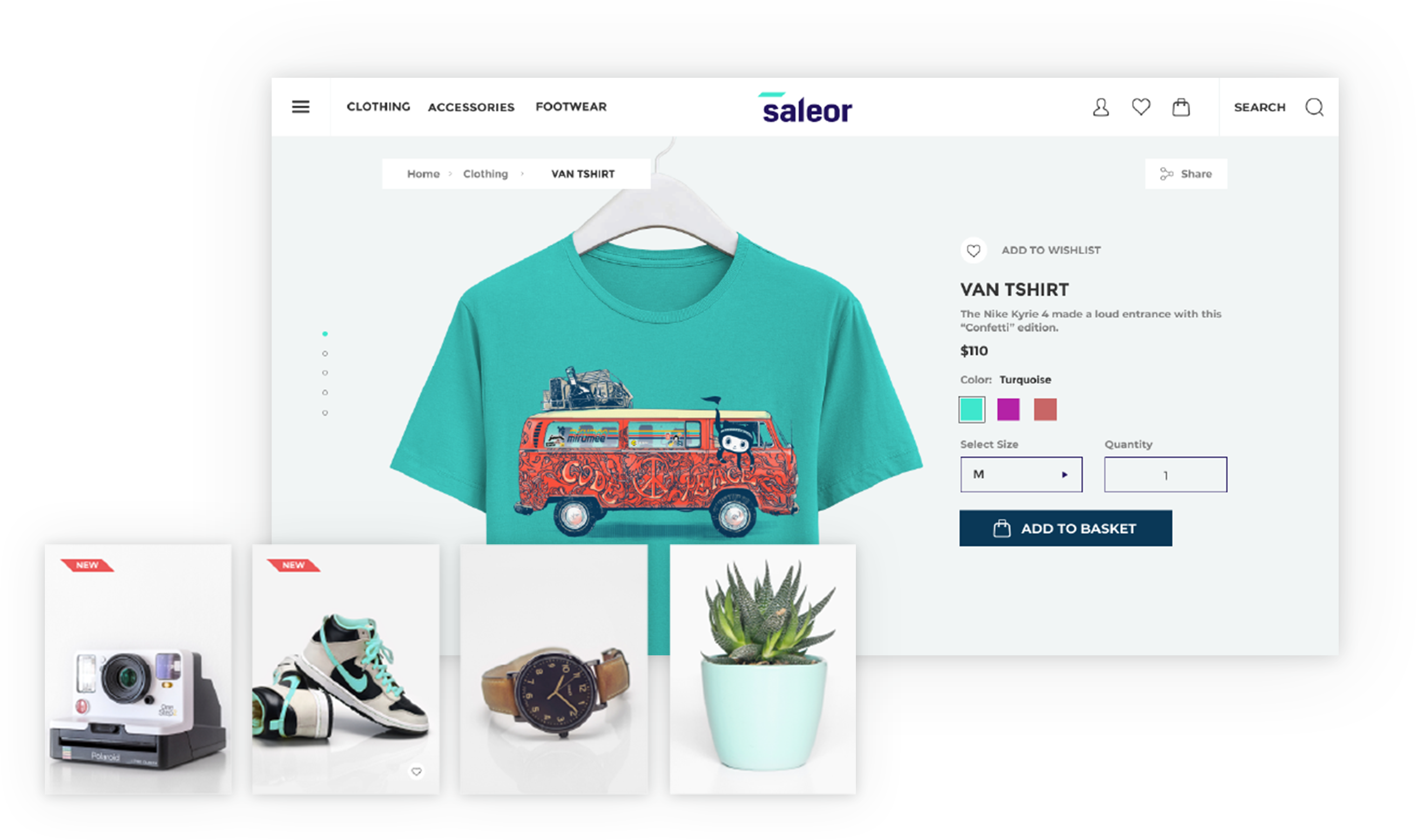
Trên GitHub, saleor/saleor-storefront đã đạt 774 sao, nhóm Frontend, ngôn ngữ TypeScript. A GraphQL-powered, NextJs-based, PWA storefront for Saleor. IMPORTANT: This project is [DEPRECATED] in favor of saleor/react-storefront soon to become our default demo and storefront starter pack.
Tóm tắt dựng từ metadata GitHub của chính dự án — chưa có bài review TopGit. Trang sẽ tự động cập nhật khi bài review đầy đủ được xuất bản.
VÌ SAO CHƯA CÓ REVIEW
TopGit viết bài đầy đủ cho repo có nhiều sao nhất và được yêu cầu nhiều nhất. Trang này là snapshot trong thời gian chờ — xem README gốc ở tab READ ME.
We've decided to build a new storefront starting from scratch, with no fancy design, focusing solely on best practices for building commerce storefronts. The new project, called react-storefront, uses Next.js as its foundation and Tailwind for the looks. You can find it here: https://github.com/saleor/react-storefront.
Saleor Storefront
Note: This project is a demonstration on how Saleor can be used. It’s not ready to be a starter but rather show how different cases can be handled and could be used as a recipe book. There will be breaking changes and the code is constantly evolving, so use at your own risk.
A GraphQL-powered, PWA, single-page application storefront for Saleor.
Features
Headless ecommerce storefront built with GraphQL, Apollo Client, React, Next.js and Typescript
Offline mode (beta)
Saleor GraphQL API integration
Single-page application experience
Braintree Payment Gateway integration
Demo
See the public demo of Saleor Storefront!
Or launch the demo on a free Heroku instance.
Getting Started
These instructions will get you a copy of the project up and running on your local machine for development and testing purposes.
Prerequisites
Node.js 14.16
A running instance of Saleor.
To run the storefront, you have to set the NEXT_PUBLIC_API_URI environment variable to point to the Saleor GraphQL API.
If you are running Saleor locally, with the default settings, NEXT_PUBLIC_API_URI is set to: http://localhost:8000/graphql/.
To change it, either create a .env.local file and add it there or set an env variable using export command.
CYPRESS_USER_NAME - username (email) for Storefront user.
CYPRESS_USER_PASSWORD - for the user mentioned above.
If you are running the Storefront from the perspective of Docker container, then you can run tests using following commands:
Headless mode:
cy:run
Cypress UI mode:
cy:open
If you want to run tests against your local development environment then use following commands:
Headless mode:
test:e2e:run
Cypress UI mode:
test:e2e:dev
Creating new components
All new components should follow Atomic Design Guidelines and be placed in src/@next/components directory.
Files structure can be generated using plop:
npm run generate
Modifying the Storefront
From Spectrum Post
Important Files
saleor-storefront/config/next/config.base.js - Base Next.js config file which contains webpack custom adjustments.
Can change name of the app (displayed when installed on mobile)
saleor-storefront/src/pages/app.tsx - Main entry point file. Render's the component, apollo-client, and others to the root div in index.html file above. Contains also head section - You can change the title of storefront here.
saleor-storefront/src/core/config.ts - Controls number of products shown per page, support email, gateway providers, social media, and some meta.
Can change support email
Can change products shown per page
Can change gateway providers
Can change social media links that are displayed in the footer
Can change some meta options
saleor-storefront/src/images/ - Holds all the images for logo, cart, favicon, etc.
Can change storefront logo, favicon, or add new images here.
saleor-storefront/src/globalStyles/scss/variables.scss - Contains base styles like colors, font size, container width, media breakpoints and more.
saleor-storefront/src/@next/globalStyles/ - Contains more base styles, themes, media, and constants.
saleor-storefront/src/views/ - This folder controls the views, or what is displayed for each page. Most views have a file named "Page.tsx" that controls the layout of the page and a file named "View.tsx" that calls the query and renders the component with the data.
Can add another view to storefront here. Requires adding a route (see routes below).
saleor-storefront/src/@next/pages/ - Second spot for modifying/adding different pages. This is the recommended directory to add new pages.
saleor-storefront/src/paths.ts - This folder contains all the paths. Here is where you add a new one.
saleor-storefront/src/pages/ - This folder contains files which are translated to Next.js routing. Here is where you add a new route.
Export a new path in paths.ts
Inside pages, create a new file with name correnspond to your desired route (read more here about nested routes). Import your view in the created route file end export it as a default export.
To link to your new view import Link from "next/link" and use new path you created in paths.ts (make sure to import it)
saleor-storefront/src/app/App.tsx - This is main component that renders the , (explained below), and a couple other components.
Adding a Payment Gateway
saleor-storefront/src/core/config.ts - Add new gateway provider name here.
saleor-storefront/src/@next/components/organisms/ - Create a new folder for new payment gateway component here.
saleor-storefront/src/@next/components/organisms/PaymentGatewaysList/PaymentGatewaysList.tsx - Import new gateway component, create a new switch case to handle your gateway component.
Receiving confirmation emails
Set EMAIL_URL environment variable for Saleor core.
Using Docker - Add EMAIL_URL as new environment variable to both the api and worker service following the format here.
Issues getting emails working?
Gmail
Check to see that "Less secure app access" is turned ON. Under "Manage your Google Account" > Go to the security tab. By default, the setting is off for security reasons.
If using 2FA make sure to set an app password and use that in place of your normal login password.
Multichannel
Set [SALEOR_CHANNEL_SLUG] environment variable. - Default value: default-channel.
License
This project is licensed under the BSD-3-Clause License - see the LICENSE file for details
saleor/saleor-storefront thuộc nhóm Frontend trên TopGit, cùng 8 topic GitHub. Trang Trending và Topics liệt kê các repo cùng số sao và cùng ngôn ngữ để so sánh.
Đọc thêm về saleor/saleor-storefront ở đâu?
Trang TopGit này là một snapshot — tab "Readme" hiển thị nguyên văn README của repo (đã bỏ link, giữ ảnh). Repo GitHub ở github.com/saleor/saleor-storefront là nguồn chính thức.
saleor/saleor-storefront có bao nhiêu sao?
saleor/saleor-storefront có 774 sao GitHub — tải lại trang để xem số mới nhất, hoặc xem trực tiếp github.com/saleor/saleor-storefront. TopGit phản chiếu số sao của GitHub nhưng không cam kết đến từng phút.
saleor/saleor-storefront có phải mã nguồn mở không?
Có — saleor/saleor-storefront phát hành theo license BSD-3-Clause, nghĩa là mã nguồn mở để đọc, fork và (tùy license) tái sử dụng. Mã: github.com/saleor/saleor-storefront.
saleor/saleor-storefront có trang demo không?
Dự án có trang chủ ở https://demo.saleor.io/. Tab "Readme" ở trang này thường có ảnh chụp và hướng dẫn bắt đầu nhanh.
saleor/saleor-storefront là gì?
saleor/saleor-storefront (saleor/saleor-storefront) là dự án TypeScript trên GitHub. Theo mô tả gốc: A GraphQL-powered, NextJs-based, PWA storefront for Saleor. IMPORTANT: This project is [DEPRECATED] in favor of saleor/react-storefront soon to become our default demo and storefront starter pack.
saleor/saleor-storefront so với các dự án Frontend khác thế nào?
saleor/saleor-storefront được TopGit xếp vào nhóm Frontend, với 774 sao GitHub và viết bằng TypeScript. Xem trang chủ đề Frontend trên TopGit để so sánh với các dự án tương tự theo số sao và mức độ hoạt động.
Đọc đầy đủ README ở tab phía trên.
saleor-storefront có đáng để bạn bỏ thời gian?
ChatGPT, Claude và Perplexity đều đọc được trang này. Hỏi thử xem họ nghĩ gì về saleor-storefront.
 /saleor-storefront