sczhou/ProPainter là dự án mã nguồn mở trên GitHub với 6.9k sao, viết chủ yếu bằng Python. [ICCV 2023] ProPainter: Improving Propagation and Transformer for Video Inpainting
Tóm tắt dựng từ metadata GitHub của chính dự án — chưa có bài review TopGit. Trang sẽ tự động cập nhật khi bài review đầy đủ được xuất bản.
VÌ SAO CHƯA CÓ REVIEW
TopGit viết bài đầy đủ cho repo có nhiều sao nhất và được yêu cầu nhiều nhất. Trang này là snapshot trong thời gian chờ — xem README gốc ở tab READ ME.
Download our pretrained models from Releases V0.1.0 to the weights folder. (All pretrained models can also be automatically downloaded during the first inference.)
We provide some examples in the inputs folder.
Run the following commands to try it out:
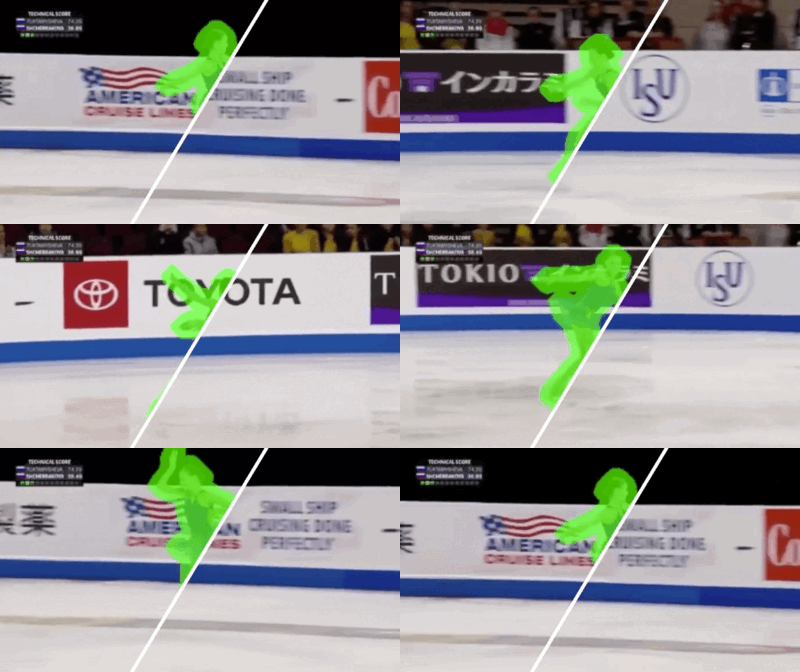
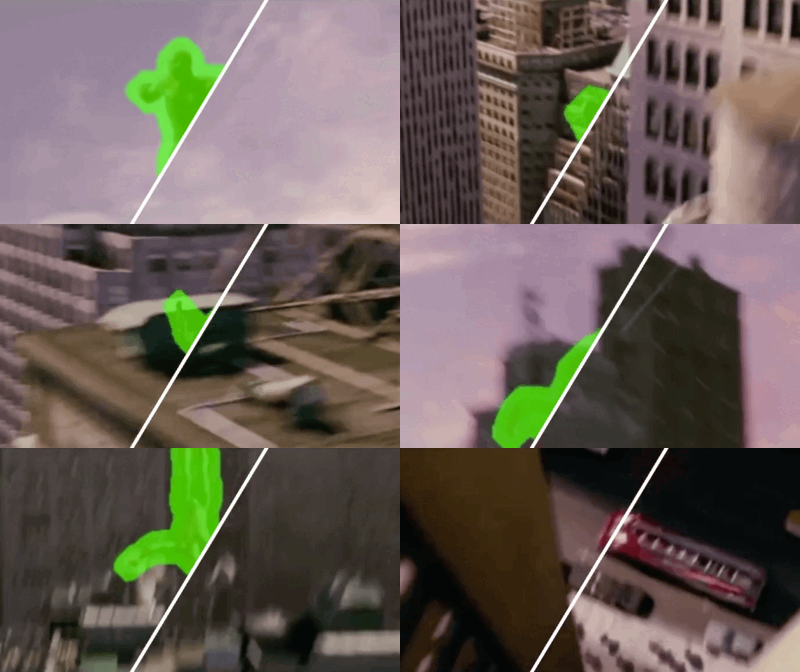
# The first example (object removal)
python inference_propainter.py --video inputs/object_removal/bmx-trees --mask inputs/object_removal/bmx-trees_mask
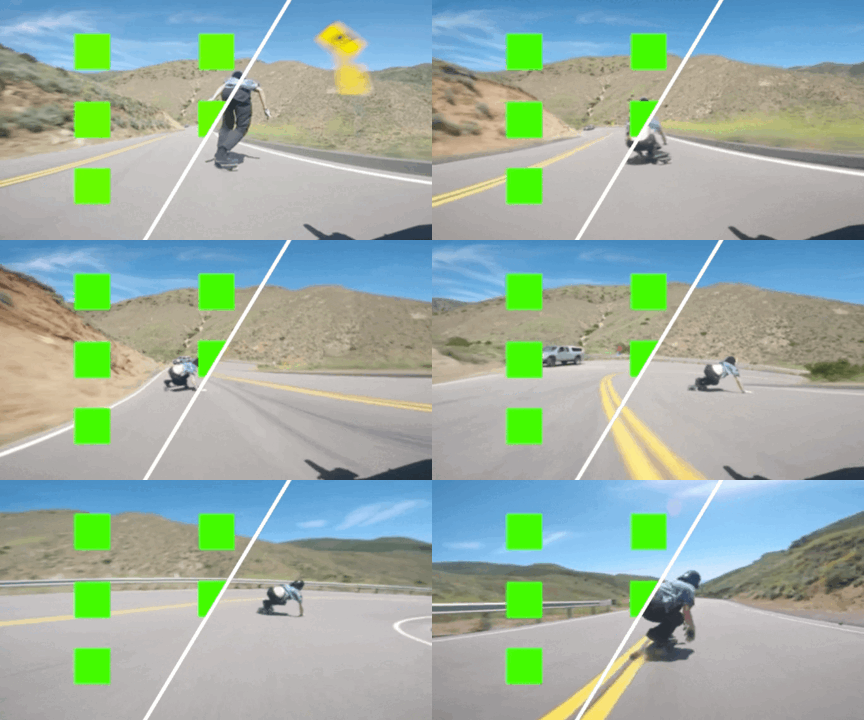
# The second example (video completion)
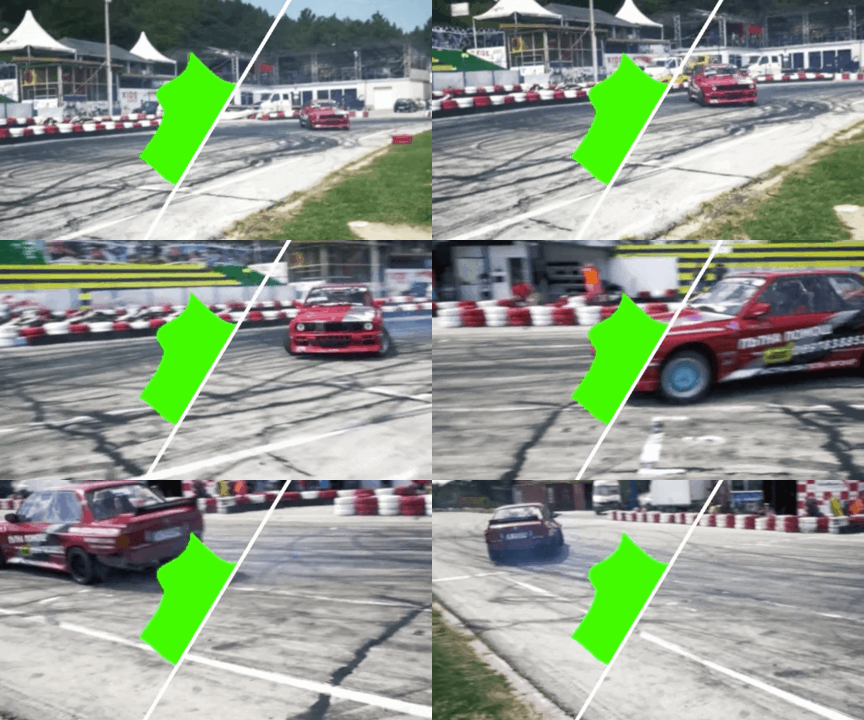
python inference_propainter.py --video inputs/video_completion/running_car.mp4 --mask inputs/video_completion/mask_square.png --height 240 --width 432
The results will be saved in the results folder.
To test your own videos, please prepare the input mp4 video (or split frames) and frame-wise mask(s).
If you want to specify the video resolution for processing or avoid running out of memory, you can set the video size of --width and --height:
# process a 576x320 video; set --fp16 to use fp16 (half precision) during inference.
python inference_propainter.py --video inputs/video_completion/running_car.mp4 --mask inputs/video_completion/mask_square.png --height 320 --width 576 --fp16
💃🏻 Interactive Demo
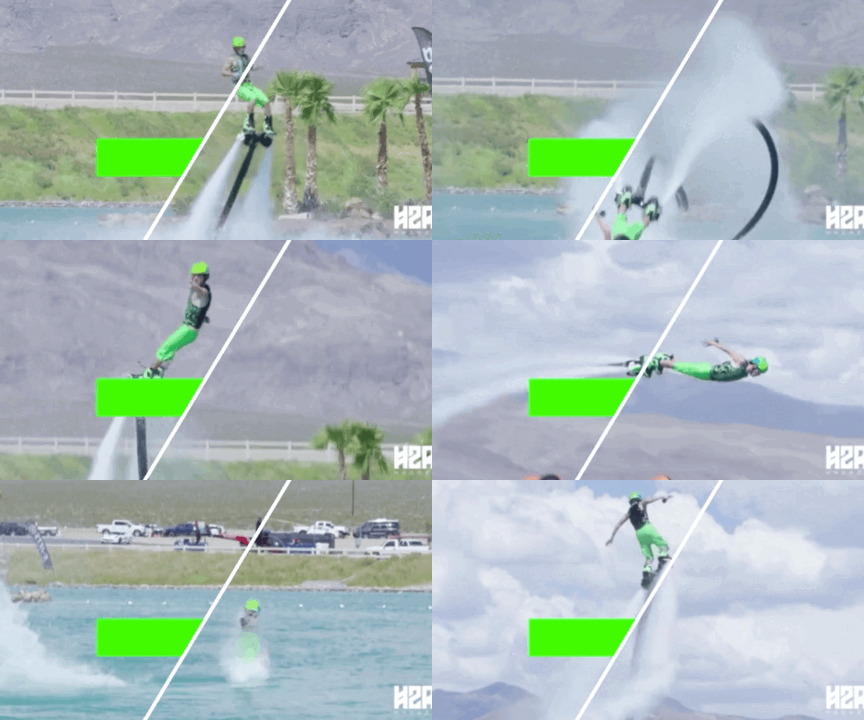
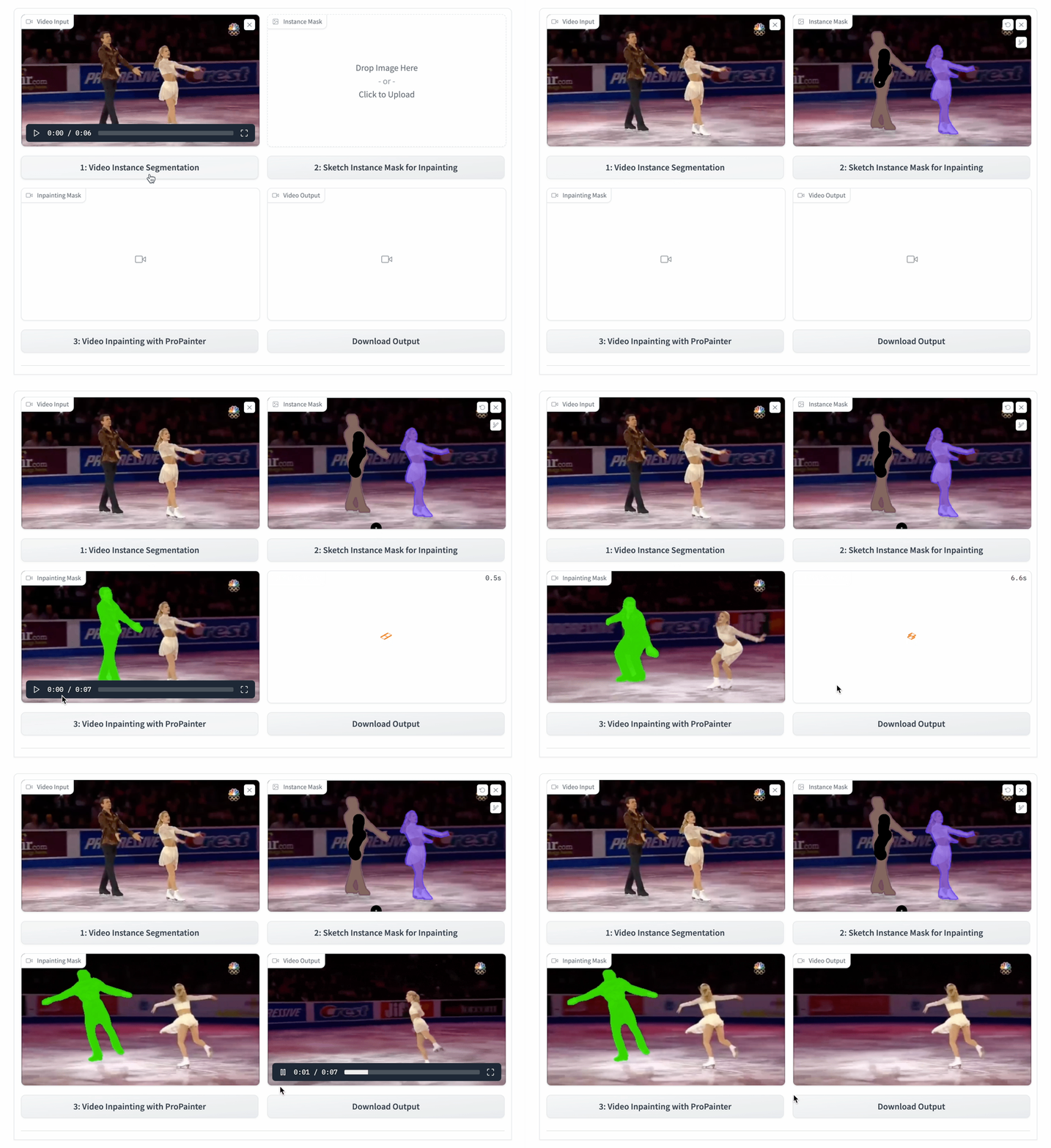
We also provide an interactive demo for object removal, allowing users to select any object they wish to remove from a video. You can try the demo on Hugging Face or run it locally.
Please note that the demo's interface and usage may differ from the GIF animation above. For detailed instructions, refer to the user guide.
🚀 Memory-efficient inference
Video inpainting typically requires a significant amount of GPU memory. Here, we offer various features that facilitate memory-efficient inference, effectively avoiding the Out-Of-Memory (OOM) error. You can use the following options to reduce memory usage further:
Reduce the number of local neighbors through decreasing the --neighbor_length (default 10).
Reduce the number of global references by increasing the --ref_stride (default 10).
Set the --resize_ratio (default 1.0) to resize the processing video.
Set a smaller video size via specifying the --width and --height.
Set --fp16 to use fp16 (half precision) during inference.
Reduce the frames of sub-videos --subvideo_length (default 80), which effectively decouples GPU memory costs and video length.
Blow shows the estimated GPU memory requirements for different sub-video lengths with fp32/fp16 precision:
Resolution
50 frames
80 frames
1280 x 720
28G / 19G
OOM / 25G
720 x 480
11G / 7G
13G / 8G
640 x 480
10G / 6G
12G / 7G
320 x 240
3G / 2G
4G / 3G
Dataset preparation
Dataset
YouTube-VOS
DAVIS
Description
For training (3,471) and evaluation (508)
For evaluation (50 in 90)
Images
[Official Link] (Download train and test all frames)
[Official Link] (2017, 480p, TrainVal)
Masks
[Google Drive] [Baidu Disk] (For reproducing paper results; provided in ProPainter paper)
The training and test split files are provided in datasets/<dataset_name>. For each dataset, you should place JPEGImages to datasets/<dataset_name>. Resize all video frames to size 432x240 for training. Unzip downloaded mask files to datasets.
The datasets directory structure will be arranged as: (Note: please check it carefully)
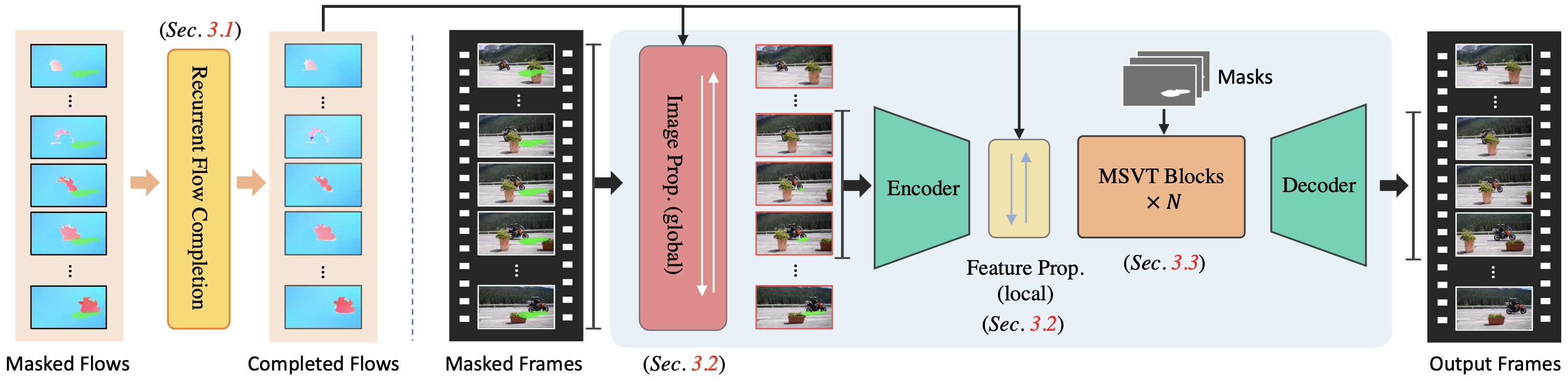
Our training configures are provided in train_flowcomp.json (for Recurrent Flow Completion Network) and train_propainter.json (for ProPainter).
Run one of the following commands for training:
 # For training Recurrent Flow Completion Network
 python train.py -c configs/train_flowcomp.json
 # For training ProPainter
 python train.py -c configs/train_propainter.json
You can run the same command to resume your training.
To speed up the training process, you can precompute optical flow for the training dataset using the following command:
 # Compute optical flow for training dataset
 python scripts/compute_flow.py --root_path <dataset_root> --save_path <save_flow_root> --height 240 --width 432
Evaluation
Run one of the following commands for evaluation:
 # For evaluating flow completion model
 python scripts/evaluate_flow_completion.py --dataset <dataset_name> --video_root <video_root> --mask_root <mask_root> --save_results
 # For evaluating ProPainter model
 python scripts/evaluate_propainter.py --dataset <dataset_name> --video_root <video_root> --mask_root <mask_root> --save_results
The scores and results will also be saved in the results_eval folder.
Please --save_results for further evaluating temporal warping error.
Citation
If you find our repo useful for your research, please consider citing our paper:
@inproceedings{zhou2023propainter,
   title={{ProPainter}: Improving Propagation and Transformer for Video Inpainting},
   author={Zhou, Shangchen and Li, Chongyi and Chan, Kelvin C.K and Loy, Chen Change},
   booktitle={Proceedings of IEEE International Conference on Computer Vision (ICCV)},
   year={2023}
}
License
Non-Commercial Use Only Declaration
The ProPainter is made available for use, reproduction, and distribution strictly for non-commercial purposes. The code and models are licensed under NTU S-Lab License 1.0. Redistribution and use should follow this license.
For inquiries or to obtain permission for commercial use, please consult Dr. Shangchen Zhou ([email protected]).
Projects that use ProPainter
If you develop or use ProPainter in your projects, feel free to let me know. Also, please include this ProPainter repo link, authorship information, and our S-Lab license (with link).
Trang TopGit này là một snapshot — tab "Readme" hiển thị nguyên văn README của repo (đã bỏ link, giữ ảnh). Repo GitHub ở github.com/sczhou/ProPainter là nguồn chính thức.
sczhou/ProPainter có bao nhiêu sao?
sczhou/ProPainter có 6.9k sao GitHub — tải lại trang để xem số mới nhất, hoặc xem trực tiếp github.com/sczhou/ProPainter. TopGit phản chiếu số sao của GitHub nhưng không cam kết đến từng phút.
sczhou/ProPainter có những chủ đề gì?
GitHub topics của sczhou/ProPainter: "object-removal", "video-completion", "video-inpainting", "video-outpainting", "watermark-removal". TopGit xếp repo vào nhóm mã nguồn mở.
sczhou/ProPainter có phải mã nguồn mở không?
TopGit chưa ghi nhận license cho sczhou/ProPainter. Phần lớn repo public trên GitHub là mã nguồn mở, nhưng điều khoản khác nhau từng repo — mở file LICENSE để xác nhận.
sczhou/ProPainter có trang demo không?
Dự án có trang chủ ở https://shangchenzhou.com/projects/ProPainter/. Tab "Readme" ở trang này thường có ảnh chụp và hướng dẫn bắt đầu nhanh.
sczhou/ProPainter còn đang phát triển không?
Commit gần nhất trên sczhou/ProPainter là 1.5 năm trước (theo timestamp GitHub). Repo có 812 fork — một chỉ báo về mức độ quan tâm của cộng đồng.
Đọc đầy đủ README ở tab phía trên.
ProPainter có đáng để bạn bỏ thời gian?
ChatGPT, Claude và Perplexity đều đọc được trang này. Hỏi thử xem họ nghĩ gì về ProPainter.
 /ProPainter