srush/GPU-Puzzles

12.4k sao GitHub và vẫn tăng — srush/GPU-Puzzles là dự án Jupyter Notebook mà TopGit đang theo dõi trên nền tảng. Solve puzzles. Learn CUDA.
Tóm tắt dựng từ metadata GitHub của chính dự án — chưa có bài review TopGit. Trang sẽ tự động cập nhật khi bài review đầy đủ được xuất bản.
TopGit viết bài đầy đủ cho repo có nhiều sao nhất và được yêu cầu nhiều nhất. Trang này là snapshot trong thời gian chờ — xem README gốc ở tab READ ME.
Snapshot
Cộng tác viên hàng đầu
Xem cộng tác viên hàng đầu
GPU Puzzles
- by Sasha Rush - srush_nlp

GPU architectures are critical to machine learning, and seem to be becoming even more important every day. However, you can be an expert in machine learning without ever touching GPU code. It is hard to gain intuition working through abstractions.
This notebook is an attempt to teach beginner GPU programming in a completely interactive fashion. Instead of providing text with concepts, it throws you right into coding and building GPU kernels. The exercises use NUMBA which directly maps Python code to CUDA kernels. It looks like Python but is basically identical to writing low-level CUDA code. In a few hours, I think you can go from basics to understanding the real algorithms that power 99% of deep learning today. If you do want to read the manual, it is here:
NUMBA CUDA Guide
I recommend doing these in Colab, as it is easy to get started. Be
sure to make your own copy, turn on GPU mode in the settings (Runtime / Change runtime type, then set Hardware accelerator to GPU), and
then get to coding.

(If you are into this style of puzzle, also check out my Tensor Puzzles for PyTorch.)
Walkthrough Guide
!pip install -qqq git+https://github.com/danoneata/chalk@srush-patch-1
!wget -q https://github.com/srush/GPU-Puzzles/raw/main/robot.png https://github.com/srush/GPU-Puzzles/raw/main/lib.py
import numba
import numpy as np
import warnings
from lib import CudaProblem, Coord
warnings.filterwarnings(
    action="ignore", category=numba.NumbaPerformanceWarning, module="numba"
)
Puzzle 1: Map
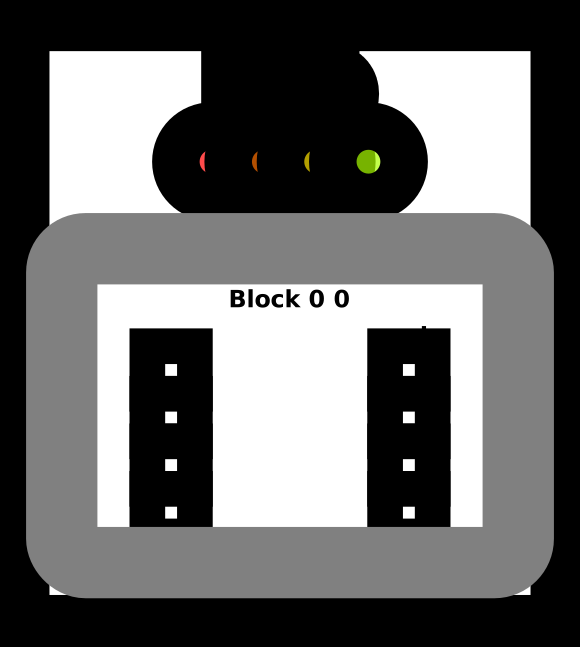
Implement a "kernel" (GPU function) that adds 10 to each position of vector a
and stores it in vector out. You have 1 thread per position.
Warning This code looks like Python but it is really CUDA! You cannot use standard python tools like list comprehensions or ask for Numpy properties like shape or size (if you need the size, it is given as an argument). The puzzles only require doing simple operations, basically +, *, simple array indexing, for loops, and if statements. You are allowed to use local variables. If you get an error it is probably because you did something fancy :).
Tip: Think of the function call as being run 1 time for each thread.
The only difference is that cuda.threadIdx.x changes each time.
def map_spec(a):
    return a + 10


def map_test(cuda):
    def call(out, a) -> None:
        local_i = cuda.threadIdx.x
        # FILL ME IN (roughly 1 lines)

    return call


SIZE = 4
out = np.zeros((SIZE,))
a = np.arange(SIZE)
problem = CudaProblem(
    "Map", map_test, [a], out, threadsperblock=Coord(SIZE, 1), spec=map_spec
)
problem.show()
# Map

   Score (Max Per Thread):
   |  Global Reads | Global Writes |  Shared Reads | Shared Writes |
   |             0 |             0 |             0 |             0 |
problem.check()
Failed Tests.
Yours: [0. 0. 0. 0.]
Spec : [10 11 12 13]
Puzzle 2 - Zip
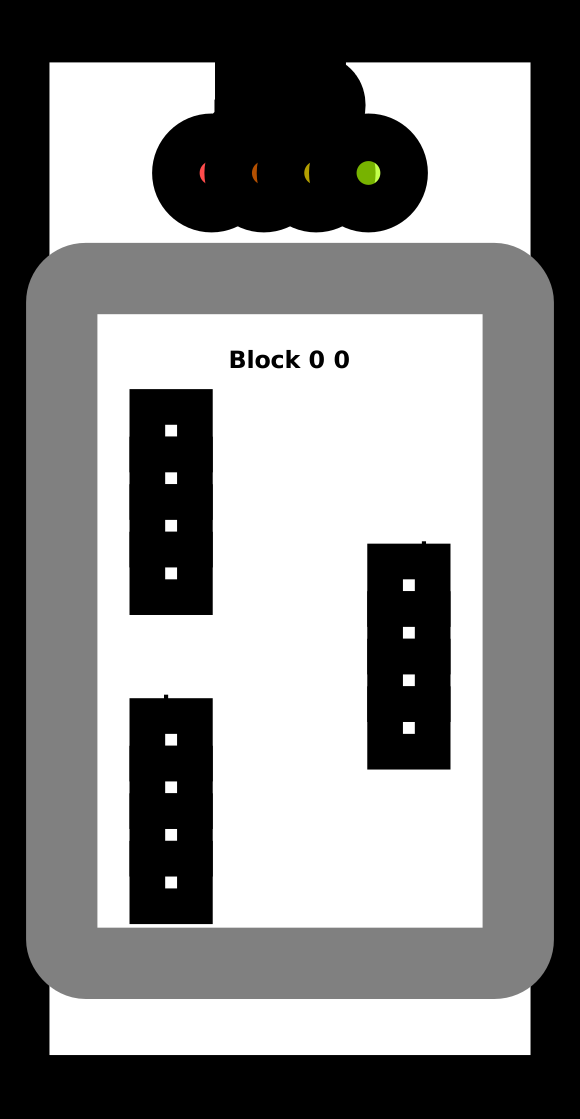
Implement a kernel that adds together each position of a and b and stores it in out.
You have 1 thread per position.
def zip_spec(a, b):
    return a + b


def zip_test(cuda):
    def call(out, a, b) -> None:
        local_i = cuda.threadIdx.x
        # FILL ME IN (roughly 1 lines)

    return call


SIZE = 4
out = np.zeros((SIZE,))
a = np.arange(SIZE)
b = np.arange(SIZE)
problem = CudaProblem(
    "Zip", zip_test, [a, b], out, threadsperblock=Coord(SIZE, 1), spec=zip_spec
)
problem.show()
# Zip

   Score (Max Per Thread):
   |  Global Reads | Global Writes |  Shared Reads | Shared Writes |
   |             0 |             0 |             0 |             0 |
problem.check()
Failed Tests.
Yours: [0. 0. 0. 0.]
Spec : [0 2 4 6]
Puzzle 3 - Guards
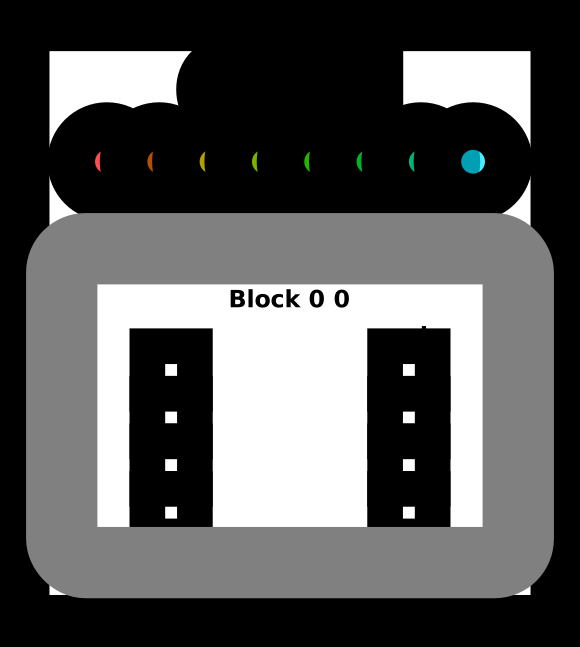
Implement a kernel that adds 10 to each position of a and stores it in out.
You have more threads than positions.
def map_guard_test(cuda):
    def call(out, a, size) -> None:
        local_i = cuda.threadIdx.x
        # FILL ME IN (roughly 2 lines)

    return call


SIZE = 4
out = np.zeros((SIZE,))
a = np.arange(SIZE)
problem = CudaProblem(
    "Guard",
    map_guard_test,
    [a],
    out,
    [SIZE],
    threadsperblock=Coord(8, 1),
    spec=map_spec,
)
problem.show()
# Guard

   Score (Max Per Thread):
   |  Global Reads | Global Writes |  Shared Reads | Shared Writes |
   |             0 |             0 |             0 |             0 |
problem.check()
Failed Tests.
Yours: [0. 0. 0. 0.]
Spec : [10 11 12 13]
Puzzle 4 - Map 2D
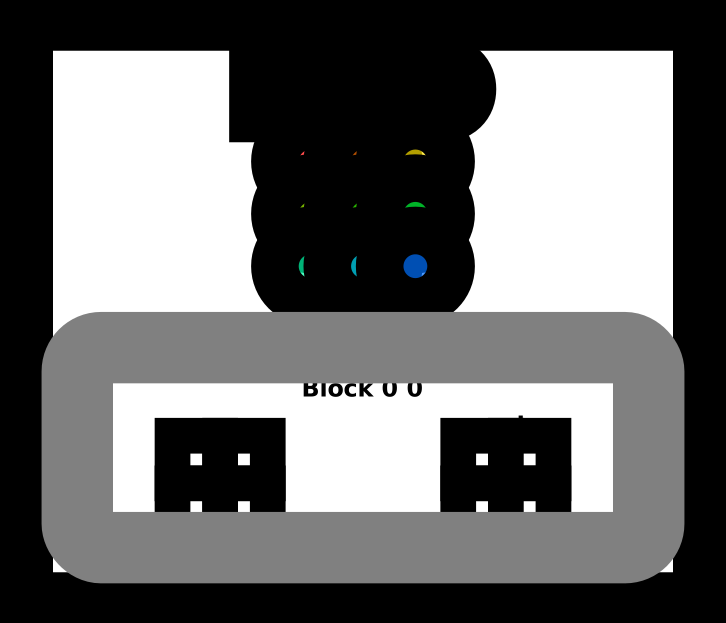
Implement a kernel that adds 10 to each position of a and stores it in out.
Input a is 2D and square. You have more threads than positions.
def map_2D_test(cuda):
    def call(out, a, size) -> None:
        local_i = cuda.threadIdx.x
        local_j = cuda.threadIdx.y
        # FILL ME IN (roughly 2 lines)

    return call


SIZE = 2
out = np.zeros((SIZE, SIZE))
a = np.arange(SIZE * SIZE).reshape((SIZE, SIZE))
problem = CudaProblem(
    "Map 2D", map_2D_test, [a], out, [SIZE], threadsperblock=Coord(3, 3), spec=map_spec
)
problem.show()
# Map 2D

   Score (Max Per Thread):
   |  Global Reads | Global Writes |  Shared Reads | Shared Writes |
   |             0 |             0 |             0 |             0 |
problem.check()
Failed Tests.
Yours: [[0. 0.]
 [0. 0.]]
Spec : [[10 11]
 [12 13]]
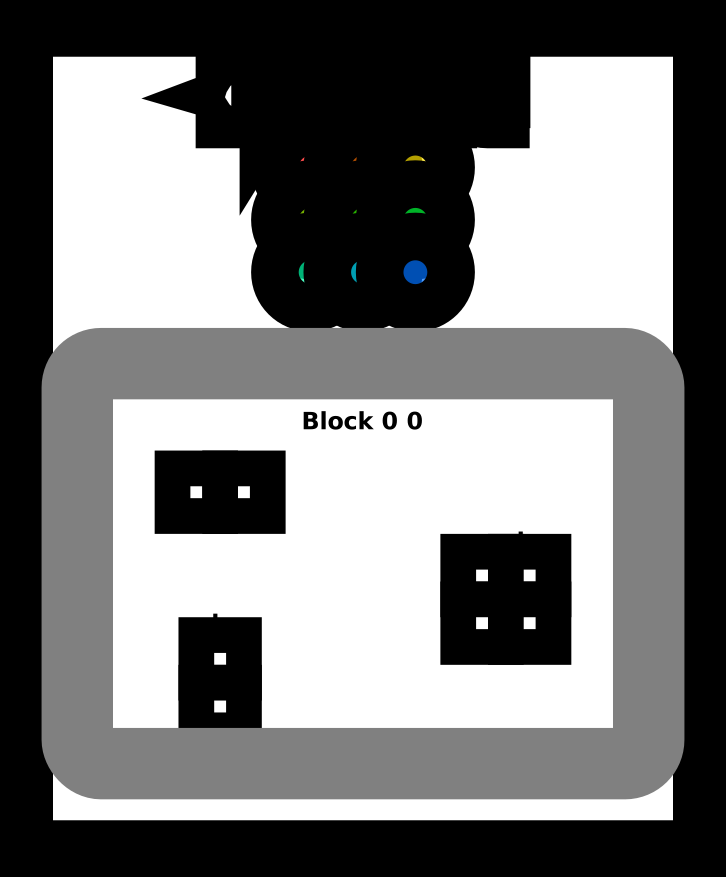
Puzzle 5 - Broadcast
Implement a kernel that adds a and b and stores it in out.
Inputs a and b are vectors. You have more threads than positions.
def broadcast_test(cuda):
    def call(out, a, b, size) -> None:
        local_i = cuda.threadIdx.x
        local_j = cuda.threadIdx.y
        # FILL ME IN (roughly 2 lines)

    return call


SIZE = 2
out = np.zeros((SIZE, SIZE))
a = np.arange(SIZE).reshape(SIZE, 1)
b = np.arange(SIZE).reshape(1, SIZE)
problem = CudaProblem(
    "Broadcast",
    broadcast_test,
    [a, b],
    out,
    [SIZE],
    threadsperblock=Coord(3, 3),
    spec=zip_spec,
)
problem.show()
# Broadcast

   Score (Max Per Thread):
   |  Global Reads | Global Writes |  Shared Reads | Shared Writes |
   |             0 |             0 |             0 |             0 |
problem.check()
Failed Tests.
Yours: [[0. 0.]
 [0. 0.]]
Spec : [[0 1]
 [1 2]]
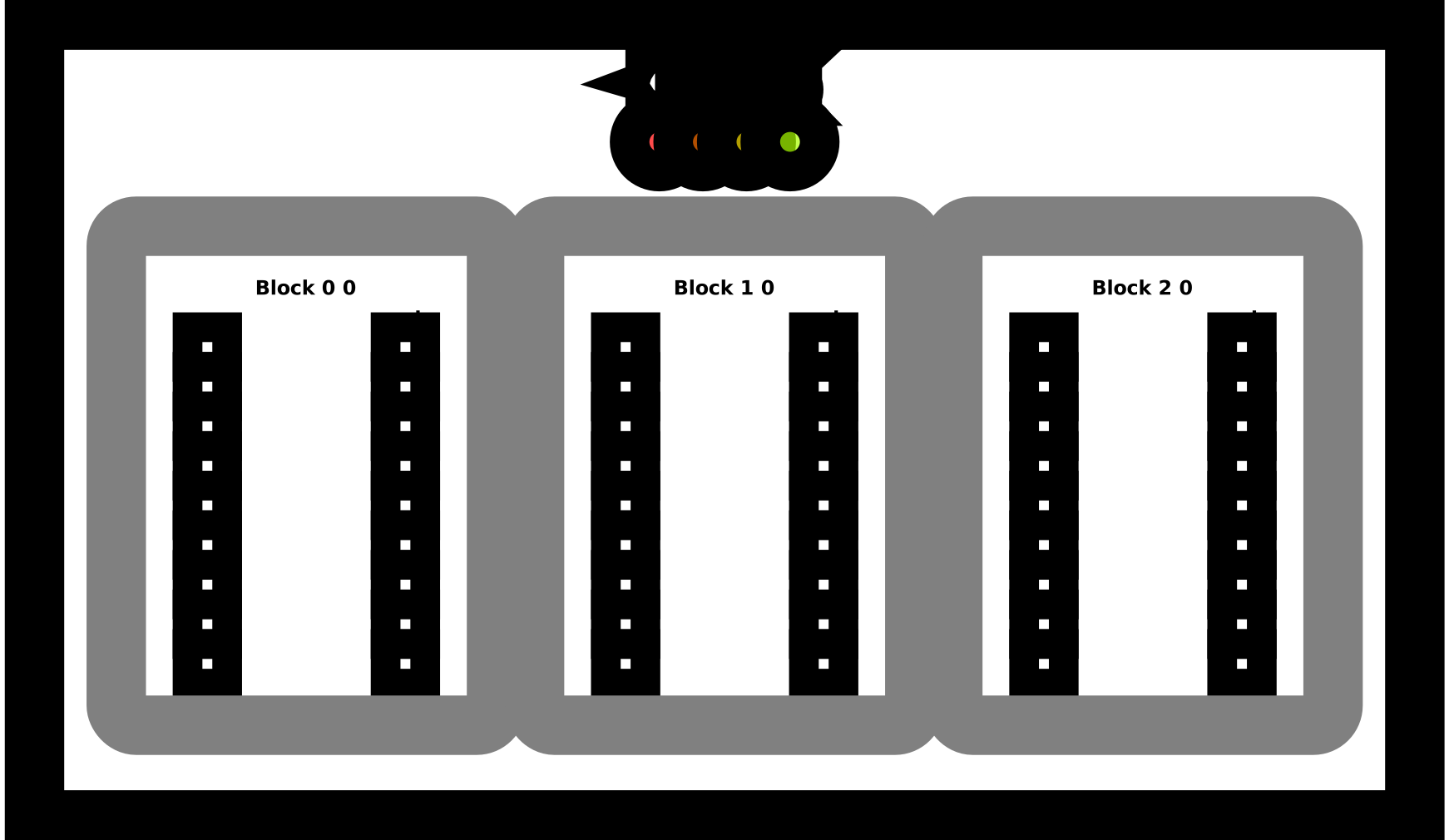
Puzzle 6 - Blocks
Implement a kernel that adds 10 to each position of a and stores it in out.
You have fewer threads per block than the size of a.
Tip: A block is a group of threads. The number of threads per block is limited, but we can
have many different blocks. Variable cuda.blockIdx tells us what block we are in.
def map_block_test(cuda):
    def call(out, a, size) -> None:
        i = cuda.blockIdx.x * cuda.blockDim.x + cuda.threadIdx.x
        # FILL ME IN (roughly 2 lines)

    return call


SIZE = 9
out = np.zeros((SIZE,))
a = np.arange(SIZE)
problem = CudaProblem(
    "Blocks",
    map_block_test,
    [a],
    out,
    [SIZE],
    threadsperblock=Coord(4, 1),
    blockspergrid=Coord(3, 1),
    spec=map_spec,
)
problem.show()
# Blocks

   Score (Max Per Thread):
   |  Global Reads | Global Writes |  Shared Reads | Shared Writes |
   |             0 |             0 |             0 |             0 |
problem.check()
Failed Tests.
Yours: [0. 0. 0. 0. 0. 0. 0. 0. 0.]
Spec : [10 11 12 13 14 15 16 17 18]
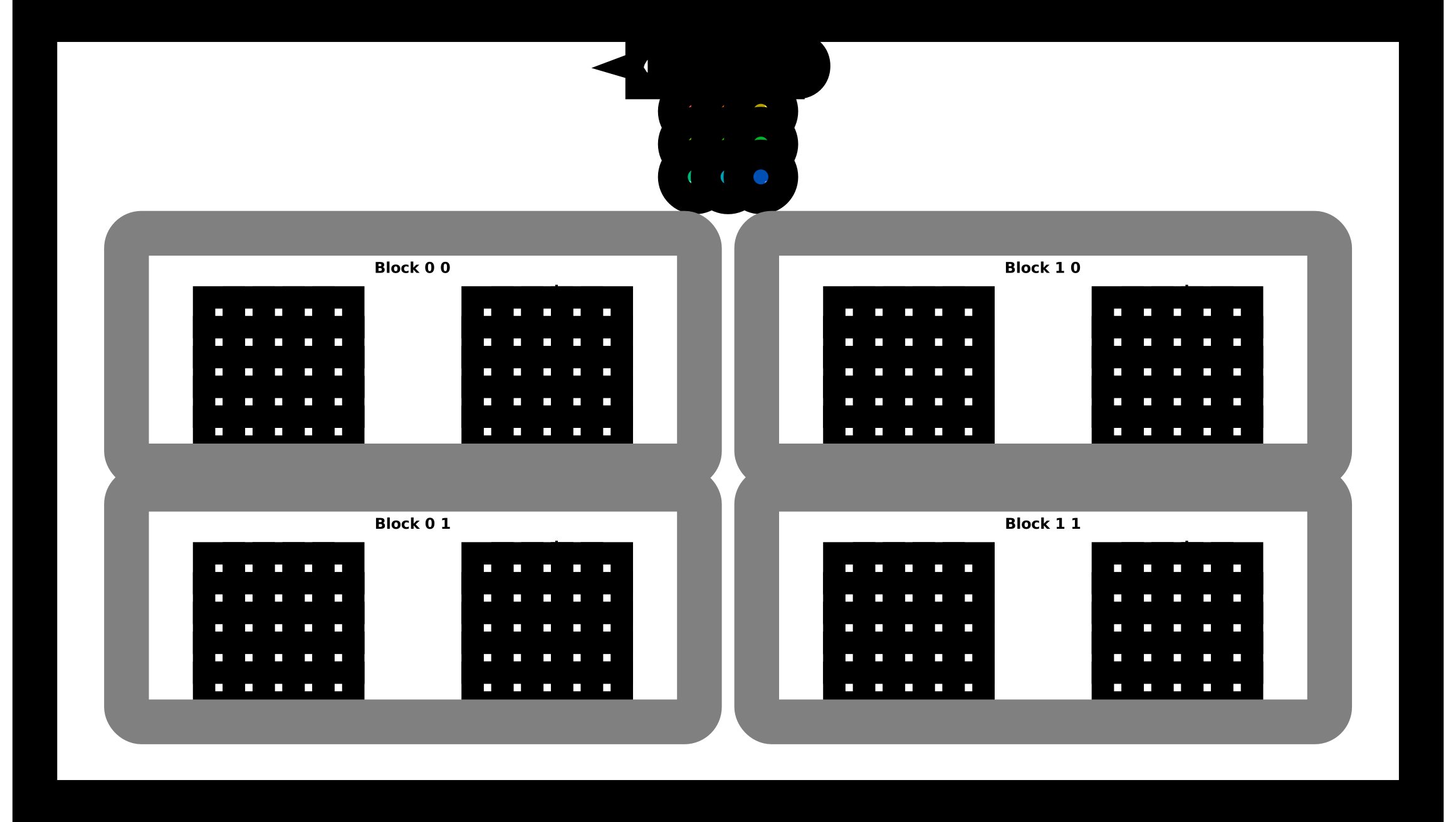
Puzzle 7 - Blocks 2D
Implement the same kernel in 2D. You have fewer threads per block
than the size of a in both directions.
def map_block2D_test(cuda):
    def call(out, a, size) -> None:
        i = cuda.blockIdx.x * cuda.blockDim.x + cuda.threadIdx.x
        # FILL ME IN (roughly 4 lines)

    return call


SIZE = 5
out = np.zeros((SIZE, SIZE))
a = np.ones((SIZE, SIZE))

problem = CudaProblem(
    "Blocks 2D",
    map_block2D_test,
    [a],
    out,
    [SIZE],
    threadsperblock=Coord(3, 3),
    blockspergrid=Coord(2, 2),
    spec=map_spec,
)
problem.show()
# Blocks 2D

   Score (Max Per Thread):
   |  Global Reads | Global Writes |  Shared Reads | Shared Writes |
   |             0 |             0 |             0 |             0 |
problem.check()
Failed Tests.
Yours: [[0. 0. 0. 0. 0.]
 [0. 0. 0. 0. 0.]
 [0. 0. 0. 0. 0.]
 [0. 0. 0. 0. 0.]
 [0. 0. 0. 0. 0.]]
Spec : [[11. 11. 11. 11. 11.]
 [11. 11. 11. 11. 11.]
 [11. 11. 11. 11. 11.]
 [11. 11. 11. 11. 11.]
 [11. 11. 11. 11. 11.]]
Puzzle 8 - Shared
Implement a kernel that adds 10 to each position of a and stores it in out.
You have fewer threads per block than the size of a.
Warning: Each block can only have a constant amount of shared
memory that threads in that block can read and write to. This needs
to be a literal python constant not a variable. After writing to
shared memory you need to call cuda.syncthreads to ensure that
threads do not cross.
(This example does not really need shared memory or syncthreads, but it is a demo.)
TPB = 4
def shared_test(cuda):
    def call(out, a, size) -> None:
        shared = cuda.shared.array(TPB, numba.float32)
        i = cuda.blockIdx.x * cuda.blockDim.x + cuda.threadIdx.x
        local_i = cuda.threadIdx.x

        if i < size:
            shared[local_i] = a[i]
            cuda.syncthreads()

        # FILL ME IN (roughly 2 lines)

    return call


SIZE = 8
out = np.zeros(SIZE)
a = np.ones(SIZE)
problem = CudaProblem(
    "Shared",
    shared_test,
    [a],
    out,
    [SIZE],
    threadsperblock=Coord(TPB, 1),
    blockspergrid=Coord(2, 1),
    spec=map_spec,
)
problem.show()
# Shared

   Score (Max Per Thread):
   |  Global Reads | Global Writes |  Shared Reads | Shared Writes |
   |             1 |             0 |             0 |             1 |
problem.check()
Failed Tests.
Yours: [0. 0. 0. 0. 0. 0. 0. 0.]
Spec : [11. 11. 11. 11. 11. 11. 11. 11.]
Puzzle 9 - Pooling
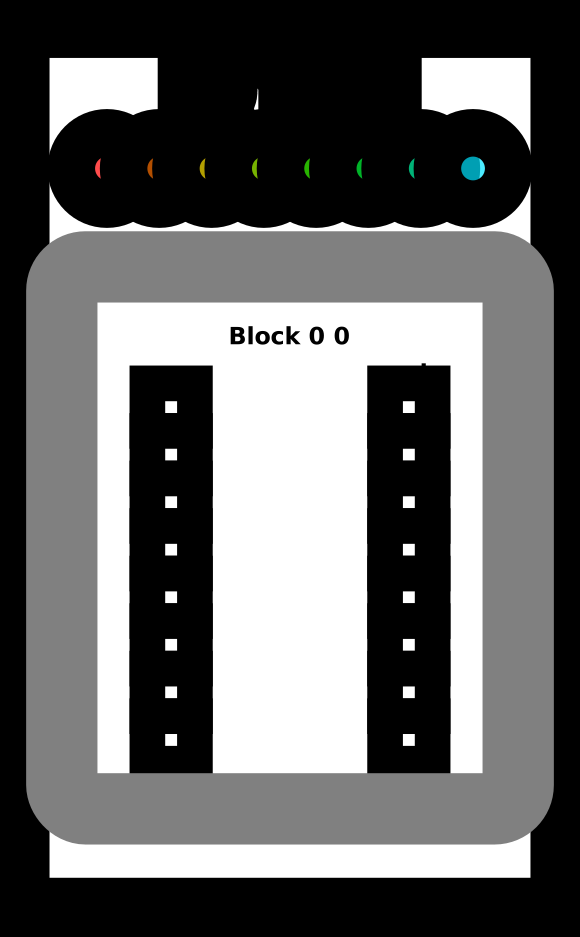
Implement a kernel that sums together the last 3 position of a and stores it in out.
You have 1 thread per position. You only need 1 global read and 1 global write per thread.
Tip: Remember to be careful about syncing.
def pool_spec(a):
    out = np.zeros(*a.shape)
    for i in range(a.shape[0]):
        out[i] = a[max(i - 2, 0) : i + 1].sum()
    return out


TPB = 8
def pool_test(cuda):
    def call(out, a, size) -> None:
        shared = cuda.shared.array(TPB, numba.float32)
        i = cuda.blockIdx.x * cuda.blockDim.x + cuda.threadIdx.x
        local_i = cuda.threadIdx.x
        # FILL ME IN (roughly 8 lines)

    return call


SIZE = 8
out = np.zeros(SIZE)
a = np.arange(SIZE)
problem = CudaProblem(
    "Pooling",
    pool_test,
    [a],
    out,
    [SIZE],
    threadsperblock=Coord(TPB, 1),
    blockspergrid=Coord(1, 1),
    spec=pool_spec,
)
problem.show()
# Pooling

   Score (Max Per Thread):
   |  Global Reads | Global Writes |  Shared Reads | Shared Writes |
   |             0 |             0 |             0 |             0 |
problem.check()
Failed Tests.
Yours: [0. 0. 0. 0. 0. 0. 0. 0.]
Spec : [ 0.  1.  3.  6.  9. 12. 15. 18.]
Puzzle 10 - Dot Product
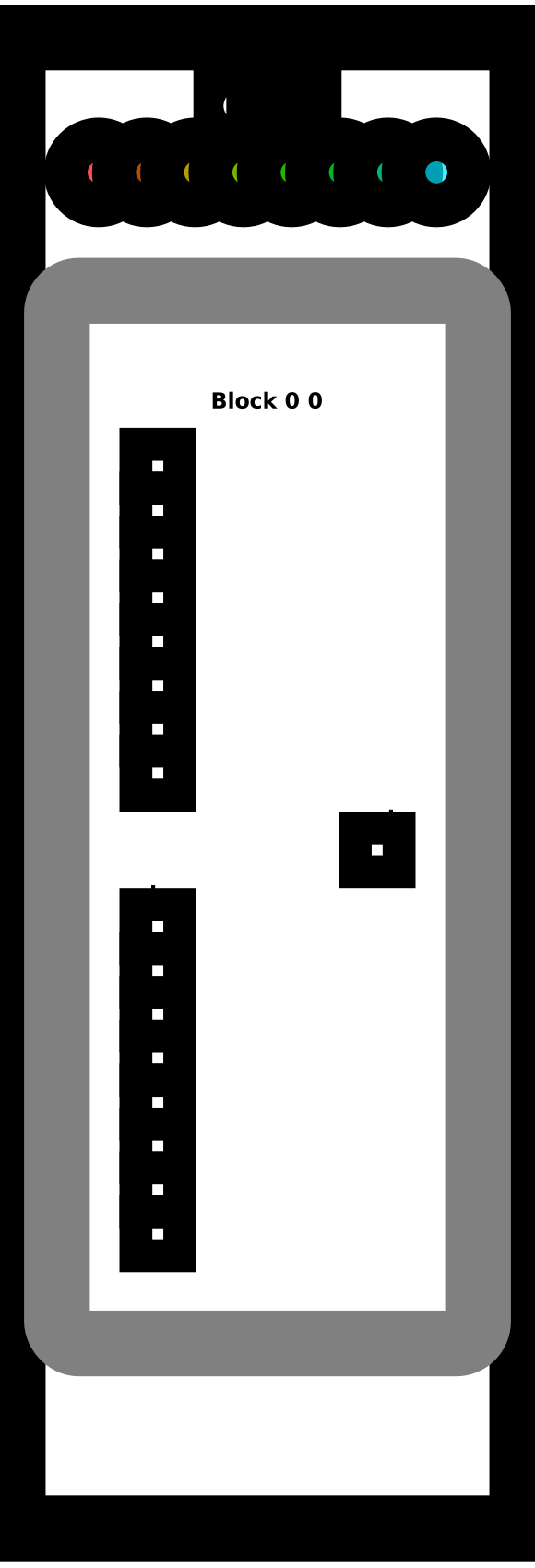
Implement a kernel that computes the dot-product of a and b and stores it in out.
You have 1 thread per position. You only need 2 global reads and 1 global write per thread.
Note: For this problem you don't need to worry about number of shared reads. We will handle that challenge later.
def dot_spec(a, b):
    return a @ b

TPB = 8
def dot_test(cuda):
    def call(out, a, b, size) -> None:
        shared = cuda.shared.array(TPB, numba.float32)

        i = cuda.blockIdx.x * cuda.blockDim.x + cuda.threadIdx.x
        local_i = cuda.threadIdx.x
        # FILL ME IN (roughly 9 lines)
    return call


SIZE = 8
out = np.zeros(1)
a = np.arange(SIZE)
b = np.arange(SIZE)
problem = CudaProblem(
    "Dot",
    dot_test,
    [a, b],
    out,
    [SIZE],
    threadsperblock=Coord(SIZE, 1),
    blockspergrid=Coord(1, 1),
    spec=dot_spec,
)
problem.show()
# Dot

   Score (Max Per Thread):
   |  Global Reads | Global Writes |  Shared Reads | Shared Writes |
   |             0 |             0 |             0 |             0 |
problem.check()
Failed Tests.
Yours: [0.]
Spec : 140
Puzzle 11 - 1D Convolution
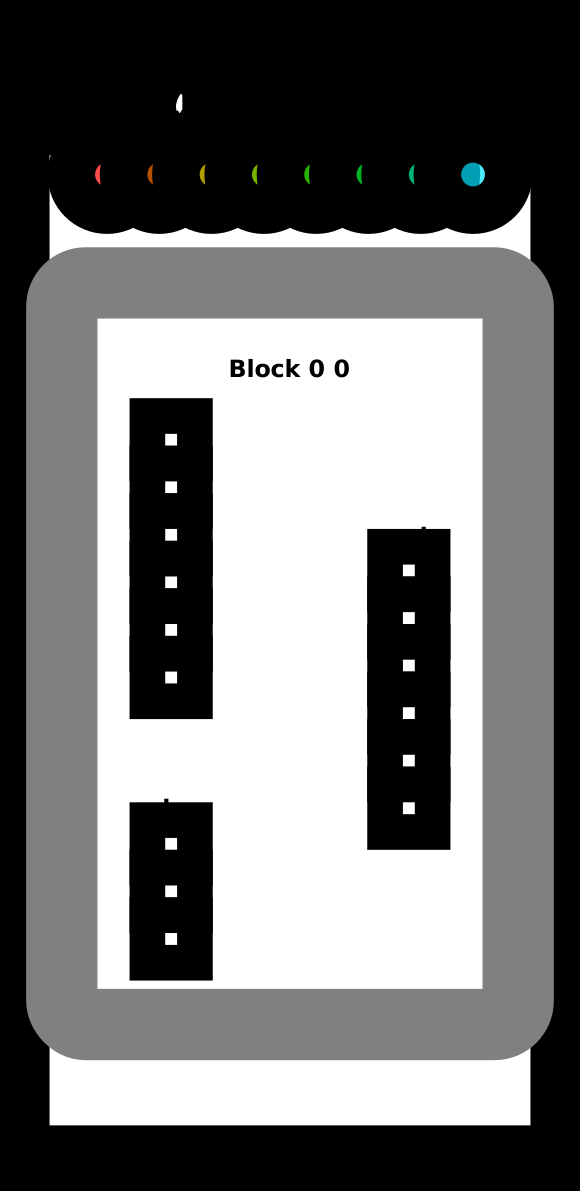
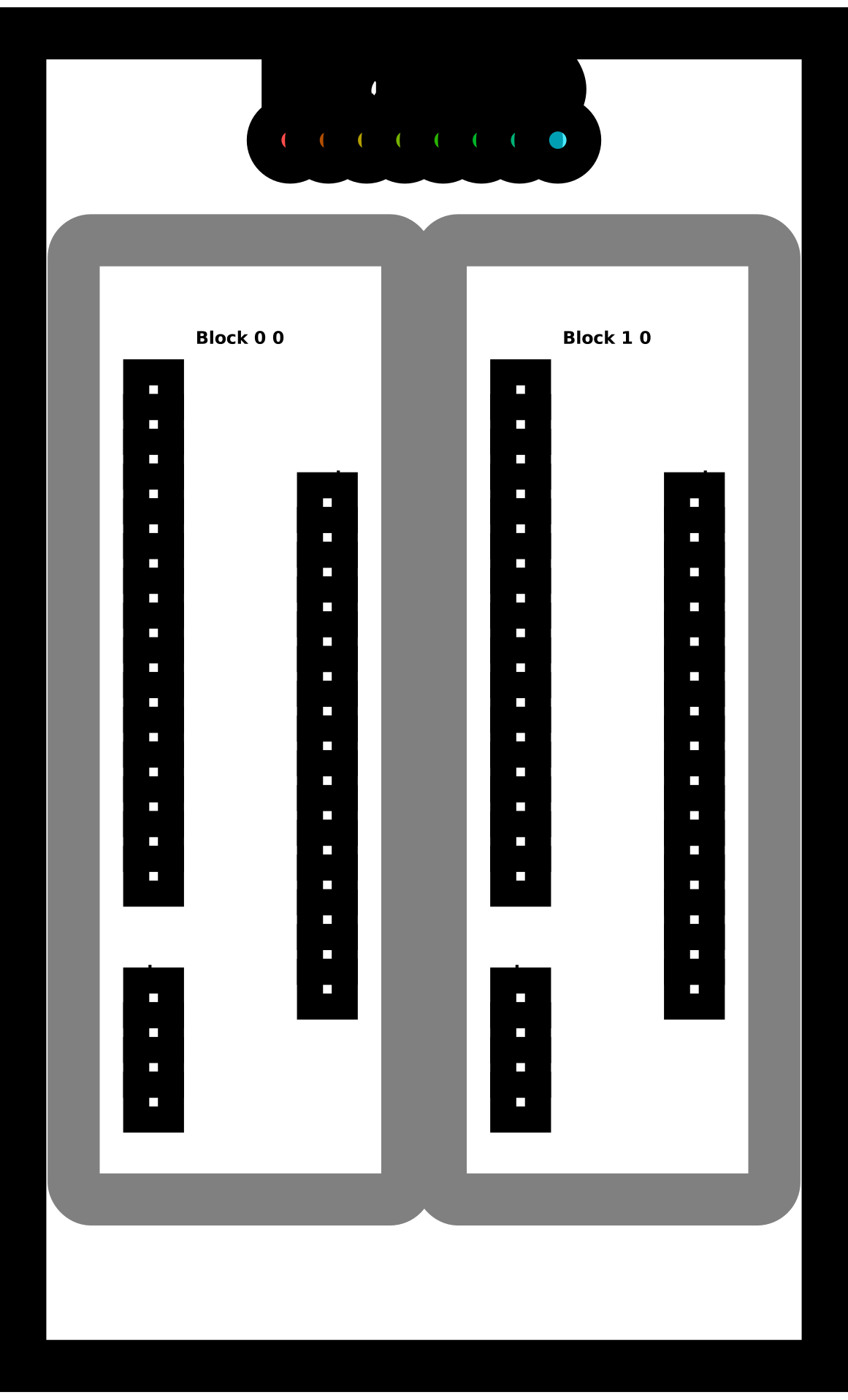
Implement a kernel that computes a 1D convolution between a and b and stores it in out.
You need to handle the general case. You only need 2 global reads and 1 global write per thread.
def conv_spec(a, b):
    out = np.zeros(*a.shape)
    len = b.shape[0]
    for i in range(a.shape[0]):
        out[i] = sum([a[i + j] * b[j] for j in range(len) if i + j < a.shape[0]])
    return out


MAX_CONV = 4
TPB = 8
TPB_MAX_CONV = TPB + MAX_CONV
def conv_test(cuda):
    def call(out, a, b, a_size, b_size) -> None:
        i = cuda.blockIdx.x * cuda.blockDim.x + cuda.threadIdx.x
        local_i = cuda.threadIdx.x

        # FILL ME IN (roughly 17 lines)

    return call


# Test 1

SIZE = 6
CONV = 3
out = np.zeros(SIZE)
a = np.arange(SIZE)
b = np.arange(CONV)
problem = CudaProblem(
    "1D Conv (Simple)",
    conv_test,
    [a, b],
    out,
    [SIZE, CONV],
    Coord(1, 1),
    Coord(TPB, 1),
    spec=conv_spec,
)
problem.show()
# 1D Conv (Simple)

   Score (Max Per Thread):
   |  Global Reads | Global Writes |  Shared Reads | Shared Writes |
   |             0 |             0 |             0 |             0 |
problem.check()
Failed Tests.
Yours: [0. 0. 0. 0. 0. 0.]
Spec : [ 5.  8. 11. 14.  5.  0.]
Test 2
out = np.zeros(15)
a = np.arange(15)
b = np.arange(4)
problem = CudaProblem(
    "1D Conv (Full)",
    conv_test,
    [a, b],
    out,
    [15, 4],
    Coord(2, 1),
    Coord(TPB, 1),
    spec=conv_spec,
)
problem.show()
# 1D Conv (Full)

   Score (Max Per Thread):
   |  Global Reads | Global Writes |  Shared Reads | Shared Writes |
   |             0 |             0 |             0 |             0 |
problem.check()
Failed Tests.
Yours: [0. 0. 0. 0. 0. 0. 0. 0. 0. 0. 0. 0. 0. 0. 0.]
Spec : [14. 20. 26. 32. 38. 44. 50. 56. 62. 68. 74. 80. 41. 14.  0.]
Puzzle 12 - Prefix Sum
Implement a kernel that computes a sum over a and stores it in out.
If the size of a is greater than the block size, only store the sum of
each block.
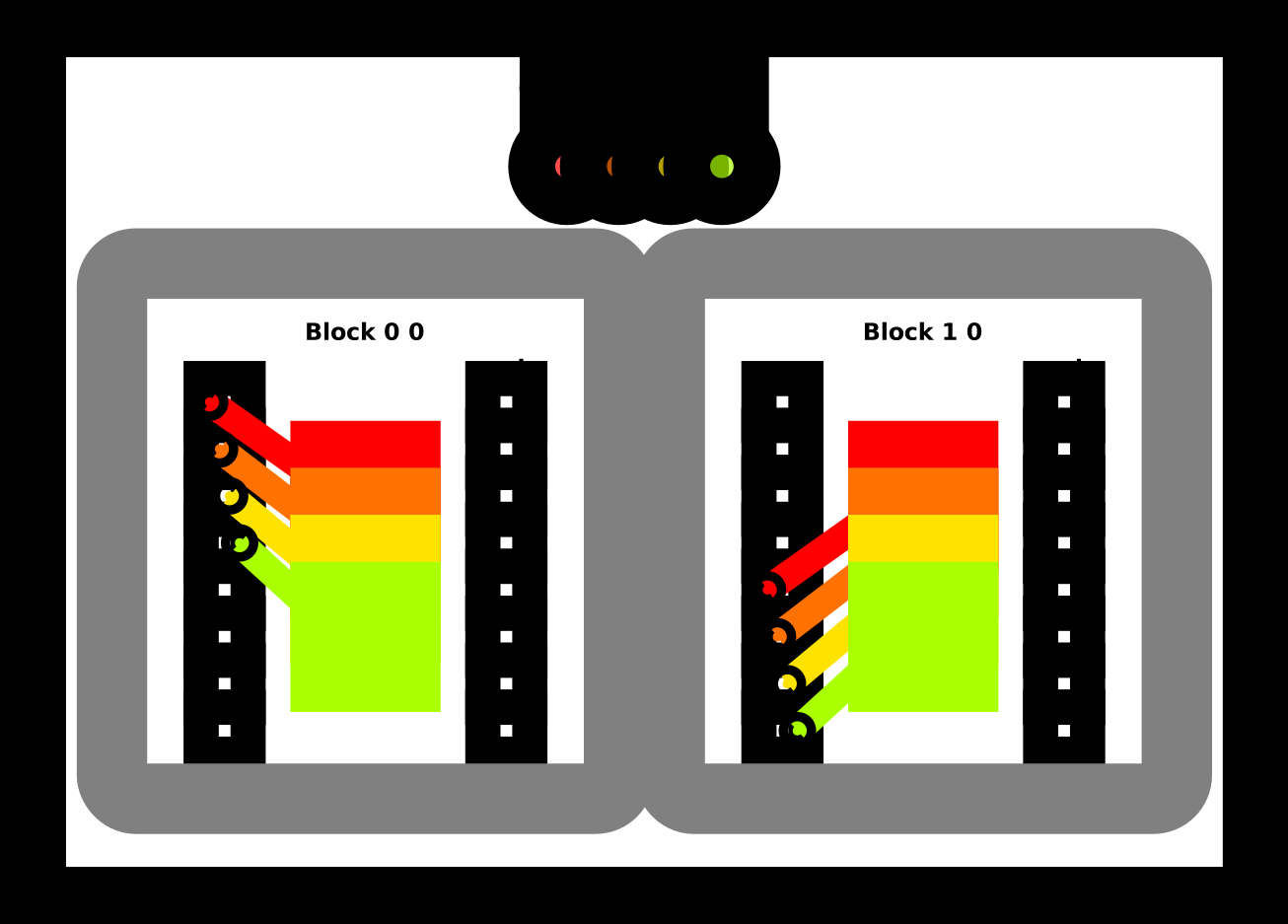
We will do this using the parallel prefix sum algorithm in shared memory. That is, each step of the algorithm should sum together half the remaining numbers. Follow this diagram:
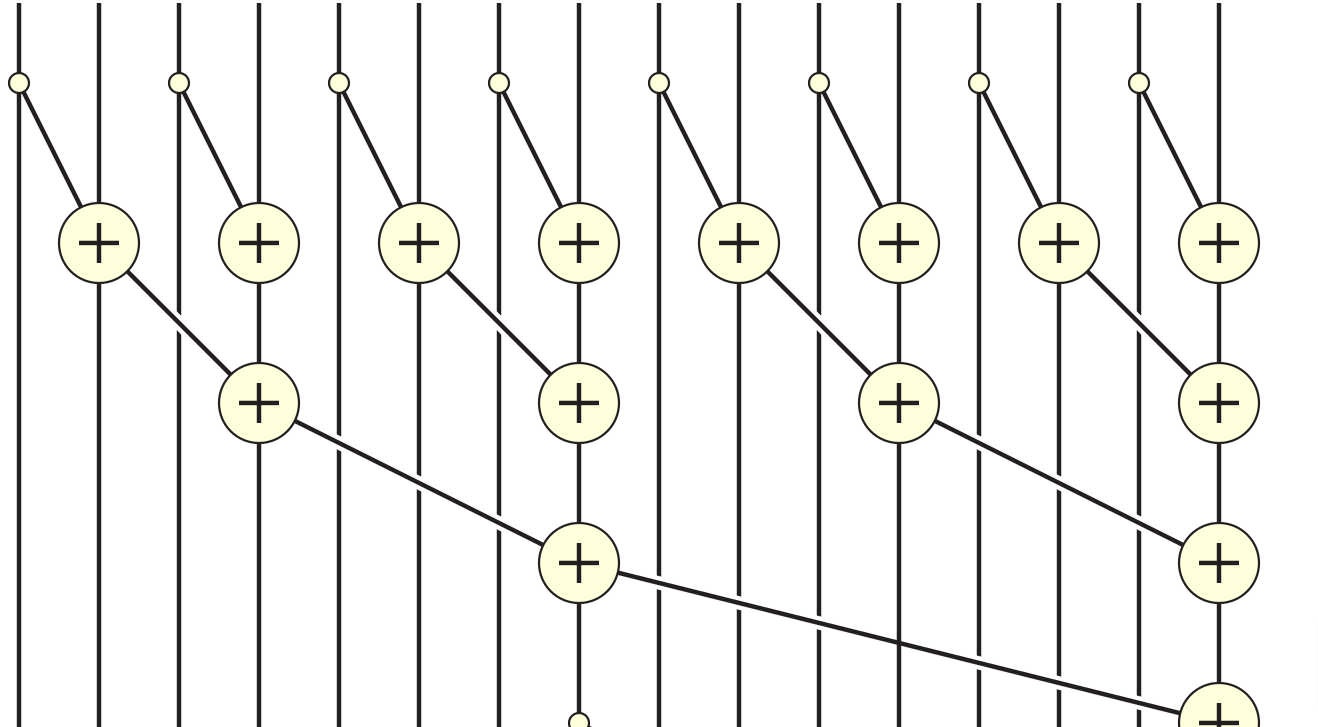
TPB = 8
def sum_spec(a):
    out = np.zeros((a.shape[0] + TPB - 1) // TPB)
    for j, i in enumerate(range(0, a.shape[-1], TPB)):
        out[j] = a[i : i + TPB].sum()
    return out


def sum_test(cuda):
    def call(out, a, size: int) -> None:
        cache = cuda.shared.array(TPB, numba.float32)
        i = cuda.blockIdx.x * cuda.blockDim.x + cuda.threadIdx.x
        local_i = cuda.threadIdx.x
        # FILL ME IN (roughly 12 lines)

    return call


# Test 1

SIZE = 8
out = np.zeros(1)
inp = np.arange(SIZE)
problem = CudaProblem(
    "Sum (Simple)",
    sum_test,
    [inp],
    out,
    [SIZE],
    Coord(1, 1),
    Coord(TPB, 1),
    spec=sum_spec,
)
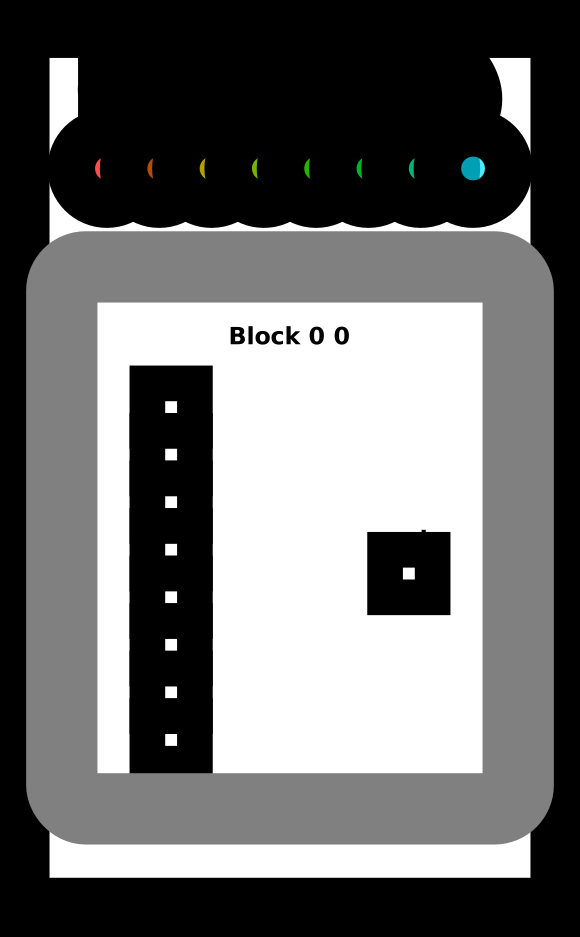
problem.show()
# Sum (Simple)

   Score (Max Per Thread):
   |  Global Reads | Global Writes |  Shared Reads | Shared Writes |
   |             0 |             0 |             0 |             0 |
problem.check()
Failed Tests.
Yours: [0.]
Spec : [28.]
Test 2
SIZE = 15
out = np.zeros(2)
inp = np.arange(SIZE)
problem = CudaProblem(
    "Sum (Full)",
    sum_test,
    [inp],
    out,
    [SIZE],
    Coord(2, 1),
    Coord(TPB, 1),
    spec=sum_spec,
)
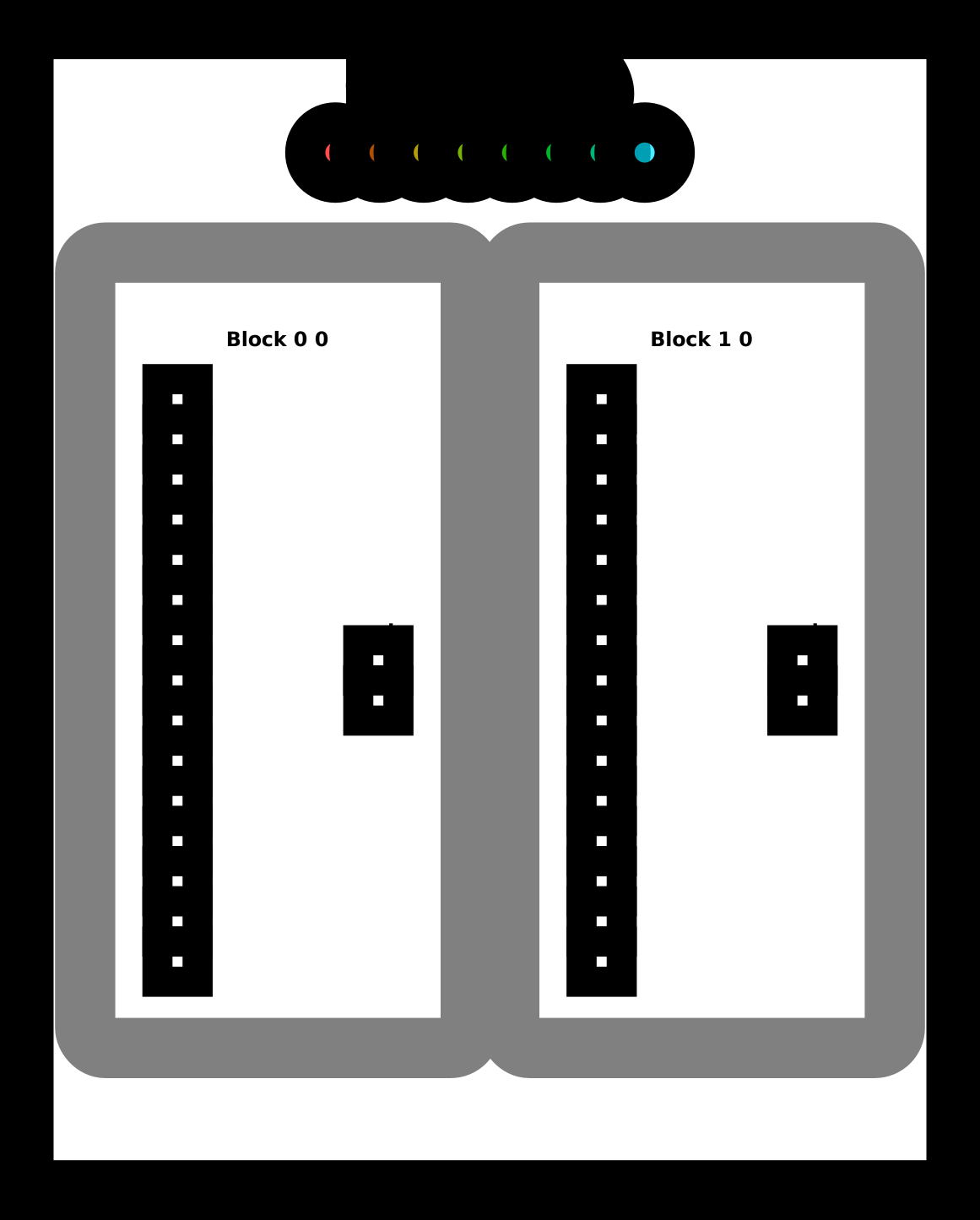
problem.show()
# Sum (Full)

   Score (Max Per Thread):
   |  Global Reads | Global Writes |  Shared Reads | Shared Writes |
   |             0 |             0 |             0 |             0 |
problem.check()
Failed Tests.
Yours: [0. 0.]
Spec : [28. 77.]
Puzzle 13 - Axis Sum
Implement a kernel that computes a sum over each column of a and stores it in out.
TPB = 8
def sum_spec(a):
    out = np.zeros((a.shape[0], (a.shape[1] + TPB - 1) // TPB))
    for j, i in enumerate(range(0, a.shape[-1], TPB)):
        out[..., j] = a[..., i : i + TPB].sum(-1)
    return out


def axis_sum_test(cuda):
    def call(out, a, size: int) -> None:
        cache = cuda.shared.array(TPB, numba.float32)
        i = cuda.blockIdx.x * cuda.blockDim.x + cuda.threadIdx.x
        local_i = cuda.threadIdx.x
        batch = cuda.blockIdx.y
        # FILL ME IN (roughly 12 lines)

    return call


BATCH = 4
SIZE = 6
out = np.zeros((BATCH, 1))
inp = np.arange(BATCH * SIZE).reshape((BATCH, SIZE))
problem = CudaProblem(
    "Axis Sum",
    axis_sum_test,
    [inp],
    out,
    [SIZE],
    Coord(1, BATCH),
    Coord(TPB, 1),
    spec=sum_spec,
)
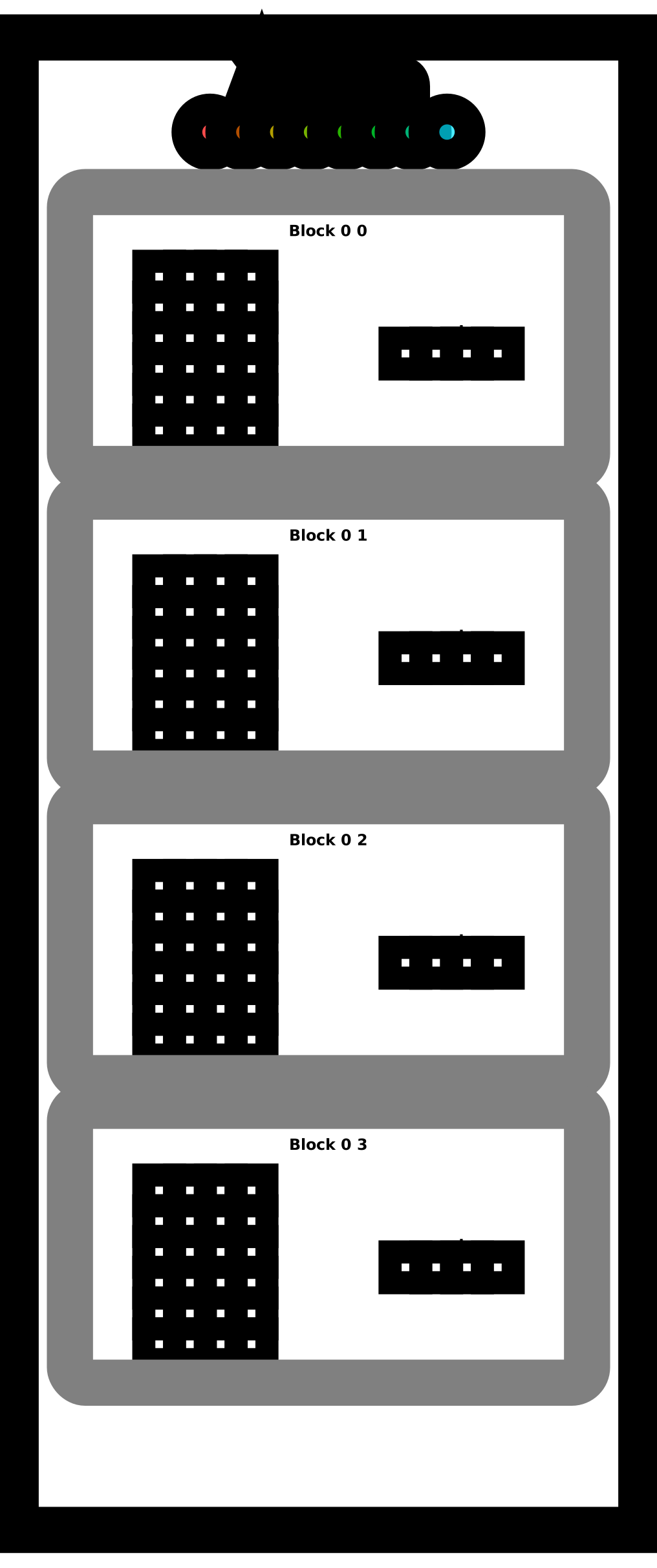
problem.show()
# Axis Sum

   Score (Max Per Thread):
   |  Global Reads | Global Writes |  Shared Reads | Shared Writes |
   |             0 |             0 |             0 |             0 |
problem.check()
Failed Tests.
Yours: [[0.]
 [0.]
 [0.]
 [0.]]
Spec : [[ 15.]
 [ 51.]
 [ 87.]
 [123.]]
Puzzle 14 - Matrix Multiply!
Implement a kernel that multiplies square matrices a and b and
stores the result in out.
Tip: The most efficient algorithm here will copy a block into shared memory before computing each of the individual row-column dot products. This is easy to do if the matrix fits in shared memory. Do that case first. Then update your code to compute a partial dot-product and iteratively move the part you copied into shared memory. You should be able to do the hard case in 6 global reads.
def matmul_spec(a, b):
    return a @ b


TPB = 3
def mm_oneblock_test(cuda):
    def call(out, a, b, size: int) -> None:
        a_shared = cuda.shared.array((TPB, TPB), numba.float32)
        b_shared = cuda.shared.array((TPB, TPB), numba.float32)

        i = cuda.blockIdx.x * cuda.blockDim.x + cuda.threadIdx.x
        j = cuda.blockIdx.y * cuda.blockDim.y + cuda.threadIdx.y
        local_i = cuda.threadIdx.x
        local_j = cuda.threadIdx.y
        # FILL ME IN (roughly 14 lines)

    return call

# Test 1

SIZE = 2
out = np.zeros((SIZE, SIZE))
inp1 = np.arange(SIZE * SIZE).reshape((SIZE, SIZE))
inp2 = np.arange(SIZE * SIZE).reshape((SIZE, SIZE)).T

problem = CudaProblem(
    "Matmul (Simple)",
    mm_oneblock_test,
    [inp1, inp2],
    out,
    [SIZE],
    Coord(1, 1),
    Coord(TPB, TPB),
    spec=matmul_spec,
)
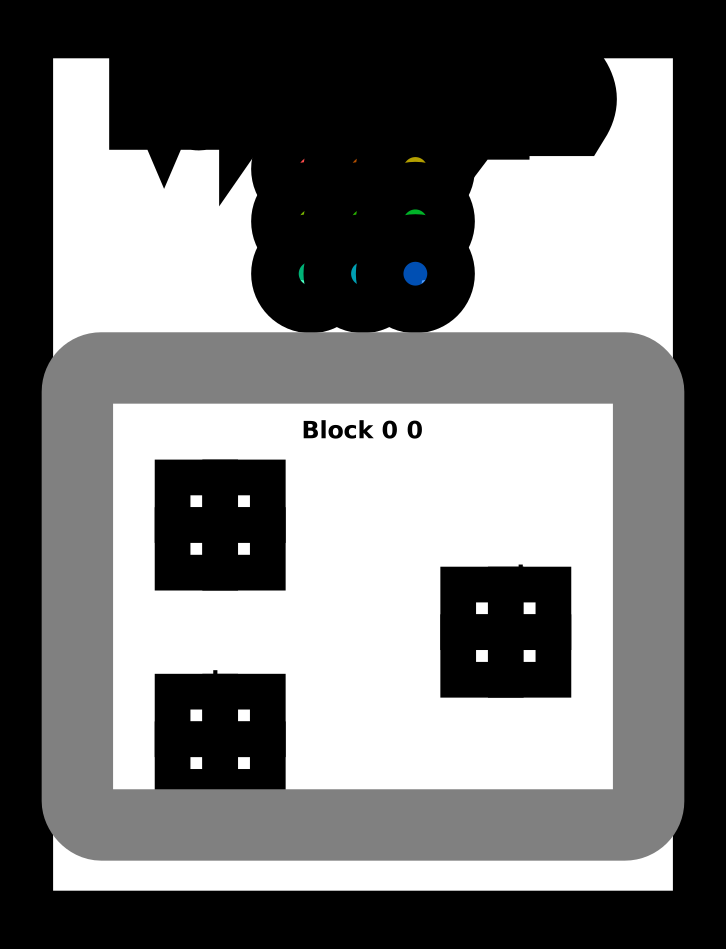
problem.show(sparse=True)
# Matmul (Simple)

   Score (Max Per Thread):
   |  Global Reads | Global Writes |  Shared Reads | Shared Writes |
   |             0 |             0 |             0 |             0 |
problem.check()
Failed Tests.
Yours: [[0. 0.]
 [0. 0.]]
Spec : [[ 1  3]
 [ 3 13]]
Test 2
SIZE = 8
out = np.zeros((SIZE, SIZE))
inp1 = np.arange(SIZE * SIZE).reshape((SIZE, SIZE))
inp2 = np.arange(SIZE * SIZE).reshape((SIZE, SIZE)).T

problem = CudaProblem(
    "Matmul (Full)",
    mm_oneblock_test,
    [inp1, inp2],
    out,
    [SIZE],
    Coord(3, 3),
    Coord(TPB, TPB),
    spec=matmul_spec,
)
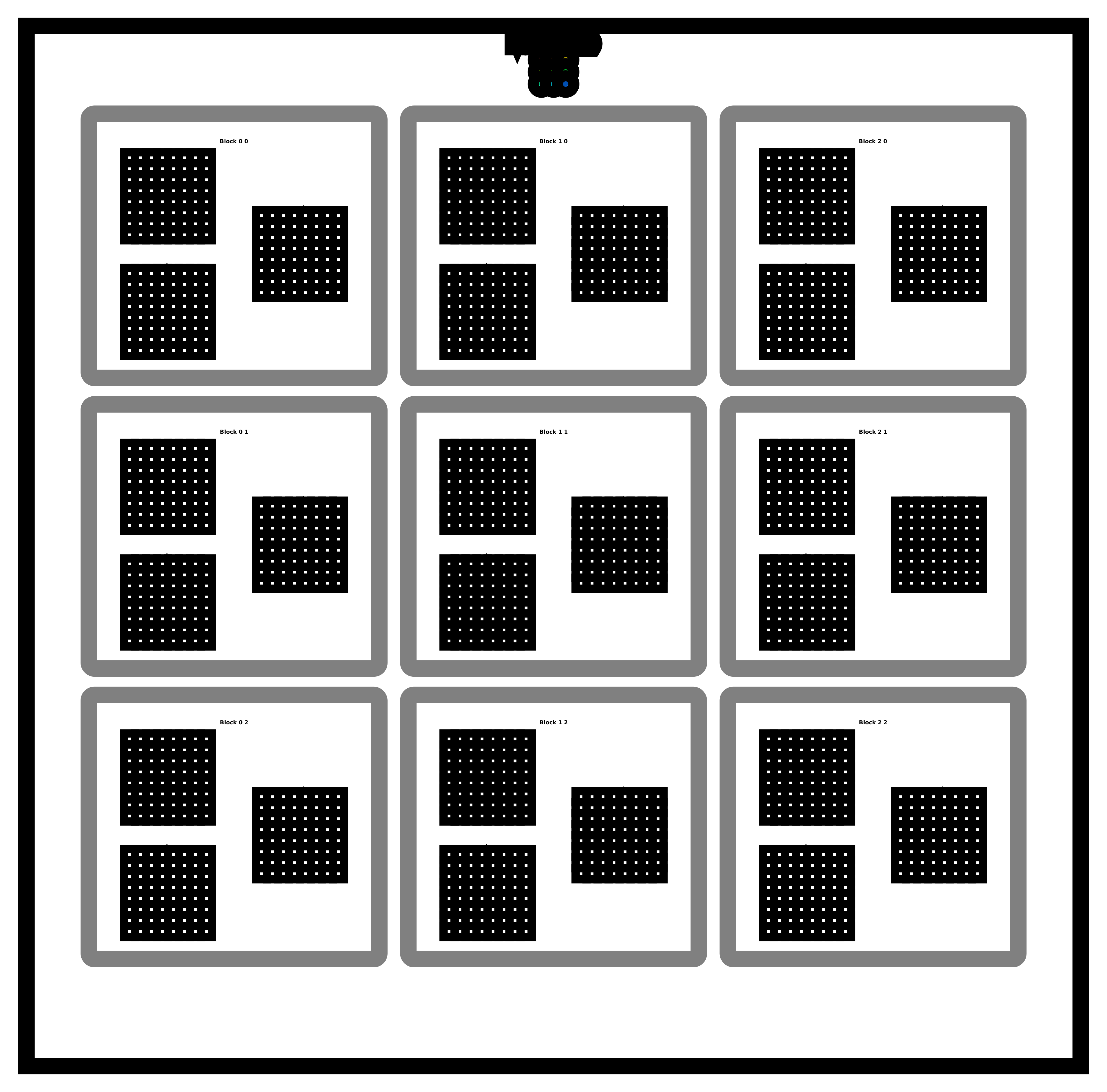
problem.show(sparse=True)
# Matmul (Full)

   Score (Max Per Thread):
   |  Global Reads | Global Writes |  Shared Reads | Shared Writes |
   |             0 |             0 |             0 |             0 |
problem.check()
Failed Tests.
Yours: [[0. 0. 0. 0. 0. 0. 0. 0.]
 [0. 0. 0. 0. 0. 0. 0. 0.]
 [0. 0. 0. 0. 0. 0. 0. 0.]
 [0. 0. 0. 0. 0. 0. 0. 0.]
 [0. 0. 0. 0. 0. 0. 0. 0.]
 [0. 0. 0. 0. 0. 0. 0. 0.]
 [0. 0. 0. 0. 0. 0. 0. 0.]
 [0. 0. 0. 0. 0. 0. 0. 0.]]
Spec : [[  140   364   588   812  1036  1260  1484  1708]
 [  364  1100  1836  2572  3308  4044  4780  5516]
 [  588  1836  3084  4332  5580  6828  8076  9324]
 [  812  2572  4332  6092  7852  9612 11372 13132]
 [ 1036  3308  5580  7852 10124 12396 14668 16940]
 [ 1260  4044  6828  9612 12396 15180 17964 20748]
 [ 1484  4780  8076 11372 14668 17964 21260 24556]
 [ 1708  5516  9324 13132 16940 20748 24556 28364]]
Repo liên quan
TensorFlow is Google's open-source, end-to-end platform for machine learning, hosted at tensorflow/tensorflow under the Apache-2.0 license. It was originally built within Google Brain's Machine Intelligence team for ML and neural network research, and today it ships stable Python and C++ APIs alongside GPU, CPU-only, and Docker install paths. The README positions it as covering both research work and shipping ML-powered applications.
prompts.chat is the largest open-source prompt library for AI, formerly called Awesome ChatGPT Prompts. It hosts curated prompts in CSV and Markdown, available as a public website, Hugging Face dataset, or self-hosted instance. The project supports multiple LLM providers including ChatGPT, Claude, Gemini, Llama, and Mistral. Self-hosting uses a Next.js setup wizard that configures authentication via GitHub, Google, or Azure AD, with PostgreSQL as the recommended database. CLI access, an MCP server, and a Claude Code plugin extend its reach into developer workflows. The codebase is MIT-licensed while prompt data falls under CC0. Its 166k GitHub stars make it an AI resource on the platform with 166k GitHub stars, and it has been cited by Harvard, Columbia, and Forbes.
prompts.chat is an open-source library of prompts written for AI chat assistants, first released in December 2022 under the name Awesome ChatGPT Prompts. The GitHub project has since grown to 167,080 stars and 21,564 forks, and now distributes prompts through a website, a CSV file, a Markdown file, and a Hugging Face dataset, alongside a self-hosting option, a CLI, an MCP server, and a Claude Code plugin.
Hugging Face Transformers (huggingface/transformers) is a Python library that centralizes model definitions for text, computer vision, audio, video, and multimodal machine learning, covering both inference and training. The README describes it as a pivot point compatible with training frameworks such as Axolotl, DeepSpeed, and PyTorch-Lightning, and inference engines such as vLLM, SGLang, and TGI, with more than 1M+ model checkpoints listed on the Hugging Face Hub.
Trả lời nhanh
Cùng nhóm AI Tools còn repo nào?
srush/GPU-Puzzles thuộc nhóm AI Tools trên TopGit, cùng 3 topic GitHub. Trang Trending và Topics liệt kê các repo cùng số sao và cùng ngôn ngữ để so sánh.
Đọc thêm về srush/GPU-Puzzles ở đâu?
Trang TopGit này là một snapshot — tab "Readme" hiển thị nguyên văn README của repo (đã bỏ link, giữ ảnh). Repo GitHub ở github.com/srush/GPU-Puzzles là nguồn chính thức.
srush/GPU-Puzzles có phải mã nguồn mở không?
Có — srush/GPU-Puzzles phát hành theo license MIT, nghĩa là mã nguồn mở để đọc, fork và (tùy license) tái sử dụng. Mã: github.com/srush/GPU-Puzzles.
srush/GPU-Puzzles là gì?
srush/GPU-Puzzles (srush/GPU-Puzzles) là dự án Jupyter Notebook trên GitHub. Theo mô tả gốc: Solve puzzles. Learn CUDA.
srush/GPU-Puzzles so với các dự án AI Tools khác thế nào?
srush/GPU-Puzzles được TopGit xếp vào nhóm AI Tools, với 12.4k sao GitHub và viết bằng Jupyter Notebook. Xem trang chủ đề AI Tools trên TopGit để so sánh với các dự án tương tự theo số sao và mức độ hoạt động.
Vì sao srush/GPU-Puzzles được xếp vào nhóm AI Tools?
TopGit xếp srush/GPU-Puzzles vào nhóm AI Tools dựa trên GitHub topics và mô tả của repo (gắn thẻ: "cuda", "machine-learning", "puzzles"). Việc phân loại dựa trên metadata thật của repo, không phải đoán theo cảm tính biên tập.
Đọc đầy đủ README ở tab phía trên.
Chưa chắc GPU-Puzzles có hợp với bạn?
Để ChatGPT, Claude hoặc Perplexity tìm hiểu giúp — bấm bên dưới và xem AI nói gì về GPU-Puzzles.