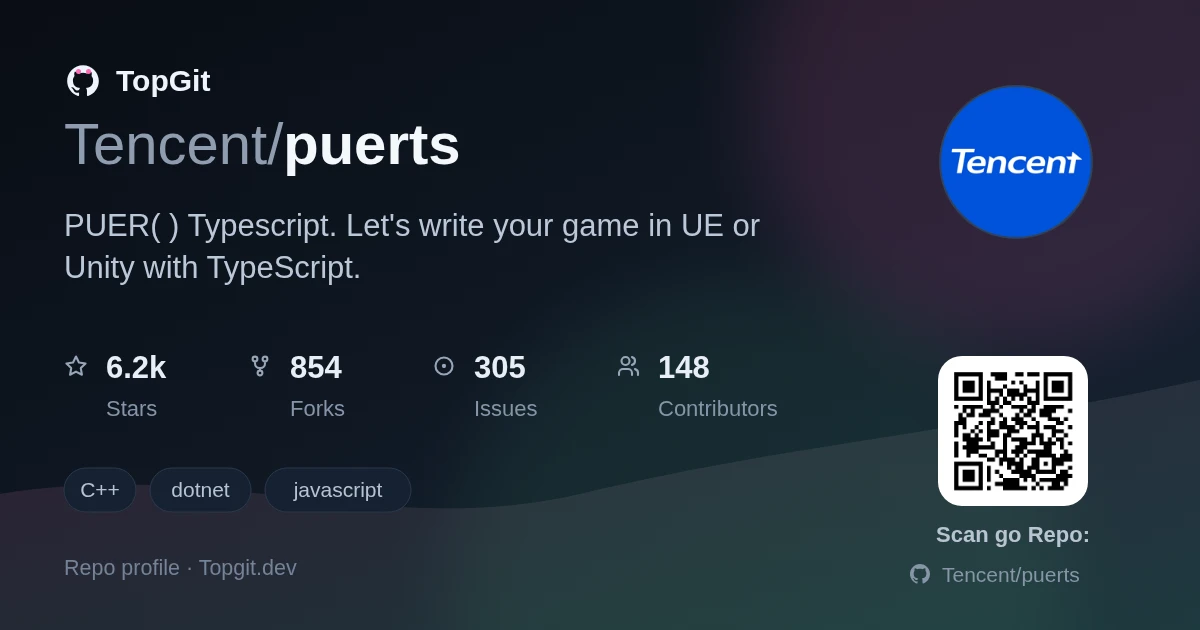
TopGit theo dõi Tencent/puerts trên GitHub trong nhóm Backend, đã đạt 6.3k sao. PUER(普洱) Typescript. Let's write your game in UE or Unity with TypeScript.
Tóm tắt dựng từ metadata GitHub của chính dự án — chưa có bài review TopGit. Trang sẽ tự động cập nhật khi bài review đầy đủ được xuất bản.
VÌ SAO CHƯA CÓ REVIEW
TopGit viết bài đầy đủ cho repo có nhiều sao nhất và được yêu cầu nhiều nhất. Trang này là snapshot trong thời gian chờ — xem README gốc ở tab READ ME.
PuerTS is a multi-language scripting solution for Unity/Unreal/DotNet.
🌐 Multi-Language Support (Unity 3.0 New!): JavaScript/TypeScript, Lua, and Python — use the language your team is most productive in, or even mix them in one project. (Unreal currently supports JavaScript/TypeScript only.)
🚀 Provides high-performance script runtimes with seamless C#/C++ interop.
📝 TypeScript declaration generation for type-safe access to host engine APIs.
WHY should I use PuerTS?
Choose your language (Unity): PuerTS 3.0 introduces a unified ScriptEnv architecture — write game logic in TypeScript, Lua, or Python with a consistent C# bridging API. No more one-size-fits-all.
Massive ecosystem access: leverage npm, LuaRocks, or PyPI packages alongside professional game engines to accelerate development.
Type safety when you want it: TypeScript's static type checking significantly improves code robustness, while Lua and Python offer rapid prototyping flexibility.
High efficiency: full-engine, cross-platform reflection calls — zero boilerplate for C++/C# interop.
High performance: static wrapper generation for performance-critical paths, across all supported languages.
Talented WebGL Support: massive advantage in performance and dev efficiency, even faster than pure C# in some cases.
Quick Start (Unity)
All three languages share the same ScriptEnv API — just swap the Backend:
JavaScript / TypeScript
using Puerts;
using UnityEngine;

void Start() {
    var env = new ScriptEnv(new BackendV8());
    env.Eval(@"
        const Vector3 = CS.UnityEngine.Vector3;
        const Debug = CS.UnityEngine.Debug;
        let pos = new Vector3(1, 2, 3);
        Debug.Log('Hello from JS! pos = ' + pos);
    ");
    env.Dispose();
}
Lua
using Puerts;
using UnityEngine;

void Start() {
    var env = new ScriptEnv(new BackendLua());
    env.Eval(@"
        local CS = require('csharp')
        local Vector3 = CS.UnityEngine.Vector3
        local Debug = CS.UnityEngine.Debug
        local pos = Vector3(1, 2, 3)
        Debug.Log('Hello from Lua! pos = ' .. pos:ToString())
    ");
    env.Dispose();
}
Python
using Puerts;
using UnityEngine;

void Start() {
    var env = new ScriptEnv(new BackendPython());
    env.Eval(@"
exec('''
import UnityEngine.Vector3 as Vector3
import UnityEngine.Debug as Debug
pos = Vector3(1.0, 2.0, 3.0)
Debug.Log('Hello from Python! pos = ' + pos.ToString())
''')
");
    env.Dispose();
}
💡 Three languages, one API surface. Each example creates a Vector3, then calls Debug.Log — real C# interop in just a few lines.
Puerts.AI (Unity Only)
Built on top of PuerTS, Puerts.AI brings AI capabilities directly into Unity — both in the Editor and at game runtime.
Unity Editor Assistant
Puerts.AI includes a ready-to-use Unity Editor Assistant that lets you control the Unity Editor with natural language. For example:
"Build a medieval castle scene using basic meshes" — AI creates GameObjects, adjusts Transforms, assigns materials
"Analyze puerts-related logs" — AI filters and summarizes logs intelligently
"Check for missing scripts in the current scene" — AI traverses all GameObjects and reports issues
Any C# API is callable — the AI generates scripts that run in the PuerTS environment with full access to UnityEngine.* and UnityEditor.*.
The Editor Assistant comes in two versions:
Agent Version (Built-in)
MCP Version (External)
How it works
Chat directly inside a Unity Editor window
Connect from Cursor, Windsurf, Claude Desktop, or any MCP-compatible AI tool
Speed
⚡ Faster — no network round-trips
Communicates via HTTP/SSE
Best for
Scene building, inspections, quick prototyping
Vibe coding workflows — AI edits code while controlling Unity to verify results
What makes Puerts MCP different from other Unity MCP solutions?
No separate process — the MCP server runs directly inside the Unity process, no extra services to launch
Single tool, on-demand builtins — instead of registering dozens of tools upfront, it exposes only one tool; builtin modules are loaded on demand, saving context tokens while remaining equally powerful
Extensible via builtins & skills — add new capabilities by dropping files into the resource directory, no code changes needed
Puerts.Agent Framework
The Editor Assistant above is built with Puerts.Agent — an open, extensible LLM Agent framework. But it's not just for the editor — agents can also run in game runtime, opening up gameplay possibilities:
🎮 Smart NPC Demo — Each NPC has its own LLM Agent instance and personality-driven system-prompt. NPCs generate truly dynamic dialogue based on player behavior and game state, sense their surroundings via C# APIs, and form personalized interactions through conversation memory. (SmartNPCDemo)
🧩 Maze Runner Demo — An AI that autonomously navigates a 3D maze by taking screenshots to observe the environment, reasoning about viable paths, executing movement commands, and verifying results — all powered by just two builtin modules and a system-prompt.(MazeRunnerDemo)
Build your own agent by creating a simple resource directory:
Resources/my-agent/
├── system-prompt.md.txt      # Who the AI is and how it behaves
├── skills/                   # Domain knowledge documents (loaded on demand)
└── builtins/                 # Executable helper modules
HOW can I start to use PuerTS
Documentation
FAQ
general faq
unreal faq
unity faq
How to Install
unreal
unity
Changelog
unreal
unity
Known issues
unreal
unity
Select Script Backend
PuerTS supports multiple script backends. For JavaScript/TypeScript, choose from V8, QuickJS, or Node.js. PuerTS 3.0 also adds Lua and Python as first-class backends.
JavaScript Backends
V8 (default): Generally excellent performance, moderate code size, only includes the implementation of the ECMAScript specification, does not include Node.js API or browser API.
QuickJS: Performance is not as good as V8, does not support debugging, but has a small code size, suitable for scenarios where code size is critical.
Node.js: Supports Node.js API (OpenSSL-related APIs are not supported on Unreal Engine's mobile platform), but has a larger code size.
JS Backend
Node API
Performance
Code Size
Debugging
Notes
V8
❌
*****
***
✔️
QuickJS
❌
**
*
❌
Node.js
✔️
*****
*****
✔️
OpenSSL may be disabled
Additional Language Backends (Unity 3.0 New!)
Note: Lua and Python backends are currently available for Unity only. Unreal Engine still supports JavaScript/TypeScript exclusively.
Backend
Language
Performance
Platform Support
Notes
Lua
Lua 5.4
*****
All platforms
Ideal for teams already using Lua
Python
CPython
***
Desktop only
Great for AI/ML integration & tooling
Avaliable on these Engine
unreal engine 4.22 ~ latest
unity 5 ~ latest
Any .net project
Available on these Platform
PuerTS's core code supports all platforms supported by the game engines, but each script backend has its own platform requirements:
Windows
Mac
Linux
Android
iOS
H5/Mini Games
V8
✔️
✔️
✔️
✔️
✔️
❌
Nodejs
✔️
✔️
✔️
✔️
✔️
❌
Quickjs
✔️
✔️
✔️
✔️
✔️
✔️
Webgl
❌
❌
❌
❌
❌
✔️
Lua
✔️
✔️
✔️
✔️
✔️
✔️
Python
✔️
✔️
✔️
❌
❌
❌
Note 1: Only V8, Nodejs, and Quickjs backends are available for Unreal. Unity supports all backends listed above.
Note 2: Although the Webgl backend only supports H5/Mini Games, its scripts run in the native JS VM of the web environment, which typically delivers higher performance (e.g., JIT support in iOS Mini Games). It also provides first-class language benefits such as convenient debugging and profiling.
Note 3: For JavaScript, different platforms can use different JS backends — e.g., V8 for mobile apps and Webgl for H5 — achieving full platform coverage with optimal performance.
using Puerts;
using UnityEngine;

void Start() {
    var env = new ScriptEnv(new BackendV8());
    env.Eval(@"
        const Vector3 = CS.UnityEngine.Vector3;
        const Debug = CS.UnityEngine.Debug;
        let pos = new Vector3(1, 2, 3);
        Debug.Log('Hello from JS! pos = ' + pos);
    ");
    env.Dispose();
}
Lua
using Puerts;
using UnityEngine;

void Start() {
    var env = new ScriptEnv(new BackendLua());
    env.Eval(@"
        local CS = require('csharp')
        local Vector3 = CS.UnityEngine.Vector3
        local Debug = CS.UnityEngine.Debug
        local pos = Vector3(1, 2, 3)
        Debug.Log('Hello from Lua! pos = ' .. pos:ToString())
    ");
    env.Dispose();
}
Python
using Puerts;
using UnityEngine;

void Start() {
    var env = new ScriptEnv(new BackendPython());
    env.Eval(@"
exec('''
import UnityEngine.Vector3 as Vector3
import UnityEngine.Debug as Debug
pos = Vector3(1.0, 2.0, 3.0)
Debug.Log('Hello from Python! pos = ' + pos.ToString())
''')
");
    env.Dispose();
}
Tencent/puerts thuộc nhóm Backend trên TopGit, cùng 8 topic GitHub. Trang Trending và Topics liệt kê các repo cùng số sao và cùng ngôn ngữ để so sánh.
Đọc thêm về Tencent/puerts ở đâu?
Trang TopGit này là một snapshot — tab "Readme" hiển thị nguyên văn README của repo (đã bỏ link, giữ ảnh). Repo GitHub ở github.com/Tencent/puerts là nguồn chính thức.
Tencent/puerts có bao nhiêu sao?
Tencent/puerts có 6.3k sao GitHub — tải lại trang để xem số mới nhất, hoặc xem trực tiếp github.com/Tencent/puerts. TopGit phản chiếu số sao của GitHub nhưng không cam kết đến từng phút.
Tencent/puerts có phải mã nguồn mở không?
TopGit chưa ghi nhận license cho Tencent/puerts. Phần lớn repo public trên GitHub là mã nguồn mở, nhưng điều khoản khác nhau từng repo — mở file LICENSE để xác nhận.
Tencent/puerts còn đang phát triển không?
Commit gần nhất trên Tencent/puerts là 3 tháng trước (theo timestamp GitHub). Repo có 870 fork — một chỉ báo về mức độ quan tâm của cộng đồng.
Tencent/puerts là gì?
Tencent/puerts (Tencent/puerts) là dự án C++ trên GitHub. Theo mô tả gốc: PUER(普洱) Typescript. Let's write your game in UE or Unity with TypeScript.
Tencent/puerts viết bằng ngôn ngữ gì?
Tencent/puerts chủ yếu viết bằng C++. Trường "language" của GitHub dựa trên phần lớn byte ở nhánh mặc định.
Đọc đầy đủ README ở tab phía trên.
Vẫn đang phân vân về puerts?
Một cú bấm sẽ gửi câu hỏi kèm trang này cho AI — xem AI nói gì về puerts.

 /puerts