ThioJoe/YT-Spammer-Purge — dự án mã nguồn mở — đang có 4.6k sao GitHub. Allows you easily scan for and delete scam comments using several methods.
Tóm tắt dựng từ metadata GitHub của chính dự án — chưa có bài review TopGit. Trang sẽ tự động cập nhật khi bài review đầy đủ được xuất bản.
VÌ SAO CHƯA CÓ REVIEW
TopGit viết bài đầy đủ cho repo có nhiều sao nhất và được yêu cầu nhiều nhất. Trang này là snapshot trong thời gian chờ — xem README gốc ở tab READ ME.
What Is This? - Allows you to filter and search for spammer comments on your channel and other's channel(s) in many different ways AND delete/report them all at once (see features below).
How to Download: Click the "Releases" link on the right, then on the latest release, under 'Assets' click to download "YTSpammerPurge.exe". (You might have to click "Assets" to view the files for the release)
Linux Setup Instructions
MacOS Setup Instructions
(Windows installation not necessary if using exe file. But see how to set up required API key on this page)
Detailed Info & Documentation → Visit the wiki (Click Here) for more detailed writeups on the program
Sensitive-Smart Mode: More likely to catch elusive spammers, but with more false positives
Scan by Channel ID: Enter a known spammer's channel link or ID directly
Scan Usernames for: Individual special characters, individual strings, or using a custom Regex expression
Scan Comment Text: (Same 3 options as above)
Scan Usernames and Comment Text simultaneously: (Same 3 options as above)
ASCII Mode: Scan Usernames for non-ASCII special characters (three different sensitivities)
4 Different Scanning Modes
Scan a single video
Scan Recent Videos (Up to 5)
Scan recent comments across entire channel (all videos)
Experimental: Scan a community post
Automatic deletion of all found comments (after confirmation), as well as the option to ban them
Options to instead Report spam comments or 'Hold For Review'
Ability to create config file to skip pre-set options
Rich text log files
'Recovery Mode' option to re-instate previously deleted comments
Displays "match samples" after printing comments list to easily spot false positives
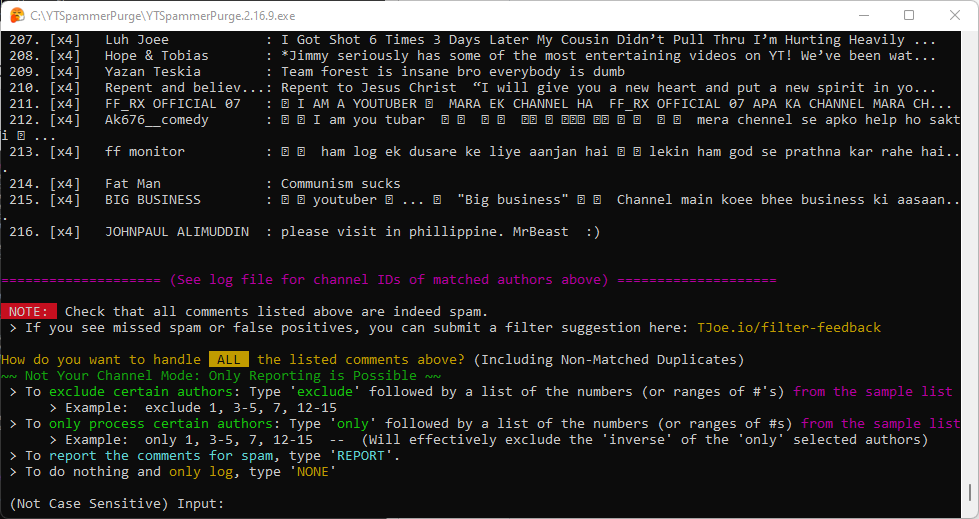
Ability to exclude selected authors before deletion / reporting
Purpose
Recently, there has been a massive infestation of spam on YouTube where fake impersonator accounts leave spam/scam replies to hundreds of users on a creator's videos. YouTube has fortunately now made it so the "Hide User From Channel" button instantly removes all of that user's comments, but there are sometimes many different spammers, and it can be difficult to find them all.
Therefore I created this script to allow you to easily scan for and purge these spammer comments. IT DOES NOT PREVENT SPAMMERS - It only makes it easier to delete them when they show up! YouTube still must implement better native tools for dealing with spammers.
🤔 Pro-Tip If This Seems Sketchy: Limiting The App's Access 🤔
If you feel sketched out about giving the app the required high level permissions to your channel (very understandable), you could instead use the app in 'moderator mode' (set in the config file). First, some context: When you grant access to another channel to be a moderator for your channel, they are able to mark comments for 'held for review', and this permission works through the API as well.
Therefore, what you could do is create an blank dummy-google-account with nothing on it except a empty new channel. Then you can grant that channel permission to be a moderator, and use the app through the dummy moderator account. This way, you know that the app will never have the ability to do more than mark comments as held for review (which the app supports) on your main channel, and have no other access to your account's data. You just won't be able to ban the spammers through this app directly, but you can still remove/hide their comments instead of deleting them. Just make sure to create the google cloud API project on the dummy account instead.
Read some additional details about 'moderator mode' on the wiki page here.
An Additional Note: No matter the settings, the program runs completely locally on your own machine using the API key and Google Cloud project you created yourself, so even as the program's creator I will never have access to your channel.
Usage Notes -READ THIS
To use this script, you will need to obtain your own API credentials file by making a project via the Google Developers Console (aka 'Google Cloud Platform'). The credential file should be re-named client_secret.json and be placed in the same directory as this script. See Instructions Here.
IF IT FREEZES while scanning, it is probably because you clicked within the command prompt window and entered "selection mode" which pauses everything. To unfreeze it, simply right click within the window, or press the Escape key.
I'm a total amateur, so if something doesn't work I'll try to fix it but might not even know how, so don't expect too much. Therefore I OFFER NO WARRANTY OR GUARANTEE FOR THIS SCRIPT. USE AT YOUR OWN RISK. I tested it on my own and implemented some failsafes as best as I could, but there could always be some kind of unexpected bug. You should inspect the code yourself.
Original Demo for Context: https://www.youtube.com/watch?v=-vOakOgYLUI
(Takes you to YouTube, not embedded. See timestamps in video description.)
Screenshots
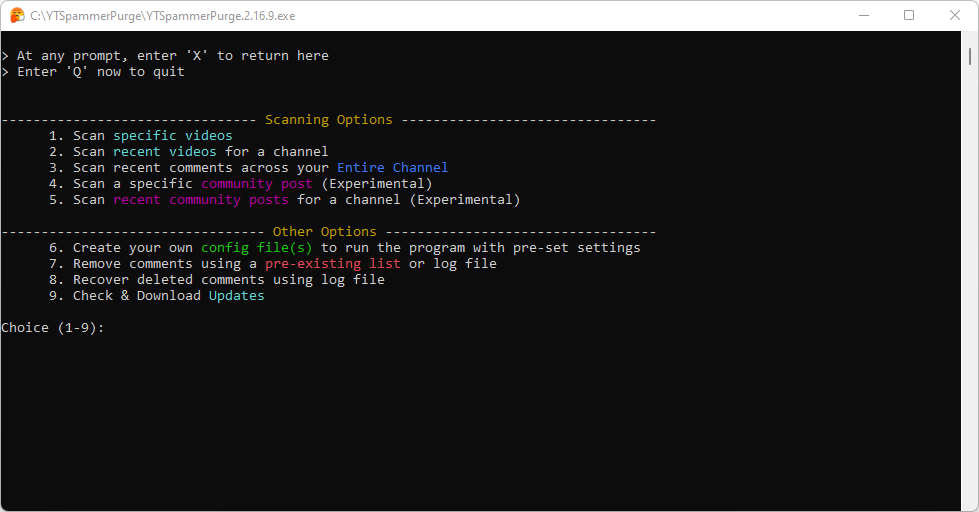
Opening Menu
Filter Mode Selection
Scanning (Auto Smart Mode)
Matched Comments List
Match Samples and Deletion Menu
Installation
If using the python script version (not the exe), there is a requirements.txt with necessary modules. Created with Python 3.9.7
Either way, you DO need to acquire your own API credentials file to access the YouTube API - See Instructions Here.
Operating System Specific Instructions:
Windows
On Windows, you may download the latest EXE file from the Releases page, or you may install YTSpammerPurge manually.
If you are not sure how to install YTSpammerPurge manually, it is probably best to install the EXE.
Linux / MacOS
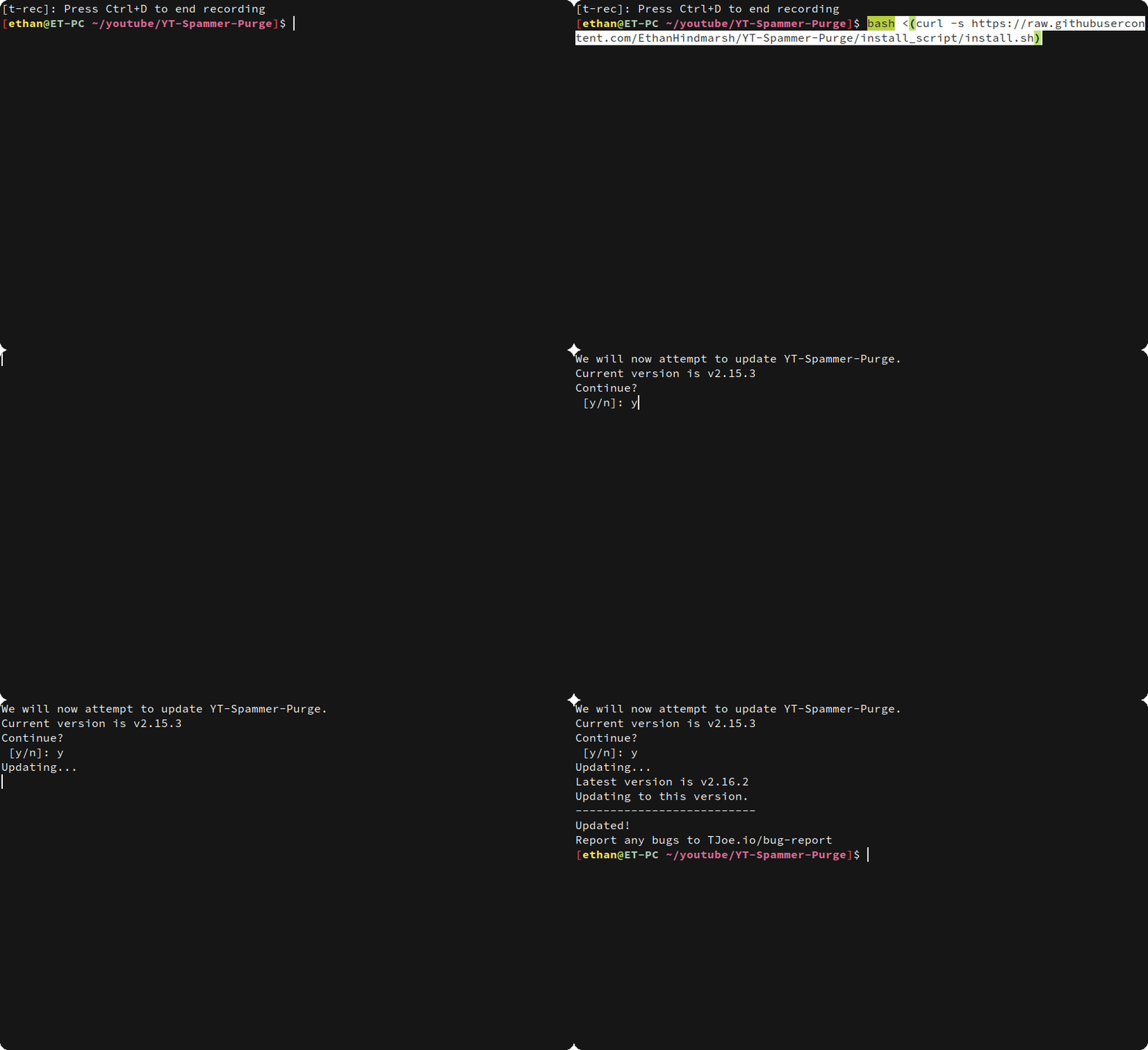
The easiest way to install YTSpammerPurge is using the install script.
See one of the following if you need further help:
Linux Setup Instructions
MacOS Setup Instructions
Updating
To update YTSpammerPurge, run the install.sh file inside your installation.
Manual Installation
If your system is not yet supported by the install script, you may install YTSpammerPurge manually by following the guide Here (Linux Setup Instructions)
Docker Instructions:
Before running docker-compose you must run the YTSpammerPurge.py script at least once with your client_secrets.json file to confirm OAuth credentials and generate the config/token files.
The generated config files, token, and Spam Purge Resources will all be bound to the docker container via volumes.
Once you generated the token and config files you are ready to run the docker image.
Now you can run docker-compose up to start the container, or use the image to run on a Kubernetes cluster for example.
To build your own version you can run this command: docker-compose -f docker-compose.yml -f docker-compose.override.yml up --build
Instructions - Obtaining YouTube API Key
To use this script, you will need an "Oauth2" credential to access the scanning and deletion functions via YouTube's Data API. Otherwise this script won't work at all.
Instructions can be found on this page: Instructions: Obtaining an API Key
Or, follow a video WalkThrough Here: https://www.youtube.com/watch?v=c6ebWvay8dE
Trang TopGit này là một snapshot — tab "Readme" hiển thị nguyên văn README của repo (đã bỏ link, giữ ảnh). Repo GitHub ở github.com/ThioJoe/YT-Spammer-Purge là nguồn chính thức.
ThioJoe/YT-Spammer-Purge có phải mã nguồn mở không?
Có — ThioJoe/YT-Spammer-Purge phát hành theo license GPL-3.0, nghĩa là mã nguồn mở để đọc, fork và (tùy license) tái sử dụng. Mã: github.com/ThioJoe/YT-Spammer-Purge.
ThioJoe/YT-Spammer-Purge là gì?
ThioJoe/YT-Spammer-Purge (ThioJoe/YT-Spammer-Purge) là dự án Python trên GitHub. Theo mô tả gốc: Allows you easily scan for and delete scam comments using several methods.
Đọc đầy đủ README ở tab phía trên.
Chưa chắc YT-Spammer-Purge có hợp với bạn?
Để ChatGPT, Claude hoặc Perplexity tìm hiểu giúp — bấm bên dưới và xem AI nói gì về YT-Spammer-Purge.
 /YT-Spammer-Purge