Snapshot của tmux-plugins/tmux-yank: 3.1k★ · Shell. Tmux plugin for copying to system clipboard. Works on OSX, Linux and Cygwin.
Tóm tắt dựng từ metadata GitHub của chính dự án — chưa có bài review TopGit. Trang sẽ tự động cập nhật khi bài review đầy đủ được xuất bản.
VÌ SAO CHƯA CÓ REVIEW
TopGit viết bài đầy đủ cho repo có nhiều sao nhất và được yêu cầu nhiều nhất. Trang này là snapshot trong thời gian chờ — xem README gốc ở tab READ ME.
If you have tmux 1.5 or newer and are using
iTerm2 version 3 or newer then the y
in copy-mode and mouse selection will work without tmux-yank.
To enable this:
Go into iTerm2's preferences.
Go to the "General" tab.
Check "Applications in terminal may access clipboard"
In tmux, ensure set-clipboard is turned on:
$ tmux show-options -g -s set-clipboard
set-clipboard on
HomeBrew (recommended)
$ brew install reattach-to-user-namespace
MacPorts
$ sudo port install tmux-pasteboard
Linux
xsel (recommended) or xclip (for X).
wl-copy from wl-clipboard (for Wayland)
If you have tmux 1.5 or newer and are using xterm, the y in
copy-mode and mouse selection will work without tmux-yank. See the
tmux(1) man page entry for the set-clipboard option.
Debian & Ubuntu
$ sudo apt-get install xsel # or xclip
RedHat & CentOS
$ sudo yum install xsel # or xclip
Cygwin
(optional) putclip which is part of the cygutils-extra package.
Windows Subsystem for Linux (WSL)
clip.exe is shipped with Windows Subsystem for Linux.
Configuration
Key bindings
Normal Mode
prefix–y — copies text from the command line
to the clipboard.
vim/neovim command line (requires
vim-husk or
vim-rsi plugin)
prefix–Y — copy the current pane's current
working directory to the clipboard.
Copy Mode
y — copy selection to system clipboard.
Y (shift-y) — "put" selection. Equivalent to copying a
selection, and pasting it to the command line.
Default and Preferred Clipboard Programs
tmux-yank does its best to detect a reasonable choice for a clipboard
program on your OS.
If tmux-yank can't detect a known clipboard program then it uses the
@custom_copy_command tmux option as your clipboard program if set.
If you need to always override tmux-yank's choice for a clipboard program,
then you can set @override_copy_command to force tmux-yank to use whatever
you want.
Note that both programs must accept STDIN for the text to be copied.
An example of setting @override_copy_command:
# ~/.tmux.conf

set -g @custom_copy_command 'my-clipboard-copy --some-arg'
# or
set -g @override_copy_command 'my-clipboard-copy --some-arg'
Linux Clipboards
Linux has several cut-and-paste clipboards: primary, secondary, and
clipboard (default in tmux-yank is clipboard).
You can change this by setting @yank_selection:
# ~/.tmux.conf

set -g @yank_selection 'primary' # or 'secondary' or 'clipboard'
With mouse support turned on (see below) the default clipboard for mouse
selections is primary.
You can change this by setting @yank_selection_mouse:
# ~/.tmux.conf

set -g @yank_selection_mouse 'clipboard' # or 'primary' or 'secondary'
Controlling Yank Behavior
By default, tmux-yank will exit copy mode after yanking text. If you wish to
remain in copy mode, you can set @yank_action:
# ~/.tmux.conf

set -g @yank_action 'copy-pipe' # or 'copy-pipe-and-cancel' for the default
Mouse Support
tmux-yank has mouse support enabled by default. It will only work if tmux's
built-in mouse support is also enabled (with mouse on since tmux 2.1, or
mode-mouse on in older versions).
To yank with the mouse, click and drag with the primary button to begin
selection, and release to yank.
If you would prefer to disable this behavior, or provide your own bindings for
the MouseDragEnd1Pane event, you can do so with:
# ~/.tmux.conf

set -g @yank_with_mouse off # or 'on'
If you want to remain in copy mode after making a mouse selection, set
@yank_action as described above.
vi mode support
If using tmux 2.3 or older and using vi keys then you'll have add the
following configuration setting:
# ~/.tmux.conf

set -g @shell_mode 'vi'
This isn't needed with tmux 2.4 or newer.
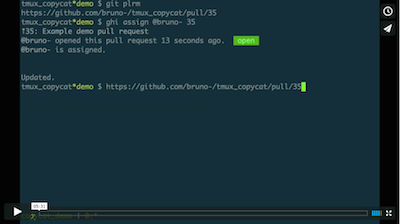
Screen-cast
Note: The screen-cast uses Control–y for
"put selection". Use Y in v2.0.0 and later.
Other tmux plugins
tmux-copycat - a plugin
for regular expression searches in tmux and fast match selection
tmux-open - a plugin for
quickly opening highlighted file or a URL
tmux-continuum -
automatic restoring and continuous saving of tmux environment.
tmux-plugins/tmux-yank có 3.1k sao GitHub — tải lại trang để xem số mới nhất, hoặc xem trực tiếp github.com/tmux-plugins/tmux-yank. TopGit phản chiếu số sao của GitHub nhưng không cam kết đến từng phút.
tmux-plugins/tmux-yank có những chủ đề gì?
GitHub topics của tmux-plugins/tmux-yank: "clipboard", "cygwin", "linux", "macos", "shell", "tmux", "tpm", "wsl". TopGit xếp repo vào nhóm mã nguồn mở.
tmux-plugins/tmux-yank còn đang phát triển không?
Commit gần nhất trên tmux-plugins/tmux-yank là 2.4 năm trước (theo timestamp GitHub). Repo có 132 fork — một chỉ báo về mức độ quan tâm của cộng đồng.
tmux-plugins/tmux-yank là gì?
tmux-plugins/tmux-yank (tmux-plugins/tmux-yank) là dự án Shell trên GitHub. Theo mô tả gốc: Tmux plugin for copying to system clipboard. Works on OSX, Linux and Cygwin.
tmux-plugins/tmux-yank viết bằng ngôn ngữ gì?
tmux-plugins/tmux-yank chủ yếu viết bằng Shell. Trường "language" của GitHub dựa trên phần lớn byte ở nhánh mặc định.
Đọc đầy đủ README ở tab phía trên.
Muốn nghe thêm một ý kiến về tmux-yank?
Hỏi một AI đọc được trang này — một cú bấm là có ngay nhận định về tmux-yank.
 /tmux-yank