TopGit theo dõi tobychui/zoraxy trên GitHub trong nhóm Backend, đã đạt 5.6k sao. A general purpose HTTP reverse proxy and forwarding tool. Now written in Go!
Tóm tắt dựng từ metadata GitHub của chính dự án — chưa có bài review TopGit. Trang sẽ tự động cập nhật khi bài review đầy đủ được xuất bản.
VÌ SAO CHƯA CÓ REVIEW
TopGit viết bài đầy đủ cho repo có nhiều sao nhất và được yêu cầu nhiều nhất. Trang này là snapshot trong thời gian chờ — xem README gốc ở tab READ ME.
A general purpose HTTP reverse proxy and forwarding tool. Now written in Go!
Features
Simple to use interface with detail in-system instructions
Reverse Proxy (HTTP/2)
Virtual Directory
WebSocket Proxy (automatic, no set-up needed)
Basic Auth
Alias Hostnames
Custom Headers
Load Balancing
Redirection Rules
TLS / SSL setup and deploy
ACME features like auto-renew to serve your sites in https
SNI support (and SAN certs)
DNS Challenge for Let's Encrypt and these DNS providers
Blacklist / Whitelist by country or IP address (single IP, CIDR or wildcard for beginners)
Stream Proxy (TCP & UDP)
Integrated Up-time Monitor
Web-SSH Terminal
Plugin System
Utilities
CIDR IP converters
mDNS Scanner
Wake-On-Lan
Debug Forward Proxy
IP Scanner
Port Scanner
Community Contributed Features
Forward-Auth Support (e.g. Authelia, Authentik)
Oauth2 Support
reCAPTCHA
Others
Basic single-admin management mode
External permission management system for easy system integration
SMTP config for password reset
Dark Theme Mode
Downloads
Windows
/ Linux (amd64)
/ Linux (arm64)
For other systems or architectures, please see Releases
Getting Started
Installing Zoraxy Reverse Proxy: Your Gateway to Efficient Web Routing
Thank you for the well written and easy to follow tutorial by Reddit user itsvmn!
If you have no background in setting up reverse proxy or web routing, you should check this out before you start setting up your Zoraxy.
Switching from Nginx / NPM?
Check out our new (experimental) nginx to Zoraxy config converter!
Launch Config Converter
Build from Source
Requires Go 1.23 or higher
git clone https://github.com/tobychui/zoraxy
cd ./zoraxy/src/
go mod tidy
go build

sudo ./zoraxy -port=:8000
Usage
Zoraxy provides basic authentication system for standalone mode. To use it in standalone mode, follow the instructions below for your desired deployment platform.
Standalone Mode
Standalone mode is the default mode for Zoraxy. This allows a single account to manage your reverse proxy server just like a basic home router. This mode is suitable for new owners to homelabs or makers starting growing their web services into multiple servers. A full "Getting Started" guide can be found here.
Linux
sudo ./zoraxy -port=:8000
Windows
Download the binary executable and double click the binary file to start it.
Raspberry Pi
The installation method is same as Linux. If you are using a Raspberry Pi 4 or newer models, pick the arm64 release. For older version of Pis, use the arm (armv6) version instead.
Other ARM SBCs or Android phone with Termux
The installation method is same as Linux. For other ARM SBCs, please refer to your SBC's CPU architecture and pick the one that is suitable for your device.
Docker
See the /docker folder for more details.
Start Parameters
Usage of zoraxy:
  -acmetestmode
        Run ACME in test/staging mode
  -autorenew int
        ACME auto TLS/SSL certificate renew check interval (seconds) (default 86400)
  -cfgupgrade
        Enable auto config upgrade if breaking change is detected (default true)
  -conf string
        Configuration folder path (default "./conf")
  -db string
        Database backend to use (leveldb, boltdb, auto) Note that fsdb will be used on unsupported platforms like RISCV (default "auto")
  -dbpath string
        Database path (default "./sys.db")
  -default_inbound_enabled
        If web server is enabled by default (default true)
  -default_inbound_port int
        Default web server listening port (default 443)
  -dev
        Use external web folder for UI development
  -docker
        Run Zoraxy in docker compatibility mode
  -earlyrenew int
        Number of days to early renew a soon expiring certificate (days) (default 30)
  -enablelog
        Enable system wide logging, set to false for writing log to STDOUT only (default true)
  -experimental_proxy_protocol
        Enable PROXY protocol v1/v2 support for TLS listener (experimental)
  -fastgeoip
        Enable high speed geoip lookup, require 1GB extra memory (Not recommend for low end devices)
  -log string
        Log folder path (default "./log")
  -mdns
        Enable mDNS scanner and transponder (default true)
  -mdnsname string
        mDNS name, leave empty to use default (zoraxy_{node-uuid}.local)
  -noauth
        Disable authentication for management interface
  -plugin string
        Plugin folder path (default "./plugins")
  -port string
        Management web interface listening port (default ":8000")
  -reset_ac
        Reset admin account username and password to default and exit
  -sshlb
        Allow loopback web ssh connection (DANGER)
  -tmp string
        Temporary folder path (default "./tmp")
  -update_geoip
        Download the latest GeoIP data and exit
  -uuid string
        sys.uuid file path (default "./sys.uuid")
  -version
        Show version of this server
  -webroot string
        Static web server root folder. Only allow change in start paramters (default "./www")
External Permission Management Mode
If you already have an upstream reverse proxy server in place with permission management, you can use Zoraxy in noauth mode. To enable noauth mode, start Zoraxy with the following flag:
./zoraxy -noauth=true
[!WARNING]
For security reasons, you should only enable no-auth if you are running Zoraxy in a trusted environment or with another authentication management proxy in front.*
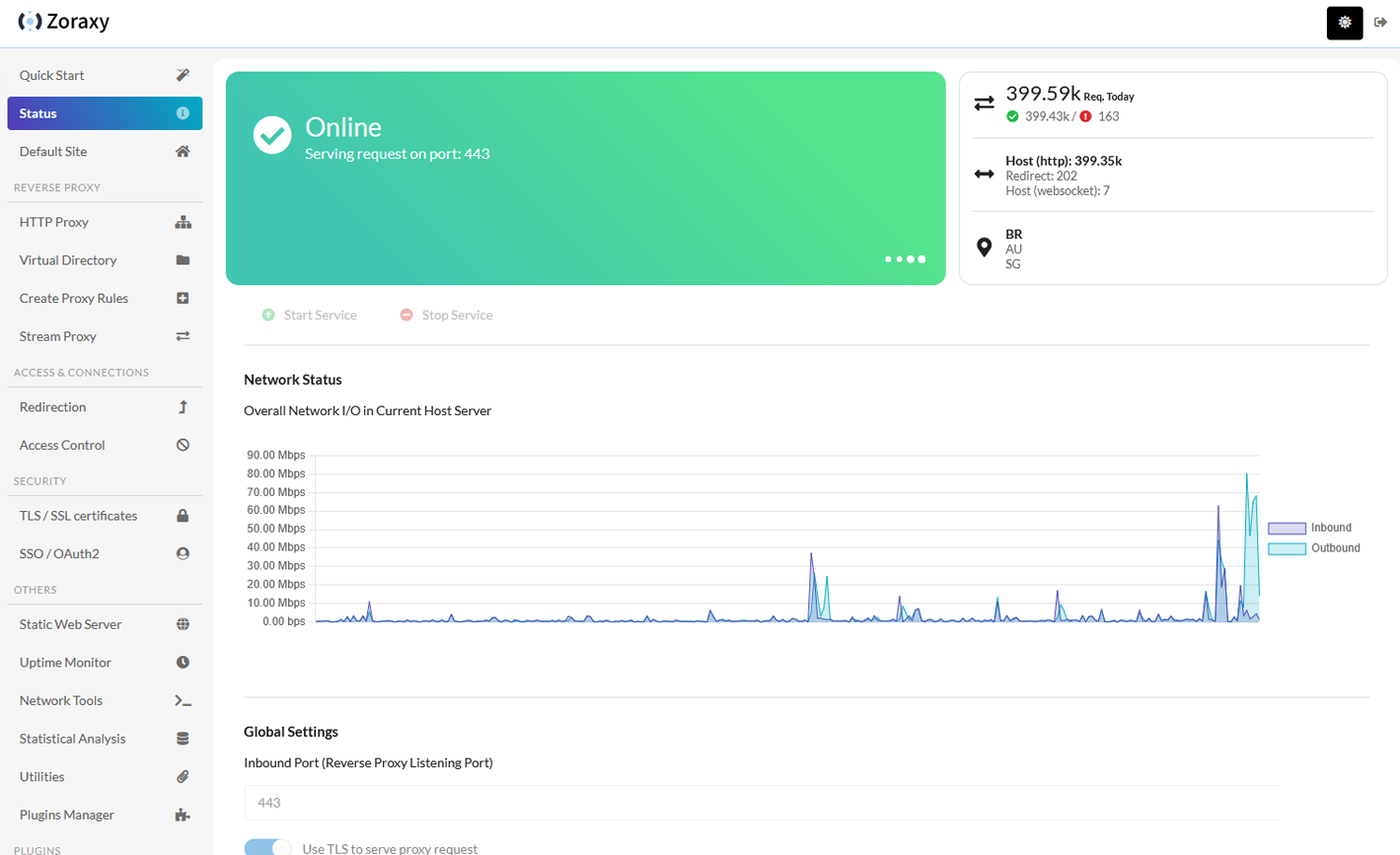
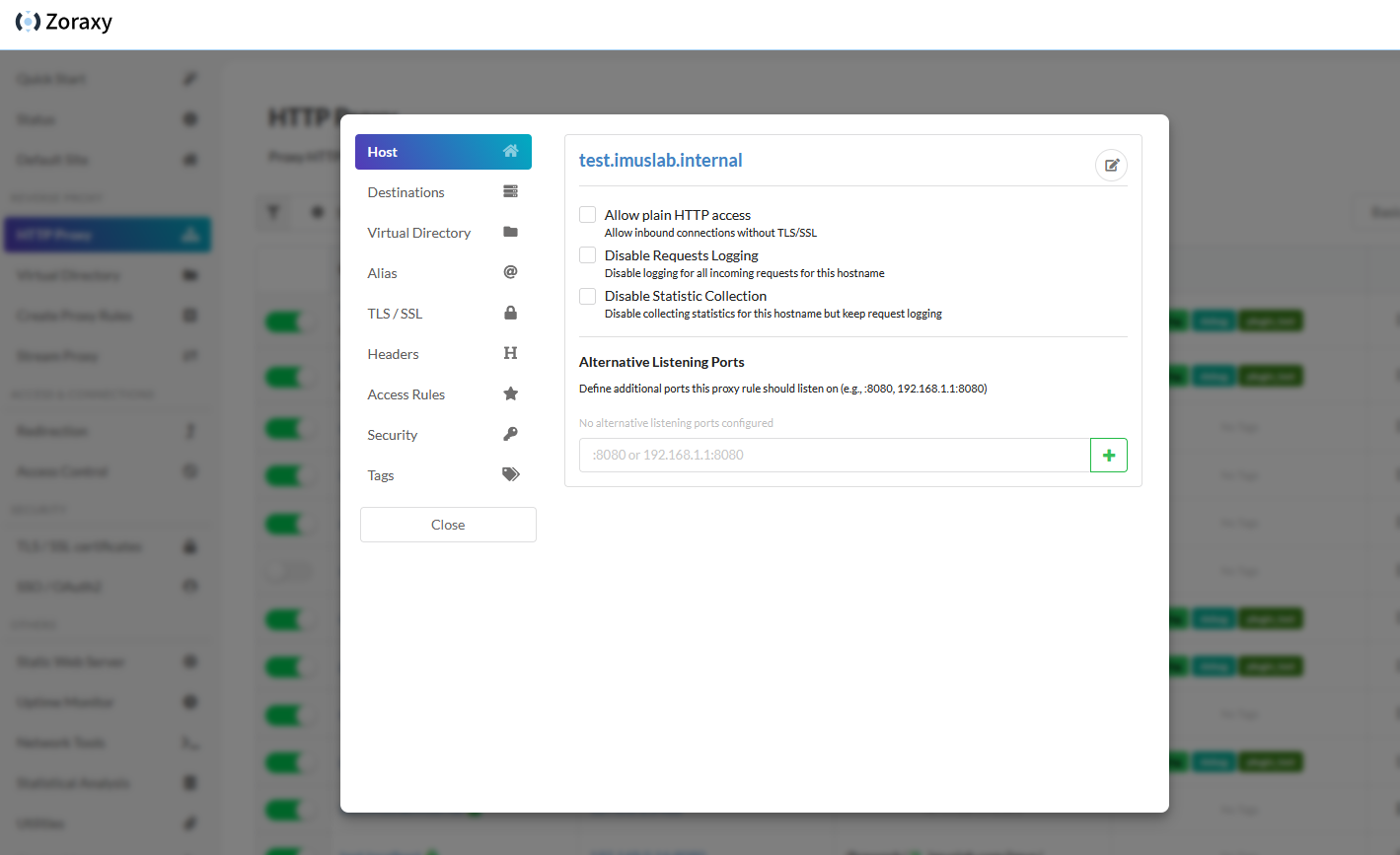
Screenshots
More screenshots on the wikipage Screenshots!
FAQ
There is a wikipage with Frequently-Asked-Questions!
Global Area Network Controller
Moved to official plugin repo, see ztnc plugin
Web SSH
Web SSH currently only supports Linux based OSes. The following platforms are supported:
linux/amd64
linux/arm64
linux/armv6 (experimental)
linux/386 (experimental)
Loopback Connection
Loopback web SSH connections, by default, are disabled. This means that if you are trying to connect to an address like 127.0.0.1 or localhost, the system will reject your connection for security reasons. To enable loopback for testing or development purpose, use the following flags to override the loopback checking:
./zoraxy -sshlb=true
Community Maintained Sections
Some section of Zoraxy are contributed by our amazing community and if you have any issues regarding those sections, it would be more efficient if you can tag them directly when creating an issue report.
Due to recent automated / AI generated advisories, we will no longer accept security advisories directly open on Github.
If you spot a secuity issue and want to create a security advisories, please contact us via Discord and provide your Github username. Then we will assign you an advisory number for filling in your advisory title. For advisories that do not have a advisory number, we will close it immediately.
Updates 2026-06-26
Due to recent floods of AI generated security advisory, Private vulnerability reporting feature of this repo is temporary closed. If you have a critical issue to report, you can reach our maintainer on Discord.
Sponsor This Project
If you like the project and want to support us, please consider a donation. You can use the links below
tobychui (Primary author)
PassiveLemon (Docker compatibility maintainer)
License
This project is open-sourced under AGPL. I open-sourced this project so everyone can check for security issues and benefit all users. This software is intended to be free of charge. If you have acquired this software from a third-party seller, the authors of this repository bears no responsibility for any technical difficulties assistance or support.
tobychui/zoraxy thuộc nhóm Backend trên TopGit, cùng 16 topic GitHub. Trang Trending và Topics liệt kê các repo cùng số sao và cùng ngôn ngữ để so sánh.
Đọc thêm về tobychui/zoraxy ở đâu?
Trang TopGit này là một snapshot — tab "Readme" hiển thị nguyên văn README của repo (đã bỏ link, giữ ảnh). Repo GitHub ở github.com/tobychui/zoraxy là nguồn chính thức.
tobychui/zoraxy có bao nhiêu sao?
tobychui/zoraxy có 5.6k sao GitHub — tải lại trang để xem số mới nhất, hoặc xem trực tiếp github.com/tobychui/zoraxy. TopGit phản chiếu số sao của GitHub nhưng không cam kết đến từng phút.
tobychui/zoraxy có phải mã nguồn mở không?
Có — tobychui/zoraxy phát hành theo license AGPL-3.0, nghĩa là mã nguồn mở để đọc, fork và (tùy license) tái sử dụng. Mã: github.com/tobychui/zoraxy.
tobychui/zoraxy còn đang phát triển không?
Commit gần nhất trên tobychui/zoraxy là 3 tháng trước (theo timestamp GitHub). Repo có 337 fork — một chỉ báo về mức độ quan tâm của cộng đồng.
tobychui/zoraxy dùng license gì?
tobychui/zoraxy phát hành theo license AGPL-3.0. Nên mở file LICENSE trên GitHub để xác nhận — license metadata đôi khi lệch với thực tế dự án.
tobychui/zoraxy là gì?
tobychui/zoraxy (tobychui/zoraxy) là dự án HTML trên GitHub. Theo mô tả gốc: A general purpose HTTP reverse proxy and forwarding tool. Now written in Go!
tobychui/zoraxy viết bằng ngôn ngữ gì?
tobychui/zoraxy chủ yếu viết bằng HTML. Trường "language" của GitHub dựa trên phần lớn byte ở nhánh mặc định.
Đọc đầy đủ README ở tab phía trên.
Vẫn đang phân vân về zoraxy?
Một cú bấm sẽ gửi câu hỏi kèm trang này cho AI — xem AI nói gì về zoraxy.

 /zoraxy