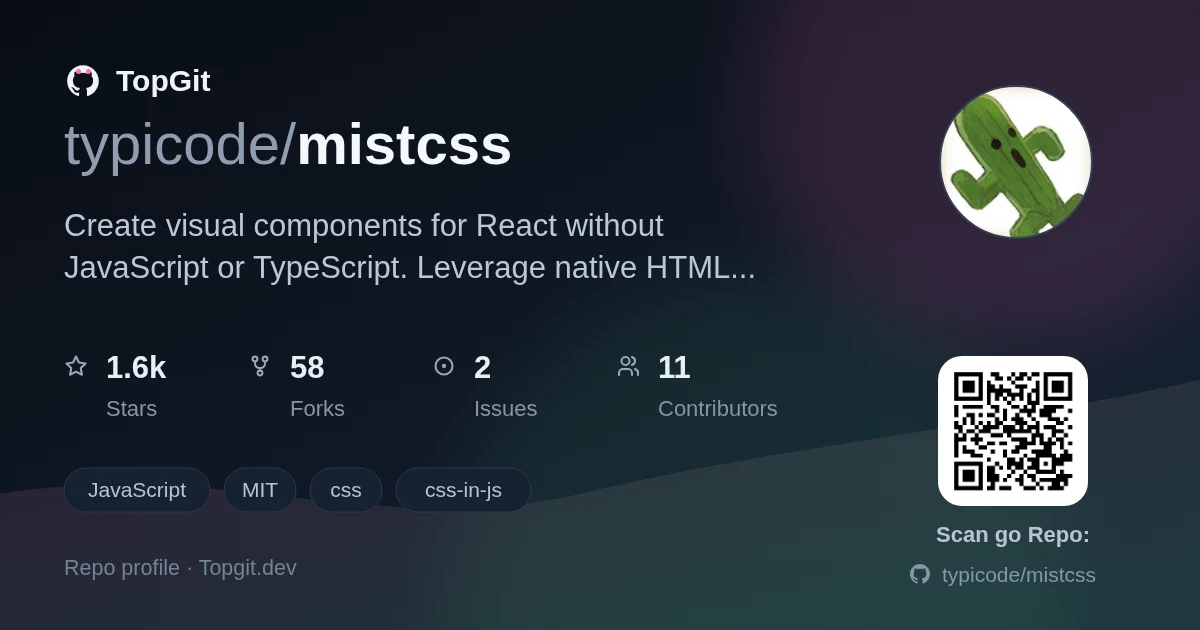
Trên GitHub, typicode/mistcss đã đạt 1.6k sao, nhóm Frontend, ngôn ngữ JavaScript. Create visual components for React without JavaScript or TypeScript. Leverage native HTML and CSS. It's an alternative to CSS-in-JS and CSS modules.
Tóm tắt dựng từ metadata GitHub của chính dự án — chưa có bài review TopGit. Trang sẽ tự động cập nhật khi bài review đầy đủ được xuất bản.
VÌ SAO CHƯA CÓ REVIEW
TopGit viết bài đầy đủ cho repo có nhiều sao nhất và được yêu cầu nhiều nhất. Trang này là snapshot trong thời gian chờ — xem README gốc ở tab READ ME.
MistCSS lets you create reusable visual components without JavaScript or TypeScript (think about it for a second... no JS/TS needed).
Leverage native HTML and CSS, get type safety and autocomplete. Just clean and efficient styling.
What you see above is standard HTML (data-attributes) and CSS (nested CSS). MistCSS simply creates a d.ts file based on your CSS.
Features
🥶 Not just zero-runtime, it goes beyond. It's zero JavaScript, not even for components, resulting in smaller bundles and faster code.
💎 What you write is what you get. No transformations, easy debugging.
🎒 Standards-based, reusable styles across frameworks, compatible with Tailwind or any CSS framework
⚡️ Instantly productive, no learning curve, simple on-boarding.
💖 Back to basics with a modern twist: access the full power of HTML and CSS, enhanced with type safety and code completion (without the complexity).
Differences
CSS-in-JS
MistCSS
Runtime
~0-10 KB
0 KB
JavaScript functions
a few KB per component
0 KB
TypeScript code
yes (at least for props)
no (generated for the user)
Debugging
react devtools
browser inspector
Syntax highlighting
depends (may require extension)
no additional extension
Generated bundle
runtime + JS functions + logic + CSS
CSS
This is general comparison and may vary depending on the library you're using.
Usage
Traditional approaches require wrapping your markup/styles in JavaScript functions (Button.tsx → <button/>, Input.tsx → <input/>, ...), defining props with TypeScript types, and writing logic to manage class names.
With MistCSS, styling is straightforward and minimal. Here’s how it looks:
<button data-variant="primary">Save</button> {/* Same as in Page.tsx */}
This example demonstrates enums, but MistCSS also supports boolean and string props. For more details, see the FAQ.
How does it work?
MistCSS parses your mist.css file and generates mist.d.ts for type safety.
For instance, here’s the generated mist.d.ts for our button component:
interface Mist_button extends React.DetailedHTMLProps<React.HTMLAttributes<HTMLButtonElement>, HTMLButtonElement> {
  'data-variant'?: 'primary' | 'secondary'
}

declare namespace JSX {
  interface IntrinsicElements {
    button: Mist_button // ← <button/> is extended at JSX level to allow 'primary' and 'secondary' values
  }
}
That’s it! Simple yet powerful, built entirely on browser standards and TypeScript/JSX.
Install
npm install mistcss --save-dev
postcss.config.js
module.exports = {
  plugins: {
    mistcss: {},
  },
}
layout.tsx
import './mist.css'
FAQ
Can I use CSS frameworks like Tailwind or Open Props?
Absolutely, MistCSS is pure HTML and CSS, generating only mist.d.ts, so there are no limitations. You can integrate any CSS framework seamlessly. Here are a few examples to get you started:
[!IMPORTANT]
For the best experience, set up Tailwind IntelliSense in your editor. Refer to Tailwind's editor setup guide.
<>
  <a href="/home">Home</a>
  <a href="/home" data-component="button">Home</a>
  <a href="/home" data-component="button" data-variant="primary">Home</a>

  {/* TS error, `data-variant` is only valid with `data-component="button"` */}
  <a href="/home" data-variant="primary">Home</a>
</>
[!NOTE]
data-component is just a naming convention. Feel free to use any attribute, like data-kind='button' or just data-c. It’s simply a way to differentiate between components using the same tag.
How to split my code?
You can use CSS @import. For example, in your mist.css file:
export function Card({ title, children }) {
  return (
    <article data-component="card">
      <div data-component="card-title">{title}</div>
      <div data-component="card-content">{children}</div>
    </article>
  )
}
[!TIP]
To indicate that these styles aren't meant to be used outside of Card, you can name them data-p-component (p for private) or use another naming convention.
See also your CSS framework/tooling documentation for ways to define them in JS if you prefer.
How to Use MistCSS with an External UI?
Assuming you have your UI components in a separate package my-ui and you're using Next.js, follow these steps:
app/layout.tsx
import 'my-ui/mist.css'
app/mist.d.ts
import 'my-ui/mist.d.ts
This setup ensures that your Next.js application correctly imports styles and type definitions from your external UI package. It may vary based on tools you're using, but the same principles should apply.
Origin of the project name?
Mist is inspired by atomized water 💧 often seen near waterfalls. A nod to the Cascading in CSS 🌊.
typicode/mistcss thuộc nhóm Frontend trên TopGit, cùng 8 topic GitHub. Trang Trending và Topics liệt kê các repo cùng số sao và cùng ngôn ngữ để so sánh.
Đọc thêm về typicode/mistcss ở đâu?
Trang TopGit này là một snapshot — tab "Readme" hiển thị nguyên văn README của repo (đã bỏ link, giữ ảnh). Repo GitHub ở github.com/typicode/mistcss là nguồn chính thức.
typicode/mistcss có phải mã nguồn mở không?
Có — typicode/mistcss phát hành theo license MIT, nghĩa là mã nguồn mở để đọc, fork và (tùy license) tái sử dụng. Mã: github.com/typicode/mistcss.
typicode/mistcss là gì?
typicode/mistcss (typicode/mistcss) là dự án JavaScript trên GitHub. Theo mô tả gốc: Create visual components for React without JavaScript or TypeScript. Leverage native HTML and CSS. It's an alternative to CSS-in-JS and CSS modules.
typicode/mistcss so với các dự án Frontend khác thế nào?
typicode/mistcss được TopGit xếp vào nhóm Frontend, với 1.6k sao GitHub và viết bằng JavaScript. Xem trang chủ đề Frontend trên TopGit để so sánh với các dự án tương tự theo số sao và mức độ hoạt động.
Vì sao typicode/mistcss được xếp vào nhóm Frontend?
TopGit xếp typicode/mistcss vào nhóm Frontend dựa trên GitHub topics và mô tả của repo (gắn thẻ: "css", "css-in-js", "next"). Việc phân loại dựa trên metadata thật của repo, không phải đoán theo cảm tính biên tập.
Đọc đầy đủ README ở tab phía trên.
Muốn nghe thêm một ý kiến về mistcss?
Hỏi một AI đọc được trang này — một cú bấm là có ngay nhận định về mistcss.

 /mistcss