6.8k sao GitHub và vẫn tăng — vas3k/TaxHacker là dự án TypeScript mà TopGit đang theo dõi trên nền tảng. Self-hosted AI accounting app. LLM analyzer for receipts, invoices, transactions with custom prompts and categories
Tóm tắt dựng từ metadata GitHub của chính dự án — chưa có bài review TopGit. Trang sẽ tự động cập nhật khi bài review đầy đủ được xuất bản.
VÌ SAO CHƯA CÓ REVIEW
TopGit viết bài đầy đủ cho repo có nhiều sao nhất và được yêu cầu nhiều nhất. Trang này là snapshot trong thời gian chờ — xem README gốc ở tab READ ME.
[!NOTE]
☝️ I'm currently looking for a job! Particularly interested in companies in Berlin or remote positions in Germany. Here's my CV and Linkedin profile. Thank you 🙏
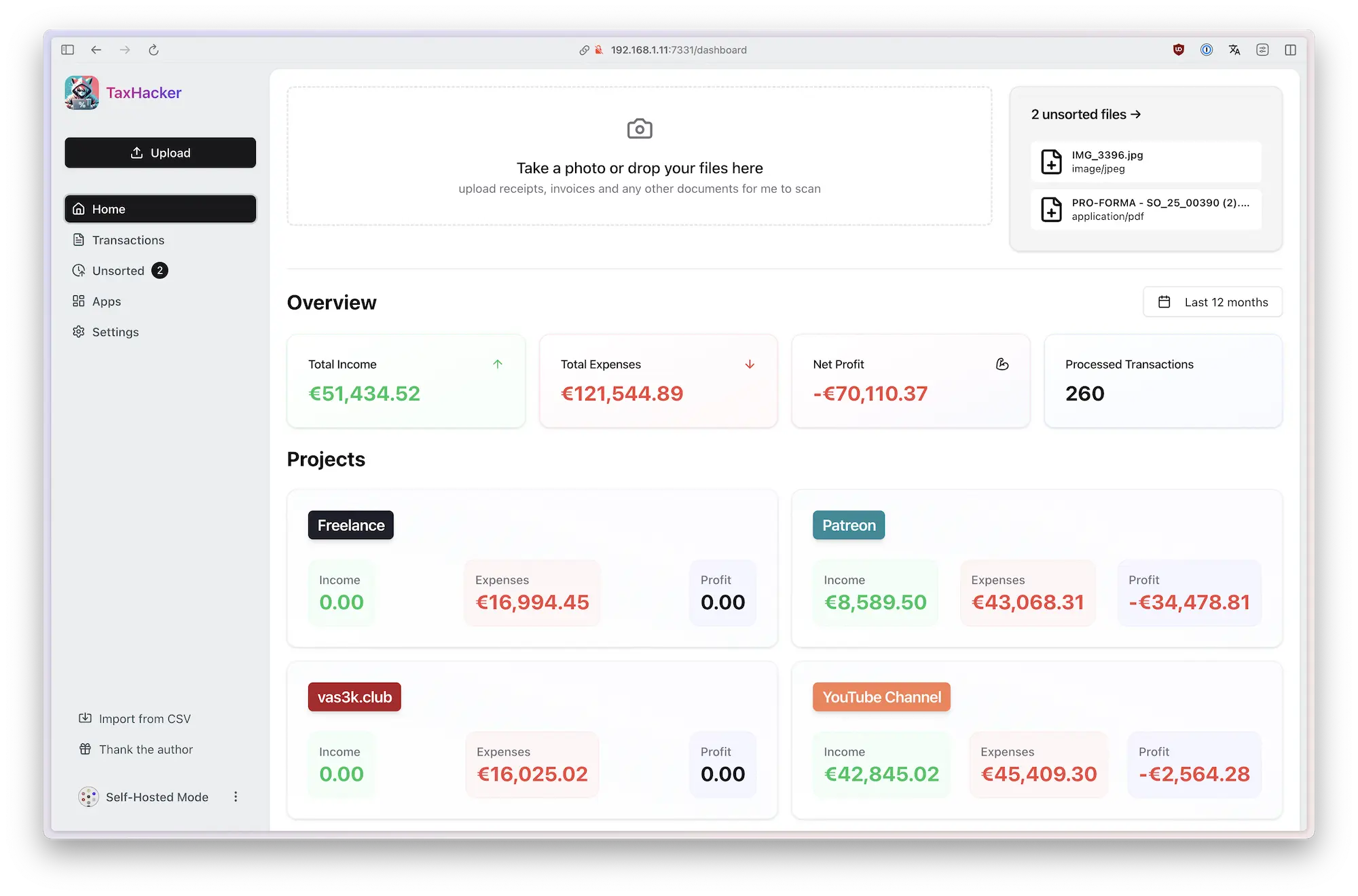
TaxHacker is a self-hosted accounting app designed for freelancers, indie-hackers, and small businesses who want to save time and automate expense and income tracking using the power of modern AI.
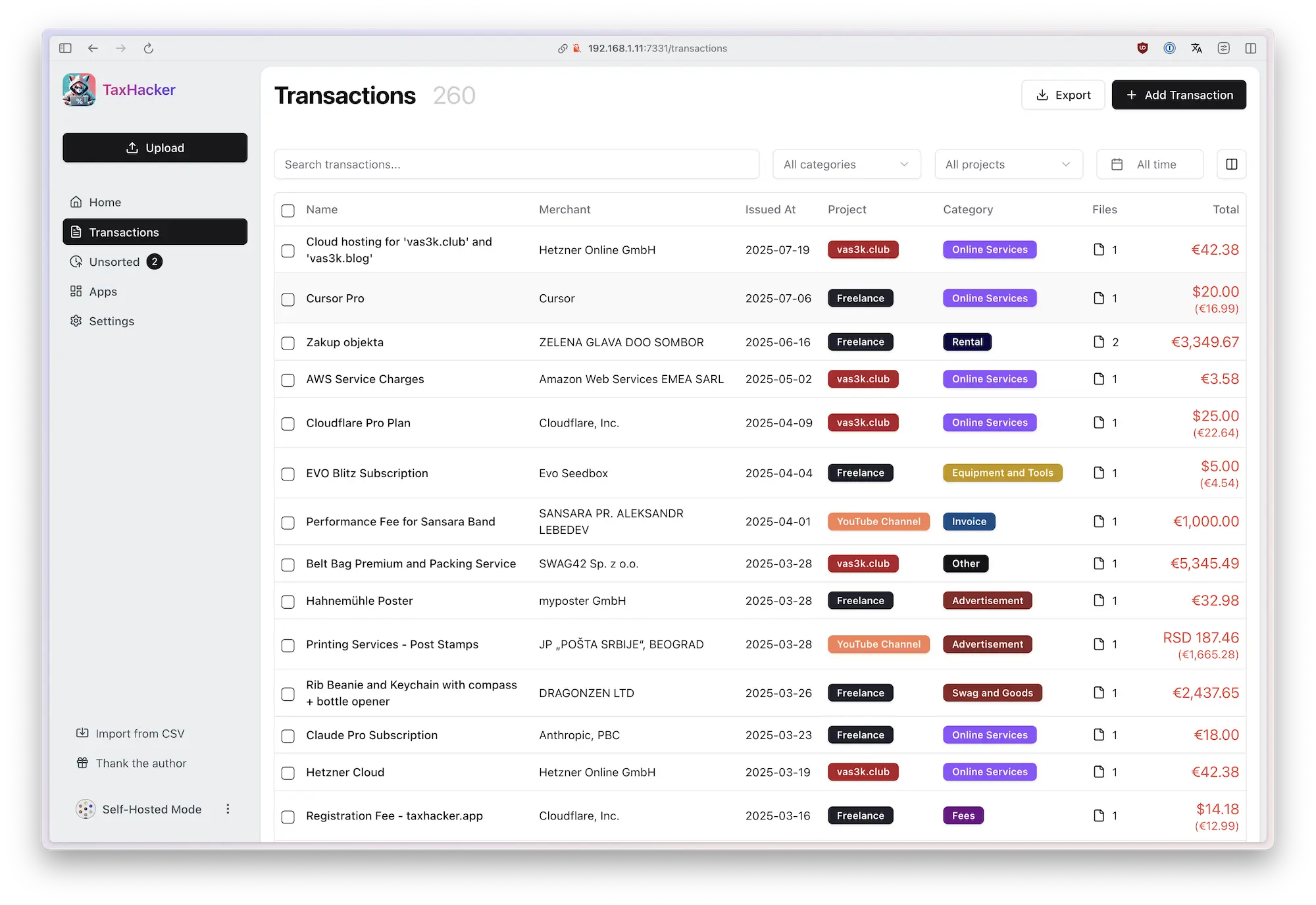
Upload photos of receipts, invoices, or PDFs, and TaxHacker will automatically recognize and extract all the important data you need for accounting: product names, amounts, items, dates, merchants, taxes, and save it into a structured Excel-like database. You can even create custom fields with your own AI prompts to extract any specific information you need.
The app features automatic currency conversion (including crypto!) based on historical exchange rates from the transaction date. With built-in filtering, multi-project support, import/export capabilities, and custom categories, TaxHacker simplifies reporting and makes tax filing a bit easier.
🎥 Watch demo video
[!IMPORTANT]
This project is still in early development. Use at your own risk! Star us to get notified about new features and bugfixes ⭐️
✨ Features
1 Analyze photos and invoices with AI
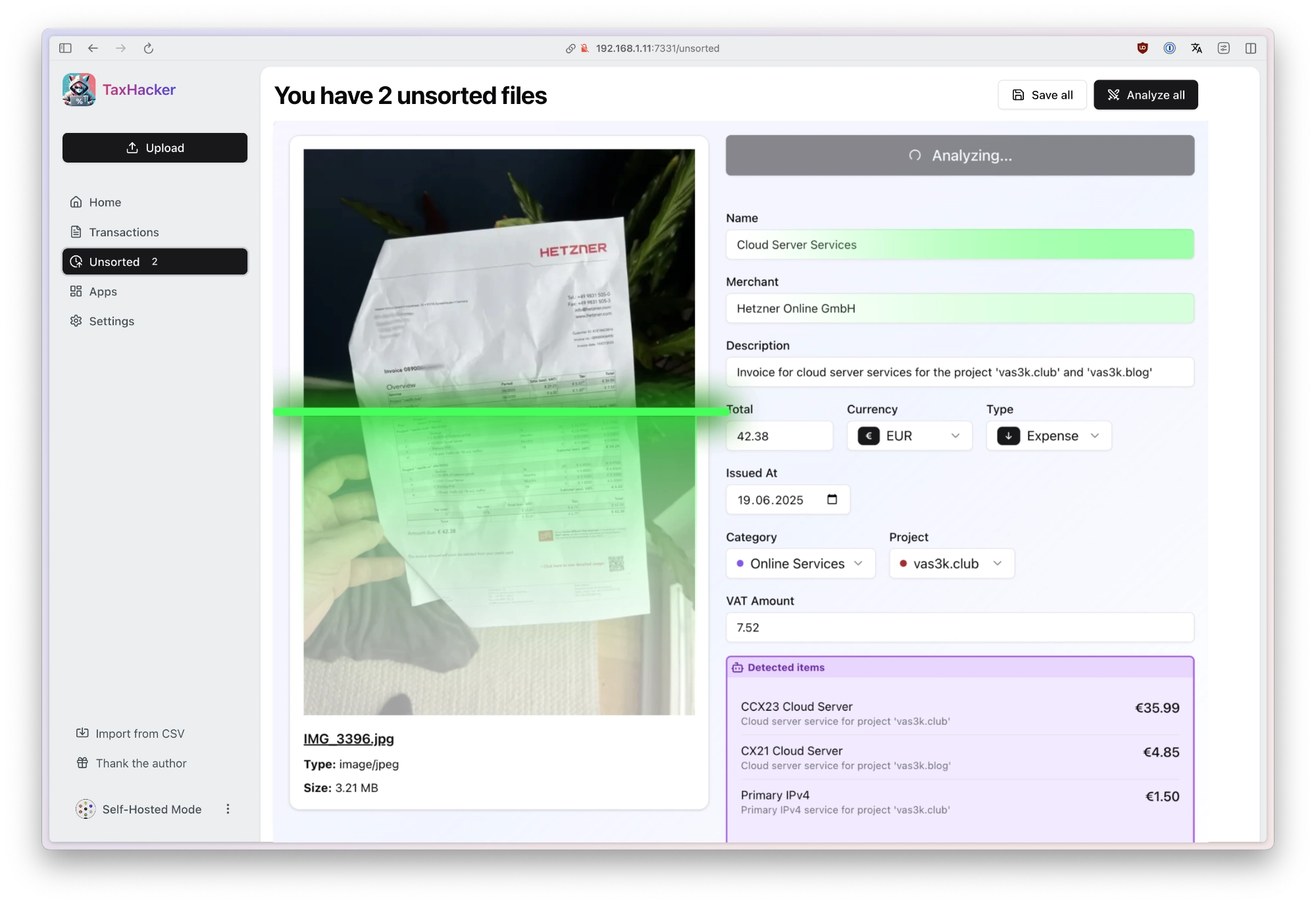
Snap a photo of any receipt or upload an invoice PDF, and TaxHacker will automatically recognize, extract, categorize, and store all the information in a structured database.
Upload and organize your docs: Store multiple documents in "unsorted" until you're ready to process them manually or with AI assistance
AI data extraction: Use AI to automatically pull key information like dates, amounts, vendors, and line items
Auto-categorization: Transactions are automatically sorted into relevant categories based on their content
Item splitting: Extract individual items from invoices and split them into separate transactions when needed
Structured storage: Everything gets saved in an organized database for easy filtering and retrieval
Choose your LLM: You can use OpenAI, Google Gemini, or Mistral or even your local LLM (in the self-hosted version). Only you're responsible for the quality and privacy of your data.
TaxHacker works with a wide variety of documents, including store receipts, restaurant bills, invoices, bank statements, letters, even handwritten receipts. It handles any language and any currency with ease.
2 Multi-currency support with automatic conversion (even crypto!)
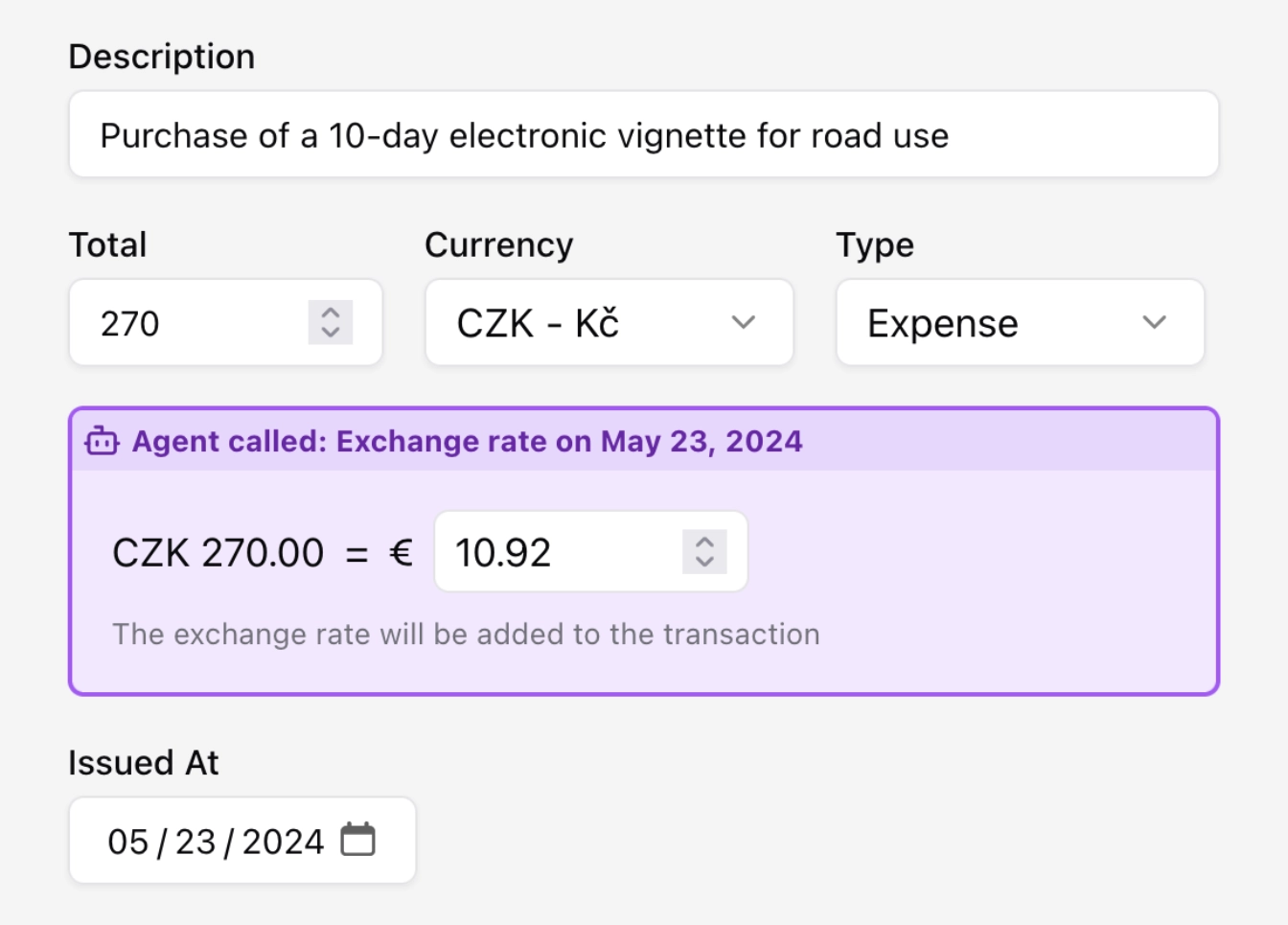
TaxHacker automatically detects currencies in your documents and converts them to your base currency using historical exchange rates.
Foreight currency detection: Automatically identify the currency used in any document
Historical rates: Get conversion rates from the actual transaction date
All-world coverage: Support for 170+ world currencies and 14 popular cryptocurrencies (BTC, ETH, LTC, DOT, and more)
Flexible input: Manual entry is always available when you need more control
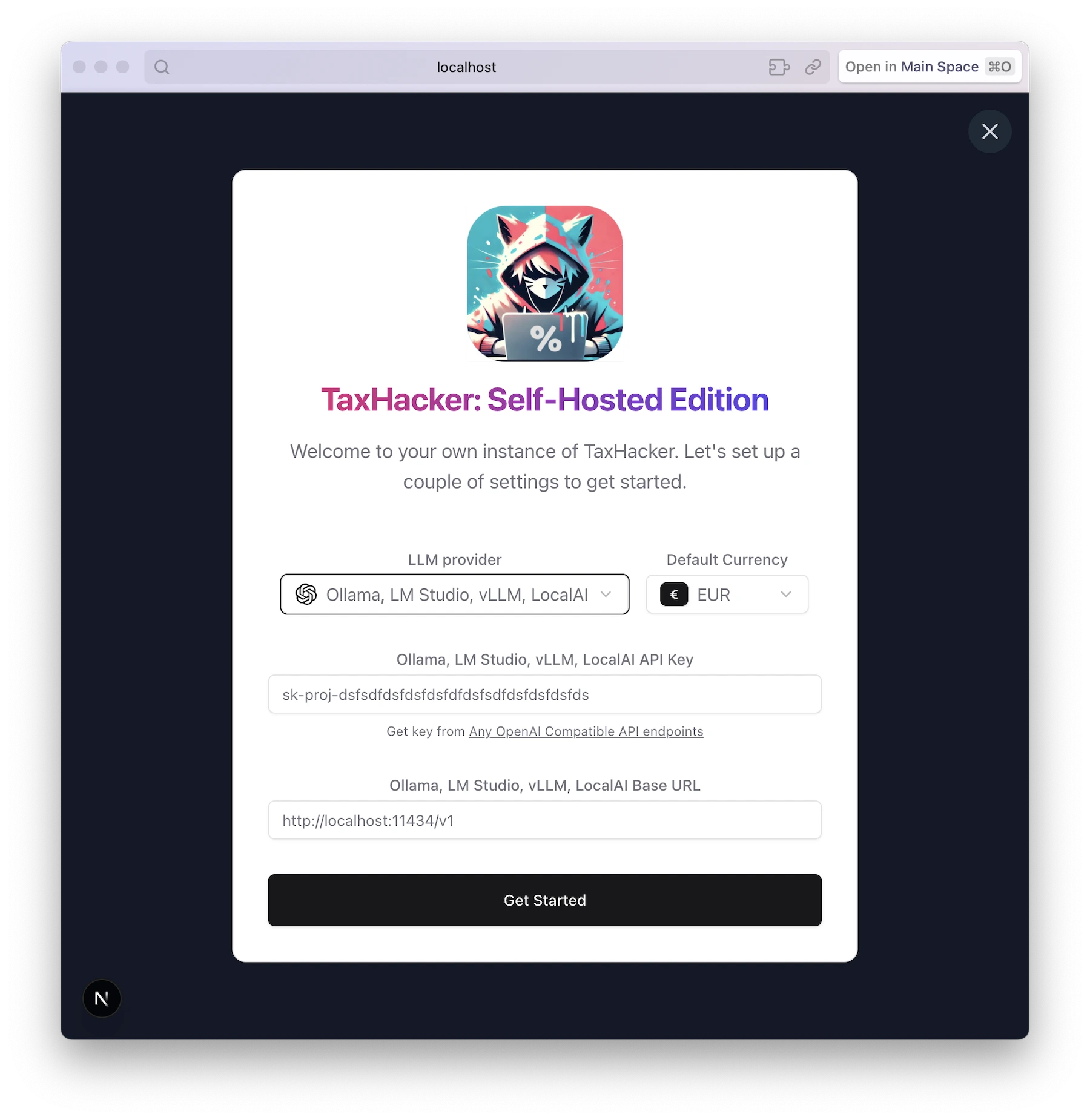
3 Use your own LLM: Ollama, LM Studio, vLLM, LocalAI etc
It's compatible with your local LLM OpenAI-compatible API endpoint. Just make sure that your local model is good in OCR tasks, results are not guaranteed :)
4 Organize your transactions using fully customizable categories, projects and fields
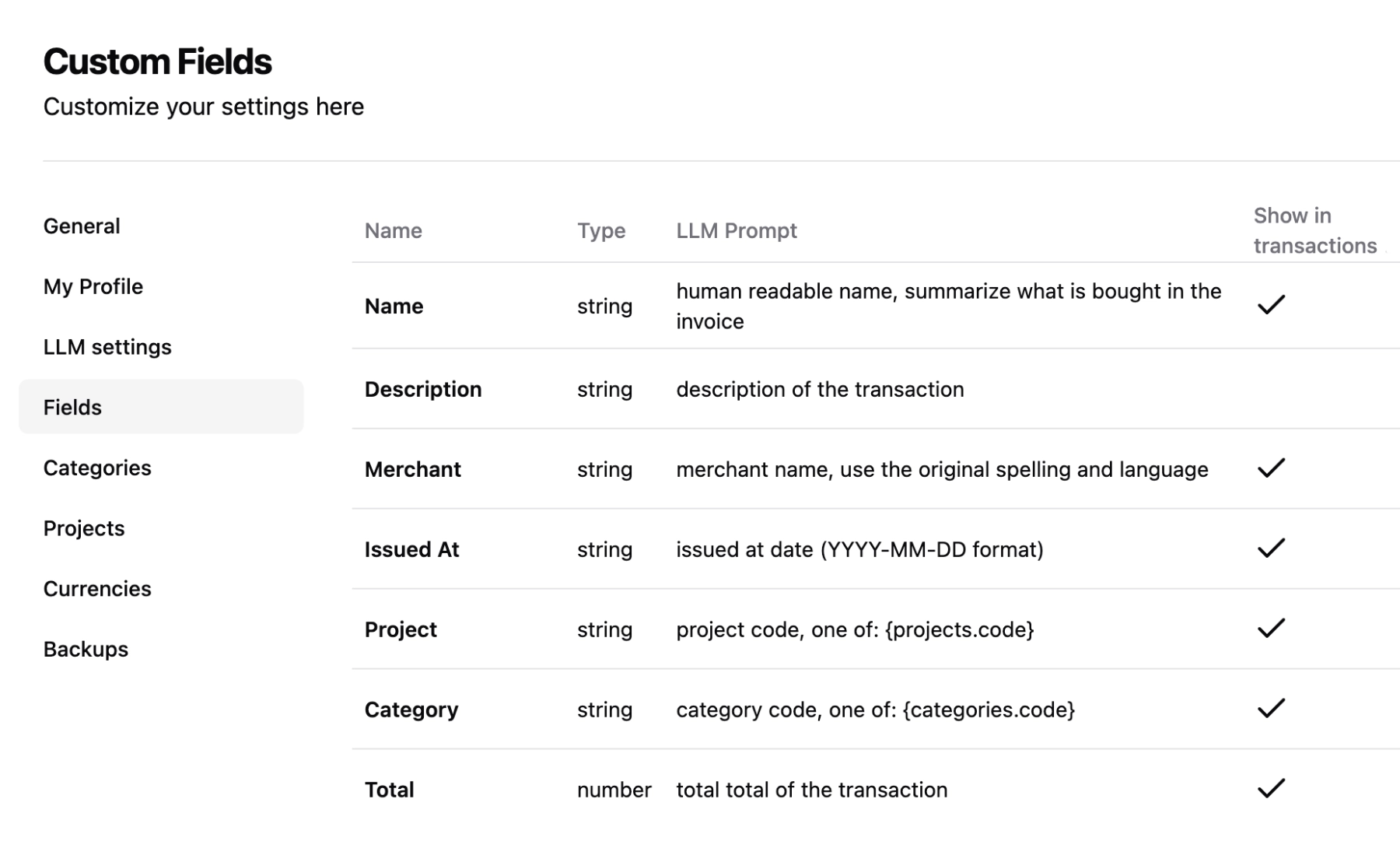
Adapt TaxHacker to your unique needs with unlimited customization options. Create custom fields, projects, and categories that better suit your specific needs, idustry standards or country.
Custom categories and projecst: Create your own categories and projects to group your transactions in any convenient way
Custom fields: You can create unlimited number of custom fields to extraxt more information from your invoices (it's like creating extra columns in Excel)
Full-text search: Search through the actual content of recognized documents
Advanced filtering: Find exactly what you need with search and filter options
AI-powered extraction: Write your own prompts to extract any custom information from documents
Bulk operations: Process multiple documents or transactions at once
5 Customize any LLM prompt. Even system ones
Take full control of how TaxHacker's AI processes your documents. Write custom AI prompts for fields, categories, and projects, or modify the built-in ones to match your specific needs.
Customizable system prompts: Modify the general prompt template in settings to suit your business
Field or project-specific prompts: Create custom extraction rules for your industry-specific documents
Full control: Adjust field extraction priorities and naming conventions to match your workflow
Industry optimization: Fine-tune the AI to understand your specific type of business documents
Full transparency: Every aspect of the AI extraction process is under your control and can be changed right in settings
TaxHacker is 100% adaptable and tunable to your unique requirements — whether you need to extract emails, addresses, project codes, or any other custom information from your documents.
6 Flexible data filtering and export
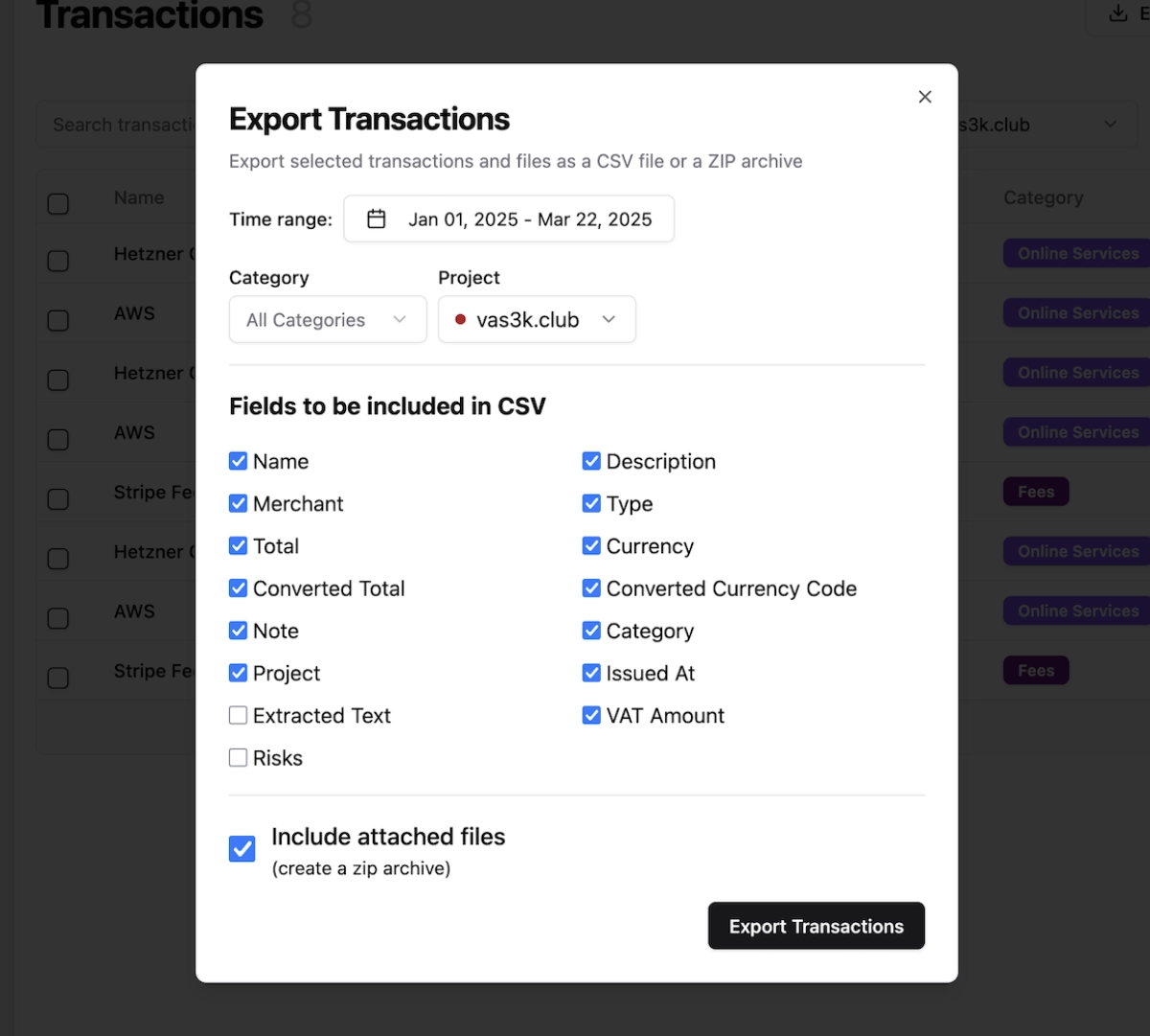
Once your documents are processed, easily view, filter, and export your complete transaction history exactly how you need it.
Advanced filtering: Filter by date ranges, categories, projects, amounts, and any custom fields
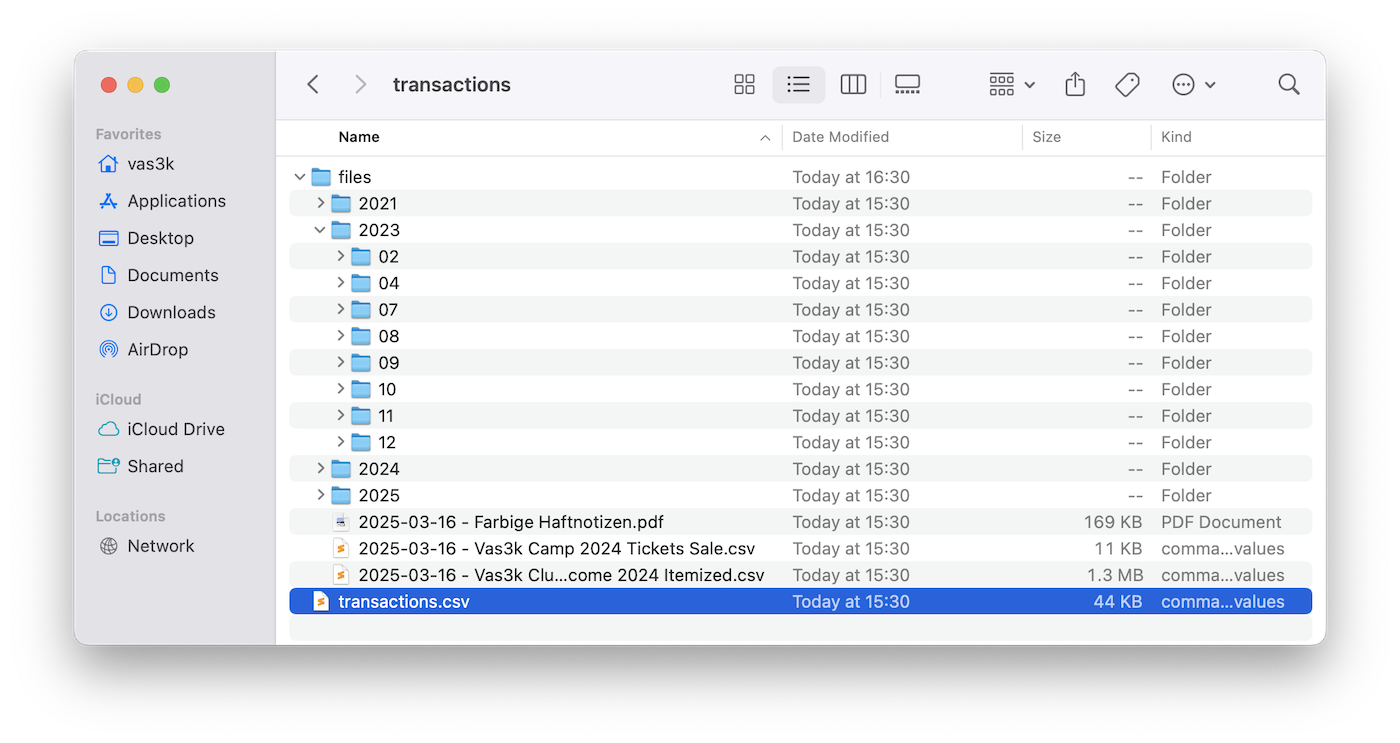
Flexible exports: Export filtered transactions to CSV with all attached documents included
Tax-ready reports: Generate comprehensive reports for your accountant or tax advisor
Data portability: Download complete data archives to migrate to other services—your data stays yours
7 Self-hosted mode for data privacy
Keep complete control over your financial data with local storage and self-hosting options. TaxHacker respects your privacy and gives you full ownership of your information.
Home server ready: Host on your own infrastructure for maximum privacy and control
Docker native: Simple setup with provided Docker containers and compose files
Data ownership: Your financial documents never leaves your control
No vendor lock-in: Export everything and migrate whenever you want
Transparent operations: Full access to source code and complete operational transparency
🛳 Deployment and Self-hosting
TaxHacker can be easily self-hosted on your own infrastructure for complete control over your data and application environment. We provide a Docker image and Docker Compose setup that makes deployment simple:
curl -O https://raw.githubusercontent.com/vas3k/TaxHacker/main/docker-compose.yml

docker compose up
The Docker Compose setup includes:
TaxHacker application container
PostgreSQL 17+ database (or connect to your existing database)
Automatic database migrations on startup
Volume mounts for persistent data storage
Production-ready configuration
no-new-privileges security option on all containers
New Docker images are automatically built and published with every release. You can use specific version tags (e.g., v1.0.0) or latest for the most recent version.
For advanced setups, you can customize the Docker Compose configuration to fit your infrastructure. The default configuration uses the pre-built image from GitHub Container Registry, but you can also build locally using the provided Dockerfile.
Configure TaxHacker for your specific needs with these environment variables:
Variable
Required
Description
Example
UPLOAD_PATH
Yes
Local directory for file uploads and storage
./data/uploads
DATABASE_URL
Yes
PostgreSQL connection string
postgresql://user@localhost:5432/taxhacker
PORT
No
Port to run the application on
7331 (default)
BASE_URL
No
Base URL for the application
http://localhost:7331
SELF_HOSTED_MODE
No
Set to "true" for self-hosting: enables auto-login, custom API keys, and additional features
true
DISABLE_SIGNUP
No
Disable new user registration on your instance
false
BETTER_AUTH_SECRET
Recommended
Secret key for authentication and email credential encryption (minimum 16 characters). In self-hosted Docker, TaxHacker auto-generates and persists one in ./data/.better_auth_secret if unset.
your-secure-random-key
POSTGRES_PASSWORD
Yes (docker-compose.build.yml)
Password for the bundled Postgres when building locally — used in both POSTGRES_PASSWORD and DATABASE_URL
output of openssl rand -hex 24
POSTGRES_USER
No (docker-compose.build.yml)
Database user (defaults to postgres)
postgres
POSTGRES_DB
No (docker-compose.build.yml)
Database name (defaults to taxhacker)
taxhacker
💡 Need internet access with authentication? See docs/self-hosted-public-access.md for a workaround (yes, it's cursed).
⌨️ Local Development
We use:
Next.js 15+ for the frontend and API
Prisma for database models and migrations
PostgreSQL as the database (PostgreSQL 17+ recommended)
Ghostscript and GraphicsMagick for PDF processing (install on macOS via brew install gs graphicsmagick)
Set up your local development environment:
# Clone the repository
git clone https://github.com/vas3k/TaxHacker.git
cd TaxHacker

# Install dependencies
npm install

# Set up environment variables
cp .env.example .env

# Edit .env with your configuration
# Make sure to set DATABASE_URL to your PostgreSQL connection string
# Example: postgresql://user@localhost:5432/taxhacker

# Initialize the database
npx prisma generate && npx prisma migrate dev

# Start the development server
npm run dev
Visit http://localhost:7331 to see your local TaxHacker instance in action.
For a production build, instead of npm run dev use the following commands:
# Build the application
npm run build

# Start the production server
npm run start
🤝 Contributing
No AI-slop PRs. Please open a new Issue and discuss the details with maintainers before sending new changes.
❤️ Support the Project
If TaxHacker has helped you save time or manage your finances better, consider supporting its development! Your donations help us maintain the project, add new features, and keep it free and open source. Every contribution helps ensure we can keep improving and maintaining this tool for the community: https://vas3k.com/donate/
vas3k/TaxHacker thuộc nhóm AI Tools trên TopGit, cùng 12 topic GitHub. Trang Trending và Topics liệt kê các repo cùng số sao và cùng ngôn ngữ để so sánh.
Đọc thêm về vas3k/TaxHacker ở đâu?
Trang TopGit này là một snapshot — tab "Readme" hiển thị nguyên văn README của repo (đã bỏ link, giữ ảnh). Repo GitHub ở github.com/vas3k/TaxHacker là nguồn chính thức.
vas3k/TaxHacker có phải mã nguồn mở không?
Có — vas3k/TaxHacker phát hành theo license MIT, nghĩa là mã nguồn mở để đọc, fork và (tùy license) tái sử dụng. Mã: github.com/vas3k/TaxHacker.
vas3k/TaxHacker là gì?
vas3k/TaxHacker (vas3k/TaxHacker) là dự án TypeScript trên GitHub. Theo mô tả gốc: Self-hosted AI accounting app. LLM analyzer for receipts, invoices, transactions with custom prompts and categories
vas3k/TaxHacker so với các dự án AI Tools khác thế nào?
vas3k/TaxHacker được TopGit xếp vào nhóm AI Tools, với 6.8k sao GitHub và viết bằng TypeScript. Xem trang chủ đề AI Tools trên TopGit để so sánh với các dự án tương tự theo số sao và mức độ hoạt động.
Vì sao vas3k/TaxHacker được xếp vào nhóm AI Tools?
TopGit xếp vas3k/TaxHacker vào nhóm AI Tools dựa trên GitHub topics và mô tả của repo (gắn thẻ: "accounting", "ai-analysis", "currency-exchange"). Việc phân loại dựa trên metadata thật của repo, không phải đoán theo cảm tính biên tập.
Đọc đầy đủ README ở tab phía trên.
Vẫn đang phân vân về TaxHacker?
Một cú bấm sẽ gửi câu hỏi kèm trang này cho AI — xem AI nói gì về TaxHacker.

 /TaxHacker