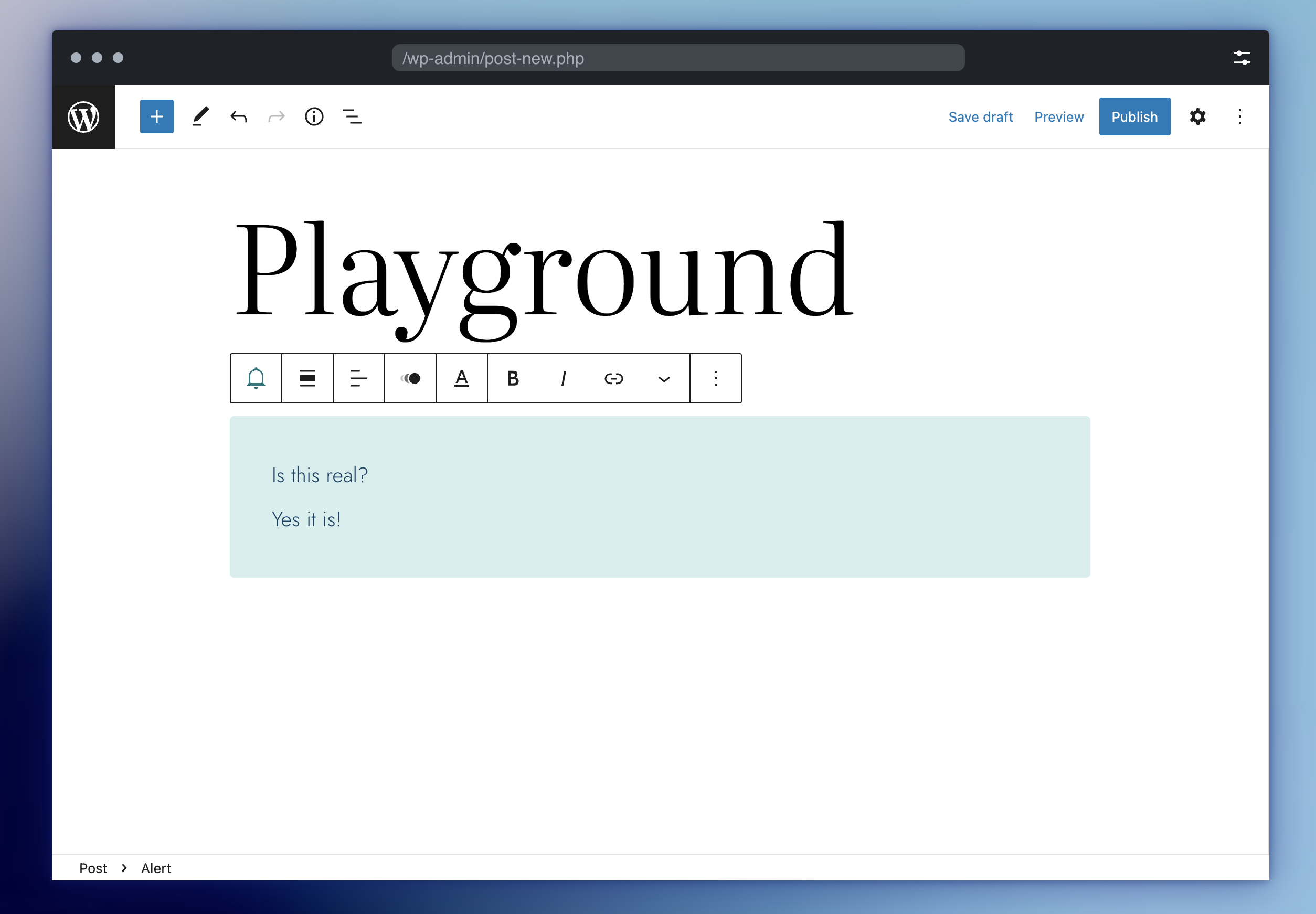
WordPress/wordpress-playground — 2.0k★ trên GitHub (JavaScript). Run WordPress in the browser via WebAssembly PHP
Tóm tắt dựng từ metadata GitHub của chính dự án — chưa có bài review TopGit. Trang sẽ tự động cập nhật khi bài review đầy đủ được xuất bản.
VÌ SAO CHƯA CÓ REVIEW
TopGit viết bài đầy đủ cho repo có nhiều sao nhất và được yêu cầu nhiều nhất. Trang này là snapshot trong thời gian chờ — xem README gốc ở tab READ ME.
Project Page | Live demo | Documentation and API Reference
WordPress Playground is an experimental in-browser WordPress that runs without a PHP server thanks to the magic of WebAssembly.
Why is WordPress Playground useful?
WordPress Playground exists to make WordPress instantly accessible for users, learners, extenders, and contributors by building foundational software tools developers can use to create interactive, zero-setup JavaScript applications with WordPress.
Playground aims to facilitate:
Learning WordPress Through Exploration
Learning WordPress Development Through Writing Code
Instant access to the WordPress ecosystem
Learn more about the vision and the roadmap. You can also explore the community-maintained Awesome WordPress Playground list for more resources, tools, and examples.
Getting started
WordPress Playground has a live demo available.
You can embed WordPress Playground in your project via an <iframe> – find out how in the documentation. Note the embed is experimental and may break or change without warning.
You can connect to the Playground using the JavaScript client. Here's an example of how to do it in the browser using an iframe HTML element and the startPlaygroundWeb function from the @wp-playground/client package.
For local development and testing, WordPress Playground offers a command-line interface (CLI) tool: @wp-playground/cli. This powerful tool simplifies setting up a local WordPress environment, leveraging the capabilities of WordPress Playground to create zero-setup instances. It's useful for developers, as it allows you to quickly spin up a WordPress site directly in your project directory without complex server configurations, and even switch PHP and WordPress versions with simple flags.
The best part? You can run it directly using npx, Node.js's package runner. To get started, navigate to your plugin or theme directory and run:
cd my-plugin-or-theme-directory
npx @wp-playground/cli server --auto-mount
The --auto-mount flag detects if your project is a plugin or theme, mounting it automatically into the virtual WordPress environment. This provides an instant, isolated WordPress instance for testing your code. For more advanced usage, including manual mounting options and blueprint integration, refer to the Playground CLI documentation.
WordPress Playground Tools
WordPress Playground Tools are independent applications built on top of WordPress Playground. They are located in a different repository: WordPress/playground-tools.
These tools include:
Interactive Code Block for Gutenberg
WordPress Playground for Visual Studio Code
Cloning WordPress Playground repo
The vanilla git clone command will take ages. Here's a faster alternative that will
only pull the latest revision of the trunk branch:
docker run --rm -p 9999:80 -v $(pwd)/dist/packages/playground/wasm-wordpress-net:/usr/share/nginx/html:ro nginx:alpine
Using the browser to test the offline support
Open the browser and go to http://localhost:9999.
Open the browser's developer tools.
Go to the "Network" tab.
Select "Offline" in the throttling dropdown menu.
Refresh the page.
How can I contribute?
WordPress Playground is an open-source project and welcomes all contributors from code to design, and from documentation to triage. If the feature you need is missing, you are more than welcome to start a discussion, open an issue, and even propose a Pull Request to implement it.
Here are a few quickstart guides to get you started:
Code contributions – see the developer section.
Documentation – see the documentation section.
Triage – see the triage section.
Contributions to translations – see the translations section.
Reporting bugs – open an issue in the repository.
Ideas, designs or anything else – open a GitHub discussion and let's talk!
WordCamp Contributor Day
If you're participating in a WordCamp Contributor Day, you can use the following instructions to get started: WordCamp Contributor Day.
Backwards compatibility
This experimental software may break or change without a warning. Releasing a stable API is an important future milestone that will be reached once the codebase is mature enough.
Prior art
WordPress Playground forked the original PHP to WebAssembly build published in https://github.com/oraoto/pib, and modified later in https://github.com/seanmorris/php-wasm.
Another strong inspiration was the Drupal in the browser demo which proved you can run non-trivial PHP software in the browser.
A worthy mention is Wasm Labs’s closed-source WordPress in the browser shared before this project was first published. There is no public repository available, but their technical overview gives a breakdown of the technical decisions that project took. WordPress Playground draws inspiration from the same PHP in the browser projects and makes similar technical choices.
Governance
WordPress Playground is a WordPress.org project started and led by Adam Zielinski.
Playground tools like the interactive code block are maintained by their authors in the playground-tools monorepo.
Trang TopGit này là một snapshot — tab "Readme" hiển thị nguyên văn README của repo (đã bỏ link, giữ ảnh). Repo GitHub ở github.com/WordPress/wordpress-playground là nguồn chính thức.
WordPress/wordpress-playground có những chủ đề gì?
GitHub topics của WordPress/wordpress-playground: "emscripten", "wasm", "webassembly", "wordpress". TopGit xếp repo vào nhóm mã nguồn mở.
WordPress/wordpress-playground có phải mã nguồn mở không?
Có — WordPress/wordpress-playground phát hành theo license GPL-2.0, nghĩa là mã nguồn mở để đọc, fork và (tùy license) tái sử dụng. Mã: github.com/WordPress/wordpress-playground.
WordPress/wordpress-playground có trang demo không?
Dự án có trang chủ ở https://w.org/playground/. Tab "Readme" ở trang này thường có ảnh chụp và hướng dẫn bắt đầu nhanh.
WordPress/wordpress-playground còn đang phát triển không?
Commit gần nhất trên WordPress/wordpress-playground là 6 ngày trước (theo timestamp GitHub). Repo có 447 fork — một chỉ báo về mức độ quan tâm của cộng đồng.
WordPress/wordpress-playground dùng license gì?
WordPress/wordpress-playground phát hành theo license GPL-2.0. Nên mở file LICENSE trên GitHub để xác nhận — license metadata đôi khi lệch với thực tế dự án.
Đọc đầy đủ README ở tab phía trên.
wordpress-playground có đáng để bạn bỏ thời gian?
ChatGPT, Claude và Perplexity đều đọc được trang này. Hỏi thử xem họ nghĩ gì về wordpress-playground.
 /wordpress-playground