TopGit tracks 78/tenbox on GitHub. The project has 264 stars. A lightweight x86-64 / arm64 Virtual Machine Monitor (VMM) for OpenClaw / QwenPaw / Hermes Agent
Snapshot summary built from the project's own GitHub metadata — there's no written TopGit review yet. The page will update automatically when a full review is published.
WHY NO REVIEW YET
TopGit writes full reviews for the most-starred, most-requested repositories. This page is a snapshot until then — see the READ ME tab for the original README in full.
TenBox lets you run AI agents safely on your personal computer. Each agent runs
inside a secure, isolated virtual machine — it can only access the files you
explicitly authorize, keeping your privacy and data protected.
Under the hood, TenBox is a cross-platform Virtual Machine Monitor (VMM) with a
shared C++ runtime. It runs full Linux desktop environments with
hardware-accelerated virtualization, GPU display output, audio, shared folders,
and clipboard integration. Windows hosts use WHVP with a Win32 manager; macOS
hosts use Hypervisor Framework (both Apple Silicon and Intel) with a
SwiftUI/AppKit manager; Linux hosts run tenboxd, a systemd daemon that manages
VM lifecycle, exposes a local CLI, and provides optional browser-based remote
desktop.
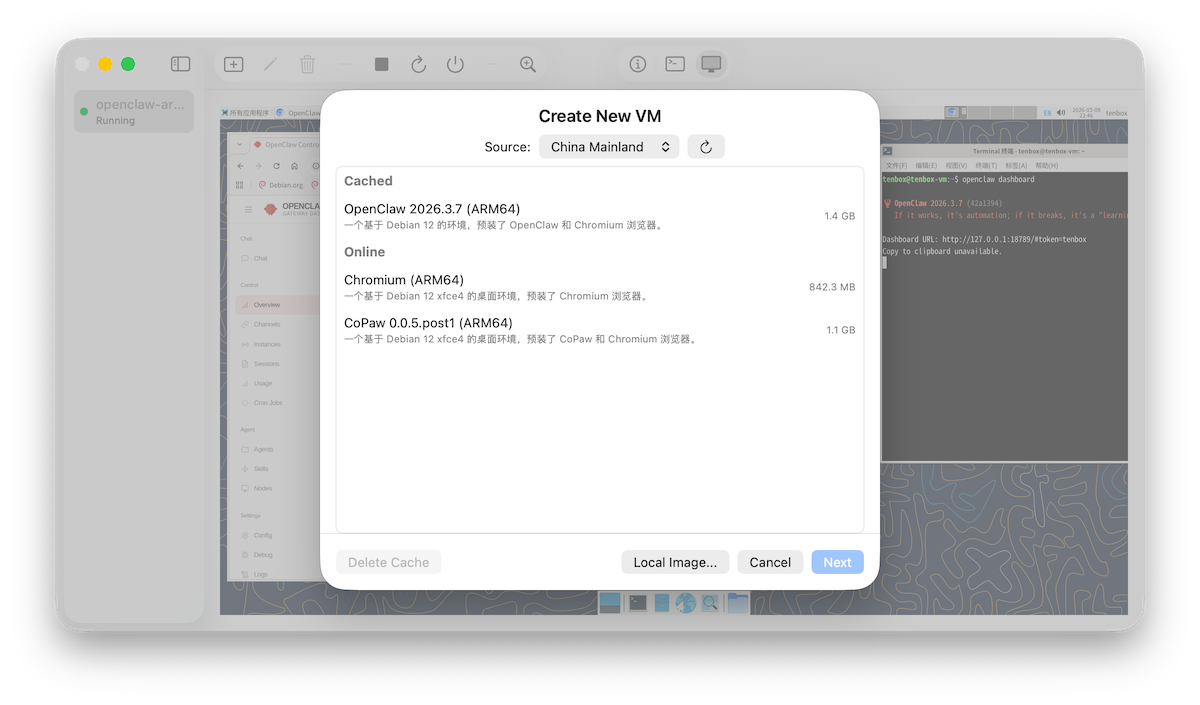
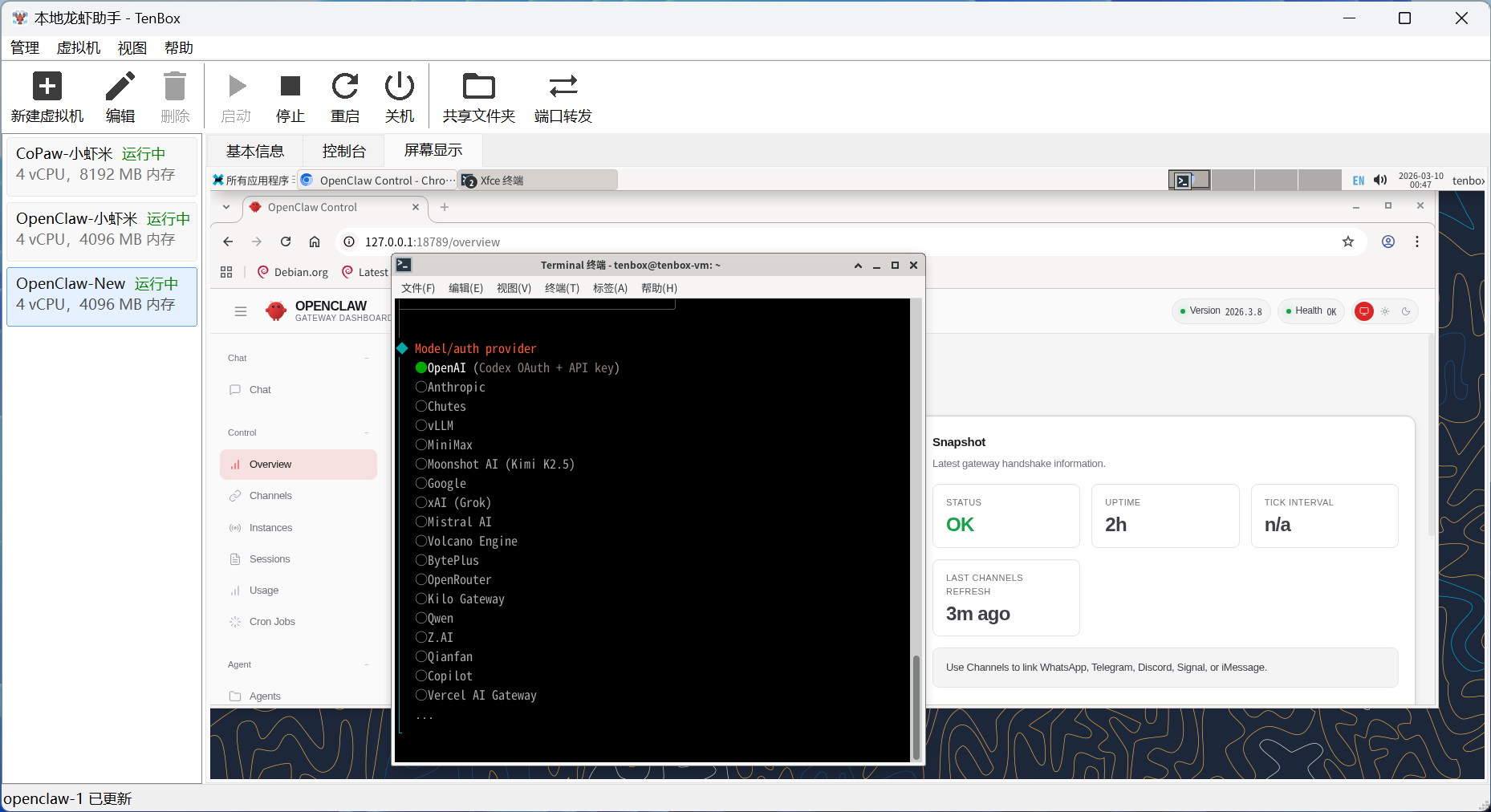
Screenshots
Features
Cross-platform hypervisor backends — WHVP on Windows, Hypervisor Framework on macOS (Apple Silicon and Intel), KVM on Linux (x86_64 and arm64, including Raspberry Pi)
Native GUI managers — Win32 on Windows, SwiftUI/AppKit on macOS
Linux daemon (tenboxd) — systemd-managed, local RPC over /run/tenbox/tenbox.sock, tenbox system group access control
tenbox CLI — doctor / system info / vm ls|create|edit|start|stop|reboot|shutdown|rm|console|logs
Linux boot support — boots standard vmlinuz / Image kernels with initramfs
LLM proxy — built-in OpenAI-compatible HTTP proxy mapping guest requests to configurable upstream providers; available in tenboxd on Linux and the GUI manager on Windows/macOS
Install
Linux (Debian 11+ / Ubuntu 20.04+ / Raspberry Pi OS 11+, amd64 / arm64)
curl -fsSL https://tenbox.ai/install.sh | sudo sh
Requires glibc 2.31+ and /dev/kvm. The installer registers the TenBox apt
repo, installs the tenbox deb, adds the current user to the tenbox group,
and enables tenboxd.service. After install, a pairing URL is printed to the
terminal — open it (or visit https://my.tenbox.ai/) to claim the host.
Tested on x86_64 PCs and Raspberry Pi 5; other arm64 boards may work but are
not yet validated.
Windows / macOS
Download the latest installer from tenbox.ai or the
GitHub Releases page.
TopGit's metadata for 78/tenbox does not record a license. Most public repositories on GitHub ARE open source, but the exact terms vary — verify by opening the LICENSE file directly.
What is 78/tenbox?
78/tenbox (78/tenbox) is a C++ project on GitHub. From the project's own README: A lightweight x86-64 / arm64 Virtual Machine Monitor (VMM) for OpenClaw / QwenPaw / Hermes Agent
Where can I see 78/tenbox in action?
The project maintains a homepage at https://tenbox.ai. The README tab on this page also usually contains screenshots and a quickstart.
Where do I read more about 78/tenbox?
This TopGit page is a snapshot — the READ ME tab shows the project's own README content (links stripped, images preserved). The GitHub repository at github.com/78/tenbox is the definitive source.
Read full README in the tab above.
Want a second opinion on tenbox?
Ask an AI that can read this page — one click and you get its take on tenbox.

 /tenbox