aimeos/aimeos-headless — a backend project — sits at 2.6k GitHub stars in the Backend space. Aimeos cloud-native, API-first ecommerce headless distribution based on Laravel for ultra fast online shops, scalable marketplaces, complex B2B applications and #gigacommerce
Snapshot summary built from the project's own GitHub metadata — there's no written TopGit review yet. The page will update automatically when a full review is published.
WHY NO REVIEW YET
TopGit writes full reviews for the most-starred, most-requested repositories. This page is a snapshot until then — see the READ ME tab for the original README in full.
Aimeos is THE ultra-fast, cloud-native and
API-first headless ecommerce for Laravel! You can adapt, extend, overwrite
and customize anything to your needs.
Features
Aimeos is a full-featured e-commerce package:
JSON REST API based on jsonapi.org
GraphQL API for administration
Perfect fit for AWS, Google, Azure and Kubernetes based clouds
Multi vendor, multi channel and multi warehouse
From one to 1,000,000,000+ items
Extremly fast down to 20ms
For multi-tentant e-commerce SaaS solutions with unlimited vendors
Bundles, vouchers, virtual, configurable, custom and event products
Subscriptions with recurring payments
Block/tier pricing out of the box
Extension for customer/group based prices
Discount and voucher support
Flexible basket rule system
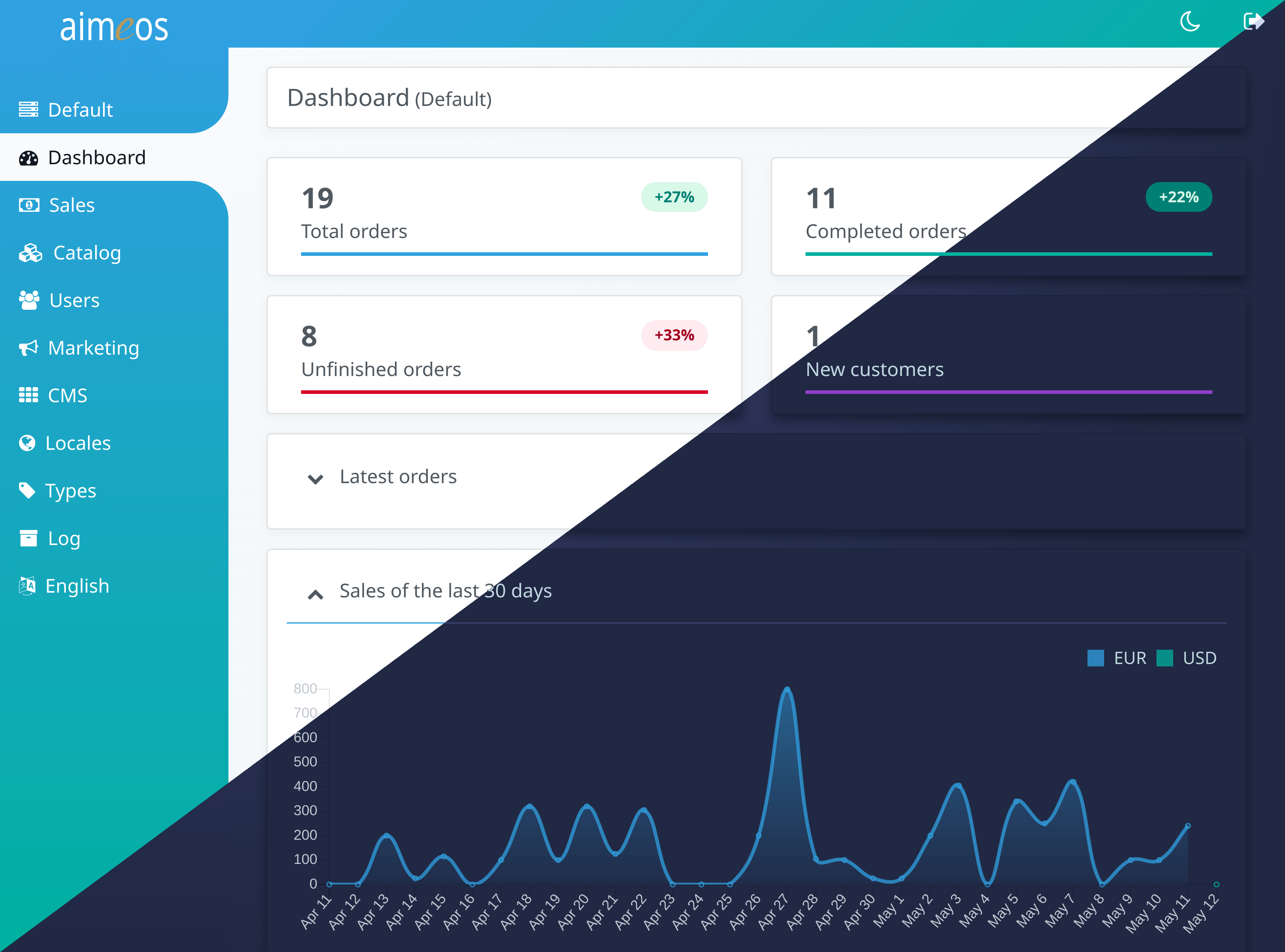
Full-featured admin backend
Beautiful admin dashboard
Configurable product data sets
Completly modular structure
Extremely configurable and extensible
Extension for market places with millions of vendors
Translated to 30+ languages
Full RTL support
AI-based text translation
Secure and reviewed implementation
High quality source code
... and more Aimeos features
Supported languages:
Check out the demos:
Aimeos frontend demo
Aimeos admin demo
Alternatives
Integrate into existing applications
You already have an existing Laravel application and want to add a shop to your
web site? Install the Aimeos composer package for Laravel and add e-commerce to
your existing application in minutes:
:star: Aimeos Laravel package
Full shop application
If you want to set up a new application or test Aimeos, we recommend the Aimeos
shop distribution. It contains everything for a quick start and you will get a
fully working online shop in less than 5 minutes:
:star: Aimeos shop distribution
Table of content
Requirements
Installation
Frontend
Backend
MCP server
Customize
Multi-vendor
License
Links
Requirements
The Aimeos headless distribution requires:
AWS, Google, Azure or Kubernetes cloud, Linux/Unix, WAMP/XAMP or MacOS environment
PHP >= 8.2
MySQL >= 5.7.8, MariaDB >= 10.2.2, PostgreSQL 9.6+, SQL Server 2019+
Web server (Apache, Nginx or integrated PHP web server for testing)
If required PHP extensions are missing, composer will tell you about the missing
dependencies.
If you want to upgrade between major versions, please have a look into the
upgrade guide!
Installation
To install the Aimeos shop application, you need composer 2.2+.
On the CLI, execute this command for a complete installation including a working setup:
You will be asked for the parameters of your database and mail server as well as an
e-mail and password used for creating the administration account.
In a local environment, you can use the integrated PHP web server to test your new Aimeos
installation. Simply execute the following command to start the web server:
cd headless
php artisan serve
Note: In an hosting environment, the document root of your virtual host must point to
the /.../headless/public/ directory and you have to change the APP_URL setting in your .env
file to your domain without port, e.g.:
APP_URL=http://myhostingdomain.com
JSON REST API
After the installation, you can test the Aimeos JSON REST API by calling the URL of your
VHost in your browser. If you use the integrated PHP web server, you should browse
this URL: http://127.0.0.1:8000/jsonapi
Learn how to use the JSON REST API
Authenticate
To authenticate using e-mail and password, send a POST request:
curl -X POST "http://127.0.0.1:8000/api/login?email=me@localhost&password=test"
If the authentication was successful, the API will return with a response like this:
Use this access token in all further requests as HTTP header:
curl -X POST "http://127.0.0.1:8000/api/me" -H "Authorization: Bearer eyJ0eXAiOiJKV..."
Backend
The Aimeos administration interface will be available at /admin in your VHost. When using
the integrated PHP web server, call this URL: http://127.0.0.1:8000/admin
MCP server
AI agents like Claude or ChatGPT can manage your shop using the
Model Context Protocol server available at
/admin/<site>/mcp, e.g. http://127.0.0.1:8000/admin/default/mcp
for the default site. It offers tools to search, create, update and delete products,
categories, customers, orders and many more items.
The endpoint requires a Laravel Sanctum API token of an admin, editor or super user.
To create a token for an existing account, use:
Super users can use all tools while the available tools for other accounts depend on the
permissions configured in admin/mcp/resource. To disable the MCP server, remove the mcp
entry from the routes section in config/shop.php.
OAuth login
Remote AI clients like Claude.ai or ChatGPT connectors require an OAuth login instead of
API tokens. Users then add the MCP URL in their client, log in with their shop account and
approve the access. To use OAuth via Laravel Passport instead of Sanctum tokens, run:
Afterwards, set the authentication method for the MCP server in your .env file:
SHOP_MCP_AUTH=passport
MCP clients register themselves automatically. By default, they can use any redirect URL;
to restrict them, publish the configuration using php artisan vendor:publish --tag=mcp-config
and adapt redirect_domains and custom_schemes in config/mcp.php.
Cloud filesystems
To use cloud storage like AWS S3 compatible object storages, adapt the resource/fs sections
in the ./config/shop.php file and configure the filesystem like this:
Laravel and the Aimeos headless ecommerce distribution are extremely flexible and highly customizable.
A lot of documentation for the Laravel framework and the
Aimeos ecommerce framework exists. If you have questions
about Aimeos, don't hesitate to ask in our Aimeos forum.
License
The Aimeos shop system is licensed under the terms of the MIT and LGPLv3 license and
is available for free.
Does aimeos/aimeos-headless have a project website?
No homepage URL was recorded for aimeos/aimeos-headless in TopGit's last sync. The README tab above frequently contains screenshots and demo links, or check the repository description on GitHub.
How active is development on aimeos/aimeos-headless?
The most recent commit recorded on aimeos/aimeos-headless was 3 months ago, based on the GitHub push timestamp. The repository has 27 forks — one of the better signals of community interest.
How many stars does aimeos/aimeos-headless have?
aimeos/aimeos-headless has 2.6k GitHub stars — refresh the page for the live number, or check github.com/aimeos/aimeos-headless. TopGit mirrors GitHub's count but does not claim minute-by-minute accuracy.
What language is aimeos/aimeos-headless written in?
aimeos/aimeos-headless is written primarily in JavaScript. GitHub's language field is based on the largest share of bytes in the default branch.
What topics is aimeos/aimeos-headless associated with?
Where do I read more about aimeos/aimeos-headless?
This TopGit page is a snapshot — the READ ME tab shows the project's own README content (links stripped, images preserved). The GitHub repository at github.com/aimeos/aimeos-headless is the definitive source.
Read full README in the tab above.
Still deciding about aimeos-headless?
One click hands the question to an AI along with this page — see what it says about aimeos-headless.

 /aimeos-headless